
Top 8 AI data assistants
The days of spending hours manually cleaning spreadsheets and building pivot tables are far behind us. With an AI data analysis assistant, you can now ask natural-language questions about datasets, spreadsheets, form submissions, reports, and business metrics. The assistant then handles the structure, the charts, and the first pass at what the numbers actually mean. All you need is to ask the right questions and double-check the numbers that matter before you can act on them.
But the best AI assistant for data analysis depends on where your data lives. Your most suitable choice comes down to whether you want to upload data files, connect a spreadsheet, pull data from forms and submissions, or work inside an existing BI dashboard. To help you find the right tool for your needs, we scoured the market and compared the best AI data analysis assistants, focusing on capabilities that set each assistant apart. Based on our findings, these are the eight best AI for data analysis.
| Tool | Best for | Standout feature | Pricing |
|---|---|---|---|
 Jotform AI Data Assistant |
Teams that collect data from forms, surveys, registrations, requests, feedback forms, and applications |
AI analysis of form submissions to turn responses into insights, charts, and summaries |
Free plan, paid plans range from $34–$99 per month (billed annually) |
 ChatGPT |
Users who want an AI analytics assistant for data and everything else |
Flexible, in-depth analysis of uploaded data, including cleaning, calculations, statistics, and visualizations |
Free plan, paid plans range from $8–$200 per month |
 Julius AI |
Researchers and analysts who want fast statistical and spreadsheet analysis |
Autogenerated Python or R code for regressions and forecasts |
Free plan, paid plans range from $16–$375 per month (billed annually) |
 Claude |
Teams that need AI-assisted analysis of complex spreadsheets and other files |
Strong reasoning during data analysis and code execution |
Free plan, paid plans range from $17–$100+ per month |
 Microsoft Power BI Copilot |
Enterprises already using Power BI |
Natural-language report and Data Analysis Expressions inside Power BI |
Free plan, paid plans range from $14–$24 per user per month (billed annually) |
 Tableau Pulse |
Teams that want proactive insights from their business KPIs |
Automated natural-language metric digests to Slack, Teams, or email |
No free plan, paid plans range from $15–$35 per user per month (billed annually) |
 ThoughtSpot Spotter |
Businesses that want to ask questions about business data in plain language |
Search-driven AI agent that answers questions grounded in modeled data |
No free plan, paid plans range from $25–$50 per user per month (billed annually) |
 Polymer |
Marketers and teams that want to create interactive dashboards quickly |
Automatic dashboard generation from an uploaded spreadsheet |
No free plan, paid plans range from $25–$125 per month (billed annually) |
1. Jotform AI Data Assistant
Best for: Teams that collect data through forms, surveys, registrations, applications, or internal workflows and want an AI assistant that works directly with the submission data
Why Jotform AI Data Assistant made the list: It’s built specifically around form-based data collection, so you don’t have to export, reformat, or connect a separate business intelligence (BI) tool before you can start asking the AI assistant questions.
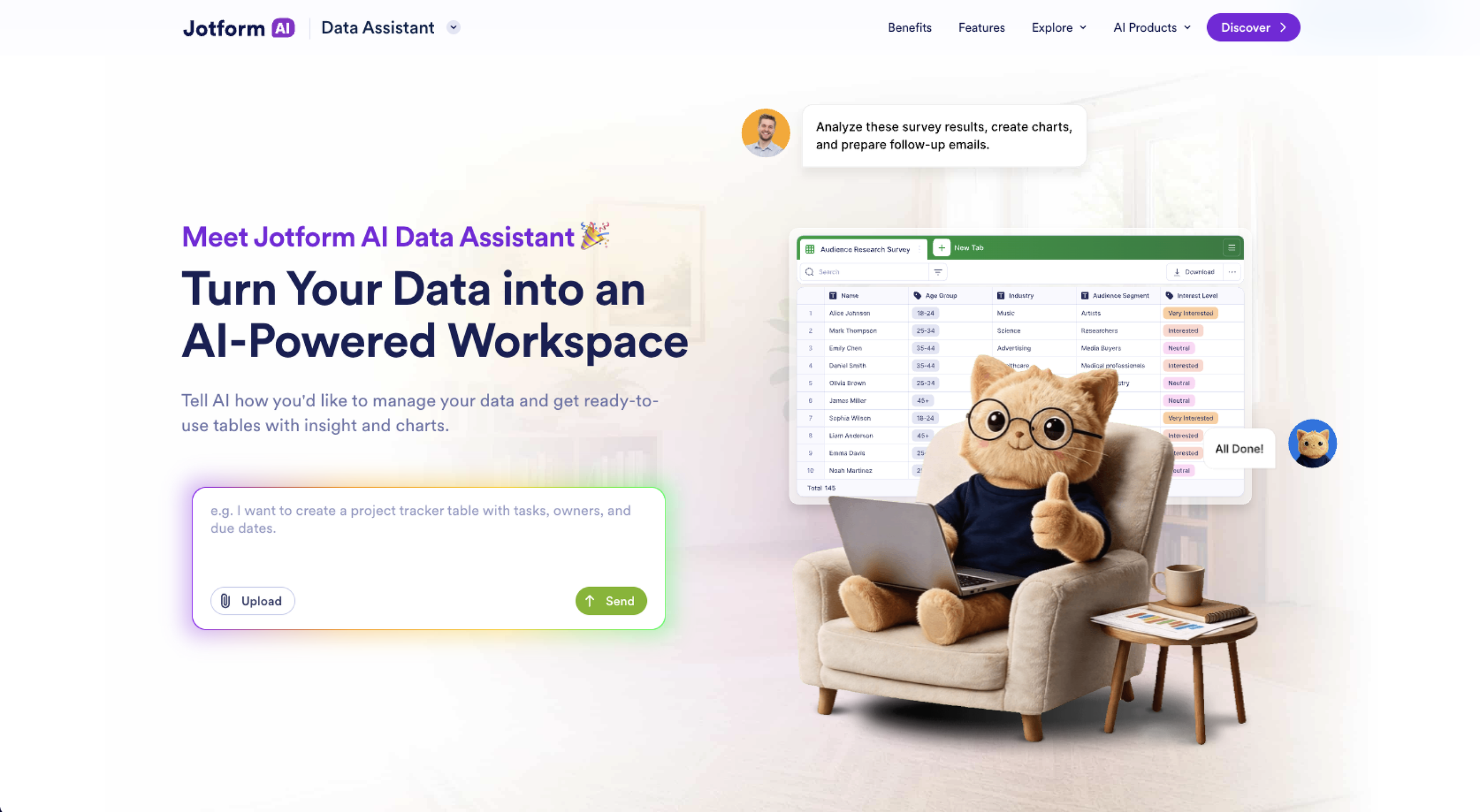
If you typically sit through hours of manual data prep whenever a new batch of submissions comes in, introducing Jotform AI Data Assistant to your workflow can save you huge amounts of time. You only have to describe what you want with your data, and the assistant will build the tables, run the calculations, generate charts, flag trends, and apply bulk actions.
Because Jotform AI Data Assistant works with live data inside Jotform Tables and Jotform Inbox, you don’t need to export your form submissions to another program for analysis. This simplicity makes it the best AI assistant for data analysis if you’re a small business, nonprofit, healthcare provider, or educational institution that collects data with forms and wants to skip manual data preparation.
Beyond the data assistant itself, Jotform Tables gives you a spreadsheet-database hybrid to help you organize submissions. The Report Builder then turns that data into shareable reports, while Jotform Workflows helps you automate what happens after users submit forms. If you’re collecting feedback, you can pair the data assistant with the Jotform Survey Analysis Tool or Jotform Form Analytics to get a fuller picture of response patterns.
- Key strengths
- AI data assistant creates and organizes a table from natural-language prompts, imported files, or voice commands.
- Jotform Tables provides a central place to organize, filter, and analyze form submissions.
- Jotform Report Builder turns submission data into visual reports that you can share or present.
- Jotform Workflows connects your submission data to the processes that follow, such as approvals, assignments, and follow-ups.
- You can upload CSV and Excel files to Jotform Tables and work with the data alongside your form submissions.
- Key drawback
- Its strongest data analysis features are closely tied to the Jotform ecosystem.
- Jotform AI Data Assistant pricing
- Starter (free): 5 forms, 100 fields per form, 10 monthly payment submissions, Jotform branding
- Bronze ($34 per month, billed annually): 25 forms, 250 fields per form, 100 monthly payment submissions, no Jotform branding
- Silver ($39 per month, billed annually): 50 forms, 500 fields per form, 250 monthly payment submissions
- Gold ($99 per month, billed annually): 100 forms, 1,000 fields per form, 1,000 monthly payment submissions
- Enterprise (custom pricing): Unlimited usage, multiuser access, dedicated support, user access control
2. ChatGPT
Best for: General users who want an AI assistant that can handle data analysis alongside writing, research, coding, creative works, and everyday tasks
Why ChatGPT data analysis made the list: ChatGPT’s data analysis feature writes and runs Python code behind the scenes to improve the accuracy of data processing and analysis.
With over a billion monthly users, ChatGPT is one of the most popular AI assistants. Since its early dominance in the AI space, ChatGPT has released more powerful models that have expanded its capabilities, making it a versatile no-code data analysis AI tool.
In a ChatGPT chat, you can upload your file or paste numbers, and the assistant will write Python code to clean and analyze your data. It can generate visuals such as bar charts, scatter plots, and heatmaps to help you understand your data. Because the AI data analysis functionality is built on a general-purpose model, you can ask follow-up questions that mix data analysis with business context without switching tools. You can also view and copy the underlying code it generated to clean and analyze your data, which is useful if you want to run the same analysis elsewhere.
- Key strengths
- Runs Python in a sandboxed environment to clean data, run statistics, and build charts
- Handles CSV, Excel, and PDF uploads without any setup
- Broad, flexible assistant that also handles other data tasks
- Works with data through natural-language prompts, so you can ask follow-up questions and refine your analysis
- Key drawback
- ChatGPT is a general-purpose assistant first, so it lacks the built-in dashboards, connectors, and reporting structure of a dedicated AI assistant for data analysis.
- ChatGPT data analysis pricing
- Free: Limited file uploads, limited visual generations, limited conversational data analysis, limited access to advanced models
- Go ($8 per month): Everything in Free, more file uploads, more visual generations, more conversational data analysis, expanded access to advanced models
- Plus ($20 per month): Everything in Go, higher limits for file uploads, more complex and accurate visual generations, expanded conversational data analysis
- Pro (from $100 per month): Everything in Plus, unlimited file uploads, unlimited visual generations, maximum limits for conversational data analysis, access to advanced reasoning
- Business Standard seat ($25 per user per month, billed monthly): Everything in Plus, higher usage limits, unlimited conversational data analysis, dedicated workspace
- Business Premium seat ($125 per user per month, billed monthly): Five times more usage than the Business Standard seat, with no five-hour limit
- Enterprise (custom pricing): Expanded usage, enterprise security and privacy controls, dedicated support, larger context window
3. Julius AI
Best for: Users who want to run statistical analysis through conversations instead of code
Why Julius AI made the list: This platform is purpose-built for data analysis, with AI data analysis tools such as regression modeling and forecasting on top of a conversational interface.
On the conversational data analysis front, Julius AI takes the crown for the most comprehensive suite of statistical AI features. With this assistant, you can upload data files or connect to a live database and analyze the information with natural language. You can generate summary statistics and apply more advanced modeling, with the assistant showing how it works by generating the underlying code alongside the answer.
Julius AI’s conversational analysis can help you turn spreadsheets into a chart or a statistical test in seconds, rather than going through the setup of a traditional notebook. The free plan includes free daily credits, so you’ll most likely need a paid tier if you’re a regular user.
- Key strengths
- Generates Python or R code behind the scenes for statistical models like linear and logistic regression
- Supports large files, up to several gigabytes, depending on plan and connects to Google Drive and databases
- Autogenerates charts and visual summaries from natural-language prompts
- Can perform advanced statistical tests, including Analysis of Variance (ANOVA), t-tests, and correlation analysis
- Key drawback
- Getting precise control over the statistical methods or parameters can require editing the generated code in a Notebook rather than simply refining everything through the chat.
- Julius AI pricing
- Free: Free daily credits, Google Drive data connector, basic access to Julius’ analysis and creation tools
- Plus ($16 per month, billed annually): Everything in Free, 24,000 credits per year, one seat included, access to frontier AI models, unlimited file storage formats, unlimited charts, advanced analysis
- Pro ($37 per month, billed annually): Everything in Plus, 60,000 credits per year, one seat included, access to frontier AI models, expanded context window, access to Julius Teams, live collaboration, priority support
- Max (from $166 per month, billed annually): Everything in Pro, from 300,000 credits per year, access to the most powerful AI models, larger context window, priority access during high traffic
- Business (from $375 per month, billed annually): Everything in Max; from 720,000 credits per year; up to 50 team members; database connections including PostgreSQL, BigQuery, and Snowflake; unlimited custom agents; unlimited scheduled report runs
- Enterprise (custom pricing): Additional security, administration, data integration, and deployment options
4. Claude
Best for: Organizations that need careful, well-reasoned analysis of complex or sensitive data
Why Claude made the list: Claude combines strong reasoning with the ability to analyze and write code against files you upload, making it well-suited to analyzing data that needs context and judgment.
Claude makes the most sense if you want an AI assistant that thinks carefully through a problem before producing an answer. It comes in handy if your data is inconsistent or needs interpretation.
In a Claude chat, you can upload a spreadsheet or any document with your data and ask the AI data assistant to analyze it based on your specific needs. Besides delivering the results, the assistant will walk you through its reasoning so you can understand how it reached its conclusion.
You’ll appreciate Claude’s attention to nuance. Ask it to compare two data sets or reconcile numbers that don’t quite match, and it tends to catch the caveats and edge cases that simpler tools might miss. It can also generate charts and tables directly in the conversation.
- Key strengths
- Analyzes uploaded documents directly in conversation
- Can write and run code to calculate and cross-check its own analysis
- Explains its reasoning, which helps when you need to understand the assistant’s thought process
- Can create interactive charts and dashboards from your analysis
- Key drawback
- No native dashboards or scheduled reporting, so ongoing analysis needs to happen in a fresh conversation each time.
- Claude pricing
- Free: Limited access to Claude, data file analysis, web search, file creation
- Pro ($17 per month, billed annually): Everything in Free, more usage, access to more Claude models, unlimited projects, Research, Claude Code
- Max (from $100 per month): Everything in Pro, five times more usage than Pro, higher output limits for data analysis tasks, early access to advanced Claude features, priority access at high traffic times
- Team Standard seat ($25 per month, billed monthly): All Claude features, more usage than Pro
- Team Premium seat ($125 per month, billed monthly): Five times more usage than Standard seats
- Enterprise (custom pricing): Advanced security and administration features, role-based access, audit logs, custom data retention
5. Microsoft Power BI Copilot
Best for: Organizations already using Power BI that want AI-generated reports and summaries inside their existing dashboards
Why Microsoft Power BI Copilot made the list: Copilot works directly inside Power BI, so it can generate report pages and narrative summaries using the data models your team has already built.
Microsoft Power BI Copilot brings AI directly into the Power BI environment that many organizations already use for business intelligence. If your organization relies on Windows, Outlook, Edge, Microsoft 365, and Teams, Microsoft Power BI Copilot has a clear advantage over standalone AI assistants for data analysis.
On paper, its core capabilities won’t surprise you. It can build a report page, draft visuals and layouts, write DAX formulas behind your data, and answer questions about your reports. The real difference is where this AI data assistant gets its context. It can analyze existing Power BI data, reports, semantic models, and other business sources. This tight integration is a big deal if your business wants an AI data assistant without stepping out of Microsoft’s existing security and admin structure.
- Key strengths
- Generates report pages from natural-language prompts based on your existing Power BI data
- Writes and explains Data Analysis Expressions (DAX) formulas and Power Query steps, lowering the technical bar for building new metrics
- Summarizes dashboards and reports in plain language for team members who don’t want to read full output
- Answers questions about your data using the semantic model behind your Power BI reports
- Key drawback
- You won’t get Copilot with the Standard Power BI Pro license. You need a Premium Per User license or a Microsoft Fabric capacity, which adds real cost on top of the basic subscription.
- Microsoft Power BI Copilot pricing
- Free: No credit card required, create and explore Power BI reports with basic visualization tools
- Power BI Pro Plan ($14 per user per month, billed annually): Publish and share reports with Copilot available through eligible Fabric capacity
- Power BI Premium Per User ($24 per user per month, billed annually): All Pro features, larger data models, more frequent refreshes, advanced AI capabilities
- Fabric Capacity Reservation (variable pricing): Reserve Fabric capacity for a set period at a discounted rate, access to Copilot and other Fabric workloads
- Fabric Capacity Pay-As-You-Go (variable pricing): Pay for Fabric capacity based on usage, access to Copilot when eligible capacity is running
6. Tableau Pulse
Best for: Enterprises with an existing Tableau deployment that require AI-generated, proactive insights delivered where people already work
Why Tableau Pulse made the list: Instead of waiting for your team members to open a dashboard, Tableau Pulse pushes natural-language summaries of key metrics to Slack, Teams, or email, so your team can flag important changes before they go unnoticed.
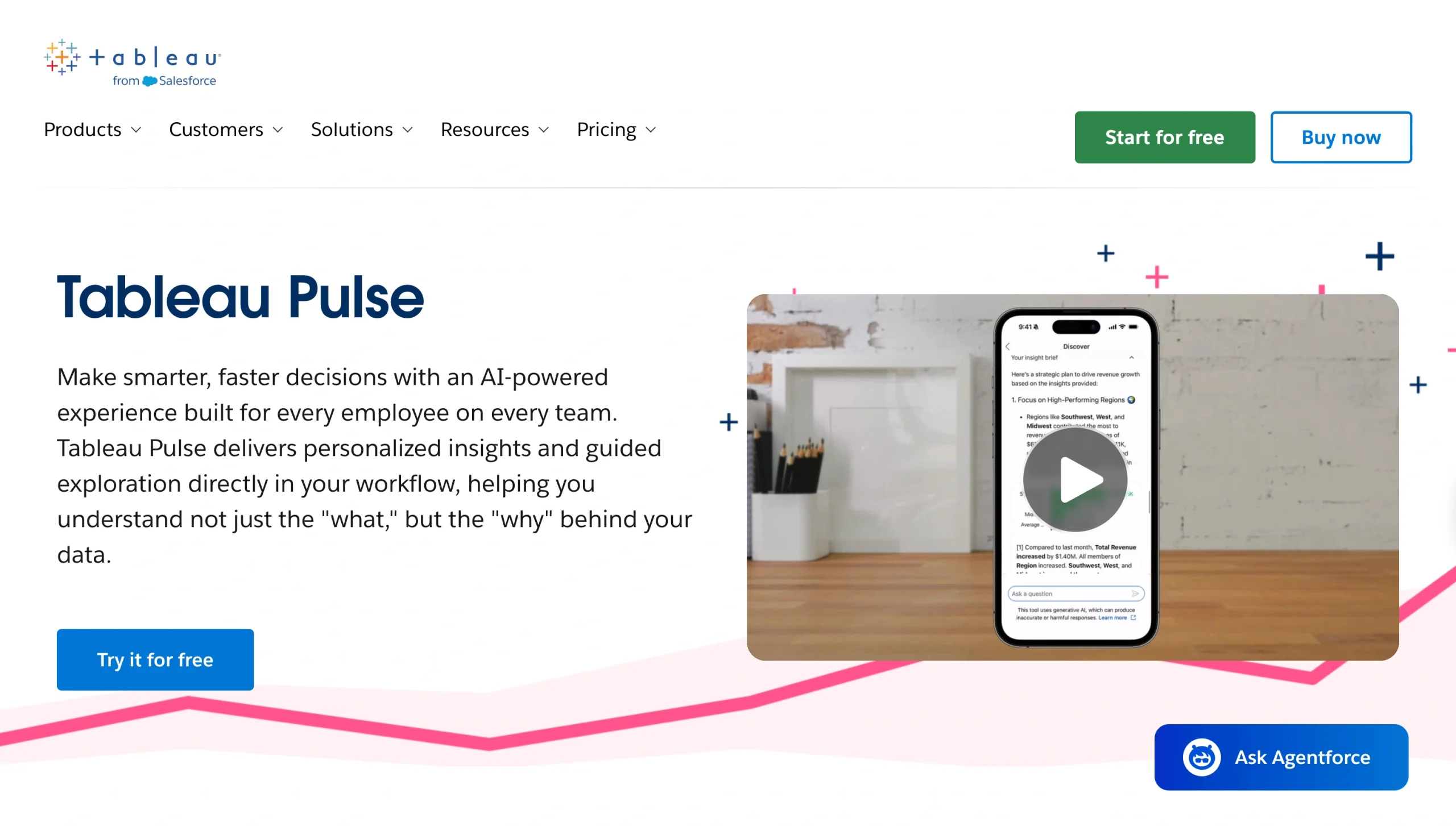
If you’re in the market for an AI assistant that flags metric changes before you go looking for them, then Tableau Pulse fits the bill. This data assistant works well if you’re already on Tableau for BI and want to reduce how much time your team spends checking the dashboard. Instead of your AI data analyst building a report and hoping the right people see it, Pulse monitors your KPIs and proactively surfaces trends through short, natural-language summaries.
When you have a lot of stakeholders who need quick answers but don’t want to learn Tableau itself, you’ll appreciate how this AI business intelligence assistant can reach people. A sales manager can ask Pulse why revenue dropped the previous week and get a written explanation instead of digging through filters. Because the assistant uses your organization’s BI data, the numbers stay consistent across your organization.
- Key strengths
- Proactively detects trends in the metrics you follow and delivers natural-language insights that explain what’s happening with your key metrics
- Sends insights directly to Slack, Teams, and emails, so your team doesn’t have to open a dashboard to see important changes
- Lets users ask follow-up questions about metrics directly without opening a full dashboard
- Provides guided follow-up questions and visual explanations to help you navigate why a metric changed
- Key drawback
- Full Pulse functionality is accessible with Tableau’s higher-cost tiers, so smaller teams on the Standard Tableau Cloud plan may not get the complete AI data assistance experience.
- Tableau Pulse pricing
- Tableau Standard ($15 per user per month, billed annually): Tableau Pulse, Tableau Desktop, Tableau Prep Builder
- Tableau Enterprise ($35 per user per month, billed annually): Everything in Tableau Standard, advanced management, data management, e-learning
- Tableau Cloud+ (custom pricing): Everything in Tableau Enterprise, premium Tableau Pulse capabilities
- Tableau+ Bundle (custom pricing): Everything in Tableau Cloud+, Tableau Next
7. ThoughtSpot Spotter
Best for: Data teams that want a search-driven AI analyst integrated into a governed data set
Why ThoughtSpot Spotter made the list: Spotter answers natural-language questions using your company’s trusted data, so it keeps its responses grounded in the same numbers your team uses for reporting and decision-making.
Feeling like your team spends lots of time digging through filters and dashboards to get a simple answer from data? ThoughtSpot Spotter is a great AI analytics assistant for exploring insights.
It offers a search-driven framework where you type a question the way you would in a search engine, and Spotter returns an answer grounded in your business data. Instead of asking AI to interpret a raw spreadsheet, Spotter works from ThoughtSpot’s underlying semantic model, so you can go from question to insight without opening a single chart yourself.
The Enterprise tier removes data and user limits, making it ideal if your organization is running analytics at scale.
- Key strengths
- Answers natural-language questions with context from your trusted business data
- Supports large datasets, from 25 million rows on the entry plan to unlimited scale on Enterprise
- Reasons through multistep questions and checks its own analysis
- Turns insight into actions through integrations with tools such as Slack, Salesforce, and Jira
- Key drawback
- The Spotter AI Agent queries are capped at 25 queries per user per month, so heavy usage can lead to extra costs.
- ThoughtSpot Spotter pricing
- Essentials ($25 per user per month, billed annually): 5–50 users, AI-powered dashboards, actionable insights, natural-language data exploration, up to 25 million rows of data
- Pro ($50 per user per month, billed annually): Everything in Essential, up to 1,000 users, Spotter AI Agents with 25 queries per user per month, 250 million rows of data
- Enterprise (custom pricing): Everything in Pro, unlimited users and data
8. Polymer
Best for: Marketers and small teams that want an instant dashboard from a spreadsheet without any technical setup
Why Polymer made the list: Polymer turns an uploaded spreadsheet into a working dashboard without requiring you to choose a chart type or build a data model first.
If you’re a marketer or a small team looking to turn a spreadsheet into a dashboard without hiring an analyst or learning a BI tool, Polymer is a suitable AI spreadsheet assistant. You upload your file, and the assistant scans the columns, infers what each one represents, and builds an interactive dashboard automatically. Instead of manually selecting chart types and building relationships between fields, Polymer handles the setup.
Polymer’s interface is straightforward enough that even a non-technical team member can generate their own dashboards. However, this simplicity can become a hindrance when you need advanced statistical analysis or custom visual design.
- Key strengths
- Automatically detects data types and builds a dashboard from an uploaded file in minutes
- Surfaces trends without manual configurations
- Connects to data sources such as Google Sheets, Excel, Google Ads, Facebook Ads, and Shopify
- Lets you ask questions about your data in natural language with Polymer AI
- Key drawback
- Limited customization compared to full BI platforms
- Polymer pricing
- Starter ($25 per month, billed annually): One user, all data connectors, one account per data connector, automatic daily data syncing, 10 Polymer AI chat responses, one custom template, help desk support
- Pro ($50 per month, billed annually): One user, all data connectors, five accounts per data connector, automatic hourly data syncing, 20 Polymer AI chat responses, five custom templates, email support
- Teams ($125 per month, billed annually): Three users, all data connectors, 15 accounts per data connector, automatic hourly data syncing, 20 Polymer AI chat responses, unlimited custom templates, Slack channel support
- Enterprise (custom pricing): API access, unlimited AI chat, real-time data syncing, larger file limits
Turn data questions into repeatable analysis workflows
Beyond answering your current data questions, the best AI assistant for data analysis should help your team move from raw data to repeatable insights, reports, and actions — without starting from scratch each time. So, when shopping for a conversational data analysis tool, first consider where your data lives.
If your data is scattered across uploaded files, a general assistant like ChatGPT or Claude can analyze it on demand. If your organization has already invested in a BI platform, consider options that can integrate AI directly into dashboards your team already trusts.
And if your data starts as form submissions, registrations, requests, surveys, or feedback, Jotform AI Data Assistant is a great choice. Because it works inside Jotform Tables and Jotform Inbox, Jotform AI Data Assistant handles your entire data cycle — from data collection to organization, analysis, visualization, and follow-up — all in one place. You don’t have to export everything into separate tools to automate analysis. Try Jotform AI Data Assistant today and see how much manual work it can take off your plate.
FAQs about AI assistants for data analysis
The best AI data assistant depends on where your data lives. Jotform AI Data Assistant is one of the best AI for data analysis if your data starts with forms or submissions. General assistants like ChatGPT and Claude work well if you upload data files, while BI copilots like Power BI Copilot and Tableau Pulse are suitable if you already have a dashboard platform.
Yes. Most AI assistants for data analysis can read uploaded spreadsheets and analyze the data in them.
The accuracy of AI analysis depends heavily on the quality of your data and how the assistant interprets your question. AI data analysis tools are generally reliable for spotting trends and calculating statistics, but it’s a good practice to spot-check important numbers for statistical models or decisions with real financial or compliance impact.
An AI data assistant typically analyzes data you upload or connect it to, allowing you to ask questions and explore the results through a conversation. A BI copilot is built into an existing business intelligence platform and works from governed dashboards and semantic models that your team has already built.
Yes. Jotform AI Data Assistant works directly with the data you collect through forms, surveys, registrations, and applications. It organizes submissions into tables, calculates metrics, identifies trends, generates charts, and applies bulk actions — such as sending follow-up emails — all without leaving Jotform Tables or Jotform Inbox.
This article is for business users, operations teams, marketers, researchers, educators, HR teams, analysts, and SMB teams that want to ask questions about their data, summarize records, create charts, spot trends, and understand what their datasets mean without doing every step manually in spreadsheets or BI tools.




































Send Comment: