

Top AI landing page generators
Sixty-four percent of marketing teams already use page builders to cut deployment from 7–21 days down to 1–3, and AI is pushing that window even further. The category is moving fast enough that “best tool” is a temporary title at best.
So I tested them. I gave each AI landing page creator the same brief and paid attention to how much the platform does versus how much it hands back to you.
TL;DR: The top 7 AI landing page builders
| Tool | Key features | Integrations | Plans/pricing |
|---|---|---|---|
 Jotform AI Landing Page Generator |
Conversational build with Jotform AI, forms and payments baked in from the start |
More than 150, including Stripe, PayPal, HubSpot, and Mailchimp |
Free forever, paid plans start from $19.50 per month |
 Unbounce AI Landing Page Generator |
Smart Traffic routes visitors to the highest-converting variant |
Over 60 native integrations and more than 8,000 via Zapier |
Paid plans start from $22 per month, Smart Traffic unlocks at $187 per month |
 Figma Make |
Strongest design output tested |
Figma ecosystem and backend connection |
Free (500 credits per month), paid plans start from $16 per month |
 Base44 |
Full backend, authentication, and database included by default |
Stripe, Google Drive, Salesforce, Zapier |
Free (25 credits), paid plans start from $16 per month |
 UX Pilot AI Landing Page Generator |
Predictive heatmaps and accessibility review |
Figma export and production-ready HTML |
Free forever, paid plans start from $14 per month |
 Manus |
Full code export with no lock-in, built on Anthropic’s Claude |
Built-in database, Stripe, collaborator access |
Seven-day free trial on the Pro plan, paid plans start from $17 per month |
 MailerLite AI Landing Page Generator |
Landing page and email nurture sequence in one place, A/B test up to five versions |
Stripe, Shopify, WooCommerce, WordPress, Zapier |
Free forever, paid plans start from $9 per month |
What makes a killer landing page? And how I chose this list
A landing page has one job: to convert. So before picking up any of these tools, it helps to know what we’re benchmarking against.
The most comprehensive data we have on this comes from Unbounce’s 2024 Conversion Benchmark Report, which analyzed 57 million conversions across 41,000 landing pages.
A few findings worth knowing before you read this:
- The median conversion rate across all industries is 6.6%. That’s your floor.
- Pages written at a 5th–7th grade reading level convert at 11.1%, more than double the rate of professional-level copy.
- While mobile accounts for 82.9% of landing page traffic, desktop visitors still convert at a higher rate.
The bones of a good landing page and the bones of a good AI landing page generator are the same thing. So, that’s what I tested for — using these four questions as my lens:
- Does the copy sound like a human wrote it?
- Does the page structure point to one action?
- How much cleanup did the output need?
- Is this truly an AI landing page generator, or an AI-assisted one?
Let’s look at the seven tools that have answers to all four.
1. Jotform AI Landing Page Generator
Best for: Marketers who need forms and payments built into their landing page
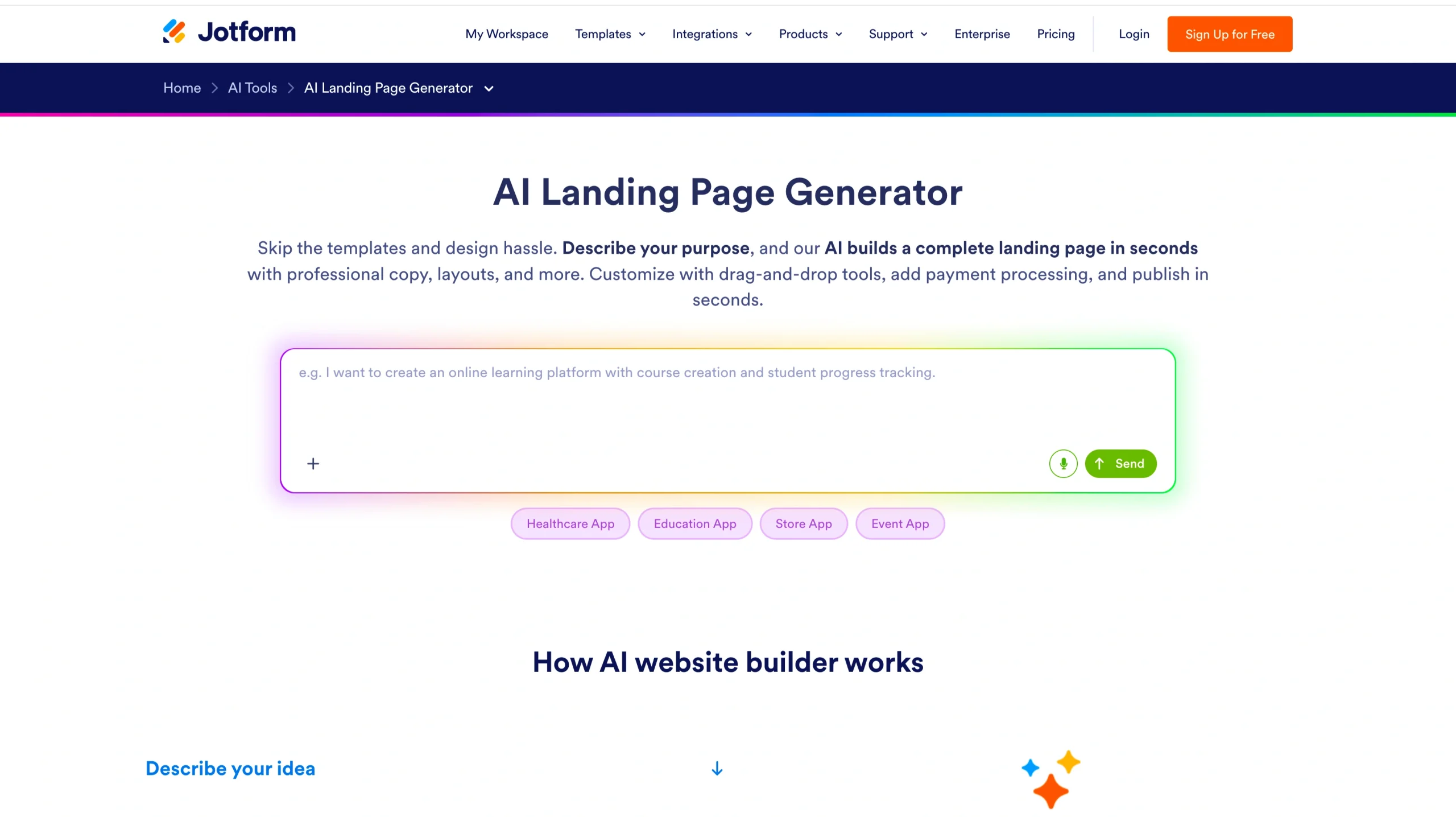
Jotform is the house tool — I get it, I’d be skeptical too. But park that for a second and let me show you how Jotform’s Free AI Landing Page Generator works.
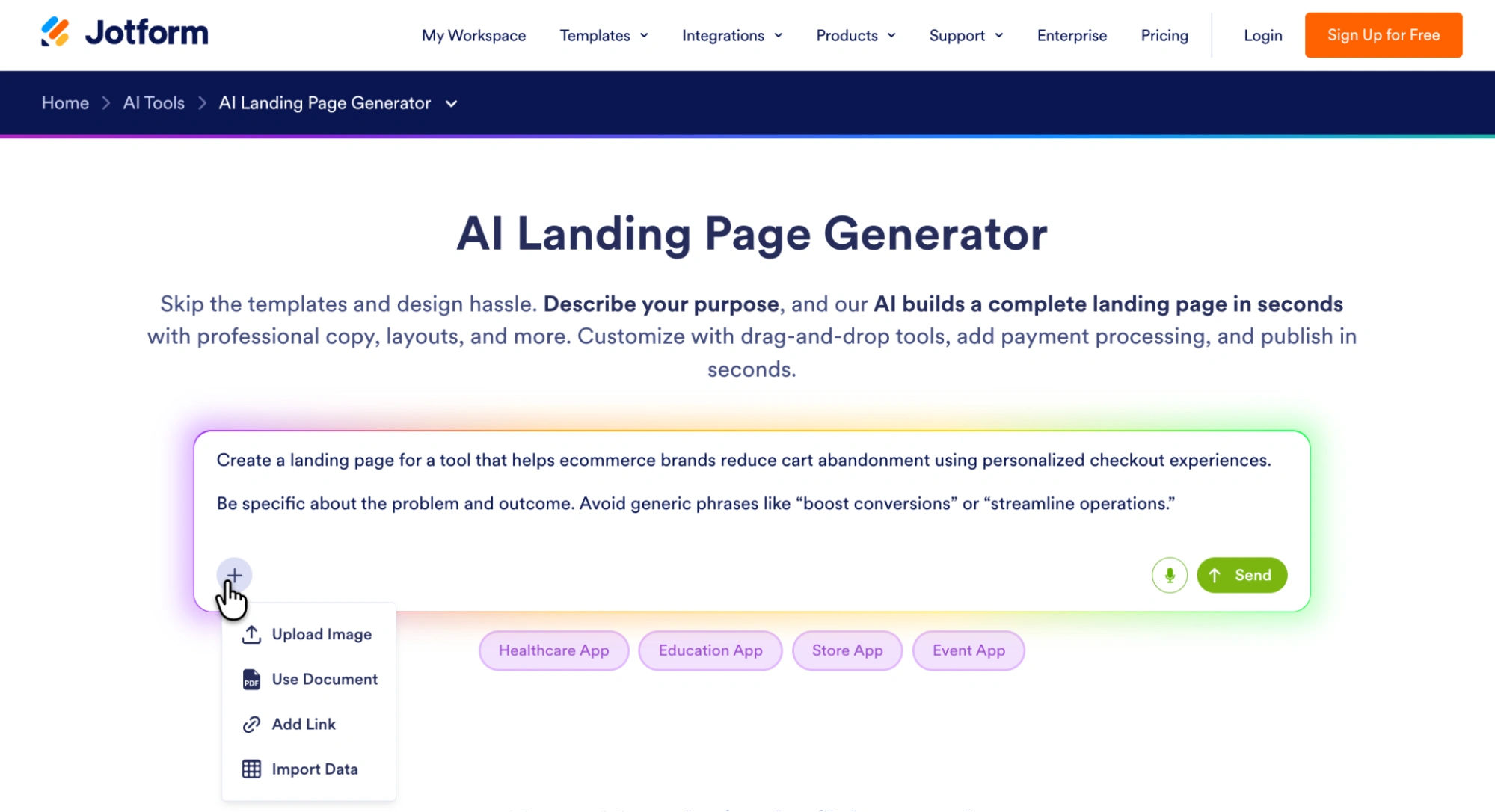
You can start with a simple text prompt or go further — upload an image, bring in a document, import data, or even speak your input. There are also pre-built starting points for things like healthcare apps, education flows, stores, and events.
As soon as you hit Send, Jotform drops you into a working setup. You land in a chat-style interface with Jotform AI, which starts thinking through the task in real time and logs what it’s doing.
Then the screen splits. On the left, the chat stays live, so you can keep refining the page or prompt Podo (the form copilot) to adjust things as you go. In the center, the landing page takes shape.
And on the right, there’s a mobile preview running alongside it.
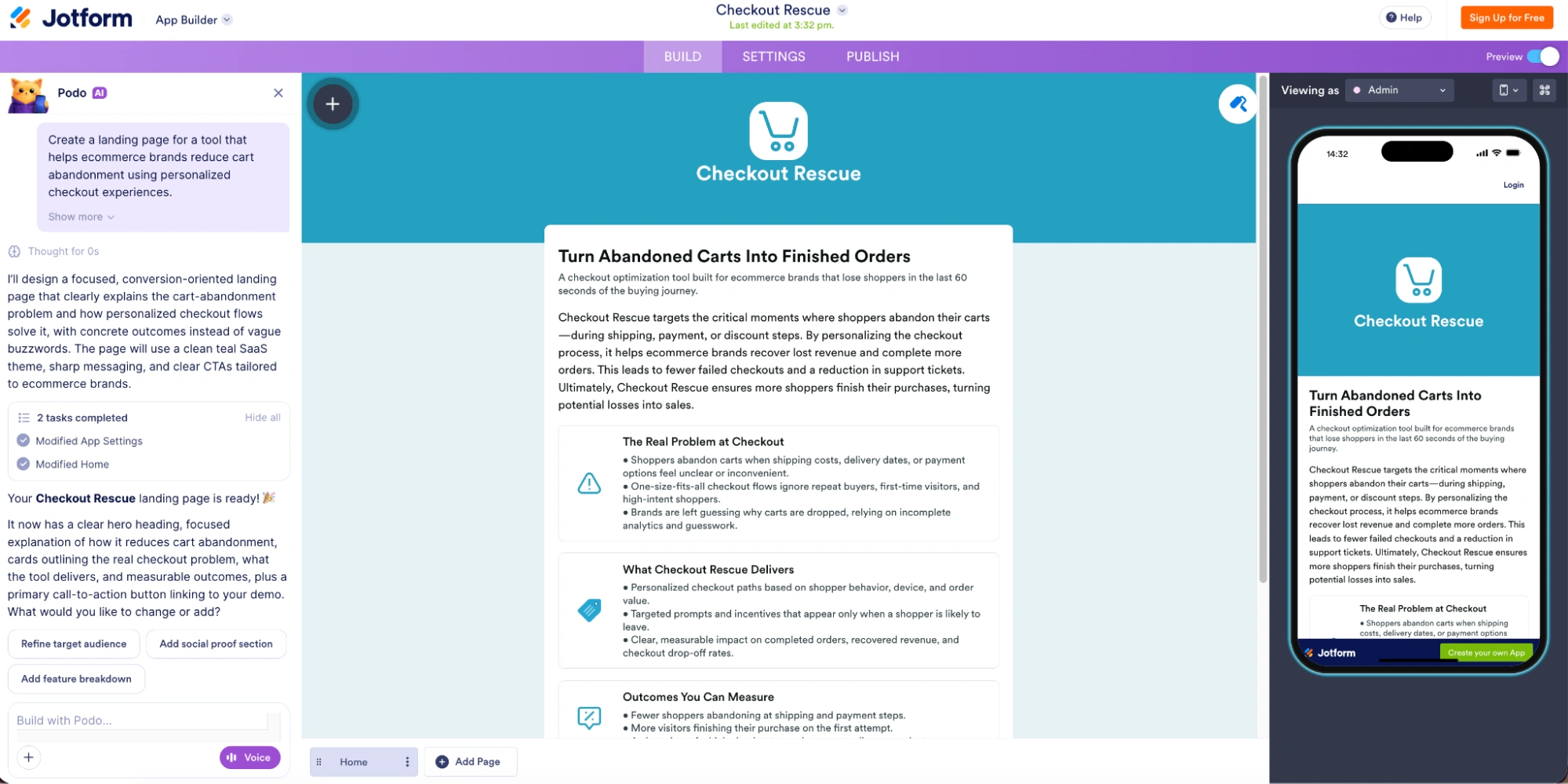
I like that you can build and review at the same time.
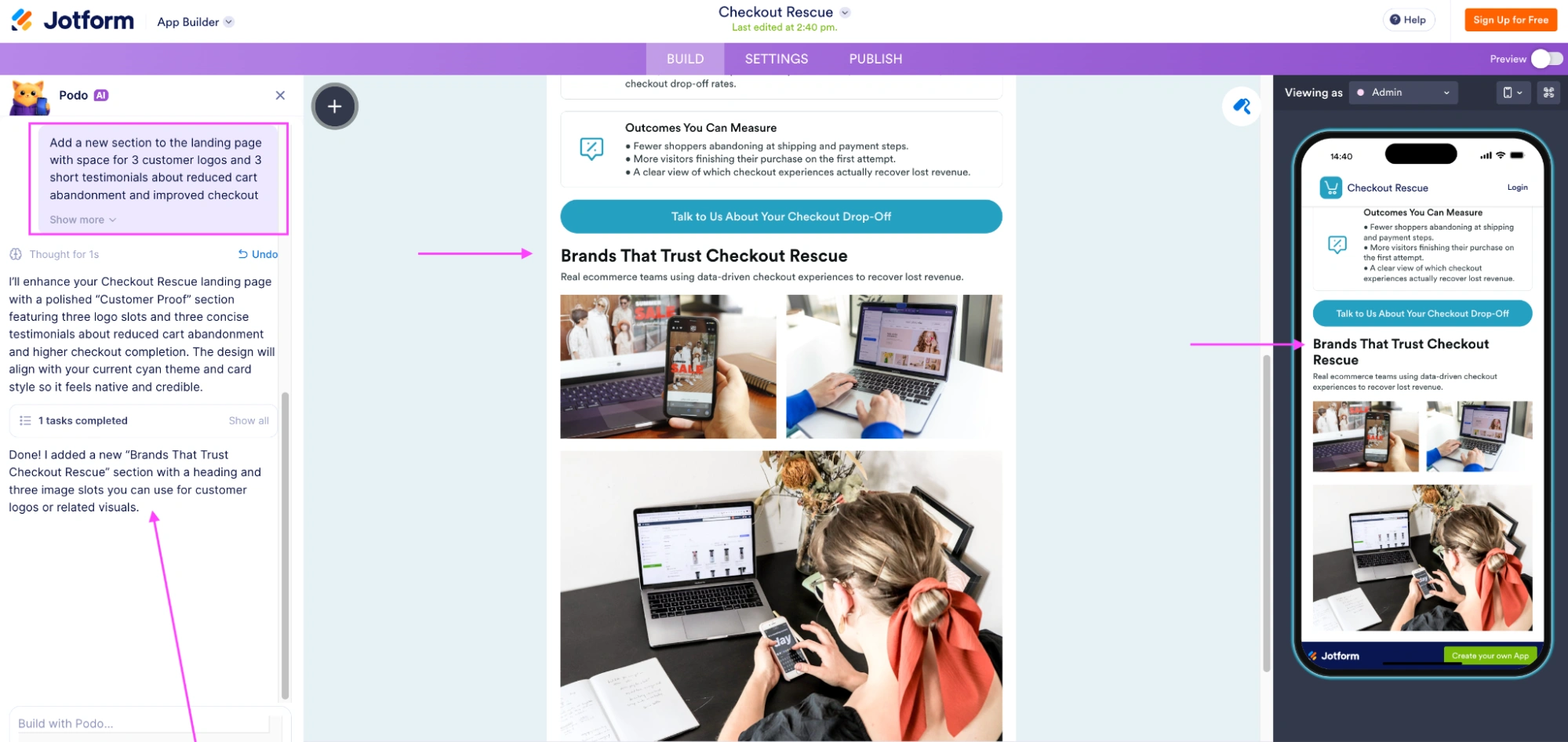
Next, I ask Jotform AI to add a social proof section. It picked up on the context, added a “Brands That Trust…” section with space for logos and testimonials, and slotted it into the page in a way that doesn’t disrupt the page’s flow. The layout adjusts, the content follows the same tone, and the mobile version updates alongside it.
And if you want to kick things up a gear, Jotform AI Agents let you add a conversational AI layer on top of your landing page to handle inquiries, guide visitors through forms, and qualify leads in real time.


Once you’re happy with what you have, start shaping it: tweak the color scheme, switch layouts, swap in your own images, adjust the background, and change the font.
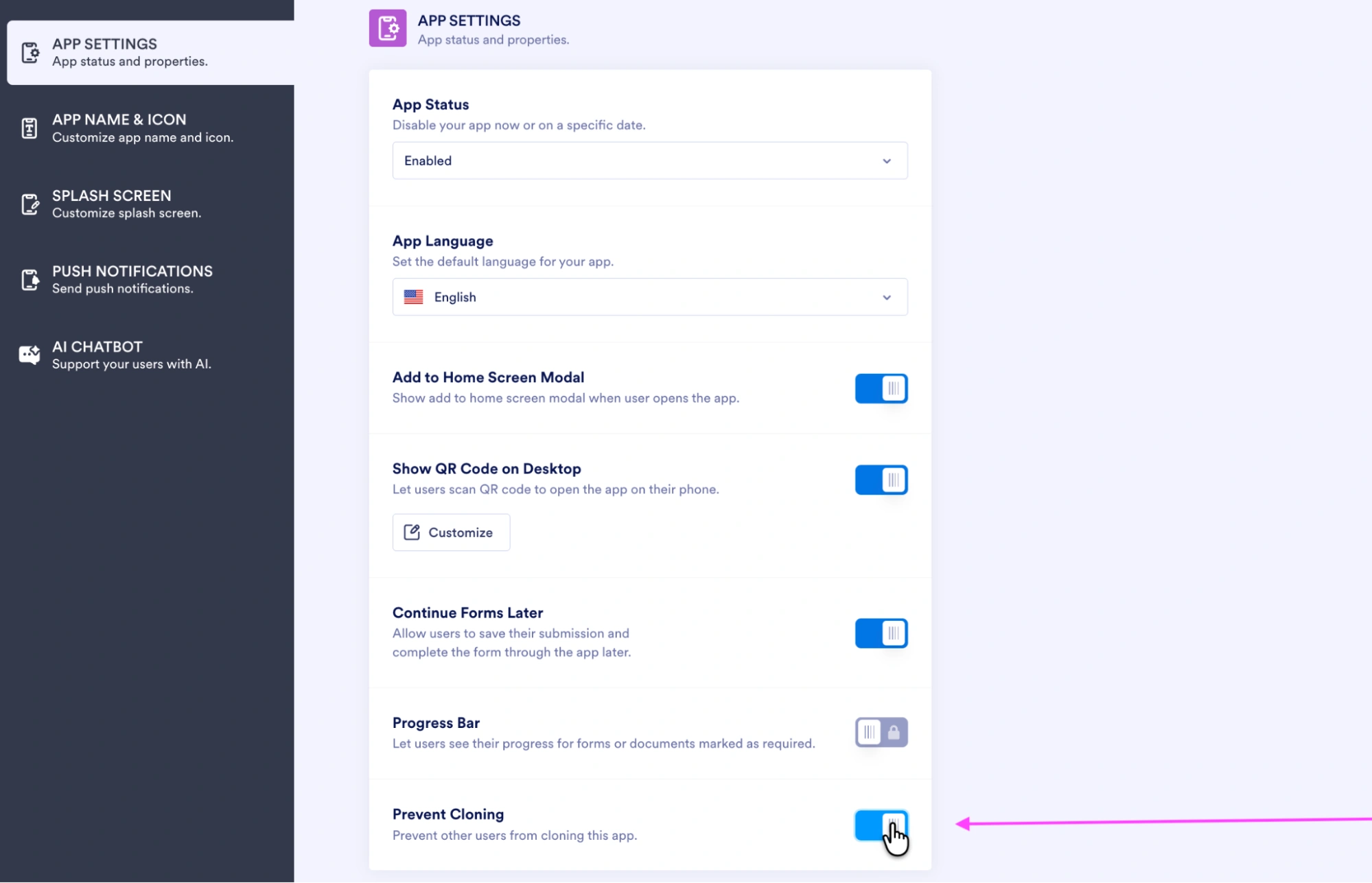
In Settings, there’s also a simple toggle to prevent cloning, which is one of those small details that’s easy to miss but important if you don’t want your work copied.
You get a shareable app link, or you can open it in a browser, send it via email, or push it out through channels like WhatsApp, LinkedIn, X, or QR code.
- Key features
- Every landing page includes lead capture and payment processing baked in
- Payments can be taken through more than 40 gateways, including Stripe, PayPal, and Apple Pay
- Connect to your customer relationship management platform, email marketing, and analytics with 150-plus integrations directly from the page
- Change colors, swap fonts, upload images, rearrange sections with drag-and-drop, and preview changes in real time across all devices using Jotform AI’s customization options
- Pros
- You can design a functional landing page in minutes — the speed from prompt to build is genuinely impressive
- All AI-generated landing pages are mobile-friendly and responsive by default — the Progressive Web App (PWA) technology makes sure they adapt to different screen sizes and load quickly
- Cons
- Jotform’s tool was built as an app builder first, so it doesn’t pack in the advanced landing page features you’d get from a purpose-built platform
- Plans/pricing
- Jotform offers five distinct plans that scale cleanly:
- Starter (free)
- Bronze ($19.50 per month, billed annually)
- Silver ($24.50 per month, billed annually)
- Gold ($64.50 per month, billed annually)
- Enterprise (custom pricing)
- Jotform offers five distinct plans that scale cleanly:
Take Jotform for a test-drive today — it’s free forever.
Build faster with Jotform AIDescribe what you need, and let Jotform AI build it for you instantly.
Get Started Now
2. Unbounce AI Landing Page Generator
Best for: Performance marketers who want AI optimization
With Unbounce, you can start building for free. But unlike Jotform, you don’t land straight in the builder.
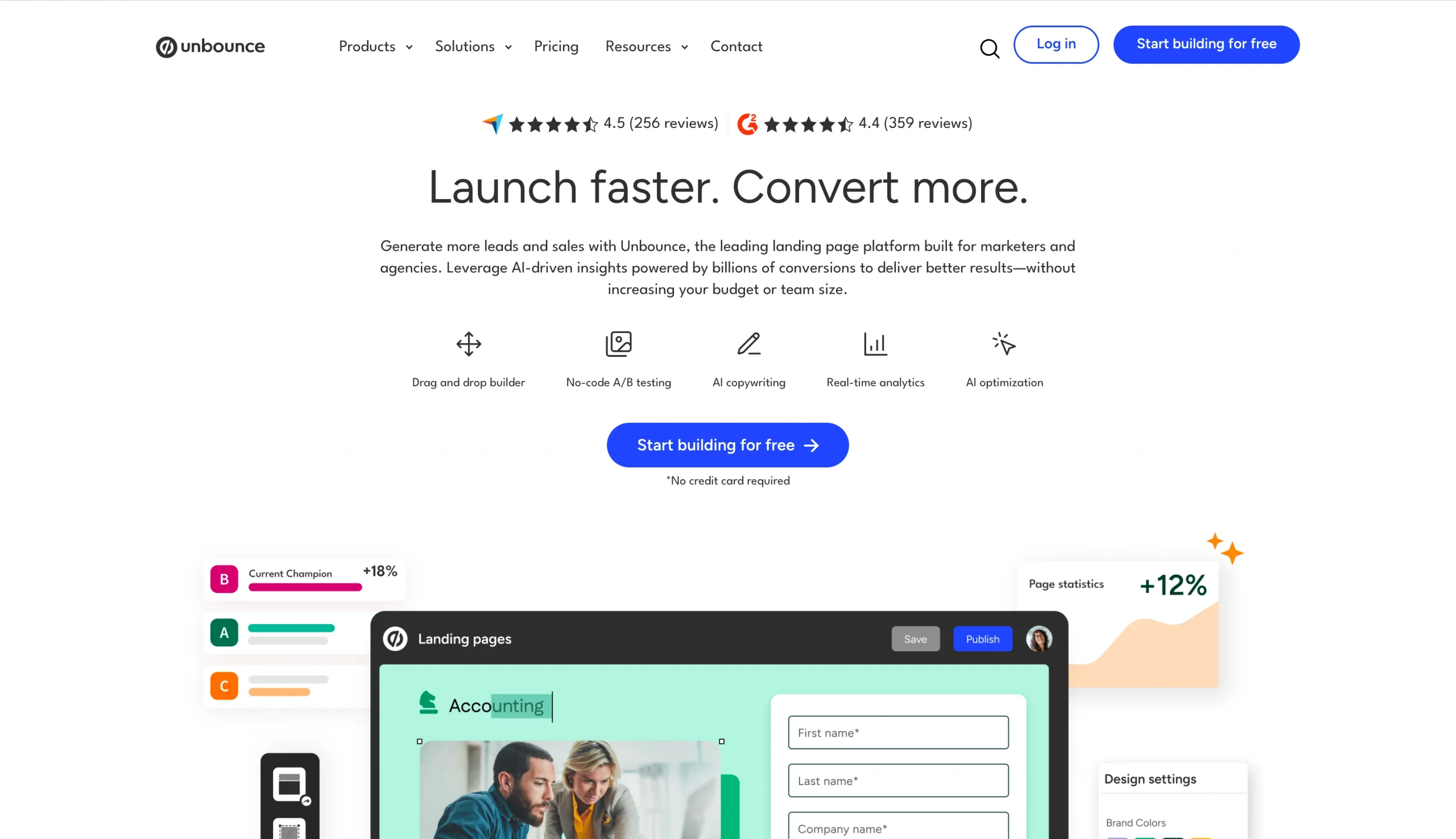
First, you have to sign up, verify your account, and go through a short onboarding flow. That includes sharing details like your industry, company size, and landing page experience. There’s also an option to add your company website, which feeds into Unbounce’s Brand Scraper — basically, it pulls in your brand context to shape the page.
Once I’m inside Unbounce’s builder, the first thing I notice is…a lot. My eyes are jumping between templates, previews, side menus, and settings — it’s all there, but it’s not immediately clear where to start.
I began by filtering templates by industry. I tried e-commerce, but the selection is fairly limited. I went with an agency lead generation template, and the first impression is strong. The visuals are clean, and the contrast works.
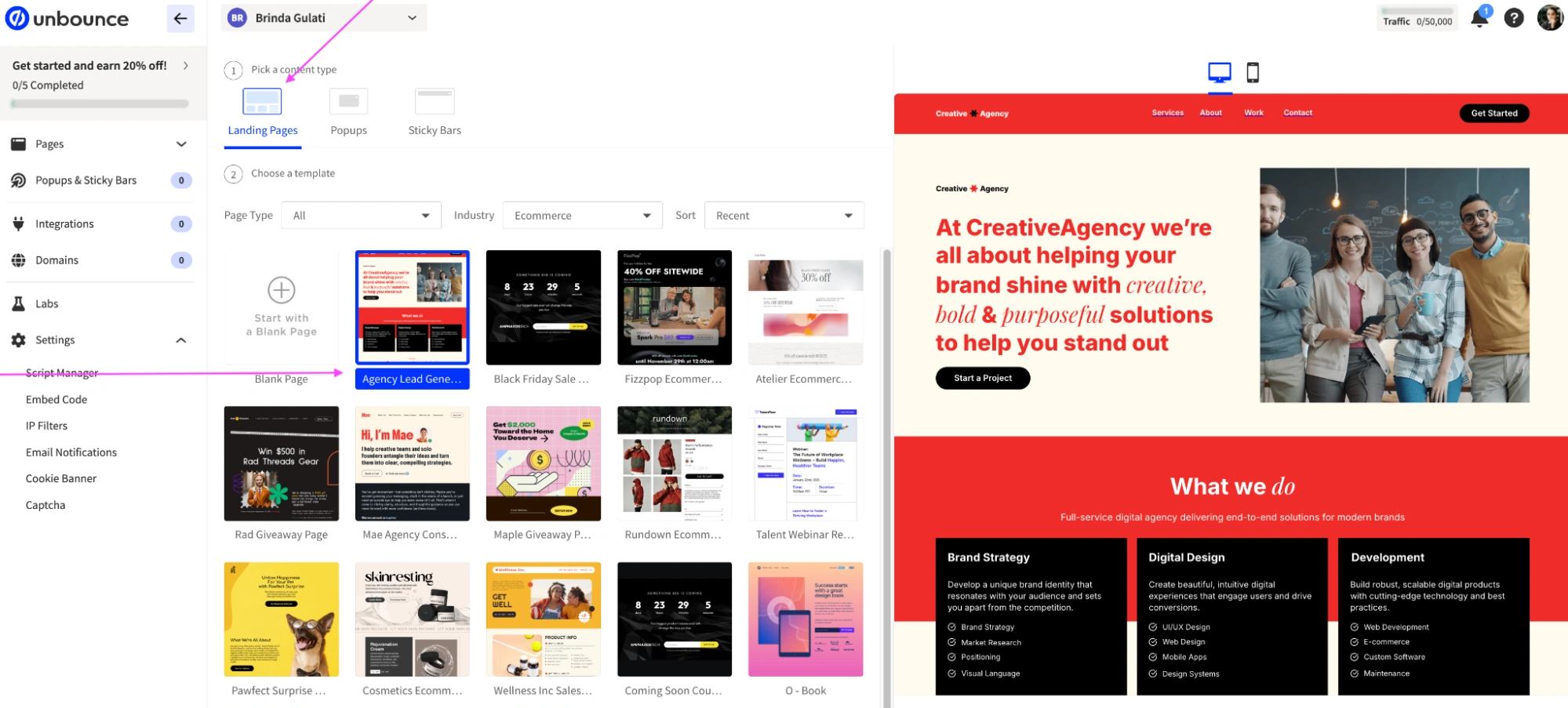
Then you click in, and this is where the experience becomes very hands-on. You’re moving blocks, adjusting sections, tweaking elements one by one. There’s no real AI assistant guiding the process or letting you prompt changes the way you can with Jotform. There’s AI text optimization, but it’s more for small copy edits, not for shaping the full page.
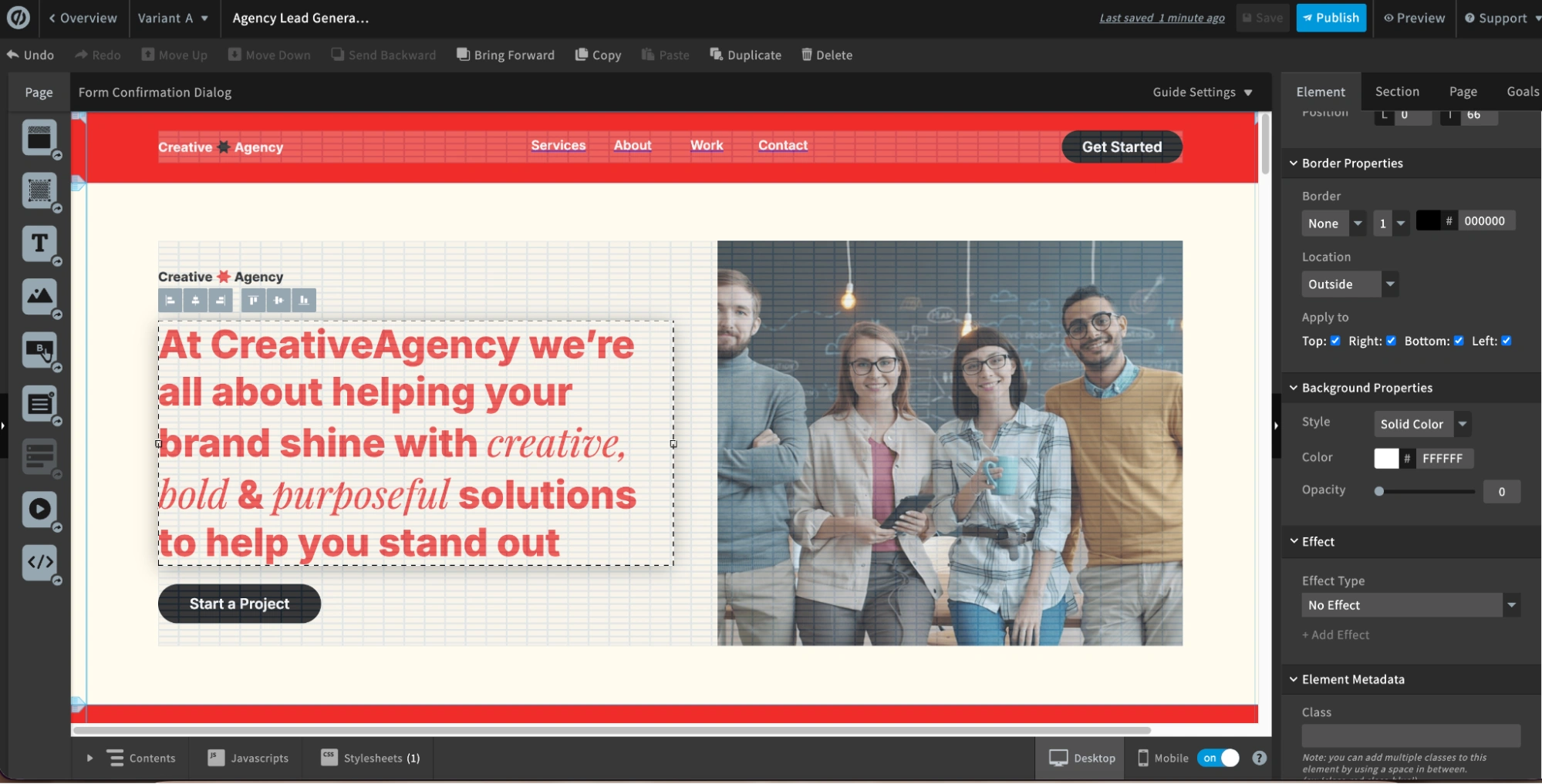
I did like the dedicated conversion goals section, though. You can explicitly define what counts as a conversion and track it.
- Key features
- Smart Traffic automatically routes each visitor to the landing page variant where they’re most likely to convert, starting to optimize in as few as 50 visits
- Smart Copy is built directly into the Unbounce builder — rewrite, expand, or summarize copy in real time without switching tabs, with multiple AI-generated options to choose from and apply in one click
- Answer a few prompts about your industry and goals, and Smart Builder builds a tailored page, alongside over 100 templates and over 850,000 free Unsplash images
- Pros
- You get fine-grained control over every element on the page — if you know what you want, you can get exactly that
- Smart Builder draws on data from over 1.5 billion landing page conversions, which means the layouts it suggests are informed by what’s worked at scale
- Cons
- That same fine-grained control means this isn’t a solo job — without a designer in the room, you’ll spend more time on the page than the AI saves you
- The AI features are powerful but mostly run in the background: Smart Traffic optimizes after publication, Smart Copy assists at the copy level, but neither speeds up the build itself in real time the way a conversational AI does
- Plans/pricing
- Note that AI optimization only unlocks at Optimize, which is the top tier billed at $187 per month annually:
- Starter ($22 per month, billed annually)
- Build ($74 per month, billed annually)
- Experiment ($112 per month, billed annually)
- Optimize ($187 per month, billed annually)
- Note that AI optimization only unlocks at Optimize, which is the top tier billed at $187 per month annually:
3. Figma Make
Best for: Design teams who want a stunning first draft
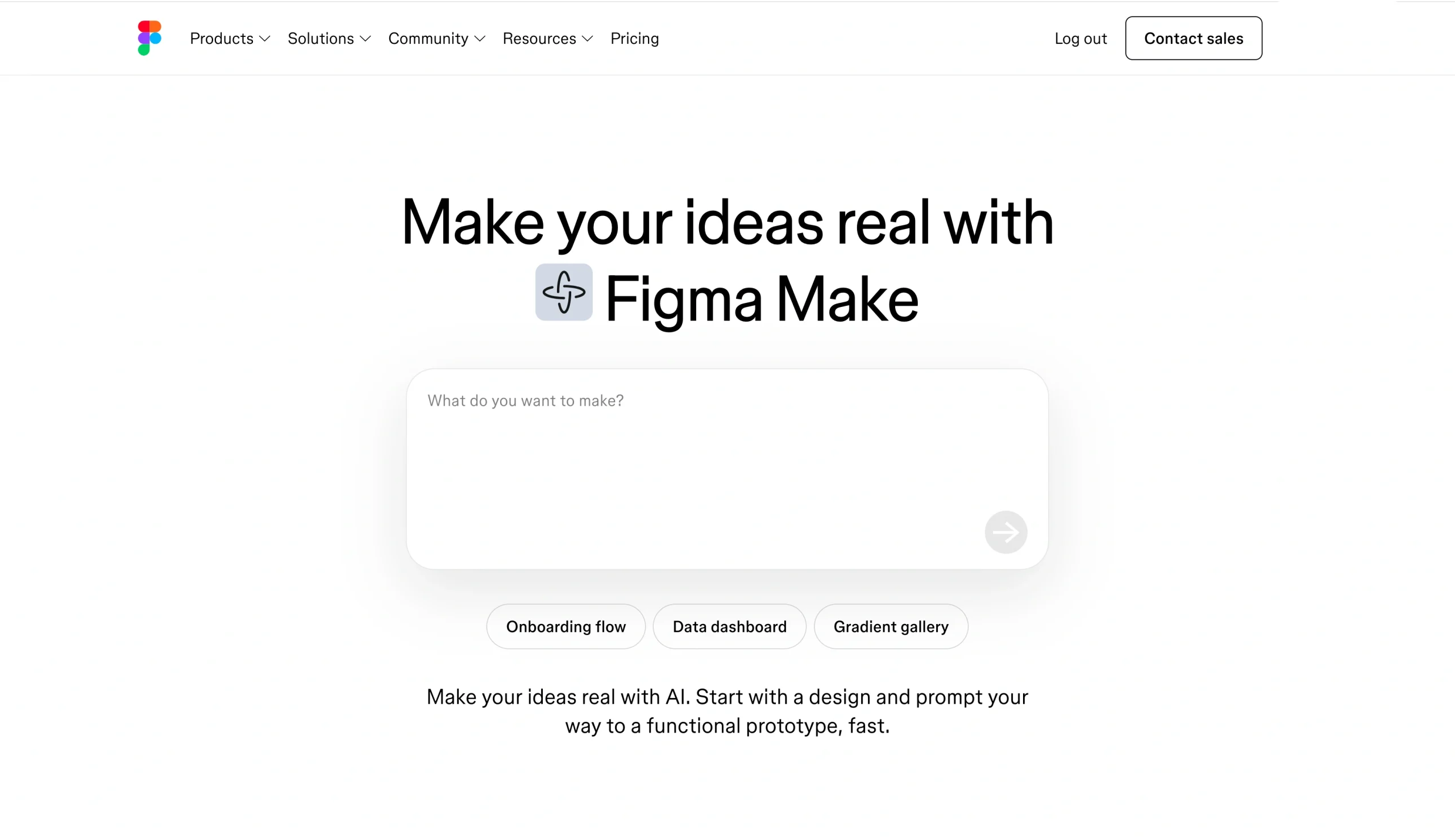
In Figma, you get a text box to paste your prompt, plus a few suggested starting points. What feels very “Figma,” though, is the flexibility: You can upload images, add files, or even attach an existing design. That’s a different approach from most tools here; it’s more about building with context.
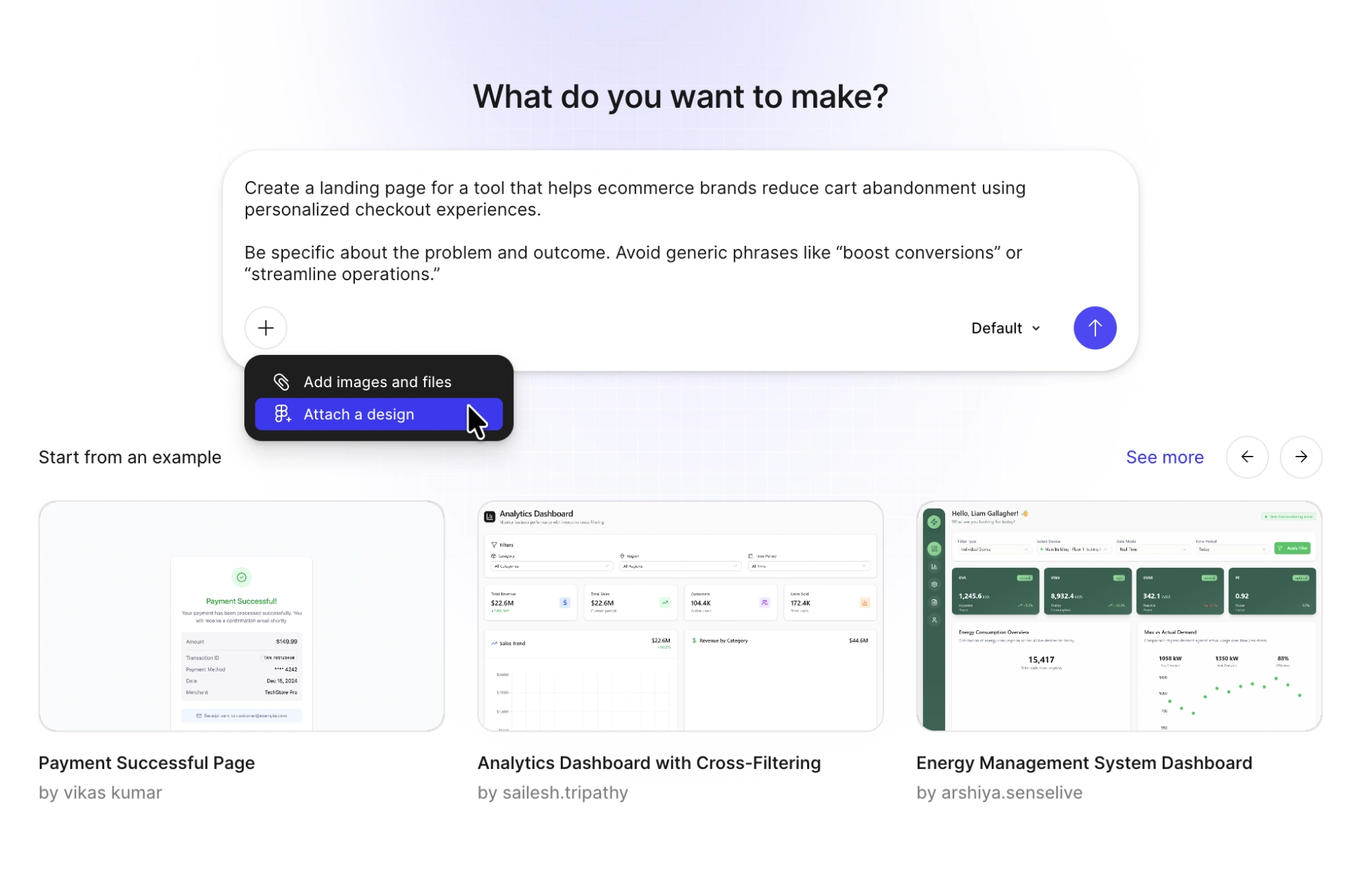
Once I hit generate in Figma Make, the workspace splits in two: On the left, you get a chat-style panel that explains what it’s doing, and on the right, it starts building the landing page in real time.
This is easily one of the slowest tools I tested — I waited around four minutes for the first version. But the output is stunning, so I’d say it’s well worth the wait.
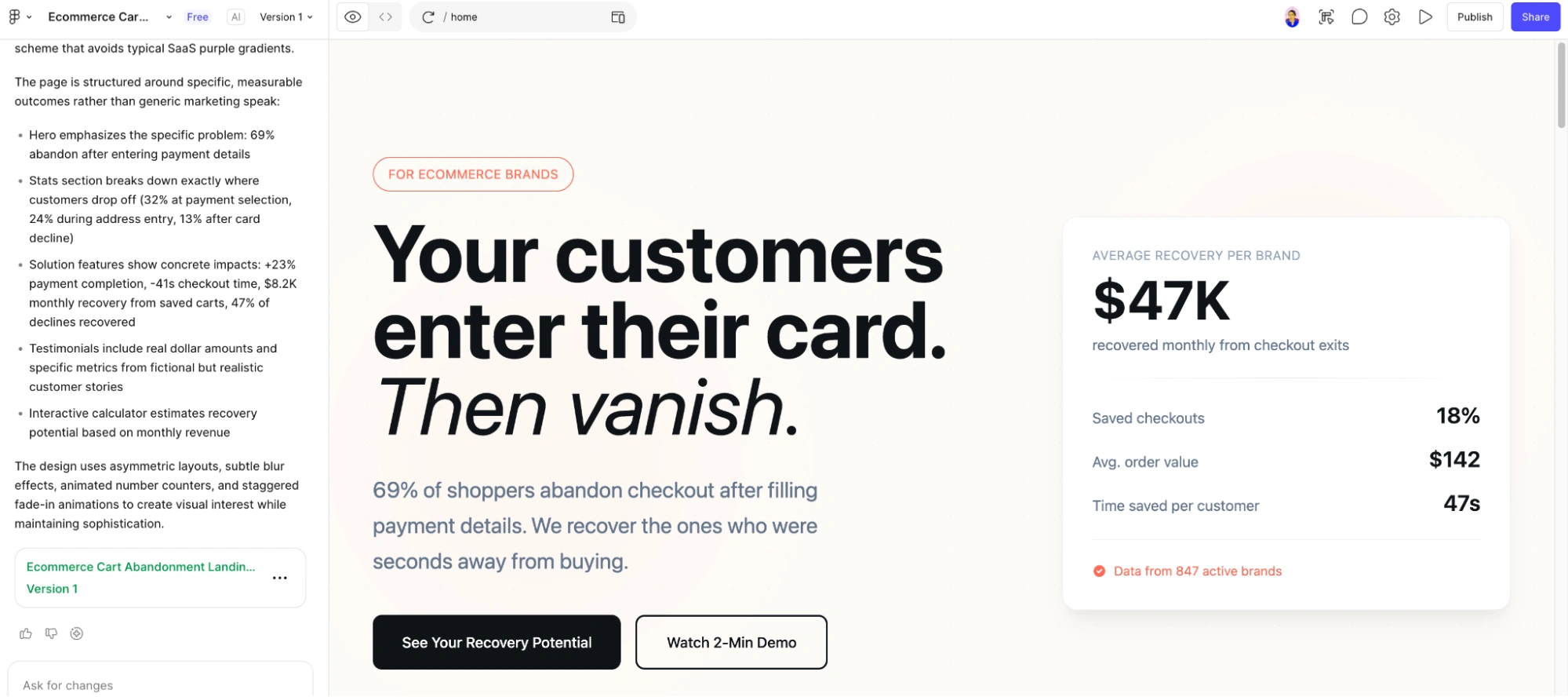
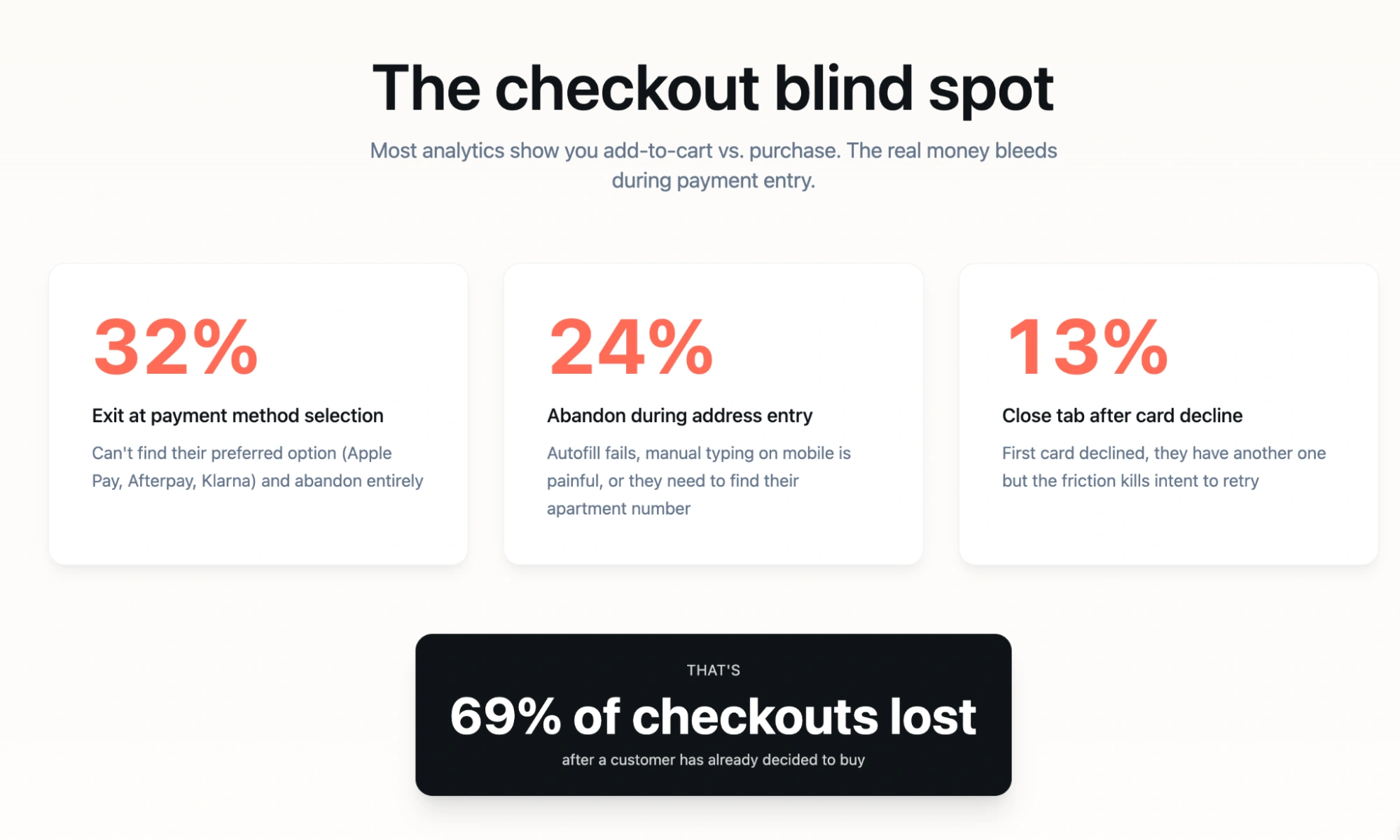
I’m most impressed with how it pulls in market-style statistics to strengthen the narrative and adds subtle interactions, like numbers ticking up as you scroll, which make the page feel more dynamic.
This is the first tool where I felt like I wasn’t fixing the design but actively reviewing it. That said, I would double-check the statistics — it generates a lot of them, and while they look credible, they’re still AI-generated.
- Key features
- Figma Make turns prompts into structured, styled landing pages, and it builds from copy to layout to logic without ever leaving Figma
- Add animations, layout behaviors, and logic to make your site feel polished without code
- Connect to a backend to simulate dynamic content and test how your site behaves before publishing — this goes well beyond what a standard landing page generator offers, and is closer to a full product prototype
- Pros
- I get a visually polished, high-quality layout right out of the gate — it’s the strongest design output I’ve seen so far
- I don’t have to fix structure or hierarchy — the page already feels intentional and conversion-ready
- Cons
- Figma Make generates interactive prototypes, but the exported code is HTML div soup — it’s not production-ready and doesn’t use your actual design system or code components
- Once all available credits are exhausted, paid AI actions become unavailable until the credits reset or an admin adds more
- Plans/pricing
- The Figma Make pricing sits within Figma’s broader plan structure:
- Starter (free)
- Professional ($16 per month, billed annually)
- Organization ($55 per month, billed annually)
- Enterprise ($90 per month, billed annually)
- The Figma Make pricing sits within Figma’s broader plan structure:
4. Base44
Best for: Founders and product teams who want a page that looks like a product
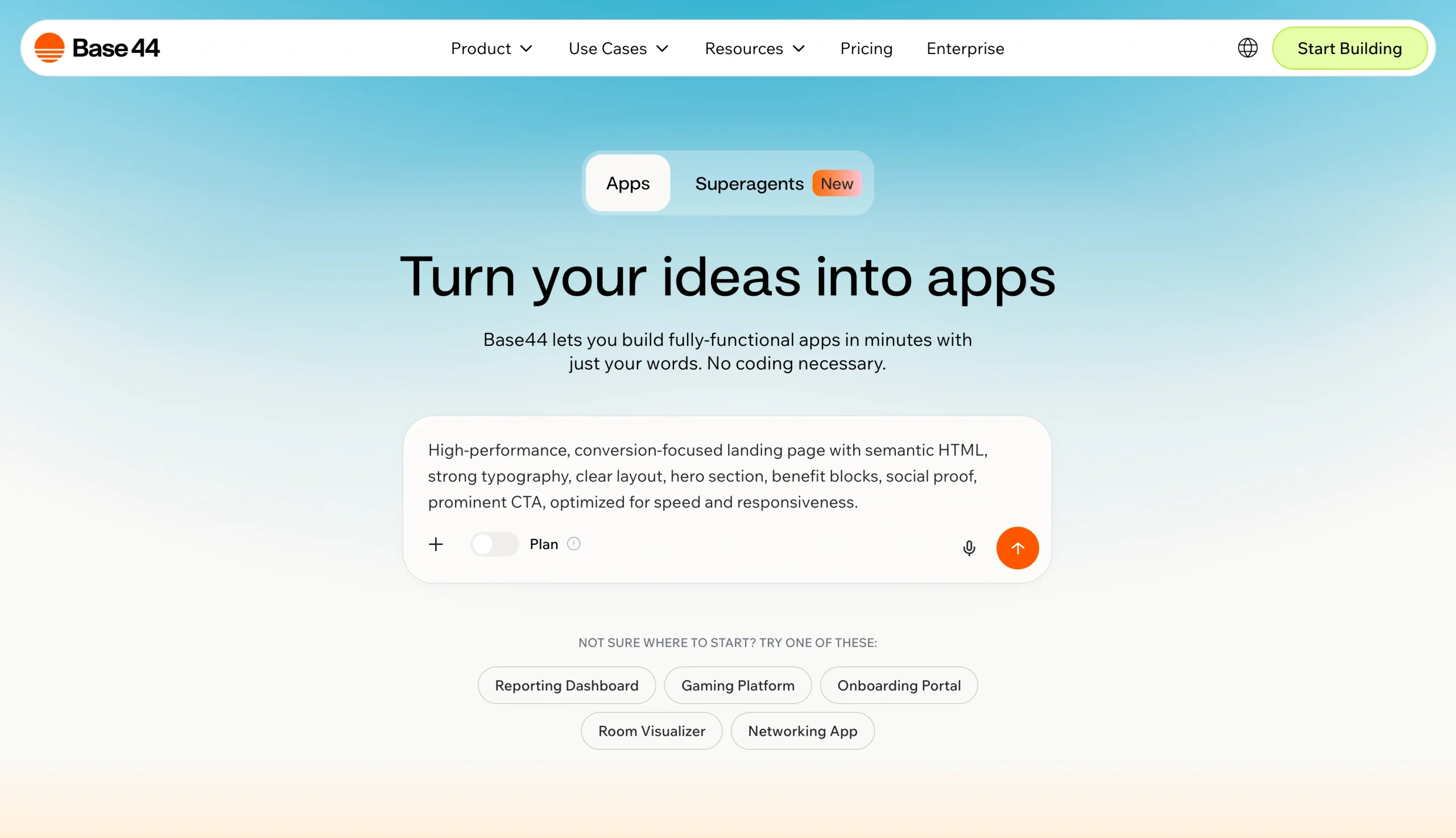
Base44 gives you structured starting points and auto-fills the prompt based on what you pick.
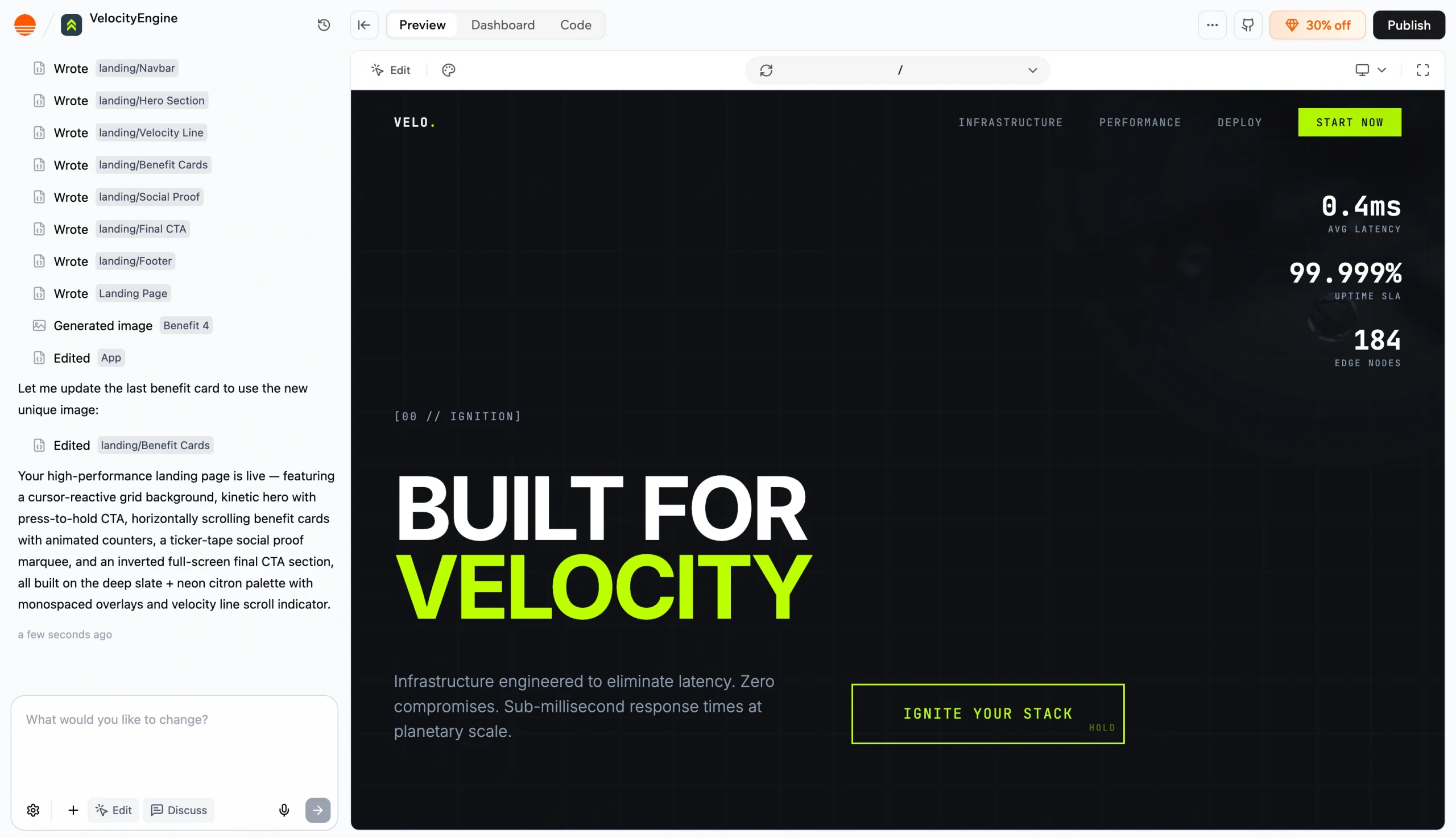
You get a small notification when it’s done — and it takes roughly three to four minutes, similar to Figma.
Again, the wait is rewarding. The design feels sophisticated: clean, sharp, and slightly more technical in tone, almost like it’s built for a developer-facing product by default.
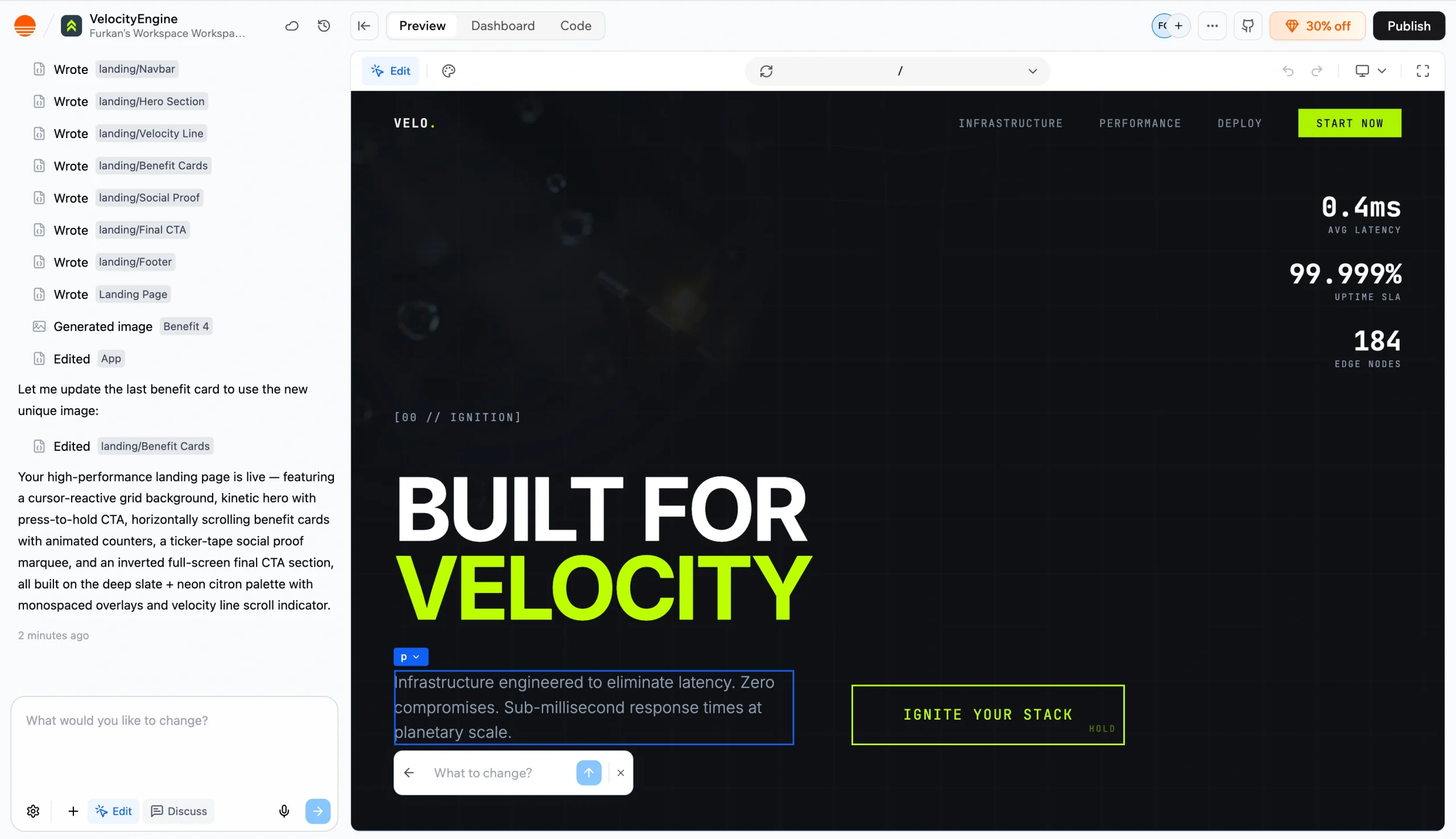
You can click into any element and change it directly, or prompt the AI to rewrite or tweak specific sections.
There are also a few things here that other tools didn’t surface. You get built-in jump links across the page — Benefits, Proof, Start — which makes navigation feel more fluid. There’s also a dynamic banner that makes the page feel more complete out of the box.
- Key features
- Builder Chat is a natural language interface to build and refine your app — you just describe what you want, and Base44 builds it
- Brainstorm and plan new features with the AI without affecting your live app or burning credits
- One-click Stripe integration is built directly into the platform — you can add a checkout flow or subscription options without external setup
- Pros
- I get a highly structured, system-driven landing page — the logic behind the build is clear from the get-go
- I can edit at both levels: tweak individual elements or prompt the AI to refine sections, which makes iteration flexible
- Cons
- You don’t get a lightweight, quick-start option — it’s built for depth, not rapid, scrappy iterations; security researchers discovered a vulnerability in Base44’s authentication mechanism in 2025 that allowed access to non-public apps through an exposed value without secret verification — while it was patched within 24 hours with no confirmed data breach, it’s worth noting for anyone building anything that handles user data
- Plans/pricing
- Base44 runs on two separate credit types — message credits for building and editing, and integration credits for things like database queries, file uploads, and email sends:
- Free
- Starter ($16 per month, billed annually)
- Builder ($40 per month, billed annually)
- Pro ($80 per month, billed annually)
- Elite ($160 per month, billed annually)
- Base44 runs on two separate credit types — message credits for building and editing, and integration credits for things like database queries, file uploads, and email sends:
5. UX Pilot AI Landing Page Generator
Best for: UX and product teams who want to validate before they publish
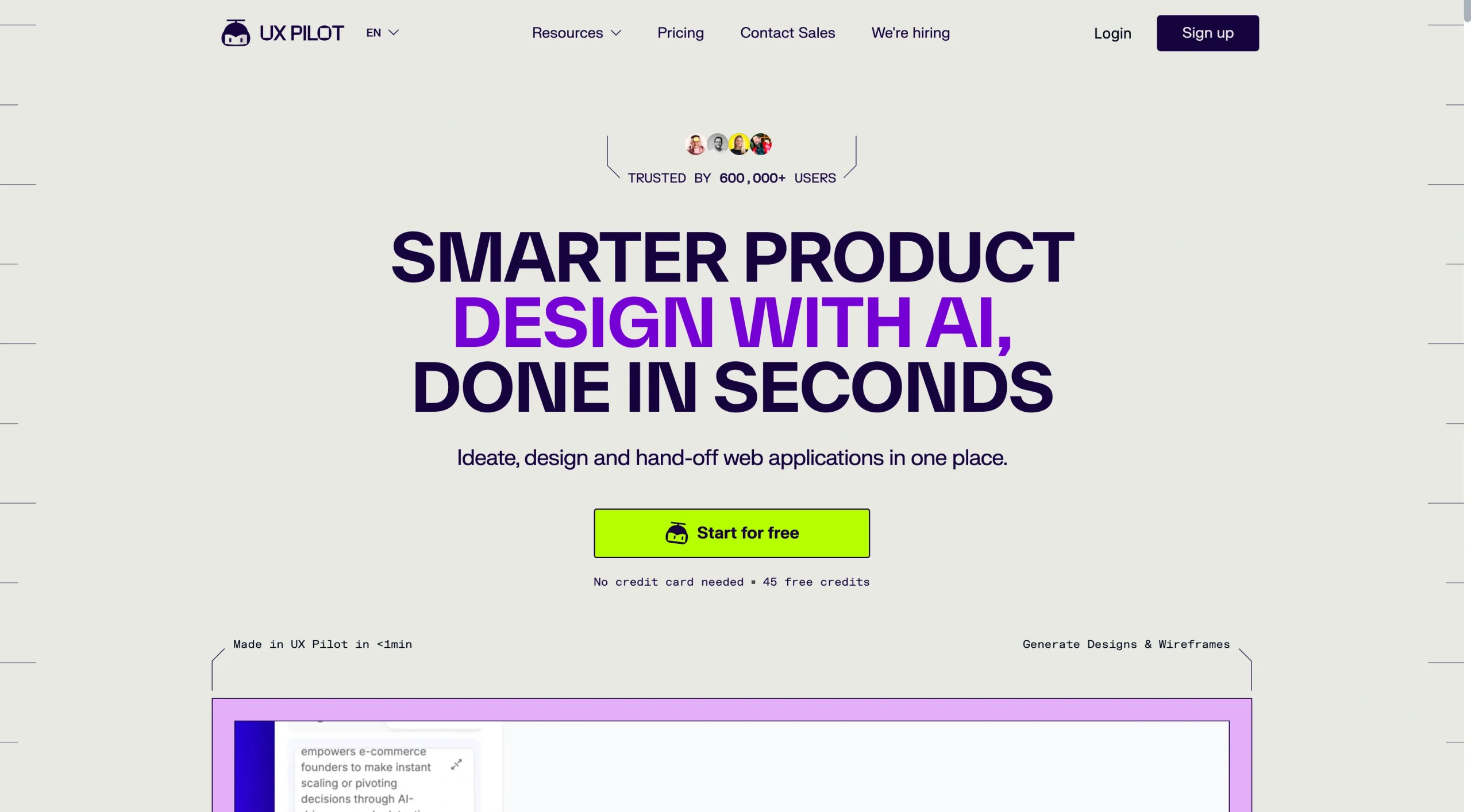
UX Pilot’s onboarding is quick, and then you’re dropped into a split workspace, similar to Figma and Base44.
But what I really like is the progress indicator. It’s a small thing, but it makes the wait feel more controlled — you know where you are in the process.
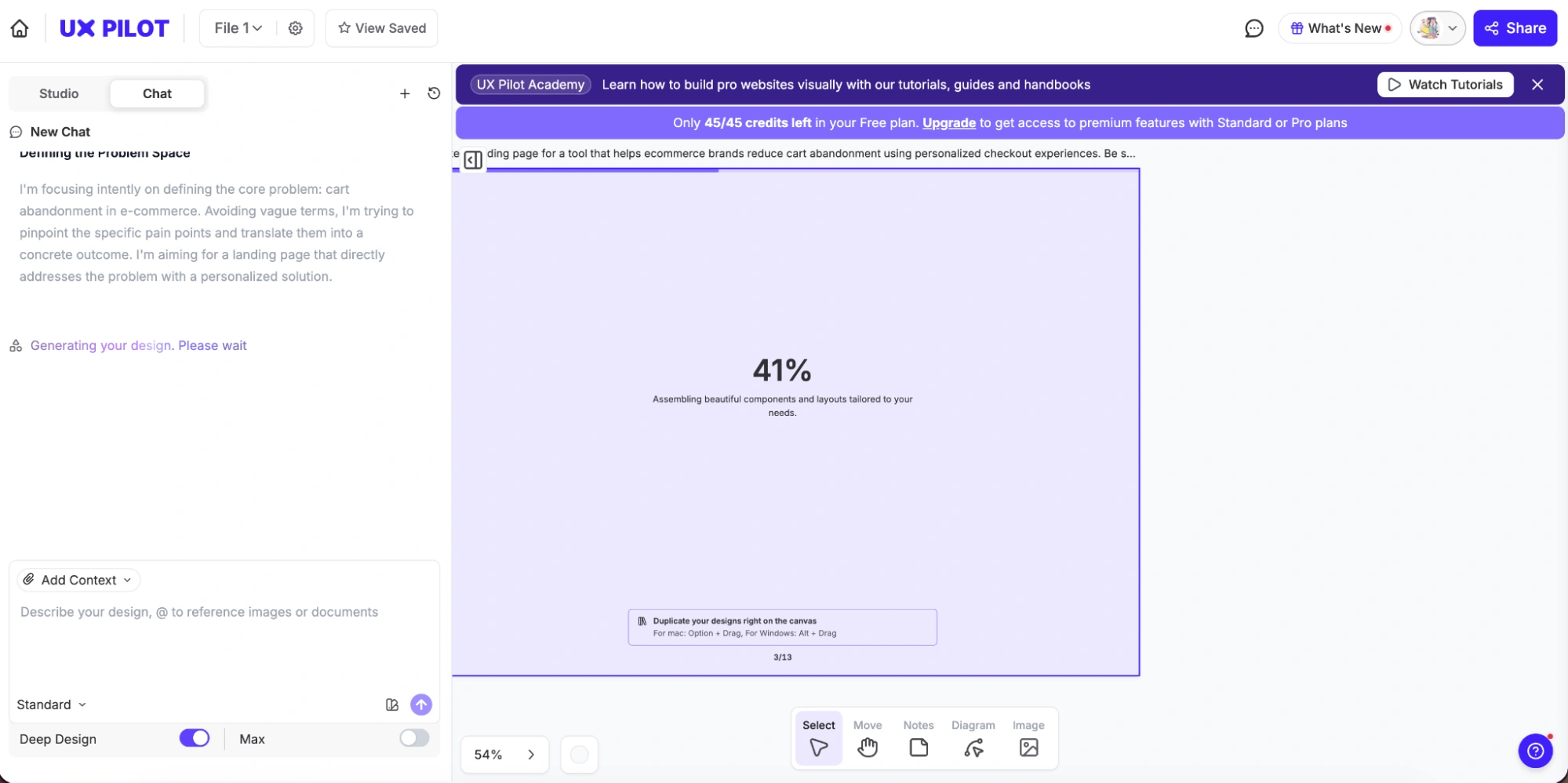
Once it’s done, the output is solid. The typography is clean, the layout is well-structured, and the visuals feel like a strong starting point. The CTAs are placed well and don’t feel like filler.
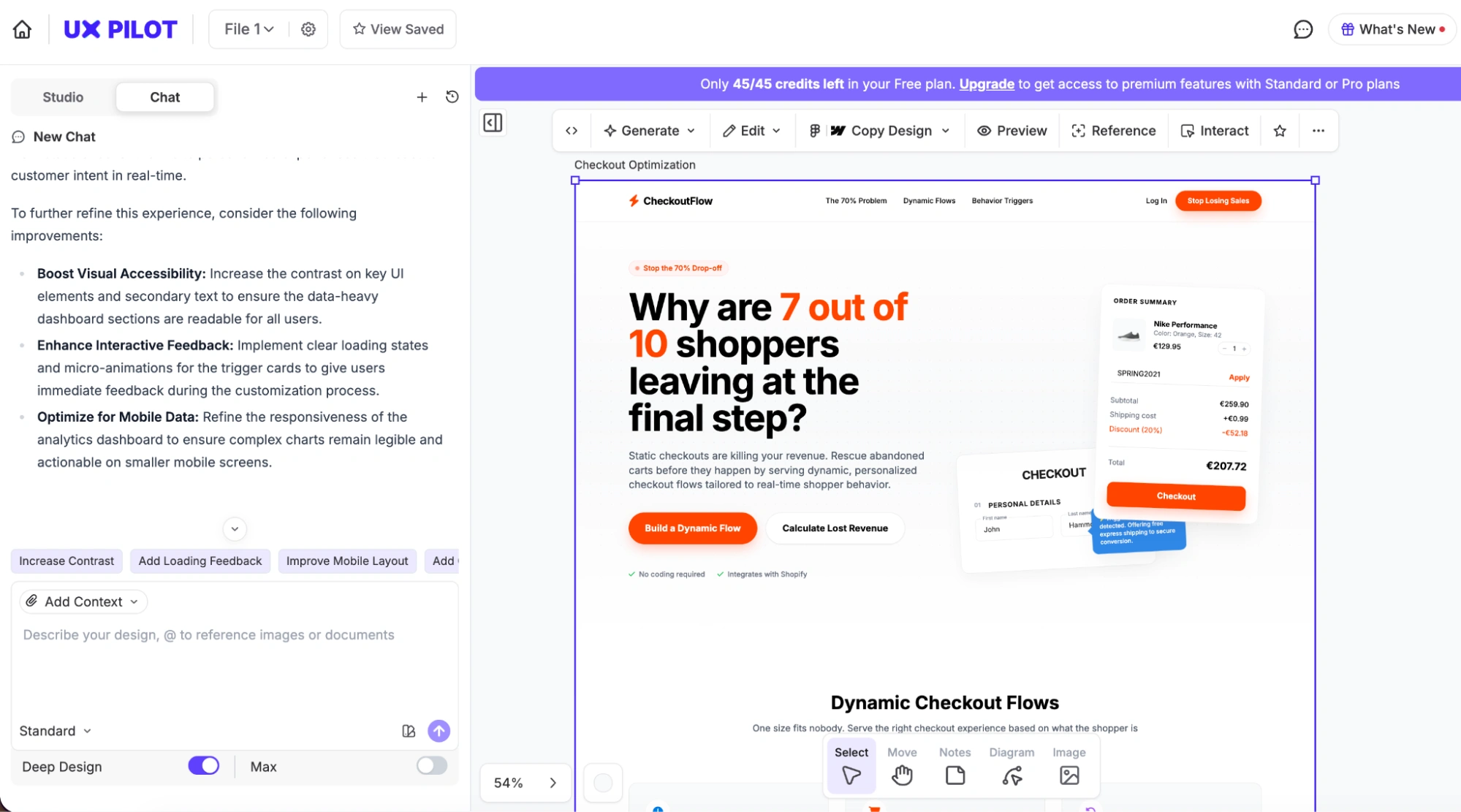
The chat explains why it made certain choices and suggests further improvements to the design — so you’re iterating with some direction rather than just editing blindly. The editing itself is flexible. You can go in at three different levels: global edits, section-level changes, or manual tweaks on a freeform canvas.
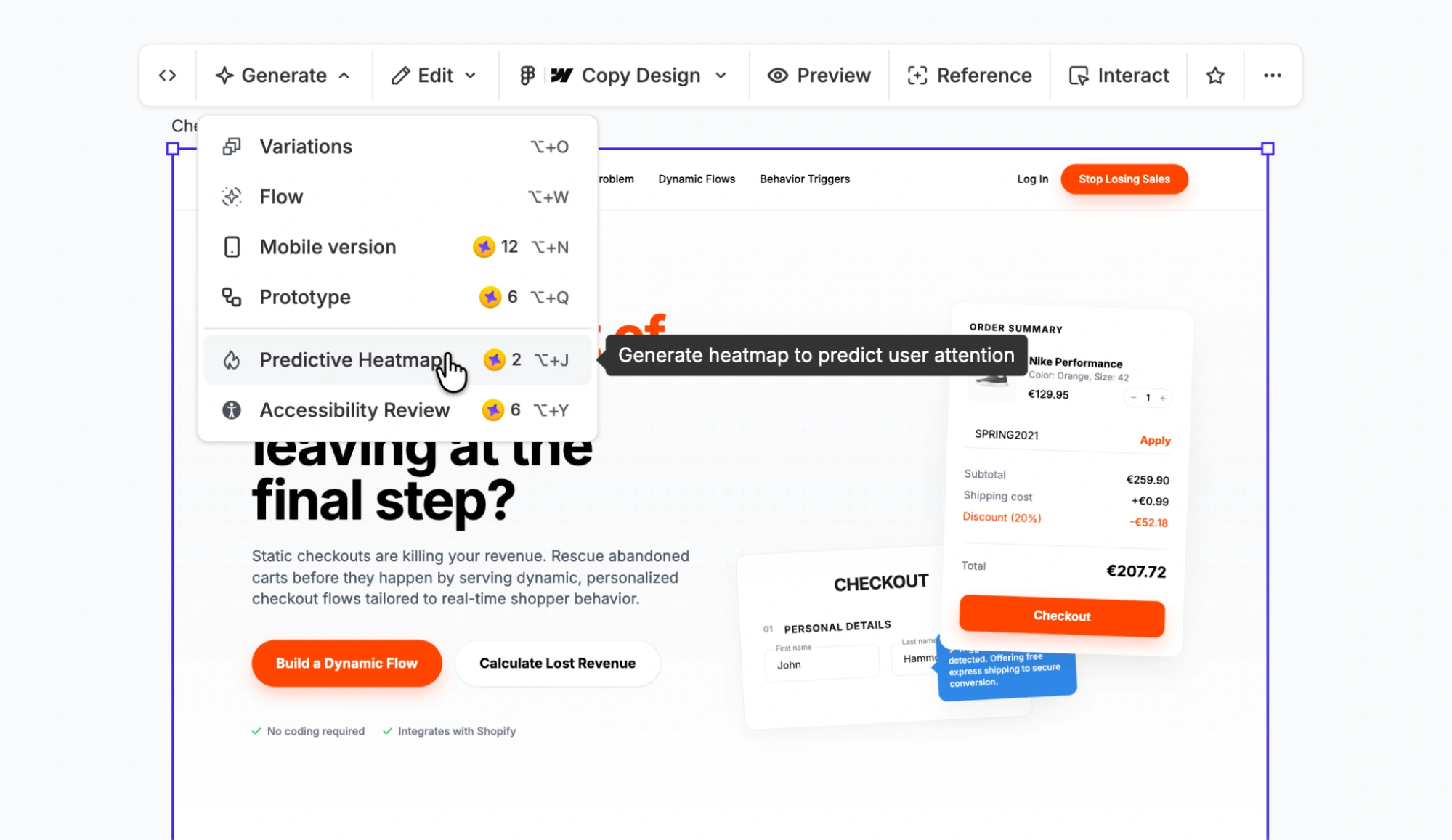
And then there are a couple of features that none of the other tools surfaced as clearly:
- Predictive heatmaps to see where user attention is likely to go
- Accessibility review, which flags usability and readability issues
- Key features
- UX Pilot offers responsive design in both directions — choose a mobile landing page to generate a desktop version for, or create a responsive page from a desktop’s landing page
- Export production-ready HTML or send designs directly to Figma
- Create multiple design directions from the same prompt in seconds — great for exploring options without starting over
- Pros
- Offers real-time co-designing with automatic updates and comments, and version control that tracks every change so you can go back anytime
- The free plan includes high-fidelity UI generation, wireframing, design review, and predictive heatmaps so you can complete real design work without upgrading
- Cons
- File attachments for context are gated behind a premium plan — a meaningful limitation if you want to build with brand context on the free tier
- This is a design tool first — you’re exporting to Figma or HTML, not hitting publish and going live the way Jotform or Base44 lets you
- Plans/pricing
- The credits are listed as “one time” across all plans on UX Pilot’s live pricing page as of April 2026, which means they’re a one-time allocation per plan, not a monthly refresh:
- Free forever
- Standard ($14 per month, billed annually)
- Pro ($22 per month, billed annually)
- Teams ($31 per user per month, billed annually)
- The credits are listed as “one time” across all plans on UX Pilot’s live pricing page as of April 2026, which means they’re a one-time allocation per plan, not a monthly refresh:
6. Manus
Best for: Developers and technical founders who want a full-stack output
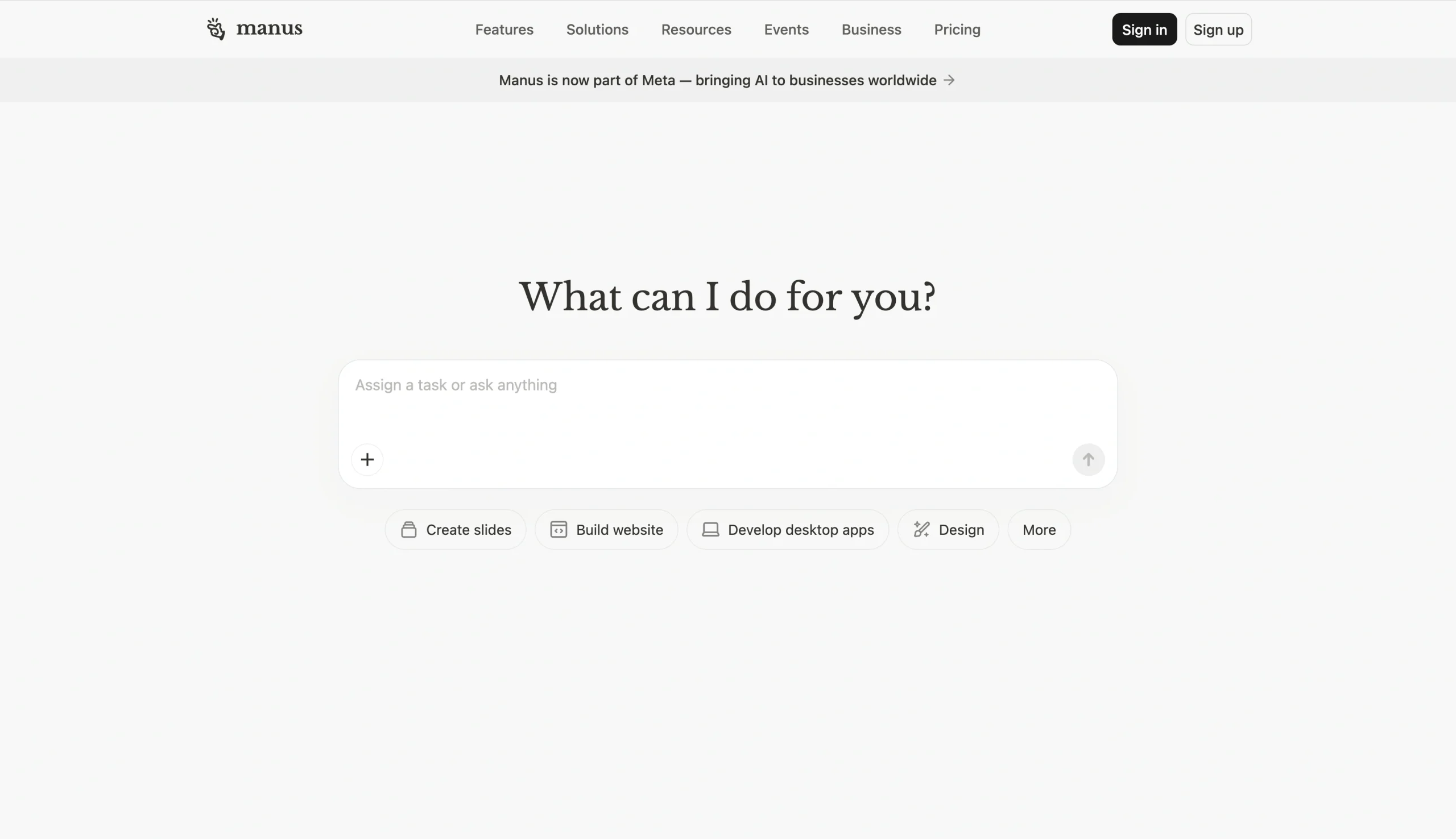
In Manus, I paste in my prompt, and the interface immediately feels very Claude-like: chat on the left, but with a full code workspace on the right. Manus was built on Anthropic’s Claude as its core reasoning engine, which explains both the interface and the output quality.
Manus finishes the build in about 6 minutes and 17 seconds, which makes it the slowest tool I’ve tested so far.
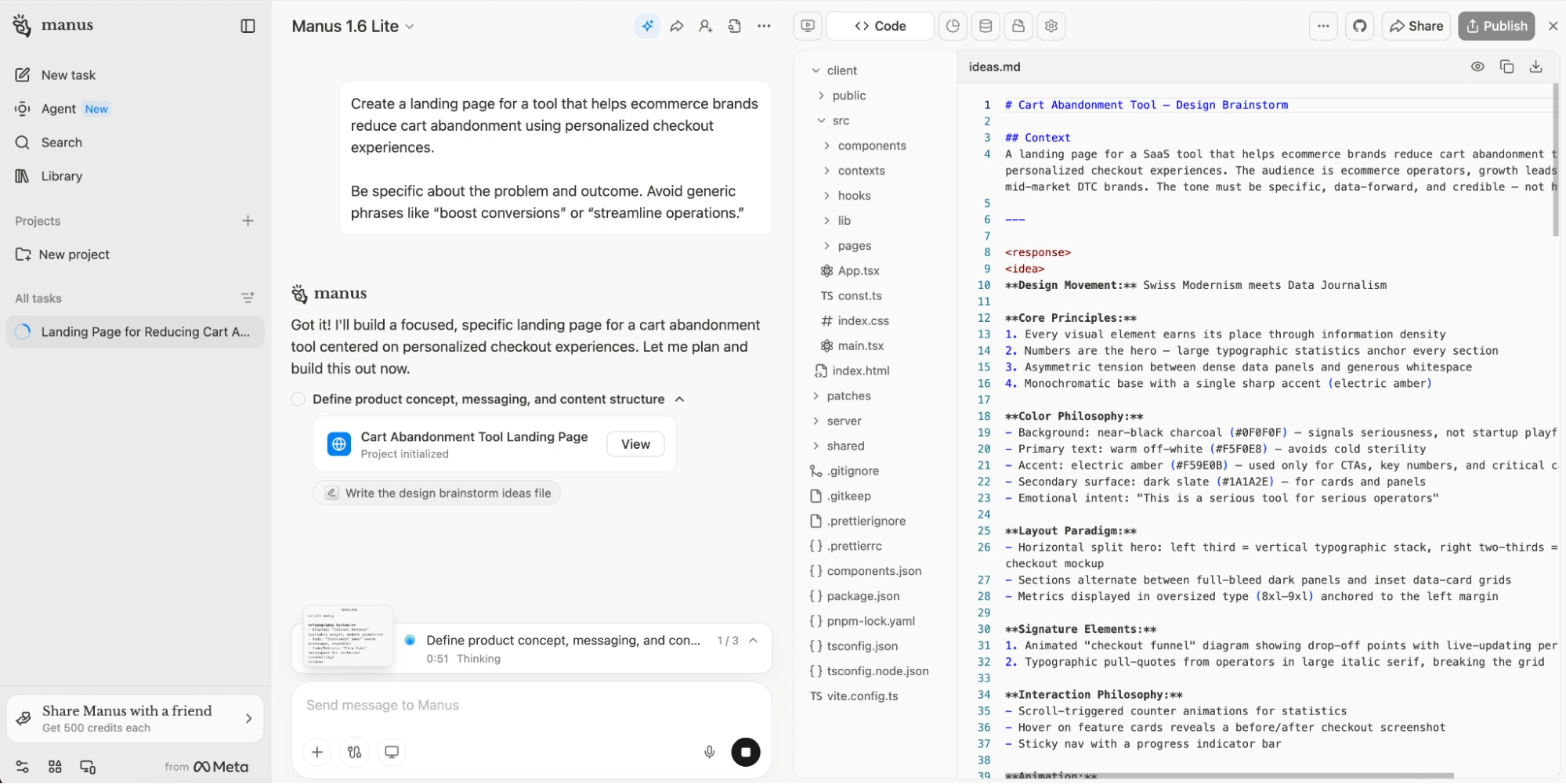
The output gets the fundamentals right: it builds a clear flow with social proof, testimonials, a strong CTA, and even jump links from the start. And it also goes a step further by including things like footer links, which makes the page feel more “real” and closer to something you’d ship.
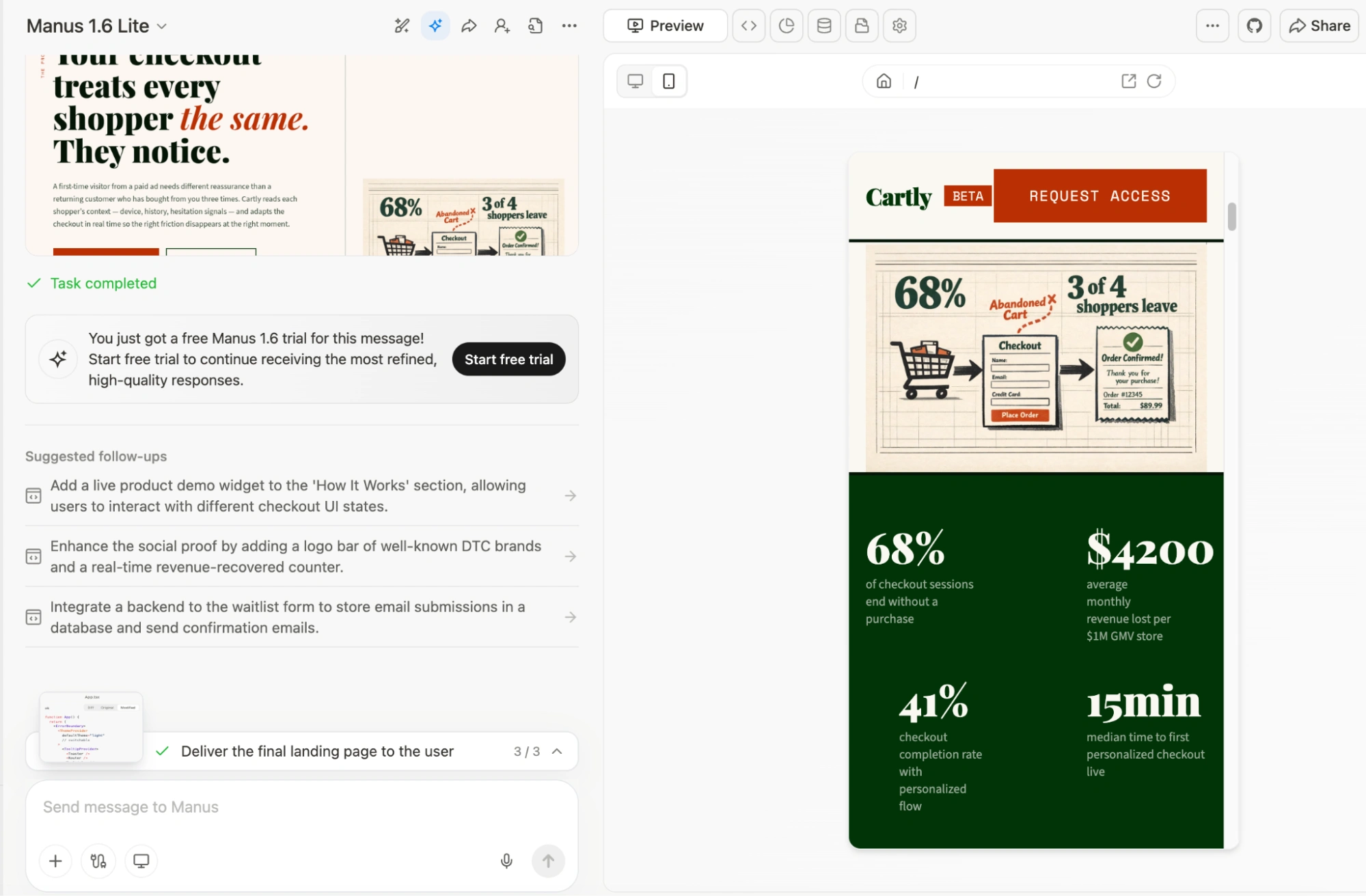
But where it falls short for me is the visual execution. Some of the graphics feel almost school poster-like, which clashes with the more refined typography. That mismatch breaks the overall feel, especially when the brief was to keep things approachable but still classy.
On the editing side, I can click into any block and edit directly or just tell the AI what to change conversationally. For publishing, I can deploy it as a site, download it as a ZIP, or invite collaborators — so it’s clearly built as more than just a generator.
I’m impressed by what it can do, but I’m not sure I’d enjoy working inside it long term.
- Key features
- Download your entire codebase at any time — clean, well-structured code you can host anywhere, modify freely, or hand off to your development team
- Capture and manage signups, inquiries, and form submissions in real time with a built-in database
- Review built-in analytics to track page views, visitors, and engagement trends directly inside Manus
- Review every edit and roll back to previous versions with tracked changes
- Pros
- The conversational editing works well — you can direct changes the same way you built it
- The code is accessible — developers can go in and edit directly without leaving the workspace
- Cons
- This feels like a very powerful but slightly chaotic workspace (like Claude) but with multiple layers stacked on top
- Following Meta’s acquisition in December 2025, some enterprise customers left the platform — with one CEO saying that he had confidence in Manus’ transparent terms of service, but doesn’t have that level of trust in Meta and is “legitimately sad that this has happened”
- Plans/pricing
- A seven-day free trial is available on the Pro plan; Manus’s pricing is built around general agent usage, so credits cover everything from research to website building:
- Starter ($17 per month, billed annually)
- Pro ($34 per month, billed annually)
- Enterprise ($167 per month, billed annually)
- Teams & Business (custom pricing)
- A seven-day free trial is available on the Pro plan; Manus’s pricing is built around general agent usage, so credits cover everything from research to website building:
7. MailerLite AI Landing Page Generator
Best for: Email marketers who want their landing page and nurture sequence in the same place
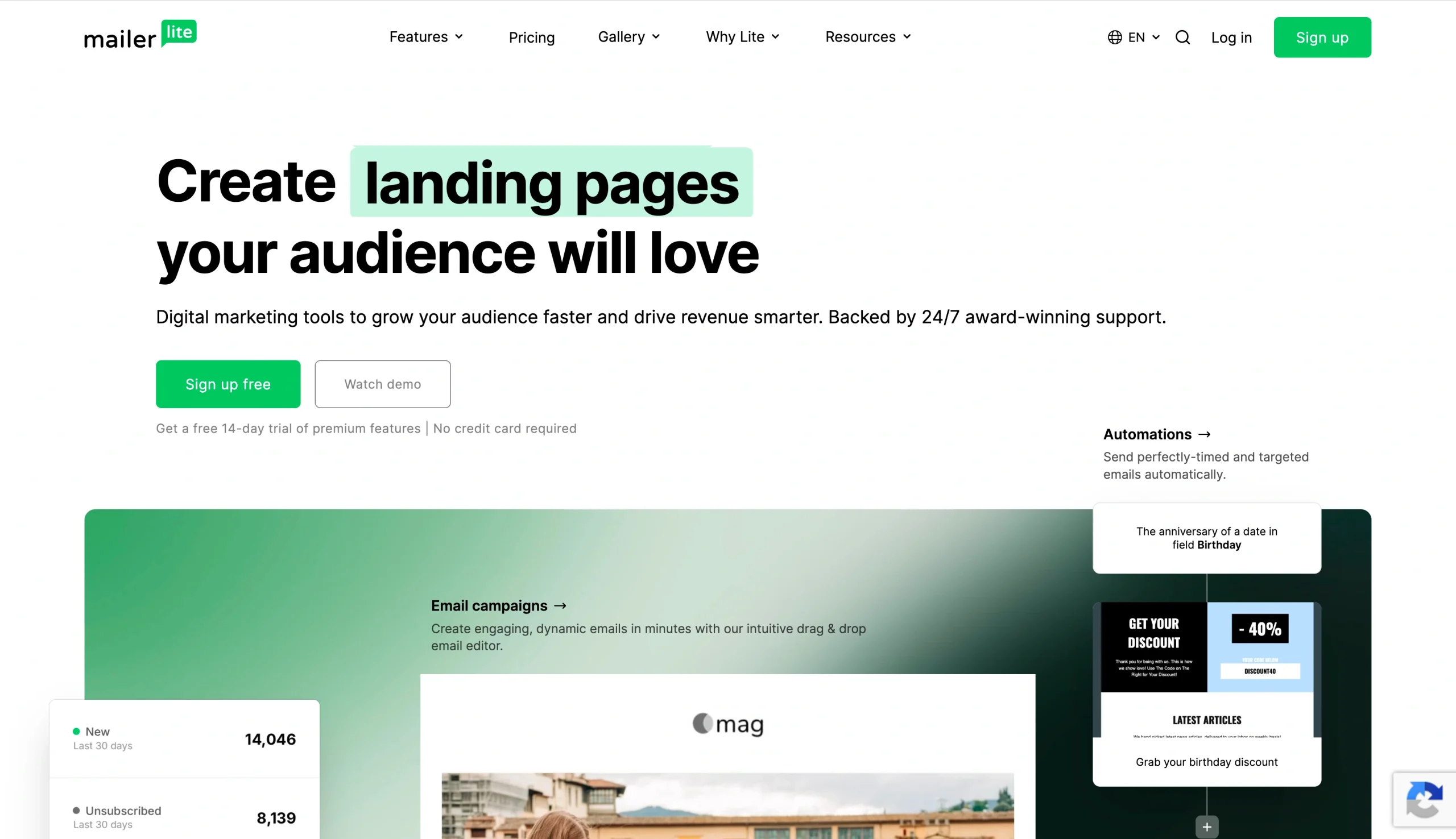
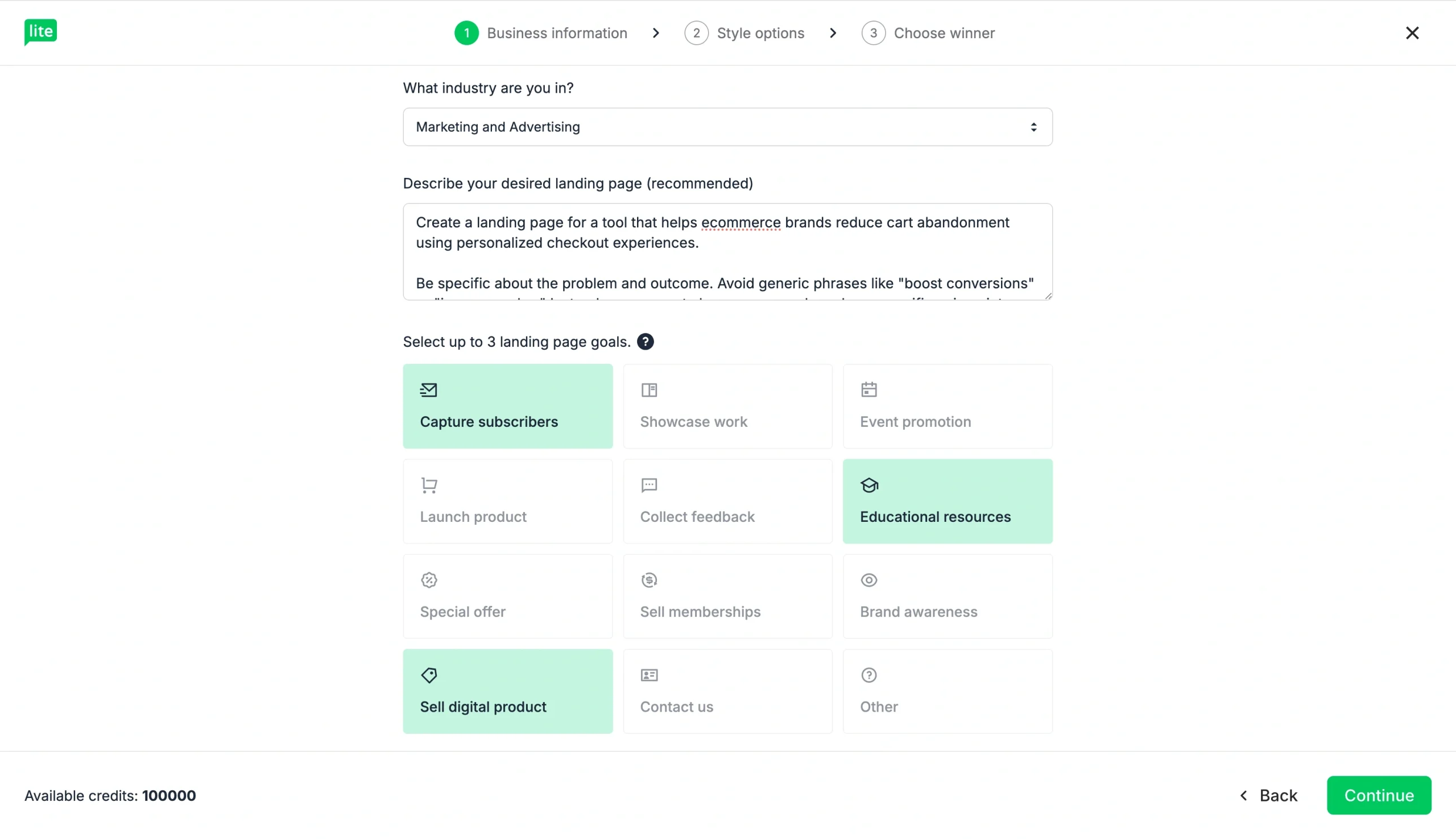
MailerLite walks me through a few decisions first. I paste in the same prompt I’ve been using across tools, and then it asks me to select up to three landing page goals. That part, as it did for me, forces you to think about what this page is really supposed to do.
From there, it moves into style options. I can choose the tone — playful, professional, informative — and also the visual direction. I pick something more playful and slightly futuristic, and let the AI generate the styling instead of applying brand guidelines.
The generation itself is fast — noticeably faster than tools like Figma or Base44, which already makes the experience feel lighter. Once it’s done, I get three versions to choose from: A, B, and C.
In the builder, the page is already structured with navigation, sections, and a basic flow. But what makes it click for me is how everything is organized around sections — I’m building the page block by block: hero, social proof, FAQs, CTAs. There’s also a small but thoughtful touch: You can save sections you like and reuse them later.
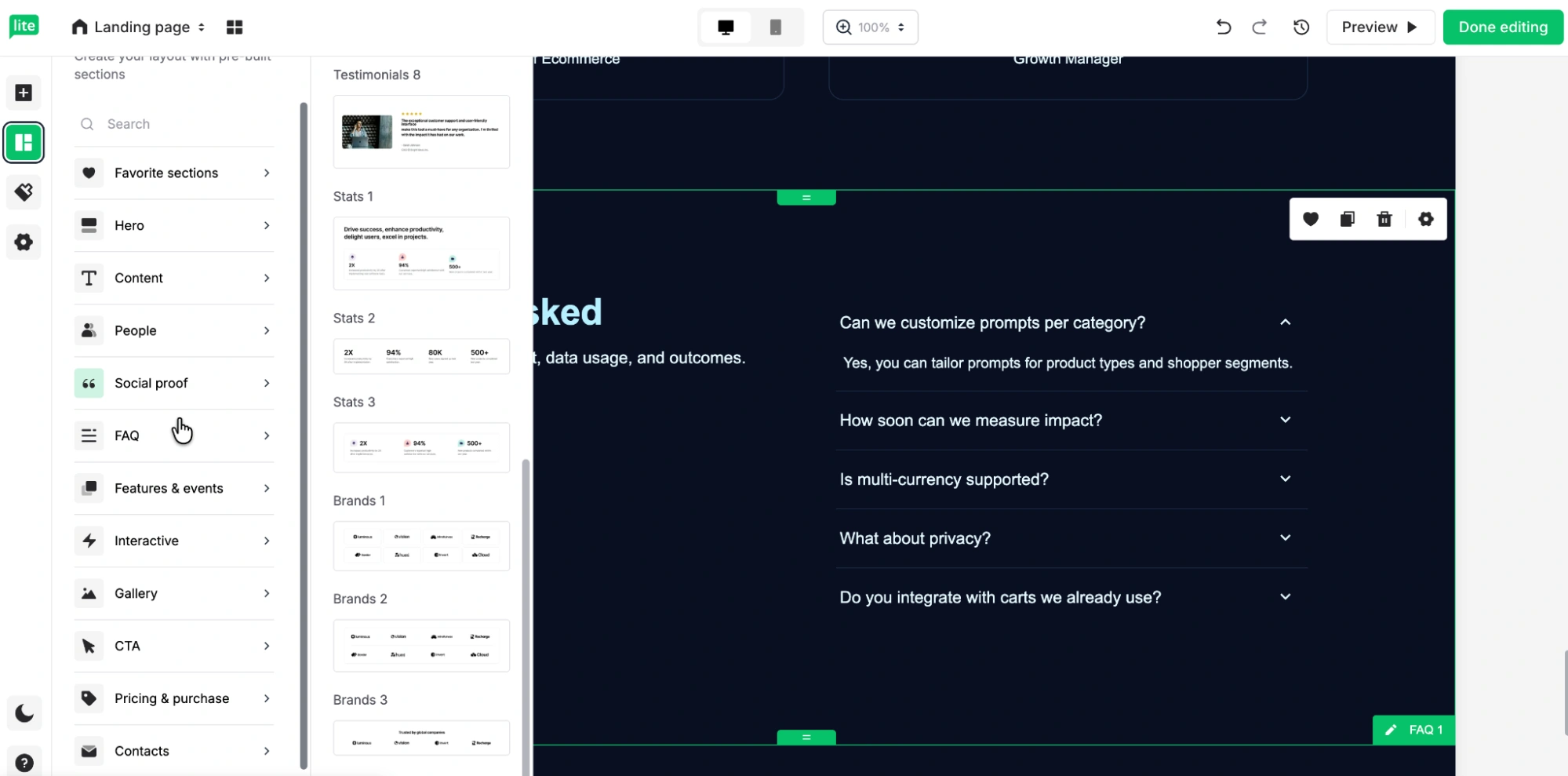
Editing is straightforward. I can click into any block, adjust the text, swap images, or even generate new visuals using MailerLite’s AI image tool. It also makes it easy to add alt text, which I appreciate.
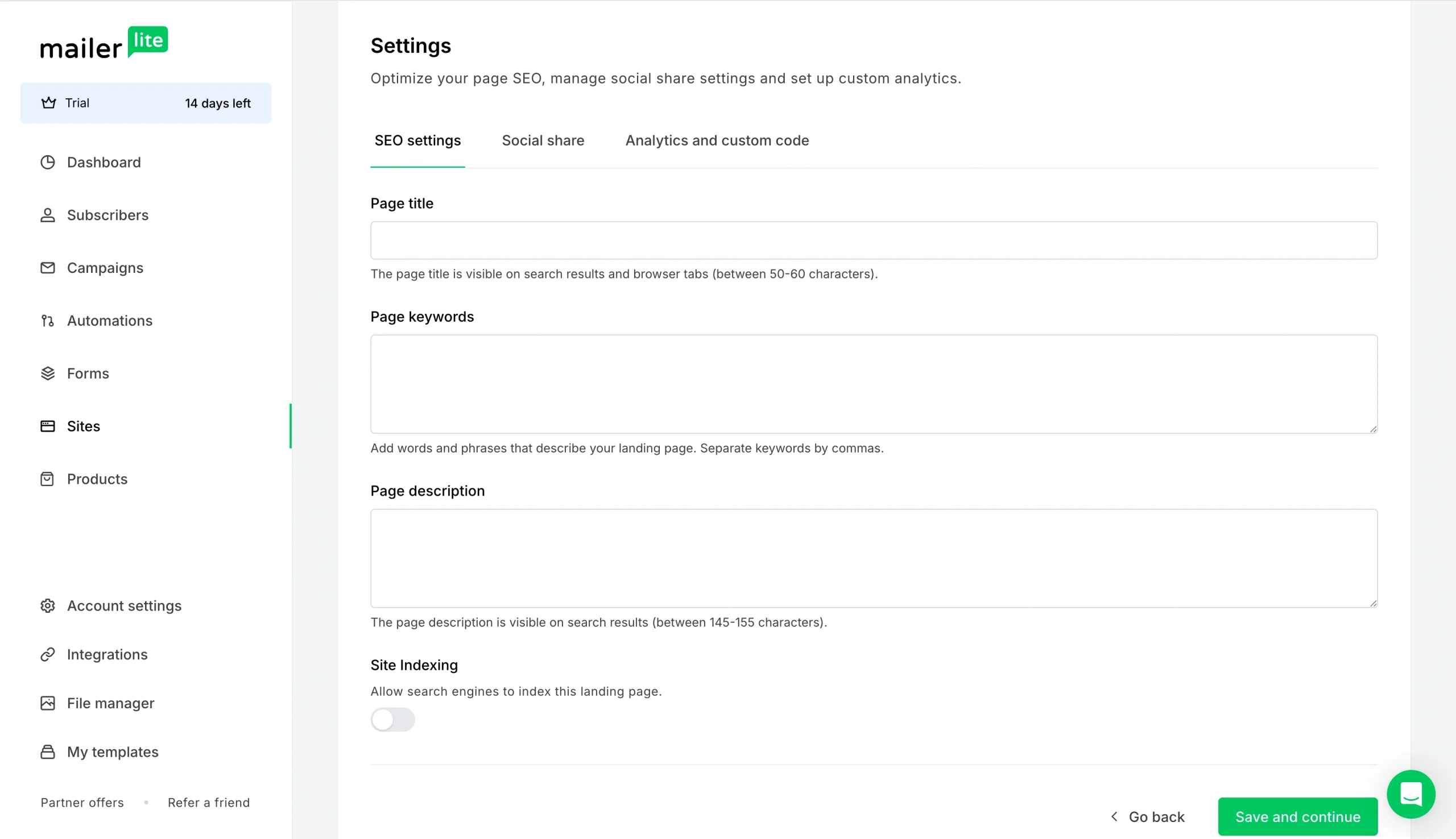
Then there’s the backend side of things, which is clearly where MailerLite leans into its email marketing roots. In settings, I can control SEO metadata, social sharing previews, analytics, and even toggle whether search engines can index the page.
There are also options to disable visitor tracking, which is especially relevant if you’re operating in regions with stricter privacy requirements, like the EU.
- Key features
- Build block by block from a library of more than 70 pro-designed sections, and save any section you want to bring into future pages
- A/B test up to five landing page versions by splitting traffic between them, and track which performs best directly from the dashboard
- Combine your landing pages with built-in email marketing features — automate the delivery of lead magnets, nurture leads with email sequences, and segment subscribers automatically based on form and email interaction
- Pros
- You get advanced conversion features like A/B testing, forms, e-commerce blocks, and pop-ups at a price point far lower than comparable tools
- The pricing is based purely on the number of contacts, so you get the full feature set even on entry-level tiers
- Cons
- This is an email marketing platform first — so if you’re not using MailerLite for email, you’re paying for a lot you won’t touch
- The three AI variants it generates look different on the surface, but aren’t meaningfully distinct
- Plans/pricing
- MailerLite’s pricing is subscriber-based, starting at 500 subscribers, and billed annually:
- Free
- Growing Business ($9 per month, billed annually)
- Advanced ($18 per month, billed annually)
- Enterprise (custom pricing)
- MailerLite’s pricing is subscriber-based, starting at 500 subscribers, and billed annually:
So, which AI landing page generator is right for you?
As they say, different strokes for different folks.
- Figma Make and UX Pilot are the tools to reach for when design quality and validation are your priority.
- Unbounce is for performance marketers who want AI optimization after the page is live.
- Base44 and Manus are for technical founders who want to ship something real.
- MailerLite is for email marketers who want everything in one place.
But if you want a genuinely conversational tool that builds fast, handles forms and payments out of the box, and doesn’t require a developer, a designer, or a credit card to get started, Jotform’s AI Landing Page Generator is the one to beat.
Best AI landing page generators FAQs
Yes — and the better tools do more than generate a template. The AI website generators on this list produce full-page structures all from a single prompt.
Jotform, Figma Make, and Base44 are the strongest examples of landing page AI tools that give you a worthwhile starting point.
ChatGPT can generate HTML and copy, but it doesn’t give you a deployable page with hosting, forms, or publishing tools out of the box. The best AI website builders for landing pages — like the ones on this list — are purpose-built for that full workflow: prompt in, live page out.
This article is for marketers, founders, small business owners, and growth teams searching for the best AI landing page generator to quickly create high-converting landing pages without coding.







































































































Send Comment: