

Top AI prompt generators
ChatGPT, Claude, and other AI tools can do almost anything you’d like — with the right prompt. They can edit your sales emails, extract quotes from content for social media, and help you brainstorm and outline marketing ideas with little more than a conversation. The best AI prompt generators, though, give you consistent results with less of AI’s chattiness and more of its robotic speed.
“A majority of organizations (57 percent) are not fine-tuning models,” found Langchain’s State of AI Agents report. Most teams instead rely “on base models combined with prompt engineering and RAG,” which is another more advanced AI enhancement technique. For teams using AI with prompt engineering, they found that “internal productivity is the top use case (26.8 percent), with customer service (24.7 percent) and research & data analysis (22.2 percent) close behind.”
With an AI prompt generator to do the prompt engineering for you, your team gets many of the benefits without needing to learn the intricacies of every AI model.

Why you should use an AI prompt generator
Prompt generators take your idea for what you want AI to do and turn it into clearer instructions the AI is more likely to follow. They’re automated prompt engineering tools.
Writing a prompt for AI requires little more than describing your idea clearly. But clarity often comes from refinement and sitting with an idea long enough to poke holes in it and figure out where you could be more specific.
AI prompt generators
- Use best practices for AI prompts, with libraries of prompts and standard instruction styles that are proven to work.
- Expand your prompt to clarify your point or to simplify overly descriptive sections.
- Include common AI steps such as instructing the model to think through tasks step by step or to verify that information exists in the source material.
- Optimize your prompt for specific AI models, with different output for text versus image generation models.
- Add extra details such as roles or expected output format to produce more consistent results.
- Iterate on your prompt to make new versions with additional feedback.
- May also include features to share and save prompts, test them, restore previous versions, and more.
There’s a longstanding joke about how to draw an owl: Draw two circles, then draw the rest of the owl. It’s a classic process for failure to have one overly simple step followed by an overly complicated one. It’s easy enough if you already know how to do the task but impossible otherwise. Yet that’s often how AI prompts sound at first. It’s easy to be similarly vague in some areas and precise in others, leading the generative AI to produce inconsistent results.
As OpenAI’s guide to prompt engineering states: “…prompting to get your desired output is a mix of art and science.” And the difference between an off-the-cuff AI chat and a more optimized prompt is clear when you get more consistent and accurate output. “You can bias the model towards more ‘expert’ responses with the right terminology,” says @dimitri-vs in a Hacker News discussion.
7 best AI prompt generators in 2026
The best AI prompt generators should reliably produce AI prompts that are better than the ones you’re likely to write on your own. They should expand your initial prompt into a more detailed instruction set that consistently produces correct output with text or image generation models. And, ideally, they should build on that base with additional features to customize prompts for specific AI platforms and models, store prompts and share them with others, test prompts live with AI, and more.
Based on a test of 18 AI prompt generators, here are the seven best tools to create and optimize AI prompts in 2026:
| Tool | Unique Feature | Model Optimization | Free Plan |
|---|---|---|---|
 Jotform AI Prompt Generator |
Quickly create prompts for a variety of models |
ChatGPT, Gemini, Claude, Ollama, Stable Diffusion, Flux, DALL-E, and Midjourney |
Free for unlimited AI prompts |
 Feedough AI Prompt Generator |
Build prompts around popular workflow frameworks |
ChatGPT, Claude, Midjourney |
Free for unlimited AI prompts |
 Prompt Manage |
Create detailed prompts from goals, context, and rules |
ChatGPT, Claude, Gemini, Grok |
Free to generate unlimited prompts and store 25 prompts |
 Prompt Cowboy |
Iterate and improve prompts with questions |
ChatGPT, Claude |
Free for generating 10 prompts per month |
 PromptHub |
Organize and optimize AI prompts as a team |
ChatGPT, Claude, Gemini, Mistral, Grok, DeepSeek |
Free for public prompts with 10 prompt optimizations per month |
 PromptLayer |
Test prompts and improve them until they’re perfect |
ChatGPT, Claude, Gemini, Cohere, Hugging Face, Mistral, Vertex |
Free for 10 prompts and 2.5k test requests per month |
 Arize |
Evaluate prompt performance and build into agents |
ChatGPT, Claude, Gemini, Vertex, DeepSeek, Llama |
Free for core features |
1. Jotform AI Prompt Generator
Best for: Quickly creating optimized prompts for text and image output
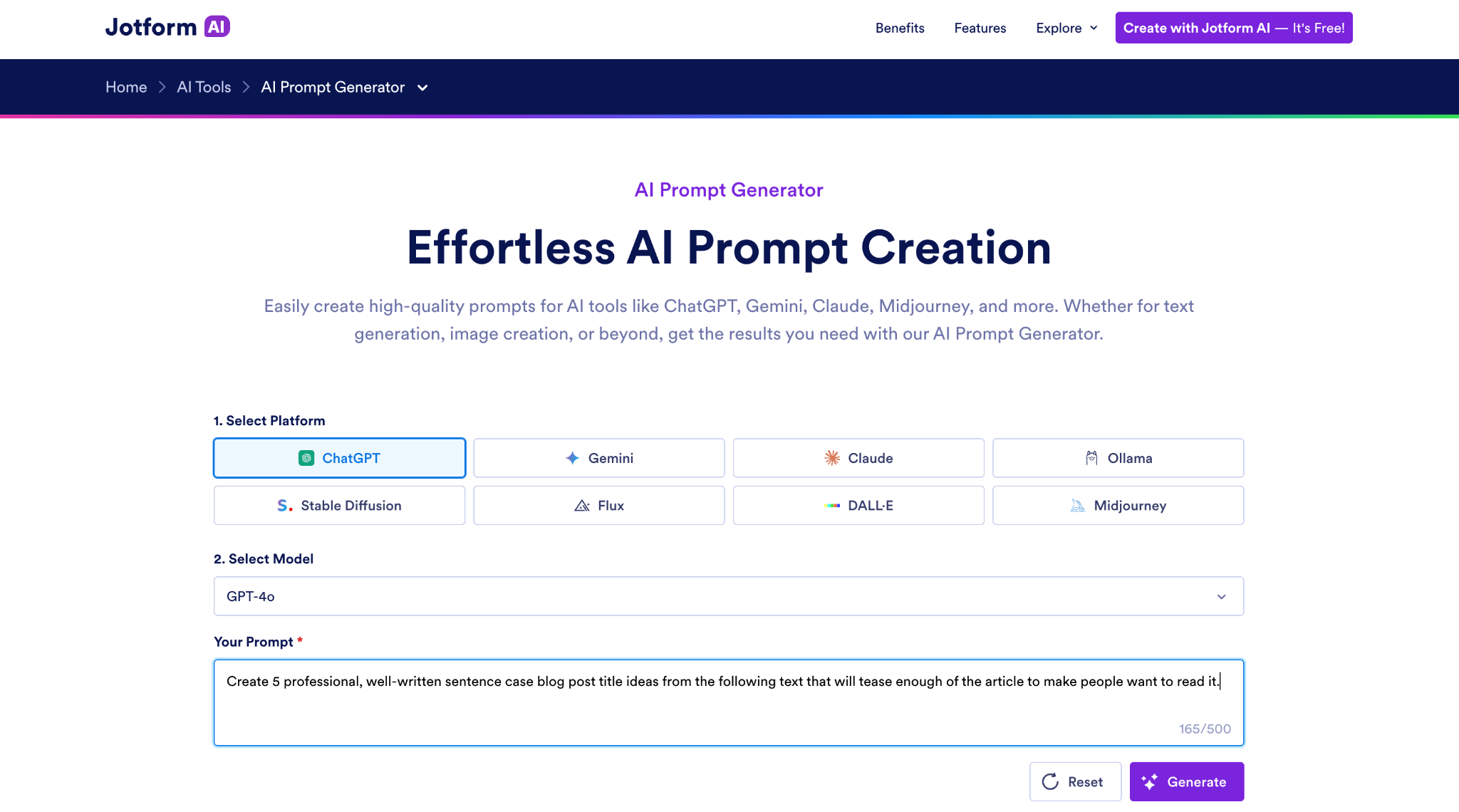
Jotform AI Prompt Generator is one of the simplest ways to build an optimized AI prompt, whether you’re asking for text or image generation. Select an AI platform: ChatGPT, Gemini, Claude, and Ollama local models are all supported for text prompts, along with Stable Diffusion, Flux, DALL-E, and Midjourney for image prompts.
Then choose the model you plan to use. Fast models (like Claude Haiku or GPT-4o) tend to get shorter prompts, while newer and more expensive models (such as Claude Opus or Stable Diffusion 3.5) get longer, more detailed prompts. It’s quick and free, without any need to sign up for an account. It may limit you if you create too many prompts in an hour, but you can continue creating once your time limit has reset.
Jotform expands on your original prompt with details for each AI platform. It creates a paragraph or two of descriptive text for text models. With image models like DALL-E, its prompts specify parameters and negative prompts, depending on the chosen model. I then liked pairing it with another free Jotform tool, the AI Token Calculator, to estimate how many tokens the prompt would use and what it’d cost to run in production. If you want the quickest way to start building AI prompts, Jotform AI Prompt Generator is where to start.
- Key features
- Quickly build prompts for a wide variety of models
- Build prompts for text or images
- Focus prompts on specific models
- Pros
- Create prompts for GPT, Gemini, Claude, Ollama, Stable Diffusion, Flux, DALL-E, and Midjourney
- Build prompts designed for open-weight models with Ollama support
- Choose the exact model you’re using for more precise prompts
- Cons
- No tools to iterate on completed prompts
- Cannot test prompts directly in Jotform
- Plans/Pricing
- Free to generate unlimited AI prompts and to create up to five AI agents or forms with 100 monthly conversations or submissions
- From $39 per month or $34 per month with an annual plan for 25 AI agents or forms with 1,000 monthly submissions
Build faster with Jotform AIDescribe what you need, and let Jotform AI build it for you instantly.
Get Started Now
2. Feedough AI Prompt Generator
Best for: Improving AI prompts through guided questions
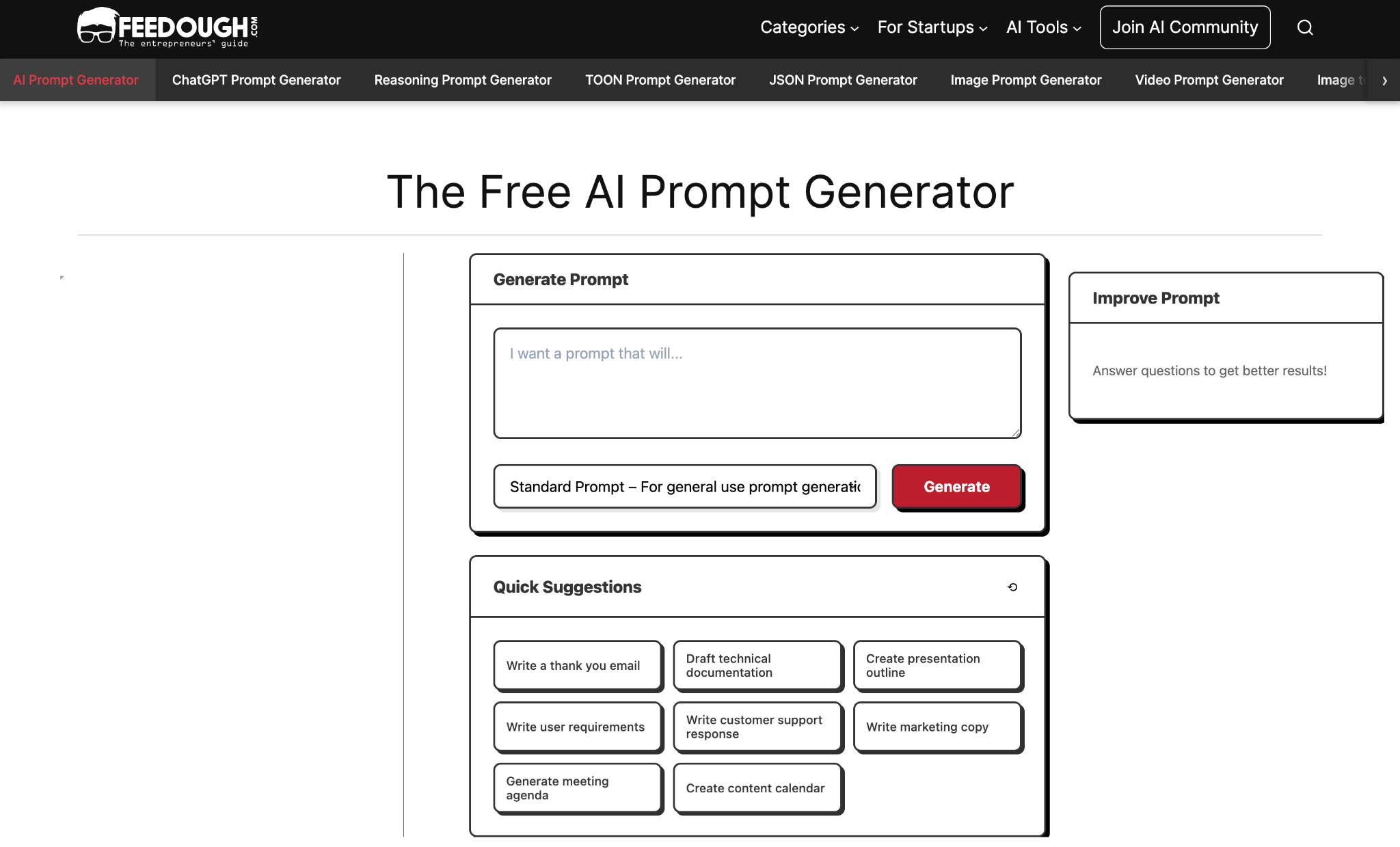
Feedough AI Prompt Generator is as fast at creating a basic prompt as other tools. Its prompts are more detailed than what you’d get from most tools, with options to build reasoning prompts or prompts that follow popular frameworks such as CARE (Context, Action, Result, Example) or RISE (Role, Input, Steps, Execution). Then it follows up with three questions and uses your answers to make an improved second version of your prompt. That made me think more about my goals for the prompt and my expected output, and it generally resulted in a better final prompt.
The core prompt generator is a bit limited since you can’t continue iterating after those first three questions, but it comes with a wide range of companion prompt generators to go further. There’s a prompt checker to verify that your prompt should work well, an AI prompt optimizer that lets you describe the prompt’s goals and create an improved version, and output-specific generators to create prompts for image, video, and JSON output. They’re a handy set of tools to build better prompts for free.
- Key features
- Create standard or framework-based prompts
- Auto-generates questions to help refine your idea
- Includes basic version control to restore to original prompt
- Pros
- Create prompts for a variety of popular frameworks
- Start out with a quick suggestion for basic templates
- Answer three questions to improve the prompt
- Cons
- Each feature is split into separate tools
- Cannot continue improving on prompt after first three questions
- Plans/Pricing
- Free for generating AI prompts
3. Prompt Manage
Best for: Building detailed prompts from logical building blocks
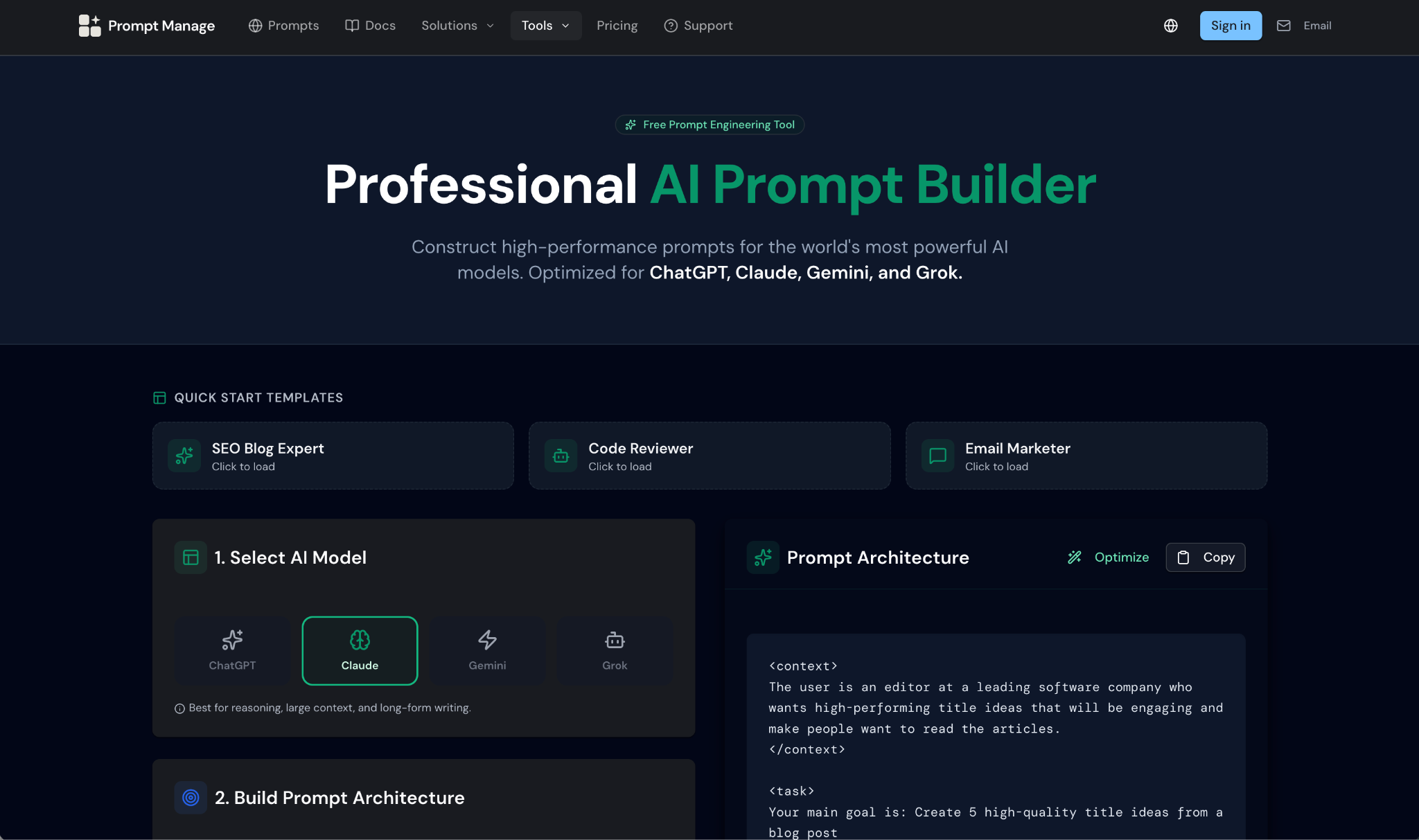
Prompt Manage’s prompt builder does less to optimize prompts than other apps we tested—but that’s partly because it helps you consider the details before creating your prompt in the first place. Start by selecting the AI model you plan to use. Then tell the app your goal for the prompt, give it context and background about the task, add constraints and rules, set the required output format, and choose its tone of voice and audience.
Prompt Manage will turn those details into a well-formatted prompt automatically. There’s a basic optimizer you can run as well, but it tends to leave the prompts close to their original, form-driven version that’s reasonably optimized from the start.
You can then create an account to store your prompts, test them live in the app, and share them with colleagues. You’ll need to create your prompts in the prompt builder first, then manually copy them into the main app to save them for later. The app itself is minimalist for now, and prompt testing only worked intermittently in my tests. The prompt builder itself is worth using to think through your prompts, though, while keeping an eye on how the app shapes up over time.
- Key features
- Build better prompts from the start
- Optimize prompts for each model
- Save prompts to reuse later
- Pros
- Create detailed prompts with a form
- Optimize prompts for ChatGPT, Claude, Grok, and Gemini
- Test prompts live inside app
- Cons
- Prompt creator isn’t integrated into app
- Fewer optimization options than other tools
- Plans/Pricing
- Free for 25 prompts
- From $20 per month for unlimited prompts and up to five team members
4. Prompt Cowboy
Best for: Iterating on prompts with questions and feedback
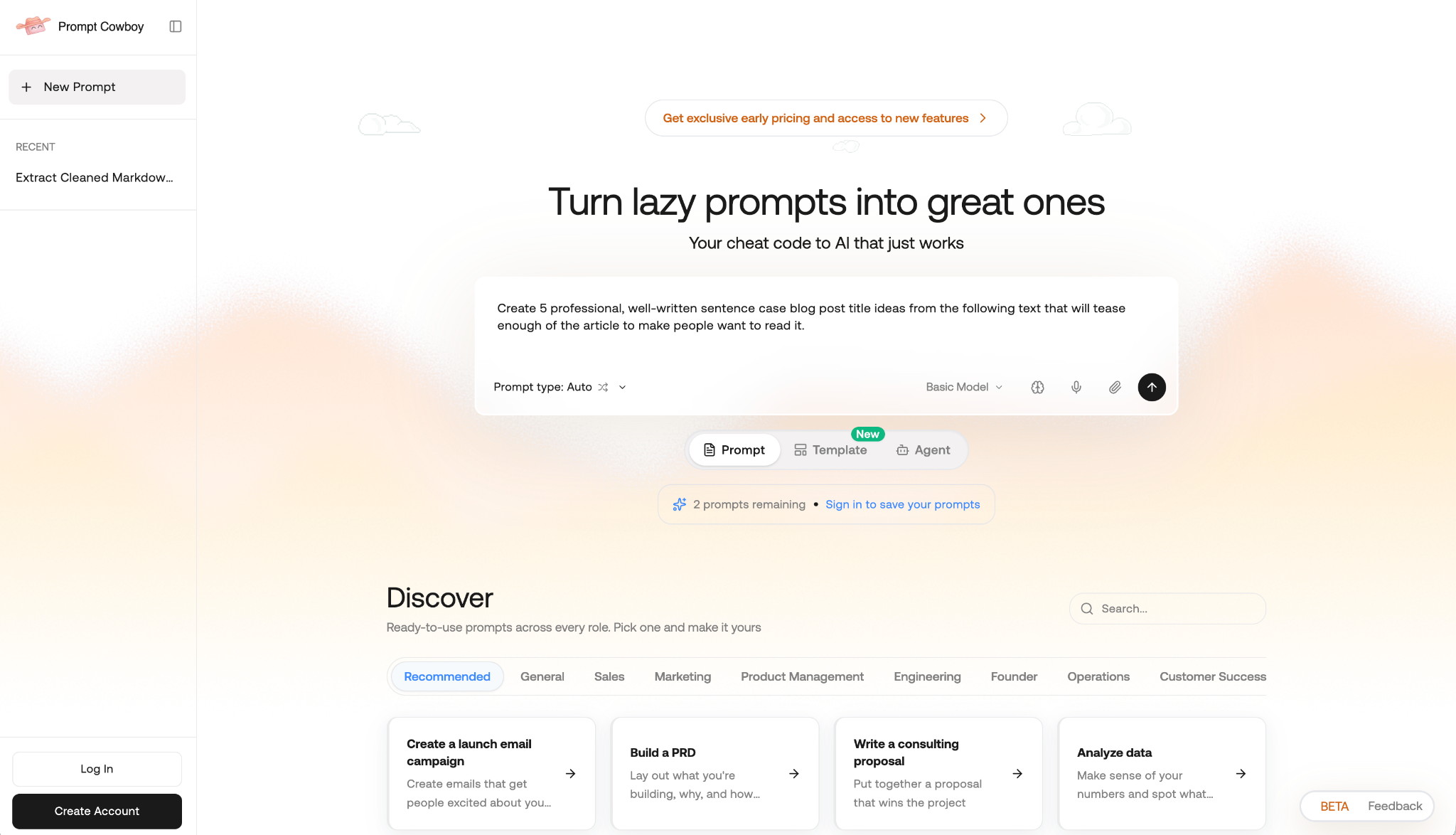
Prompt Cowboy is one of the simpler ways to both improve prompts and save them for later. Enter your idea, tell it which type of prompt you need (with options to create image, video, research, writing, and automation prompts, among others), and it’ll optimize your prompt and save it to your private prompt library.
As a bonus, it’ll recommend two companion prompts; when I added my example prompt to create title ideas for a blog post, Prompt Cowboy recommended prompts to create social media posts or to analyze other well-performing titles.
Then you can home in on your use case. Prompt Cowboy automatically asks three questions you can answer about your prompt, audience, use case, and more. Or you can add additional details in the chat box and send all the additional details at once. You can also compare the original prompt and each iterative version to test and see how each performs in your AI platform of choice.
- Key features
- Build prompts and chat to improve them
- Deep library of templates to start quickly
- Store prompts to reuse and iterate on them later
- Pros
- Automatically recommends additional ideas to complement your prompt
- Store a library of private prompts, or share with your team
- Save memories to always include common commands in your prompts
- Cons
- No built-in prompt testing or model customization
- Still in beta
- Plans/Pricing
- Free for three prompts without an account, or for 10 prompts per month with most powerful model with free plan
- From $11 per month or $8 per month with an annual plan for unlimited prompts
5. PromptHub
Best for: Organizing and optimizing AI prompts as a team
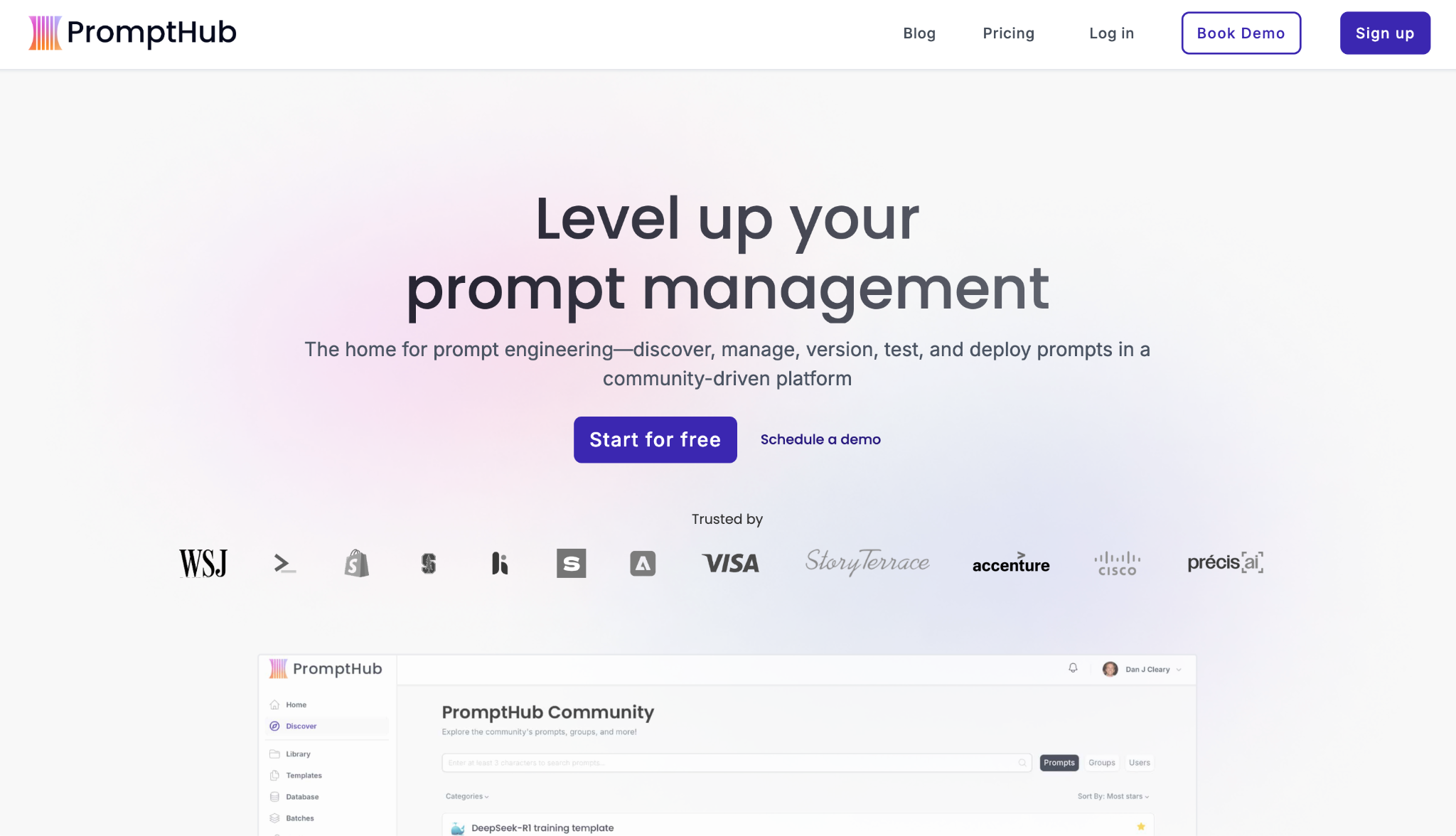
PromptHub is built for collaborating around prompts, both with your team and with other AI creators using the platform. Start off by creating a new project, for which you can use a template or create a new prompt by either manually writing a prompt or using AI to generate a better prompt. You can track changes in a GitHub-style interface with options to commit or rollback changes — which is an especially nice feature to see what went wrong if a new version of a prompt starts producing worse output.
PromptHub includes more tools than most other apps to optimize prompts. It can create a semantic alternative, writing a new, shorter version of your original prompt. I especially liked that you could test each version side by side to compare how they perform before accepting the changes. Or you can iterate on your prompt with chat feedback, describe a persona to add to the prompt, or add chain of thought to build more reasoning into your workflow. It’s a professional set of tools to build, improve, and share prompts in your team.
- Key features
- Use a variety of tools to optimize prompts
- Share prompts with your team or publicly
- Test prompts inside the app
- Pros
- Generate, organize, and collaborate on prompts in one app
- Track changes to prompts over time
- Build evaluators to catch issues with prompts
- Cons
- API keys and separate payment required to test prompt output
- All prompts are public on free plans
- Plans/Pricing
- Free for unlimited team members with public prompts and 10 monthly prompt enhancements
- From $12 per month or $9 per month with a yearly plan for unlimited private prompts and 200 prompt enhancements per month
6. PromptLayer
Best for: Creating and testing prompts, then using them to power agents
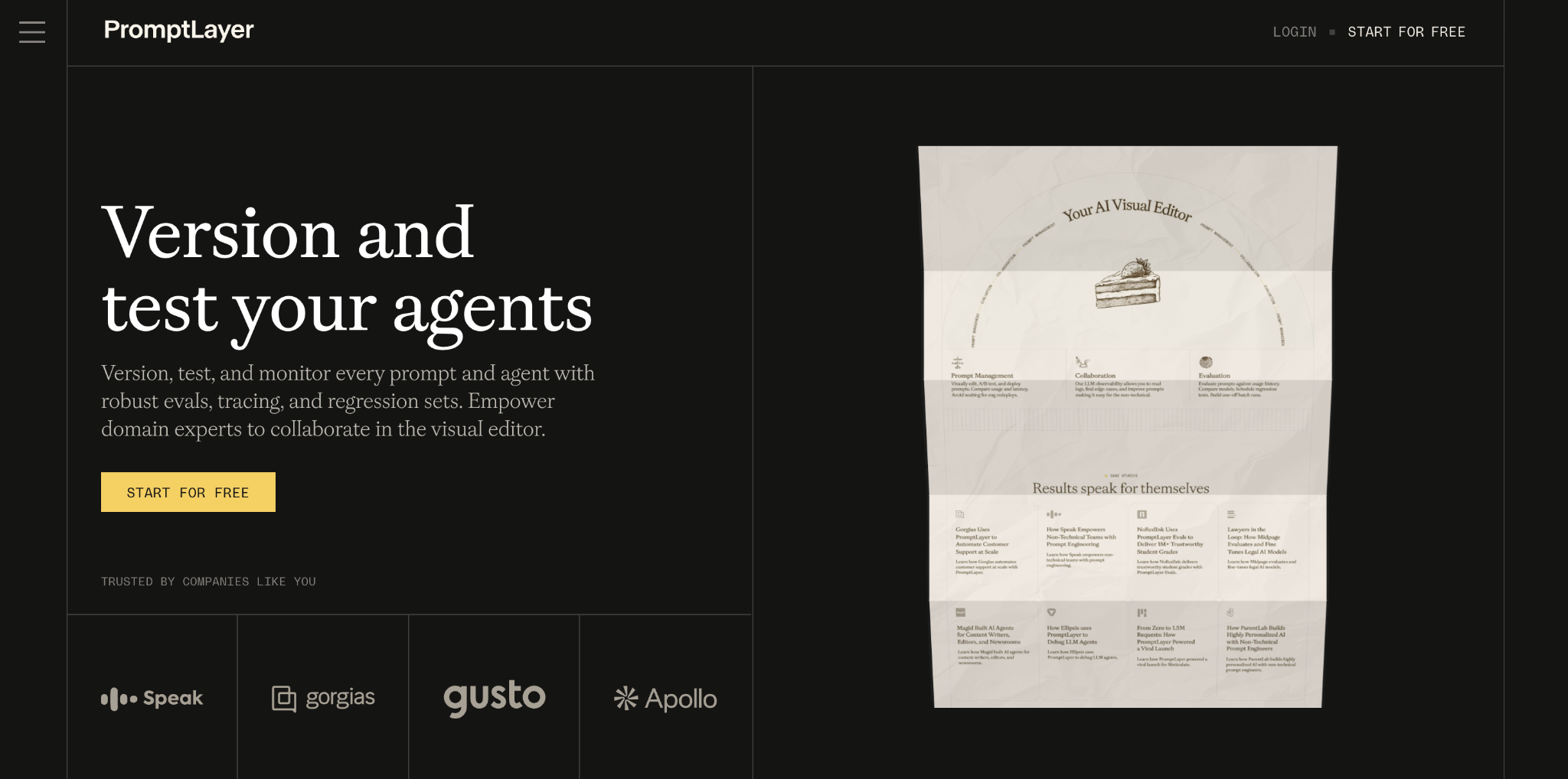
PromptLayer is a tool to generate prompts, test and optimize them, turn them into AI agents, and share them with your team all from one place. Start by creating a new prompt in the app, where you can either write out a prompt or click the somewhat-hidden star button beside the Load Prompt button to use AI to create an optimized prompt automatically. Include variables for data you’ll add while running the prompt, then run the prompt. Without needing API keys or any additional setup, PromptLayer then tests your prompt live so you can see how well it works.
Optimizing your prompts requires opening Wrangler AI, PromptLayer’s AI chat sidebar. There, @mention your prompt’s name, tell it what could be improved from your tests, and ask for optimizations. Moments later, you’ll see a newly updated version of your prompt ready to test, with previous versions saved so you can roll back the changes and compare how each prompt performs.
- Key features
- Collaborative workspace to manage prompts and agents
- Drag-and-drop agent builder
- AI prompt creator and chat to optimize prompts
- Pros
- Build and test prompts for free with built-in AI integration
- Save variables to speed up testing
- AI chatbot to improve prompts
- Cons
- Prompt optimizer somewhat hidden
- Cannot change AI provider for existing prompts
- Plans/Pricing
- Free for 10 prompts and 2.5k requests per month
- From $49 per month for unlimited prompts, five users, and per-transaction pricing beyond included requests
7. Arize
Best for: Testing, evaluating, and improving prompts in chat
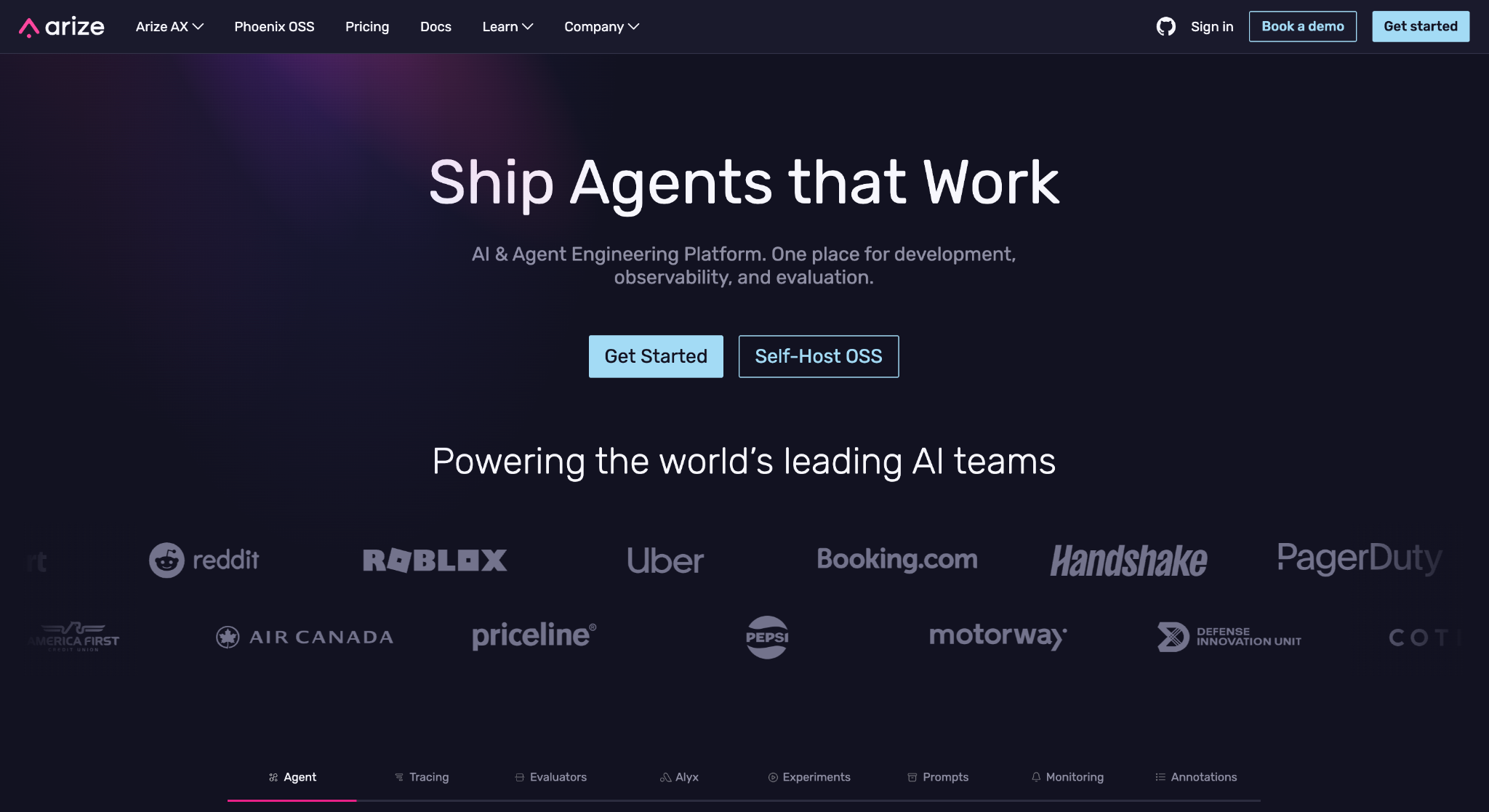
Arize is overkill if all you need is prompt optimization. It’s an enterprise AI and machine learning platform to build agents, trace each run, evaluate performance, and monitor their output to spot regressions. However, its prompt optimization tools are some of the best I’ve tested to improve your prompt based on its output and performance in real AI LLMs.
Start by writing a prompt in Arize’s playground — or perhaps paste in a prompt you’ve built with another tool. Add variables for data, such as names, article text, links, and keywords; then add examples of each variable in the inputs dataset. Once you’ve done this, run your model against GPT, Claude, Gemini, and other AI models and evaluate its performance live. You can spot if the output is incorrect, ask the Alyx chat sidebar to improve your output to avoid those mistakes, and compare the original prompt to the newly optimized one with Arize’s version control. Pair that with Arize’s monitoring tools to spot if your prompts diverge from your desired results to continually improve your company’s AI prompts.
- Key features
- Enterprise-ready prompt evaluation and testing tools
- Build prompts into agentic workflows with visual builder
- Monitor AI output to catch regressions
- Pros
- Test prompts live then iterate based on output
- Improve prompts with Claude or GPT-powered chat
- Open-source version to self-host
- Cons
- Must add API keys for each model to run tests
- No tool to create optimized prompts from the start
- Plans/Pricing
- Free for core features including 1GB ingestion volume per month, and with a free open-source version to run on your servers
- From $50 per month for higher rate limits, 10GB ingestion volume, and email support
How I selected these AI prompt generators
Today, AI prompt generators are common enough that we found nearly 20 options when we started researching this article. And AI chat — in ChatGPT, Gemini, or Claude alike — is already good at refining prompts and creating them for other platforms like image generation AI tools.
To be worth inclusion in this article, AI prompt generators needed to include more features than simply creating AI prompts. They should let you choose the platform and model to use with your prompt, with different outputs for basic or advanced models, or for text versus image generation models. Ideally, they should go beyond that, with additional AI tools to put your prompts to work — they should estimate their cost to run, store prompts for later and share them with your team, test prompts live without switching apps, or iterate on prompts with follow-up questions and interactive chat.
With those criteria in mind, I used two prompts to test each platform: one asking for title ideas from an example blog post, and another more technical prompt asking to extract links from text and return them as a Markdown-formatted list. I tested each app’s additional features and checked its plans and pricing to ensure it was competitive with other options.
Turn Jotform into your personal prompt engineer
The easiest way to get started building AI prompts is with Jotform’s AI Prompt Generator. Without signing up, you can explore what makes an optimized ChatGPT prompt different from a Claude prompt, or see how different image models expect their prompts to be formatted. Pick a model, enter your prompt idea, then copy the results and test it live.
It’s a great companion to all of Jotform’s other AI tools, from one of the best AI chatbots that index your site and documentation and use it to answer customer questions and fill out forms with their responses automatically, to Jotform AI Agents that chat with your followers on Messenger and Instagram or answer the phone on your behalf.
And when you need more advanced AI prompting tools to collaborate around prompts, iterate on prompts with live tests, and keep track of previous versions, the other AI prompt generators here save your team time and increase output consistency by using the same prompts across your company.
FAQs about AI prompt generators
The app to generate AI prompts depends on your needs. Jotform AI Prompt Generator is free and one of the easiest to use. Feedough is great for building prompts around popular frameworks, Prompt Manage is good for thinking through the steps in your prompt, and both Prompt Cowboy and Feedough ask you questions to further optimize your prompts. For using AI prompts in your business, PromptHub, PromptLayer, and Arize are all great tools to build and optimize prompts, then share and collaborate on them with your team.
When choosing an AI prompt generator, you should look for
- Easy-to-use tools to optimize your AI prompt automatically
- AI prompt examples and templates as inspiration for your prompts
- Options to choose the AI platform and model your prompt is to be used with
- Additional tools to save prompts, iterate on them with AI, share them with colleagues, and test them with AI platforms
OpenAI, the company behind ChatGPT, recommends several steps to create ChatGPT prompts likely to return high-quality results
- List instructions at the beginning of the prompt, with the text you want AI to evaluate at the end.
- Clearly list the exact outcome you want from ChatGPT, including examples of how the output should look. Tell it if you want the text formatted a specific way, such as in Markdown or HTML.
- Share context about the prompt, including why you need it, the role you want the AI to take on in this task, how the output will be used, and what success looks like.
- Be precise. Include as many details as needed to get the exact results you need — and no more.
- Test and iterate on your prompt. Once you have a completed prompt, use it in ChatGPT and see if the results match your expectations. If not, edit your prompt and test again and again until your prompt works exactly as you want.
Prompt engineering is designing prompts to instruct AI to accomplish specific tasks, written in a way that they will create accurate, reliable output over time. Prompt engineering involves breaking tasks down into clear steps, writing those steps down with examples of what both success and failure look like, and organizing those details into a clear prompt optimized for a specific AI model. These prompts can be used in AI chat for a fast way to use AI in work, or with an LLM model via an API call or in other AI tools to automate business processes at scale.
This article is for content creators, marketers, developers, and AI enthusiasts searching for the best AI prompt generator to create optimized prompts faster and improve outputs from ChatGPT, Claude, and other AI tools.

































































































Send Comment: