
While app design and app development are often used interchangeably, they’re two separate phases of the same project — and each comes with a different price tag. Development refers to the engineering work, code, databases, and servers. Design, on the other hand, refers to the user experience (UX) and user interface (UI) part that determines how your app is organized, how a user navigates it, and what each screen looks like.
If you’re in the design phase, the average cost to design a mobile app in 2026 ranges from $3,000 for a simple minimum viable product (MVP) to over $50,000 for a complex enterprise platform. Where you fall in that range depends on how many screens you need, how custom the visuals are, and who you hire.
Skip the developer fees
You don’t need a developer or a coding contract to get a working app. Jotform Apps pairs a drag-and-drop builder with ready-made templates, so you can publish a polished, fully functional mobile app in minutes.
Here’s how much it costs to design an app by scope:
| App complexity | Number of screens | Estimated design cost (USD) | Design timeline |
|---|---|---|---|
| Simple/MVP | 5–15 | $3,000–$15,000 | 2–4 weeks |
| Medium complexity | 15–40 | $15,000–$40,000 | 4–8 weeks |
| High complexity | Over 40 | $50,000–$150,000-plus | 3–6 months |
If you’re an entrepreneur, startup founder, or small business owner planning to build an app, follow along for a breakdown of the average UX/UI app design cost in 2026.
What factors influence the cost of app design?
Knowing what goes into design costs and how much each factor contributes to the total can help explain why two apps may receive different design quotes. Below are the factors that influence mobile app design pricing.
1. App complexity and number of screens
The more screens your app needs, the greater the design cost. That’s because user paths and logic take design hours to implement. A five-screen MVP will take far less work than a 40-screen platform, where each screen needs its own layout and attention.
2. Custom graphics and animations
A templated design can keep costs low, while custom illustrations, branded icons, and animated transitions can push prices up, since each is designed and refined by hand. That polish can make an app feel premium, but every custom detail adds design hours.
3. Platform compatibility
Designing for a single platform costs less because an app built for iOS, Android, and the web requires layouts tailored to each. Additional platforms can therefore multiply the design work and the price.
App design costs broken down by team type
Who you hire affects both what you pay and how the work gets done, and each option comes with trade-offs. The freelance vs agency app design decision may come down to budget and the level of support needed.
Let’s take a look at the UX/UI design cost breakdown by team type.
Freelance designers
- Pros:
- Most affordable option
- Direct communication with the person doing the work
- Good fit for a well-defined MVP or a single design phase
- Cons:
- Limited capacity, since one person can only take on so much at once
- Quality varies, so vetting matters
- Little backup support if they fall behind timelines
- Typical budget: $3,000–$25,000 for a full design project
Design agencies
- Pros:
- A full team, including a designer, researcher, and project manager
- Structured process with built-in quality control
- Strong fit for complex apps that need research, testing, and polish
- Cons:
- The most expensive project-based option
- Typically costs 20–40 percent more than a freelancer
- Less direct contact with the individual designers
- Typical budget: $15,000–$150,000, depending on scope
In-house design team
- Pros:
- Designers who know your product deeply
- Available every day, not just for one project
- Ideal when design is ongoing rather than a one-time build
- Cons:
- The biggest long-term commitment
- Salary, benefits, and management overhead
- Overkill for a single app or an early-stage founder
- Typical budget: Roughly $70,000–$130,000 per year in salary per designer
Look beyond your local market to cut costs
One of the fastest ways to cut costs in your app design is to expand your search globally. While a designer in North America or Western Europe typically charges $80–$150 per hour, you can find comparable top-tier talent in Eastern Europe or Latin America for $35–$70 per hour. If you’re comfortable managing the time zone differences, teams in South Asia can bring your hourly design costs down to $15–$40.
The 4 stages of the app design process and their costs
A design budget is spent across four stages, each with its own cost. The following milestones are listed in approximate order of execution. You’ll see what to expect and why the middle stages tend to cost the most.
1. Research and discovery
Before a designer creates any screens, they must first learn who your users are, what your competitors offer, and what the app needs to accomplish. An MVP only needs to involve basic research, while a complex product requires deeper user interviews and analysis. Either way, rushing this stage risks paying for the design of the wrong features, which costs far more to fix after the screens are done.
- Estimate: Around $500–$8,000, depending on depth
2. Wireframing and UX mapping
Next, the designer will map out the skeleton of each screen and how users will get from one to the next, all before adding any color or styling. Reworking a plain wireframe takes minutes, while redoing a finished screen can take hours or days. So, seeing the structure early lets you spot confusing layouts or missing steps while they’re still easy to change.
- Estimate: Roughly $1,000–$10,000, depending on how many screens your app needs
3. UI design and visual styling
In this stage, the wireframes turn into the finished screens your users will actually see, with color, typography, icons, images, and your branding. This is usually the largest line item in a budget because every screen requires each detail to be designed, along with its different states, such as how a button appears before and after it’s tapped. And the more screens you have, the more this stage costs.
- Estimate: Often $2,000–$25,000 or more, since the price climbs with each screen
4. Prototyping and usability testing
Finally, the finished screens are linked together in a clickable mockup that simulates the real app, allowing your team to test it before development begins. Putting it in front of real users shows you where they get stuck or confused while changes are still easy to make, so you don’t discover those problems after development has started. How much you spend here depends on how much testing you do, from a few quick sessions to a full round of structured testing.
- Estimate: About $1,000–$15,000, depending on how much testing you do
How to reduce your app design costs in 4 steps
The biggest savings opportunity comes from the decisions you make around scope before design begins, not from negotiating a lower hourly rate. These four steps protect the budget while keeping the quality of the final product intact:
1. Start strictly with an MVP
Design the few features that deliver your app’s core value, and nothing else. Every extra screen and feature adds design hours, so the fewer features you start with, the lower your MVP app design costs will be.
You can always add more features later based on what real users ask for. Just keep in mind that once you go live, app maintenance costs should remain within the ongoing budget.
2. Rely on native design systems
A native design system is a ready-made kit of interface pieces (buttons, menus, form fields, etc.) and the rules for how they look that a designer can use instead of drawing each element from scratch. Apple’s Human Interface Guidelines and Google’s Material Design system are the two big free ones that cover the components that most apps need.
Using a design system reduces design hours, which lowers your costs and makes your app easier to use, since people already know how a standard button or menu works. Designing every custom element makes an app distinctive, but you pay for each one, and it can slow people down when nothing looks familiar.
3. Build code-free prototypes
Entrepreneurs often spend thousands of dollars on detailed Figma app prototype costs just to test whether an idea is worth pursuing. There’s a far cheaper way to get that answer.
With Jotform Apps, you can put together a working, code-free version of your app at no cost, then share it with real users to see whether the demand is there — all before you hire a designer or agency. If users respond well, you move into paid design knowing the idea has an audience. If they don’t, then at least you didn’t invest thousands in a prototype you’d ultimately decide to throw out.
4. Lock in your project scope early
Nothing inflates a design bill faster than changing your mind partway through. Every screen you add or flow you rework means more design hours, and on hourly contracts, those add up quickly. Instead, decide exactly what the app includes before design starts, put it in writing, and treat any new idea as a separate phase to price later rather than a mid-project addition.
This is where your earlier prep pays off. With a clear MVP, standard components, and a validated concept, you have a scope that’s simple to define and stick to — so you only spend on what you’ve agreed to.
Design your app with Jotform to save time and money
Professional app design is expensive, and most of that cost comes from paying people to do work you can now do yourself. If you’d rather keep the creative and financial control of your app in your own hands, Jotform offers two ways to design a custom app without hiring anyone or writing a line of code.
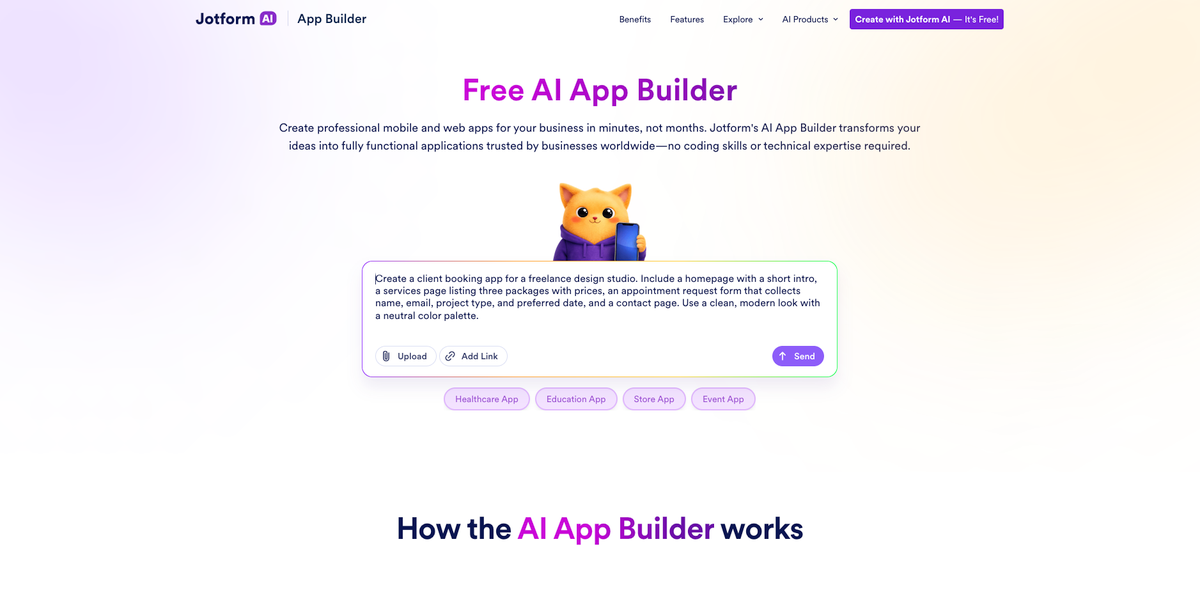
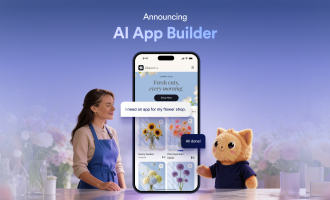
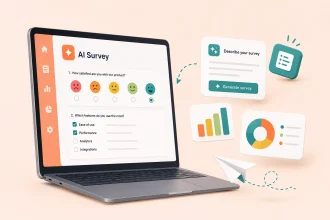
With the Jotform AI App Builder, you skip the wireframing stage entirely and start from a text description instead. Describe the app you want in a sentence or two, and it instantly generates a tailored, functional layout for you with pages, navigation, and forms already in place.
If you’d rather work from a visual starting point, you can browse hundreds of free app templates and adjust one to fit your needs. Whether you want an e-commerce storefront, an internal company portal, or a client-tracking system, these templates give you a structured starting point that’s ready to open and edit.
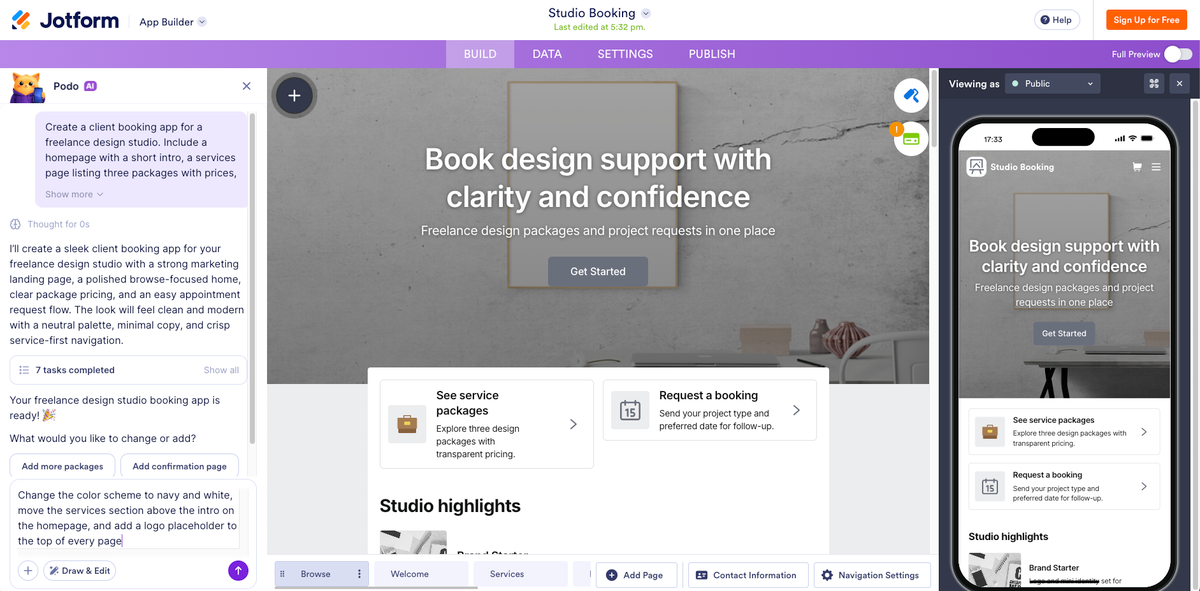
Using a template doesn’t mean you get a cookie-cutter result, though. The drag-and-drop builder lets you adjust color palettes, upload your own logo, change the typography, and rearrange the navigation until it matches your brand. You’re refining the UX and UI in real time — the same work that an agency would charge you by the hour for, except you see each change instantly and don’t pay out of pocket for it.
The design stages, the team you hire, and the scope you set are all factors to consider when you’re hiring someone else to do the work. But with a free, no-code builder, that cost disappears, and so does the wait. You stay in control of the design instead of handing it off, and you can put a working version in front of real users without spending anything to see how people respond.
So, if you’re an entrepreneur or small business owner who wants to skip the expensive, drawn-out process of working with an agency or freelancer, start designing your app for free today with Jotform AI App Builder.
FAQs about app design costs
Yes. Design is what makes an app easy to navigate, and a confusing interface drives users away, no matter how good the underlying idea is. Strong design also reduces costly rework later, since problems caught during design are far cheaper to fix than after development.
Yes. If you don’t know how to create an app without coding, no-code tools like Jotform Apps let you design and publish a working app for free, without hiring a designer. It’s a practical way to launch a first version or test an idea before committing to a larger paid project.
For a straightforward app, yes. Building it yourself with a no-code tool removes design and iOS app development costs entirely. For complex apps with custom features, professional help can be a smart investment, but many businesses can go surprisingly far on their own, so it’s worth a try.
This article is for entrepreneurs, startup founders, and small business owners who are planning to build a mobile application and need a realistic understanding of what to budget strictly for the UX/UI design phase before a single line of code is written.














































































Send Comment: