
Team Workshop Evaluation App gives team leaders, learning and development staff, facilitators, consultants, and human resources teams one organized place to gather and review feedback after internal workshops. Participants can browse available workshops, view key details such as the focus, date, and facilitator, and submit an evaluation for the relevant session. Collected responses help organizers assess overall ratings, recommendation levels, valuable takeaways, suggested improvements, and follow-up needs. This app template is well suited to employee training, leadership sessions, planning workshops, professional development programs, and collaborative team events where actionable participant feedback can shape future sessions.
Jotform makes it easy to adapt this Team Workshop Evaluation App without writing code. Use the drag-and-drop app builder to update pages, navigation, visual styling, evaluation forms, and connected workflows for your organization. Workshop coordinators can centralize data collection, guide participants through a mobile-friendly self-service experience, and review insights without relying on scattered messages or separate documents. Once customized, the app can be published and shared through a direct link or QR code, giving teams convenient access before, during, or after each workshop.
Related templates
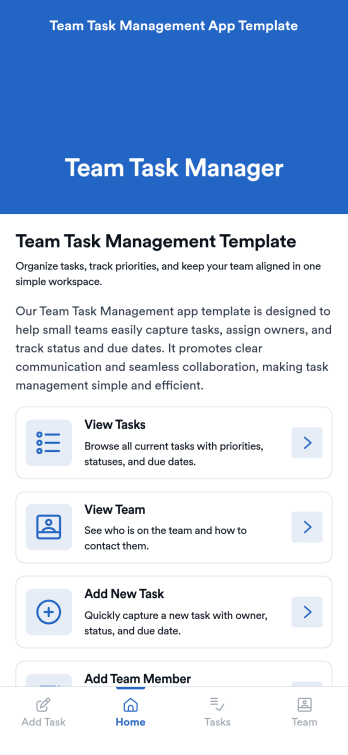
Team Task Management App Template
Team Task Management App Template is an app template designed to streamline the process of collecting and organizing patient appointment requests. It is perfect for healthcare providers, clinics, medical offices, and healthcare organizations seeking a reliable and efficient system for managing their scheduling requests. This template optimizes data collection, providing clarity and consistency in capturing essential details such as patient name, contact information, preferred appointment dates, and reasons for the visit. Notably, it excels in settings where efficient scheduling and coordination of healthcare services are paramount. The Team Task Management App Template is commonly used for handling a high volume of appointment requests and is best suited for service providers and administrators that need a unified system for managing patient scheduling requests.With Jotform's intuitive interface, customizing the Team Task Management App Template is as easy as a few clicks. You can adapt it to your unique operational needs, reflecting your brand's specific aesthetic and functional requirements. Through Jotform, you can effortlessly collect e-signatures from patients, providing a seamless and straightforward way for them to confirm their appointment requests digitally. Whether you're generating reports, creating custom sheets for data tracking, or managing your overall appointment requests, Jotform's Team Task Management App Template brings a level of simplicity and ease of use to your operations, making the often daunting task of managing high volumes of appointment requests manageable and efficient.
Go to Category:Task Management Apps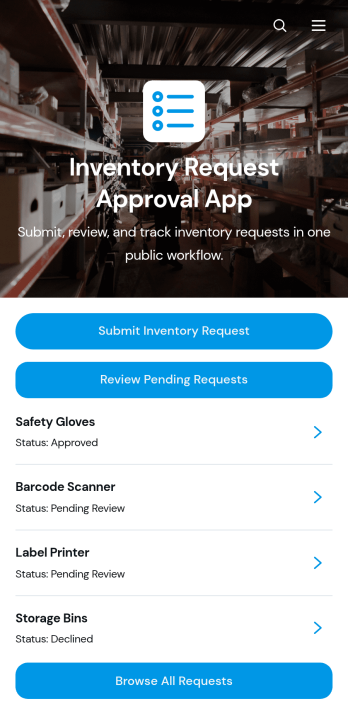
Inventory Request Approval App
Inventory Request Approval App gives employees, department leads, warehouse teams, and purchasing managers one place to submit, review, and manage internal inventory requests. Staff can request an item, specify the quantity and required date, and provide requester and department information. Reviewers can browse all requests, focus on pending entries, open detailed request records, and contact requesters when clarification is needed. This app template is well suited to offices, warehouses, retailers, schools, hospitality businesses, and growing organizations that want clearer oversight of supply demand. It reduces scattered emails, improves visibility across departments, and helps teams make purchasing and allocation decisions using consistent information.Jotform App Templates make it easy to adapt this experience to an organization’s inventory workflow without coding. Using Jotform’s no-code app builder and drag-and-drop interface, teams can update pages, buttons, branding, and navigation while connecting forms, tables, notifications, and approval steps. The finished app can support employee self-service and organized data collection from any device. Share it through a direct link or QR code so requesters and reviewers can access the right actions wherever work happens.
Go to Category:Inventory Management Apps
Custom Time Tracker App
A time tracker app is used to keep track of employees’ hours and tasks. With Jotform’s free Time Tracker App, managers can keep a complete record of the times employees punch in or out, task details and the amount of time employees spend on them, and view all the information in a professional spreadsheet. All submissions are stored securely in your Jotform account and ready to access on any device.Need to make changes to this app template? Be sure to add your logo, change the background image, and choose new fonts and colors for a personalized touch. You can also customize the spreadsheet layouts and make changes to the app’s forms to collect other types of information — then share the app for your employees to download onto their devices. Better manage employee information with a free Time Tracker App from Jotform.
Go to Category:Management Apps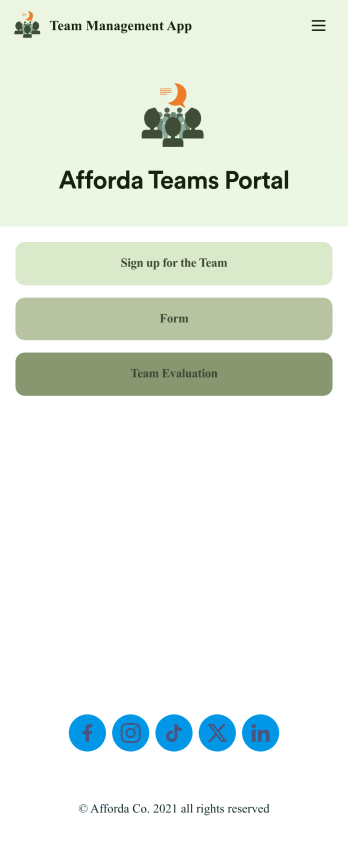
Team Management App
Whether you’re in charge of a sports team, school club, or remote office team, get everyone organized with our free Team Management App! This ready-made app is easy to share and works on any device, so every member of your team can readily access your forms no matter where they are. Teammates can sign up for your team, register for training, and submit evaluations directly through your app.Customize this Team Management App for your team in just a few clicks. No coding required — just drag and drop to create new forms, embed links, upload images, update text, and change app settings to match your team’s needs and requirements. When it’s ready to use, embed the app link in your website or share it with teammates to download the app to their smartphone, tablet, or computer. Bring your teammates closer together with an efficient Team Management App built just for your team!
Go to Category:Management Apps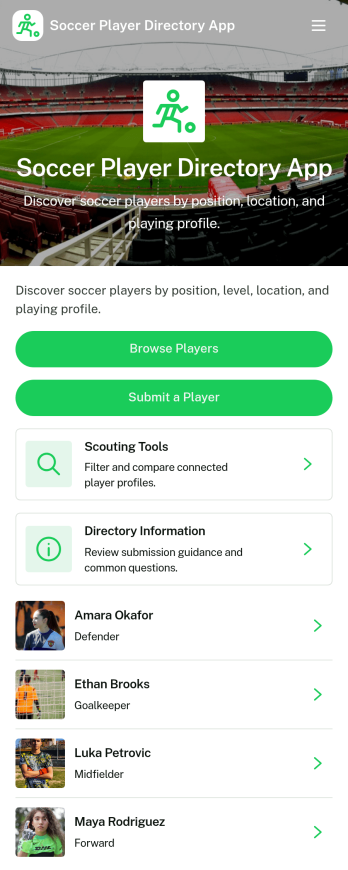
Soccer Player Directory App
Soccer Player Directory App helps coaches, scouts, clubs, and academies organize player profiles in one place so it’s easy to browse talent, review key details, and make faster outreach decisions. Use it to showcase rosters, maintain a scouting shortlist, or publish a searchable directory for tryouts and recruitment pipelines. With a browseable player list, individual profile views, and a built-in way to submit a player for inclusion, teams can keep information current without relying on scattered spreadsheets or long message threads.Jotform makes it simple to turn this directory into a polished self-service experience using a no-code app builder and a drag-and-drop interface. Connect the app to your data collection form to capture new players, update records over time, and keep your workflow organized as your directory grows. Share your Soccer Player Directory App as a link or QR code, customize branding and navigation, and give staff an easy way to explore players and contact them from a single place.
Go to Category:Sports Apps
Multiplayer Drawing Game App
The Multiplayer Drawing Game App is an interactive app template for hosting creative drawing and guessing rounds among friends, students, coworkers, event attendees, or online communities. Participants can view open rounds, submit artwork in response to a prompt, and enter guesses for drawings shared by other players. Organizers can also create new rounds and review drawing and guess records from one place. It works well for classroom activities, team socials, community challenges, virtual gatherings, icebreakers, and casual competitions, giving groups a simple way to encourage participation without scattering game activity across multiple channels.Jotform App Templates make it easy to adapt this experience to different groups and occasions. Using Jotform’s no-code app builder and drag-and-drop interface, organizers can update pages, instructions, colors, buttons, and navigation without programming. Connected forms and tables support data collection and keep each gameplay workflow organized, while mobile-friendly access helps players join from nearly any device. The finished app can be shared through a direct link or QR code, creating a convenient self-service destination for rounds, drawings, guesses, and game information.
Go to Category:Entertainment Apps