

Team Collaboration Apps

Task Tracker App
A task tracker app is used to keep track of tasks on any device. No matter which industry you work in, Jotform’s free Task Tracker App lets you log and manage task details and even assign tasks to employees or teammates! The app is downloadable onto any smartphone, tablet, or computer, and all submissions are stored securely in your Jotform account — ready to access whenever you need them.Want to make changes to this free app? Add or remove forms, include your company logo, change fonts and colors, and personalize other elements with our drag-and-drop builder. No coding is necessary! Once you’ve got your app looking perfect, share it with a link for others to download directly onto their devices. Track tasks more efficiently with the help of a free Task Tracker App from Jotform.
Go to Category:Organization Apps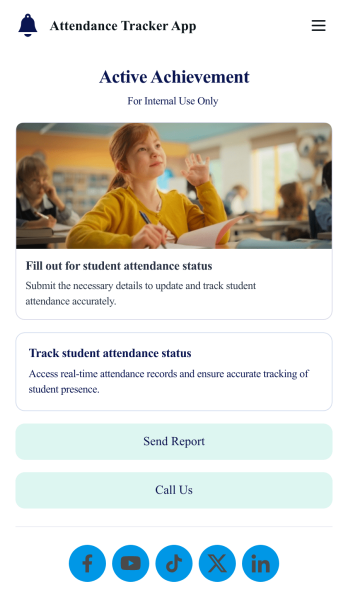
Custom Attendance Tracker App
An attendance tracker app is used by teachers or managers to track attendance for their classroom or company. With Jotform’s free Attendance Tracker App, you can download the app onto your computer, smartphone, or tablet to easily track attendance online. Just fill out the forms to log attendance details, and access your records in a spreadsheet or calendar using Jotform Tables.Need to change elements of this app template? Upload your logo, add or remove forms, include helpful links, and change the app background or icon to get the exact design you need — with no coding knowledge required. Once you’ve used our drag-and-drop builder to customize your app, share it with a link to be downloaded onto any device. Track attendance more efficiently with a free Attendance Tracker App!
Go to Category:Classroom Management Apps
Custom Time Tracker App
A time tracker app is used to keep track of employees’ hours and tasks. With Jotform’s free Time Tracker App, managers can keep a complete record of the times employees punch in or out, task details and the amount of time employees spend on them, and view all the information in a professional spreadsheet. All submissions are stored securely in your Jotform account and ready to access on any device.Need to make changes to this app template? Be sure to add your logo, change the background image, and choose new fonts and colors for a personalized touch. You can also customize the spreadsheet layouts and make changes to the app’s forms to collect other types of information — then share the app for your employees to download onto their devices. Better manage employee information with a free Time Tracker App from Jotform.
Go to Category:Management Apps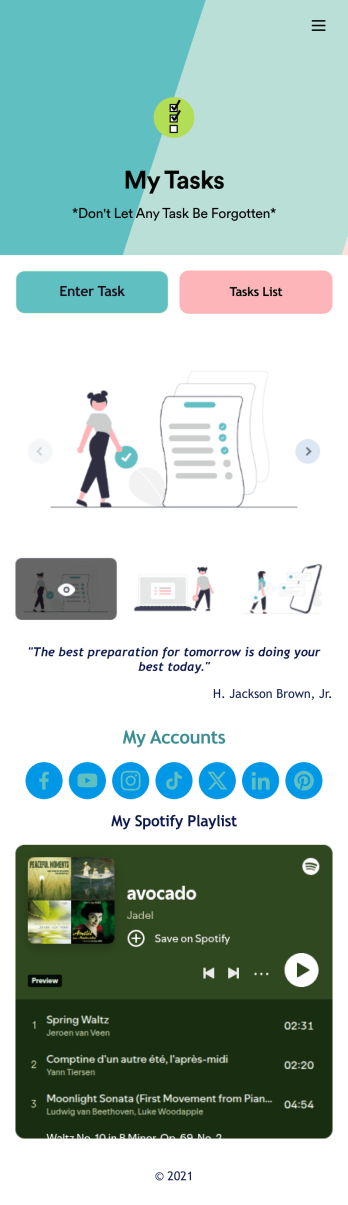
Recurring Tasks App
A recurring tasks app is used to track and manage daily tasks. Whether you’re organizing tasks for school, work, or at home, do it directly from your desktop or mobile device with a free Recurring Tasks App from Jotform! All tasks are stored securely in your Jotform account and easily accessible on any device — including as a spreadsheet, calendar, or individual cards with Jotform Tables’ Daily Task List!Feel free to update the design by adding other forms, changing colors, uploading your logo, and making other changes for a personalized touch with our no-code builder. You can even copy and paste the app link to send it to members of your team, so they can download it onto their devices too! Organize your tasks more efficiently with this Recurring Tasks App.
Go to Category:Management Apps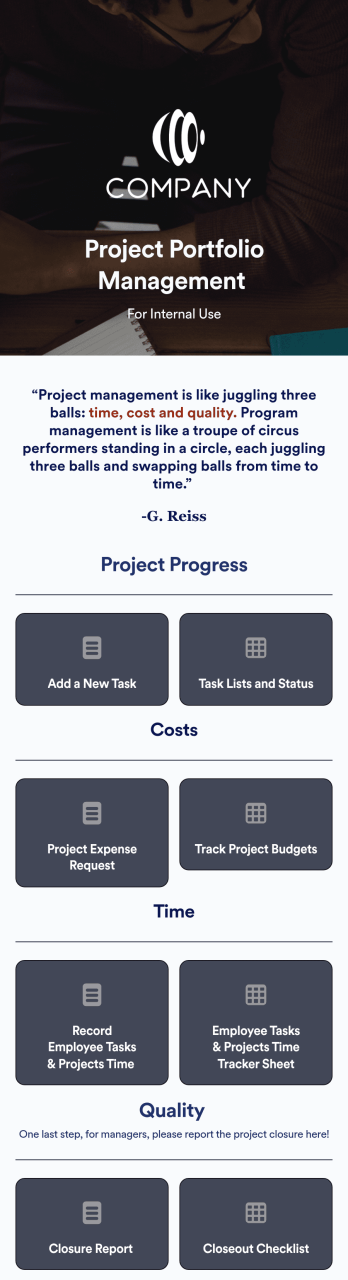
Project Portfolio Management App
A project portfolio management app is used by employees to seamlessly track and manage company projects. For businesses big or small, this ready-made Project Portfolio Management App from Jotform makes it easy to keep projects on track for success. Add project deadlines, create tables with form data, generate visual reports, and more depending on what your team needs to succeed.Personalizing this Project Portfolio Management App is a breeze with our online drag-and-drop app builder. Enrich your app by uploading personal branding assets, adding project images or videos, integrating with helpful payment or scheduling widgets, and picking fonts and colors you like. Set your team up for success with this free app from Jotform.
Go to Category:Company Portal Apps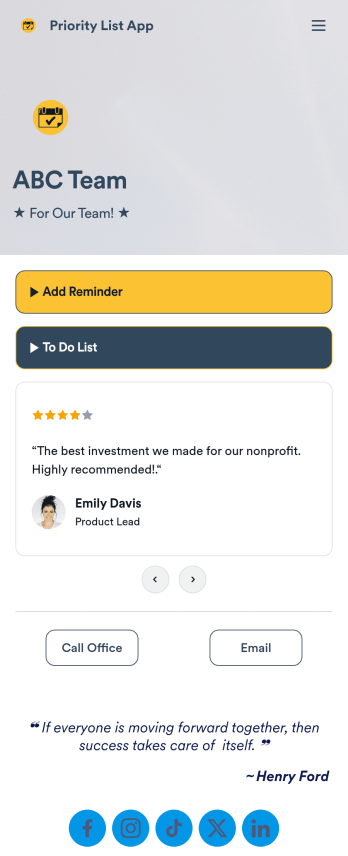
Priority List App
A priority list app is used by employees who work in a team to prioritize tasks. With Jotform’s free Priority List App, team members can easily add tasks with priority levels and deadlines, as well as set reminders. Tasks are compiled in a searchable and easy-to-understand task list table, which can be accessed by team members on any device.Customizing this Priority List App is easy. With our drag-and-drop form builder, you can add new forms, upload images, change fonts and colors, and more — all with no coding. After you’re done, you can share your app with other team members via link, or even embed it in an internal website. Your app can be downloaded on any smartphone, tablet, or desktop for future use. Keep your team on track with this fully customizable Priority List App!
Go to Category:Management Apps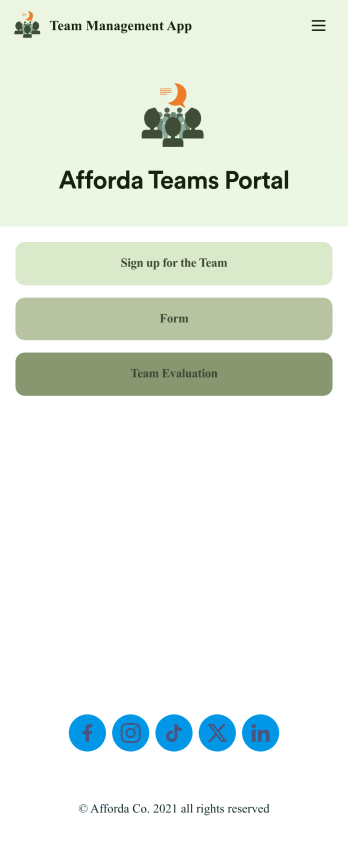
Team Management App
Whether you’re in charge of a sports team, school club, or remote office team, get everyone organized with our free Team Management App! This ready-made app is easy to share and works on any device, so every member of your team can readily access your forms no matter where they are. Teammates can sign up for your team, register for training, and submit evaluations directly through your app.Customize this Team Management App for your team in just a few clicks. No coding required — just drag and drop to create new forms, embed links, upload images, update text, and change app settings to match your team’s needs and requirements. When it’s ready to use, embed the app link in your website or share it with teammates to download the app to their smartphone, tablet, or computer. Bring your teammates closer together with an efficient Team Management App built just for your team!
Go to Category:Management Apps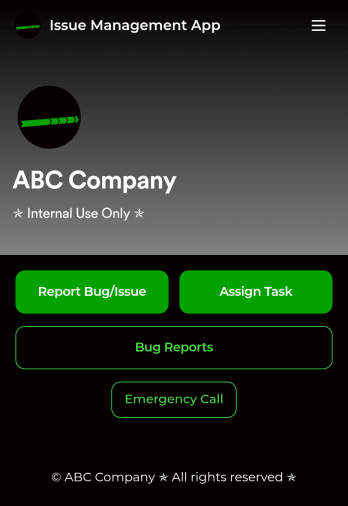
Issue Management App
An issue management app is used by IT professionals to report bugs or issues, track them in a spreadsheet, and assign tasks to teammates. Track and manage issues more efficiently with Jotform’s free Issue Management App! It saves onto any device — whether it be a smartphone, tablet, or computer — so you can quickly access the forms you need to do your job efficiently.Update this free app with no coding using our drag-and-drop interface. Add or remove forms, upload your logo, change fonts and colors, and make other changes to make this app work perfectly for your needs. You can then share the app with a link for teammates to download instantly. Streamline your IT workflow and save time with this powerful Issue Management App!
Go to Category:Event Planner Apps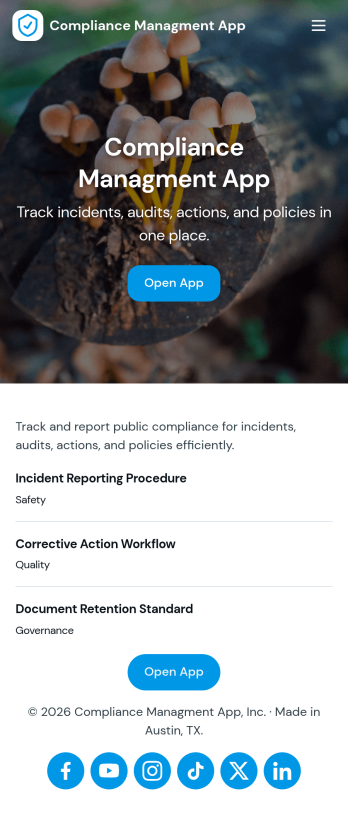
Compliance Managment App
Compliance Managment App brings your day-to-day compliance work into one place so teams can keep controls visible, document what happened, and stay ready for reviews. It’s built for operations leaders, IT and security teams, HR, and managers who need a practical way to organize controls, report incidents as they occur, log audits, and maintain supporting documents without hunting across folders or email threads.With Jotform you can turn this app template into a branded self-service workspace using a drag-and-drop interface and a no-code app builder. Connect the app to forms and tables to support ongoing data collection, route key steps through a workflow, and keep updates consistent across controls, incidents, audits, and documents. Share it with internal stakeholders through a link, tailor pages to your process, and keep information easy to access on any device.
Go to Category:Information Technology Apps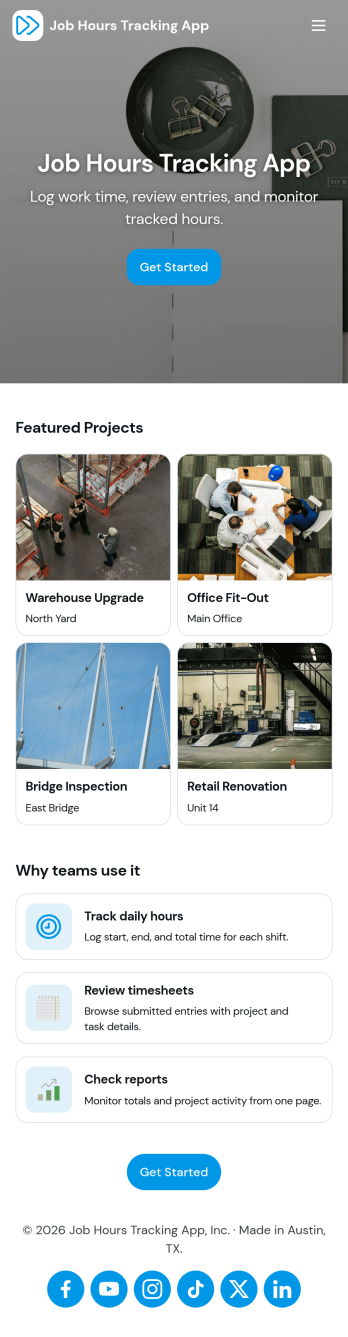
Job Hours Tracking App
Job Hours Tracking App helps teams record shift time in one place, so payroll prep and time reviews don’t depend on scattered notes or messages. Employees can quickly log a shift, add another shift when they’re done, and review My Entries to confirm what they’ve submitted. It’s a practical fit for small businesses, agencies, field service crews, and hourly teams that need a clear timesheet view by employee and a consistent way to capture work hours across roles.Jotform makes it easy to turn this app template into a polished, self-service experience without coding. With a drag-and-drop interface, you can adjust pages, buttons, and the connected form that collects shift details, then share the app as a simple link for your staff. As entries come in, you can keep your workflow organized for approvals, reporting, and ongoing operations while maintaining a single source of truth for job hours tracking.
Go to Category:Activity Tracking Apps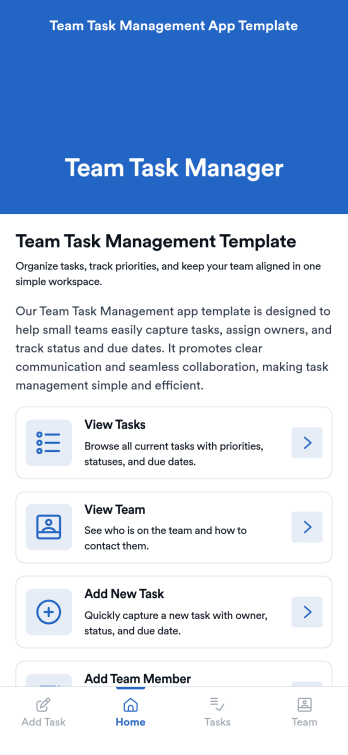
Team Task Management App Template
Team Task Management App Template is an app template designed to streamline the process of collecting and organizing patient appointment requests. It is perfect for healthcare providers, clinics, medical offices, and healthcare organizations seeking a reliable and efficient system for managing their scheduling requests. This template optimizes data collection, providing clarity and consistency in capturing essential details such as patient name, contact information, preferred appointment dates, and reasons for the visit. Notably, it excels in settings where efficient scheduling and coordination of healthcare services are paramount. The Team Task Management App Template is commonly used for handling a high volume of appointment requests and is best suited for service providers and administrators that need a unified system for managing patient scheduling requests.With Jotform's intuitive interface, customizing the Team Task Management App Template is as easy as a few clicks. You can adapt it to your unique operational needs, reflecting your brand's specific aesthetic and functional requirements. Through Jotform, you can effortlessly collect e-signatures from patients, providing a seamless and straightforward way for them to confirm their appointment requests digitally. Whether you're generating reports, creating custom sheets for data tracking, or managing your overall appointment requests, Jotform's Team Task Management App Template brings a level of simplicity and ease of use to your operations, making the often daunting task of managing high volumes of appointment requests manageable and efficient.
Go to Category:Task Management Apps
Multiplayer Drawing Game App
The Multiplayer Drawing Game App is an interactive app template for hosting creative drawing and guessing rounds among friends, students, coworkers, event attendees, or online communities. Participants can view open rounds, submit artwork in response to a prompt, and enter guesses for drawings shared by other players. Organizers can also create new rounds and review drawing and guess records from one place. It works well for classroom activities, team socials, community challenges, virtual gatherings, icebreakers, and casual competitions, giving groups a simple way to encourage participation without scattering game activity across multiple channels.Jotform App Templates make it easy to adapt this experience to different groups and occasions. Using Jotform’s no-code app builder and drag-and-drop interface, organizers can update pages, instructions, colors, buttons, and navigation without programming. Connected forms and tables support data collection and keep each gameplay workflow organized, while mobile-friendly access helps players join from nearly any device. The finished app can be shared through a direct link or QR code, creating a convenient self-service destination for rounds, drawings, guesses, and game information.
Go to Category:Entertainment Apps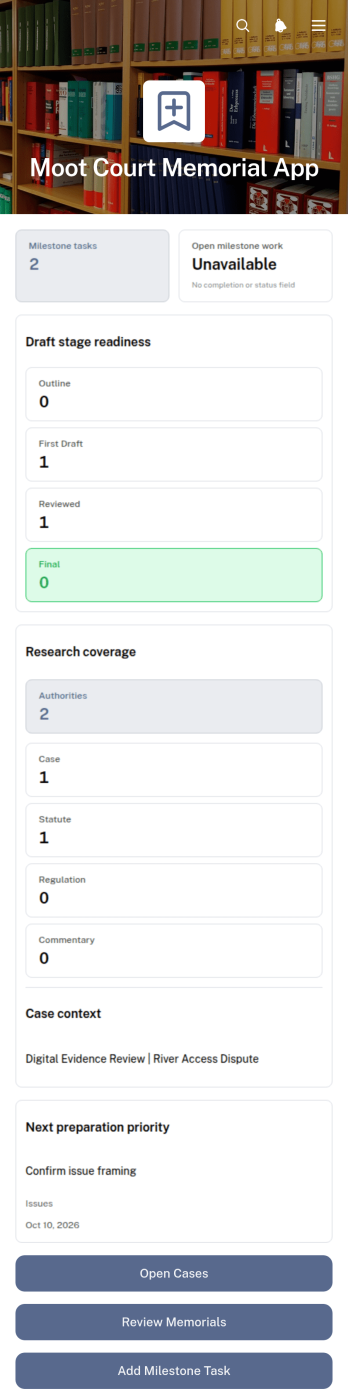
Moot Court Memorial App
The Moot Court Memorial App is an organized workspace for law students, moot court teams, coaches, and faculty advisers preparing written memorials for competitions or classroom exercises. Teams can maintain case records and legal authorities, assign milestone tasks with due dates, and review memorial drafts by stage from one accessible location. This structure helps participants connect research with written arguments, monitor drafting progress, and keep essential competition context visible throughout the preparation period. It is especially useful for teams handling several issues, authorities, deadlines, or draft versions while working toward a complete memorial.Jotform Apps makes this app template easy to adapt without coding. Using the drag-and-drop app builder, organizers can adjust pages, navigation, cards, buttons, colors, and typography to suit a course or competition workflow. Connected forms support data collection for new cases, authorities, tasks, and drafts, while organized records give team members a consistent self-service resource. Once ready, the app can be shared through a direct link or QR code for convenient access on phones, tablets, and computers.
Go to Category:Legal Apps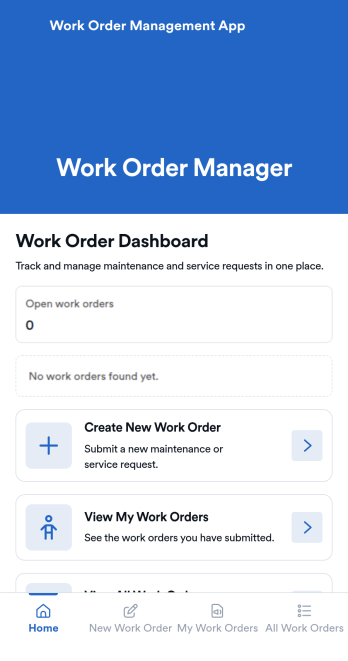
Work Order Management App
Work Order Management App is an app template designed to streamline the process of creating, assigning, and tracking work orders. Designed for maintenance teams, operations managers, service providers, and organizations, this ready-to-use template facilitates efficient task management, timely task completion, and improved operational visibility. This app template aids in the collection of essential data related to work orders, such as task details, assigned personnel, expected completion time, and status updates, providing a comprehensive overview of all ongoing tasks. It's an invaluable aid for service providers and organizations that require a centralized system for managing service requests and tasks.With Jotform's intuitive interface, customizing the Work Order Management App is a breeze. You can modify the template to suit your organization's specific needs, all without writing a single line of code. The drag-and-drop feature allows for easy adjustments and additions, ensuring that your work order management system is tailored just for you. One standout feature is the capability to collect electronic signatures, making it easier to authorize work orders digitally. This combined with the ease of use, allows for a more streamlined and efficient workflow. The data collected can be conveniently converted into sheets and reports, providing a tangible snapshot of ongoing tasks and their statuses. Harness the full potential of Jotform’s Work Order Management App to optimize your work order management process.
Go to Category:Management Apps
Secure Messaging App
Secure Messaging App helps teams and organizations share sensitive updates, quick instructions, and internal notes in one private place, especially when email threads and public chat tools feel too exposed. Use it for employee communications, client check-ins, on-call announcements, incident coordination, or confidential project discussions where clarity and controlled access matter most. It fits HR teams, IT and operations groups, healthcare and nonprofit staff, and any distributed team that needs a simple, focused channel for protected communication.With Jotform, you can build and publish a branded, mobile-friendly experience using a no-code app builder and a drag-and-drop interface. Start from this app template, tailor the content to your workflow, and share it by link or QR code for fast self-service access. As your needs grow, you can connect the app to Jotform forms and workflows to support structured data collection, internal requests, and organized follow-ups without adding complexity.
Go to Category:Customer Engagement Apps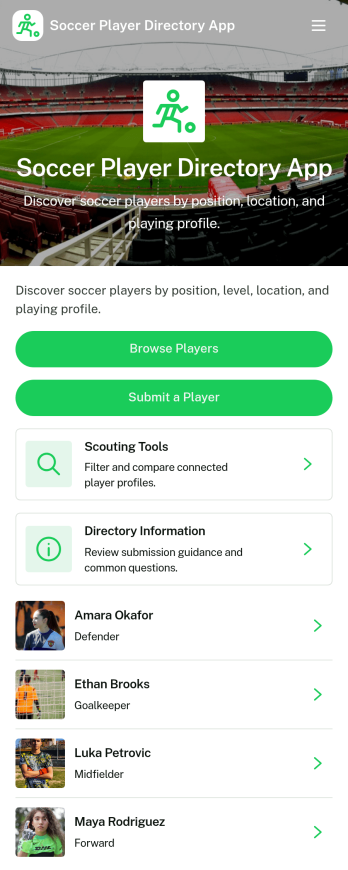
Soccer Player Directory App
Soccer Player Directory App helps coaches, scouts, clubs, and academies organize player profiles in one place so it’s easy to browse talent, review key details, and make faster outreach decisions. Use it to showcase rosters, maintain a scouting shortlist, or publish a searchable directory for tryouts and recruitment pipelines. With a browseable player list, individual profile views, and a built-in way to submit a player for inclusion, teams can keep information current without relying on scattered spreadsheets or long message threads.Jotform makes it simple to turn this directory into a polished self-service experience using a no-code app builder and a drag-and-drop interface. Connect the app to your data collection form to capture new players, update records over time, and keep your workflow organized as your directory grows. Share your Soccer Player Directory App as a link or QR code, customize branding and navigation, and give staff an easy way to explore players and contact them from a single place.
Go to Category:Sports Apps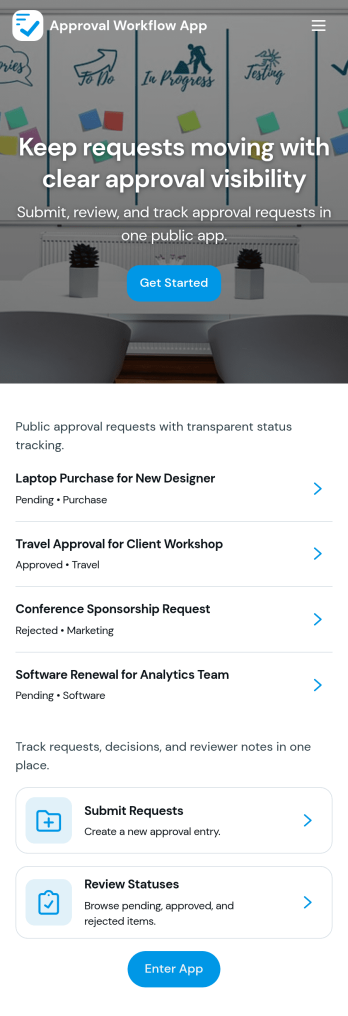
Approval Workflow App
An Approval Workflow App helps teams route requests to the right reviewers, track decisions, and keep work moving without losing context in email threads. Use it for purchase requests, policy exceptions, creative reviews, time-off approvals, access requests, vendor onboarding steps, and any situation where a requester needs a clear outcome from an approver. With entry points for New Request and a centralized Review Queue, reviewers can quickly open items, check key details, and move each request from submit to review to decide while maintaining consistency across departments.Jotform makes it easy to publish this type of self-service experience using App Templates built with a no-code app builder. With a drag-and-drop interface, you can tailor the app’s pages, connect the request form to your workflow, and keep a searchable Decision History for visibility. Share the app with a link or QR code, control who can access the queue, and connect the process to the rest of your operations so request handling stays organized from start to finish.
Go to Category:Company Portal Apps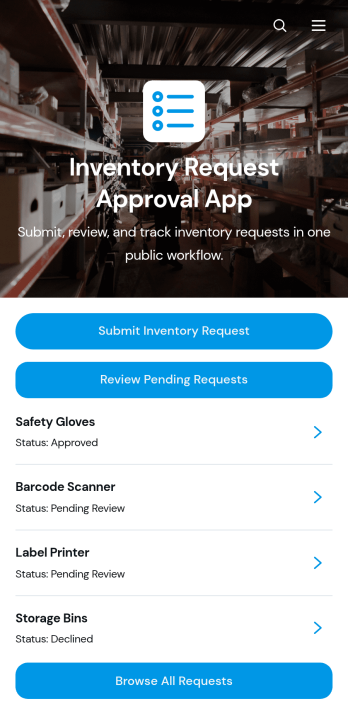
Inventory Request Approval App
Inventory Request Approval App gives employees, department leads, warehouse teams, and purchasing managers one place to submit, review, and manage internal inventory requests. Staff can request an item, specify the quantity and required date, and provide requester and department information. Reviewers can browse all requests, focus on pending entries, open detailed request records, and contact requesters when clarification is needed. This app template is well suited to offices, warehouses, retailers, schools, hospitality businesses, and growing organizations that want clearer oversight of supply demand. It reduces scattered emails, improves visibility across departments, and helps teams make purchasing and allocation decisions using consistent information.Jotform App Templates make it easy to adapt this experience to an organization’s inventory workflow without coding. Using Jotform’s no-code app builder and drag-and-drop interface, teams can update pages, buttons, branding, and navigation while connecting forms, tables, notifications, and approval steps. The finished app can support employee self-service and organized data collection from any device. Share it through a direct link or QR code so requesters and reviewers can access the right actions wherever work happens.
Go to Category:Inventory Management Apps
Private Community Forum App
Private Community Forum App is a dedicated online space for private groups to exchange ideas, share updates, ask questions, and build stronger connections. It suits membership organizations, professional networks, nonprofits, educators, customer communities, clubs, and internal teams that want conversations and resources in one accessible destination. Administrators can shape the page around focused discussions, community announcements, feedback collection, and useful links without sending members across disconnected channels. This app template helps create a more organized experience where invited participants can find relevant information, contribute to conversations, and stay involved in shared activities.Jotform Apps makes it easy to turn this Private Community Forum App into a branded community experience without writing code. Use the drag-and-drop interface to customize the layout, add pages and navigation, or connect forms for member questions, feedback, registrations, and other data collection needs. Related workflows, approvals, tables, and notifications can also support community operations from one place. Among Jotform App Templates, this flexible starting point gives organizers a practical way to build self-service access, publish updates, and share the finished app through a direct link, scannable code, or embedded experience.
Go to Category:Community & Engagement Portal Apps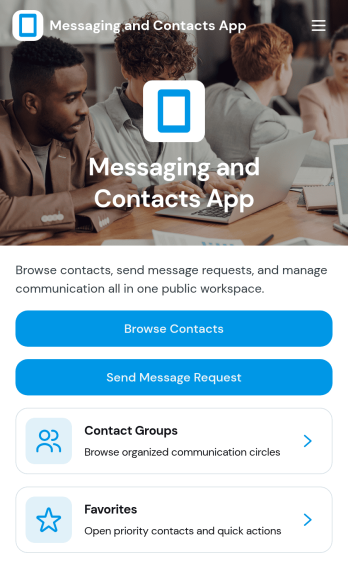
Messaging and Contacts App
Messaging and Contacts App helps teams organize contact details and send message requests from one central, easy-to-share workspace. It’s a practical fit for customer support, sales, community managers, and internal departments that need a simple way to browse contacts, group people by purpose, and quickly reach out when a follow-up is needed. With built-in navigation for browsing contacts, viewing favorites, and working with contact groups, this app keeps communication tasks moving without digging through spreadsheets or scattered tools.Jotform makes it easy to build and publish app templates like Messaging and Contacts App using a no-code app builder with a drag-and-drop interface. Connect buttons to forms for data collection, keep contact records organized, and support a smoother workflow for self-service updates and requests. Share your app through a link or QR code, tailor the branding to match your organization, and update the experience as your contact list and communication needs grow.
Go to Category:CRM Apps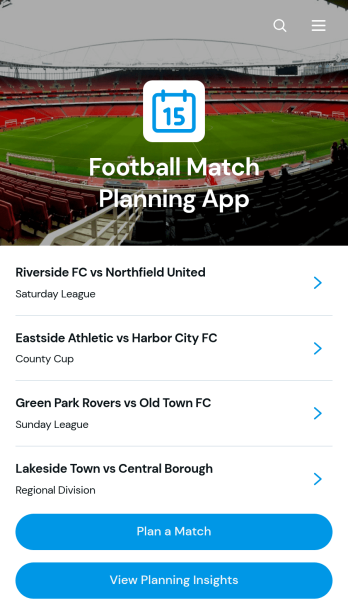
Football Match Planning App
Football Match Planning App is a ready-to-use app template for coaches, team managers, club administrators, and tournament organizers who need one place to prepare and monitor upcoming fixtures. Users can add matches, review home and away team pairings, check kickoff and venue information, follow planning status, and update match details when arrangements change. Planning insights also help organizers maintain visibility across scheduled games. By replacing scattered messages and documents with an accessible planning experience, the app helps teams coordinate responsibilities, reduce missed updates, and keep match preparation moving from the initial schedule through game day.Jotform makes the Football Match Planning App easy to adapt with a no-code app builder and an intuitive drag-and-drop interface. Customize pages, navigation, colors, fonts, and branding to suit a club, league, school, or community program. Connected forms support consistent data collection, while tables, notifications, and workflows can help staff manage updates and collaborate. Jotform App Templates can be published quickly and shared through a direct link or QR code, giving team members mobile-friendly self-service access without requiring them to download software or create a new system from scratch.
Go to Category:Sports Apps
Random Choice Picker App
Random Choice Picker App gives individuals, teachers, facilitators, event hosts, and teams a convenient place to make impartial selections from a set of possibilities. It can support classroom participation, prize drawings, meeting activities, game nights, task assignments, meal decisions, creative prompts, and other situations where choosing manually may feel repetitive or biased. The focused page keeps the experience simple for participants while helping organizers make quick choices, encourage engagement, and add an element of surprise. This app template can be adapted for casual entertainment, educational exercises, workplace activities, or community events.Jotform app templates help you turn ideas like Random Choice Picker App into polished, mobile-friendly experiences without writing code. Use the no-code app builder and drag-and-drop interface to personalize the page, add instructions or visual content, and connect forms for data collection when needed. You can also link related workflows and resources, apply your preferred branding, and publish the finished app for self-service access. Share it through a direct link, quick response code, or embedded experience so participants can open it on a phone, tablet, or computer.
Go to Category:Entertainment Apps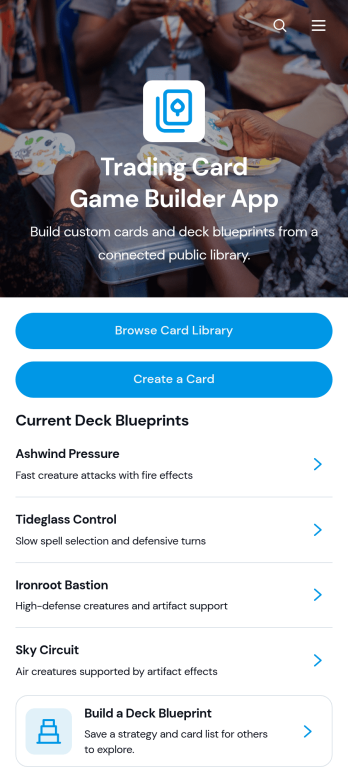
Trading Card Game Builder App
Trading Card Game Builder App is an interactive workspace for creating original cards, organizing a searchable card library, and developing reusable deck blueprints. It suits independent game designers, hobbyists, playtesting groups, gaming clubs, and creative teams that need one place to document card concepts and assemble decks. Users can add cards, review their gameplay details, and connect selected cards with deck strategies without relying on scattered documents. This makes it easier to maintain a consistent game system, compare ideas during testing, and give collaborators a clear view of the latest card and deck information.Built with Jotform Apps, this app template can be adapted through a no-code app builder and an intuitive drag-and-drop interface. Creators can update pages, navigation, colors, images, and branding while connecting forms and tables for organized data collection. Jotform App Templates also support links, automated notifications, approval steps, and other workflow elements that can help teams review new card submissions or manage design updates. Once ready, the app can be shared by a direct link or QR code, giving contributors convenient mobile access and a self-service way to browse game resources.
Go to Category:Entertainment Apps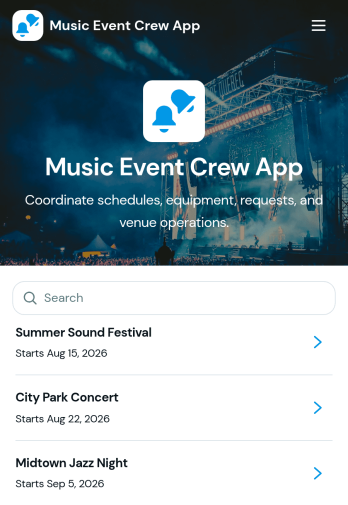
Music Event Crew App
Music Event Crew App gives production teams, stage crews, venue staff, technicians, and event coordinators one mobile-friendly place to manage essential show-day information. Crew members can review schedules and production notes, check equipment details, and submit requests or report equipment issues without searching through scattered messages. It is well suited to concerts, festivals, touring productions, club shows, and other live music events where call times, stage assignments, venue access, and equipment condition must remain visible. By centralizing these operational details, the app helps teams respond to problems sooner, reduce missed updates, and keep everyone focused on a successful event.Jotform App Templates make it easy to adapt the Music Event Crew App to each venue, production, or tour. With Jotform’s no-code app builder and drag-and-drop interface, organizers can update pages, branding, navigation, and connected forms without programming. Collected data can feed into tables and workflows for organized request tracking, issue follow-up, and real-time notifications. Publish the finished app through a direct link or QR code so crew members can access schedules, resources, and self-service actions from their phones before load-in, during the show, or after teardown.
Go to Category:Event Management AppsAbout Team Collaboration Apps
Team Collaboration Apps are specialized mobile and web apps designed to enhance communication, coordination, and efficiency within organizations. These apps are commonly used to streamline workflows, facilitate real-time communication, and manage projects effectively. Industries such as technology, healthcare, education, and finance benefit greatly from using these apps to optimize team productivity and ensure seamless operations across various departments. Whether it's managing project timelines, sharing critical updates, or collaborating on documents, these apps serve as a central hub for all team activities, fostering a more connected and agile work environment.
Jotform Apps stands out as a premier no-code app builder in the realm of Team Collaboration Apps, leveraging the power of Progressive Web App (PWA) technology. This innovative approach allows users to install apps directly via a browser, eliminating the need for App Store downloads and ensuring compatibility across iOS, Android, tablets, and desktops. By integrating Jotform Tables, data collected through these apps is centralized, enabling efficient data management and reporting. This workflow-oriented approach ensures that teams can access vital information anytime, anywhere, to make informed decisions quickly and effectively.
Why Use Team Collaboration Apps?
- Team Collaboration Apps significantly enhance productivity by providing a centralized platform for communication and task management. This eliminates the need for multiple communication channels and streamlines the process of tracking project progress.
- These apps support real-time collaboration, allowing team members to work together on documents and projects simultaneously, regardless of their location. This capability is crucial for remote teams or organizations with multiple offices.
- By integrating with existing business processes, Team Collaboration Apps can automate routine tasks, reducing the administrative burden on team members. This allows them to focus on more strategic activities that drive business growth.
- The ability to customize these apps to meet specific organizational needs ensures that they can adapt to various workflows and business models. This flexibility makes them suitable for a wide range of industries and applications.
- With advanced features like push notifications, team members can stay informed about important updates and deadlines, ensuring timely responses and minimizing delays in project execution.
Common Problems Solved by Team Collaboration Apps
- One of the primary challenges in large organizations is maintaining clear and effective communication. Team Collaboration Apps address this by providing a unified platform for messaging, file sharing, and video conferencing, reducing communication gaps.
- Managing projects across different time zones and locations can lead to disorganization and missed deadlines. These apps offer tools for scheduling, task assignments, and deadline tracking, ensuring projects stay on track.
- Data silos can hinder decision-making and slow down operations. Team Collaboration Apps centralize data, making it easily accessible to all team members and enabling faster, more informed decision-making.
- Ensuring data security and compliance with regulations such as GDPR is a major concern for businesses. These apps incorporate robust security features, ensuring that sensitive information is protected and compliance is maintained.
- The high cost of implementing and maintaining multiple software solutions can strain a company's budget. Team Collaboration Apps offer a cost-effective way to integrate various functionalities into a single platform, reducing overall software expenditure.
Matching Use Cases to Features
- For project management, the Drag-and-Drop Interface allows users to create intuitive workflows that match their specific processes, resulting in increased efficiency and clarity in task assignments.
- The Store Builder feature enables organizations to create custom portals for internal resource distribution or client-facing interactions, enhancing the user experience and operational efficiency.
- Push Notifications keep team members updated on important developments or reminders, ensuring that no critical information is overlooked and that everyone remains aligned with project goals.
- Payment Integrations with platforms like Stripe and PayPal facilitate seamless financial transactions directly within the app, streamlining the payment process for both the organization and its clients.
- The Publish Options feature allows organizations to control the accessibility of their apps by choosing between public, private, or company-only settings, enhancing data security and user management.
- Sharing Methods such as Direct Link, Email, QR Code, and Social Media simplify the distribution of apps to the intended audience, whether for internal use or broader public access.
- Workflow Automation streamlines repetitive tasks, reducing manual effort and increasing productivity across the organization, allowing team members to focus on more strategic objectives.
How to Create a Team Collaboration App
- Choose a category-relevant template from the Template List or start from scratch.
- Customize using the Drag-and-Drop Interface to tailor the app to your specific needs.
- Share via Link, QR Code, or Embed to distribute the app to your intended audience.
Top Use Cases for Team Collaboration Apps
- For Managers: Team Collaboration Apps provide managers with a comprehensive view of all ongoing projects, allowing them to monitor progress and allocate resources efficiently. By using centralized dashboards and real-time data insights, they can make informed decisions and adjust strategies as needed. This visibility also enables managers to identify potential bottlenecks early and implement corrective measures to maintain project momentum.
- For Teams: These apps facilitate seamless communication and collaboration among team members, regardless of their location. By providing a single platform for messaging, file sharing, and task management, team members can coordinate their efforts more effectively. This leads to improved productivity and a stronger sense of cohesion, as everyone is aligned towards common goals and objectives.
- For Customers: Team Collaboration Apps enhance the customer experience by providing a direct line of communication between clients and service providers. Customers can receive timely updates on project progress, submit requests, and provide feedback through the app. This transparency builds trust and strengthens client relationships, ultimately leading to higher customer satisfaction and loyalty.
Summarizing Team Collaboration Apps
In summary, Team Collaboration Apps are an essential component of modern business operations, offering a centralized platform for communication, project management, and data sharing. By leveraging Jotform’s no-code app builder and PWA technology, organizations can create customized apps that are accessible across all devices, ensuring seamless collaboration and data management. These apps address common industry challenges by streamlining workflows, enhancing communication, and providing robust security features. Ultimately, they empower teams to work more efficiently and effectively, driving business success in a competitive landscape.
Frequently Asked Questions
1) Is it free to create and use Team Collaboration apps on Jotform?
Yes, Jotform offers a Starter plan that allows users to create and use Team Collaboration apps for free. This plan provides access to a range of basic features suitable for small teams or individual use. Users can upgrade to paid plans as their needs grow, unlocking additional capabilities and increased usage limits.
2) Are the data and payments collected through the app secure?
Absolutely, Jotform prioritizes the security of your data and payments. The platform employs advanced security measures, including SSL encryption and GDPR compliance, to protect information collected through the apps. Payment integrations with trusted providers like Stripe and PayPal further ensure that transactions are secure and reliable.
3) Do I need any coding skills to create a Team Collaboration app with Jotform?
No, Jotform Apps is a no-code app builder, meaning you do not need any coding skills to create a Team Collaboration app. The intuitive Drag-and-Drop Interface allows users to easily customize their apps, adding features and functionalities without writing a single line of code.
4) Can I collect payments for services directly through the app?
Yes, you can collect payments directly through the app using integrations with popular payment processors such as Stripe and PayPal. This feature enables you to process transactions seamlessly, making it convenient for both your organization and your clients.
5) Does Jotform support offline data collection for Team Collaboration apps?
Yes, Jotform supports offline data collection through its Mobile Forms feature. This allows users to collect data even when not connected to the internet, which is then automatically synced when the device is back online. This capability is especially useful for field teams or situations where connectivity is limited.
6) Are Jotform Apps compatible with both iOS and Android devices?
Indeed, Jotform Apps are compatible with both iOS and Android devices, thanks to their PWA technology. This ensures that the apps can be accessed and installed via a browser on any device, providing a consistent and seamless user experience across different platforms.
7) How can Team Collaboration Apps benefit the healthcare industry?
In the healthcare industry, Team Collaboration Apps can streamline communication between medical professionals, administrative staff, and patients. They facilitate the secure sharing of medical records, appointment scheduling, and real-time updates on patient care plans. This enhances the efficiency of healthcare delivery and improves patient outcomes.
8) Can educational institutions utilize Team Collaboration Apps effectively?
Yes, educational institutions can use Team Collaboration Apps to enhance communication and collaboration among teachers, students, and administrative staff. These apps can host virtual classrooms, share educational resources, and manage student assignments and feedback, creating a more interactive and engaging learning environment.