
Nearly every website needs a way to collect information, whether it’s through a contact form, order form, or payment form. Organizations need an easy way to connect with visitors, capture important details, process payments, manage registrations, and turn website interactions into lasting relationships.
That’s why we’re excited to introduce Jotform App for Wix, a faster, easier way for Wix website owners to bring the flexibility and power of Jotform to their websites.
With Jotform now available directly in the Wix App Market, you can add Jotform forms directly to your Wix website and manage responses through Jotform without building custom integrations.
From contact forms to payments to e-signature collection, Jotform gives you more ways to collect the information you need to run your organization.
A win-win for Wix and Jotform users
For years, adding Jotform forms to a Wix website meant navigating a series of manual steps: Copy the iframe code in Jotform. Add it to an HTML element in Wix. Return to Jotform to make changes, then switch back to Wix.
With so many customers using both tools, a more connected experience was long overdue. Jotform’s arrival in the Wix App Market delivers just that, empowering you to add and edit forms directly within the Wix site builder.
| If you… | What Jotform App for Wix can do for you |
|---|---|
Already use Jotform Enterprise |
Add your existing forms and customize them within Wix, without rebuilding forms or adding complex embed codes. |
Already have a Wix website |
Build and edit forms directly within Wix, and extend your workflows with Jotform’s powerful automation and data management tools. |
How to install Jotform App for Wix
You can install the Jotform app on your Wix account in a few easy steps.
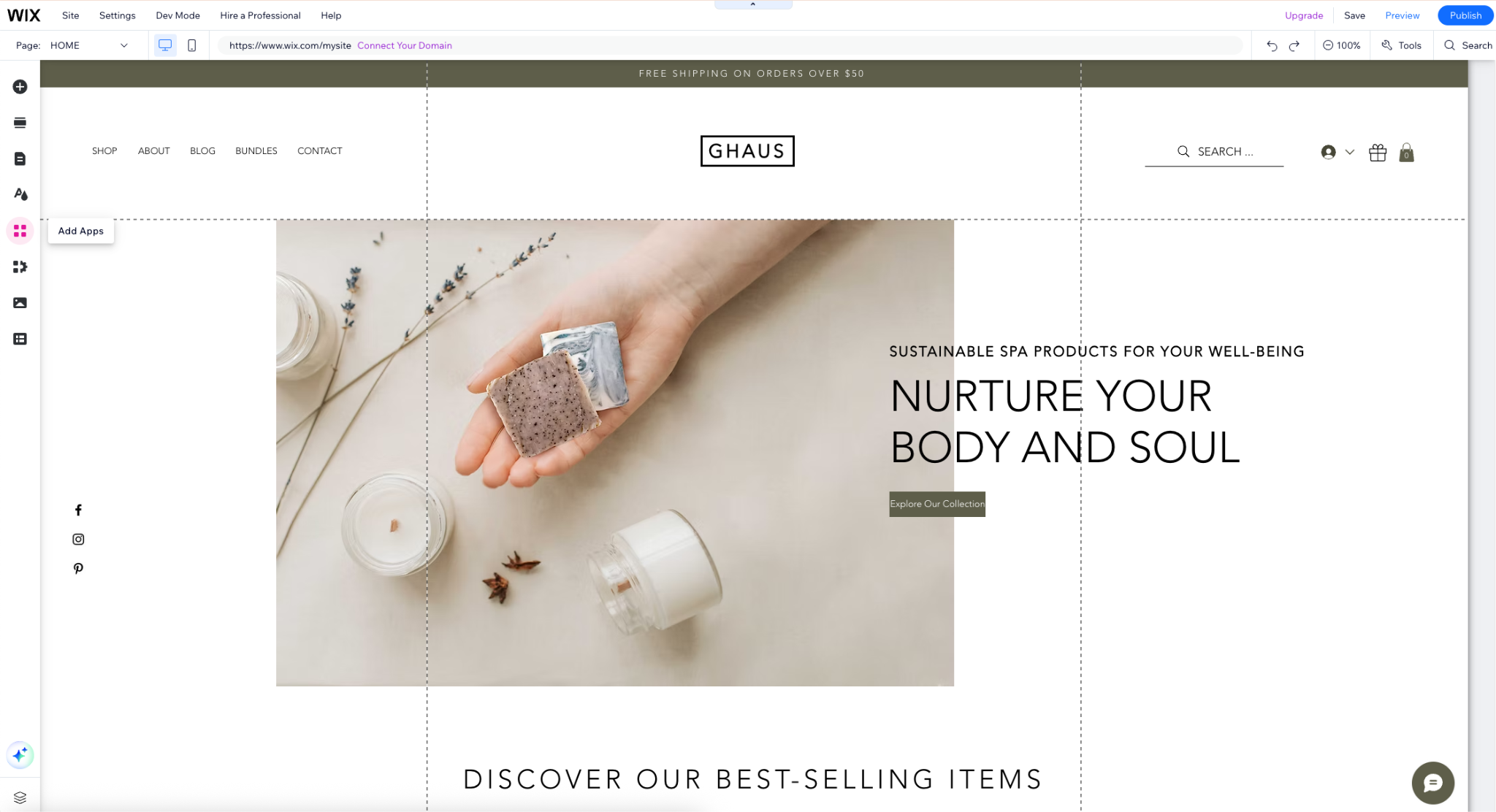
- In the Wix Site Editor, click on Add Apps on the left side of your screen.
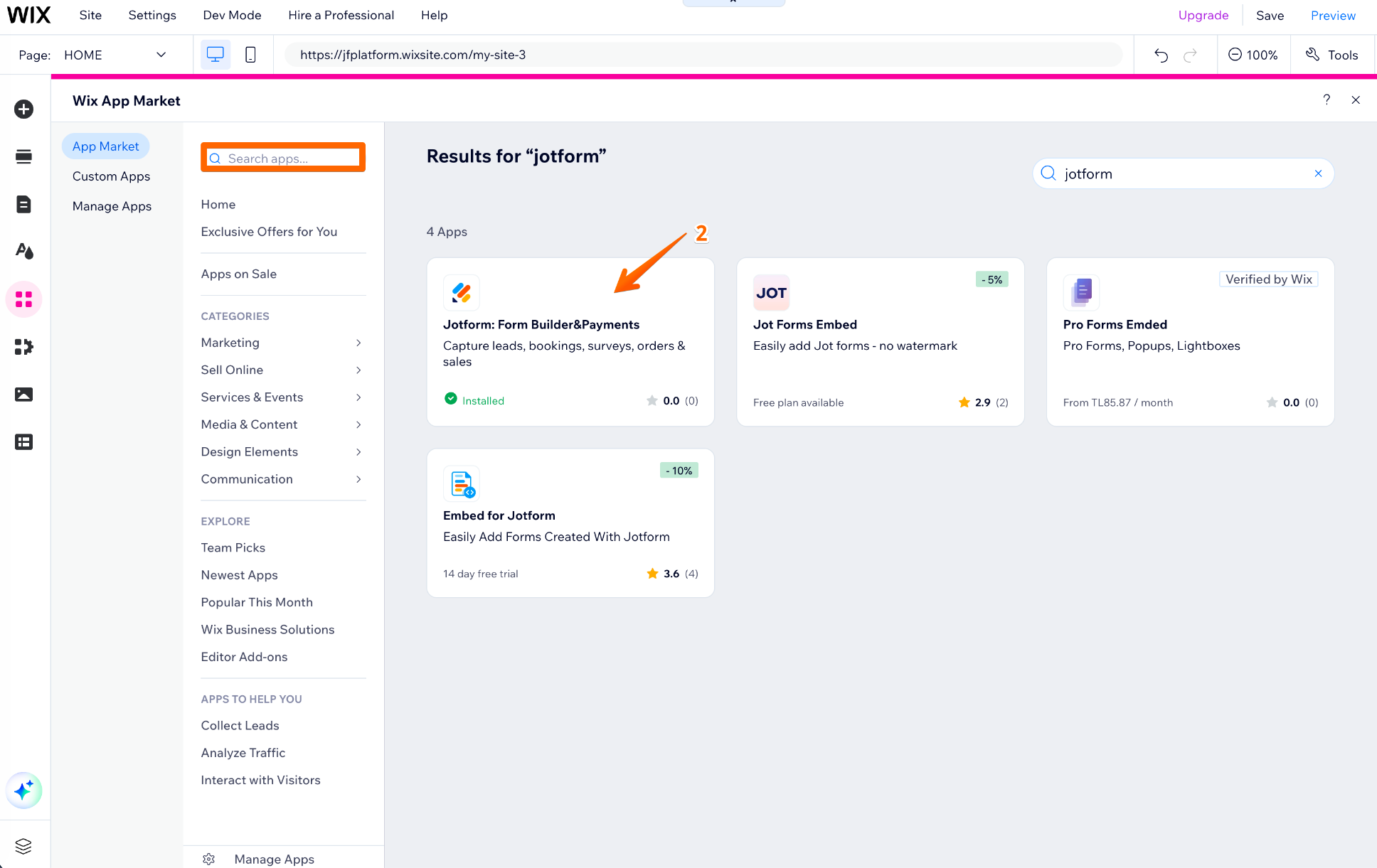
- Search for and select Jotform: Form Builder & Payments.
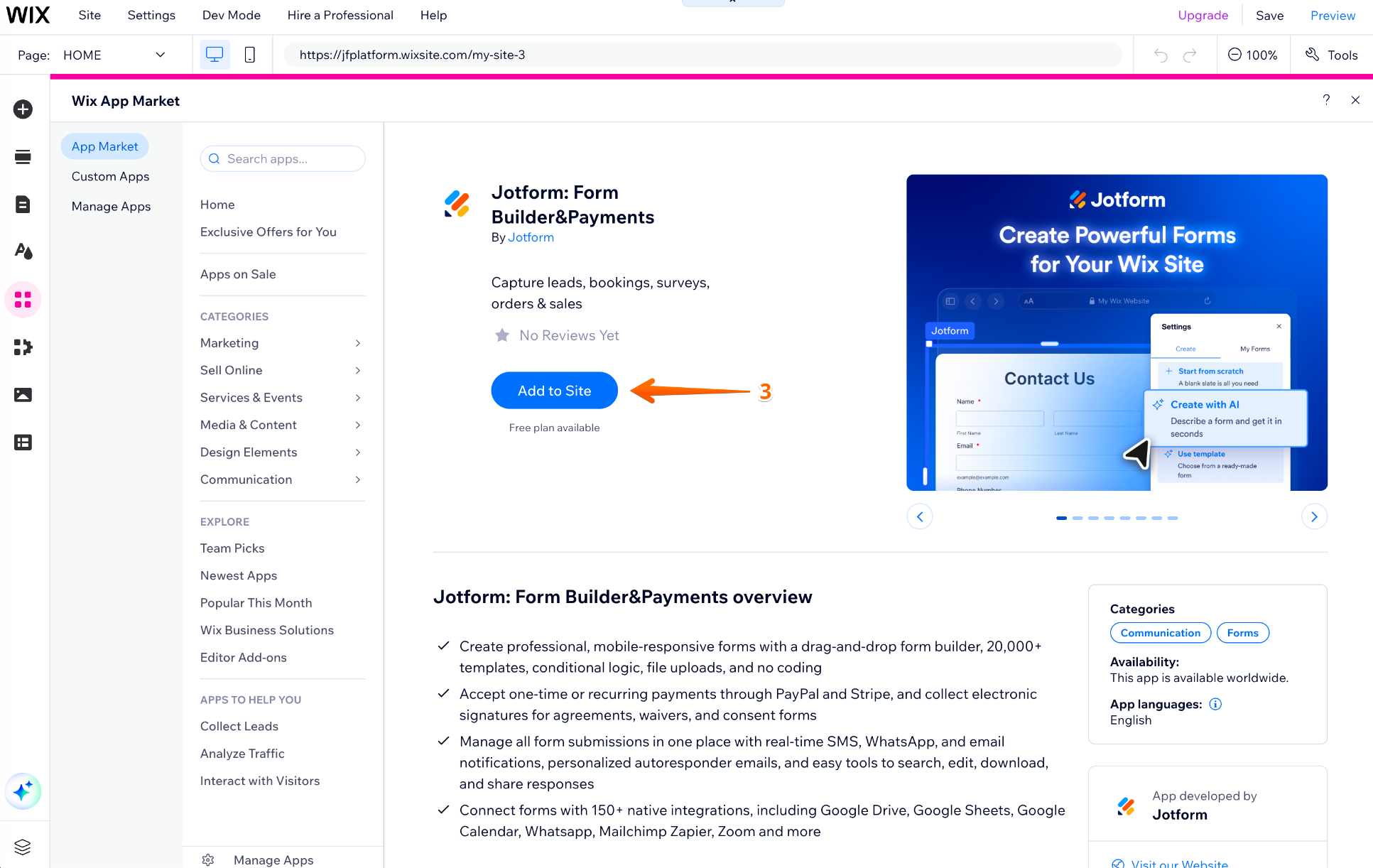
- Click Add to Site.
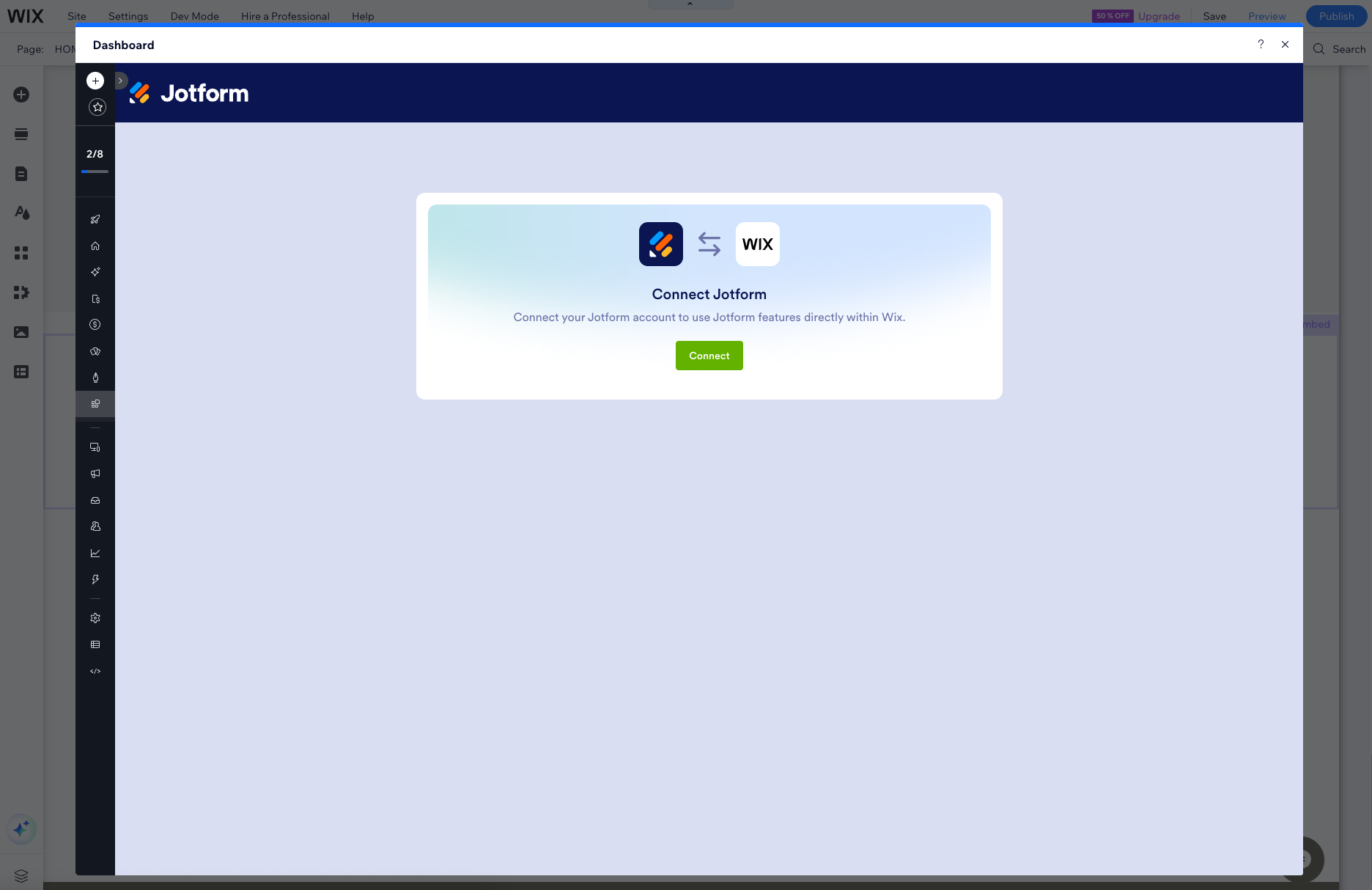
- Click Agree & Add in the confirmation window. Once installed, the Wix app will show that you are connected to a free Jotform account. Under the Account Settings tab in the app, disconnect from the free account and reconnect using your Enterprise account.
- Click on the Jotform app field in Wix and drag it to where you’d like it to appear.
Adding a form
Now that you’ve connected your Jotform Enterprise account with Wix, follow these steps to add a specific form to your Wix site. On the Editor side, you can embed any form from your workspaces, including Team workspaces.
- In Wix, double-click the Jotform app’s field or click on Settings.
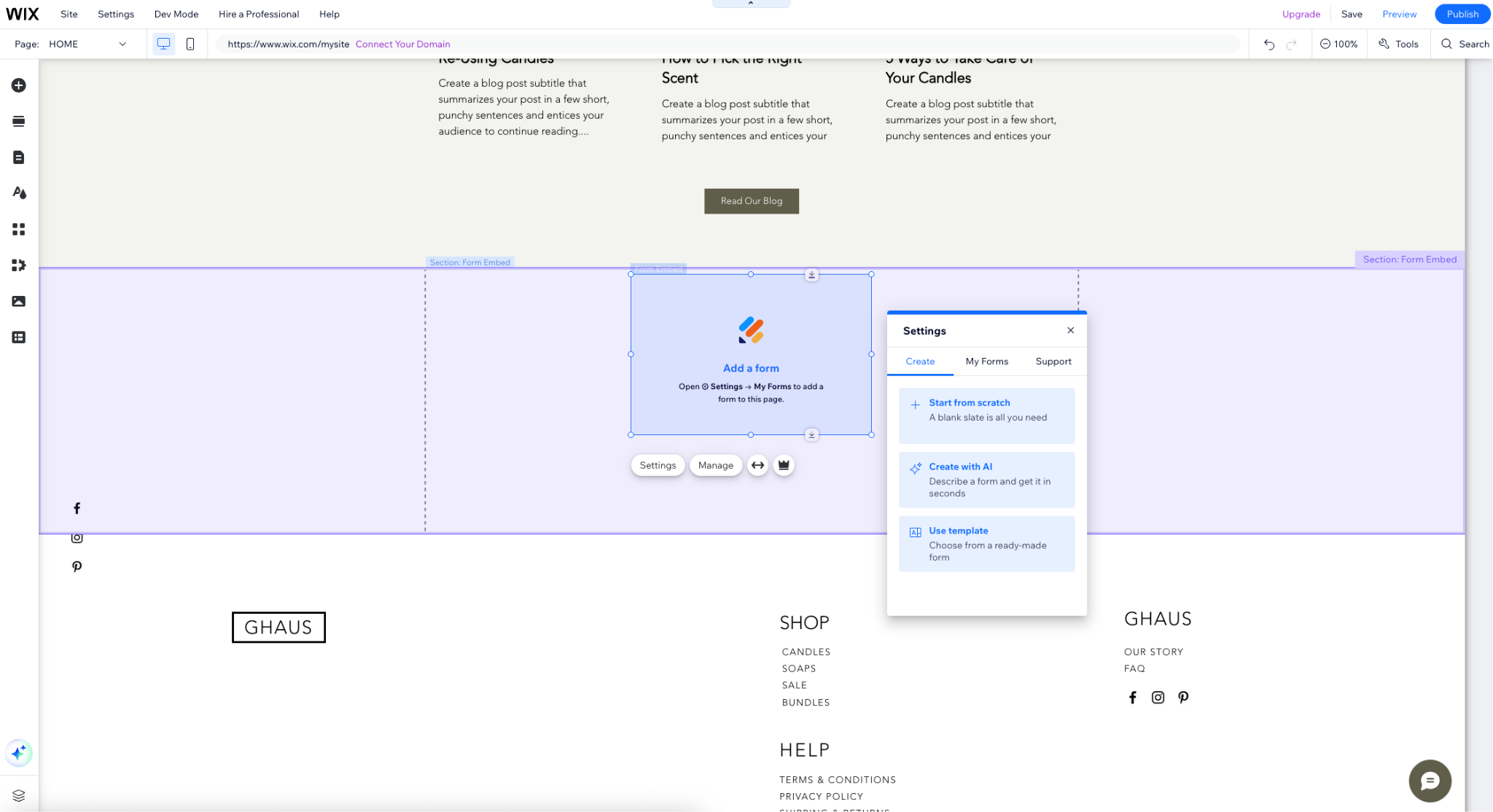
- In the Settings tab in Jotform, you can create a new form or add one of your existing forms. Here, I selected Create with AI and input a prompt requesting a contact form.
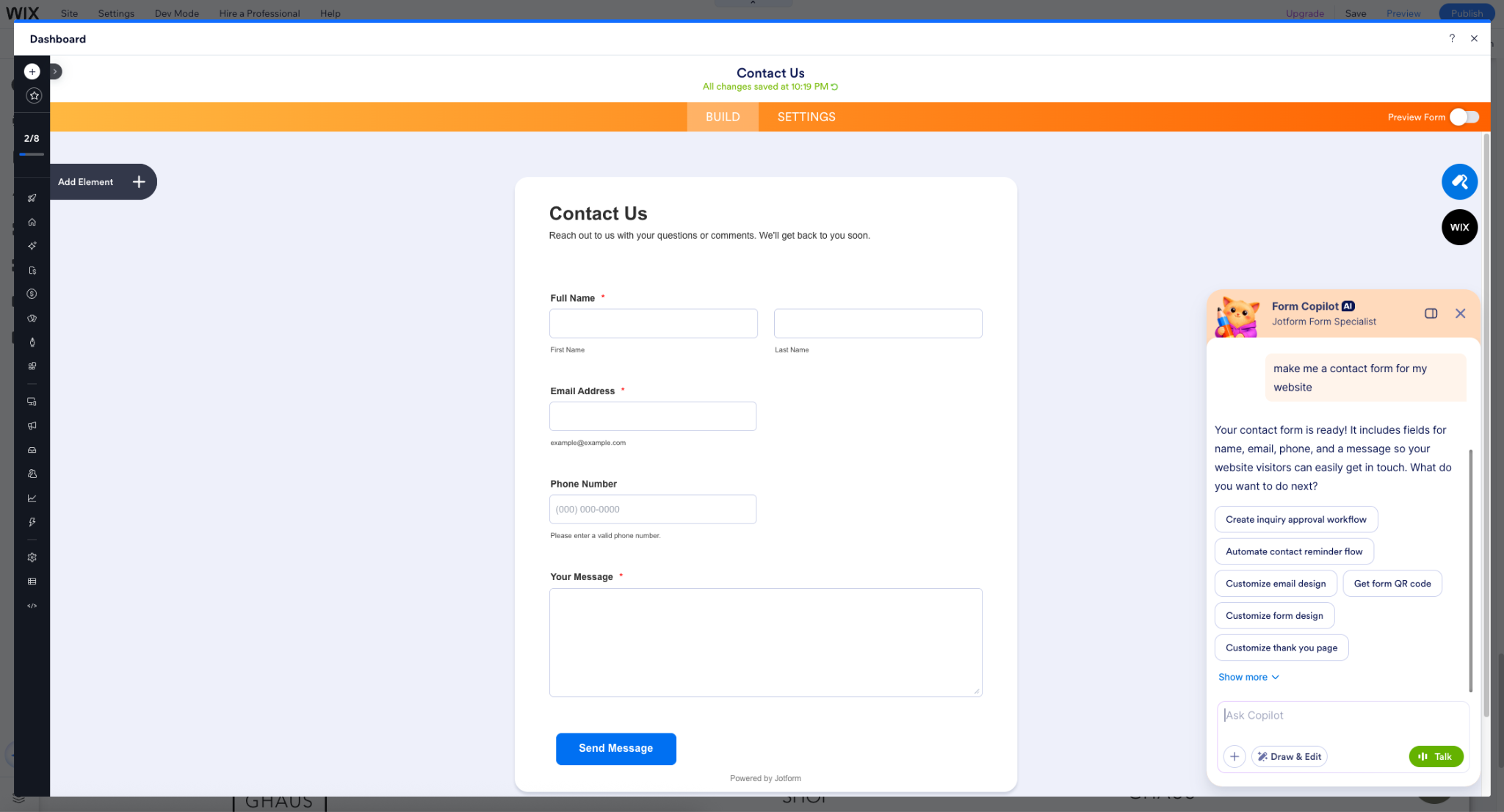
- Once Jotform’s AI Form Copilot creates the form, you can refine and edit it through the Form Copilot chat.
Below, I’ve asked the Form Copilot to use my brand colors in the form and to make the phone number field required.
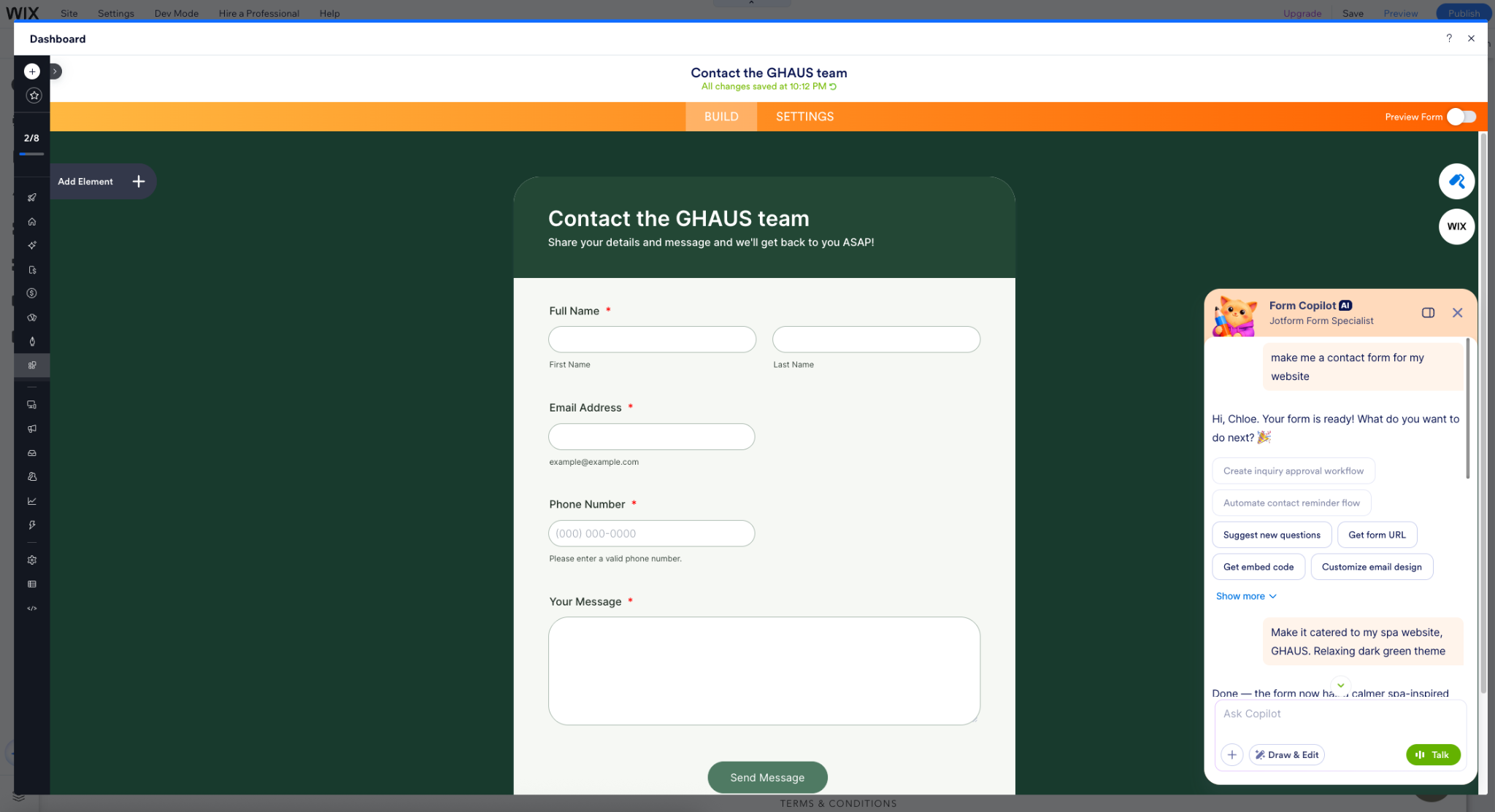
When you’ve finished editing your form, just close the Jotform window. Your changes will be saved automatically.
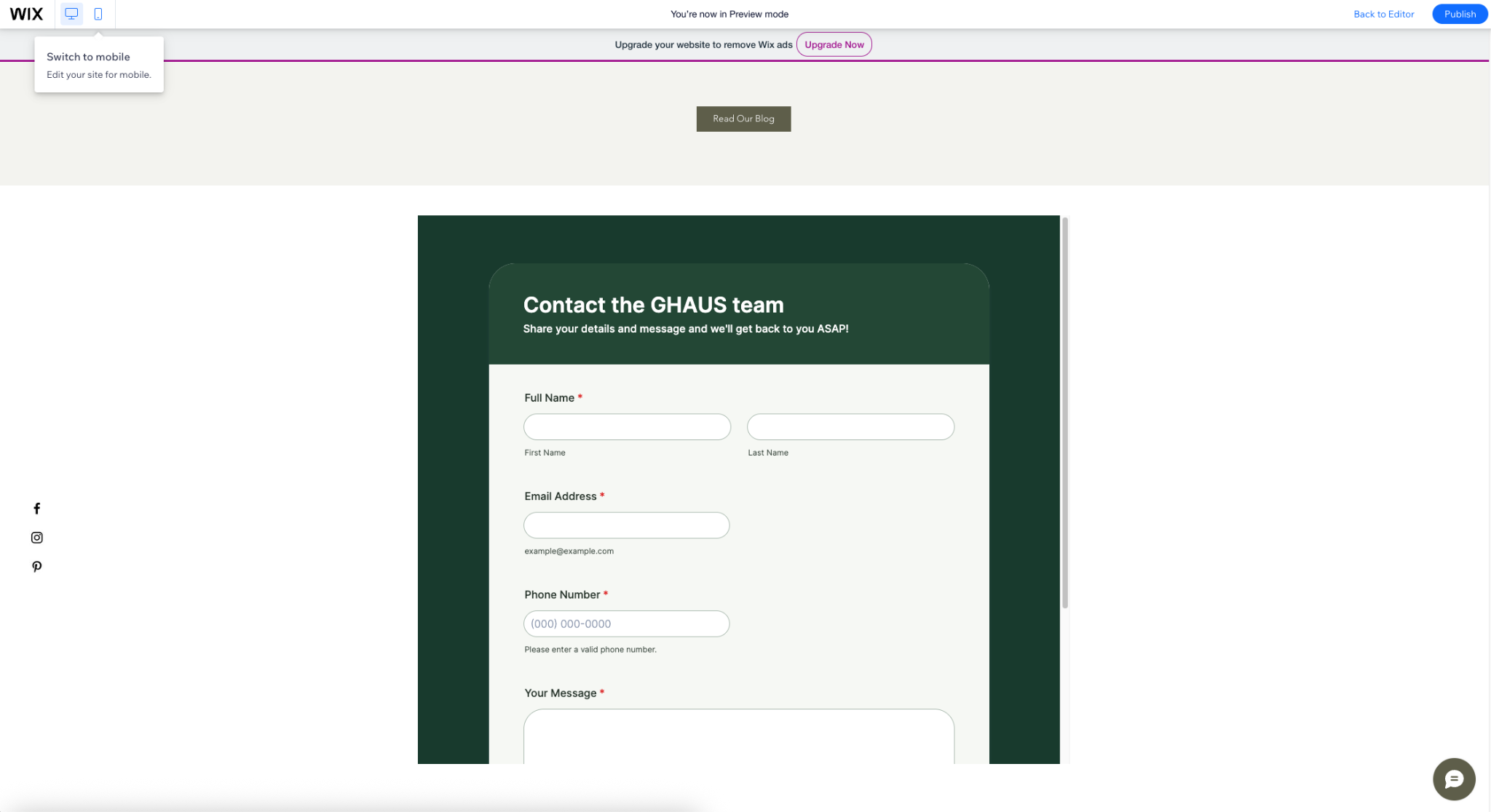
- Before publishing, preview your form in the Wix website layout to make sure it works in both desktop and mobile experiences.
Add advanced forms that drive action
Let’s face it: It’s easy to add a contact form to your website and call it a day. But with the Jotform app for Wix, your forms can do so much more.
Now, you can guide visitors through personalized questions, collect documents, calculate costs, accept payments, and capture e-signatures without custom web development.
Use conditional logic to tailor questions to each visitor’s answers, such as asking follow-ups based on their selected service. For orders and registrations, calculation and payment fields automatically calculate totals and let visitors pay through a supported gateway. You can also collect e-signatures with Jotform Sign when visitors need to approve terms, sign agreements, or provide consent.
All of these actions (and more!) can be completed in the Wix or Jotform platform, allowing users the flexibility to work where it’s most convenient.
Turn website submissions into next steps
Your workflow can continue after a submission too. Jotform App for Wix allows you to sync your form submissions directly to your Wix CRM to automate contact management, and configure notifications to alert your team when responses arrive.
To scale capabilities even further, log in to your Jotform Enterprise account to automate cross-platform tasks across the full Jotform ecosystem. For example, you can
- Add booking details to your calendar when clients submit an appointment request.
- Save documents uploaded through application forms to cloud storage.
- Add attendee details from event registration forms to a spreadsheet.
Expand the possibilities for your Wix website
Your website shouldn’t just tell visitors about your organization. It should give them a way to take the next step.
With Jotform App for Wix, organizations can turn website visits into inquiries, registrations, applications, payments, feedback, and more, while keeping the information they collect connected to the tools and workflows that keep their organizations moving.
Ready to bring Jotform to your Wix website? Explore Jotform App for Wix here.




































































































Send Comment: