
If you’ve built a Wix website for a nonprofit, fundraiser, school, or important cause, you may be looking for a simple way to accept donations online. Wix offers two ways to do this: Wix Donations and Wix Forms.
Wix Donations is a native app built for running fundraising campaigns in Wix. Wix Forms is a built-in form tool that you can configure for donation collection on your website. In this article, we’ll show you how to build a fundraising campaign using Wix Donations and how to create a donation form using the Wix form feature.
We’ll also point out where Wix’s fundraising tools are limited and introduce you to Jotform, an alternative solution that offers a flexible donation form you can embed directly into Wix.
How to create a donation form in Wix using the Wix Donations form app
One way to create a donation form in Wix is to use Wix Donations, the platform’s native app. It can support multiple custom donation campaigns, allowing visitors to contribute funds on a one-time or recurring basis. You can then track incoming donations in the app dashboard. Wix Donations is a good option if you want to create a full campaign rather than just a simple donation form.
Follow the instructions below to create a Wix donation page. Note that you will need to have a Wix account and subscribe to a premium plan to accept donations.
- Open the Wix Editor and navigate to the site where you want to add a donation form.

- Click + Add at the top left, then click Elements. Scroll down to Apps.
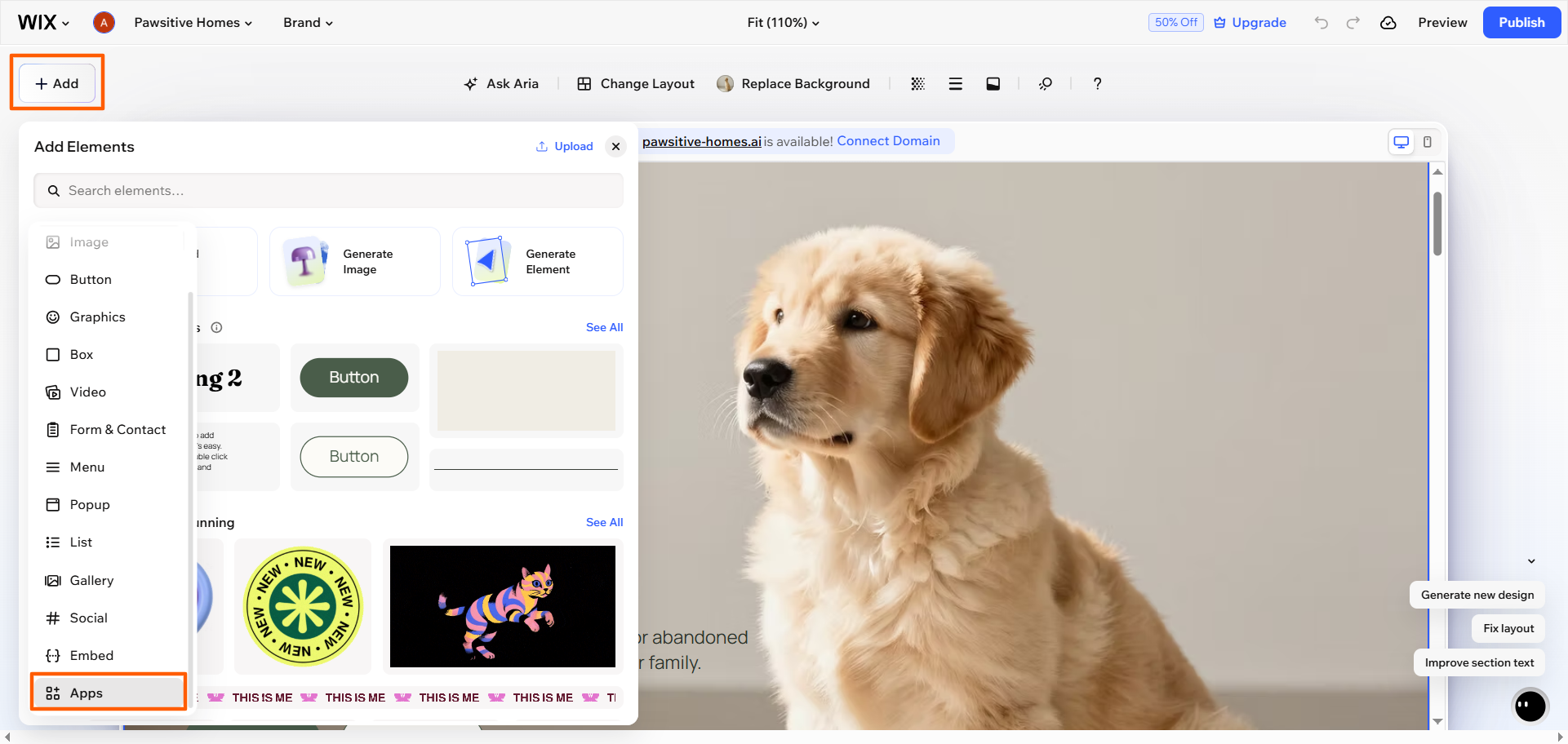
- Search for and install the Wix Donations app, following the website builder’s prompts.
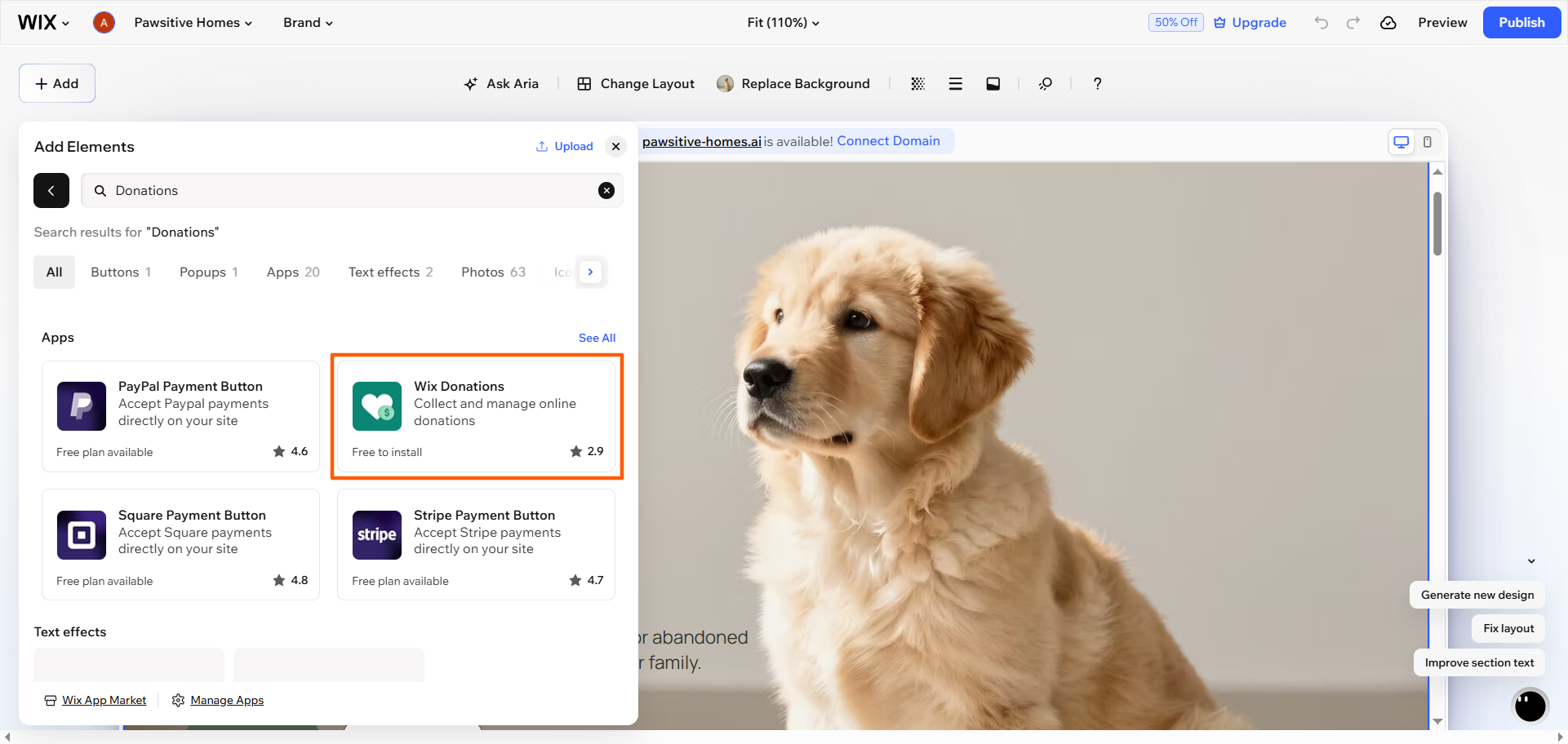
- Wix will automatically add a donation page, a donation form, and a thank-you page to the site. You can edit, rename, or delete these elements as needed.
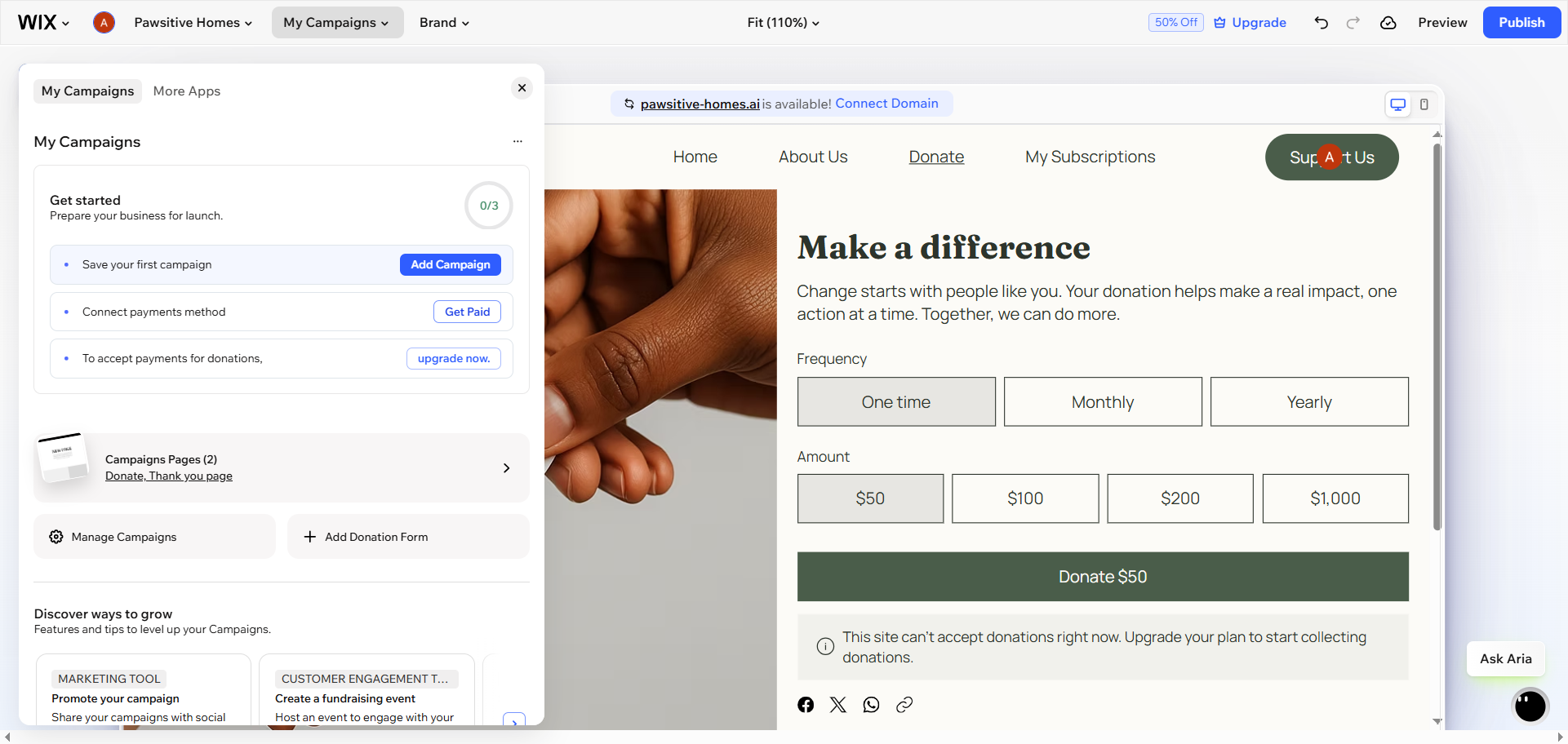
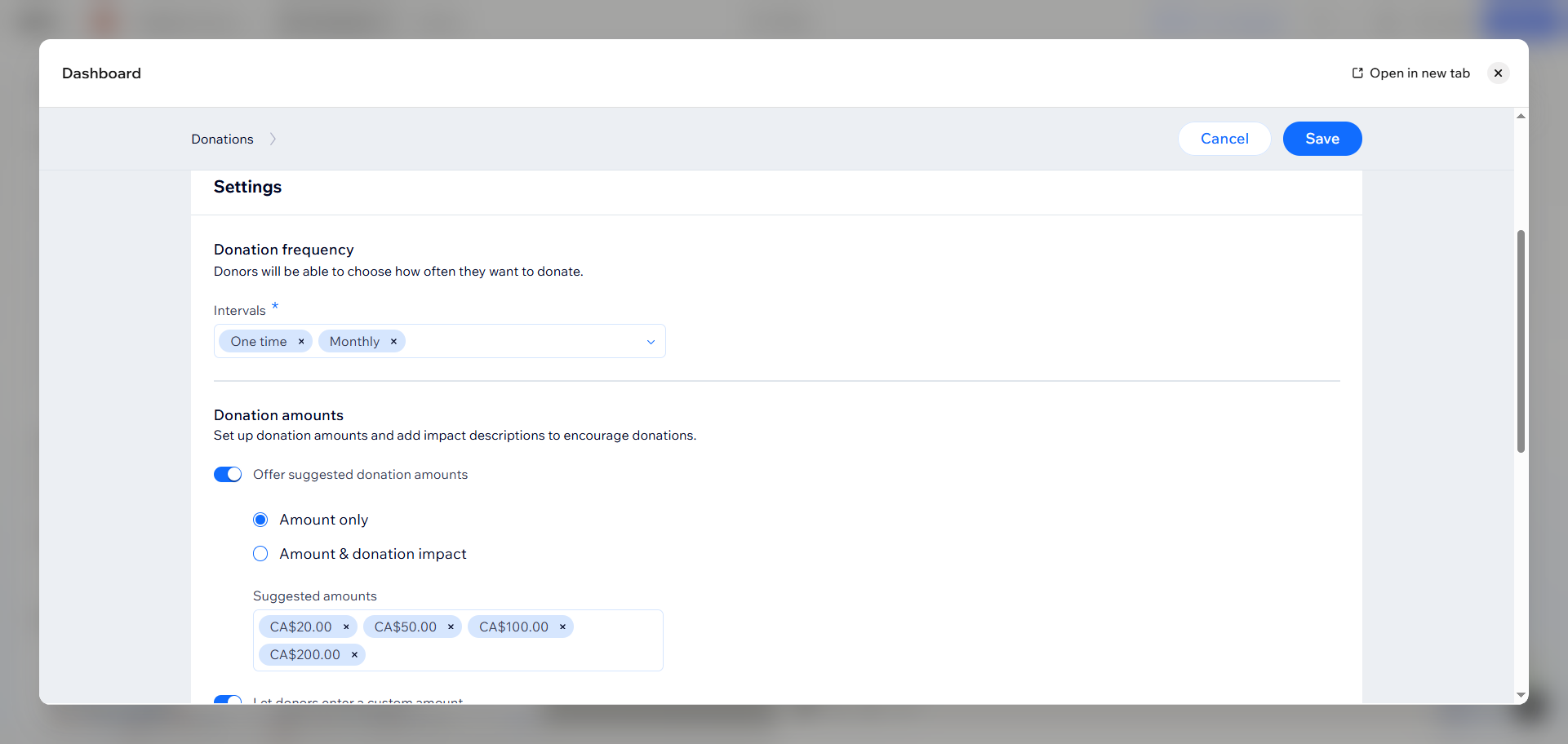
- To create a donation campaign, go to Wix Donations in the site’s Dashboard. Click + Add Campaign, then Create Campaign. Enter the campaign’s name and image. Customize criteria for the campaign, including
- Donation frequency: For example, you can specify one-time or recurring donations or offer both options.
- Donation amounts: Choose a suggested amount and whether to allow custom donation amounts.
- Campaign goal: Specify whether you want to track donations toward a specific monetary goal.
Click Save once you’ve set up the campaign. Set up payment processor information as needed.
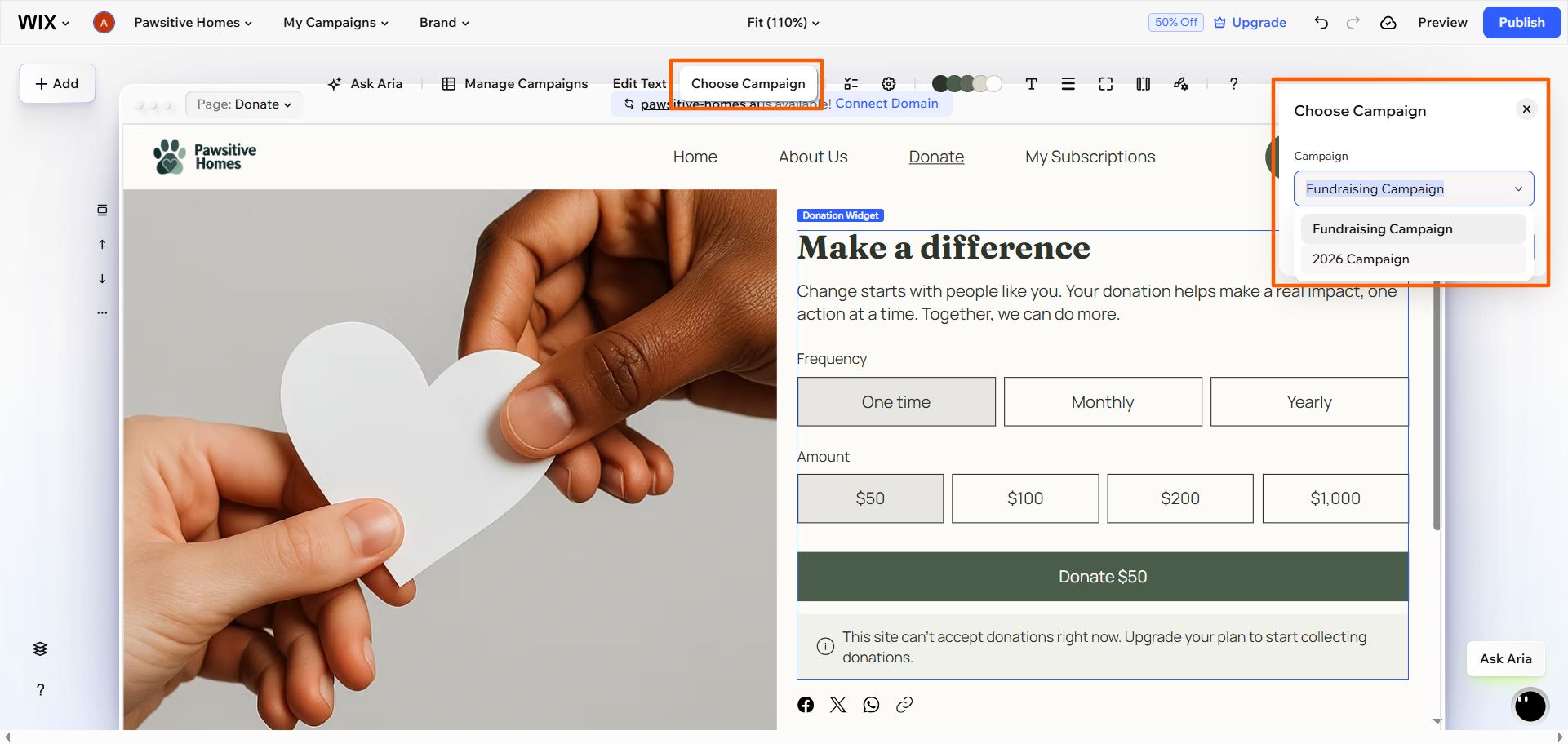
- Go to the website editor and navigate to the donations page. Click the donation form, then click Choose Campaign. Select the appropriate campaign from the Campaign drop-down. This will add the campaign criteria to the donation form on your site.
- Customize the design and content of the donation form as needed. Use the + Add menu on the left hand side of the website editor.
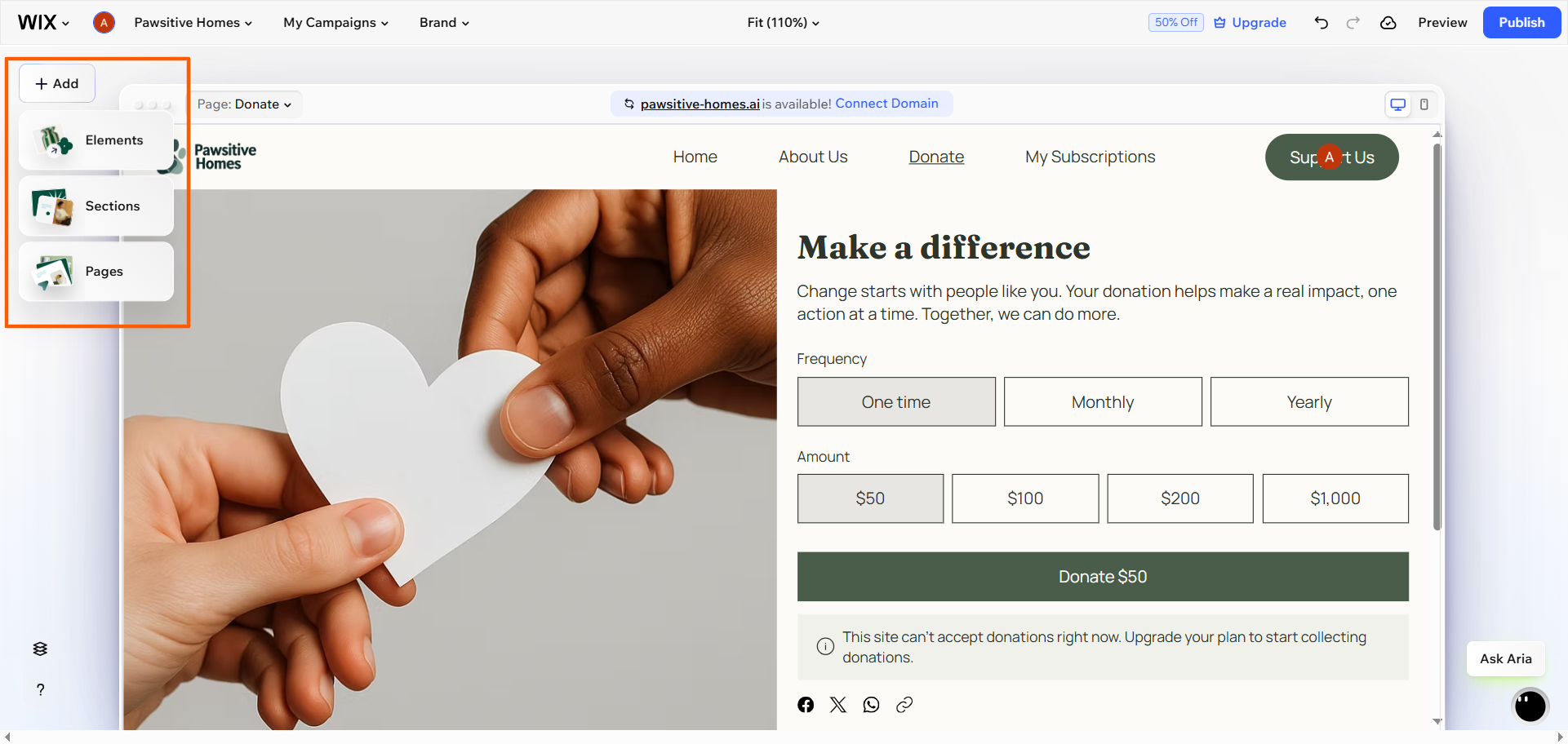
You have now added the Wix nonprofit donation form to your website. Before going live with the form, be sure to test the checkout flow to ensure it works correctly and that the donated funds go to the appropriate place.
Pro Tip
Want to perfect your Wix skills? Check out our guide to using Wix, which offers expert tips and strategies for creating engaging websites with the Wix website builder.
How to create a donation form in Wix using Wix Forms
Another way to collect donations from your Wix website is to use its built-in form features. While the form feature isn’t specifically for collecting donations, you can use it to create a Wix fundraising form or a nonprofit donation form. This option is ideal if you want a simple donation form instead of a full charitable campaign workflow.
Here’s how to use Wix Forms to create a donation form on your website:
- Open the Wix Editor and navigate to the nonprofit site where you want to add a form.

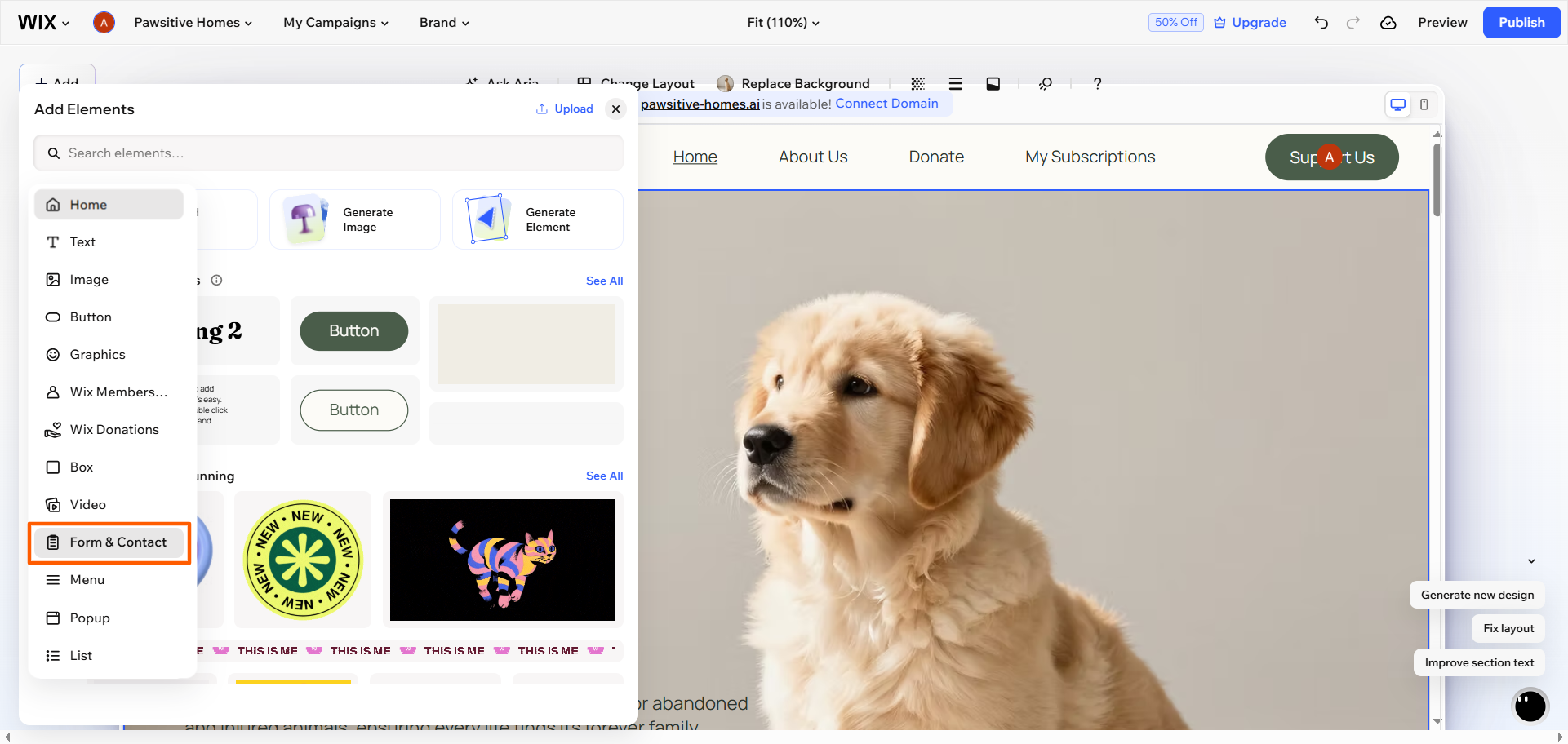
- Click + Add, then click Elements. Select Form & Contact.
- Choose a form from the available options. You can choose any form and customize its fields to meet the needs of your donation form, or you can select the donation-specific form option.
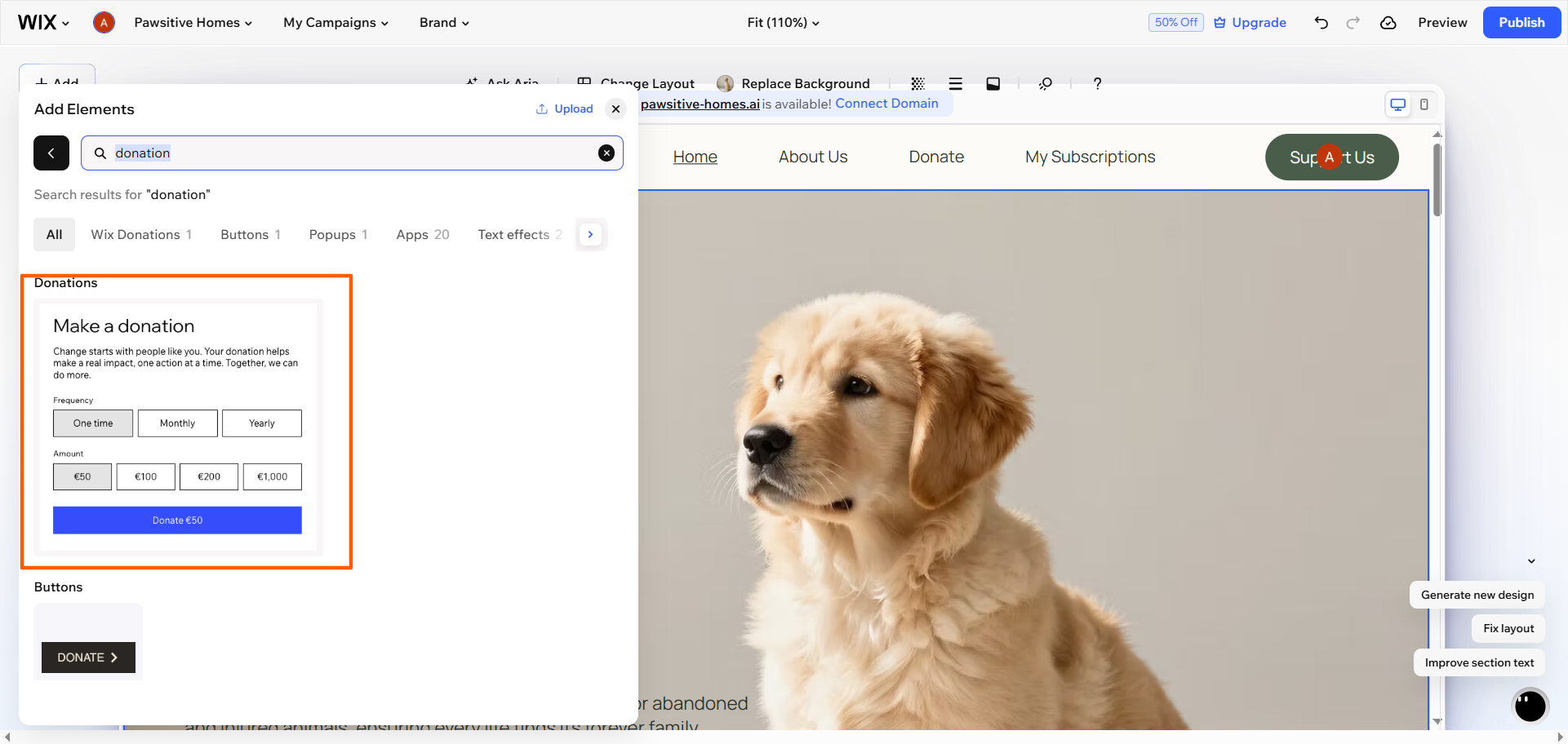
- Drag and drop the form where you would like it to appear on your site. Customize the fields you want to include, such as donation amounts, donation frequency, name, email, message, and more.
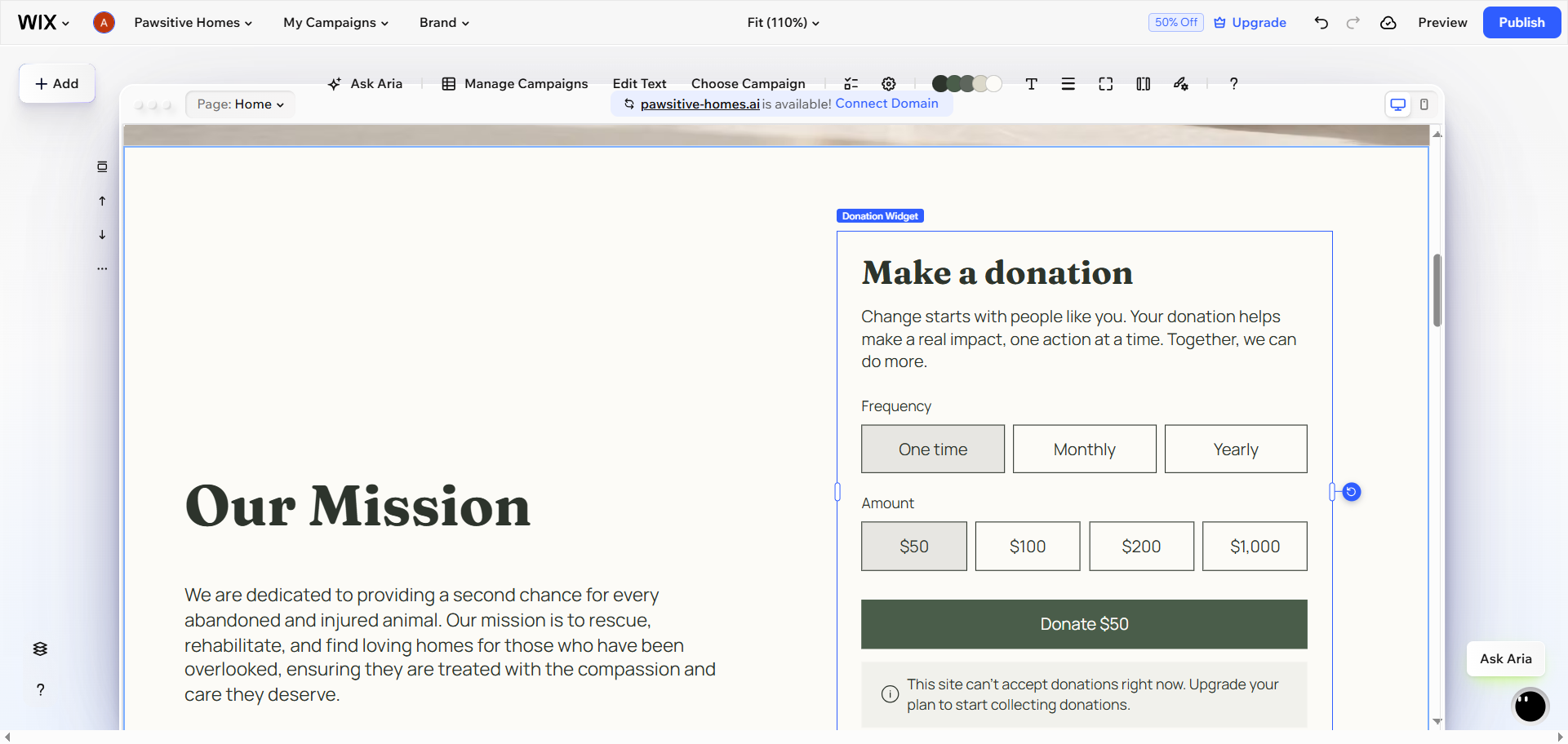
You’ve now set up a nonprofit donation form on your Wix site. Before you publish, you will need to set up payments for the form. (Wix offers detailed directions on how to do this.) Test the donation experience before making it public to ensure the flow works correctly.
4 limitations of using Wix donation forms
There are some drawbacks to using Wix tools to add donation forms to your website. Consider the following potential limitations:
- Wix offers two donation options: Wix has donation form capabilities in both Wix Donations and Wix Forms, which can be confusing for new users who don’t know which option to go with.
- Payment features are not free: You have to be on a paid plan to accept donations through your Wix website. You can create a donation form on the free plan, but you can’t accept payments.
- There is limited flexibility with donations: Some fundraising use cases may require more flexibility than the native setup provides. For example, Wix may not be able to accommodate certain recurring payments.
- Donation forms lack advanced features: If you want the ability to align the donation forms with your branding or add features such as granular conditional logic, those features are limited in Wix. Plus, some workflows may require workarounds instead of using native form features.
If you’re looking for only a basic donation form, the native features in the website builder will do the trick. But if you want more control over the form’s appearance, the donation experience, and how the form is embedded and customized, it’s time to consider a more flexible, sophisticated alternative: Jotform.
Pro Tip
Need a better way to manage campaigns, donor relationships, fundraising, and donations? Wix is primarily a website builder, so you’ll need to look elsewhere. Check out our list of top donation management software for solutions to help streamline your fundraising efforts.
How to add a Jotform donation form to your Wix site
Jotform is a leading form builder that offers donation form templates, advanced form customization, more payment flexibility, and a straightforward way to align donation forms to campaigns. Best of all, it works seamlessly with Wix, so you can use Jotform to create effective donation forms and embed them into your Wix website with ease.
Here’s how to create a donation form with Jotform and embed it into your Wix website:
- Start creating your donation form: Instead of using Wix’s limited form features, build your donation form in Jotform, an advanced form builder. You can create your form from scratch in the intuitive Form Builder or explore Jotform’s 20,000-plus free form templates, specifically the donation forms category, for a fundraising-specific template.
- Align the form with your organization’s brand: Jotform offers advanced design features in the Form Designer so you can tailor the form’s theme, colors, fonts, and structure to match your branding. The result gives users a more seamless experience on your website when they fill out the form.
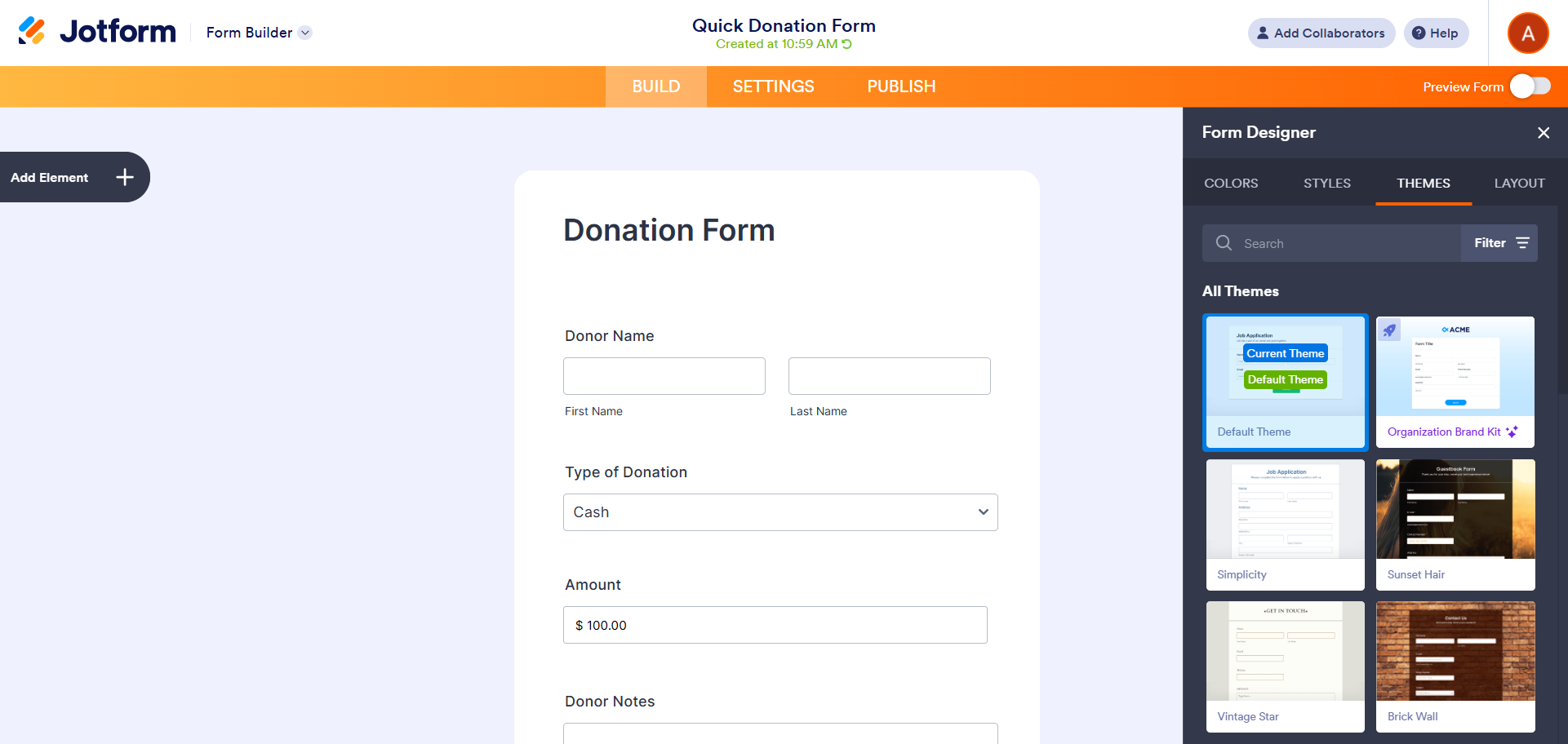
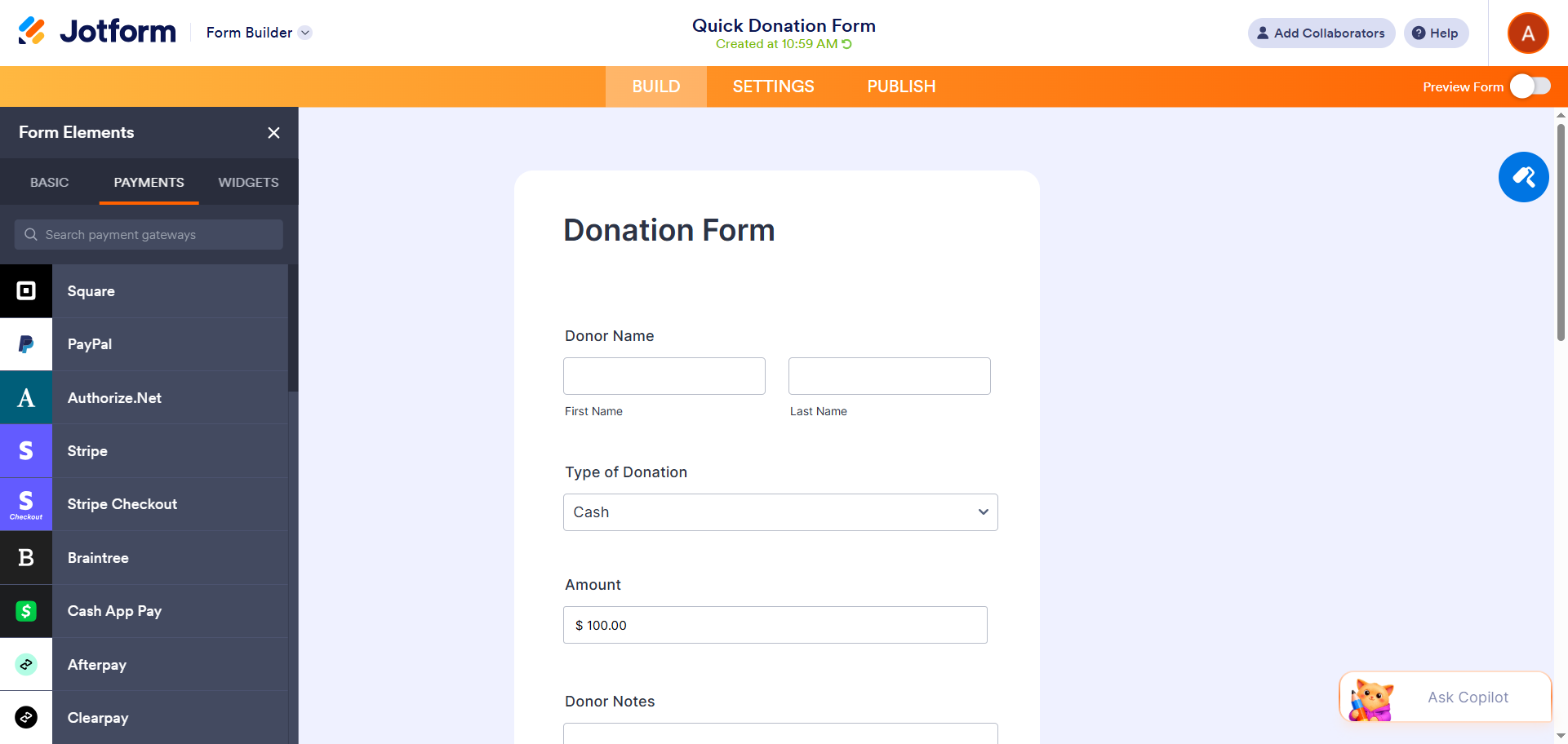
- Customize your form fields: Add donation fields, payment options, and other relevant form fields from the Form Elements menu. Jotform offers 150-plus integrations, including dozens of payment processor integrations, so you can easily accept payments and connect your form to other important aspects of your workflow.
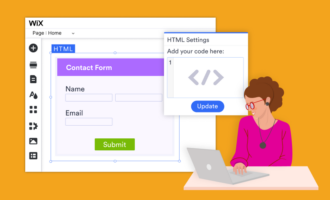
- Generate the form embed code and add it to your Wix website: Once your form is complete, retrieve the embed code for the form in Jotform. Then head to your Wix website builder and paste the code to embed your Jotform donation form into your website.
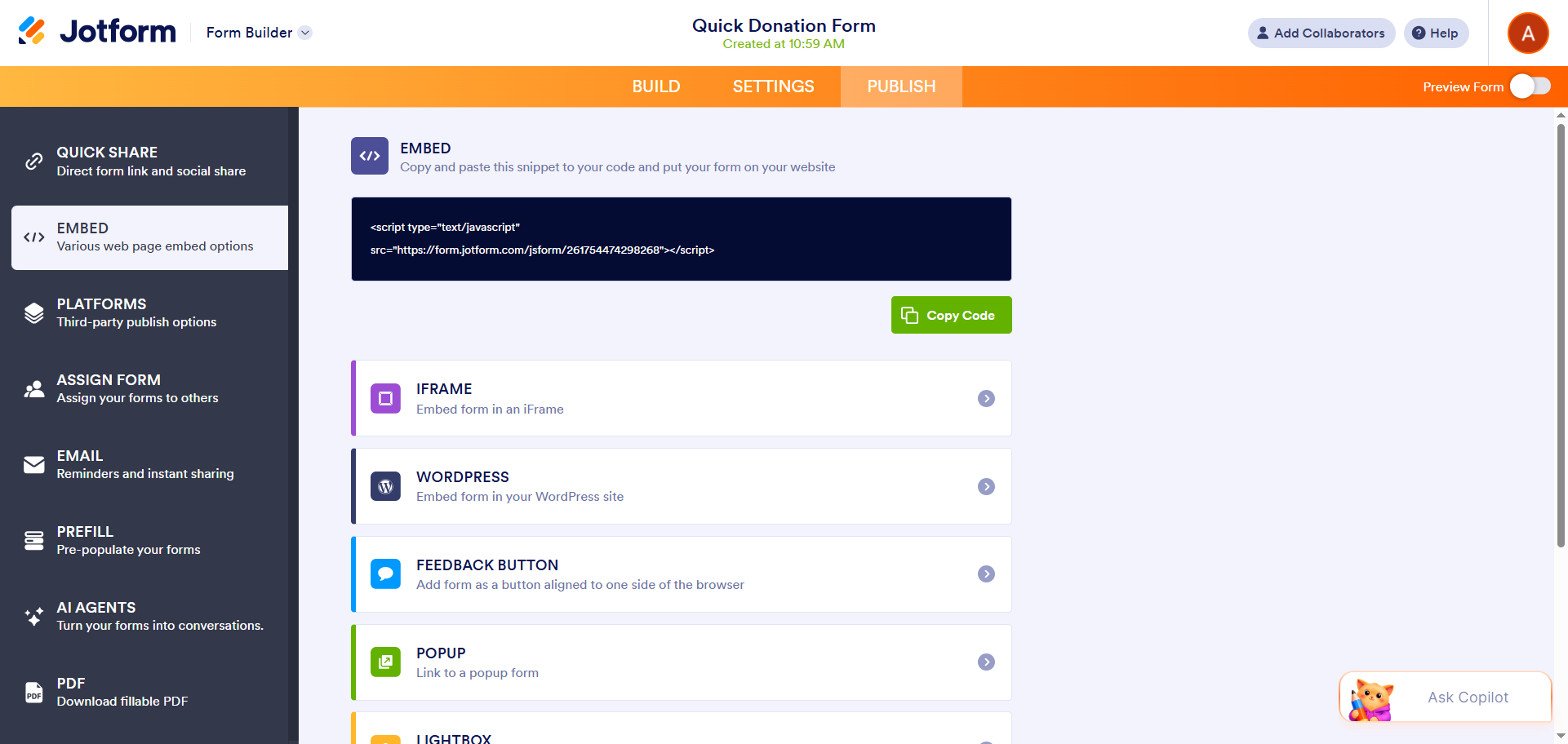
That’s how easy it is to use Jotform and Wix together.
Jotform brings a lot to the table beyond its ability to work seamlessly with Wix. It comes with several polished donation templates that you can easily customize using the intuitive Form Builder. With stronger design control, you can turn a Jotform form into a fully branded experience so your users won’t even know they are filling out a third-party form on your website. Plus, Jotform comes with multiple embed options, so it’s easy to add the form to your website.
Creating a donation form is only part of the process. Jotform makes it easy to manage your form submission data with tools such as Jotform Tables, which can track and organize your submissions. You can also create polished reports of your donation data with Jotform Report Builder. Whether you need help with nonprofit campaigns, school fundraisers, church donations, or another type of donation, Jotform is the right choice.
Build a better donation experience with Jotform
The right setup depends on whether you want a campaign-based donation tool or a simple donation form, but the features of both Wix Donations and Wix Forms are limited.
If you’re looking to create a more engaging, effective donation experience, use Jotform instead. It comes with dozens of donation form templates, several payment processor integrations, and multiple design customization options.
Explore Jotform today and take advantage of the 50 percent nonprofit discount on paid plans. Use a Jotform donation template or Jotform Wix form, customize it for your brand, and embed it into your Wix website in minutes.
FAQs about Wix charity donation forms
Wix Donations is a dedicated donation campaign app available in the Wix website builder. You can use it to create donation forms, accept donations, and track your donations toward a specific campaign goal.
A Wix donation form is simply an online form that is used to collect donations. It can be tied to a donation campaign or used independently.
Yes, you can create a Wix recurring donation form with the Wix Donations app, though Wix’s built-in form tool only supports one-time donations. However, these tools have several limitations, such as minimal branding and form customizations, which you may need. For a fully branded form with advanced features, look no further than Jotform. It offers free donation software and form templates that you can use with your Wix website builder.
Donations you collect from Wix are processed using the payment processor you select. You can track the incoming payments in various ways, depending on the tools you use. For example, if you use the Wix Donations app, you can track the donations for the campaign in the dashboard. If you use Jotform donation form templates in Wix, you can track form submissions in Jotform Tables, a powerful database tool.
This article is for nonprofit organizations, school administrators, church leaders, fundraising teams, Wix website owners, and anyone who wants to create a professional online donation form, accept one-time or recurring contributions, and build a more flexible fundraising experience using Wix or Jotform.























Send Comment: