
Top wix payment gateways for your business
You’ve spent hours setting up your product catalog and designing your service pages on Wix. The photos look great, and you’ve phrased all your calls to action just right. But something is missing: a way for customers to pay you.
Wix payment gateways, or providers, are companies that process online transactions. If you want to sell things online, you’ll need to connect a payment provider to Wix first. The best payment gateway for you depends on your business’s location, your customers’ preferred payment methods, and the providers available in your region.
This guide compares Wix payment providers and walks you through connecting one to your website.
Best Wix payment gateways for your business
There’s no single best payment provider for Wix sites.
Where your business operates plays a role in your decision. The Wix Help Center includes a list of available payment providers for various countries. For instance, companies in the United States can choose from over 20 providers, including PayPal, Stripe, Wix Payments, and the “Buy now, pay later” (BNPL) app Klarna. However, for Greenland and Serbia, PayPal is the only option.
Your customers’ preferences matter, too. If many of them use Stripe but your business doesn’t offer it, they may shop elsewhere.
You should also consider the features you need. Wix offers a built-in payment processor called Wix Payments in some regions, but not in every country. Depending on your region, Wix Payments can charge high fees for international sales and certain payment methods. If those costs could affect your business, you might consider third-party payment providers for Wix.
Here are a few popular Wix payment gateways and how they compare.
1. Wix Payments
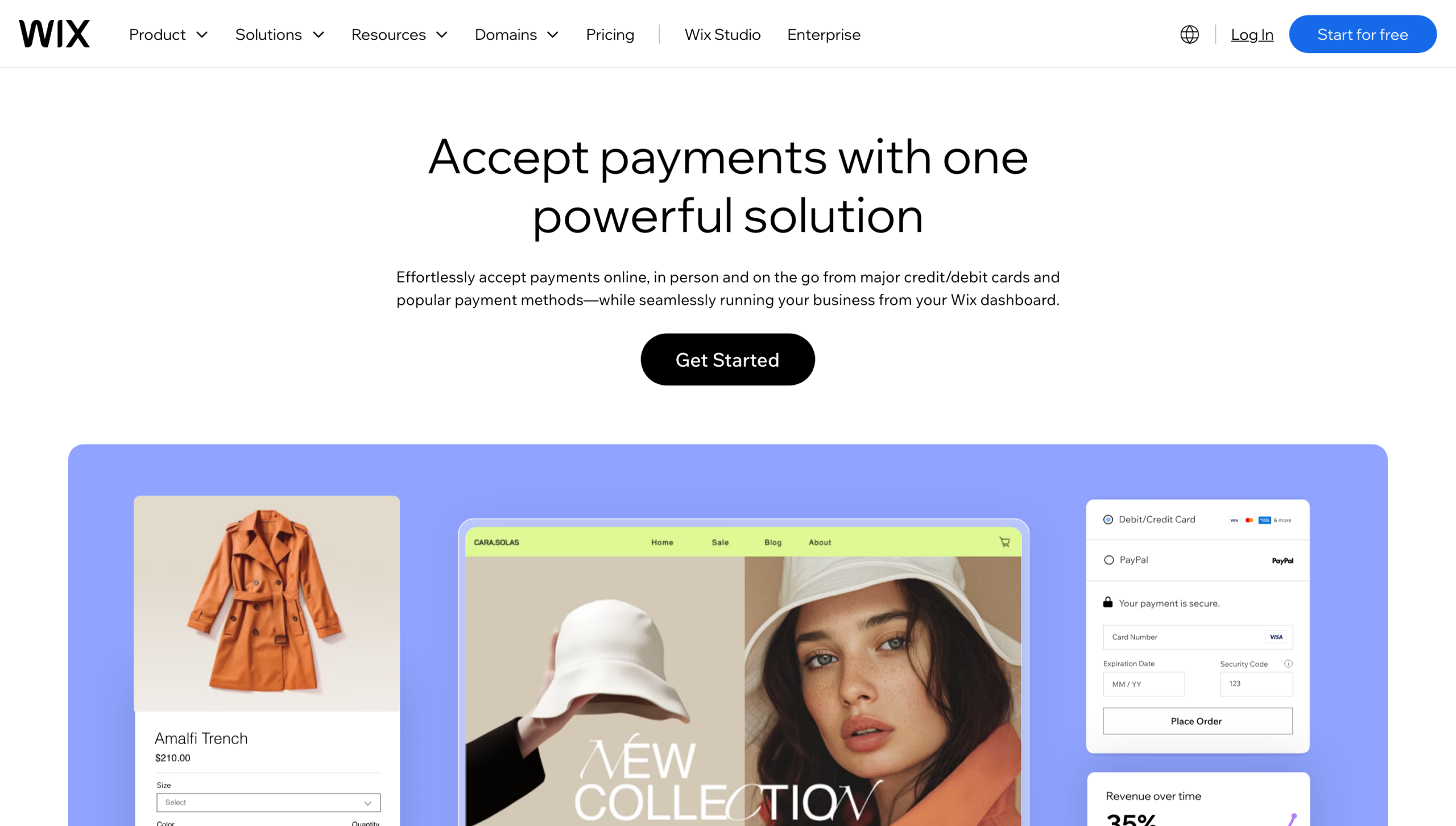
Wix Payments is the native payment gateway for Wix websites. It lets you manage all your online transactions from the main Wix dashboard.
This tool lets you accept several payment methods on Wix, including
- Major debit and credit cards, such as American Express and Mastercard
- Apple Pay
- Google Pay
- Tap to pay
- BNPL options such as Afterpay and Klarna
- PayPal
Wix Payments also integrates with Wix’s point of sale system. That lets you make quick sales online or in your physical store. You can track both types of transactions easily because they appear on the same dashboard.
Service fees vary by payment method. In the United States, Wix Payments rates include
- Credit and debit cards (excluding American Express): 2.9 percent of the transaction amount plus $0.30
- American Express: 3.7 percent of the transaction amount plus $0.30
- Apple Pay and Google Pay: 2.9 percent of the transaction amount plus $0.30
- BNPL options (Affirm, Afterpay, and Klarna): 6 percent of the transaction amount plus $0.30
For example, if a customer pays $100 with Klarna, you’ll pay $6.30 in service fees.
Wix Payments also charges cross-border fees when a customer’s card is issued in a country different from where your business is based. This service charge is typically 1.5 percent of the transaction amount, plus the standard processing fee for a payment method. You’ll also need to pay a 1 percent currency conversion fee every time a customer pays in a currency other than the US dollar.
If you frequently sell to customers in multiple countries, these fees could add up quickly.
2. PayPal
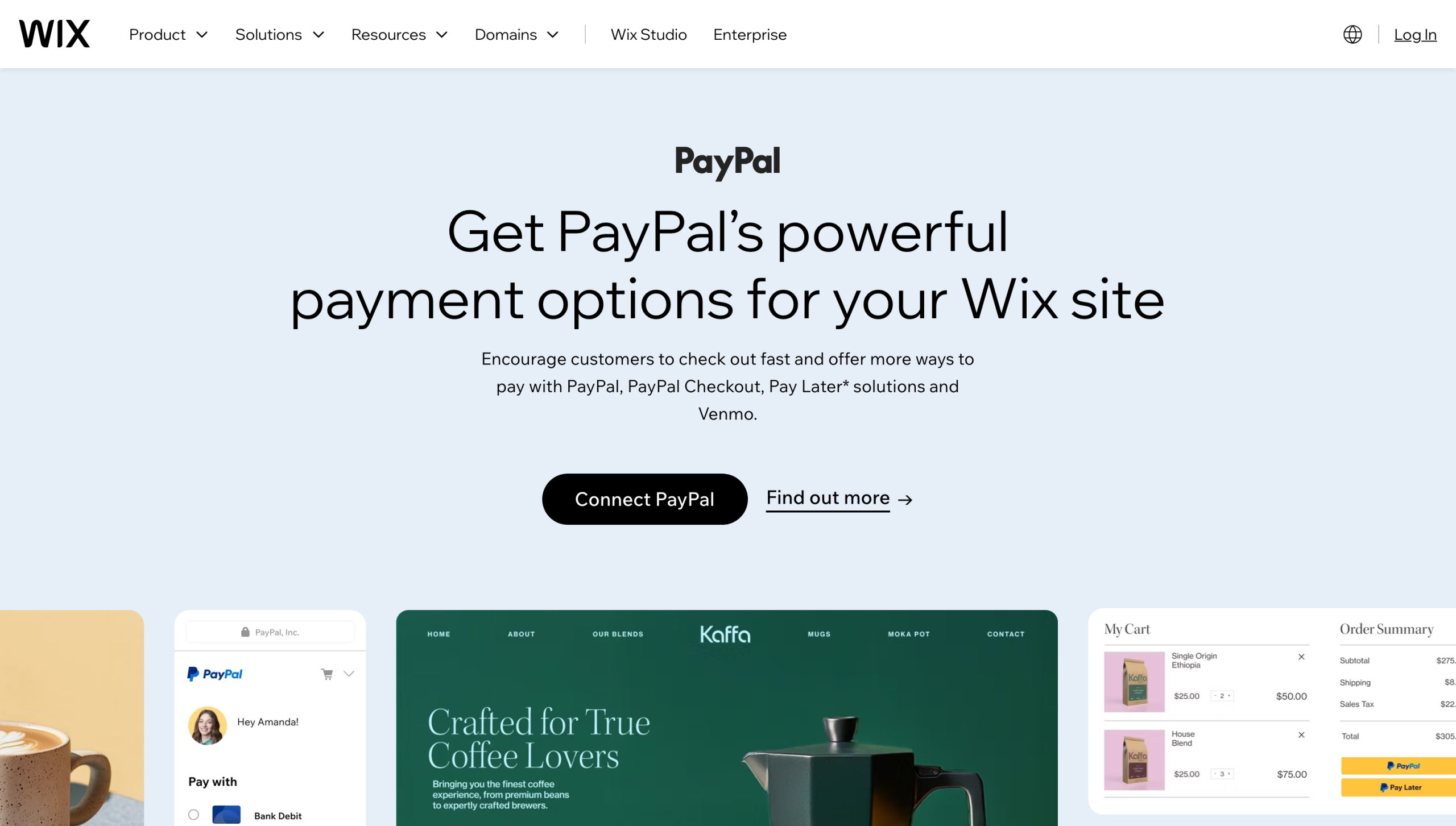
PayPal is a digital wallet that lets customers pay with a credit or debit card or from a bank account. Over half (54 percent) of Americans use PayPal, according to a Statista 2025 Consumer Insights Brand KPI survey.
PayPal lets users save their payment and shipping details, so they don’t have to reenter the information when they shop with a new merchant. This simple checkout experience may make customers less likely to abandon their carts.
Depending on your region, you may be able to connect PayPal to your Wix site. You can choose to offer only the standard PayPal Checkout or also turn on PayPal Pay Later. The second option allows qualifying customers to split their payments over several weeks or months.
The Jotform PayPal integration lets you collect payments outside the standard Wix checkout process. Instead of adding items to a cart, customers can fill out online forms. For example, customers might fill out a form to order a custom cake or purchase a magazine subscription, then pay with PayPal.
If you use PayPal as a third-party payment provider, transaction fees depend on your location and the type of transaction. For US accounts, these fees include
- PayPal Checkout: 3.49 percent of the transaction amount plus $0.49 for domestic transactions
- PayPal Pay Later: 4.99 percent of the transaction amount plus $0.49 for domestic transactions
3. Stripe
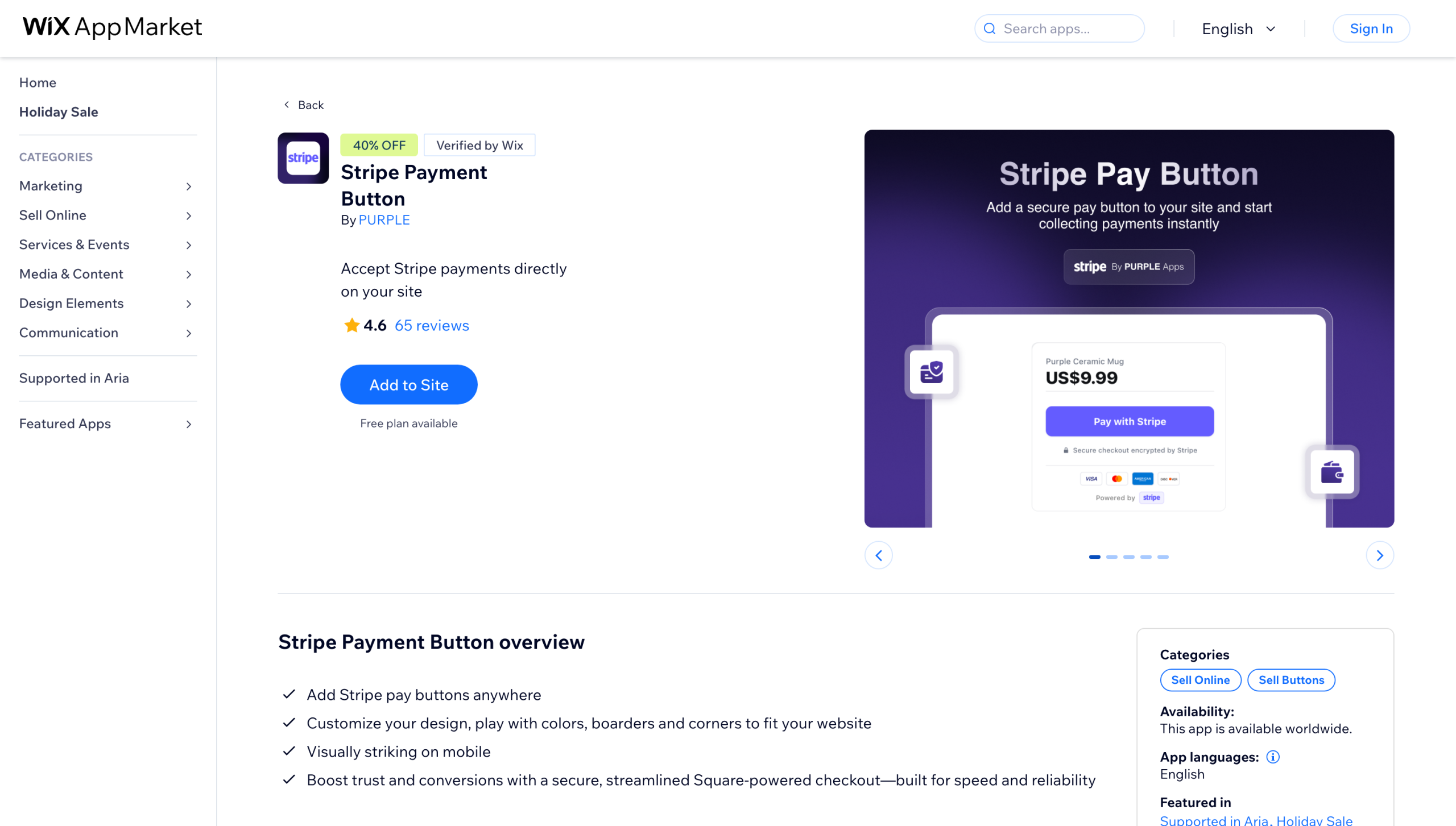
Stripe allows customers to use many payment methods, such as credit cards, bank transfers, digital wallets, and cash-based vouchers.
Use the Jotform Stripe integration to build custom Stripe payment forms. The drag-and-drop editor makes it easy to design forms that fit the rest of your Wix site. You can also add fields for gathering the information you need, so customers can enter the info and pay for their order in one place.
For instance, a restaurant might use a Stripe form to ask about dietary restrictions or special requests for catering orders. Or a dog trainer could ask about a pet’s history and behaviors.
In the United States, processing fees are
- Stripe: 2.9 percent of the transaction amount plus $0.30, with a minimum transaction amount of $0.50
4. Other third-party payment providers
There are additional Wix checkout payment options, but the list changes based on your business location. Follow these steps to see what’s available for you:
- Open your Wix site’s dashboard and go to Settings.
- Click Accept Payments, then See More Payment Options.
- If you see a payment provider you want to try, click Connect to add it to your site.
Depending on your area, you may have over a dozen options, but you don’t need to use them all. Comparing processing fees, payout handling, workflow needs, and other criteria can help you narrow the list.
Wix payment processing fees in 2026
The last thing you want to do is lose a big chunk of your profits to a payment provider. While every platform charges service fees, the fees can vary greatly, depending on your location and the provider you choose. How customers pay can also affect these processing fees.
Pay attention to these service charges as you compare payment providers:
- Card processing: Payment gateways typically charge a percentage of each transaction plus a small fixed fee. Certain cards, such as American Express, may have higher processing fees.
- Digital wallets: Providers including Google Pay and Apple Pay often follow the same fee structure for credit card transactions.
- PayPal: PayPal bases its processing fees on the type of transaction, with additional fees for international sales.
- BNPL options: Providers such as Klarna often charge higher processing fees than those of standard credit card transactions.
- Refunds: Even if you refund a customer’s payment, you’re probably still responsible for the original processing fee.
- Chargebacks: Many providers charge merchants when customers dispute transactions. For instance, Wix Payments charges $15 for most chargebacks in the United States.
How to choose the right Wix payment gateway
You may feel pressured to offer as many payment options as possible, but more isn’t necessarily better. Instead, focus on picking a payment gateway that fits your needs.
1. Confirm where the business operates.
Most payment gateways aren’t available everywhere, no matter how popular they are. Before you choose a provider, make sure it supports businesses in your country. You should also double-check that it accepts payments in the currencies your customers use. For example, if your company is based in the United States but often sells products to Germany, look for a gateway that accepts euros.
2. Offer the payment methods customers expect.
Customers often have a few favorite payment methods. If your site offers only unfamiliar ones, customers might not feel comfortable making a purchase. Ask your clients which methods they prefer, or take a look at related polls from your region.
3. Match the provider to the sales workflow.
Think about the steps customers will take to buy your products or services. If you have an online store, Wix Payments is a simple way to collect payments during the checkout process. If you offer custom products, you might prefer Wix forms that embed in your site. That way, you can gather specific information with each order.
How to connect a payment gateway in Wix
Once you’ve settled on a provider (or two), here’s how the Wix payment gateway setup process works:
- Sign in to your Wix account and open your website’s dashboard.
- Go to Accept Payments.
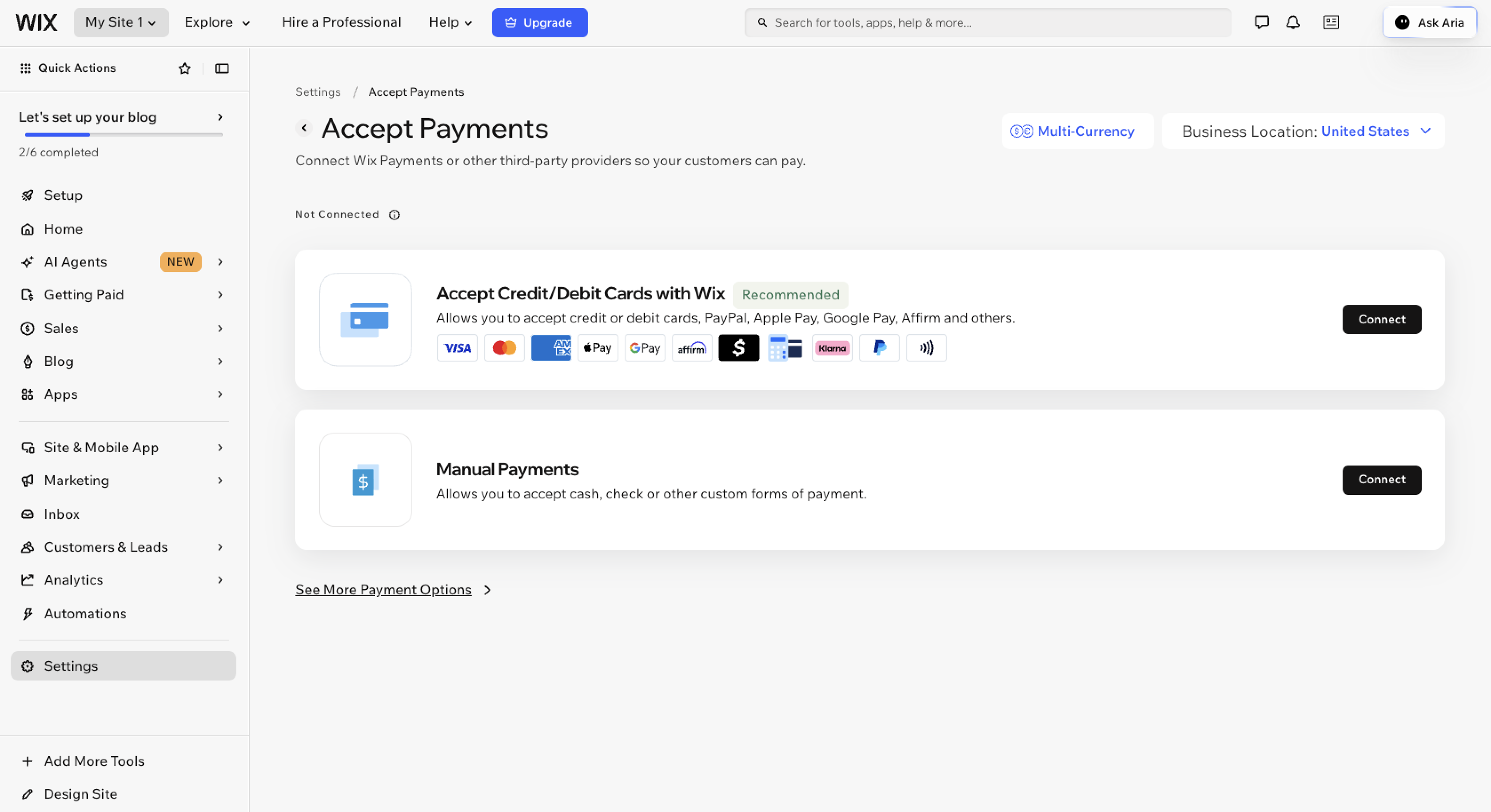
- Make sure your business location is correct in the upper-right menu. If it’s not, use the dropdown menu to change it.
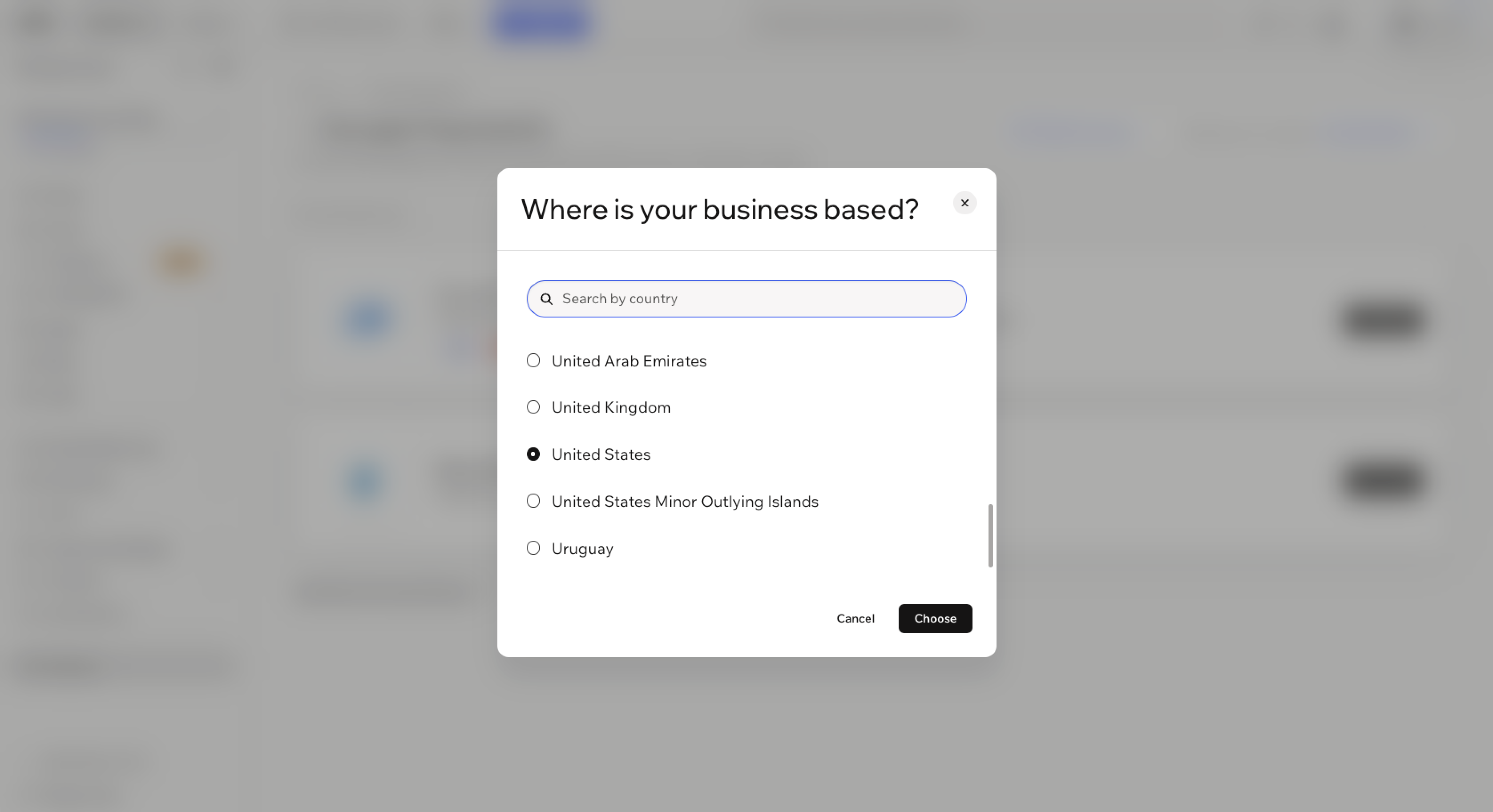
- Click See More Payment Options to see all the available options.
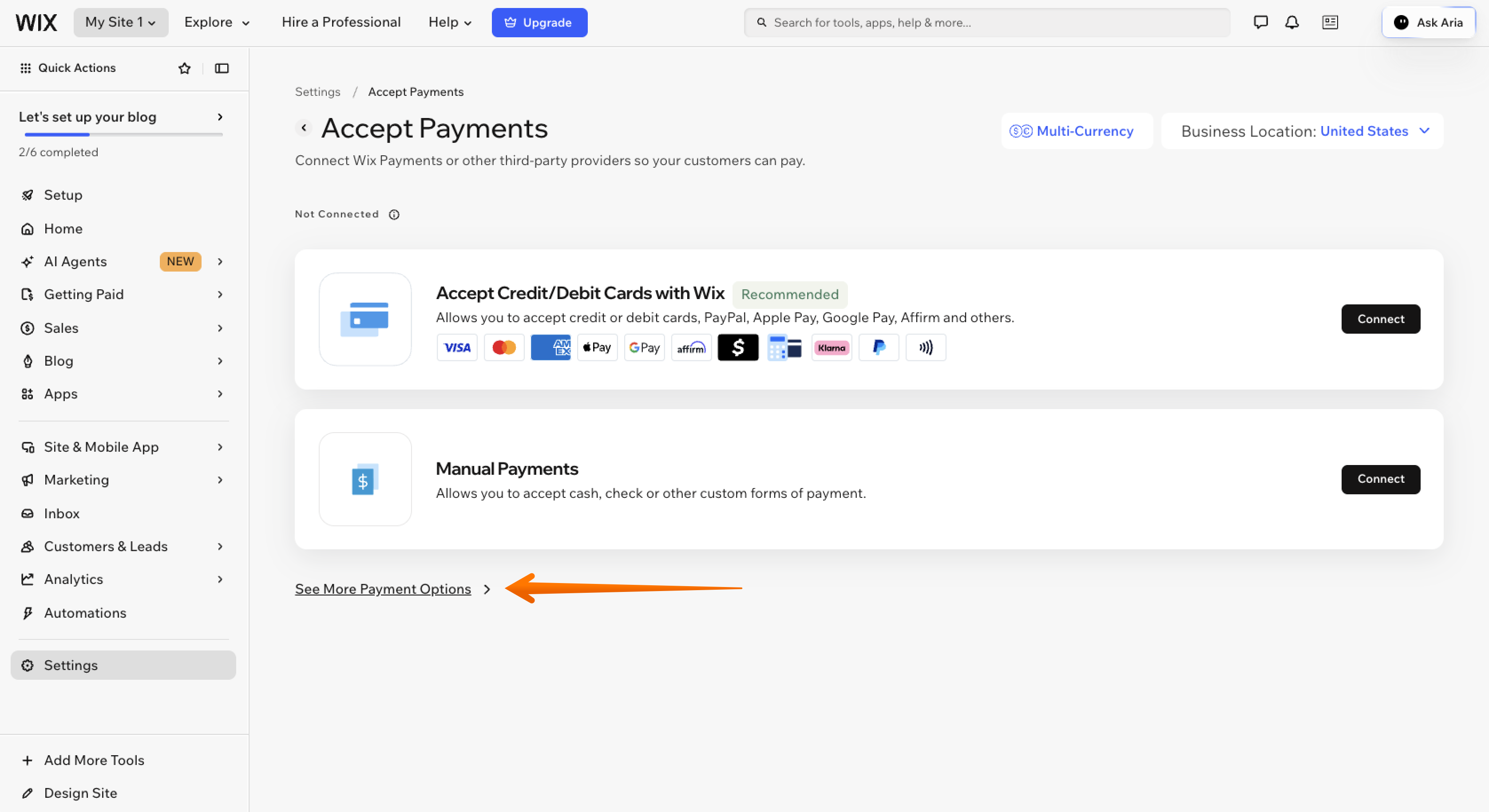
- Find the payment provider you want to use and click Connect.
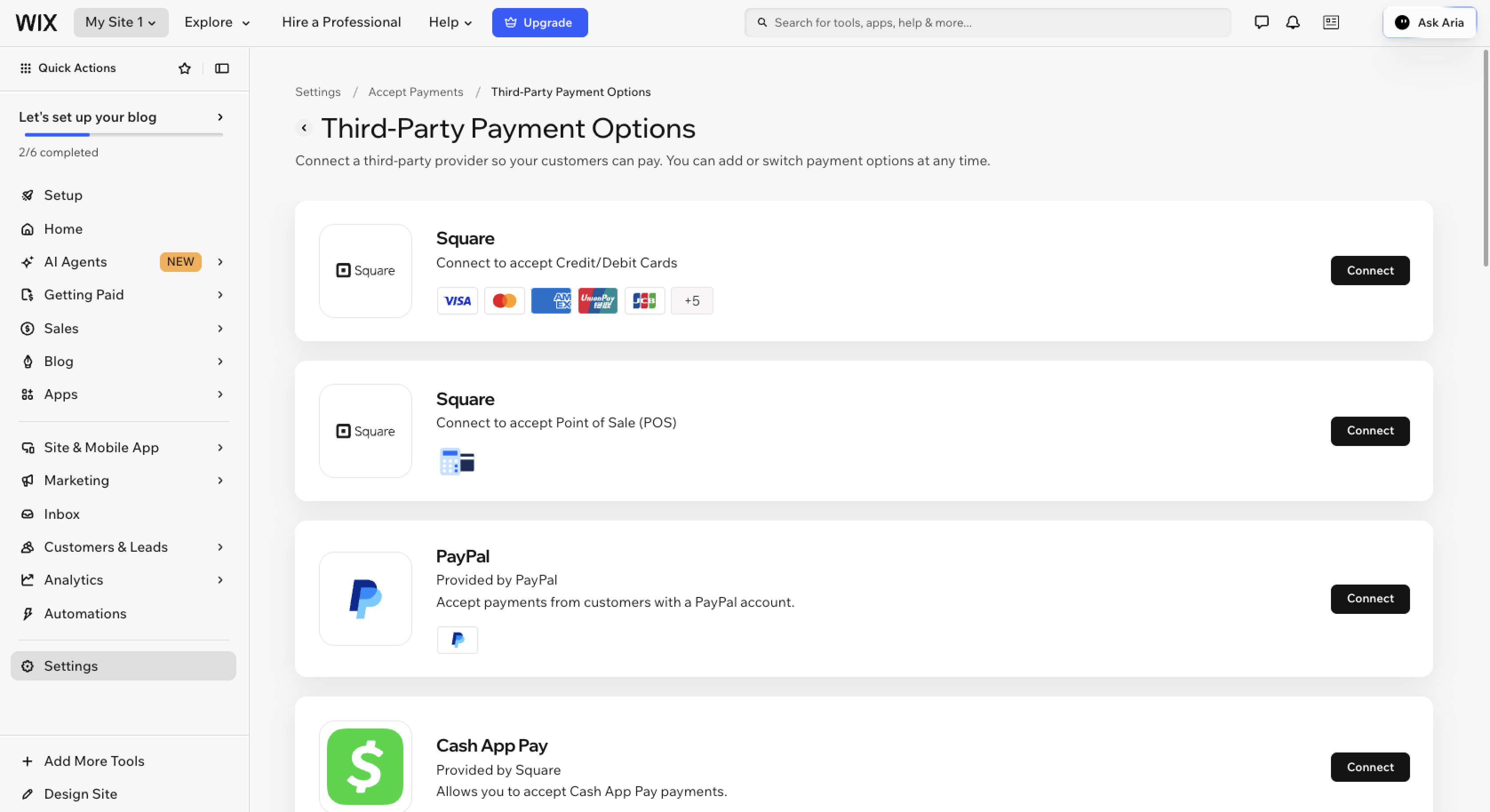
- If you’ve already used this provider, enter your account credentials. Otherwise, follow the on-screen prompts to create a new account.
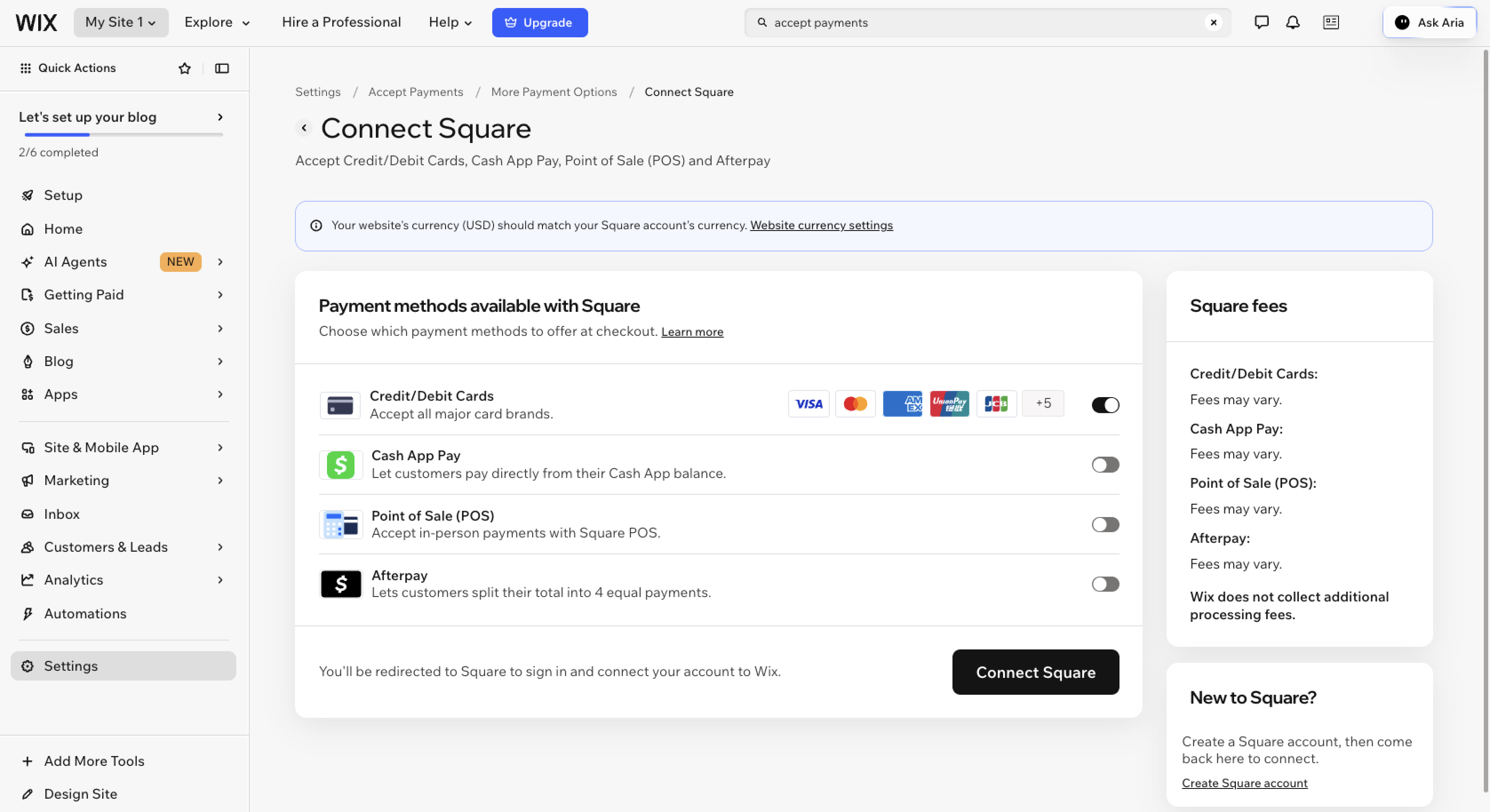
- Follow the instructions to verify your account. If you use Wix Payments, Wix may request a copy of your bank statement and a copy of a valid photo ID for verification.
You won’t be able to receive payouts until you’ve connected to a provider and successfully verified your account with them, so start the process early.
When a payment form makes more sense than a store checkout
The standard checkout process, in which customers add items to their cart, enter their shipping information, and pay, may not make sense for every situation, especially if you’re not selling physical products.
A payment form may work better for
- Appointment scheduling
- Custom orders
- Donations
- Event registrations
- Service requests
- Signed agreements
- Subscriptions
Suppose your business is collecting donations for a local pet rescue. If you use a donation form on Wix, you can ask donors if they’d like their contribution to go to a specific cause or a particular animal. You can also collect their payment in the form.
Use the Jotform App on Wix without extra transaction fees
Jotform on Wix is a form-led payment option for businesses that need to collect payments and other information.
While it doesn’t replace the site’s e-commerce payment gateway, it comes in handy when you need to gather extra details alongside a payment. For example, you could use Jotform to collect registration fees for a 5K race and ask competitors for their T-shirt size, saving you from having to email them about it later.
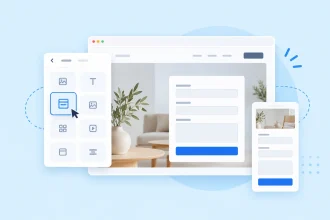
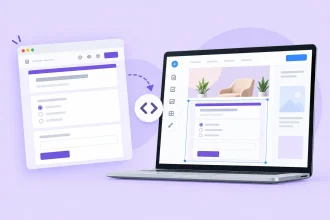
Choose from over 20,000 online form templates for practically every scenario. You can easily customize these templates without any coding and add the option to accept a one-time or recurring payment through PayPal and Stripe. When you’re done, embed the form directly on your Wix site.
Jotform doesn’t tack on extra transaction fees when you accept payments through its forms. However, applicable payment-processor fees from PayPal or Stripe may still apply.
The Jotform app gives you even more ways to manage your forms and payments. Use it when you need to collect payments as part of a flexible form workflow on your Wix site. If you’re hosting a paid in-person seminar, for instance, a Wix RSVP form lets people register, pay, and share their dietary preferences.
You can also pair payment collection with e-signatures for agreements, waivers, and consent forms. Other helpful features include
- Autoresponder emails
- Centralized form submissions for seeing all your data in one place
- Jotform integrations, such as Claude and Google Drive
- Response management
- SMS, WhatsApp, and email notifications
FAQs about Wix payment gateways
Wix manages payouts for Wix Payments directly. Third-party providers handle their own payouts. If you collect payments through PayPal, you’ll receive your money according to PayPal’s payout schedule, which can get complicated if you use multiple payment gateways.
Yes, Wix has its own payment gateway, called Wix Payments. It lets you accept credit card payments and other methods directly in your Wix site instead of connecting to a third-party provider. See our Wix guide for more tips on building a Wix site for your business.
Along with its native payment gateway, Wix supports over 100 payment providers. However, they’re not all available in every region. Some countries have only a single third-party provider available, while others have over a dozen options.
Yes, Wix supports over 100 third-party payment providers. You can see what’s available in your region by opening your Wix site’s dashboard and going to Settings. Click Accept Payments, then See More Payment Options for the full list of payment gateways.
Yes, you need a paid Wix plan to accept payments from customers. The Core plan or a higher-tier plan includes this feature and other helpful e-commerce tools. Paid Wix plans start at $29 per month with a yearly subscription.
Yes, the Jotform Wix app lets you collect payments and other information through forms on your Wix site. A busy hair salon could use a Wix contact form to ask customers for their phone number and collect a deposit when they book an appointment.
Wix store owners, service businesses, and creators who need to accept payments online and want to select, connect, and manage a payment provider that works for their location and customers.























Send Comment: