
Wix and Squarespace are two of the best website builders. They’re both incredibly popular because they let you create a professional website without worrying about code, hosting, and all the other technical details. If you’ve ever wondered how to make a website, all you have to do is sign up and use the included website builder. You can have a live site up and running in an afternoon.
Of course, both offer much more. You can use them to power blogs, run e-commerce stores, build communities, and do almost anything else you can think of with a website.
Although both Wix and Squarespace let you build a website, they take different approaches. Wix places more emphasis on creative control, AI-powered features, and third-party integrations. Squarespace offers a more design-focused approach, with visually consistent websites.
You can get great results with either platform, which is important. A study conducted last year found that 84 percent of consumers judge a business by its web design. Still, choosing between Wix and Squarespace takes some thought. So let’s get into Squarespace vs Wix.
 Wix |  Squarespace | |
|---|---|---|
| Who should use? | Anyone who wants maximum creative freedom, has a specific functionality need, or is a total beginner who wants to start for free | Anyone whose top priority is aesthetics, such as freelancers, professionals, and small businesses that want a polished, professional result |
| Design style | Free-form and highly customizable; prioritizes user choice; lets you drag anything anywhere and use any font you like | Structured and design-led; strong defaults, curated font pairings and color palettes, and consistency across every page |
| Templates | Large template library, plus an AI website builder that generates a site from a chat prompt | Smaller, carefully curated collection of professionally designed templates, plus Blueprint AI |
| E-commerce features | Included with Core plan and higher; supports physical goods, digital products, and subscriptions across marketplaces, social channels, and local stores; extends through the Wix App Market | Included with every plan; Basic plan is more bare-bones and adds a 2% transaction fee on physical goods; Core, Plus, and Advanced plans share the same features and differ mainly on fees |
| Free plan/trial | Free-forever plan, with Wix branding and a Wix subdomain | 14 day free trial only |
| Pricing | Free; paid plans from $24/month, or $17/month billed annually | Paid plans from $25/month, or $19/month billed annually |
What is Wix?
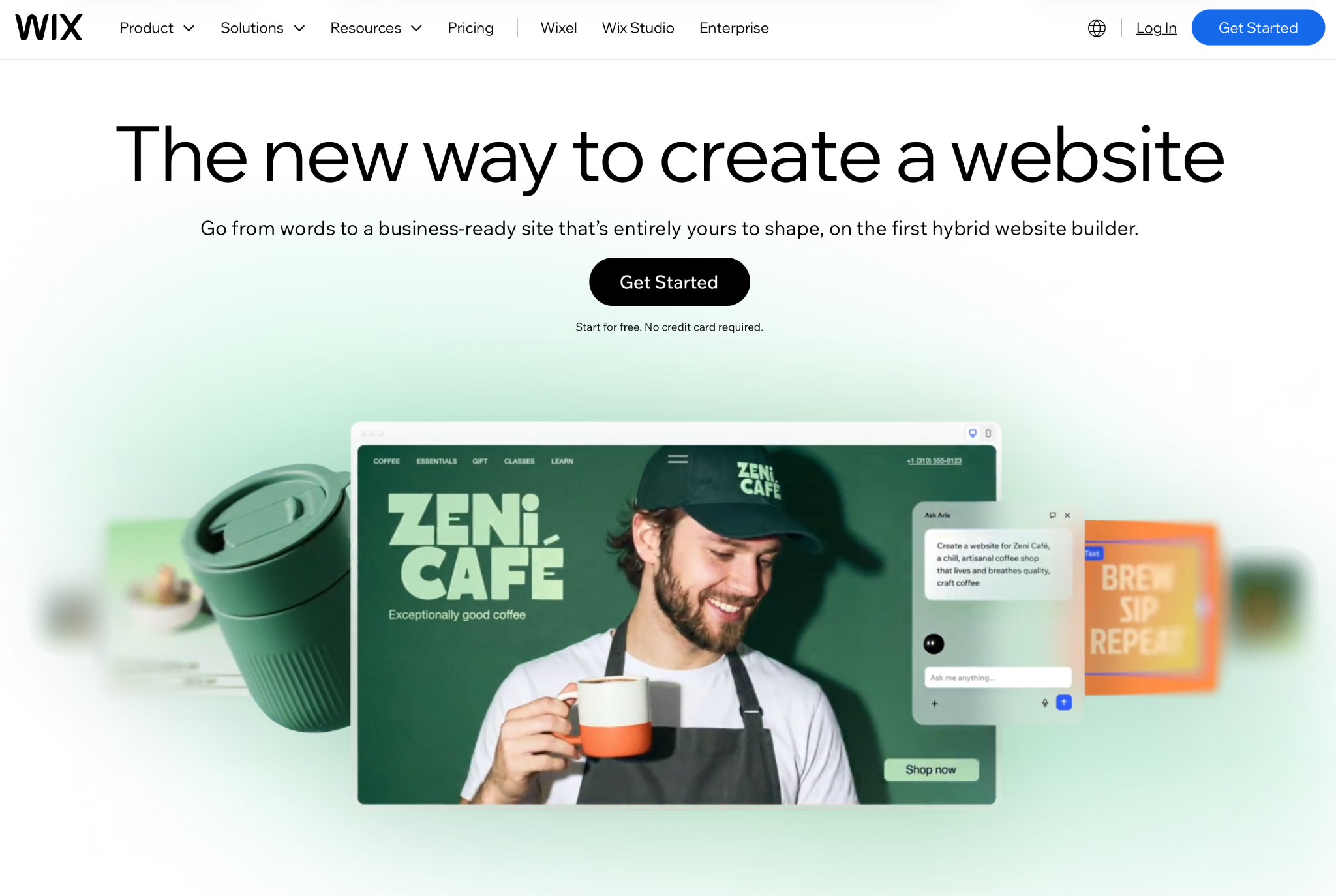
Wix, a builder of fully hosted websites, has a chatbot and drag-and-drop editor to assist in construction. You can both build and host your website on Wix, so you don’t have to set up a server.
Since launching in 2006, Wix has grown into one of the most popular website builders globally. You can use it to build anything from a simple one-page personal profile to a full e-commerce store. It also includes tools for creating portfolios, blogs, booking systems, membership programs, and online courses.
Wix has always prioritized design flexibility, and over the past few years, it’s invested heavily in its AI website builder. Now, when you start building your first website, a chatbot asks you to describe what you need. Wix then builds a site and suggests relevant features. For my test pet photography site, it suggested a portfolio, online store, and booking system. If I’d wanted to, I could also have added a blog or events.
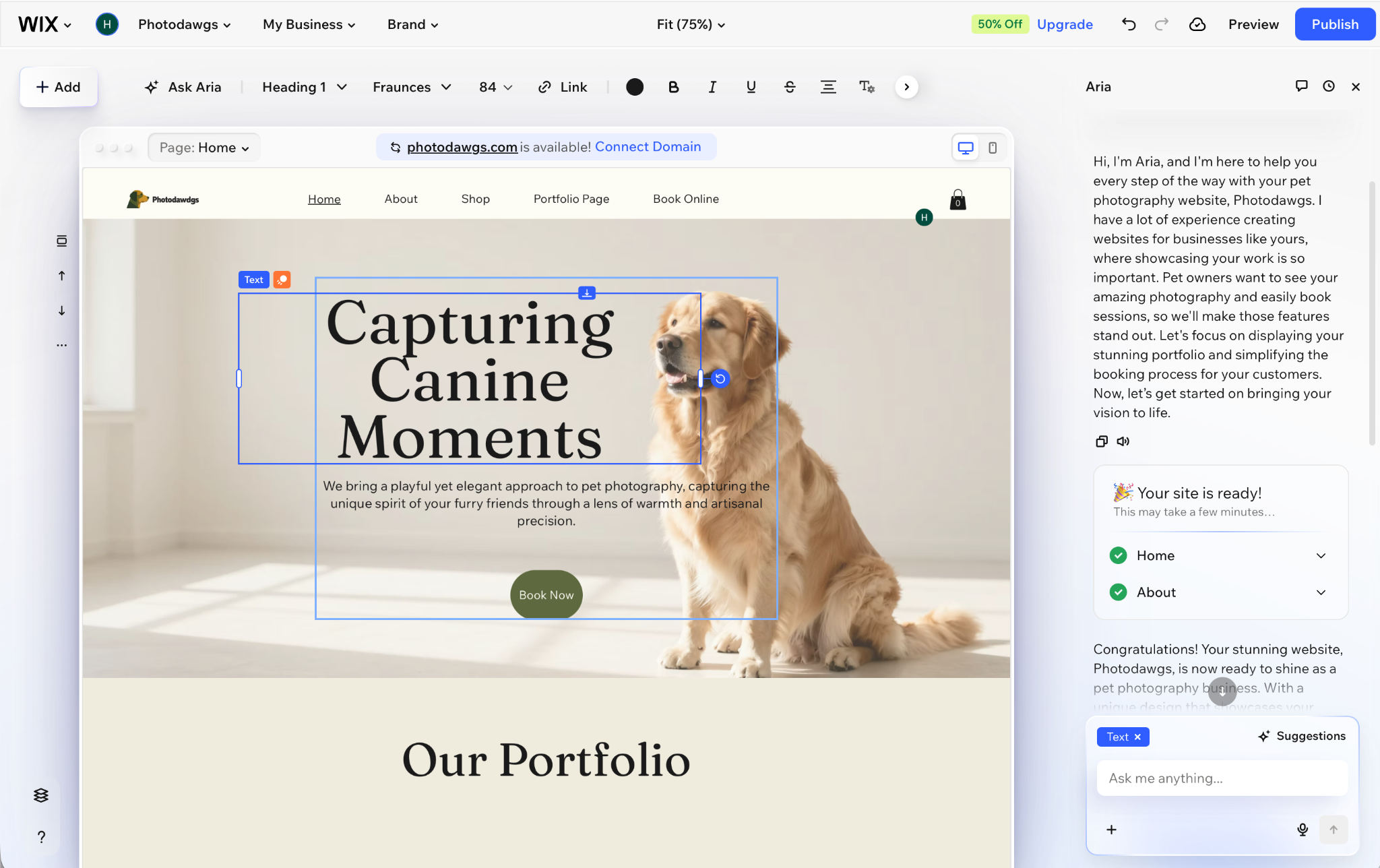
When designing your site, you can either start with a template or use the Aria AI platform. Both are good options. Templates give you a bit more control, while Aria gives you the flexibility to do whatever you want.
In addition to letting you build and host your site, Wix gives you the tools to run it. You can write blog posts, upload products to your online store, view and accept bookings, and collect payments. If you don’t want to use Wix’s default built-in options, you can also connect it to third-party tools through the Wix App Market. For example, you can accept payments through Wix Payments or connect Stripe or PayPal. It’s your choice.
Pros
- Flexible drag-and-drop page editor, AI-powered onboarding, and website builder
- Large collection of built-in business tools and support for third-party apps
- Generous free-forever plan and reasonable pricing for paid plans
Cons
- Overwhelming number of options, controls, and features
- Wix branding and a Wix subdomain with free plan
Who should choose Wix?
Choose Wix if you want plenty of creative freedom over how your website looks. You can use the drag-and-drop builder and AI tools to create a site that matches your vision. While that flexibility gives you lots of options, it also requires you to make more decisions. That’s the trade-off of design freedom.
Wix is also a good option if your business needs specific functionality. The Wix App Market includes more than 500 apps and integrations, allowing you to add almost any feature you need.
Wix is also beginner friendly. Its AI builder can turn any idea into a working site in just a few minutes, the onboarding and help documentation are useful, and it’s free to get started. For more, check out our Wix guide.
Pro Tip
Jotform integrates with Wix. If you want to add forms to your website, check out the Jotform + Wix Integration.
What is Squarespace?

Squarespace is an all-in-one website builder known for its polished, professional templates and intuitive drag-and-drop editor. It can also host your website and provide you with the backend tools for running it.
Squarespace is designed for professionals and small businesses. While you can use it to build almost any kind of website, blog, or online store, it has the feel of a professional tool. If you just want to create a simple, one-page website for fun, it’s not a great fit.
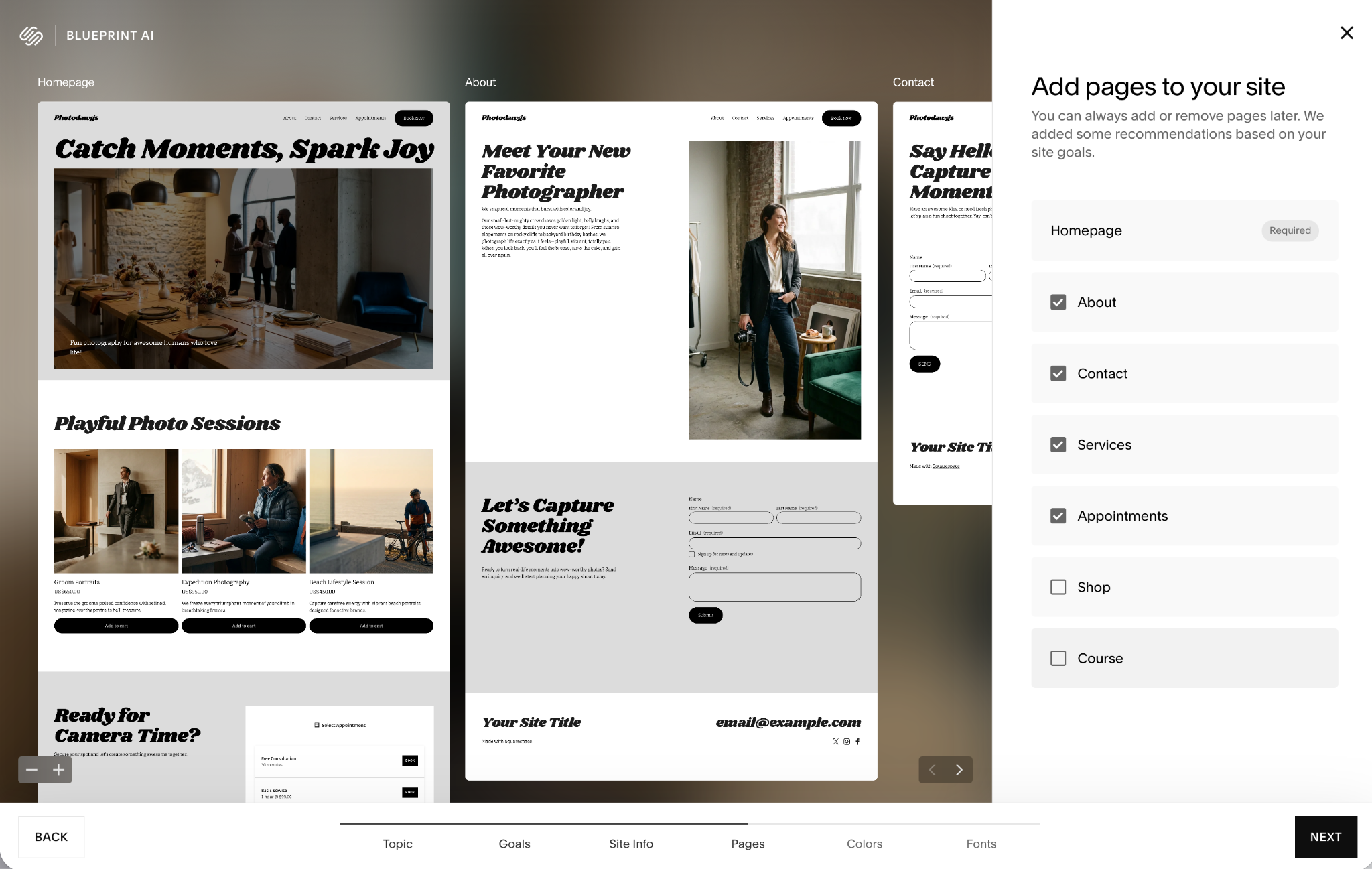
Squarespace is known for its curated selection of themes, and it now offers an AI website builder called Blueprint AI. It’s a handy option that gives you a customized starting point, though the results aren’t necessarily better than one of the themes. The best approach is to play around with it and see whether you like the results. If not, go with a theme instead.
At every step, Squarespace guides you toward good design decisions. It offers a collection of font pairings and color palettes to help you create a cohesive site with a strong, consistent layout. You can go rogue if you really want to, but Squarespace steers you toward polished results. The designs are never boring, but you don’t have total control either.
Squarespace also powers your website once it’s live. It includes a built-in blogging platform, booking tool, payment processing, online store, and support for third-party extensions. Everything has the same level of user experience polish as the website builder, with helpful documentation, guidance, and guardrails to keep your website professional, functional, and secure.
Pros
- High-quality templates, great defaults, and a strong design system for making beautiful websites
- Polished hosting and backend features
- AI tools for generating sites, web copy, and managing search engine optimization (SEO)
Cons
- No free plan, just a free trial
- Guardrails and guidance that can feel limiting
Who should choose Squarespace?
Choose Squarespace if aesthetics are your top priority. It takes real effort to make a bad-looking website with the platform.
It’s also a strong option if you want a polished, professional experience across the board. The whole platform feels tailored to freelancers, professionals, and small businesses that care about design and functionality, delivering a consistent and high-quality user experience.
Pro Tip
Squarespace has a Jotform integration. If you want to add forms to your Squarespace site, check out the Jotform + Squarespace Integration.
Wix vs Squarespace: A detailed comparison
Wix and Squarespace are two tools with the same goal, so there’s considerable overlap between them. Both platforms let you create personal websites, business websites, and online stores. But they approach some things differently. Depending on your needs, one may be a better fit than the other. So let’s look at a few of these differences to help you decide.
Design philosophy
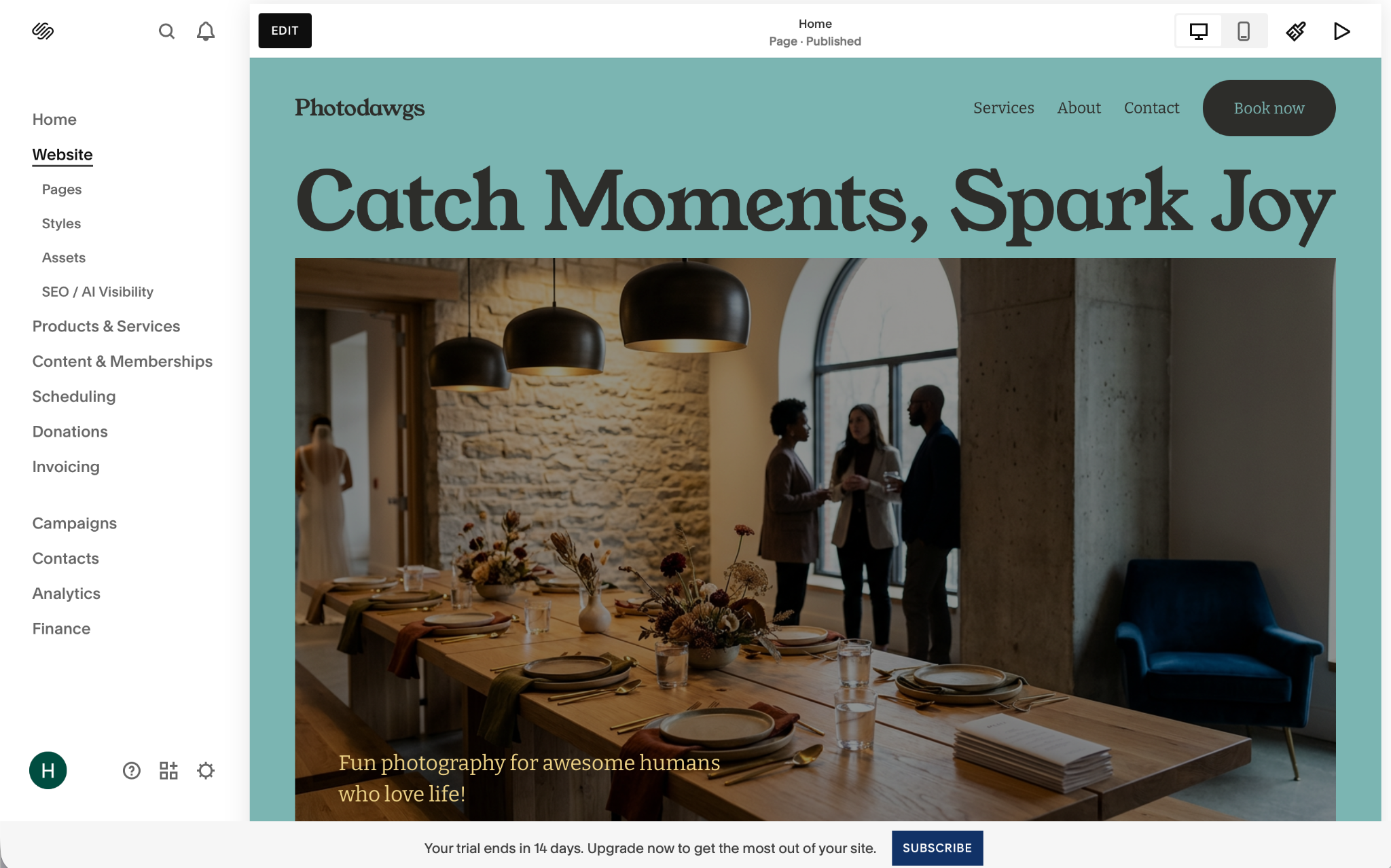
Wix and Squarespace have different design philosophies. Wix prioritizes user choice, while Squarespace focuses on design principles.
In practice, this means Wix gives you a huge amount of freedom over how your site looks. You can use whichever font you like, drag text anywhere on the page, and otherwise build the site your way. By default, Wix’s themes and AI website builder produce polished results. But if you want to make the world’s most garish website, you’re only a few clicks away.
Squarespace, on the other hand, takes a more controlled approach. Its Blueprint AI gives you fewer choices, and its templates are all strong examples of great web design. Its font pairings and color palettes all work really well, and the platform makes sure everything stays visually consistent on every page of your site. This makes it harder to create something truly unique, but it also makes it harder to build a site that looks bad.
Overall, Wix offers more customization options, while Squarespace provides stronger defaults and guardrails that make it easier to create a visually consistent site.
E-commerce capabilities
Wix and Squarespace both support small to medium-size online stores. They also work for service businesses, restaurant bookings, and physical stores that sell goods online. Still, there are some important differences to consider.
Wix includes e-commerce on its Core ($29 per month), Business ($39 per month), and Business Elite ($159 per month) plans. Core includes basic e-commerce features, while the Business and Business Elite plans offer loyalty and referral programs, gift cards, and higher limits for sales tax calculations and dropshipping integration.
You can sell physical goods, digital products, and subscriptions through Wix. You can also sell through marketplaces, social channels, and local stores and connect with shipping services. Wix handles inventory management, and the Wix App Market lets you integrate with other tools for dropshipping, print on demand, review management, international fulfillment, and more.
With Wix, you can scale from selling a few products out of your spare bedroom to a multistore empire without changing platforms, which is pretty convenient.
Squarespace includes e-commerce features on all its plans, though they’re more bare-bones on the Basic plan ($25 per month) and have an additional 2 percent transaction fee on physical goods.
The Core ($39 per month), Plus ($65 per month), and Advanced ($139 per month) plans all offer more features and integrations, with no transaction fees on physical goods. The main difference is the fees for other transactions. For digital goods and memberships, the transaction fee is 7 percent on Basic, 5 percent on Core, 1 percent on Plus, and 0 percent on Advanced. Card processing fees also decrease from 2.9 percent plus $0.30 on Core to 2.7 percent plus $0.30 on Plus and 2.5 percent plus $0.30 on Advanced.
This means the biggest difference on Squarespace plans isn’t the features. Core, Plus, and Advanced are all basically identical in that respect. The main distinction is how much you’ll pay in additional charges. If you’re selling only a few products per month, paying the higher transaction and card processing fees on the Basic or Core plan may be more affordable. If you’re selling hundreds of products per week, the Advanced plan will likely save you money.
In general, Wix is more modular, with different features available on different plans. Squarespace includes most of the same features on its Core, Plus, and Advanced plans, so the transaction costs become the bigger decision. Which platform works better for you depends on what you need from your e-commerce store.
Content management & blogging

Both Wix and Squarespace make it easy to edit your website’s content. You can change the content on any page through the editors. However, they take different approaches to blogging.
With Wix, you can add a blog to your site. If you say you want a blog during the AI setup, Wix adds it from the start; otherwise, you can add it later. It’s a fully featured blogging platform with categories, support for multiple authors, scheduled posts, analytics, monetization, and social features. You can put some posts behind a paywall or membership, combine them with subscriptions and email newsletters, and connect to services such as Mailchimp or Kit.
This means you can run a full blog with Wix. You can assign multiple contributors with different roles, such as writer or editor, and monetize your content directly or use it for marketing. It’s the real deal.
Squarespace has a more restrained take on blogging. It treats a blog more like another page than a separate content system. You don’t need to install anything extra, but the platform is slightly less flexible.
Even so, Squarespace supports categories, comments, multiple authors, scheduled publications, and newsletter and social integrations. You can feature blog posts anywhere on your site, including behind a paywall or membership program.
Both tools allow you to create and run a blog. Wix offers a more comprehensive blogging platform, while Squarespace keeps it closely integrated with the rest of its features.
SEO capabilities
Wix and Squarespace are equally capable when it comes to SEO. Both offer the tools and technical features required to make your website search-engine ready.
Wix has an SEO setup checklist that walks you through configuring your website. It guides you through adding metadata, such as your site title and description, and connecting your site to Google Search Console and Bing Webmaster Tools so you can see how major search engines are indexing it. Every page supports titles, canonical data, and other core SEO features. Advanced users can also further customize the Wix SEO settings, including page redirects, XML sitemaps, and default settings for different page types.
Squarespace has a more automated approach. When you set up your site, it generates a sitemap, canonical tags, and basic metadata. You can edit these elements, but you may not need to. If there’s anything missing, Squarespace flags it in an SEO report.
Whichever platform you choose, the built-in SEO tools provide what you need to get your site indexed and listed by search engines.
Customer support
Wix has a help center with articles covering almost every feature. The AI chatbot can direct you to the right articles or connect you with support, including 24-7 live chat and phone callback support.
Squarespace has comprehensive help docs, webinars, and help videos. It also has an AI-powered help bot that can direct you to the right articles. To contact support, you can use email, X, Facebook Messenger, or live chat. Squarespace says email, X, and Messenger are available 24-7, while live chat operates between 4 a.m. and 8 p.m. (ET) Monday through Friday. There’s no phone support.
Pricing
Now the big consideration: Wix vs Squarespace pricing. Both offer multiple subscription tiers and discounts when you pay annually.
Wix pricing
- Wix is the only one with a permanent free tier. It lacks many of the features included with paid plans, and your website will have Wix branding and a Wix subdomain. Still, it’s a great option for getting started.
- Wix Light includes basic features and a custom domain. It costs $24 per month, or $204 per year when billed annually, which works out to $17 per month. It’s best for freelancers and small businesses starting out online.
- Wix Core adds basic e-commerce features. It costs $36 per month, or $348 per year ($29 per month) on an annual plan. It’s best for existing businesses that want to start selling online.
- Wix Business adds more business and marketing features and costs $46 per month or $468 per year when billed annually, which works out to $39 per month. It’s best for small e-commerce businesses.
- Wix Business Elite is a full-featured e-commerce platform. It costs $172 per month, or $1,908 per year when billed annually, which works out to $159 per month. It’s best for large businesses with extensive online stores and established physical businesses with multiple locations.
Squarespace pricing
- Squarespace Basic costs $25 per month, or $228 per year when billed annually, which works out to $19 per month. It charges a 2 percent transaction fee on store sales and lacks a few features included in other Squarespace plans. It’s best for freelancers, professionals, and small businesses that just want a portfolio website.
- Squarespace Core ($39 per month or $348 per year), Squarespace Plus ($65 per month or $588 per year), and Squarespace Advanced ($139 per month or $1,188 per year) all offer the same core features. The difference is the credit card and transaction fees on digital content and memberships. As the monthly plan price increases, the additional fees decrease. All three plans are suitable for online businesses, though the right choice depends on your sales volume.
Both Wix and Squarespace offer good value at a wide range of price points. Choose the plan that gives you the features you need at the lowest overall cost.
How to embed Jotform on your website (or even build one)
Jotform makes it super easy to add a form to your website, which can simplify how you manage it. For example, you can use Jotform to collect leads, take payments or bookings, get feedback, or handle support requests without building anything from scratch.
Whatever website builder you use, you can embed a form with Jotform in two simple steps:
- Create your form with Jotform (free and super easy).
- Add your form to your website, no coding knowledge required.
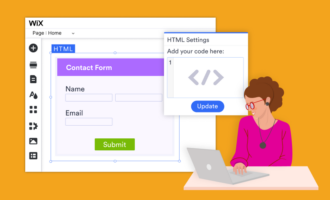
You can embed your form directly in your website using JavaScript, an iFrame, or HTML embed code. You can also display it as a popup or lightbox, or trigger it with a button. Here’s how to create a Wix contact form or create a form in Squarespace.
Jotform also integrates with more than 40 third-party website builders, not just Wix and Squarespace. So whether you want to make a contact page in Squarespace, a customer feedback form in Wix, or any other form on any website builder, it has you covered.
For an even simpler website builder, check out the Jotform AI Website Builder. It’s one of the easiest-to-use Squarespace and Wix alternatives; you can build a website from a single prompt.
FAQs about Wix and Squarespace
Wix is slightly cheaper than Squarespace. It has a free plan with Wix branding and a Wix subdomain. The Wix Light plan costs $24 per month or $204 per year when billed annually (which comes out to $17 per month), while the Squarespace Basic plan costs $25 per month or $228 per year when billed annually (which comes out to $19 per month).
However, both Squarespace and Wix are great website builders, and price shouldn’t be the only consideration. For example, when comparing Wix vs Squarespace for e-commerce, Squarespace Basic is the better plan because it supports payments, while Wix Light doesn’t.
When you’re making your Wix vs Squarespace comparison, look at the whole picture and give both a try.
No, Wix isn’t slower than Squarespace. Both allow you to make a great website in a couple of hours. In terms of web performance, both are able to generate fast, modern, mobile-friendly websites.
This article is for small business owners, entrepreneurs, creators, freelancers, and anyone comparing website builders to choose the best platform for their business, portfolio, blog, or online store.
























Send Comment: