

Searching for “project management solutions” on Google returns over 900 million results. Capterra, a software review site, lists over 1,500 solutions in its project management software category.
Clearly, project management technology is a popular topic — that’s not surprising given both the pervasiveness of projects in business and the need for digital-first solutions. Despite the sheer number of project management solutions available in the market, several products have gained more prominence than their peers.
In this post, we’ll compare four key features necessary for effective project management in two such products: Asana vs ClickUp. Providing her insights on the comparison is Jasmin Haley, an award-winning speaker, author, consultant, and podcaster. She previously used Asana in her business for four years before switching to ClickUp, which she’s used for just over a year.
Keep reading to get into the nitty-gritty of Haley’s user experience with Asana vs ClickUp, specifically comparing four features key to project management offered in both platforms. We’ll also share the critical factors you should explore when deciding which solution to use in your own business — and introduce you to a new project management tool to consider: Jotform Boards.
 Asana |  ClickUp | |
|---|---|---|
| Best for | Streamlined and simple task management and project management | Complex project management |
| Industry fit | Customizable enough to align with many industry and business processes | High degree of customization for almost every feature, making it a good choice for any industry or business |
| Scalability | Highly scalable solution that works best for those looking for a streamlined experience | Highly scalable solution that offers extensive customization and automations |
| Core project management functionality | Fewer board customizations, More native integrations but fewer third-party integrations, Automations only included in paid plans, Form features included in paid plans only | More board customizations, Fewer native integrations but more third-party integrations, 50 free active automations per month, Form features included in free plan |
| Artificial intelligence | Asana AI is included in paid plans | ClickUp Brain comes at an additional cost |
| Learning curve | Highly intuitive and easy to learn | Has a steep learning curve |
| Plans/Pricing | Free plan available; Starter: $10.99/user/mo., Advanced: $24.99/user/mo., Enterprise: Custom, Enterprise+: Custom | Free plan available; Unlimited: $7/user/mo., Business: $12/user/mo., Enterprise: Custom |
1. ClickUp offers more board customization options
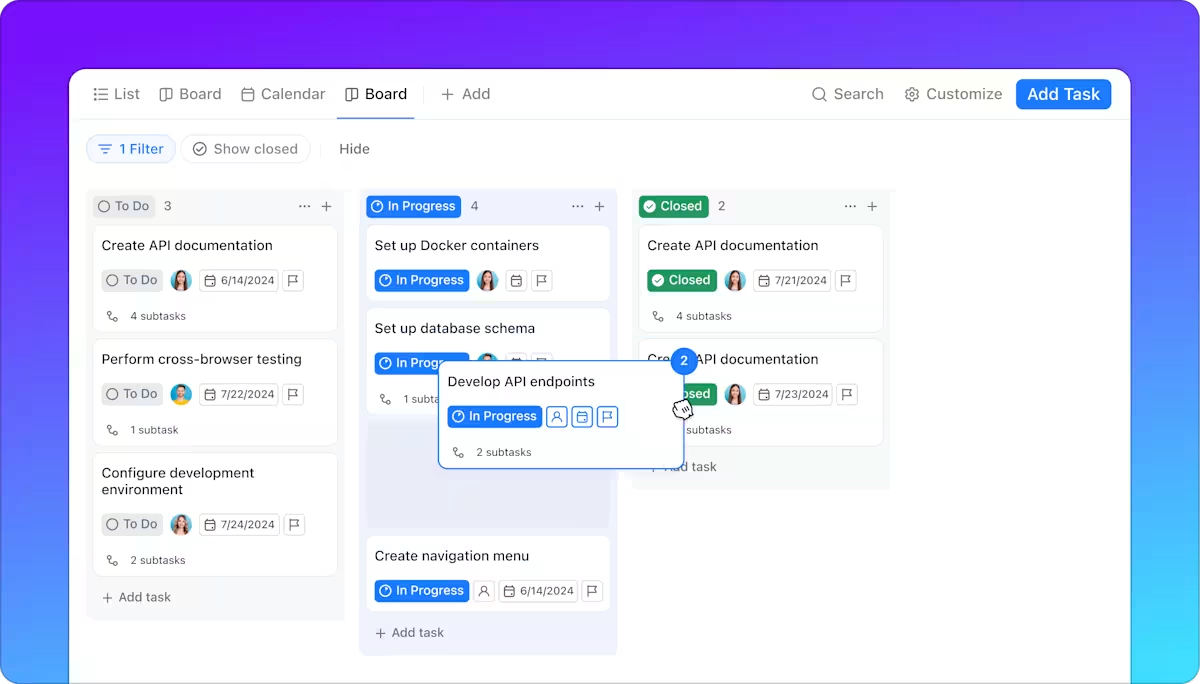
Both Asana and ClickUp use Kanban-style boards to visualize tasks and workflows. You can organize your boards by functional areas, such as marketing and HR. Haley uses this approach, but also has boards for different programs, clients, and product launches. Having the ability to customize the board based on your project workflows is key.
Part of the reason she switched to ClickUp was because she needed more customization options.
“As I was scaling my business, I was looking at every avenue for added efficiency. With ClickUp, I can embed actual documents from, say, Google Docs or Loom into my boards. This keeps me and my team in one interface, instead of having to constantly switch between products.”
Bottom line: Both ClickUp and Asana offer similar board functionality, but ClickUp stands out for being easier to customize and having slightly more customization options. In addition to embedding documents into boards, you can also embed views from other apps, such as Airtable, and edit them within ClickUp. This is key for organizations that use multiple project management tools but want the ability to consolidate them for enhanced productivity.
2. Both Asana and ClickUp offer hundreds of integrations, but ClickUp has more
Software integrations are key to ensuring the data for your project moves seamlessly between systems and teams. Without integrations, manual data sharing can lead to human error, security breaches, schedule delays, and other issues.
As popular as Asana is, Haley was surprised to find the platform doesn’t offer nearly as many integrations with third-party solutions as ClickUp does. “We use a number of software solutions in my business, so this was often a limiting factor. My team was forced to create inefficient work-arounds.”
Bottom line: Asana has native integrations with over 200 apps, while ClickUp has closer to 50. However, both solutions also offer many third-party integrations as well: ClickUp has over 1,000 third-party integrations whereas Asana has only a few hundred.
3. Asana offers fewer automation options than ClickUp
At the top of any list of key task management tips is automating routine and administrative tasks whenever possible. When it comes to automation options between Asana and ClickUp, Haley says Asana offers fewer options. For example, ClickUp can automatically
- Assign people to specific tasks
- Change a task to high priority when the due date approaches to encourage team members to adjust their focus accordingly
- Post a comment whenever the task status changes
In addition, even if ClickUp doesn’t have the automation she needs, she can turn to Zapier — this external automation solution integrates with both Asana and ClickUp but offers more automation options with ClickUp.
“When we onboard a new client, for example, we use several systems. To save time, we need certain details from these systems to auto-populate onto our ClickUp boards. Due to Asana’s limited integrations, this wasn’t possible,” Haley explains.
Asana does offer premade automations, but they can be difficult to find in the interface. However, Asana’s automations can be drafted visually using the automation designer, which some users may prefer.
Bottom line: Both solutions offer automation options, but ClickUp offers more, with added flexibility. Another key differentiator is in pricing: ClickUp lets you use up to 50 active automations each month in the free plan, but to use automations in Asana, you have to sign up for a paid plan. Asana’s Starter plan, which sells for $10.99 per user per month, offers unlimited automations.

4. Both Asana and ClickUp offer forms features
Though Asana offers a forms feature, Haley was not aware of it and instead used Google Forms. When she learned about forms in Asana, she was excited — until she found out the feature is only offered in the higher-tier plans. “Forms are a part of the standard pricing in ClickUp,” she says.
ClickUp has a built-in form feature called Form View, which is available with every plan. However, the ClickUp free plan limits users to one form per month. Asana’s form feature is only included with paid plans.
Bottom line: You can create forms in both Asana and ClickUp and use them to automatically create tasks with these tools.
Key considerations when choosing Asana vs ClickUp
In addition to the four project management features above, what else should you keep in mind when deciding between Asana and ClickUp? This list offers other important considerations to help you make your decision.
Learning curve
Regardless of which solution you choose, it must be easy to learn for all of your users. If it’s cumbersome to get started, that may impact adoption rates. Asana is highly intuitive and quick to master, largely due to the fact that it is a simpler solution and less comprehensive when compared to ClickUp. “ClickUp is more robust, but that also means it was harder to grasp [in the beginning],” Haley explains. “I had to hire someone to set up ClickUp because it was a little overwhelming for me, but I’m well-versed now, and it’s been a great support for my business. I’ll also note that ClickUp made it easy to switch, as you can easily transfer your boards from Asana.”
ClickUp will likely have a steep learning curve for many users, while most will be able to hit the ground running with Asana.
Industry and business needs
Your project management platform should fit easily within your industry workflows and business processes. Haley has this to say on the topic:
Take stock of what features you actually need in your business. I went with ClickUp because it was so robust and handled a variety of my needs, but you may need a few foundational project management capabilities in an easy-to-understand interface. In that case, Asana may work for you.
Both platforms have added value to my business, and I recommend both highly. They have many of the same features, though each platform handles those features a bit differently. I think it comes down to the individual business owner as to which platform works best for them.
Artificial intelligence
AI features within project management tools help automate tasks, increase productivity, minimize human error, and enable stronger data-based decision-making. Both Asana and ClickUp offer AI tools, so you’ll get to experience the benefits of AI in either case.
Asana AI is like a virtual assistant, working alongside your team and completing administrative and routine task management. It’s a no-code AI solution that can also assist with reporting.
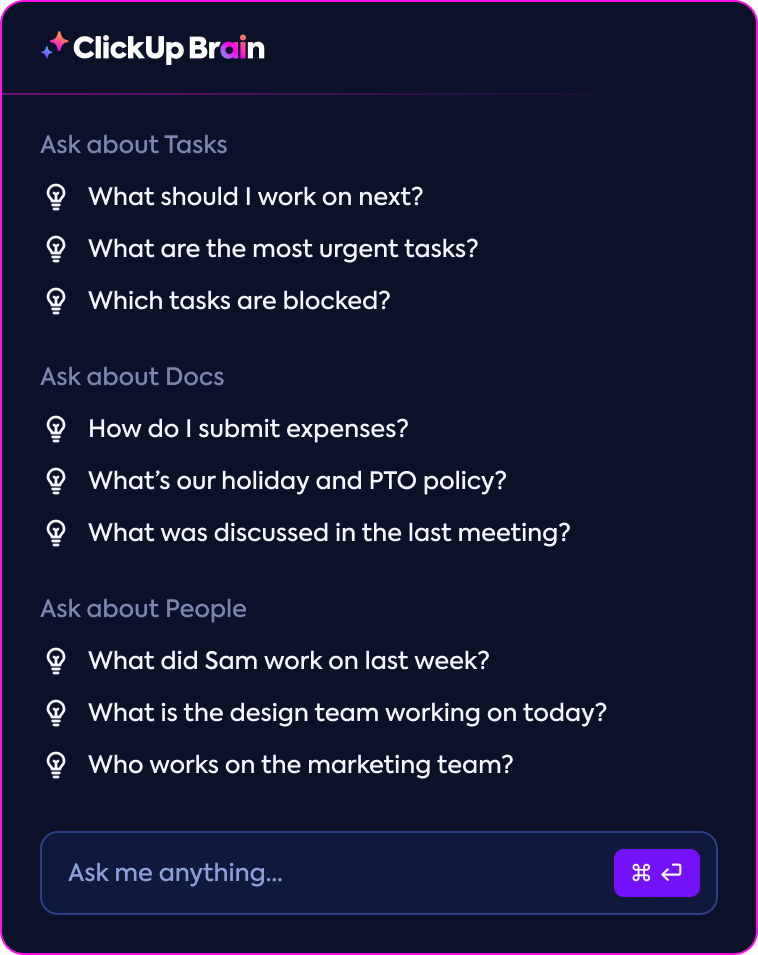
ClickUp Brain uses AI to connect all of your project tasks, documents, and people. It can even connect to external apps, giving you the context you need to make important project decisions. ClickUp Brain completes administrative tasks, answers project questions, writes project updates and content, and more.
Scalability
How will your team or organization evolve over the next few months? What about the next few years? Consider scalability with each solution and how it can evolve with your needs.
Both Asana and ClickUp are highly scalable solutions with the ability to grow alongside your business. While Asana’s feature set is strictly focused on project management, ClickUp’s is more robust — but both tools can accommodate large teams.
Pricing and plans
How much are you willing to invest in your project management tool? Both ClickUp and Asana offer competitively priced plans, but there are some important factors that stand out.
“While both solutions can be affordable, ClickUp offers several features in its standard pricing that you must pay extra for in Asana,” says Haley.
ClickUp’s free plan includes unlimited free plan members, whereas Asana’s free plan only lets you collaborate with up to 10 teammates. ClickUp includes free automations and form functionality, but you have to pay for those features in Asana.
If you’re interested in using the platform’s AI features, you’ll have to pay in both ClickUp and Asana. ClickUp Brain comes at an additional cost (but is available with a free trial), as does Asana AI, which is only available in paid plans.
Overall, ClickUp’s pricing is lower than Asana’s. ClickUp offers plans for $7 or $12 dollars per user per month, while Asana’s paid plans cost $10.99 or $24.99 per user per month. Both platforms also provide custom enterprise solutions.
Jotform Boards: An excellent alternative to ClickUp and Asana
While ClickUp and Asana are great tools for project management — both offer useful features and competitive pricing — they may not quite meet your needs, especially if your workflows start with form submissions. One alternative to consider is Jotform Boards, an intuitive task management software that helps users streamline their workflows and organize tasks effectively.
Here are some of the reasons organizations choose Jotform Boards for their project management needs:
- Flexible Kanban-style boards: Create a project board from scratch or use project forms to turn submissions into actionable tasks automatically. You can connect one or multiple forms to your board. Organize tasks visually and arrange them using simple drag-and-drop functionality.
- Project board templates: Don’t want to create a board from scratch? Use one of Jotform’s 1,000+ free board templates and edit it with the intuitive user interface. Jotform offers templates for a variety of industries, business processes, and types of projects.
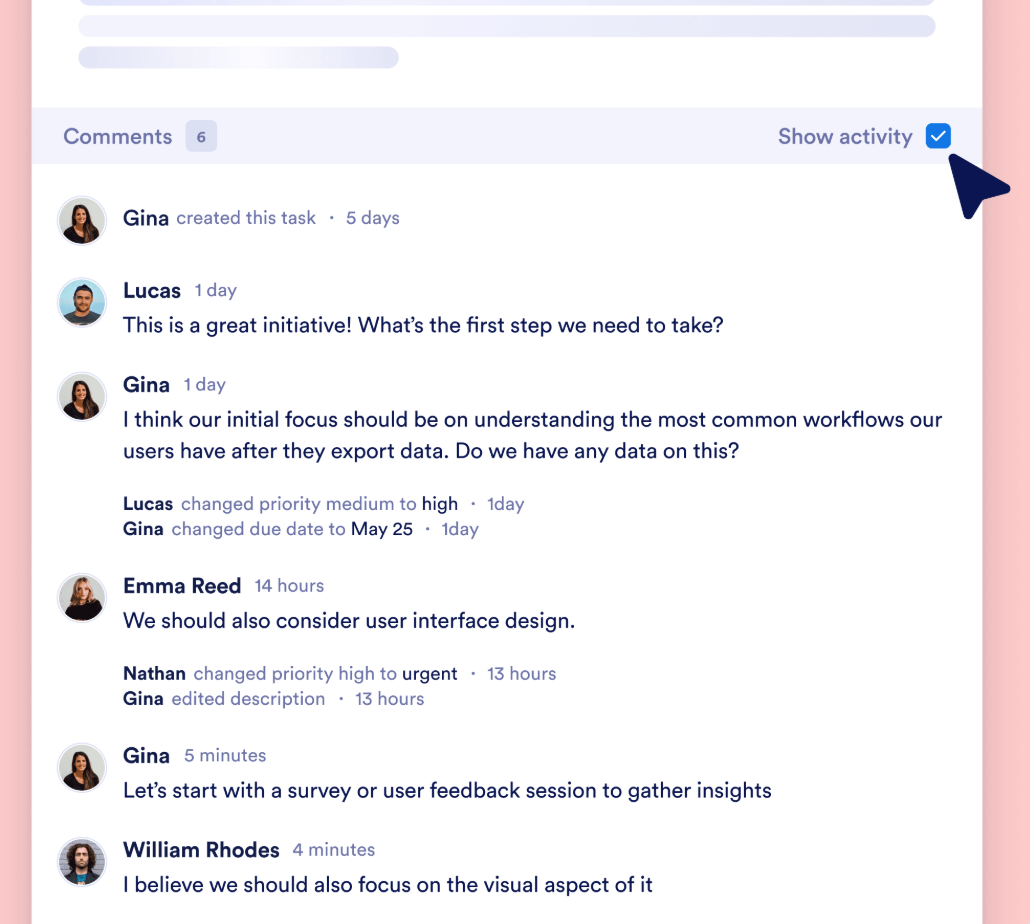
- Collaboration focus: Empower your team to work seamlessly together by sharing boards, assigning tasks, and adding comments on tasks for better communication. Use the comprehensive Activity Log to see all project changes.
- Easy task management: See all tasks for your project in one place, making sure they are easily accessible to the right people on your team. Search and filter tasks or use key task fields to keep everything organized and structured.
- Deep customization: Tailor the project board to fit your business processes and project needs. Edit the board groups to reflect your workflow and adjust the task layouts as needed by adding and removing fields. Jotform Boards also lets you personalize the board’s background theme to align with your company branding and preferences.
- Ecosystem of project management tools: Deploy Jotform AI Agents and turn agent conversations with users into task requests on your project board. You can also create automated tasks from customer orders, e-signature forms, project workflows, and more.
- Full mobile responsiveness: Project planning importance is critical, especially when your team is on the go. Jotform Boards is a powerful and adaptable workspace that enhances your productivity, anytime and anywhere.
If Asana and ClickUp don’t offer the functionality or pricing that works for your needs, Jotform Boards is a great alternative. Ideal for organizations that use forms to start their workflows, Jotform Boards is a streamlined project management solution that can be customized for any industry. Best of all, Jotform Boards offers a free plan that lets you create unlimited boards. Explore this solution in tandem with Jotform’s project planning guide, and see how it can help you better manage tasks, team members, and projects today.
Built for operators and project leads weighing Asana vs ClickUp—or a lighter, form-driven boards tool. If you manage launches, client work, sprints, or internal projects and care about Kanban flexibility, integrations, automation, cost, and ramp-up time (including migrations and Jotform Boards form-to-task flows), this is for you.



















Send Comment: