Keeping your team aligned on a project’s status is essential to success. Projects with regular progress reviews have a 30 percent higher success rate than those without. Staying connected often comes down to the tools your team relies on, which means choosing project management software is an important decision.
Two popular options for project management software are Microsoft Teams and Asana. Although these tools take different approaches to project management, both help teams stay aligned, communicate more effectively, and coordinate project work without confusion.
While Microsoft Teams and Asana differ in many ways, they also provide essential, complementary services to business teams. Teams focuses on communication and collaboration, and Asana handles organization and tracking.
However, some businesses may not need or want to invest in both tools. That’s why we’re providing a detailed look at Asana vs Microsoft Teams, including pricing, features, and use cases so you can confidently choose the right solution for your team.
 Microsoft Teams |  Asana | |
|---|---|---|
| Who should use it? | Teams in need of chat, video calls, and conferencing capabilities | Teams in need of project, task, and workflow management tools |
| Integration capabilities | Extensive integrations with the Microsoft 365 ecosystem, including apps and bots | Strong integration base with popular tools such as Slack, Zoom, and Google Drive |
| Customer support | In-app help center, live chat, phone, and agent support for business users | Help center, in-app chatbot, tickets, and community forum |
| Free plan | Free plan for individuals; includes limited chat, call, and collaboration features | Free plan available; includes limited users and basic management features |
| Pricing | Paid plans ranging from $4 to $12.50 per user, per month when billed annually | Paid plans ranging from $10.99 to $24.99 per user, per month when billed annually |
What is Microsoft Teams?

Microsoft Teams is an internal and external communication platform included with the Microsoft 365 suite. It offers communication and collaboration-centric features, such as
- Video conferencing
- Chat messaging
- Audio calls
- In-app file collaboration
- Team meeting recordings
- Cloud storage
Businesses often use Microsoft Teams to support project coordination, internal alignment, and client communication. As part of the Microsoft suite, it’s also a popular choice for organizations that want integration with other Microsoft tools they already use.
What are the unique features of Microsoft Teams?
Compared with Asana, Microsoft Teams has a distinct set of features and benefits that businesses can tap into as part of their tech stack. Some of these features include
- Integration capabilities: Compared with Asana, Microsoft Teams offers access to more than 10 times as many native integrations. Thanks to its integration with the Microsoft Marketplace app store, Teams can connect with more than 3,000 third-party tools, including project management and content management systems.
- Built-in video conferencing: One of Microsoft Teams’s primary advantages over Asana is its ability to host online video conferences. This core feature helps teams engage face-to-face in real time, regardless of location. It also includes supplemental capabilities such as recordings and live translation.
- Channels for structured communication: Not everyone on your team needs to be in every conversation. Microsoft Teams lets you organize internal chats into dedicated channels, so relevant stakeholders can stay in the loop without overwhelming everyone else.
- Built-in calling: To round out its communication capabilities, Microsoft Teams also offers audio calling between team members and clients. Teams even offers Teams Phone, an add-on that replaces a dedicated phone app or landline with a natively integrated, cloud-based calling service.
These features make Microsoft Teams an ideal solution for businesses facing project management challenges related to internal communication, as well as for teams already working within the Microsoft 365 ecosystem. With these tools, your team can improve cross-team collaboration and better facilitate team collaboration best practices, such as regular face-to-face check-ins.
Jotform + Microsoft Teams integration
Microsoft Teams may be a powerful communication tool on its own, but you can get even more value from it by integrating automated solutions such as Jotform. Using the Jotform + Microsoft Teams integration, your team can automatically generate direct or channel messages or create calendar events whenever a new form submission is received. You can also trigger these automations when a document is e-signed using Jotform Sign.
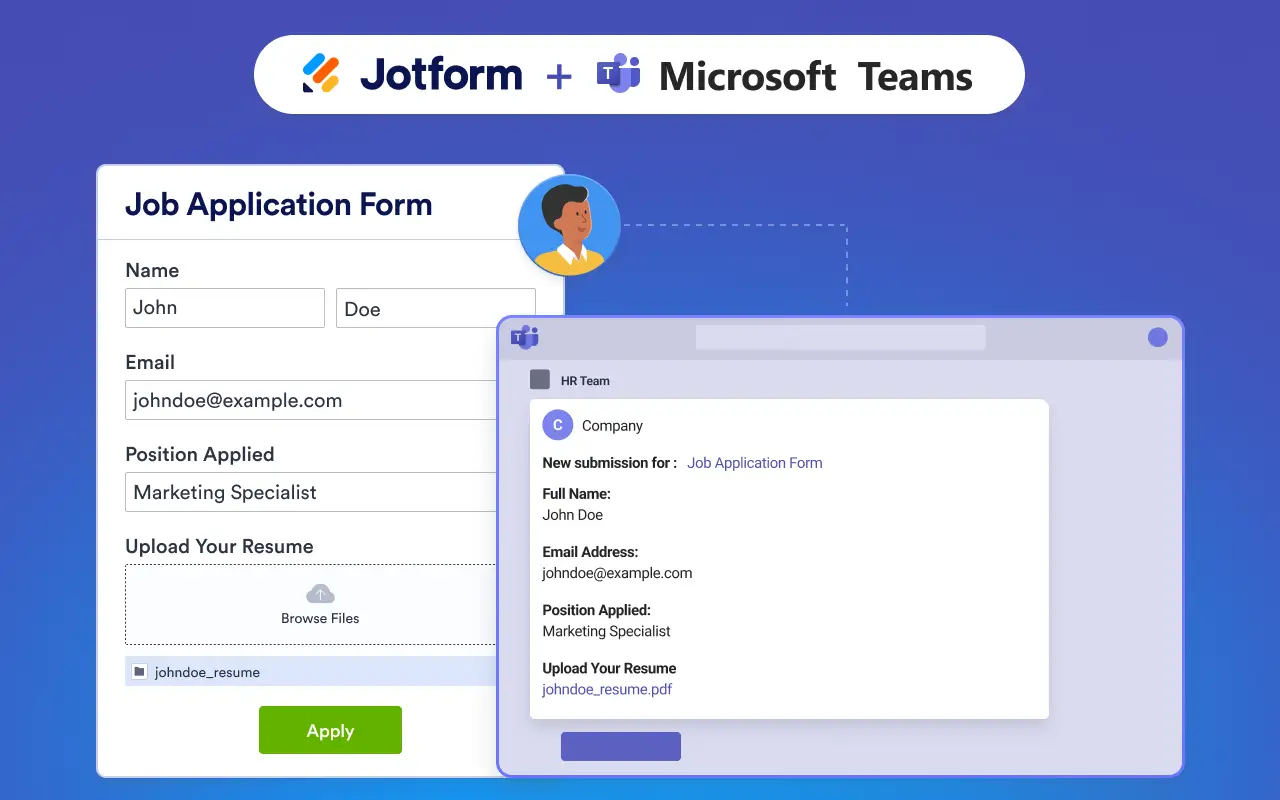
Combining these two tools lets you streamline actions such as
- Sending a message to the standard channel
- Sending a message to the private channel
- Sending a chat message
- Creating a meeting
For businesses that rely on online forms and want an efficient way to communicate with their team, this integration is a must-have in your tech stack.
What is Asana?
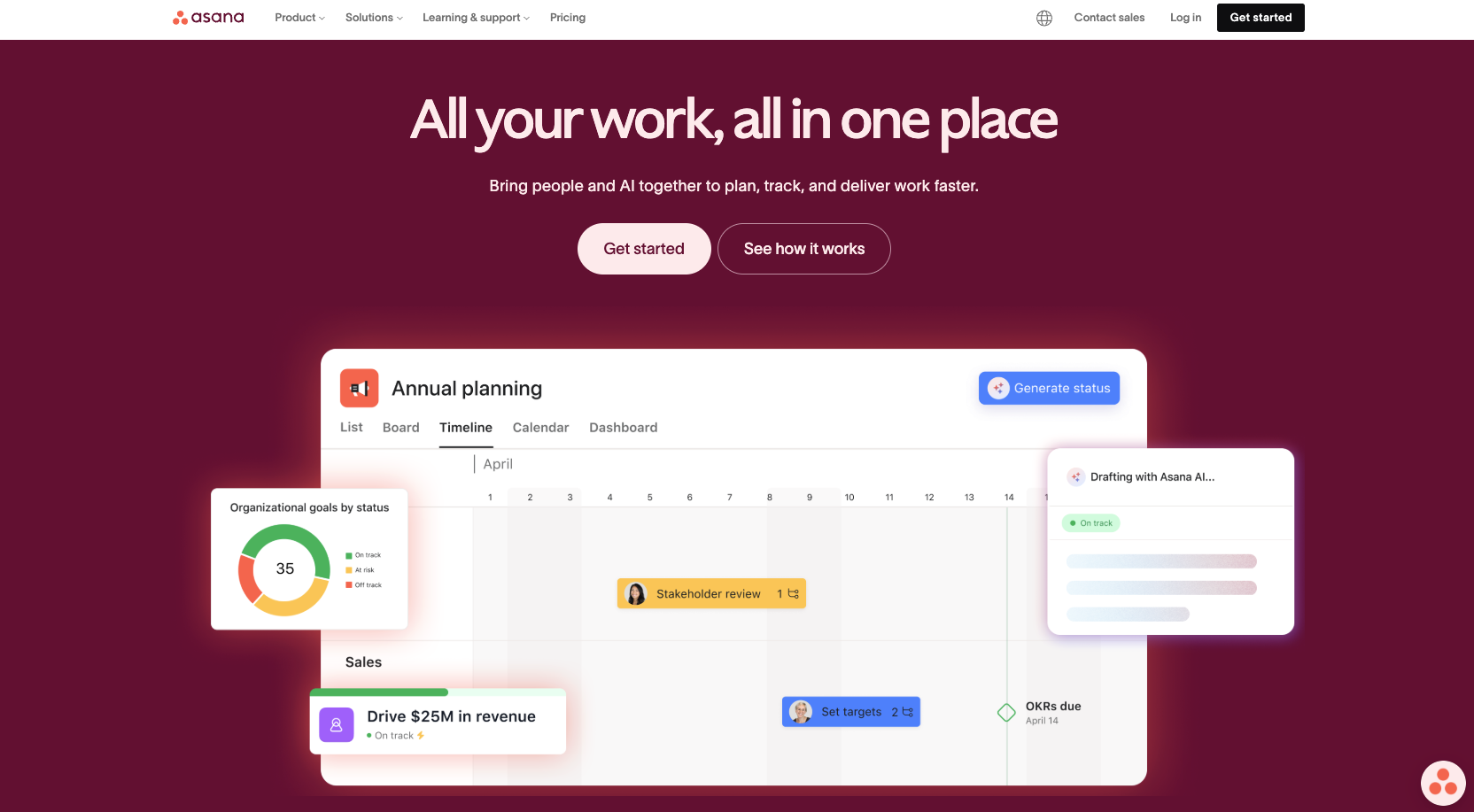
Asana is a project management platform designed to help teams plan projects, assign tasks, and track progress in a centralized workspace. It reduces the need to rely on emails and spreadsheets to stay organized and supports common business needs such as
- Strategic planning
- Project intake
- Goal management
- Resource planning
- Product launches
With Asana, your team can visually track project progress as work moves from one stage to the next, check off completed tasks, and leave comments for team members to review.
What are the unique features of Asana?
Asana’s features differ significantly from those of Microsoft Teams due to its project management focus. While both tools help teams stay organized, Asana offers a more hands-on approach through features such as
- Project visualization: Asana helps you view your projects in manageable formats, including kanban boards, lists, timelines, and calendars. Centralizing project management in a single platform makes planning and tracking work more efficient.
- Task dependencies: Asana helps ensure essential tasks are completed in the correct order by allowing teams to add dependencies within project workflows. This makes it easier to identify potential roadblocks and hold team members accountable for their work.
- Workflow automation: The platform includes automation tools that reduce the number of manual steps (and headaches) required to keep project information up to date and work moving smoothly.
- Workload management: Knowing how much time each team member is committing to each task is essential. Asana’s project time management tools, including time tracking, help teams understand resource allocation, balance workloads, reduce burnout risk, and make informed scheduling decisions.
- Task-level communication: Team members can leave comments directly within task pages, eliminating the need to search for that one lost ping that holds vital project information. This keeps updates and input connected to the work they support and helps reduce communication bottlenecks.
- Timeline and planning tools: Asana’s timeline views help teams visualize project scope, stages, and deadlines in relation to their schedules. Providing project information in this format makes it easier to understand priorities, plan ahead, and keep projects on track.
These features make Asana an ideal solution for businesses that need visualization and tracking tools rather than communication-focused features. By bringing project information into a single workspace, Asana helps teams stay organized and reduces confusion about what needs to happen and when.
Jotform + Asana integration
Thanks to its hundreds of integrations, Asana can push beyond its already impressive project management capabilities. One solution in particular that can help boost your efficiency is the Jotform + Asana integration.
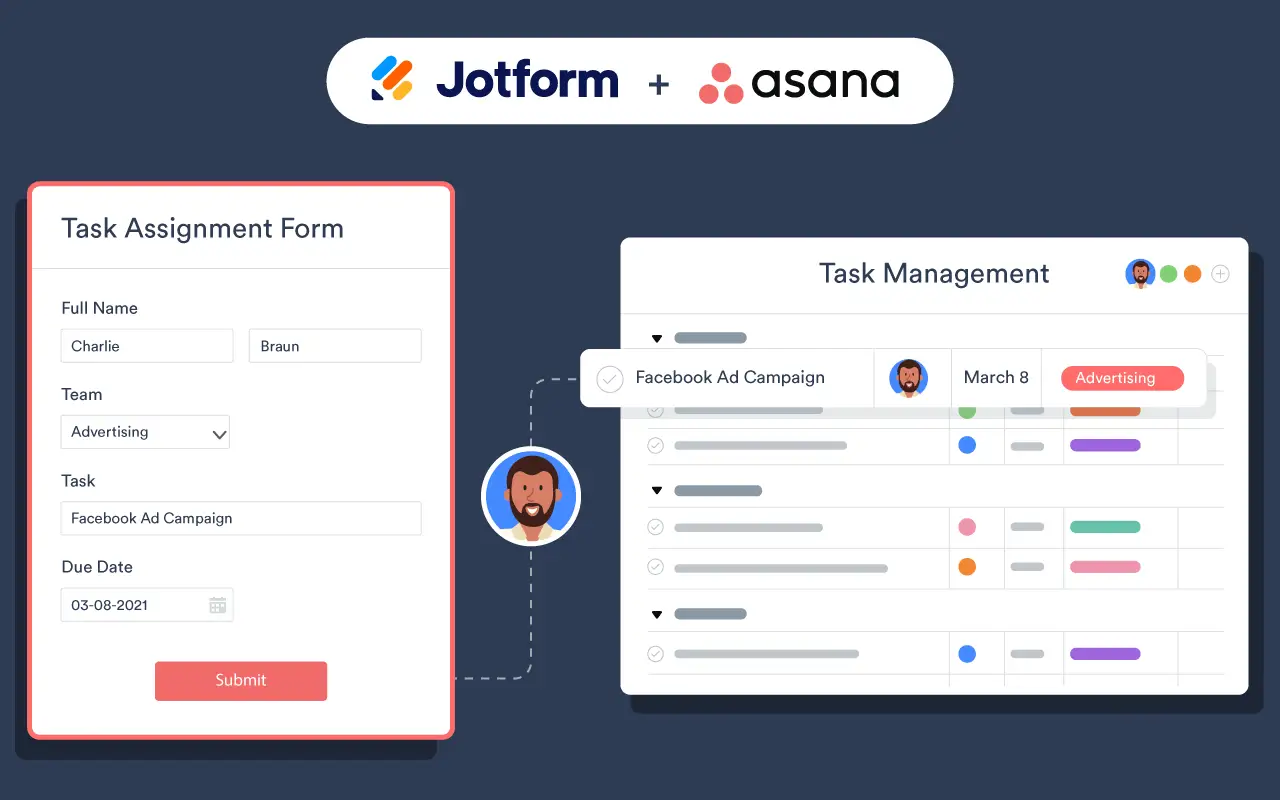
By connecting custom online forms to Asana, you can automatically send form submissions and related files to Asana tasks, reducing errors caused by manual data transfer.
Through the Jotform and Asana integration, you can
- Add tasks to existing projects.
- Add comments to tasks.
- Create new projects.
- Create sections.
You can also create forms in Asana by connecting it to your Jotform account. This allows you to take advantage of the more than 20,000 free form templates available through Jotform, along with the drag-and-drop functionality of the Jotform Form Builder.
Microsoft Teams vs Asana: Which one is right for you?
Both Microsoft Teams and Asana can help businesses improve their project management processes. However, the right choice depends on your organization’s specific needs.
If you’re looking for a platform focused on collaboration and communication without the need for additional project management tools, Microsoft Teams should fit well into your tech stack. If you need a more general project management solution for planning, tracking, and team alignment, Asana is your best option.
To better understand how these tools compare, let’s look at them side by side across several key categories. From security to storage, the following areas are often top considerations for businesses evaluating digital solutions.
To streamline your decision-making process, let’s see how these features stack up between Asana and Microsoft Teams.
Security
Both Microsoft Teams and Asana offer strong security features to help protect your team’s data. However, Microsoft Teams may have an advantage for organizations looking for enterprise-wide security controls due to its integration with the Microsoft 365 ecosystem.
Microsoft Teams provides access to more advanced security features that secure your entire 365 environment, such as
- Data loss prevention
- Information barriers
- Regulatory compliance tracking with Microsoft Purview
Although Asana does not provide security controls across your entire data ecosystem, it offers advanced features that protect the data within your project management system, including
- Role-based access controls
- Secure provisioning
By combining these tools with the overall data protection features these platforms share, you can keep prying eyes off your information, whether it’s task-specific or your entire internal database.
Customer support
Both Asana and Microsoft Teams offer various support options, but the experience differs depending on the platform you choose. Microsoft Teams support is tied directly to the overall Microsoft Support ecosystem, which includes a few key resources available to all users:
- Microsoft Help and Learning portal
- Community boards
- Self-help resources
Paid Microsoft customers can access additional support tools, such as
- Online ticketing and admin-only portal
- Phone support
Asana’s support model is more closely tied to plan tiers, with some key support features available only on paid plans. Free-plan users can access the Asana Help Center and the Asana Community Forum, which offer self-service troubleshooting resources.
Paid plans unlock additional features, such as
- Direct email ticketing
- Dedicated service-level agreements
- Access to Asana Academy, webinars, and onboarding resources
For enterprise users, Asana provides the additional benefit of a dedicated Customer Success Manager and access to custom training. However, these resources require a much higher level of investment than lower-tier plans.
If you prefer a more hands-on, personalized support experience, Asana may be your best choice. If you’re a self-driven, community-oriented user, Microsoft’s vast resources may better suit your work style.
Integration capabilities
Microsoft Teams has a clear advantage over Asana when it comes to the number of available integrations. Through the Microsoft Marketplace, Teams users can access thousands of third-party apps. These integrations range from AI to task management, including popular options such as
- Dropbox
- Canva
- monday.com
- YouTube
- Adobe Acrobat
While Asana may not offer as many integrations as Microsoft Teams, it does connect with several popular business tools, including
- ChatGPT
- Salesforce
- Google Workspace
- Zapier
It’s also important to note that Asana and Microsoft Teams integrate with each other. So if you were considering investing in both tools, you can easily combine their benefits into a single, automated workflow.
Customization and automation
Asana and Microsoft Teams both offer customization and automation features, but they approach those capabilities differently.
For example, Microsoft Teams lets you customize your workspace by creating custom channels and providing access to integrations, which can change how you operate within the Teams environment. These customization options are useful but limited in scope.
Asana offers deeper customization through configurable views, tasks, and templates. It has a more in-depth user interface, so it’s natural that this system provides a wider range of customization options.
Asana also makes automation more straightforward than Microsoft Teams, thanks to its built-in, no-code visual workflow builder. With this tool, you can create and trigger automations for certain task actions in a matter of minutes.
Microsoft Teams also supports powerful automation capabilities, but you will need to build your automation workflows in Power Automate, a separate tool included with Microsoft 365. While Power Automate is designed to be easy to learn for basic automation, more advanced capabilities may require additional technical expertise.
Storage
Microsoft Teams and Asana offer different file storage capabilities. Key differences include storage limits, file size restrictions, and where files are stored.
While Asana offers unlimited file storage within its project management system, individual storage capabilities are designed for task attachments, images, and smaller documents. File uploads are limited to 100 MB, which restricts your options. For larger files, Asana users typically link to content stored in external systems such as Google Drive or SharePoint.
Microsoft Teams relies on the Microsoft 365 ecosystem to provide integrated cloud storage. Depending on which paid tier you sign up for, Teams offers either 10 GB or 1 TB of cloud storage. However, your files are stored in SharePoint or OneDrive, not natively in the Teams app.
Thanks to its cloud storage capabilities, Microsoft Teams also supports significantly larger file uploads than Asana. Users can upload files up to 250 GB, making it a better option for storing large video files, presentation decks, and other sizable assets.
Both Asana and Microsoft Teams can be pivotal in upgrading your team’s approach to project management, whether through hands-on tools or communication upgrades. As you make your decision, remember that each of these solutions can be made even more powerful with the Jotform integration, which provides form-driven automations that streamline your operational workflows.
FAQs
Microsoft offers an equivalent to Asana through Microsoft Planner or Microsoft Project for enterprise teams. These tools serve as project management suites, offering various task management views, dependencies, and reports.
For teams comparing Microsoft Teams with Asana, the biggest difference comes down to whether your organization is already using Microsoft or prefers Asana’s flexibility as a standalone tool. If you prefer to keep all of your tools in the Microsoft 365 ecosystem, using Planner or Project may be your best Asana alternative. If you already have a Microsoft 365 enterprise plan, a basic version of Planner is already included.
Many alternatives to Microsoft Teams might be considered better, depending on the specific capabilities you’re looking for in a team communication solution. For example, Slack may be a stronger choice if you primarily need a chat-based internal communication tool.
What is considered better may also come down to personal preference. Some users prefer Zoom’s meeting interface, while teams working in the Google Workspace ecosystem may choose Google Meet instead of Microsoft Teams.
Ultimately, the best communication platform is the one that aligns with your team’s workflows, collaboration style, and tech stack. So make sure to evaluate the specific features and strengths of your platforms rather than relying on others’ experiences when selecting a communication tool.
This article is for small business owners, team leads, project managers, operations managers, and cross-functional teams comparing collaboration and task management tools for internal coordination, project tracking, and workflow visibility.































Send Comment: