Sometimes, reformatting your form is necessary for website design. For example, our default form field spacing is like this:
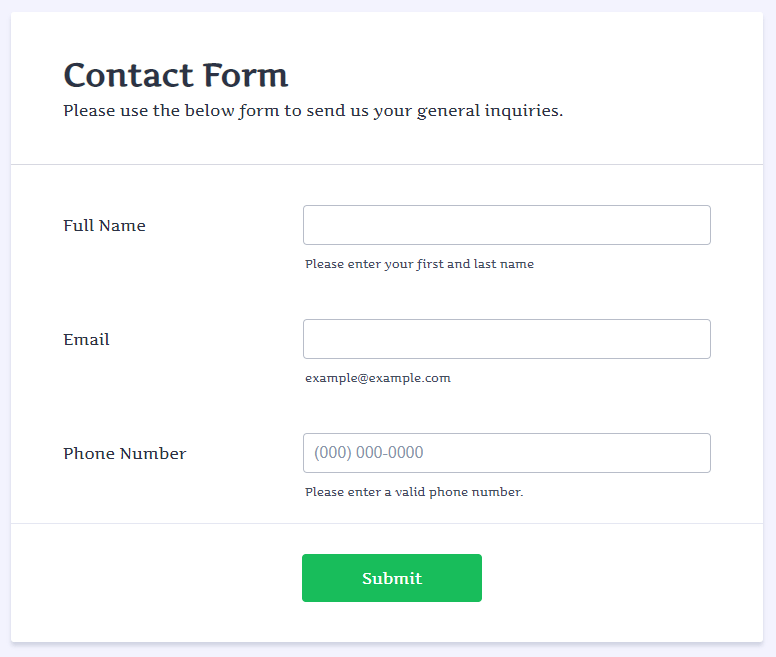
And sometimes you might want more compact spacing:
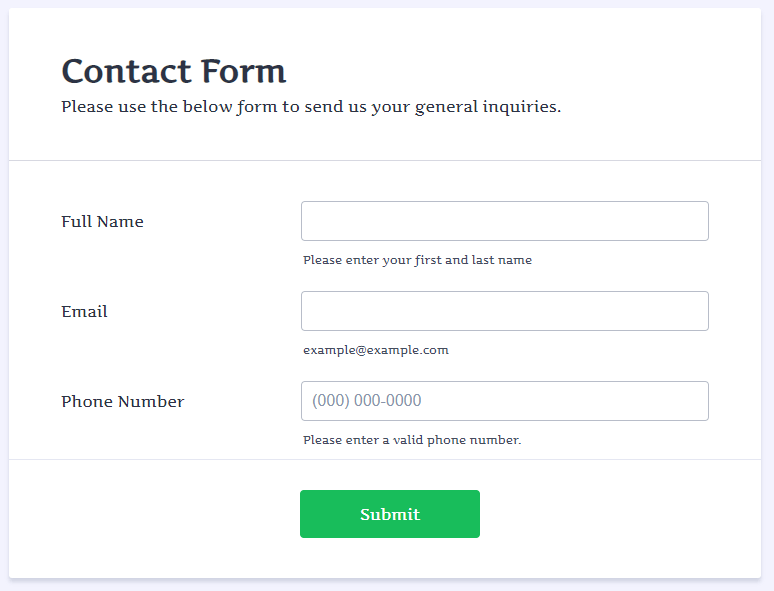
To accomplish that, please follow these steps:


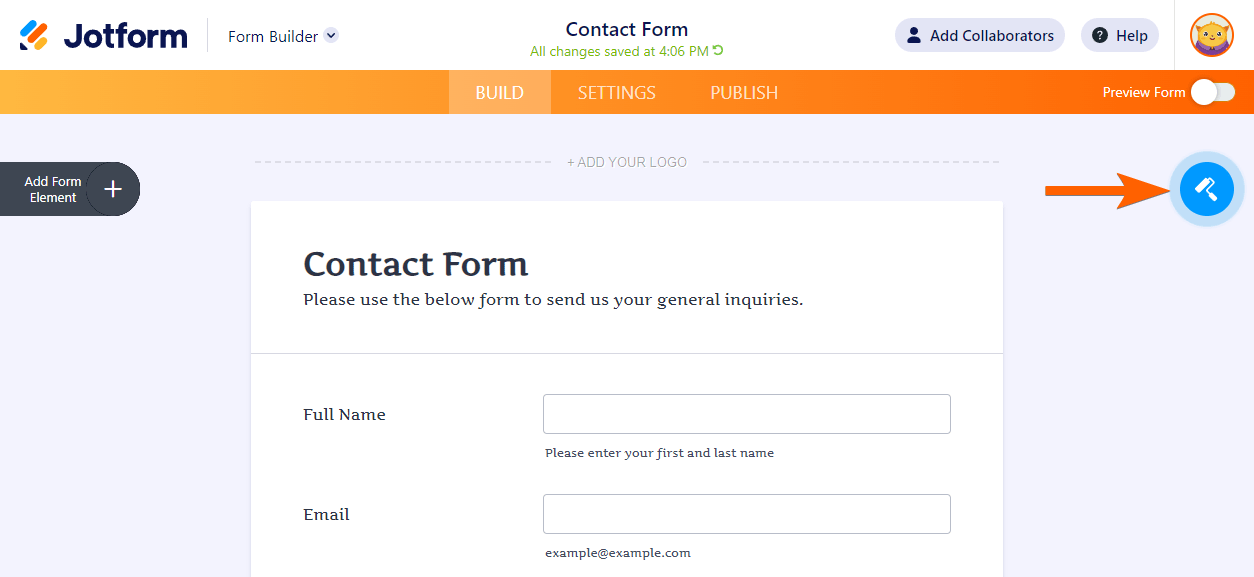
- In the Form Builder, click the Form Designer icon.
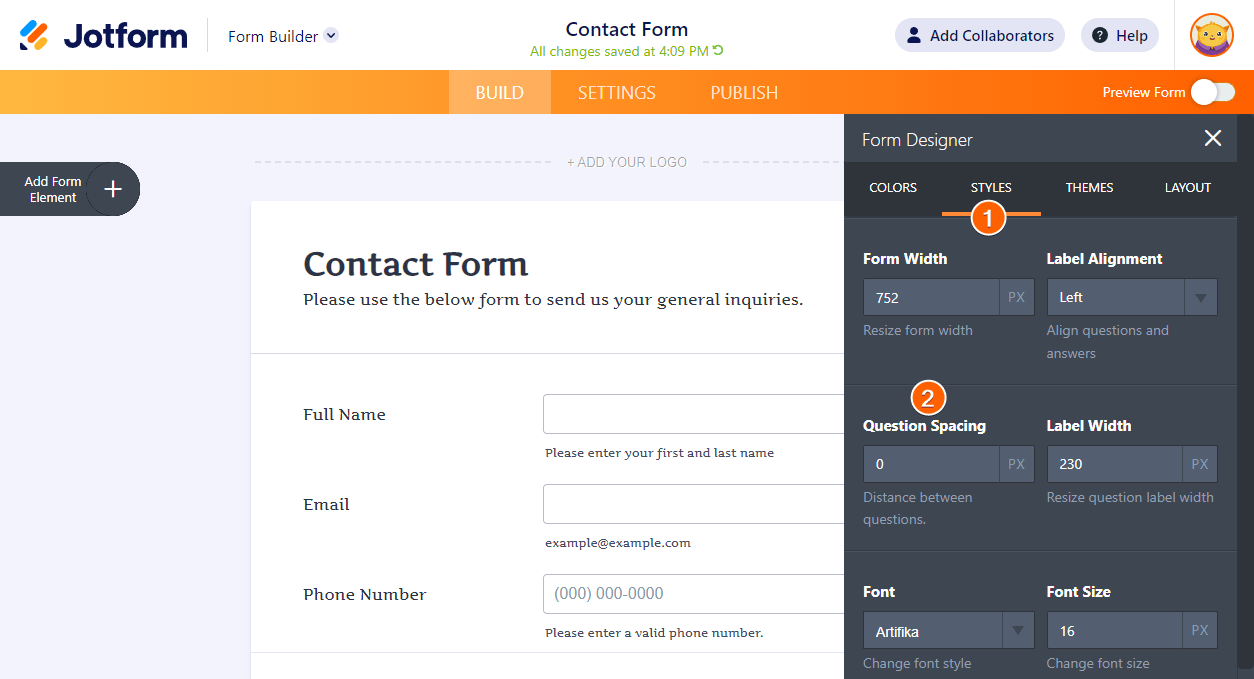
- Navigate to the Styles tab.
- Change the value of the Question Spacing section.
You can further customize the spacing with custom CSS codes. Please visit the following user guide for the details.

Send Comment:
30 Comments:
June 1, 2021
Is there a way to do this same thing in the pdf editor? I've already changed the line spacing to "Compact" but there is still a lot of padding around each text box. I had it in a table at one point but not all the questions displayed properly...particularly the configurable lists. Those didn't really work at all.
December 21, 2017
Try -1 / -2 / -3, etc.
June 22, 2015
I'm sorry to dissapoint this, but I have an android wear smartwatch since 2014, as others milions of users
June 22, 2015
please guide me how can i use
June 18, 2015
Sweet any plans to update this for Pebble Time
June 15, 2015
Great! As always improving the user experience. Love Jotform!
June 15, 2015
When for Android Wear?....
June 14, 2015
Why should i want a apple watch? Please make something for android wear...
June 12, 2015
All f this it is very cool, but there are some important problems that you would need to solve as well. Nobody is helping me with the SSL Warning I got on mobile devices when I use jotform https://www.jotform.com/answers/587214-AGAIN-Unsecured-SSL-Warning-when-Secured-Form-is-Submitted-on-MOBILES#9
June 12, 2015
Awesome!
Congratulations and regards from Costa Rica.
June 11, 2015
WOW, Can't wait to try it.
June 10, 2015
Wooow pretty cool!!!
June 9, 2015
One word: yeah!!!!
June 9, 2015
Wow earlier today I was online working on a form and voila, not even a day after the release of the new apple watch, you guys already have it covered! You guys Rock!! Its AhJot (About)that time! Thanks Jotform
June 9, 2015
simply superb. most innovative idea of the year :)
Thanks a lot.
June 9, 2015
Okay I got it. I read it. So if I now press DISMISS on your watch popup, one would expect it to go away, but it only launches to this page again.
I thought jotform was better than that, my bad.
June 9, 2015
Be honest... you guys did this so you could expense your Apple Watch purchases.
Looks great though! Congrats!
Chris
June 9, 2015
How about the Samsung S gear?
June 9, 2015
Oh that is AWESOME! You guys are on top of your game.
June 9, 2015
Well done!!!
May 18, 2015
No matter what value I place in "Question Spacing" the spacing remains the same.
February 4, 2015
Does anyone know how to reduce the space between the frame/start of the form?
When I insert the form into my website the gap between the end of text (HTML on page) and the form pushes it below the fold (or off the screen). People then have to scroll to find it...
I can't work out how to do this bit... any suggestions? Thanks!
January 30, 2015
I have tried reducing to 1 on my communication authorization form. However, the vertical spacing on the form still seems very wide. Didn't compress it at all. Thanks in advance.
November 10, 2014
Thanks........ very thanks!
March 13, 2014
i have a problem i am alien text box and select box in 1 row vertically but it is not working can you solve my problem pleas....