Aside from the Review Before Submit widget which allows your form fillers to view their answers before they submit your form, you can also set up your form to show their answers after submission on the built-in Thank You page.
To display user answers on your Thank You page
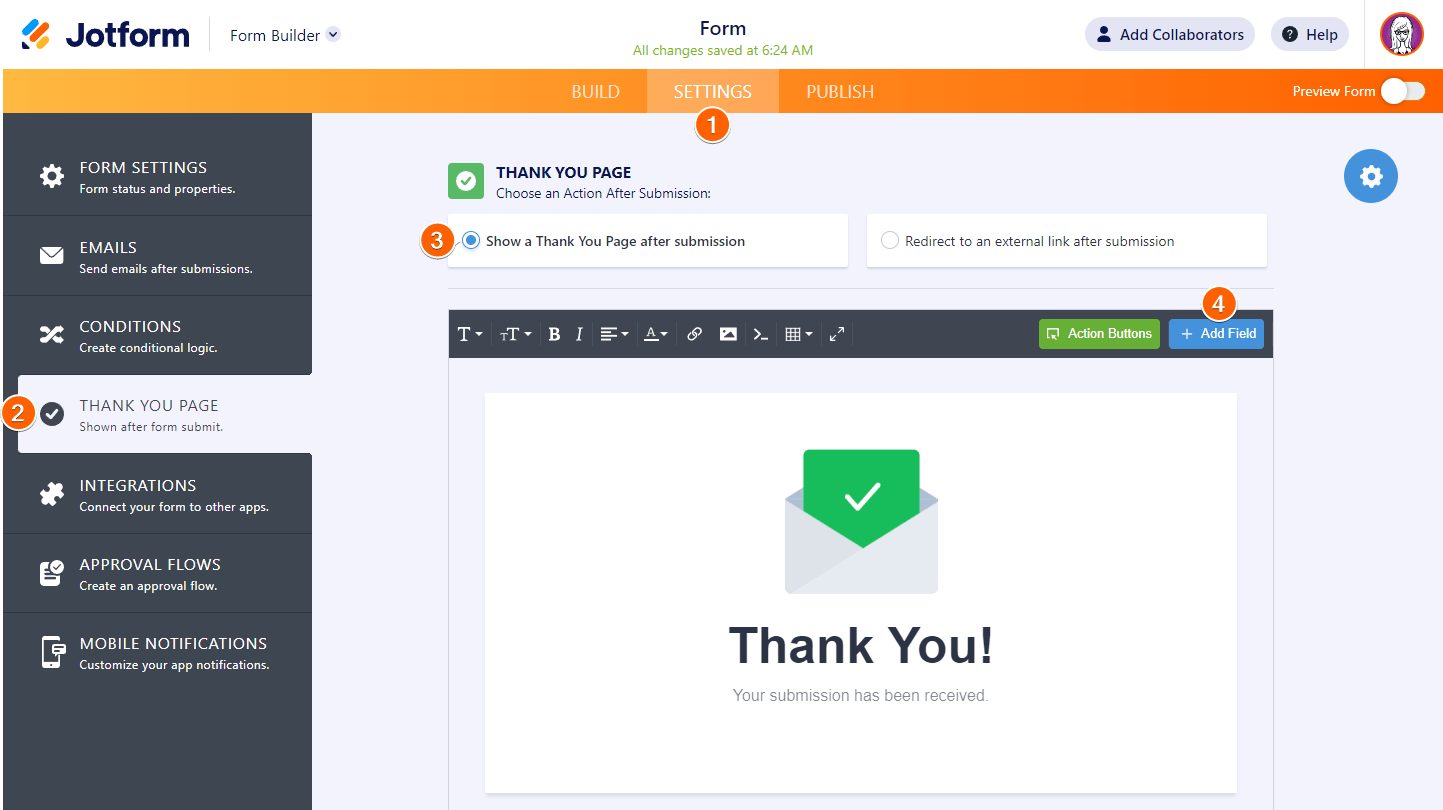
- In the Form Builder, go to Settings at the top.
- Select Thank You Page on the left.
- Select Show a Thank You Page after submission.
- In the editor, select Add Field.
- Place your cursor in the editor, then choose your desired fields to display.
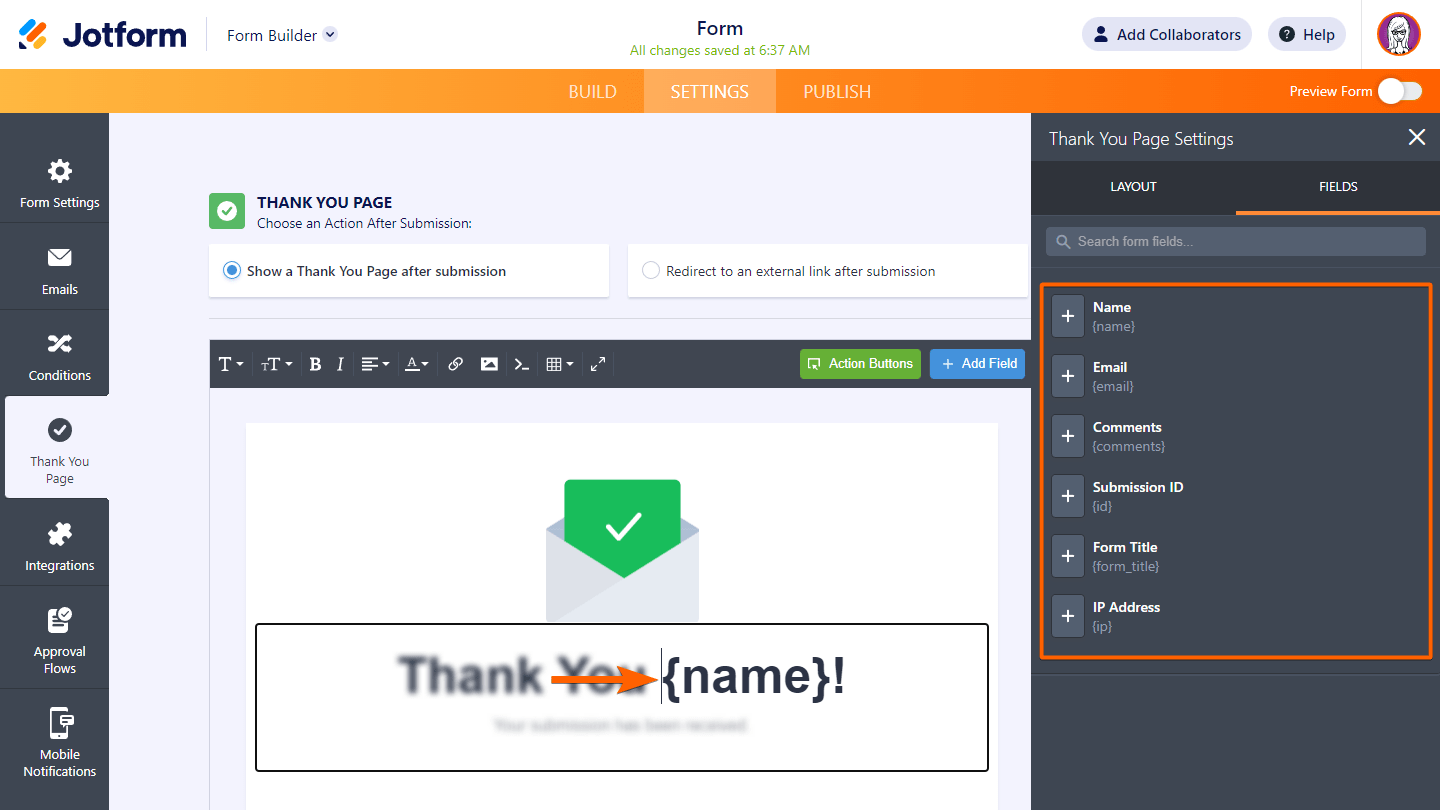
Your form fillers should now be able to see the values they entered on your form on your Thank You page.



Send Comment:
8 Comments:
May 20, 2022
I hope You're doing good team jotform.
i need some information!!!! ASAP
we are running our duplicate startup since 2016. But now we want to do a short survey to get the view of our clients about our services and qualities.
So how will we do it in an easy way.
We want to create a well planned survey form and share it with our clients through our website or email.
April 6, 2021
No working my id
December 1, 2020
Hi, I am brand new to your site and want to create 4 forms. at present, I am working on screen testing and I would like to add a logo however I am not sure what to do can you assist me?
and
I would like to know how to add a text/ phone notice?
Thank you for your time
September 29, 2020
The Thank You Page tab does not appear in my settings? Has it been removed as a feature or am I missing something?
I would like to add some form fields to the Thank you page.
April 12, 2016
yours idea is really good and innovative , these resources are really awesome thanks for sharing those information and i got more in formation about this concept.
April 7, 2016
thanks
July 10, 2013
I also need this thank you letter to have actual paragraph text.
A summary text about the services we provided, with area's that would be prefilled based on information that they have just selected, and sent back to them via email. Can THIS be done?
February 28, 2013
my uploaded files on the thank you page is in the full path form. For example https://www.jotform.com /haksjh/745973498573/pic.jpg. How do i make it so that it only display pic.jpg?