The Thank You Page is the final page your visitors see after submitting a form. Some people like to customize the page to give users a pleasing end to the experience. Others use it as a tool to redirect visitors to a specific page after completing the form.
Note
This guide is for the Classic Form layout. If your form is in Card Layout, check out How to Change the Thank You Page in Card Forms.
To access the Thank You Page options, please follow these steps:


- In the Form Builder, go to the Settings tab.
- Click the Thank You Page option on the left side.
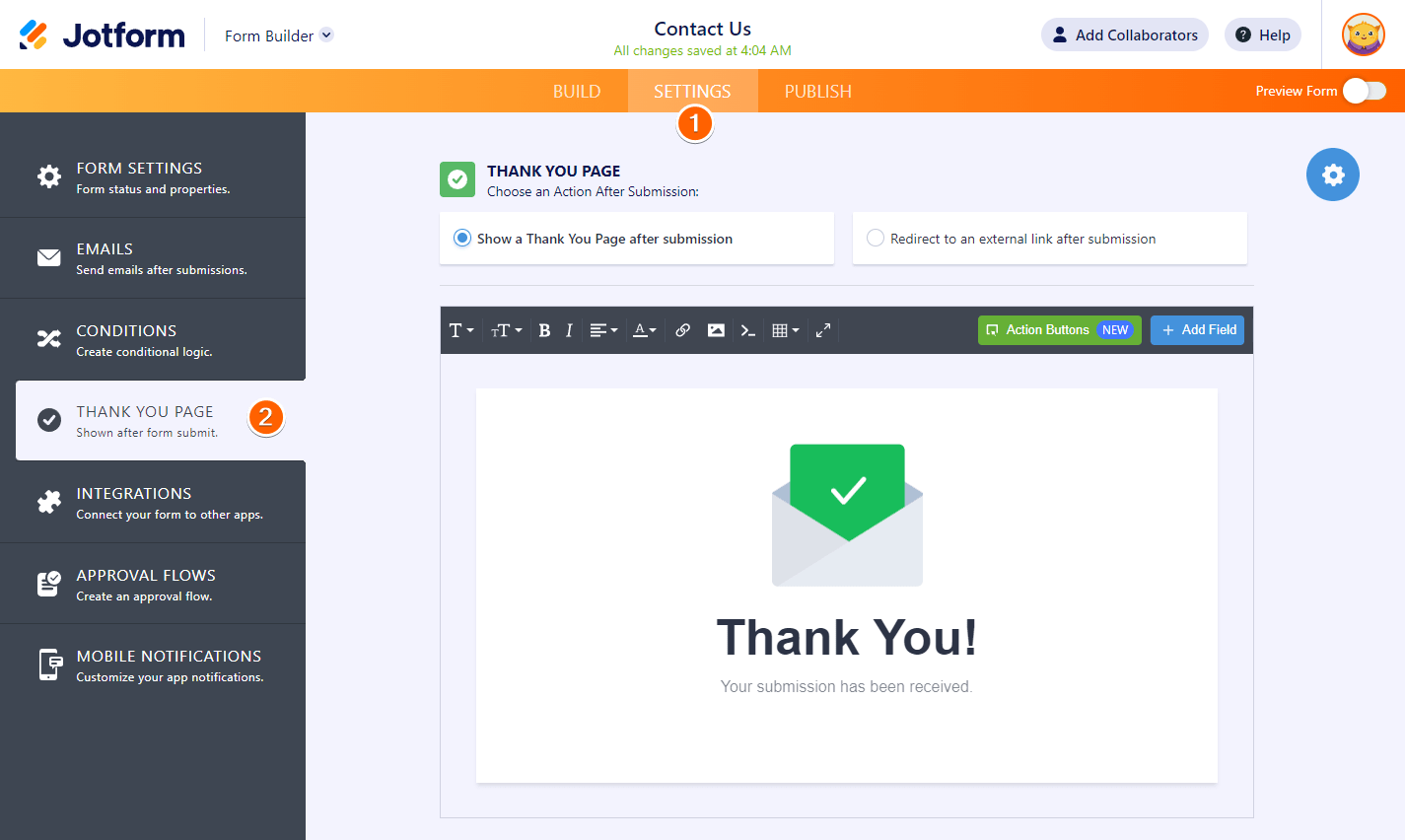
You can choose two different options when you set up your Thank You Page:
Show a Thank You Page after Submission
This is the most commonly used Thank You Page option since it has almost all the details you need.
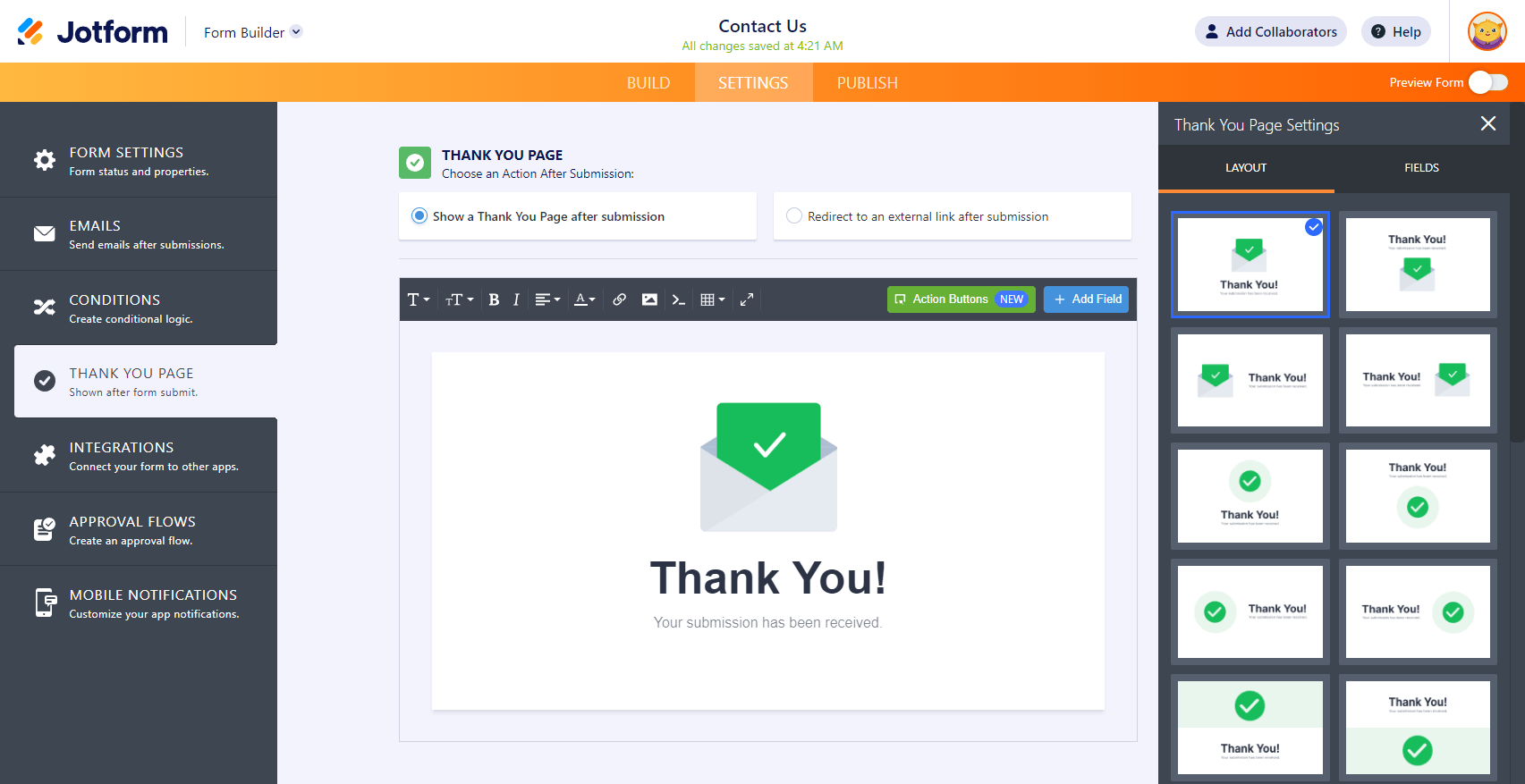
You can completely customize the look of your Thank You Page directly from the editor. You can insert images, links, paragraphs, and tables.
You’ll also find the following options:
- Settings – click the gear icon to change the layout of the Thank You Page.
- Action Buttons – allow users to fill out the same form again, fill out another form, edit their submission, or download a PDF copy of their entry after submitting the form.
- Add Field – display the user’s answers on the Thank You Page.
See also:
Redirect to an External Link after Submission
After submitting an entry, the form will redirect the user to the given URL. The option is handy if you want your users to land on a specific page after they submit a form.
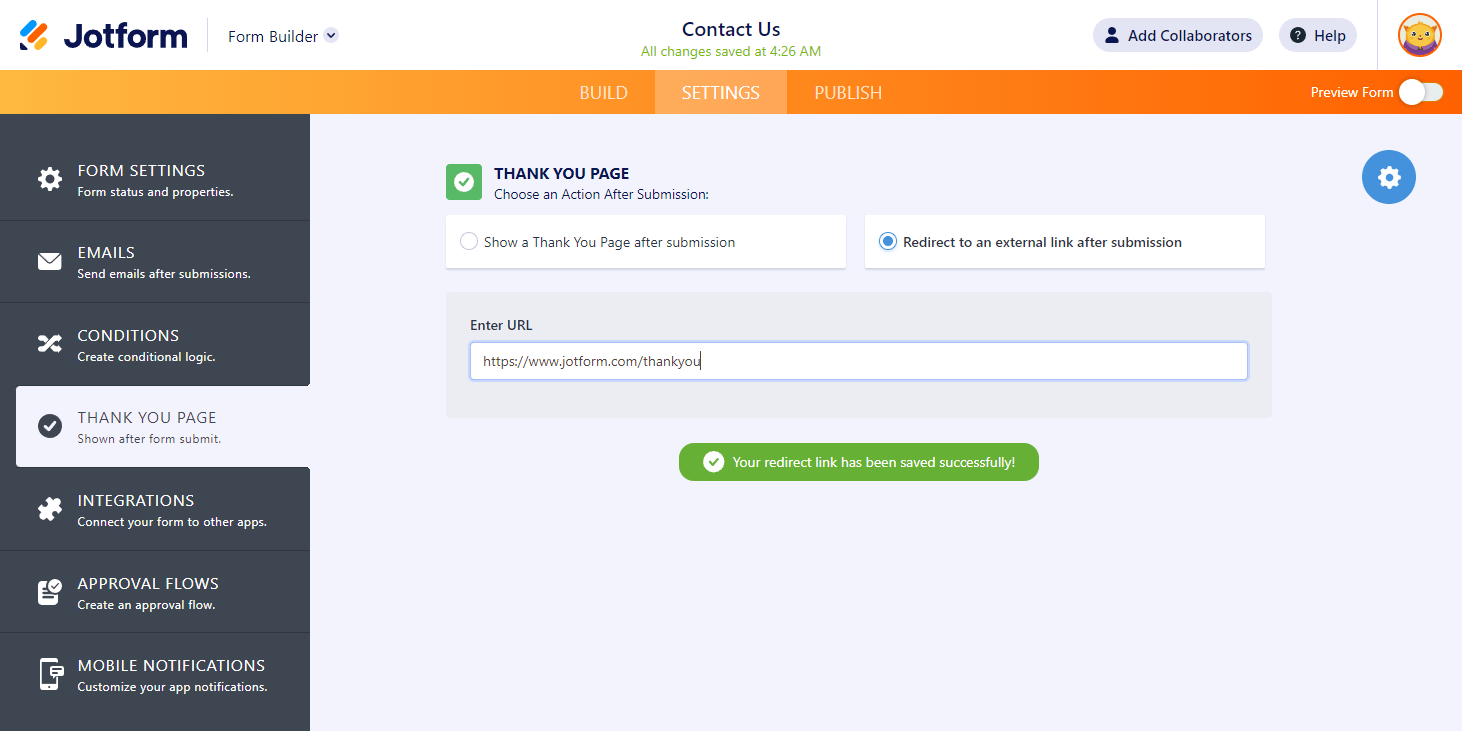
You can also send the submission data to your Thank You Page via HTTP POST. To learn more, check out our guide on How to Post Submission Data to Thank You Page.
If you have questions, suggestions, or feedback, kindly send a comment below or contact us by creating a support ticket.



Send Comment:
13 Comments:
January 11, 2026
I found the thank you page edit button at the very bottom of the 'Build' screen. It's tiny, but it's at the very end. Hope this helps!
June 15, 2025
The 'Thank You' page seems to be completely messed up now and I can't figure out how to fix it.
My preference would be to just have the text appear on the uploaded background (no envelope) but I can't figure out how to select/remove/add elements to this page.
December 11, 2024
crazy, there is a form to reply to this psot, many people over a yer claiming that the page is not there, and not even one answer from the team
July 11, 2024
Thank you page not displayed, how do I rectify this please?
April 8, 2024
I don't have the option in Settings ? ? ? to change a thank you page like shown in this video? ? ?
October 14, 2022
My custom thank you page is not displaying at the end of form submissions. It is reverting to the default thank you page instead. Help?
September 16, 2022
I don’t understand why there isn’t a feature to let us test our own form/app?
I would like to be able to test and see the thank you page that is sent to my customers.
From what I could tell my customers aren’t receiving the thank you or any other response after submitting the form.
My views and submissions have skyrocketed because I’m testing out my site. There’s so many issues I’m having with PayPal and Venmo.
And then you get conflicting answers about what counts against our account and doesn’t count against our account.
I need my views , submissions and cashe cleared
August 29, 2022
Can you delete the thank you page and just go back to the form?
August 4, 2022
cant see now .. the page is gone
February 1, 2022
Does this work with HIPPA Compliance? My thank you page settings stopped working right after I set up HIPPA.
January 25, 2022
Hi, is there a way to change the background of the Thank you page?
December 6, 2021
The support team must be on a vacation. Thanks for the quick response. Geez...I have a business to run and Jotform is NOT working. Please answer my question. I don't understand why it's so hard.
September 24, 2021
Why i have got 404 page when I redirect a wordpress url after form submission?