The Emoji Slider is a fun little feature built into Jotform Cards that brings a more playful and engaging touch to your forms. Instead of using plain numbers or standard rating scales, respondents can slide through expressive emojis that visually represent their feelings or level of satisfaction. It’s a simple way to make your form feel more friendly and interactive—and it often encourages people to respond more thoughtfully because the experience feels more personal and enjoyable.
Setting Up the Emoji Slider in Card Form
To add the Emoji Slider to your Card Form, you just need to follow a few quick steps. Here’s how to get it in place so you can start collecting responses in a more fun and engaging way:
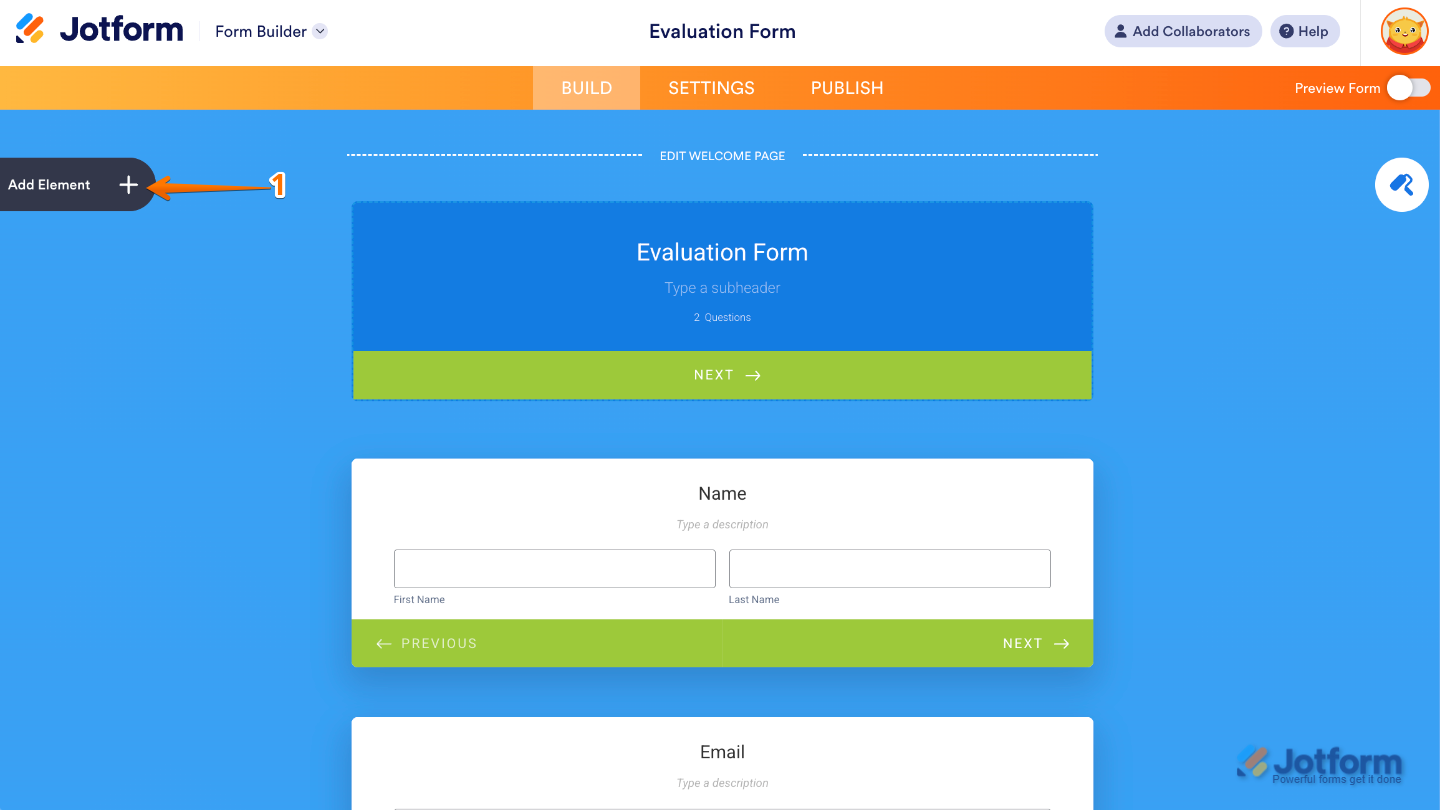
- In Form Builder, click on Add Element on the left side of the page.
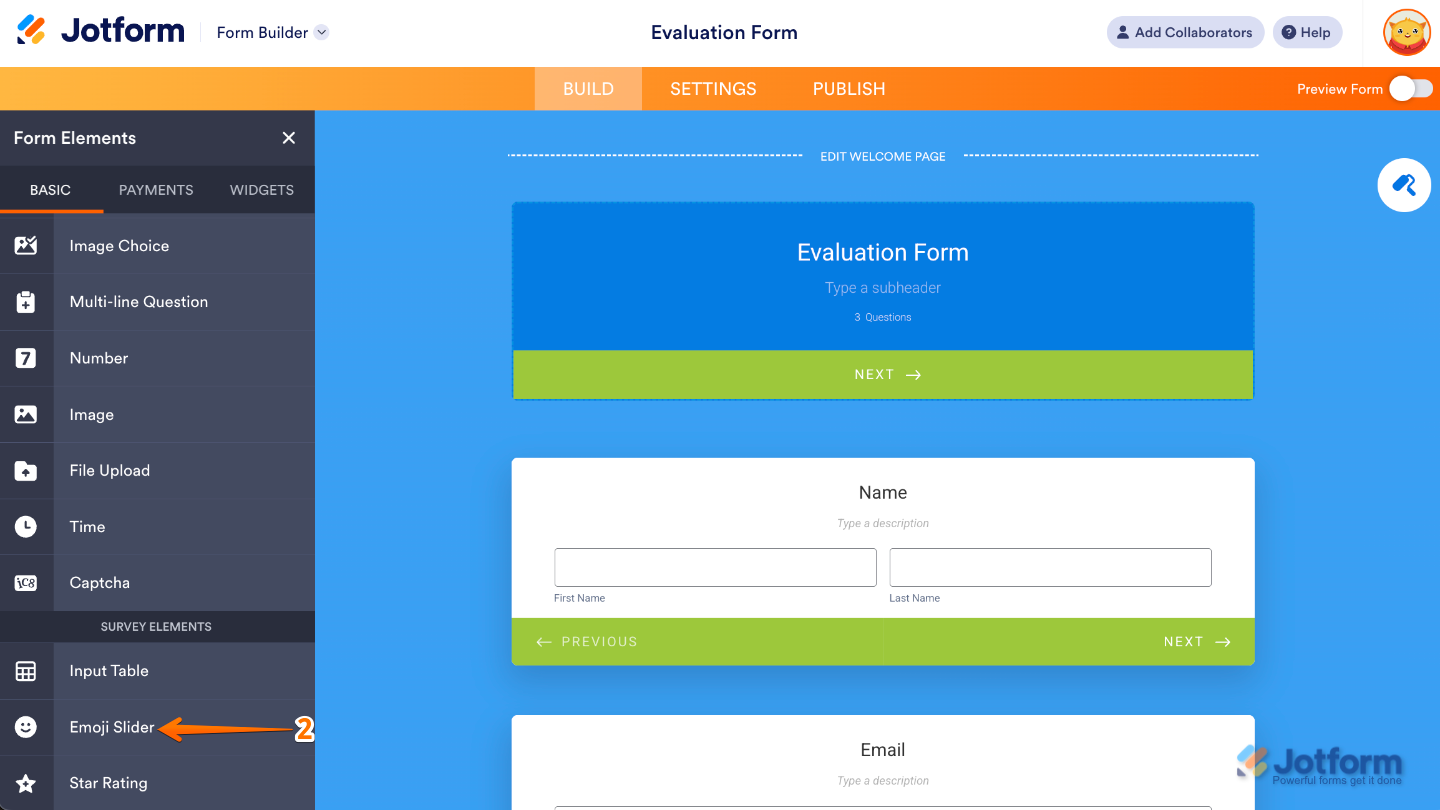
- Then, in the Form Elements menu, under the Basic tab, click on Emoji Slider element. Or, just drag and then drop it to where you want it to be on your form.
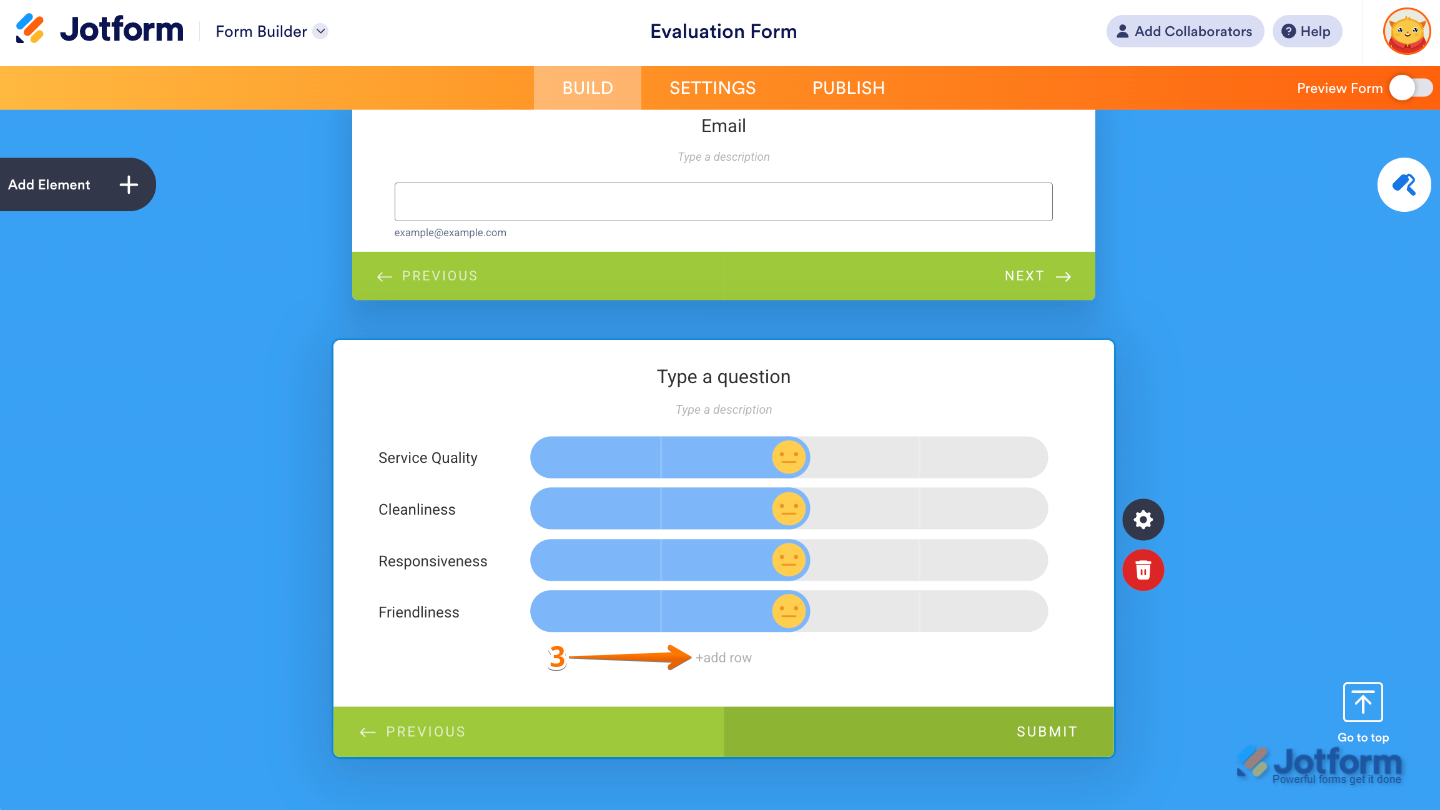
- Now, in the Emoji Slider field, click on Add Row to add more rows and begin adding the labels.
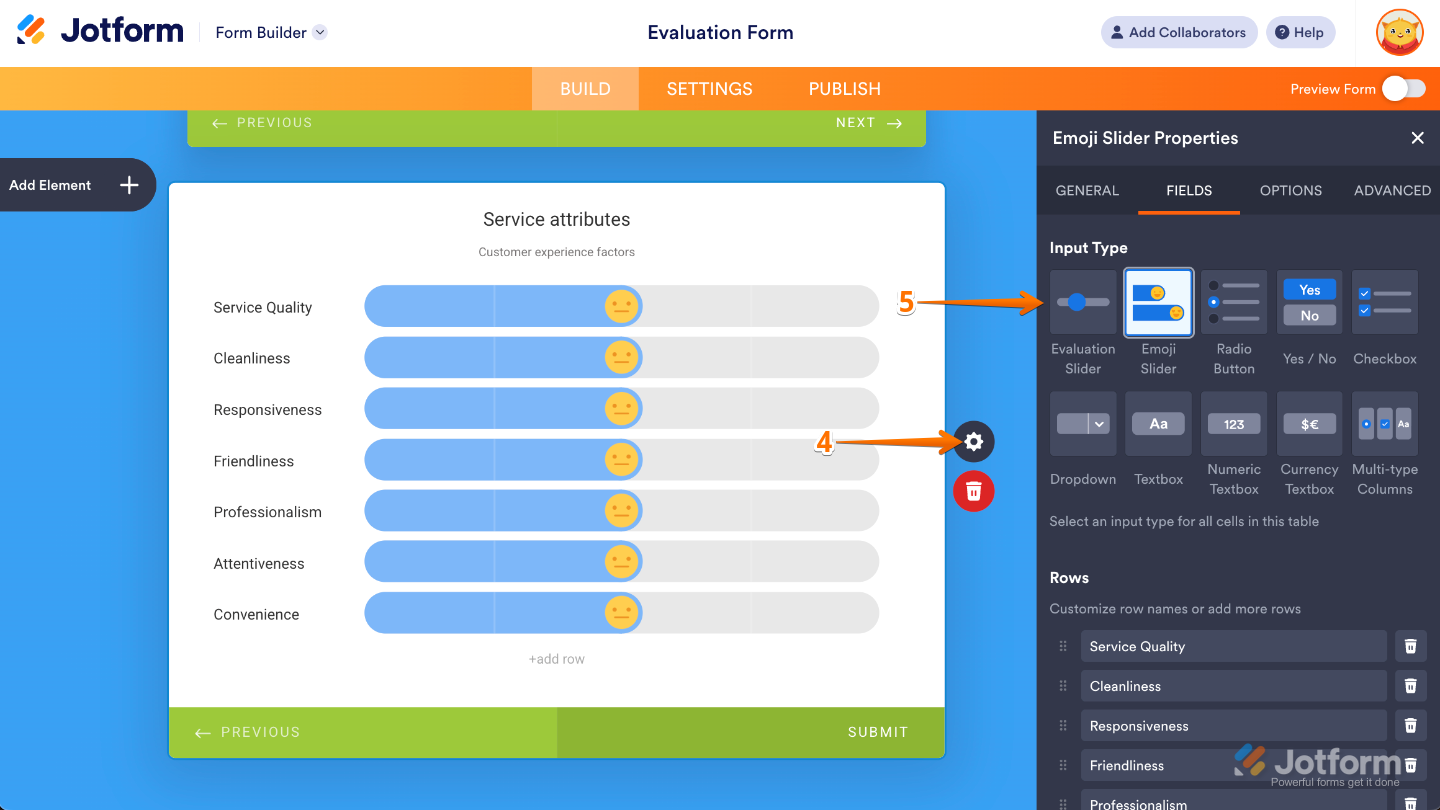
- Next, on the right side of the Emoji Slider field, click on Gear icon.
- In the Emoji Slider Properties window that opens on the right side of the page, under the Fields tab, select an Input Type.
- After that, scroll down to the bottom, and then choose a scale option in the Choose Your Emoji Scale section.
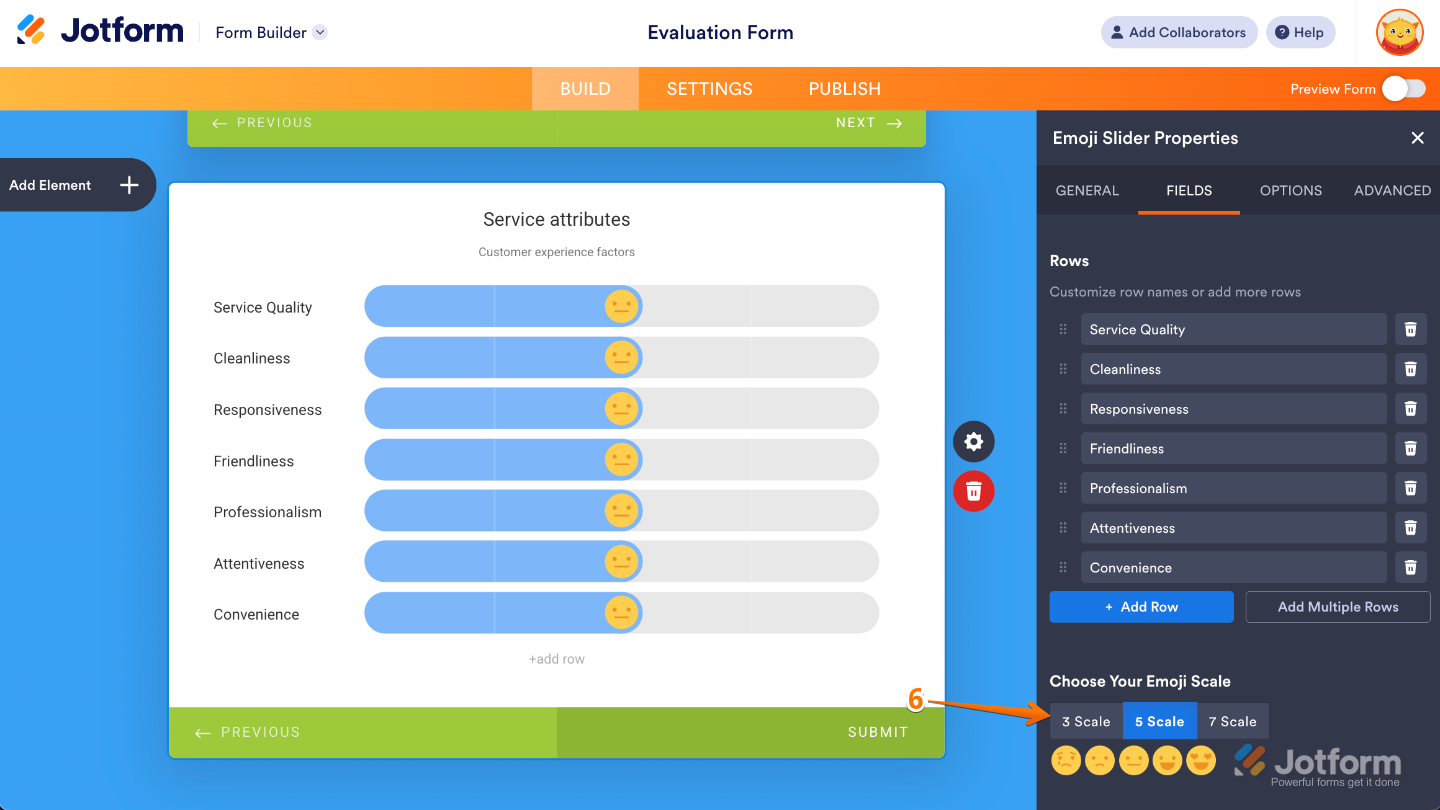
That’s it. Your Emoji Slider is now all set up and ready to bring a little extra fun and personality to your form. Feel free to customize it further or explore other elements to make your form even more engaging.

Send Comment:
3 Comments:
July 20, 2024
The smiley face rating sample in your article looks very beautiful and I was following to learn how to implement exactly same only to discover you have rather gave tutorial on a totally different type of smiley face rating type.
Please can you show me how to implement the exact design in your article.
October 13, 2023
It looks like this is only available when creating a card form.
I've also been experiencing issues creating conditional logic with this element.
I want to hide/show different questions depending on whether someone rates high or low.
May 24, 2023
My Survey Elements under Form Elements does not have Emoji slider as an option to use!