Wix is a popular website builder that lets you design and customize your own site. Whether you’re creating a blog, an online store, or a portfolio, Wix provides the tools and features you need to build a professional online presence.
You can easily embed your Jotform forms on your Wix website using the Jotform Wix plugin or the Embed HTML element. This lets you display your forms directly on your site without requiring any coding on the Wix side.

Adding a Form to Wix Using the Jotform Wix Plugin
The Jotform Wix Plugin lets you easily add your Jotform forms to your Wix website, allowing visitors to access and submit your forms directly from your site.
Note
The steps in this section use the Wix Harmony Editor. While Wix has not phased out the Classic Editor, the steps are essentially the same, and the Jotform Wix Plugin can still be accessed through the Installed Apps section.
Using the Jotform Wix Plugin is simple. This is how it’s done:
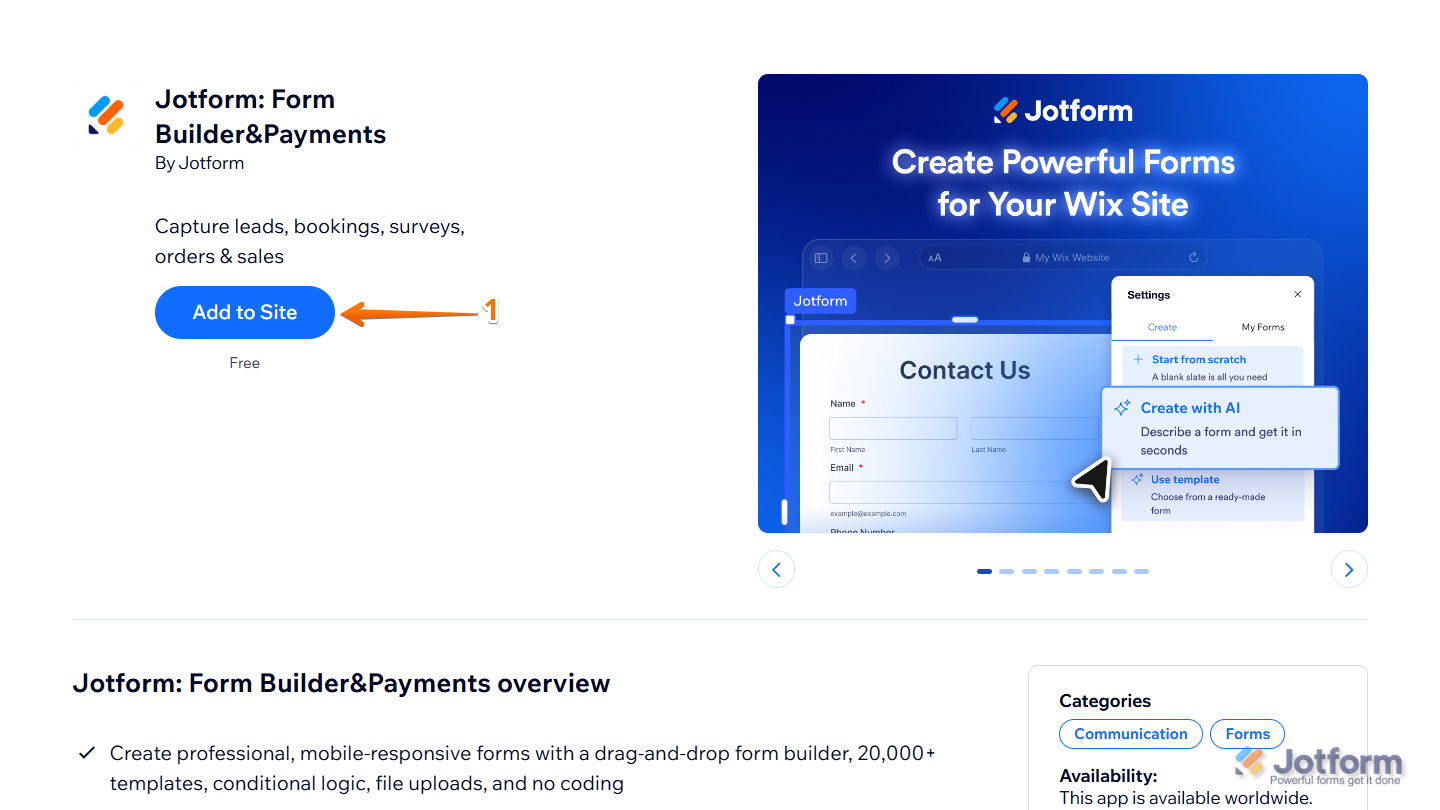
- Go to Jotform: Form Builder & Payments plugin page on Wix, and click on Add to Site.
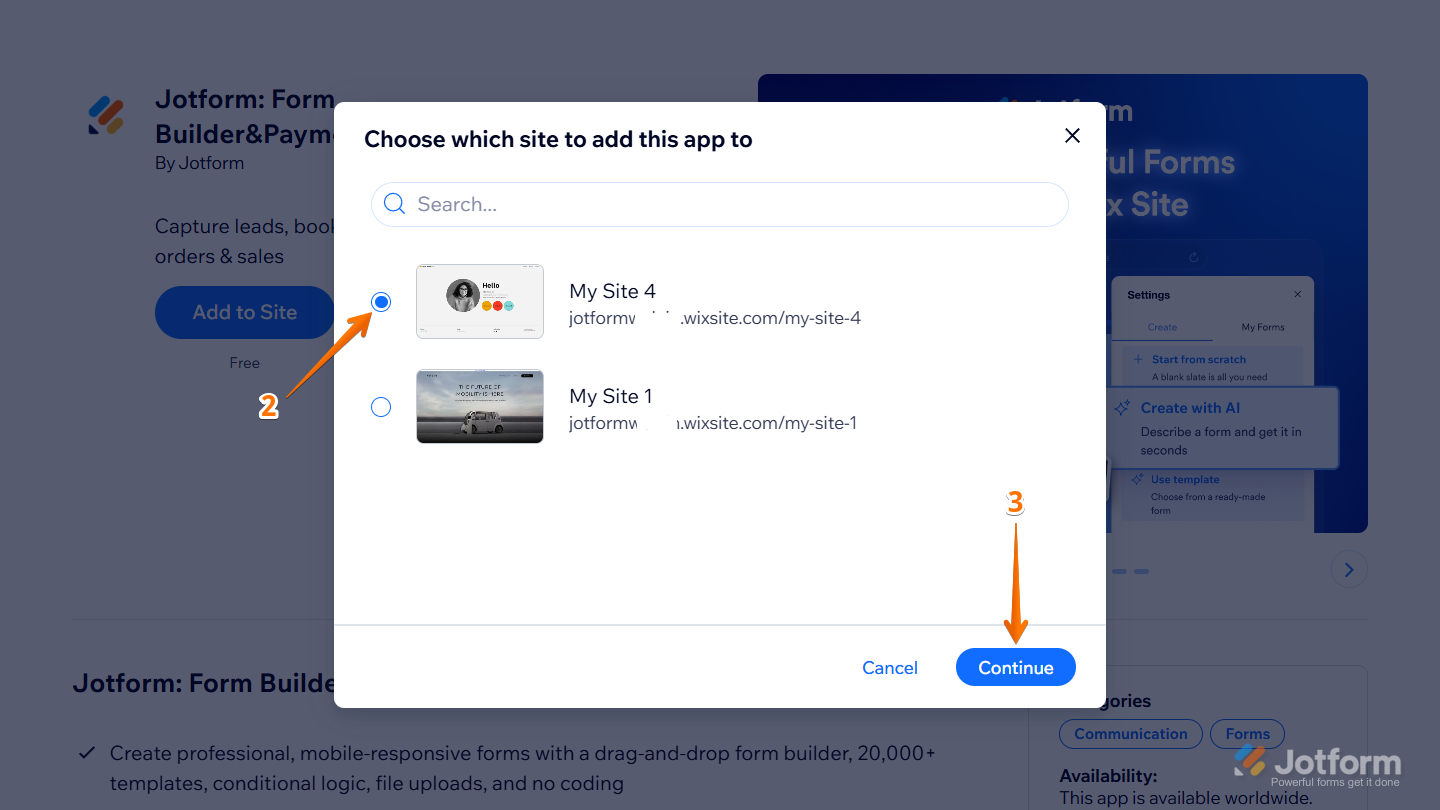
- Then, in the Choose Which Site to Add This App To window that opens, select the site where you want to add the app.
- Next, click on Continue at the bottom.
Note
The Choose Which Site to Add This App To window will not appear if you only have one published website on Wix. It will go straight into the permission screen.
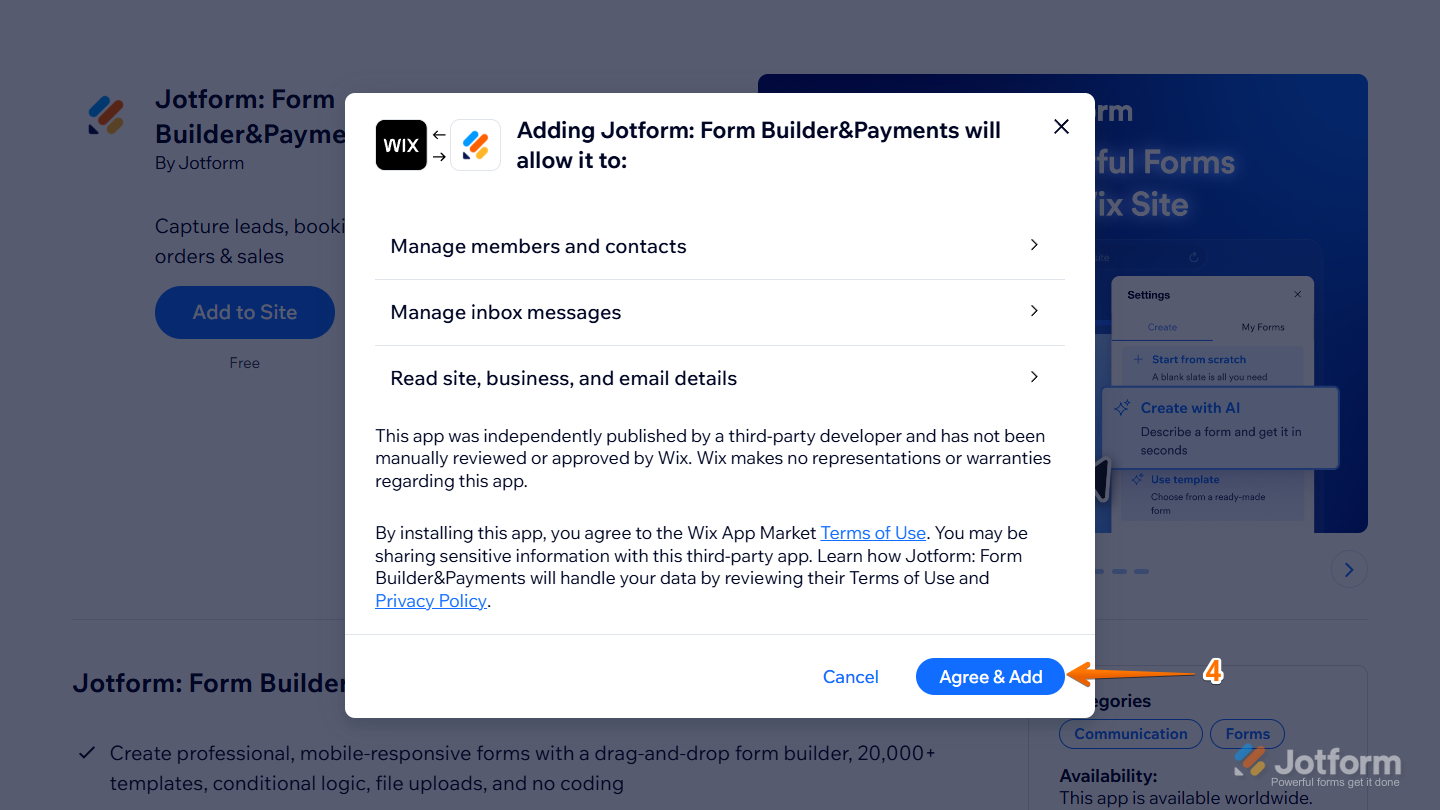
- Now, in the next window that opens, click on Agree & Add. This will open the Wix Harmony Editor.
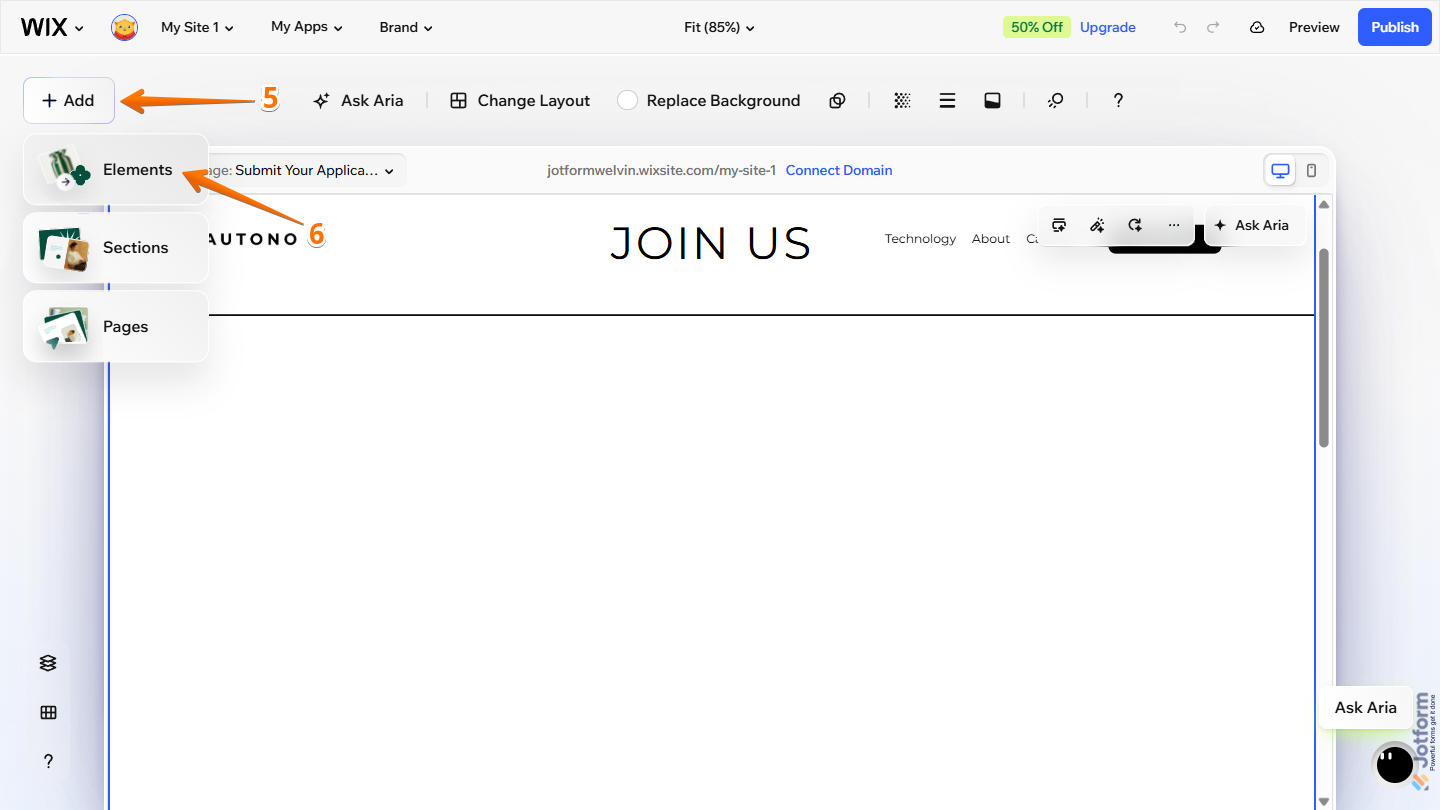
- Then, on the Wix Harmony Editor page, click on Add at the top-left corner.
- Next, in the Dropdown menu that opens, click on Elements.
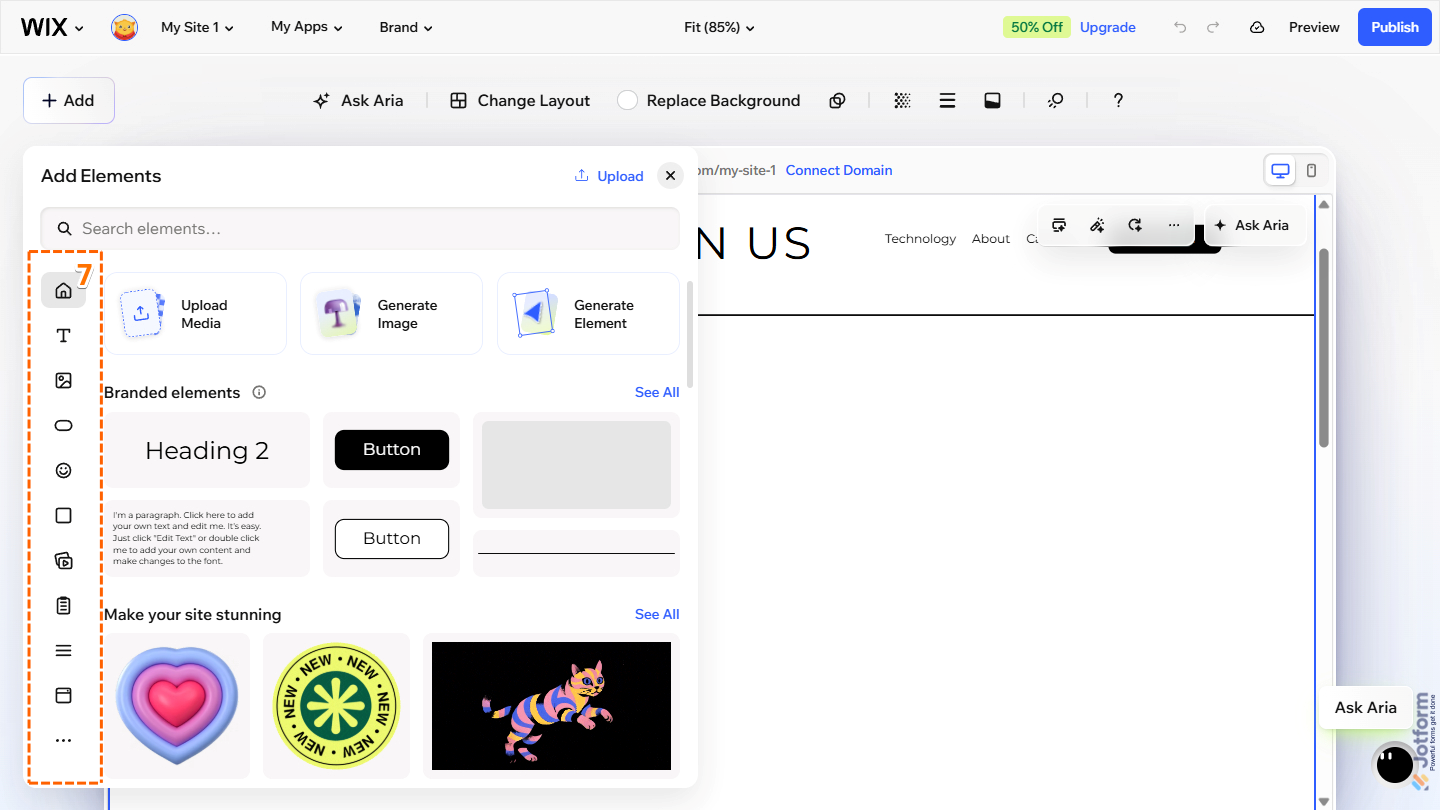
- Then, in the Add Elements menu that opens, hover your mouse over the Element icons on the left.
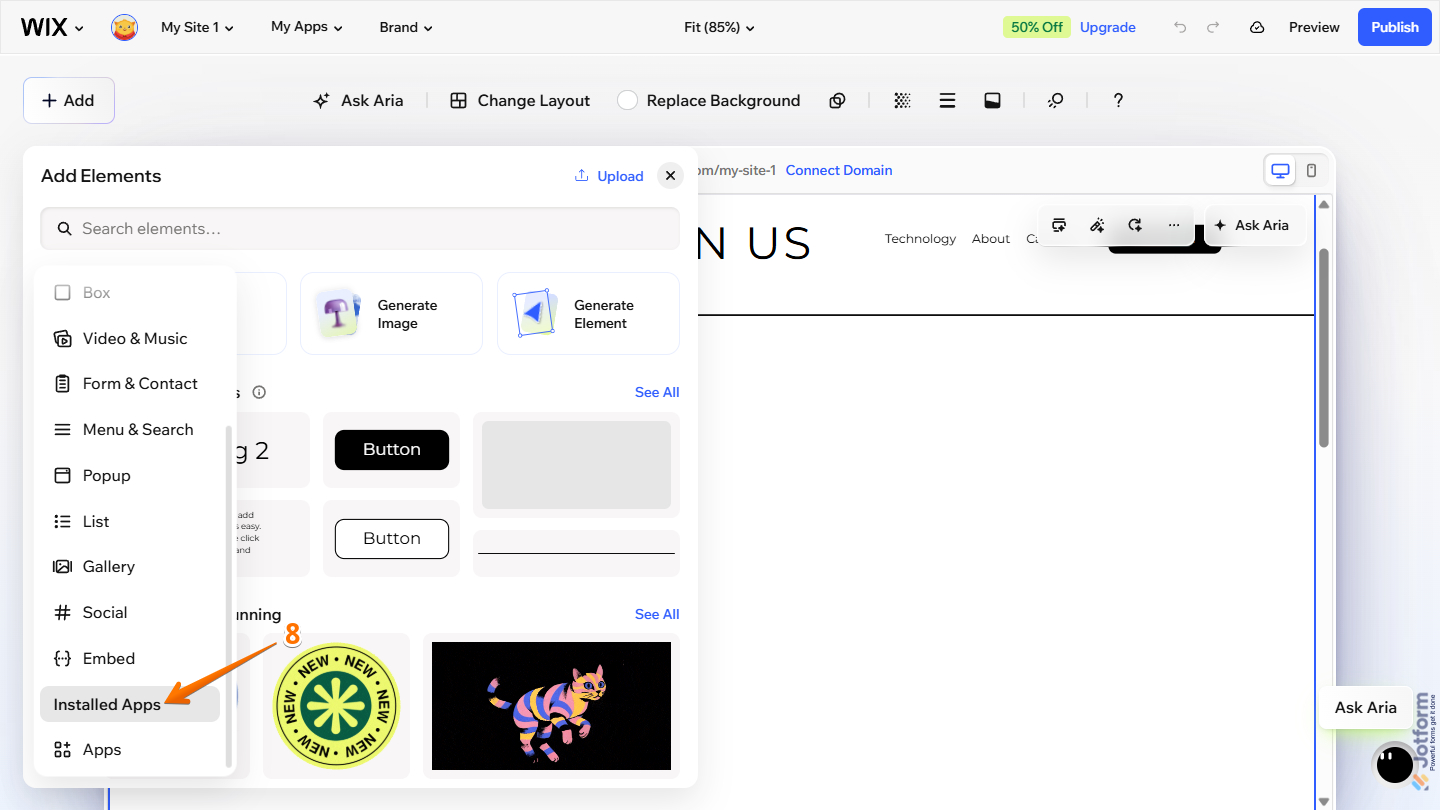
- Next, scroll down to the Installed Apps and click on it.
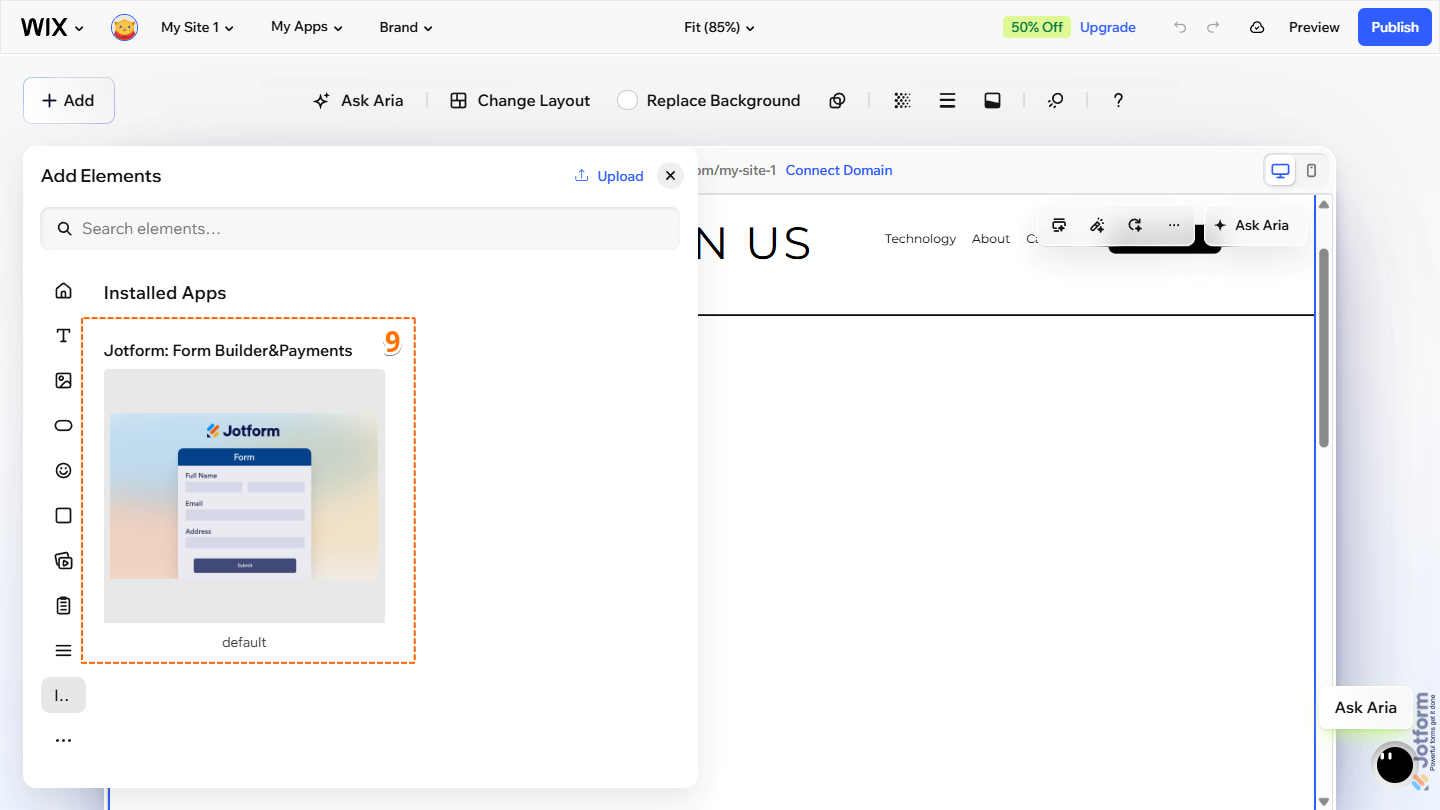
- Now, in the Installed Apps section on the right, click or drag and drop Jotform: Form Builder&Payments app to your Wix section editor.
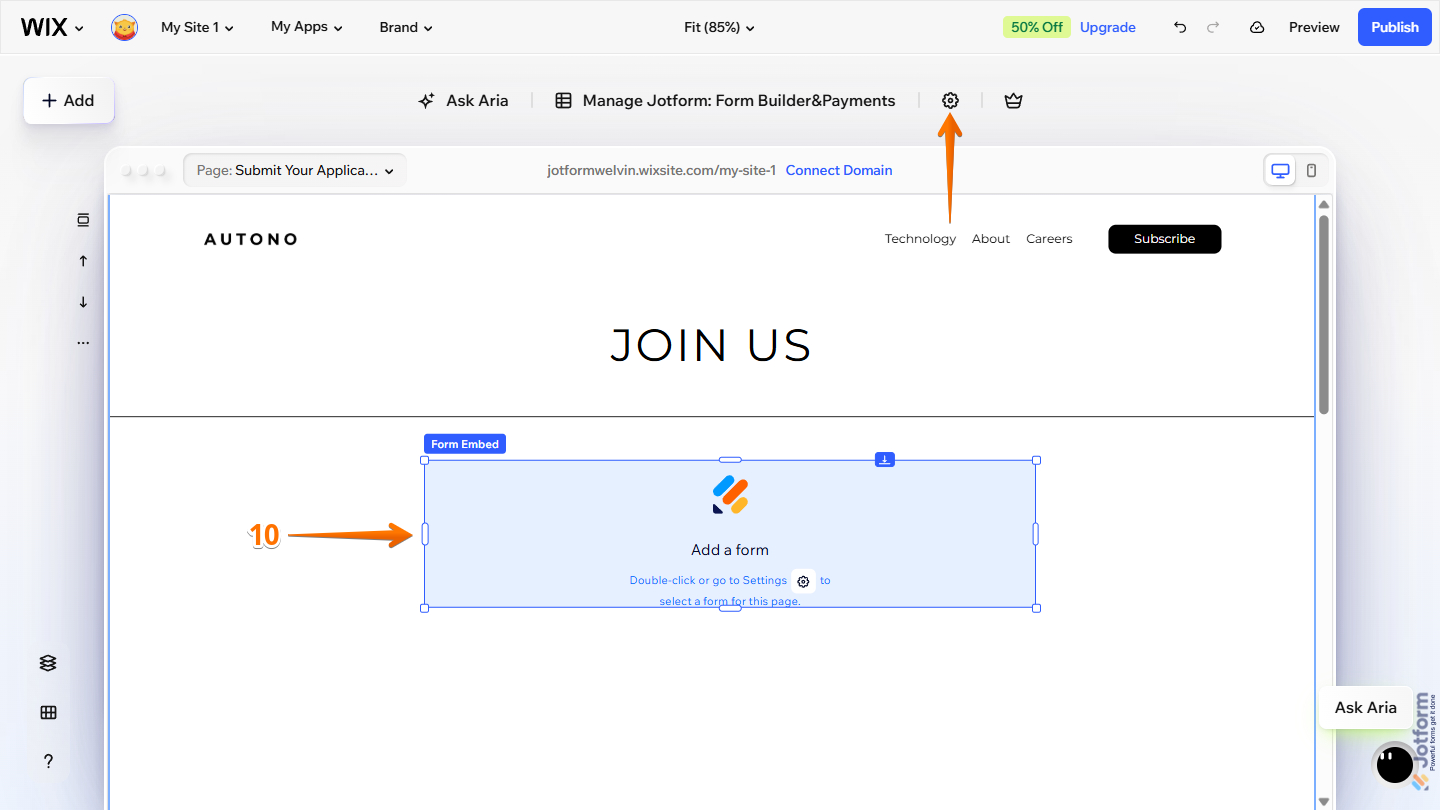
- Then, in the section editor, while Jotform Form Embed is active, double-click the Add a Form block or click on the Gear icon at the top to open the Settings menu.
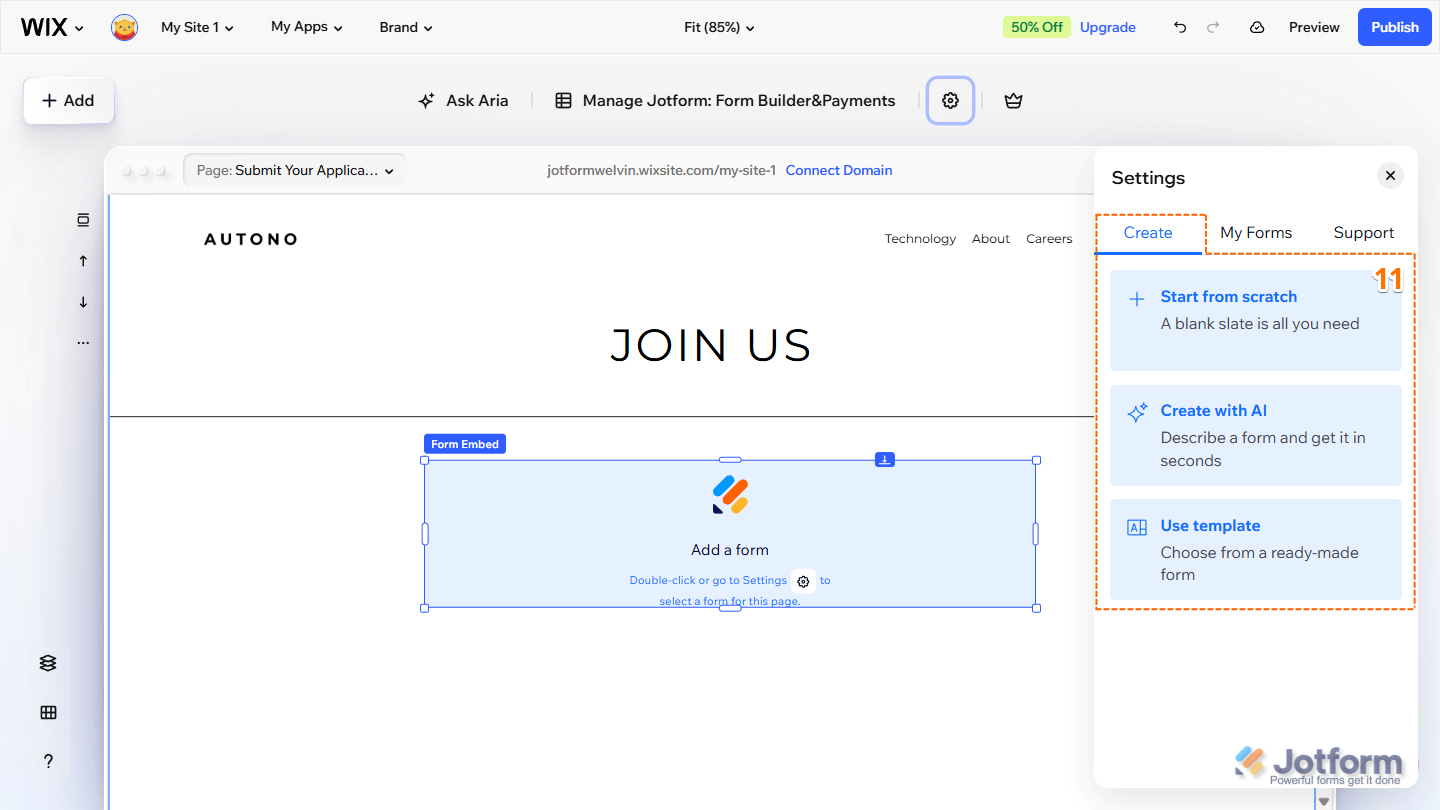
- Next, in the Settings menu that opens on the right, under the Create tab, select what you want to do:
- Start from Scratch — Create a new form from the ground up and save it to your Jotform account.
- Create with AI — Create a form by describing what you need in a simple prompt and letting AI build it for you.
- Use Template — Select from Jotform’s collection of ready-made form templates and customize one to fit your needs.
- Or, under the My Forms tab, select the form to add to the page.
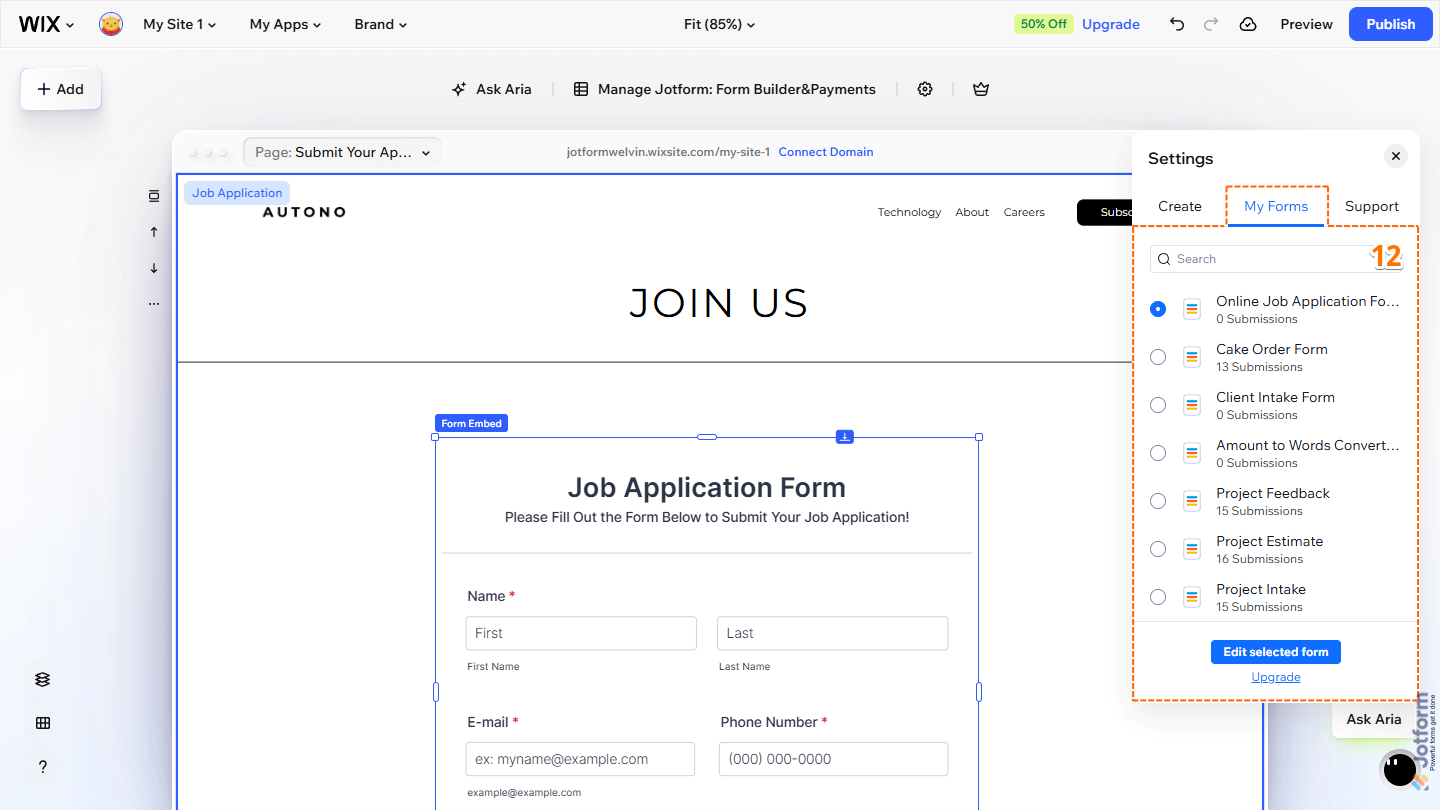
That’s it! Your form is now added to your Wix page. You can adjust the height and width of the form element to ensure that your form is displayed properly and all of its content is visible. Don’t forget to publish your page.
Adding a Form to Wix Using the Embed Code
If you prefer the traditional way of embedding a form on your Wix page, you can use your form’s embed code instead. This method is just as convenient and requires only that you copy the embed code from Jotform and paste it into an Embed HTML element in Wix.
Note
This part of the guide also uses the Wix Harmony Editor. However, the Wix Classic Editor is still supported. If your website uses the Classic Editor, you can still use the Embed HTML element to manually embed your form.
Getting the Embed Code for Wix
Getting the embed code for Wix is simple—here’s what to do:
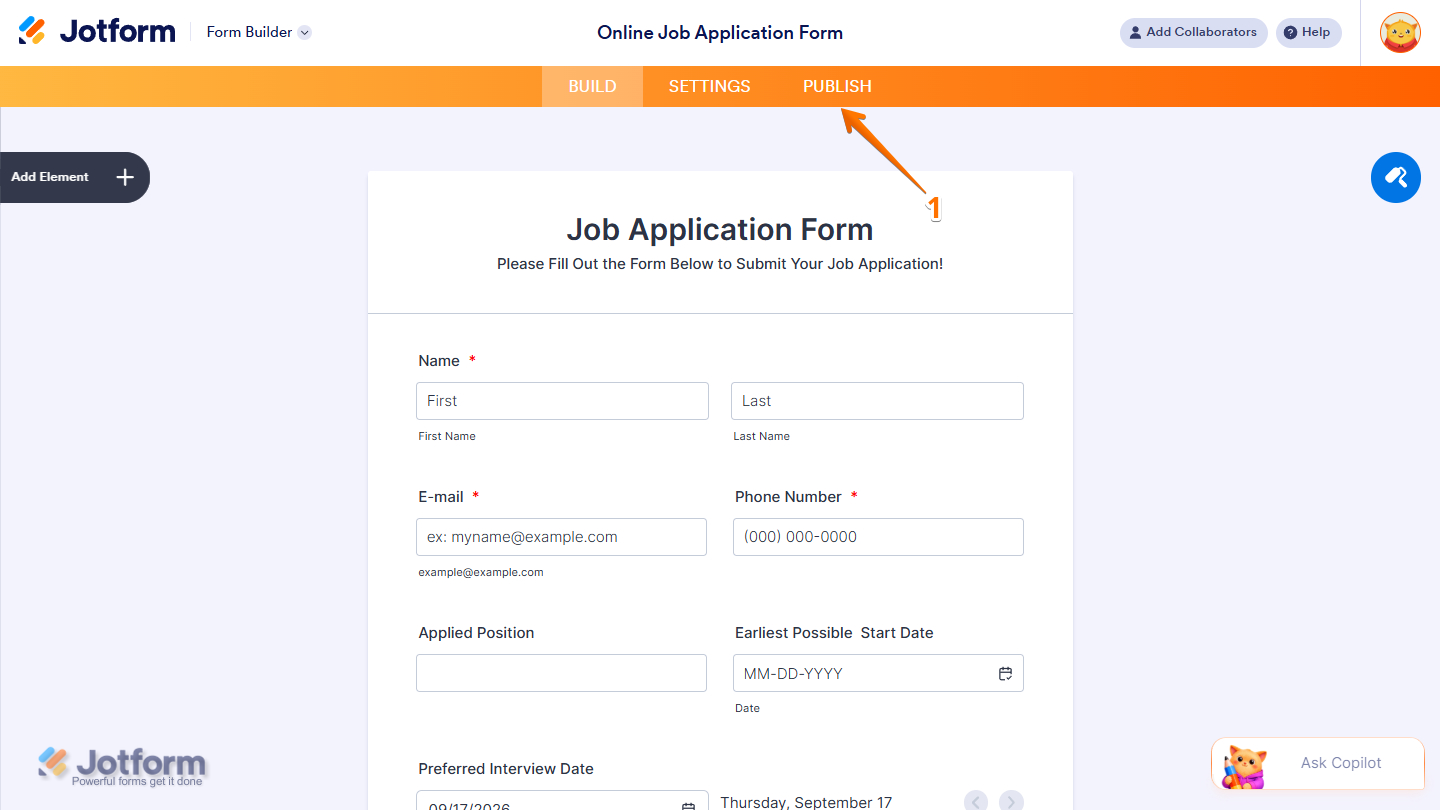
- In Form Builder, in the orange navigation bar at the top of the page, click on Publish.
- Then, click on Platforms on the left.
- Next, in the Platforms section on the right, search for Wix in the Search box and click it in the results.

- Now, click on Embed Manually with HTML to display your form’s embed code.
- Finally, click on Copy Code.

Embedding Your Form to Wix
Now that you have your form’s embed code, you can add it to your Wix page using the Embed HTML element. Here’s how to get going:
- On your Wix Harmony Editor page, click on Add at the top-left corner.
- Then, in the Dropdown menu that opens, click on Elements.

- Next, in the Add Elements menu that opens, hover your mouse over the Element icons on the left.
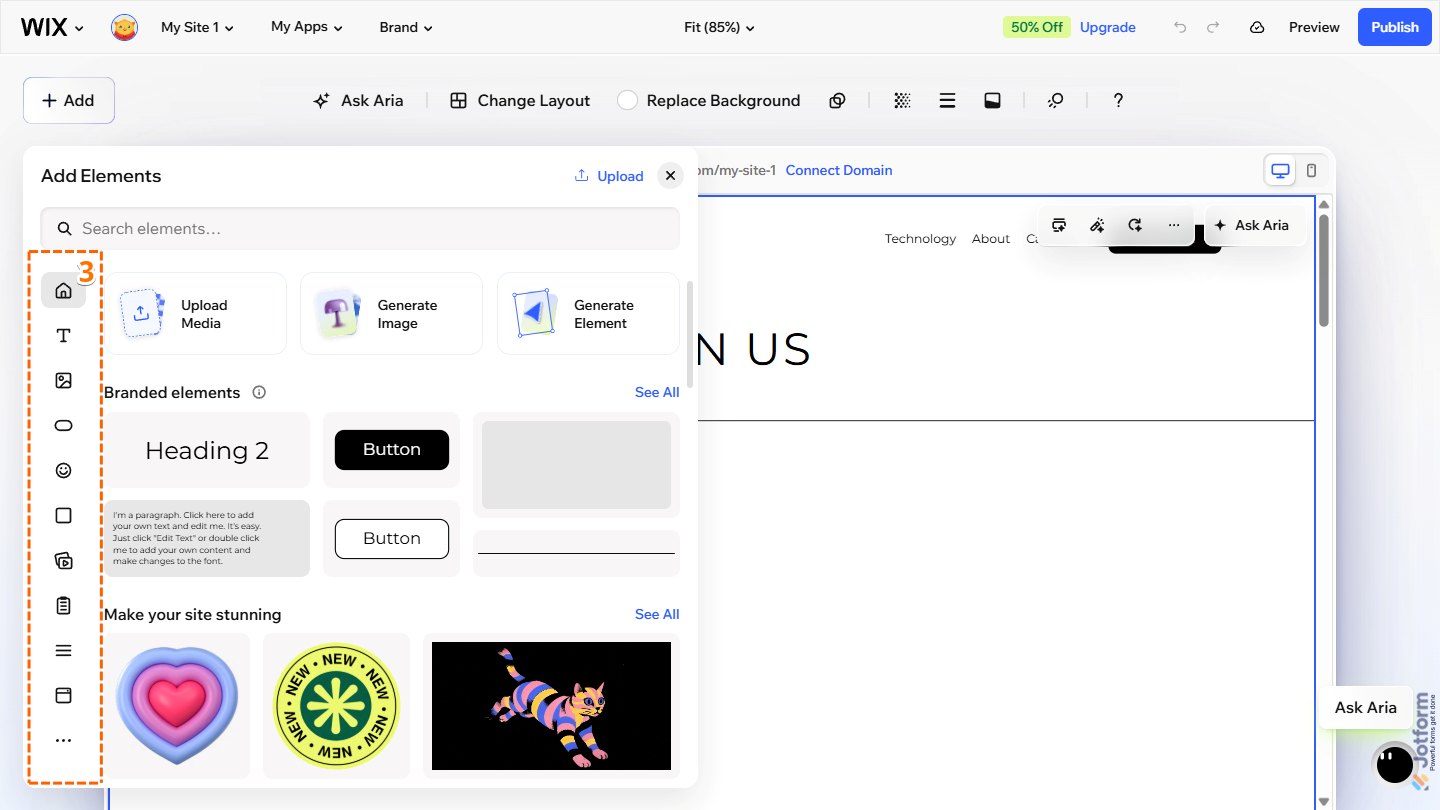
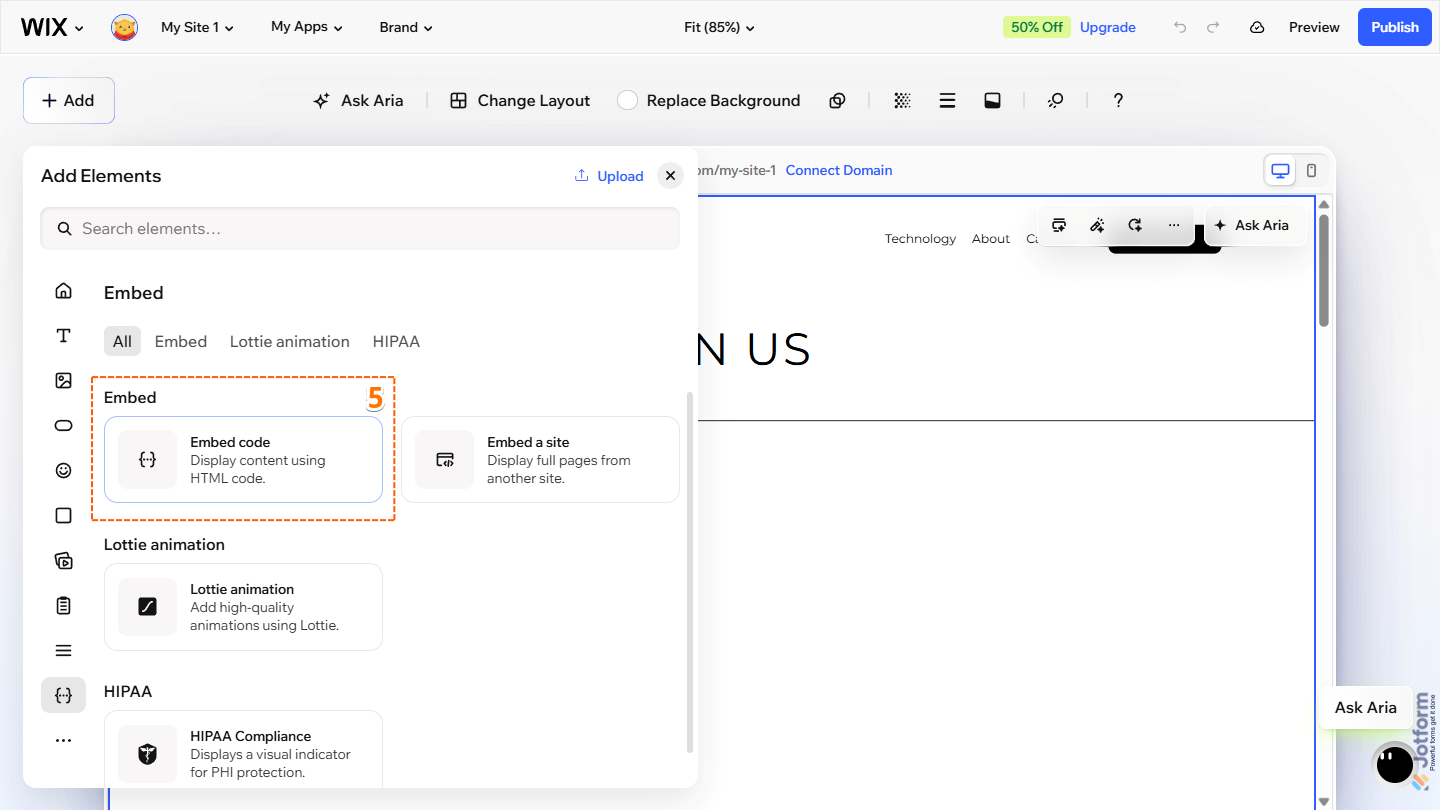
- Now, scroll down to Embed and click on it.

- Then, under the Embed section on the left, click or drag and drop the Embed Code element to your Wix section editor.
- Next, in the section editor, double-click the HTML Element block or click on the Gear icon at the top to open the Settings menu.

- Now, in the Settings menu that opens on the right, paste your form’s embed code to the Enter HTML Embed Code box.
- Finally, click on Apply. The form should display after this.

That’s it! Your form is now embedded on your Wix page using the Embed HTML element. You can adjust the element’s height and width to ensure your form is displayed properly and all its content is visible. Don’t forget to publish your page.



Send Comment:
81 Comments:
May 5, 2025
This helps some but I don't understand how to get to form to be the main sign up for wix
November 23, 2023
Jotform integration works fine, it submits information to my account as it should.
But, when you submit it stays on the blank area of the page. The confirmation that it's done is at the top of the page but the user does not see that. You have to scroll up to see the Thank you for Submitting message. The form does not show wix that it must go back to top of page. Anyone know how to fix this so after the user submits they can see the Thank you for submitting message?
May 25, 2023
Is it possible to add file uploads/images to the form that will export to email on the pdf form and be viewable as images not download links on the submitted form?
July 11, 2022
Wix does not look like that anymore...?
May 18, 2022
Hello,
Do you know what happens when someone fills out a jot form on wix? Where does the form go? If one of the questions is to pick a certain stylist, is there a way to have it email them the form, to somehow send it directly to that stylists email if they’ve been chosen?
December 11, 2021
Please I created a function on jotform that sends a specialized result to whoever fills the form. Now, I embedded this form on Wix. I want to know if this specialized result would still be sent to the user automatically when the form is being filled on Wix.
November 26, 2021
Thank you.
that works perfectly
June 19, 2020
I can add the jot form to my website but need help to add it to the reminder emails for my clients
May 29, 2020
Hi - Thanks this is great. however when i hit 'Next" button for the second page of my form it lands at the bottom of the page. It works fine on desktop, but on iPhone it just shows a blank screen:
See here: -
September 17, 2019
I have a problem - the intregration works fine, it submits information to my account fine.
But, when you submit it stays on a blank area of the page. The confirmation that its done is at the top of the page but the user does not see that. So I think the form does not show wix that it must go back to top of page. Not sure how to fix this
February 9, 2019
The form at the bottom isn't working as well. Help pls!
December 26, 2017
how do i integrate the information from my jot form that i have already embedded into wix onto my wix dada base page
December 6, 2017
I have created a form to purchase an annual membership using PayPal. It works great except that when Submit is clicked, it tries to pop up in a new window and most browsers pop-up blocker will block it. Is there a way to have it stay in the same window when Submit is clicked? I do not want to depend on people disabling their pop up blocker or adding our site to their safe site list. Thank you.
July 11, 2017
Hi,
Once the forms are submitted on our Wix site, where do I go to print/view them?
July 4, 2017
I followed these instructions to the letter, and my form is there, but I need for it to open in a new window. How do I do that?
June 29, 2017
I used the URL link, which worked fine..I hit the submit button, and my thank you pops up on the page. The problem is, that I am not receiving email confirmation..it's like it isn't going through. Help! ?
June 23, 2017
very nice and helpful its really feed love it
March 5, 2017
How do I accept members using jotform on my wix site?
January 8, 2017
i hv created my form and embed a light box on my wix website . is there a way to link a button to the lightbox form
November 4, 2016
I didi it, mobile doesn't work
September 26, 2016
is this legating binding based on UETA and Esign Act?
where can i find a version of the contract that confirms signature of both parties?
September 13, 2016
I have added my form to my Wix site and am wondering if users have the option for saving the form to come back to later? It's a long form. If so, I want to be able to provide info. on my website so users know what to expect. Many thanks.
July 15, 2016
I also need to add API key code. How do I do this?
January 8, 2016
I followed the steps listed here but when I update the code on Wix's page, the screen returns initially showing as if I am making a forgery. I went ahead and saved the site. When I access the site on phone browser, it does not allow me to click submit button. Whenever I try to click on submit, the site jumps to top of the page. Can you help??
October 2, 2015
Shasi, i believe you are using the old wix editor. Those additional features come in the html5 editor.
I had the same isue on a website i began building some months ago and now that i wanted to use the new features i had to redo all the website (because you cannot implement the new editor if you already began your site in the old one.
Google on how to request to use the new editor, it was a bit confusing (i had to follow for like 3 different URLs to get it going)