You can customize the appearance of the lightbox and feedback embeds, but you can’t change the style of its window title, especially when you opt to use the default. You can only style it by inserting the following custom CSS into your website’s header.
<style type="text/css">
.jt-title {
    font-family: Verdana, Times New Roman,sans-serif;
    font-size:15px!important;
    text-align:center;
}
</style>
You may replace the value of font-family with any web-safe fonts you prefer. You can change the font size, alignment, or anything.
The window title is the text at the topmost part of the lightbox window; see below:

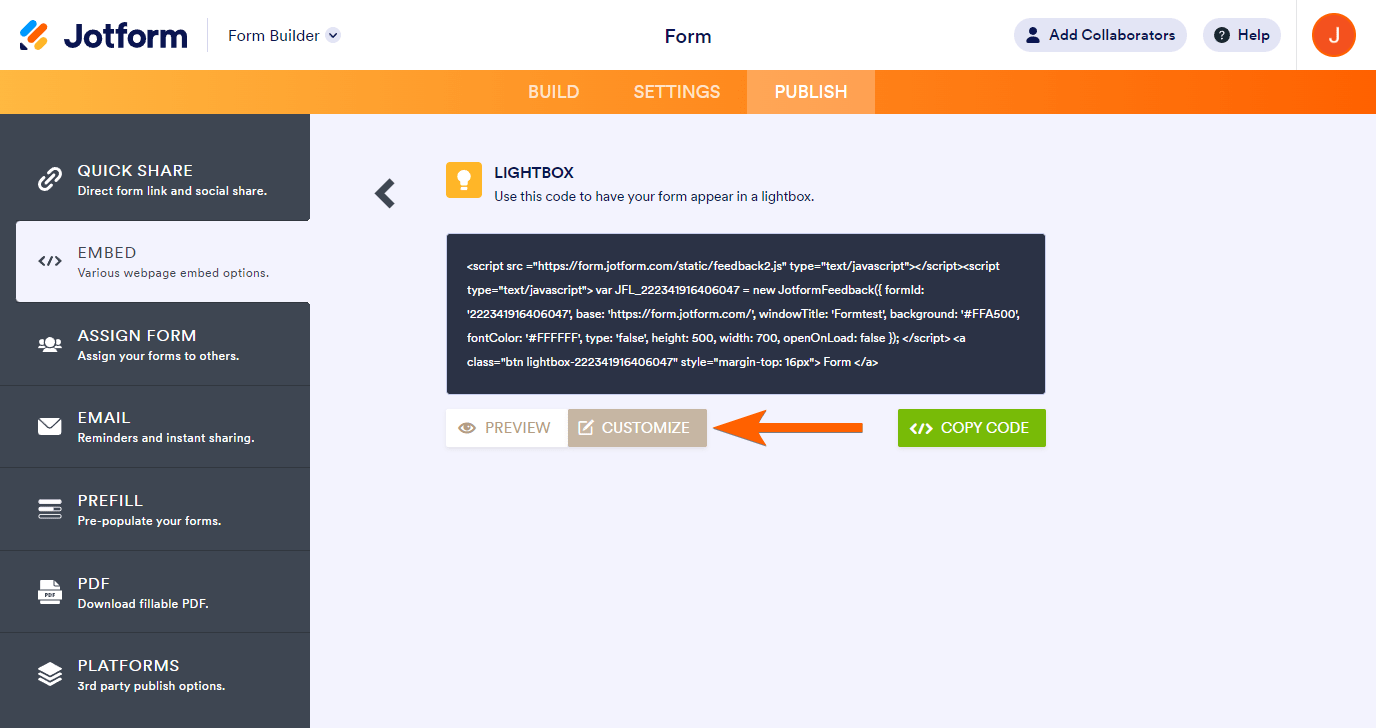
Again, for the appearance of the whole lightbox, such as the Dimension, Style, Colors, and positioning, you can do it by clicking the Customize button when choosing Feedback or Lightbox:
See also:

Send Comment:
24 Comments:
February 16, 2023
How to set the single choice option when selected it will link with the selected sheet?
August 23, 2018
How can i change the title font-weight, shadow, remove the border below the title?
December 14, 2017
Does it retry when no success response code or time out ?
February 3, 2017
Will I receive a webhook notification if the form is updated as well?
July 6, 2016
i just started working in webhooks.i didnt get any idea where to start..how to implement webhook in my site to send notification alert
March 9, 2016
I have an API key and ID for the database i am trying to post to. I don't know how to make jotform post it in the right format so the database will receive it correctly. any ideas?
May 11, 2015
none of the "View Answer" links are working. I was able to create the page on my website for data to transfer to, using the Webhooks link on the form itself, but I have no idea how to create the page content with php. Please help.
March 20, 2015
:( Why did they kill this? In form builder view I no longer see the WebHooks icon.
January 8, 2015
I would also like more information about data going directly to an Access database.
As others have mentioned, the View Answer links above do not work.
August 29, 2014
Hi there,
I am trying to do this too, get the data to go straigh into an Access database. However, I have no idea about how to go about writing php to get this to work. The people who've asked about it above have 'view answer' links but they don't seem to work. Could anyone point me in the right direction? Many thanks,
Kate
August 2, 2014
How do we get URL to post ie Clinchpad?
February 19, 2014
Can we see the code in notifications.php? I'm new to php and this would be useful. None of the links on the thread currently show the code in that file.
January 16, 2014
I imagine it's no different from the previous method of sending HTTP Post data via the Thank You page. With this method, you no longer have to create a custom Thank-you page.
https://www.jotform.com/help/213-send-submission-data-via-post-method-and-thank-you-settings/
November 14, 2013
زيدت المتابعه
August 15, 2013
I imagine it's no different from the previous method of sending HTTP Post data via the Thank You page. With this method, you no longer have to create a custom Thank-you page.
https://www.jotform.com/help/213-send-submission-data-via-post-method-and-thank-you-settings/
July 9, 2013
Same question here. I have two new web sites getting ready to go online using Jotforms and both clients have been asking for this exact functionality, but I am not a PHP Programmer.
Do you have example code on how to implement this?
July 6, 2013
Can you post a sample php script for reporting data which has been transferred via web-hook to a new spreadsheet to a database?
July 6, 2013
Can any one get me book on creating data base with php?
July 5, 2013
Works Great!!
One suggestion if I may - do not send sensitive credit card data like card number/expiration/security code through webhooks.
July 5, 2013
This is will simplify things for me and my websites where I need feedback. All I have to do now is set up a "PHP" scheme. Do you by any chance have any sample code for this? This would be great and save me time.
July 3, 2013
Dear Aytekin,
I wish you and the team all success in your continued journey of innovation. The Webhooks is just another instance that proves that your team is always working with us in mind. Happy to be associated with you for all these years :)
Rajesh (TMI)
July 3, 2013
awesome
July 8, 2012
How can I add the word Close next to the X, in the title bar, for the computer challenged customers please?
July 9, 2011
Thanks for sharing