Creating Accessible Forms
Make your online forms accessible for all. Collect data from everyone including people with disabilities or special needs.
Guides
How to Run an Accessibility Scan on Your Form
Build forms that welcome every user. An accessibility scan helps you find and remove barriers that might stop someone from completing your form. By using this tool, you receive instant feedback to ensure your design is clear, easy to navigate, and...
How to Add and Improve Image Alt-Text
Provide a clear description for every image in your form. Alternative text (alt-text) allows screen readers to describe images to users with visual impairments. By including descriptive alt-text, you ensure that no one misses out on important...

How to Fix Color Contrast Issues for Better Readability
Ensure your form is readable for everyone, including users with low vision or color blindness. Color contrast refers to the difference in brightness between your text and its background. When contrast is too low, text becomes difficult to read....
How to Structure Headings for Screen Readers
A clear structure is like a map for your form. For users who cannot see the layout, headings and lists act as landmarks that allow them to jump to the sections they need. If these landmarks are out of order, the "map" becomes confusing and...

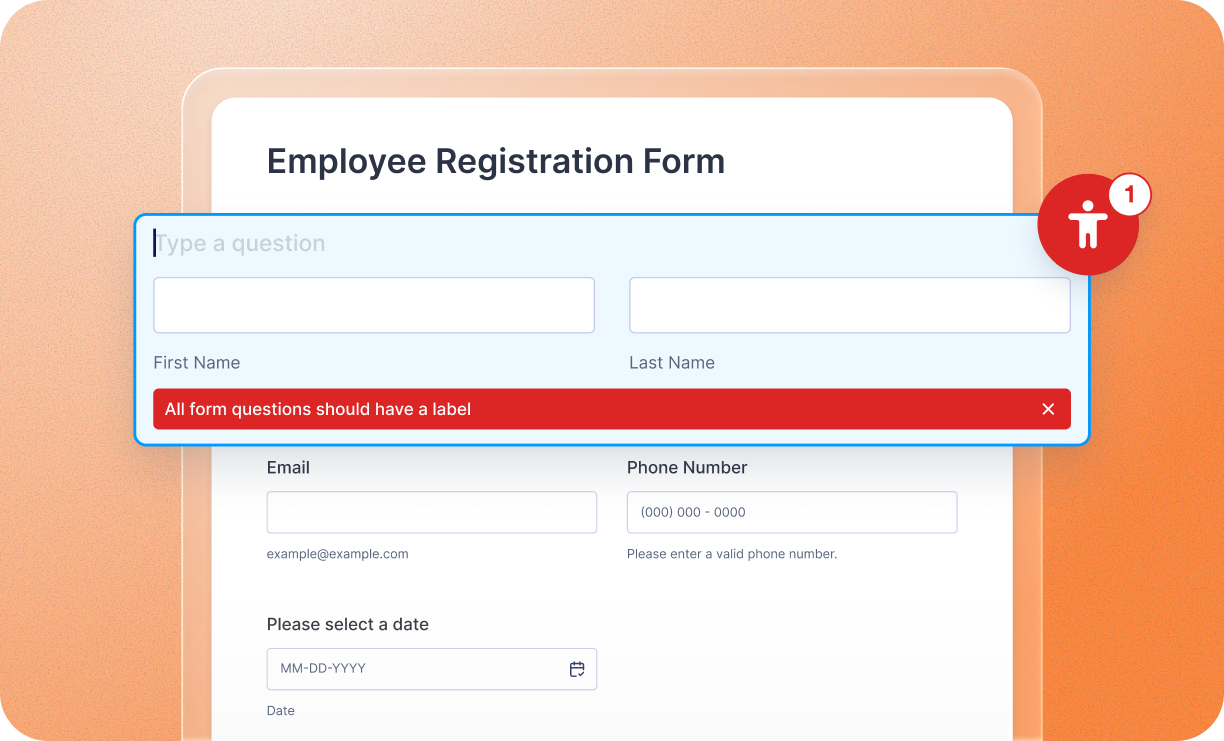
How to Improve Form Labels for Better Accessibility
Creating accessible forms ensures that every user, including those using screen readers or motor-assistive technology, can complete your form successfully. Use these strategies to optimize your labels for maximum inclusivity. Optimize the...