Provide a clear description for every image in your form. Alternative text (alt-text) allows screen readers to describe images to users with visual impairments. By including descriptive alt-text, you ensure that no one misses out on important visual information or context.
Add Alt-Text to Your Images
- In the Form Builder, select the image element you want to add alt text to.
- Next, click on the Gear icon to open the Image Properties panel.
- Under the Advanced tab, enter a concise description of the image in the Alternative Text field.
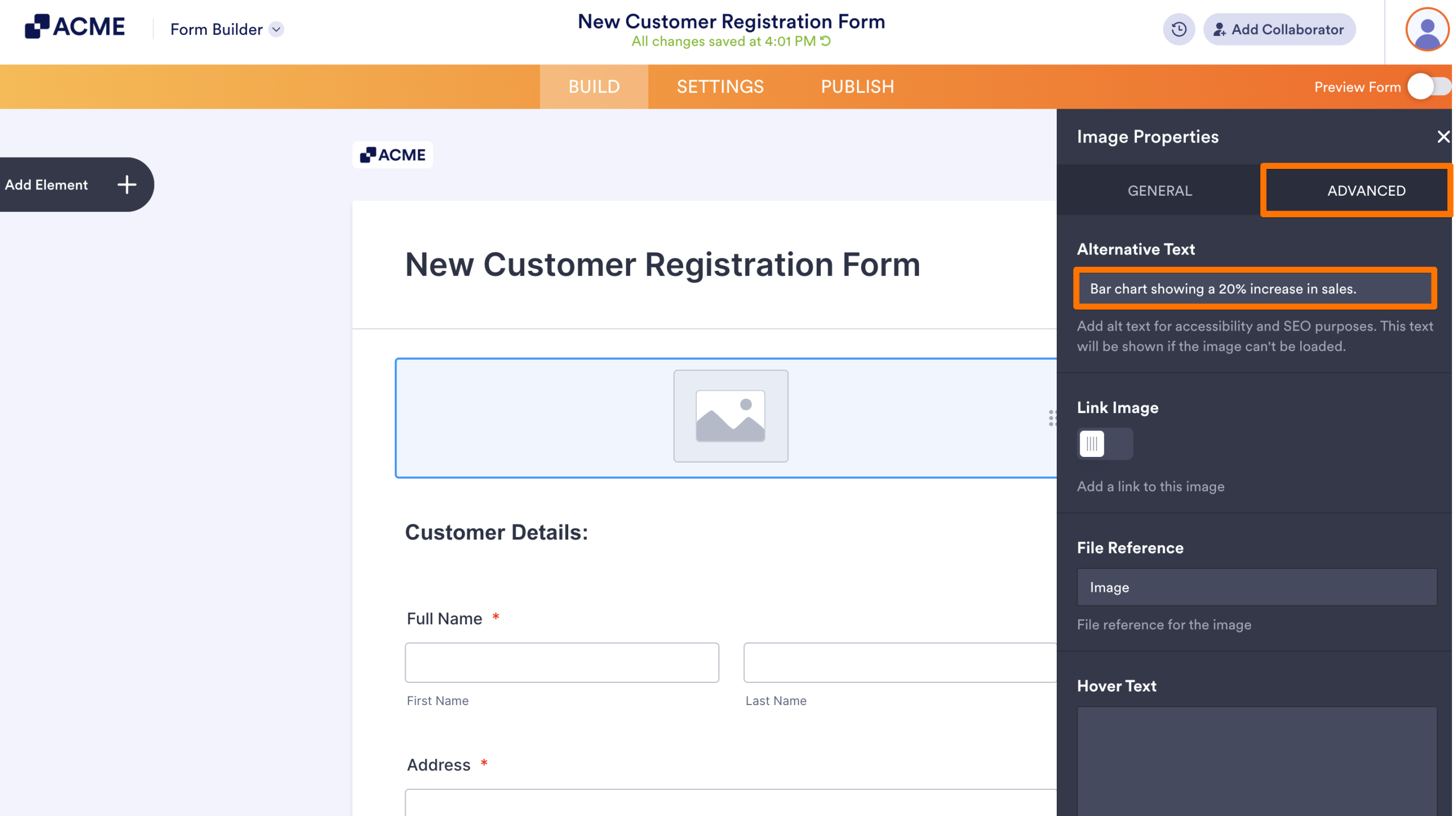
The Accessibility Scanner will automatically clear the Missing alternative text error once you save the description.
Improve Your Descriptions
To make your alt-text more effective, follow these tips:
- Be Specific: Instead of “Graph,” use “Bar chart showing a 20% increase in sales.”
- Avoid “Image of”: Screen readers already identify the element as an image, so jump straight into the description.
- Keep it Brief: Aim for one or two short sentences that convey the essential meaning.
See also:

Send Comment: