Jotform makes it easy to collect color preferences in your form with the Advanced Color Picker widget. Users can select or enter a color using a simple color selector. This helps you gather accurate color choices for orders, design requests, and other customized submissions.
Here are a few ways to use it:
- Let users select a color on your form.
- Collect color preferences for custom orders or design requests.
- Create more interactive and personalized order forms.
- Gather accurate color input for creative or product-related forms.
Whether you’re creating a new form or updating an existing one, adding and setting up the Advanced Color Picker widget only takes a second—here’s what to do:
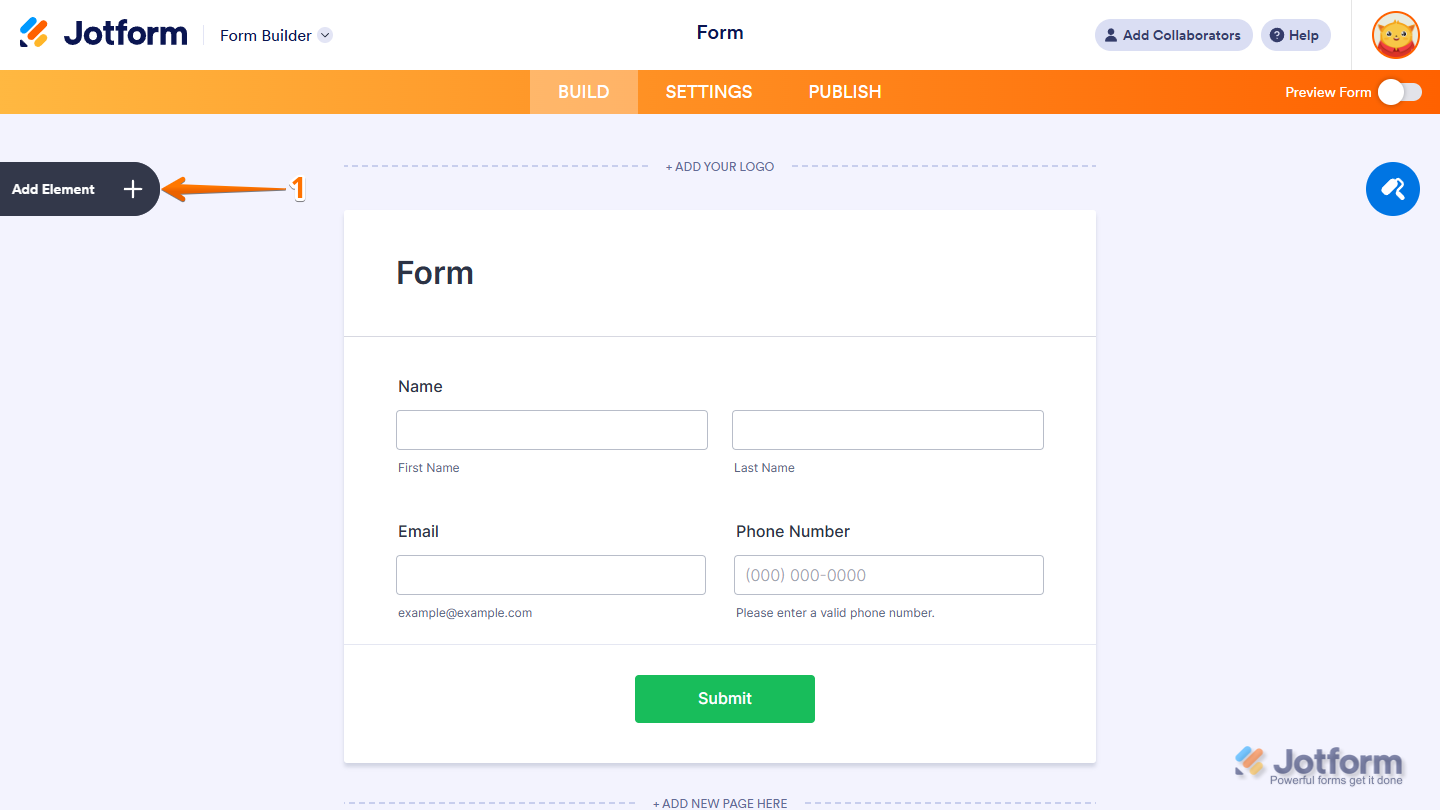
- In Form Builder, click on Add Element on the left side of the page.
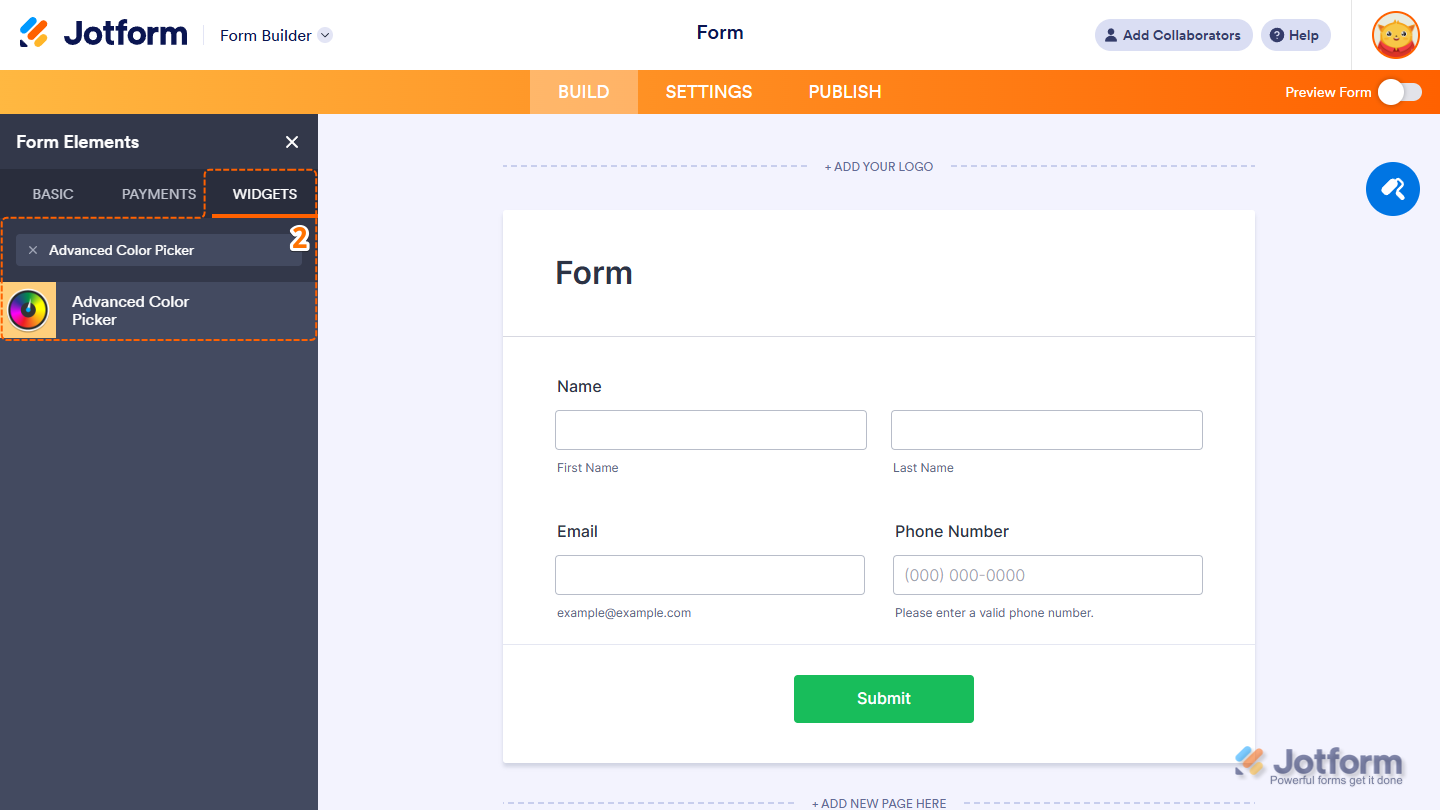
- Now, in the Form Elements menu, under the Widgets tab, search for Advanced Color Picker and click to add it to your form. Or, just drag and then drop it to where you want it to be on your form.
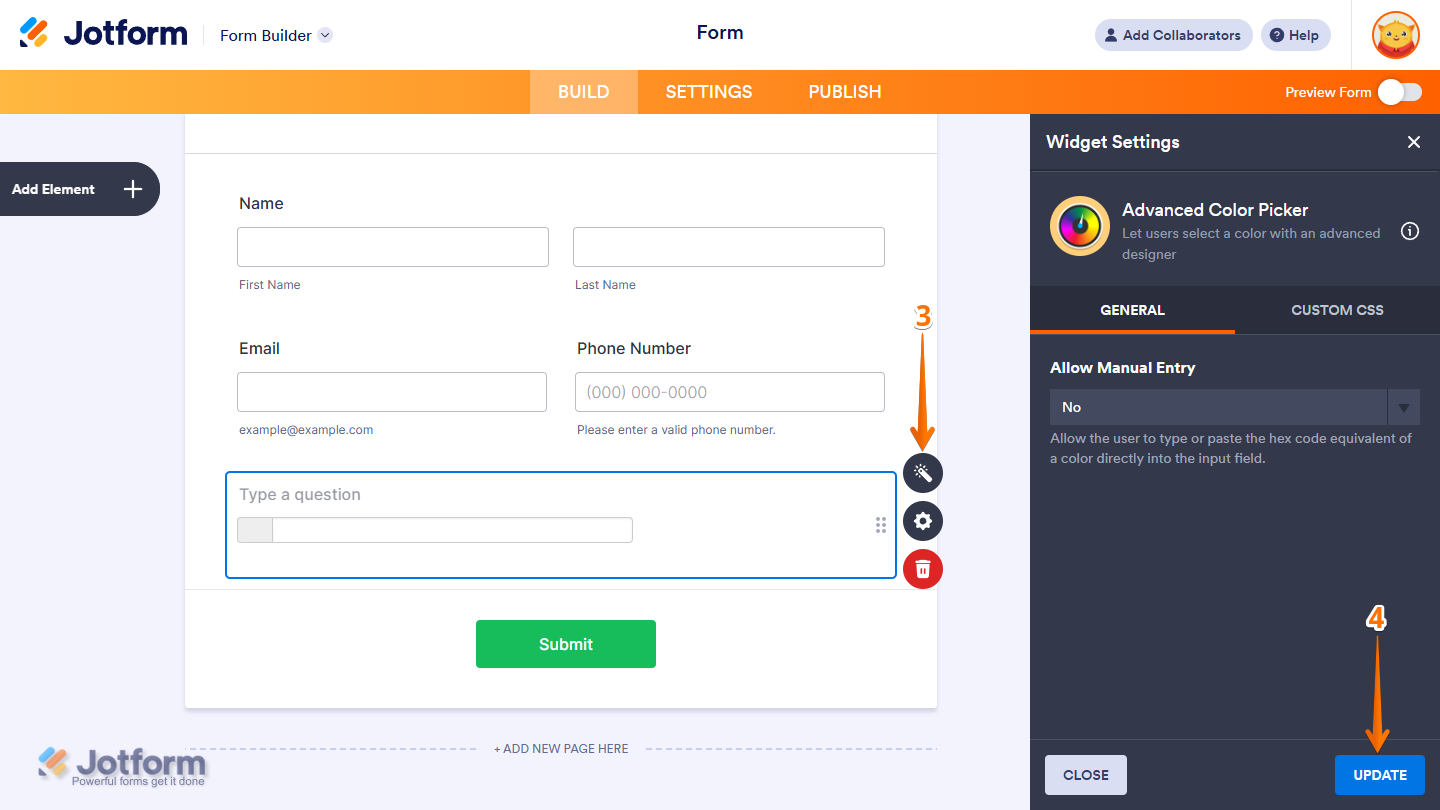
- Next, in the Widget Settings window that opens on the right side of the page, under the General tab, set the Allow Manual Entry option to Yes or No to let users type or paste the hex code equivalent of a color directly into the input field.
- Now, click on Update, and you’re done.
That’s it! You’ve successfully added and set up the Advance Color Picker Widget on your form. Wondering how it looks in action? Check out this Demo Form.
Note
- To style the fields and labels, you can inject custom CSS into the Custom CSS tab in the Widget Settings. To learn how it’s done, see our guide on How to Inject CSS Codes to Widgets.
- You can also configure the widget properties, like alignment, labels, size, visibility, and more, to control how it looks and behaves in your form. Check out our guide on How to Access and Configure the Question Properties of a Widget to learn more.

Send Comment: