Jotform makes it easy to provide instant nutrition insights with the Calorie Intake Calculator widget, which automatically calculates recommended daily calorie intake based on user inputs. This helps trainers, coaches, and wellness businesses give clients a quick and reliable estimate without manual calculations. It also keeps health-related data organized directly within your form.
Here are a few ways to use it:
- Calculate recommended calorie intake automatically.
- Track weight and activity levels for clients.
- Support personal training or nutrition programs.
- Collect structured health data in one place.
Whether you’re creating a new form or updating an existing one, you can add and set up the Calorie Intake Calculator widget in a few easy steps. Here’s how to do it:
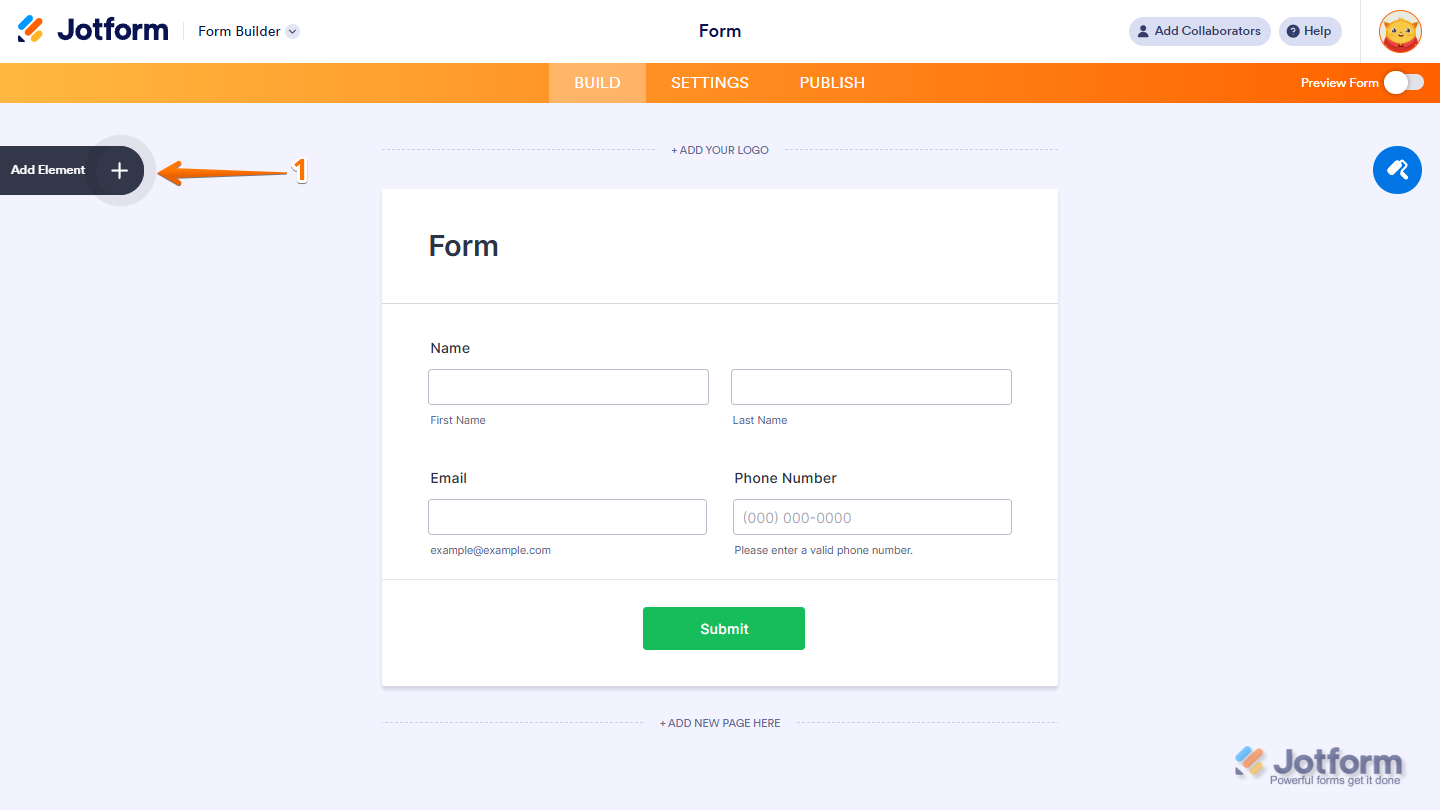
- In Form Builder, click on Add Element on the left side of the page.
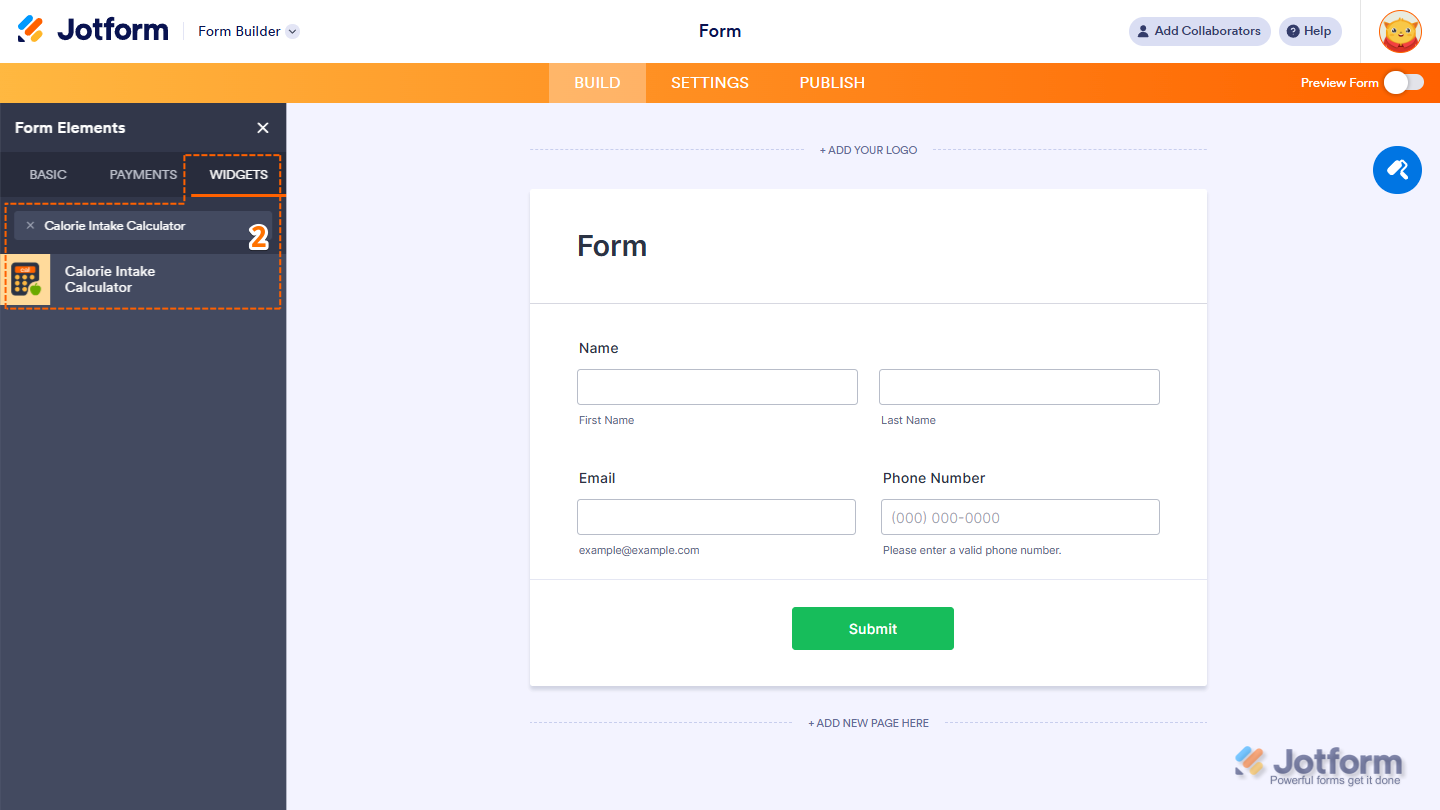
- Now, in the Form Elements menu, under the Widgets tab, search for the Calorie Intake Calculator widget and click on it. Or, just drag and drop it to where you want it to be on your form.
- Next, in the Widget Settings window that opens on the right side of the page, under the General tab, select an option in the Theme Dropdown menu to set the visual style of the widget.
- Once you’re done, click on Update.
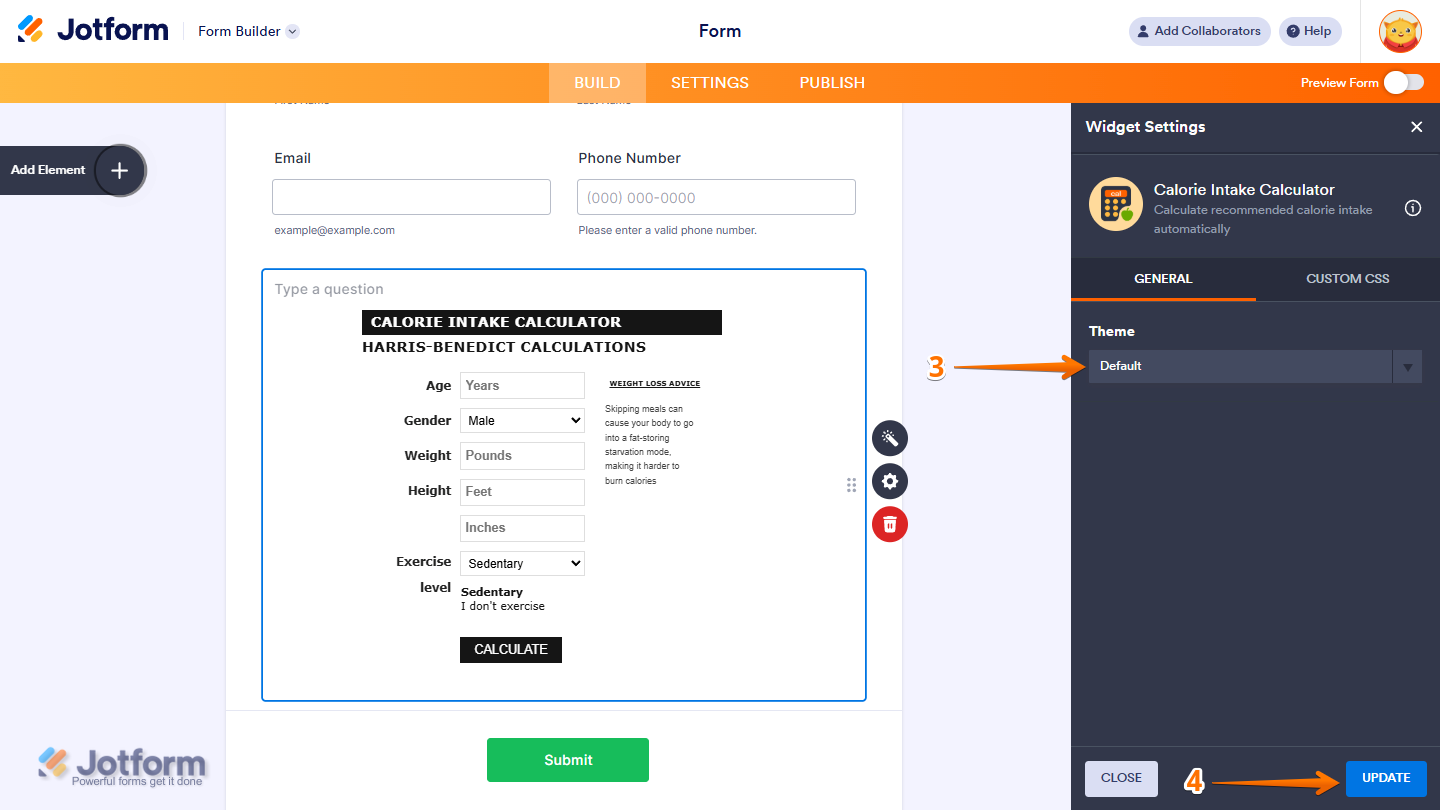
That’s it. You’ve successfully added and set up the Calorie Intake Calculator widget on your form. Want to see how it works? Check out this live demo form.
Note
- For advanced styling of the Calorie Intake Calculator widget, you can add your own custom CSS code under the Custom CSS tab in the Widget Settings. Our guide on How to Inject CSS Codes to Widgets walks you through everything.
- You can also configure the widget properties, like alignment, labels, size, visibility, and more, to control how it looks and behaves in your form. Check out our guide on How to Access and Configure the Question Properties of a Widget to learn more.

Send Comment: