With Jotform’s Fundraising Progress Meter widget, you can display your fundraising progress directly on your form, making it easy for donors to see how close you are to reaching your goal. Simply add the widget, set your fundraising target, and customize its appearance to match your form.
Showing your fundraising progress can encourage more people to contribute by creating a sense of momentum and transparency. Whether you’re raising money for a nonprofit, school, community project, or personal cause, this widget helps keep donors informed and motivated to help you reach your goal.
Here are a few ways to use it:
- Display Real-Time Fundraising Progress — You can use the Fundraising Progress Meter widget to show how much of your fundraising goal has been reached. This keeps donors informed and encourages continued support.
- Motivate More Donations — Displaying your campaign’s progress creates a sense of momentum and urgency. As the fundraising goal gets closer, visitors may feel more encouraged to contribute.
- Increase Transparency With Donors — The widget helps build trust by clearly showing how much has been raised compared to the campaign goal. This gives donors confidence that their contributions are making an impact.
- Highlight Fundraising Campaigns — You can add the widget to donation forms or campaign pages to make your fundraising efforts more visible. A prominent progress meter helps draw attention to your cause.
Note
The Fundraising Progress Meter widget displays the values you enter for the goal amount and current amount. It doesn’t automatically update based on form submissions or donations.
Adding and Setting Up the Fundraising Progress Meter Widget
With just a few simple steps, you can add a fundraising progress meter to your form to display your campaign’s goal and track donation progress in real time. Here’s how to set it up:
- In Form Builder, click on Add Element on the left side of the page.
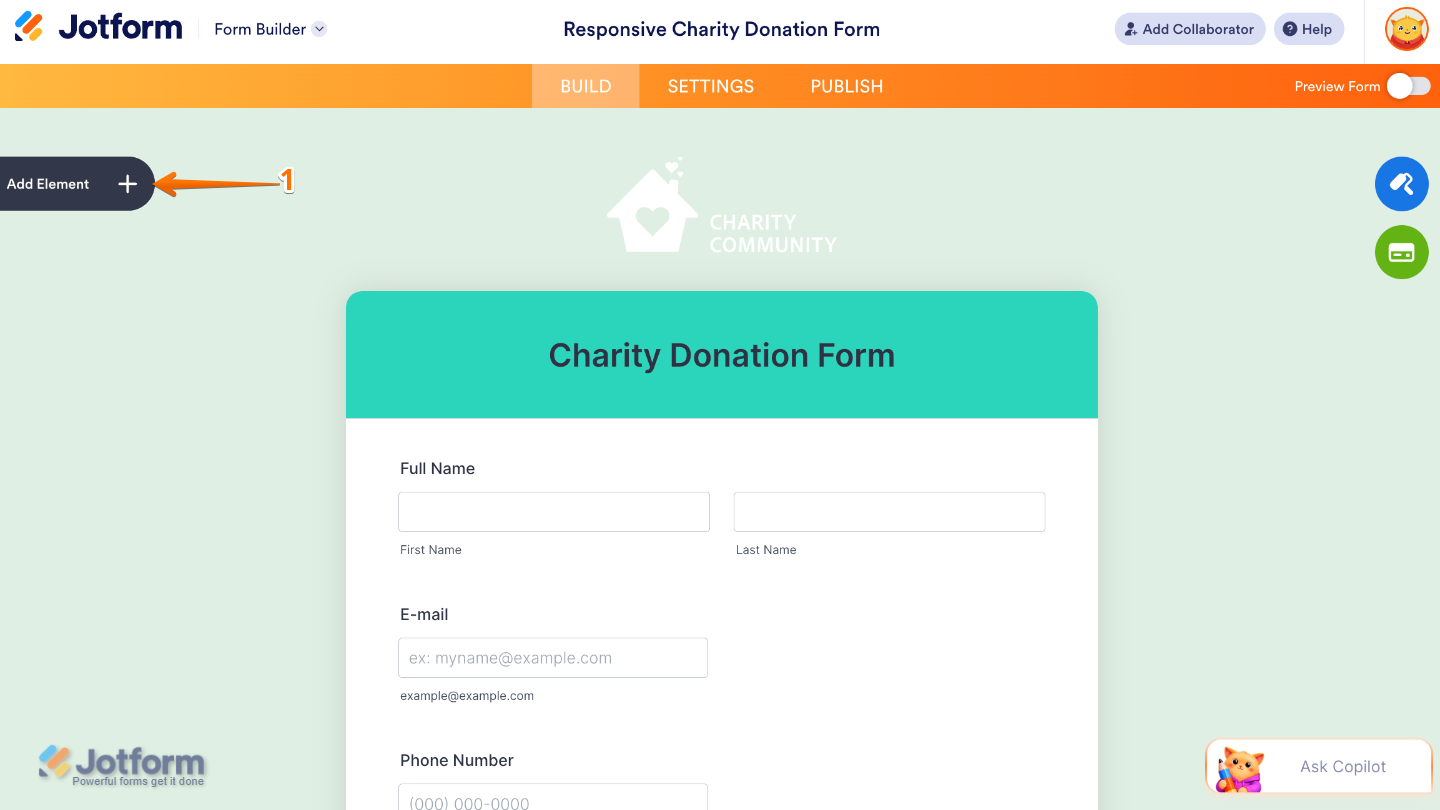
- Now, in the Form Elements menu, under the Widgets tab, search for Fundraising Progress Meter and then click on it. Or, just drag and drop it to where you want it to be on your form.
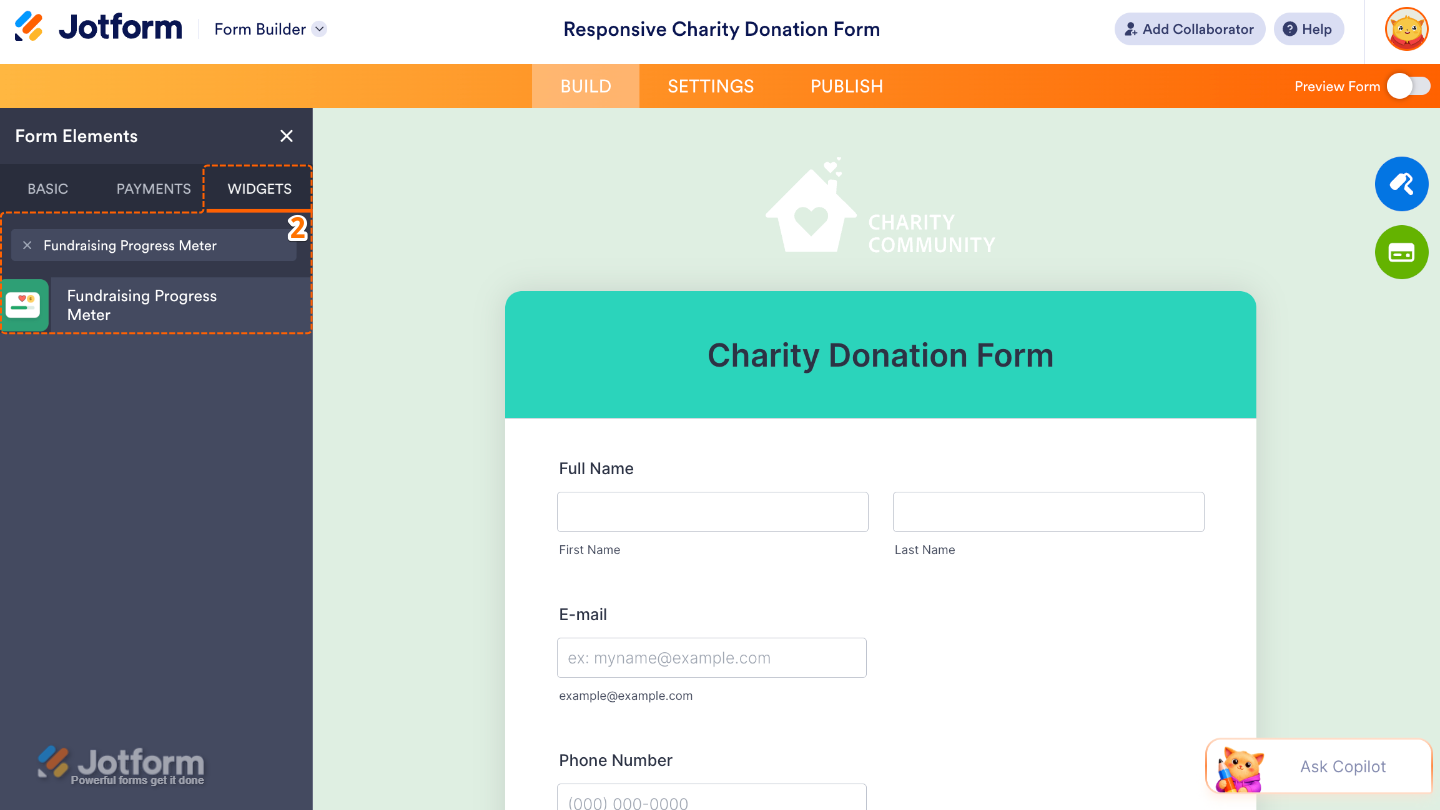
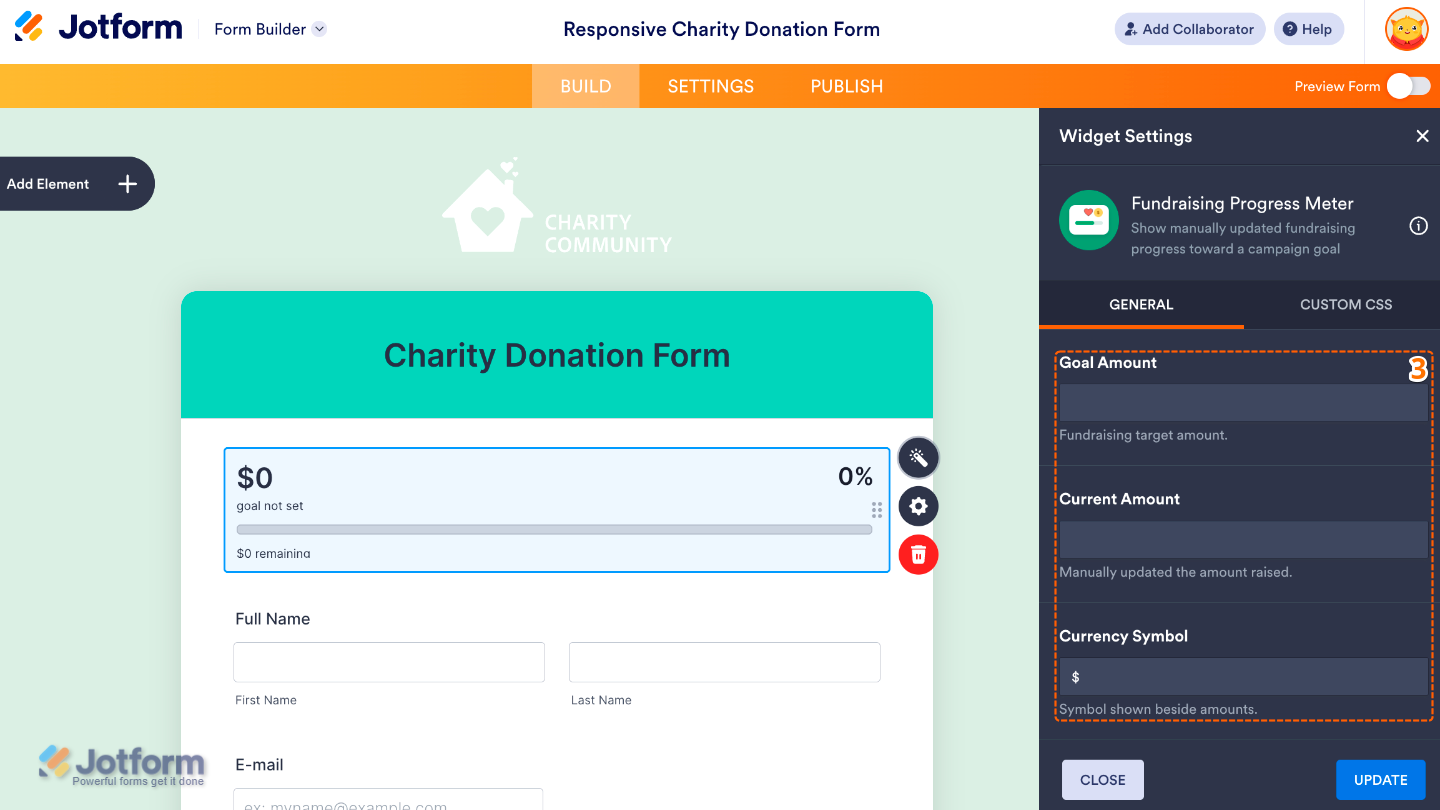
- Next, in the Widget Settings window that opens on the right side of the page, set up the following options:
- Goal Amount — Set the total fundraising goal that you want the progress meter to reach.
- Current Amount — Enter the amount that has already been raised to display your campaign’s current progress.
- Currency Symbol — Choose the currency symbol to display alongside your fundraising amounts.
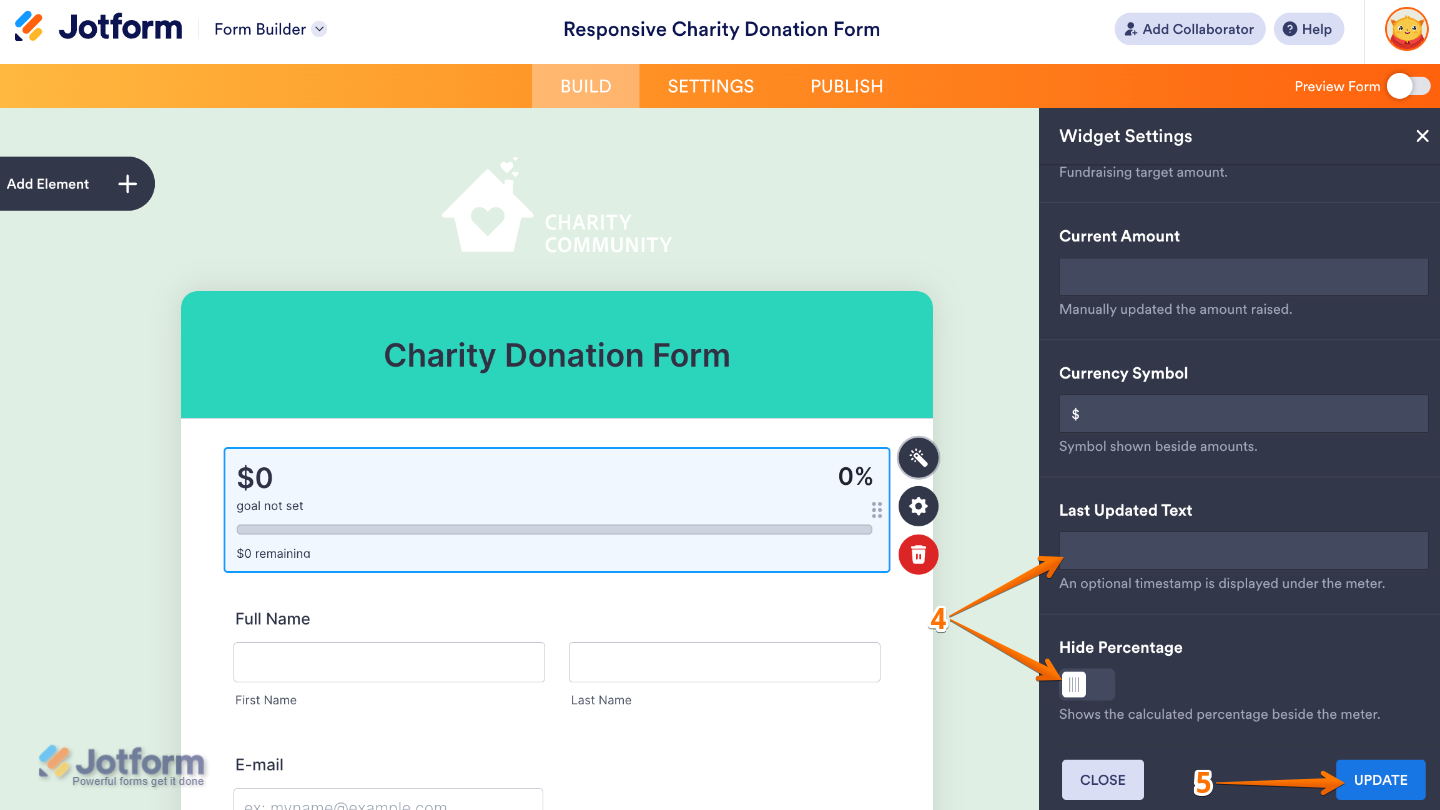
- Then, scroll down and continue to set up these options:
- Last Updated Text — Customize the text that indicates when the fundraising progress was last updated.
- Hide Percentage — Enable this to hide the percentage of the fundraising goal while still displaying the progress meter.
- Once you’re done, click on Update.
That’s it! You’ve successfully added and set up the Fundraising Progress Meter widget on your form. Your fundraising progress will now be displayed automatically, allowing supporters to see how close your campaign is to reaching its goal. Ready to see it in real time? Have a look at this demo form.
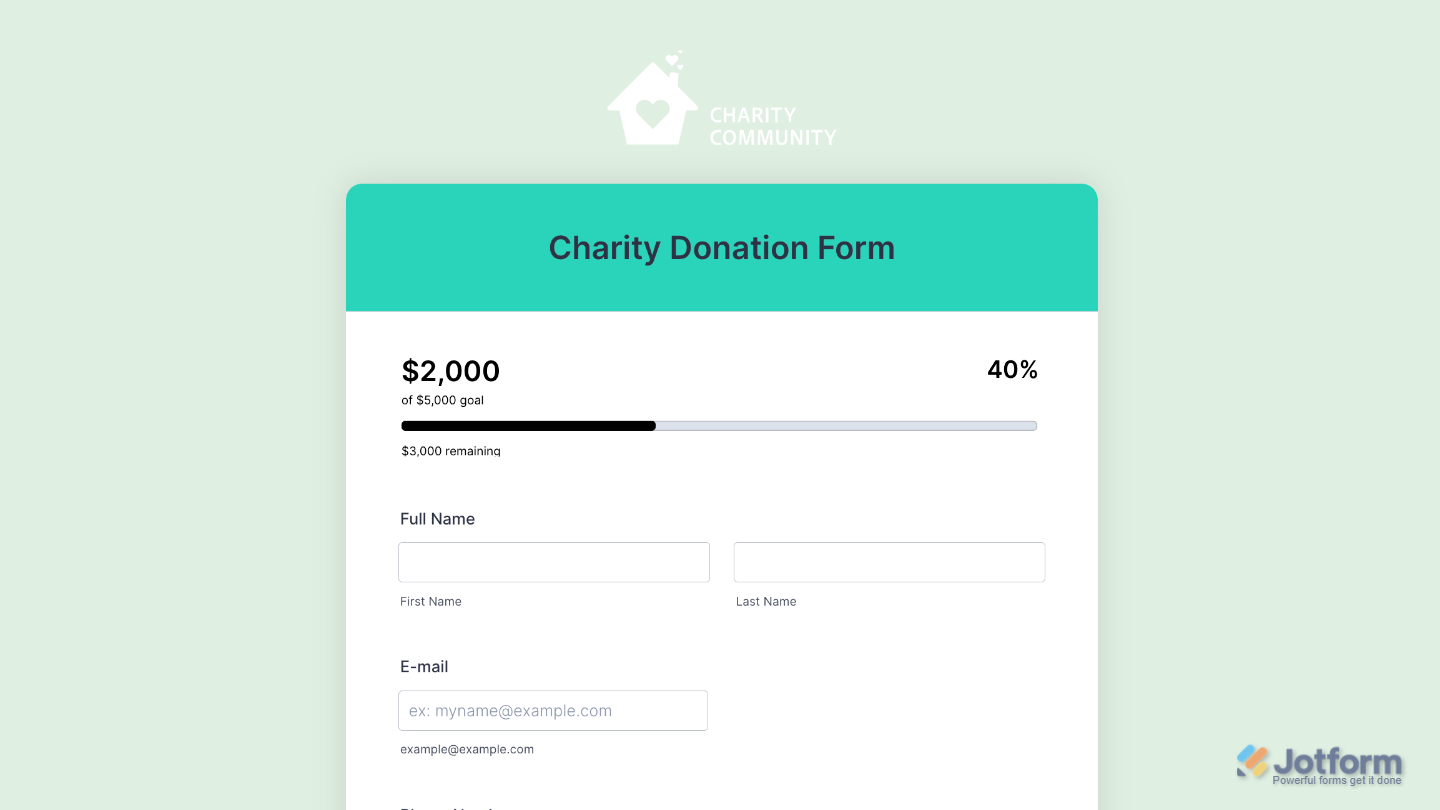
You can also configure the widget properties, like alignment, labels, size, visibility, and more, to control how it looks and behaves on your form. To learn how it’s done, see our guide on How to Access and Configure the Question Properties of a Widget.
Note
For advanced styling of your Fundraising Progress Meter, you can add your own custom CSS code under the Custom CSS tab in the Widget Settings. Our guide on How to Inject CSS Codes to Widgets walks you through everything.
Pro Tips
- Keep the Current Amount up to date to encourage donors by showing how close you are to reaching your goal.
- Place the Fundraising Progress Meter near the top of your form so visitors can immediately see your campaign’s progress.

Send Comment: