It’s simple to collect numeric input with Jotform’s Numeric Slider Widget. Users can pick a value by sliding a selector along a horizontal bar. You can set a minimum and maximum limit using whole numbers so the data you receive stays consistent and accurate.
Here are a few ways to use it:
- Set clear lower and upper limits for more reliable responses.
- Collect accurate numeric data from your users.
- Add an attractive visual slider to your forms.
- Let respondents choose values quickly and easily.
Whether you’re starting fresh or updating a form, adding and setting up the Numeric Slider takes only a few steps. Here’s a quick how-to:
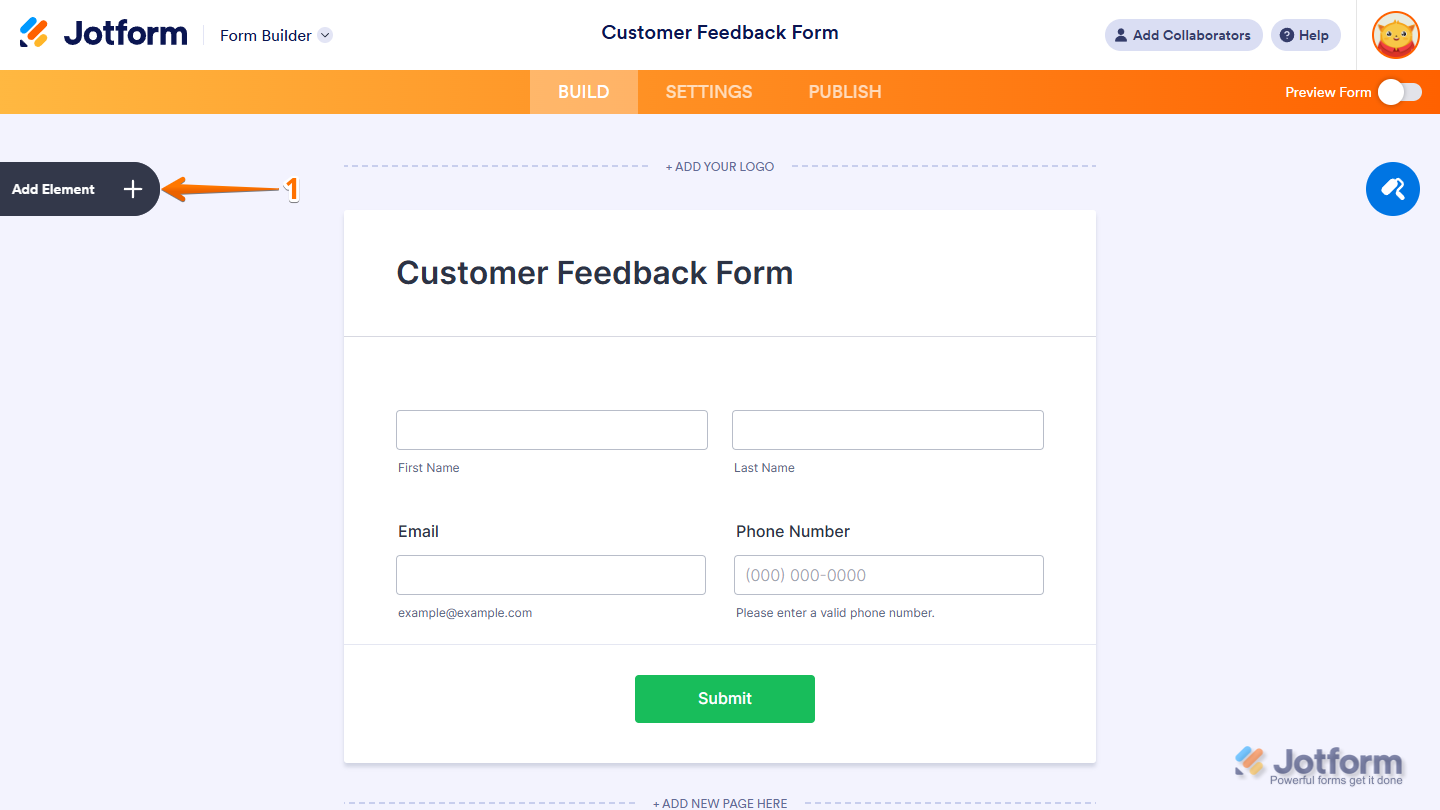
- In Form Builder, click on Add Element on the left side of the page.
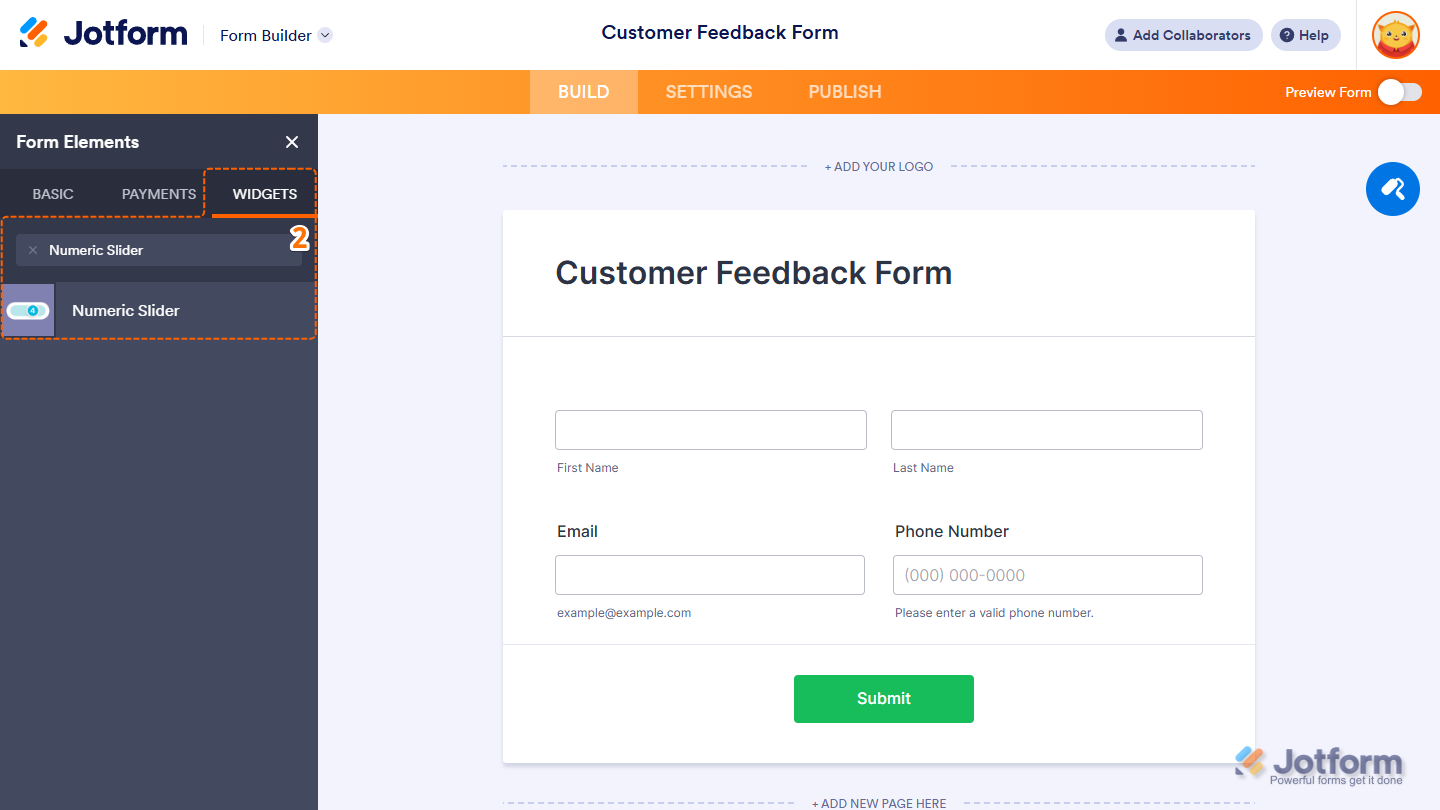
- Now, in the Form Elements menu, under the Widgets tab, search for Numeric Slider and click on it. Or, just drag and drop it to where you want it to be on your form.
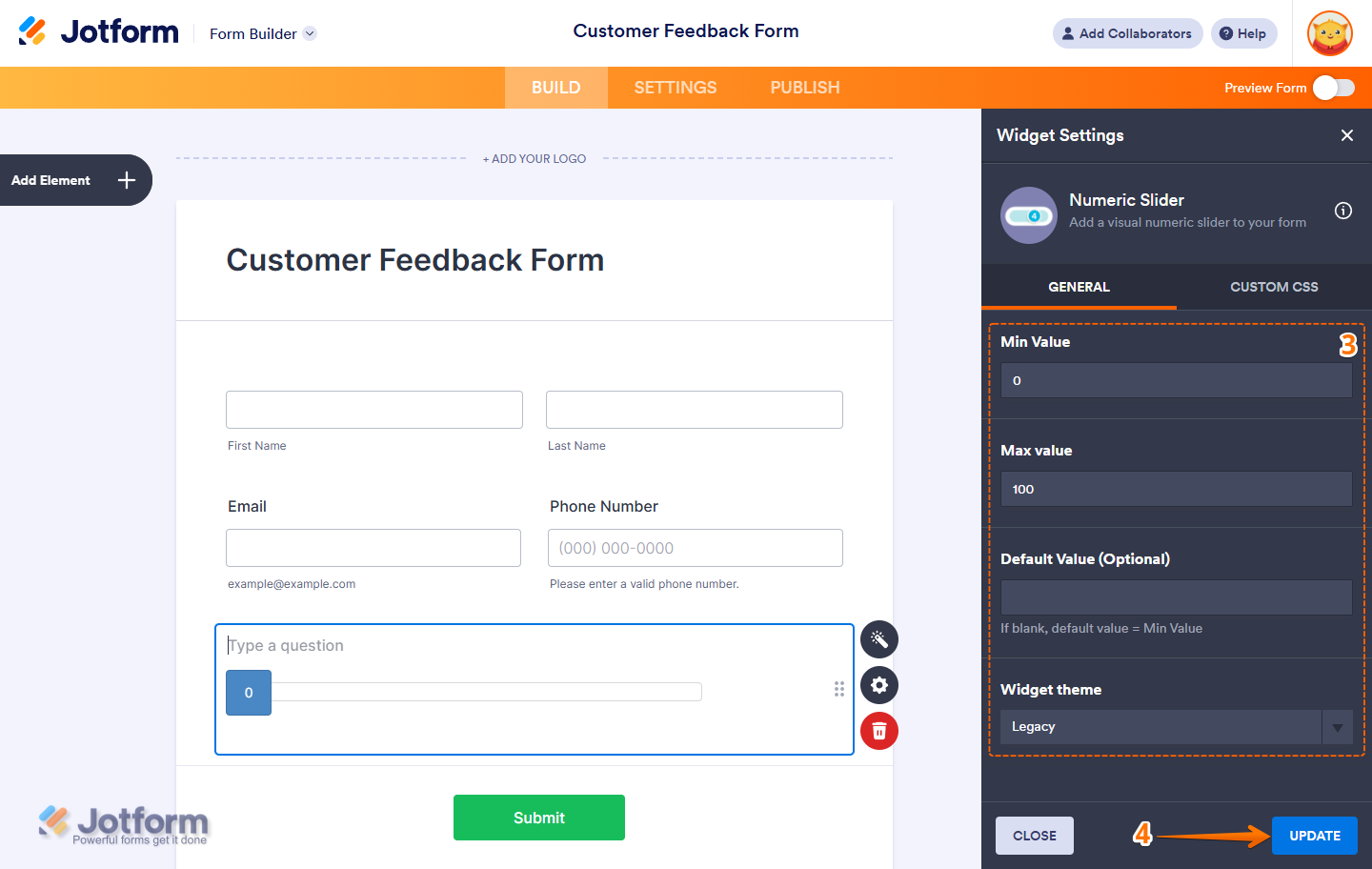
- Next, in the Widget Settings window that opens on the right side of the page, set up these things:
- Min Value — Set the lowest number that users can select on the slider.
- Max Value — Define the highest number that can be chosen.
- Default Value — Choose the starting value shown when the form loads.
- Widget Theme — Select a predefined visual style to match your form’s design.
- Once everything’s set, click on Update.
That’s it. You’ve successfully added and set up the Numeric Slider widget on your form. Want to see how it works? Check out this live demo form.
Note
- For advanced styling of the Numeric Slider widget, you can add your own custom CSS code under the Custom CSS tab in the Widget Settings. Our guide on How to Inject CSS Codes to Widgets walks you through everything.
- You can also configure the widget properties, like alignment, labels, size, visibility, and more, to control how it looks and behaves in your form. Check out our guide on How to Access and Configure the Question Properties of a Widget to learn more.

Send Comment: