Jotform makes it easy to display current time directly on your form with the World Time widget, helping users stay aware of time differences when filling out time-sensitive forms. This is useful for avoiding confusion across time zones and making sure submissions are accurate.
Here are a few ways to use it:
- Show current time for a specific location.
- Help users avoid time zone confusion.
- Support forms with deadlines or scheduled submissions.
- Improve clarity for global users filling out your form.
Whether you’re creating a new form or updating an existing one, you can add and set up the World Time widget in a few easy steps. Here’s how to do it:
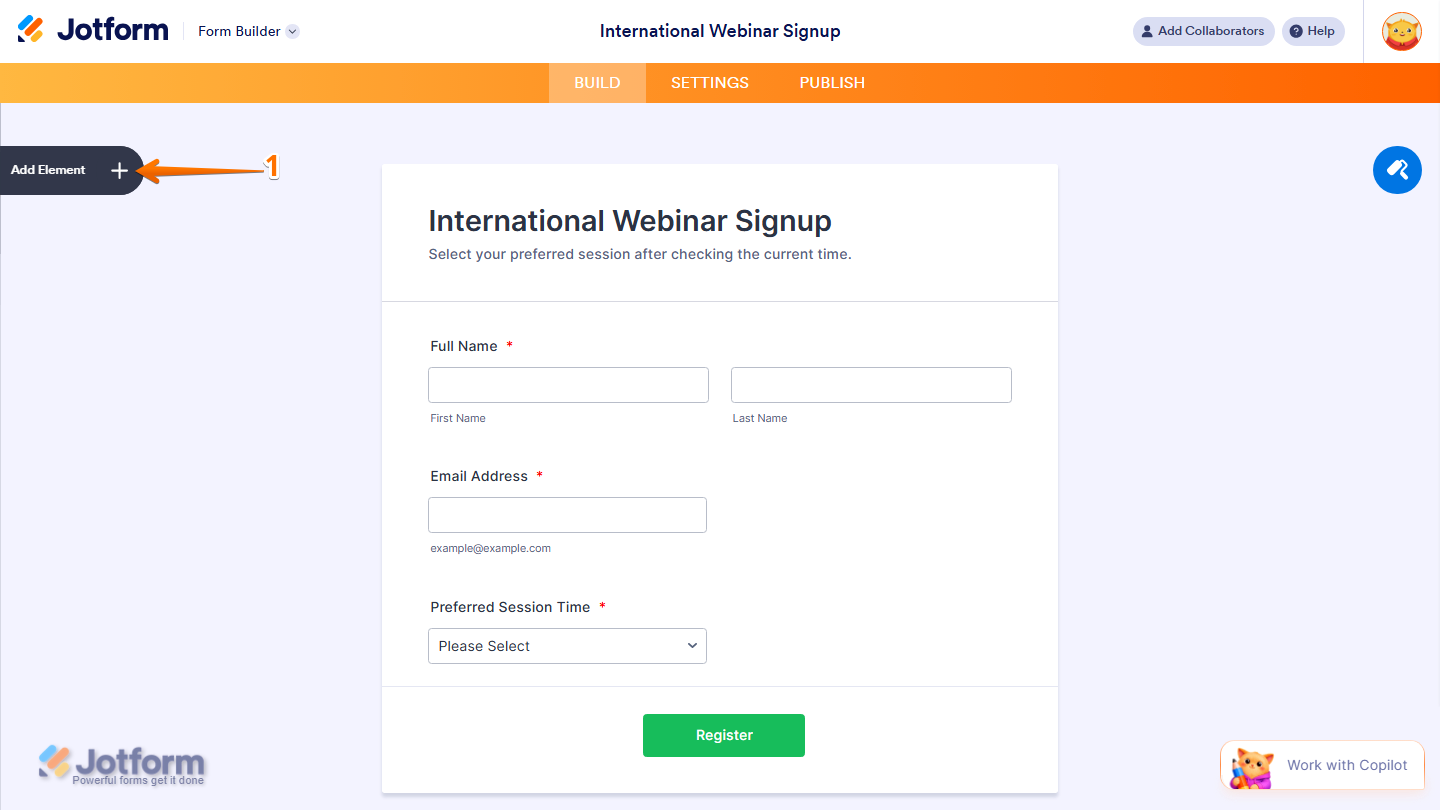
- In Form Builder, click on Add Element on the left side of the page.
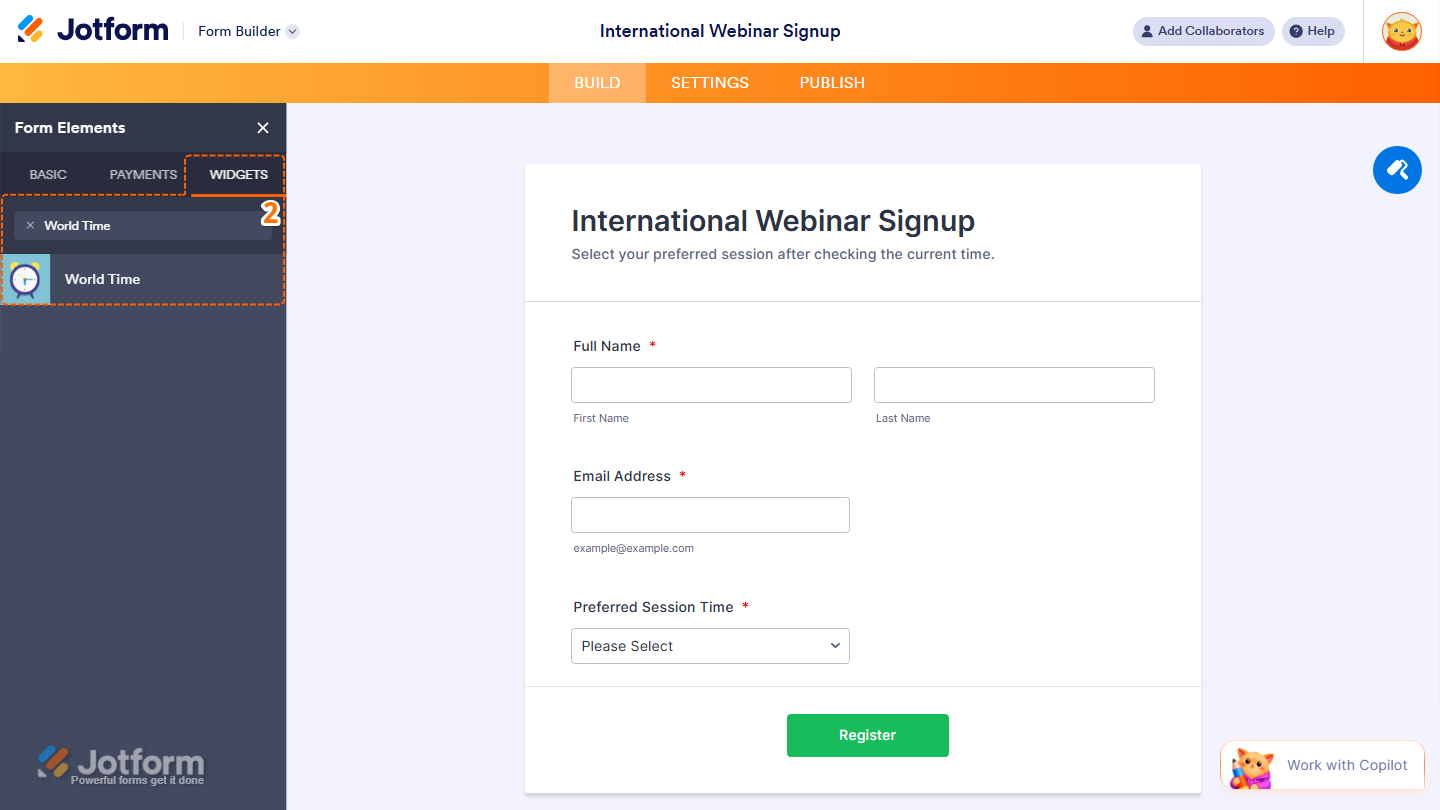
- Now, in the Form Elements menu, under the Widgets tab, search for World Time and click on it. Or, just drag and drop it to where you want it to be on your form.
- Next, in the Widget Settings window that opens on the right side of the page, under the General tab, enter the clock locations and their time offsets in the Clocks field. For example (Tokyo:9, New York:-5) and separate each new clock location with a comma.
- Once you’re done, click on Update.
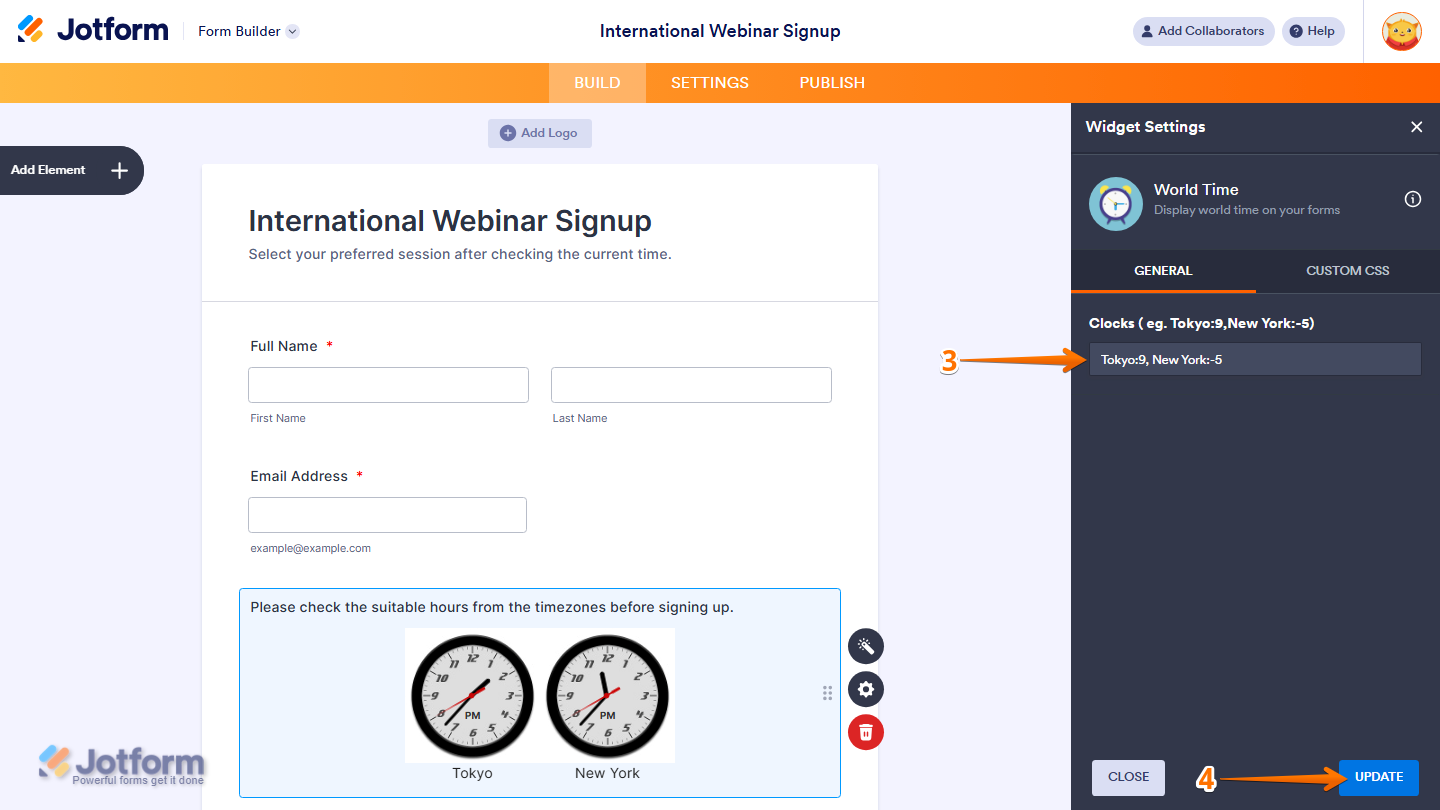
That’s it. Now you’ve added and set up the World Time widget on your form.

Wondering how it looks in action? Check out this demo form.
Note
- For advanced styling of the World Time widget, you can add your own custom CSS code under the Custom CSS tab in the Widget Settings. Our guide on How to Inject CSS Codes to Widgets walks you through everything.
- You can also configure the widget properties, like alignment, labels, size, visibility, and more, to control how it looks and behaves in your form. Check out our guide on How to Access and Configure the Question Properties of a Widget to learn more.

Send Comment: