With Jotform, you can easily add tools that make your forms more informative and helpful — and the Check Domain Name IP widget is one of them. This widget lets users instantly check the IP address of any domain right inside your form, giving them quick access to useful technical details without leaving the page. It’s a handy addition for anyone collecting website information, verifying online assets, or simply helping respondents look up domain data on the fly.
Jotform’s Check Domain Name IP widget streamlines the way you gather accurate domain-related information, making your forms more efficient and user-friendly for both you and your audience. Whether you’re working with clients, managing digital assets, or handling website-related requests, this widget helps keep everything clear, convenient, and just a click away.
Here are a few ways to use it:
- Add a quick domain lookup tool to technical or IT-related request forms.
- Verify domain details in website management or hosting service forms.
- Help clients provide accurate website information in consultation or onboarding forms.
- Streamline workflows that involve checking domain ownership or configuration data.
- Give respondents an easy way to confirm domain details when submitting support or troubleshooting requests.
Whether you’re creating a new form or updating an existing one, you can add the Check Domain Name IP widget in a few easy steps. Here’s how to do it:
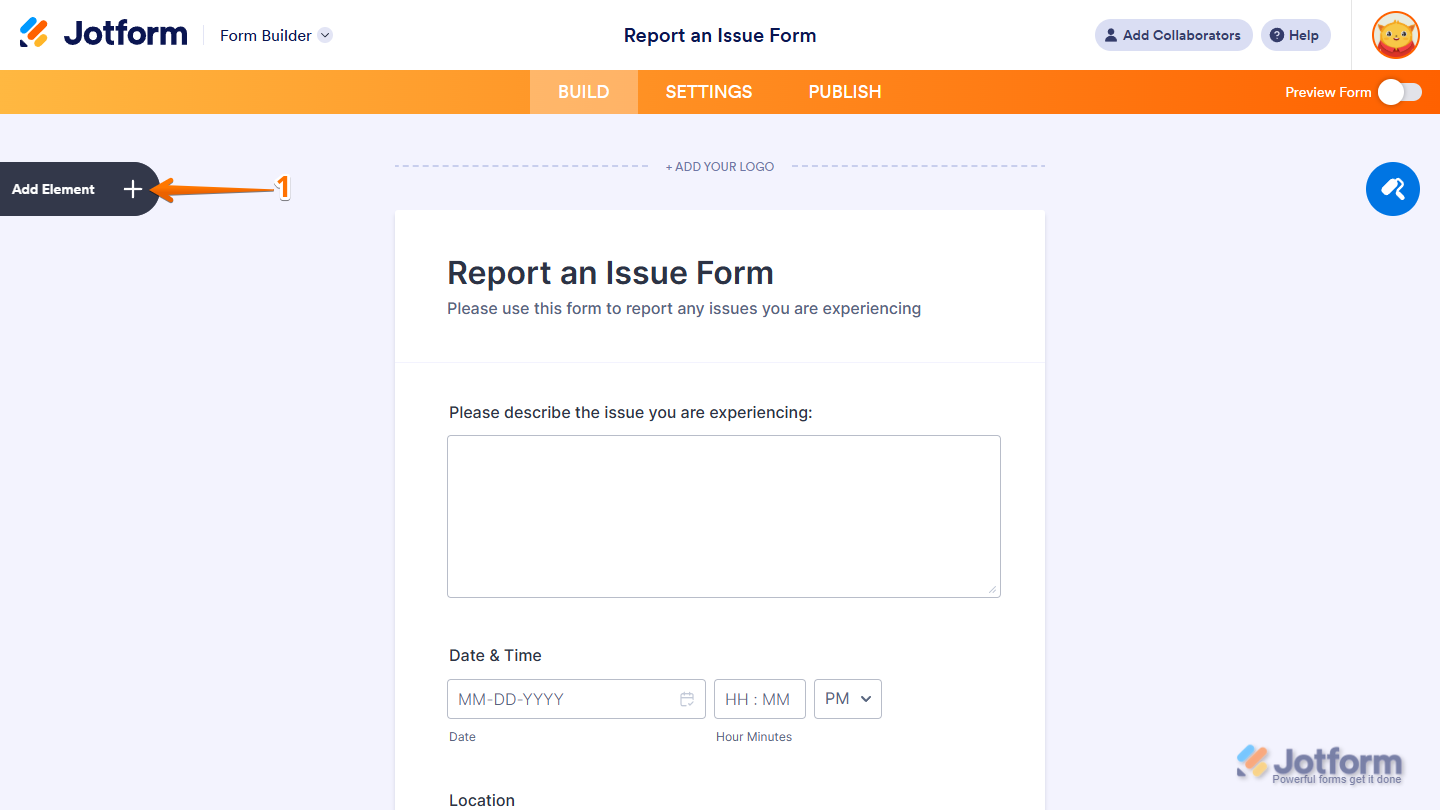
- In Form Builder, click on Add Element on the left side of the page.
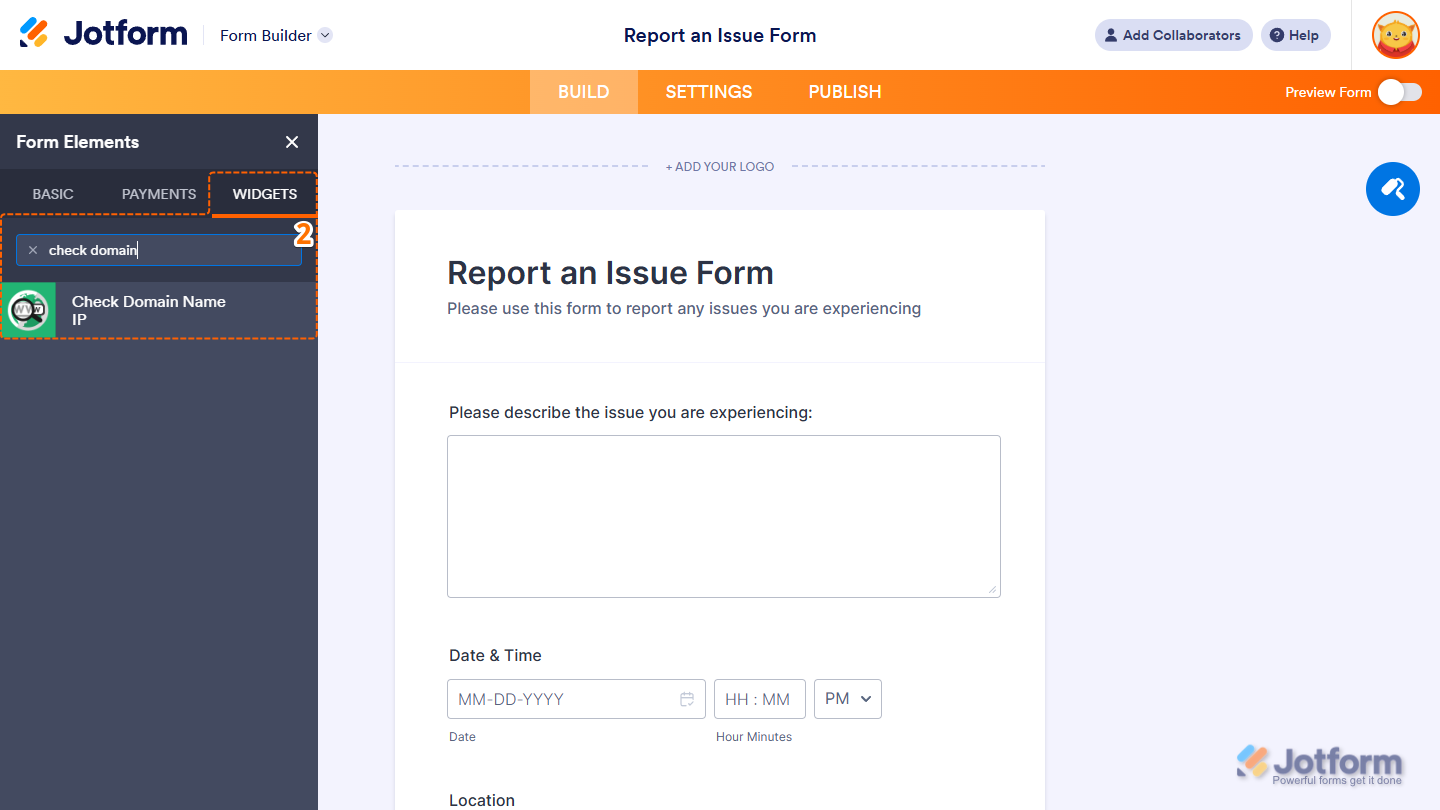
- Now, in the Form Elements menu, under the Widgets tab, search for Check Domain Name IP and click on it. Or, just drag and drop it to where you want it to be on your form.
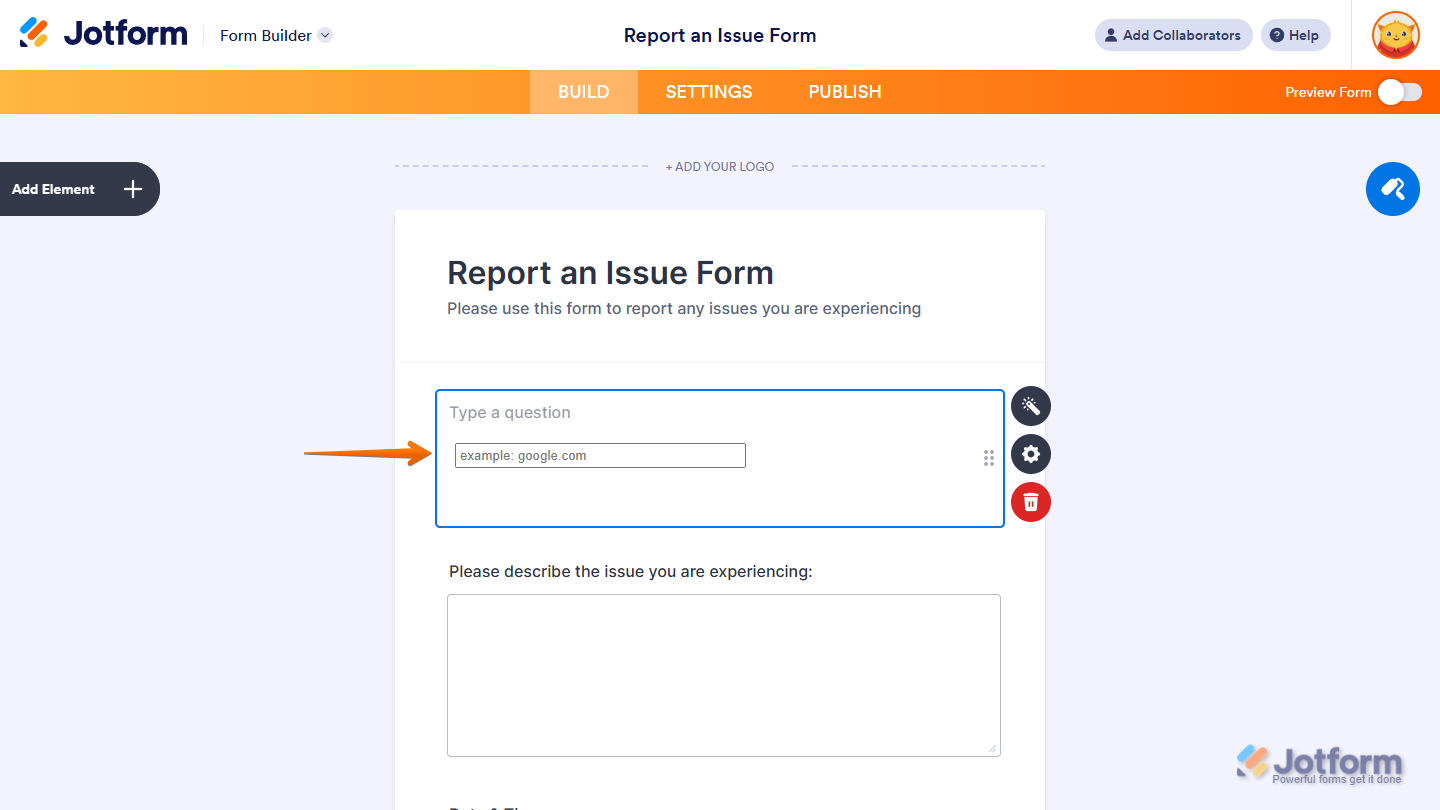
That’s it! You’ve successfully added the Check Domain Name IP widget to your form.
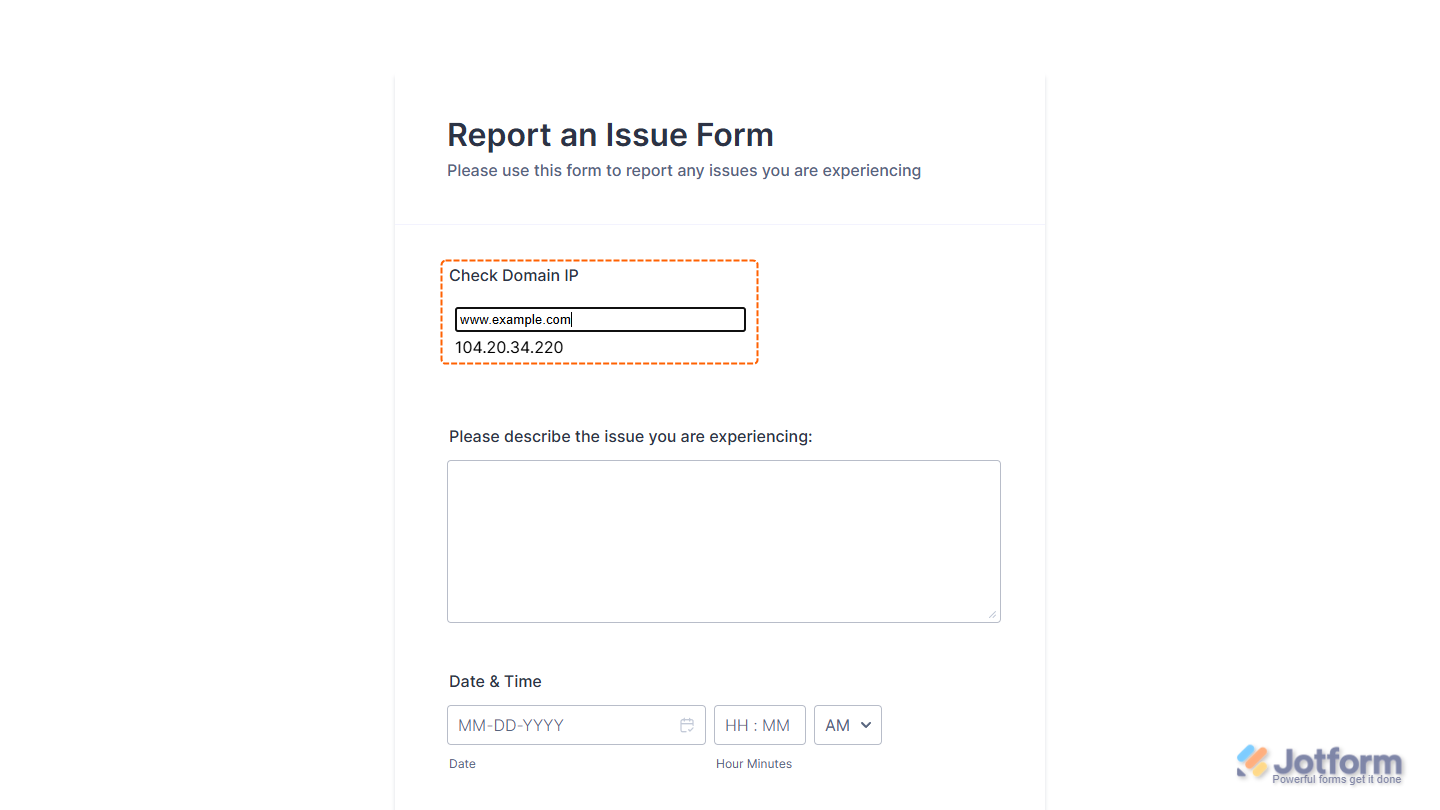
Now users can quickly look up a domain’s IP address without leaving your form, making it easier for them to verify website details and provide accurate information in their submission. Want to see how it works? Check out this live demo form.
Notes
- For advanced styling of the Check Domain Name IP Input widget, you can add your own custom CSS code under the Custom CSS tab in the Widget Settings. Our guide on How to Inject CSS Codes to Widgets walks you through everything.
- You can also configure the widget properties, like alignment, labels, size, visibility, and more, to control how it looks and behaves on your form. Check out our guide on How to Access and Configure the Question Properties of a Widget to learn more.

Send Comment: