With Jotform, you can quickly add a smart, ready-made dropdown for Dutch locations to any form. The Cities of Netherlands widget lets your users pick a province first, then shows only the cities within that province, keeping entries accurate and organized. It’s a simple way to make location selection easy, intuitive, and error-free—whether you’re collecting addresses, running registrations, or managing service requests.
By guiding users step by step, the widget helps you gather clean, consistent location data while giving your forms a smoother, more professional feel. It’s a small addition that saves time for both you and your respondents, making forms feel polished without any extra effort.
Here are a few ways to use it:
- Help your users pick a province first, then select a valid city in the Netherlands.
- Make sure they only choose cities that match the selected province.
- Simplify your registration, application, and contact forms for Dutch users.
- Keep your location data consistent across responses so it’s easy to organize and analyze.
- Speed up form completion by replacing manual city entry with a ready-to-use dropdown.
- Collect accurate city information in surveys, feedback forms, or service requests.
- Easily segment or filter responses by Dutch city to understand your audience better.
- Guide your users smoothly through multi-step forms with an intuitive city selection process.
- Give your forms a professional, user-friendly touch that makes entering location simple.
Whether you’re creating a new form or updating an existing one, you can add the Cities of Netherlands widget in a few easy steps. Here’s how to do it:
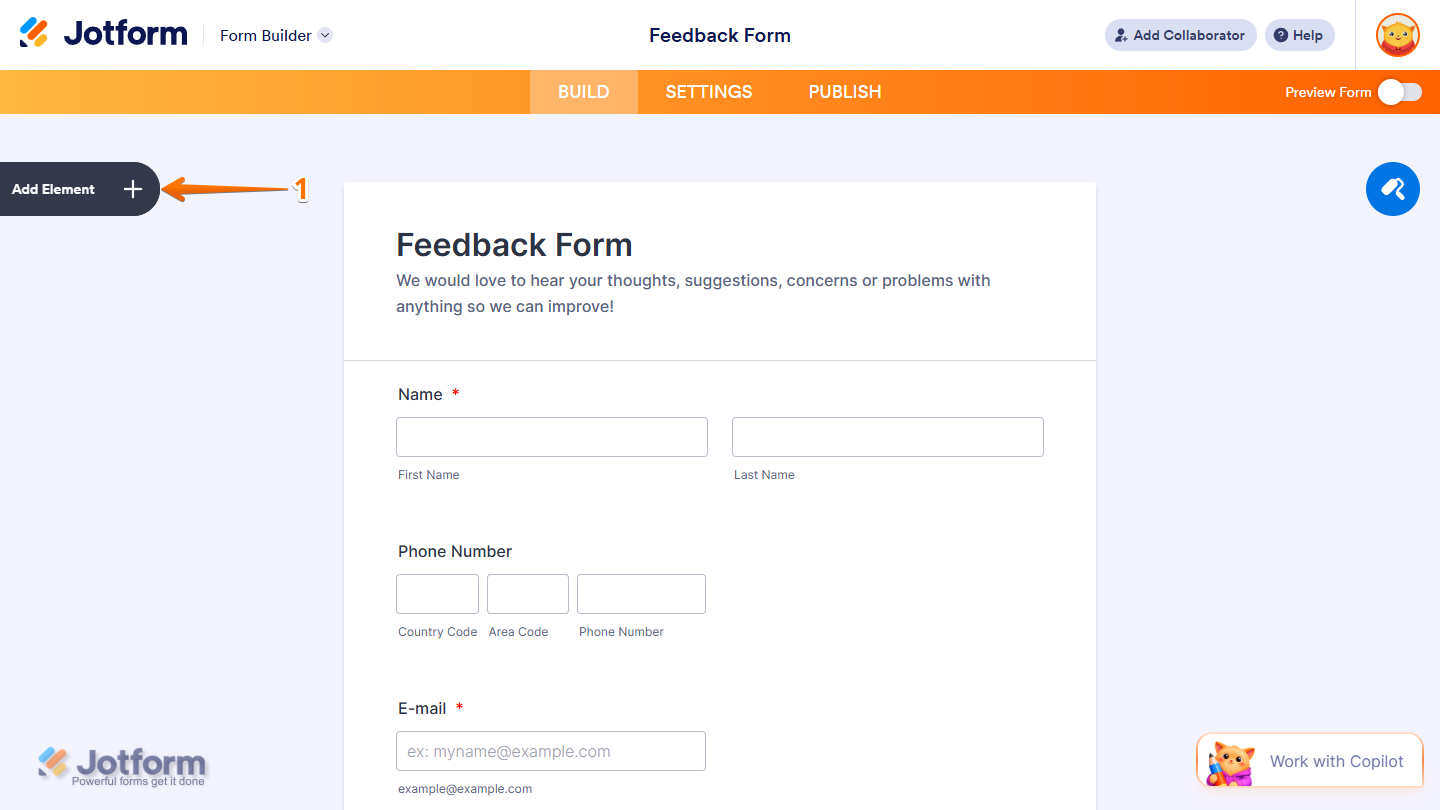
- In Form Builder, click on Add Element on the left side of the page.
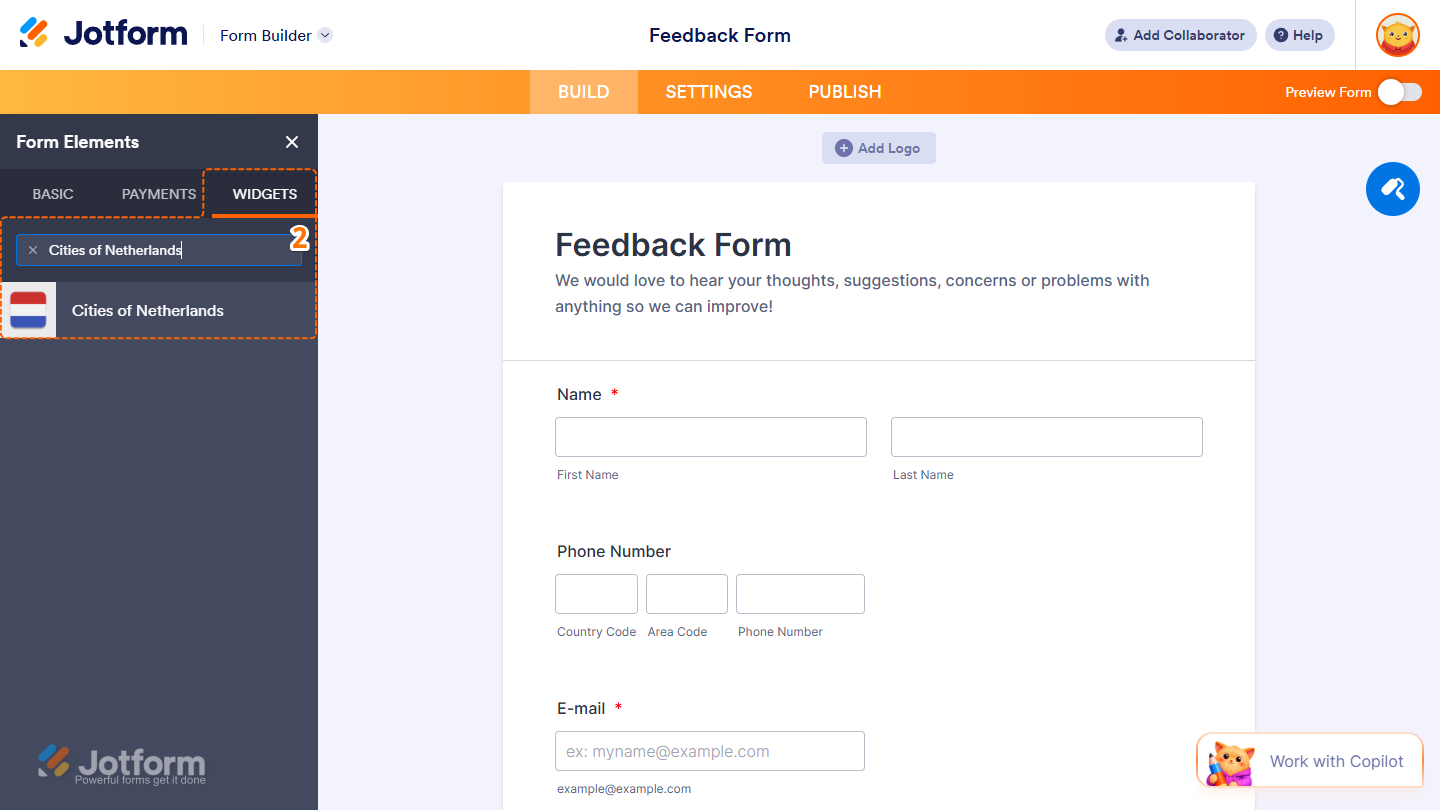
- Now, in the Form Elements menu, under the Widgets tab, search for Cities of Netherlands and click on it. Or, just drag and drop it to where you want it to be on your form.
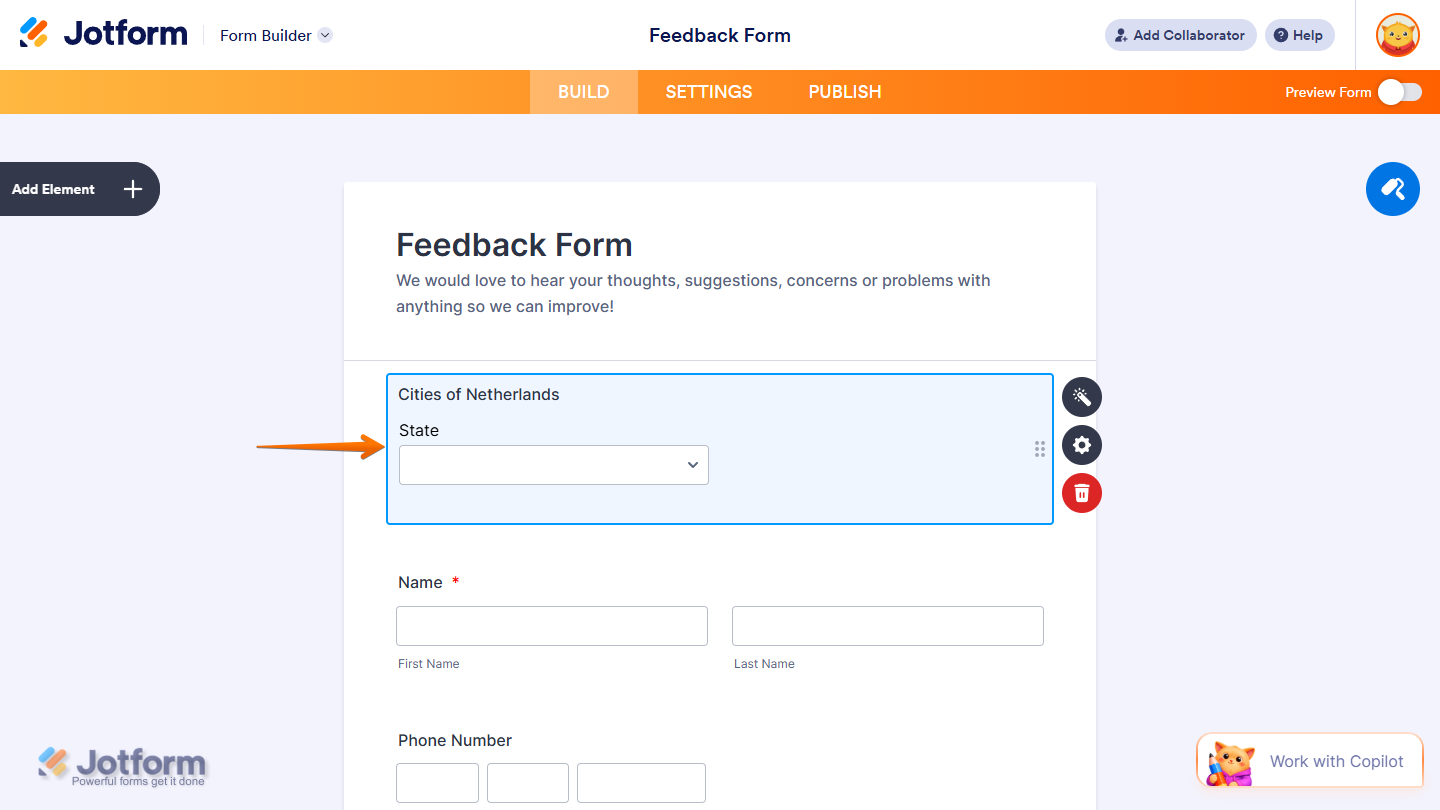
That’s it. You’ve successfully added the Cities of Netherlands widget to your form.
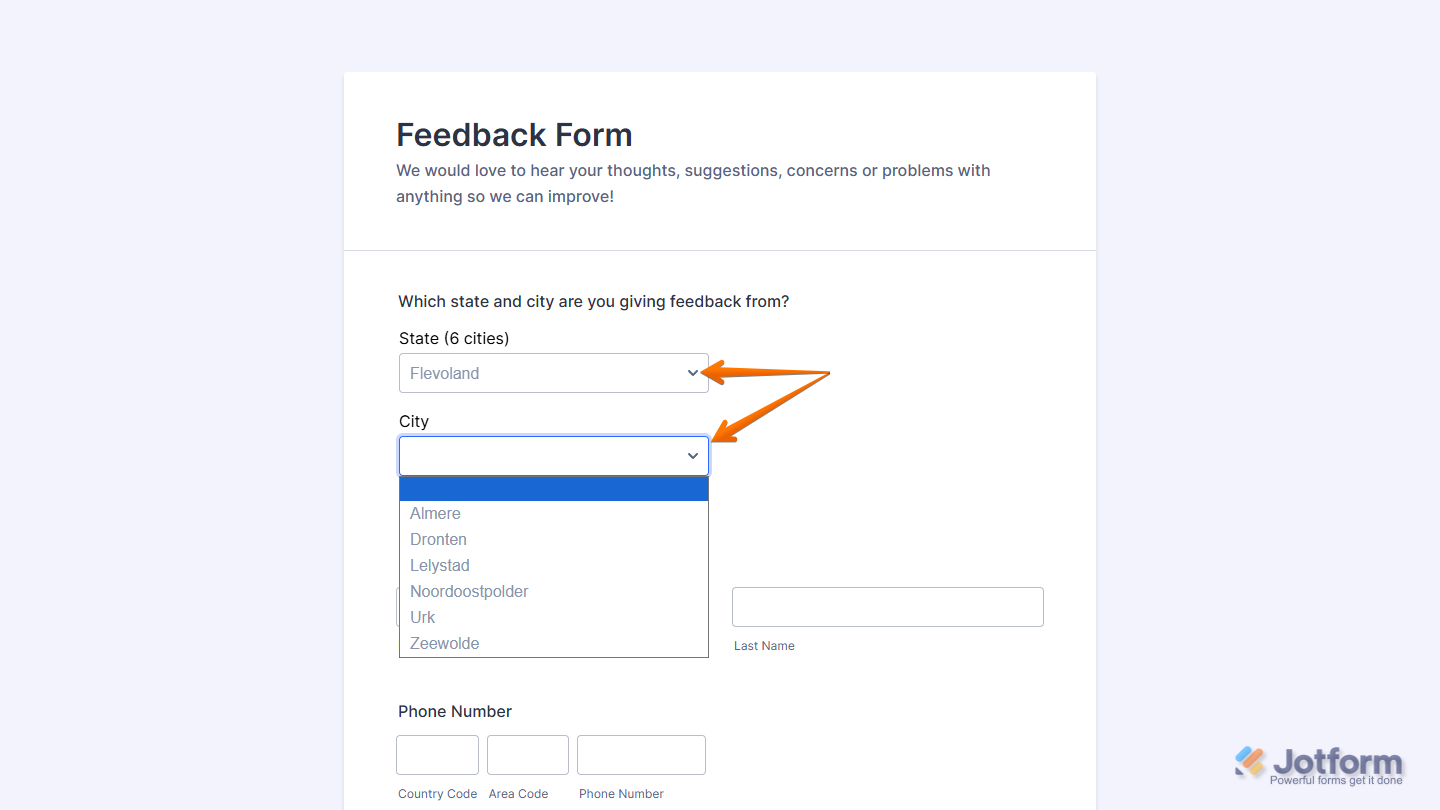
Now users can pick a state first, then select a valid city from that state, making it easier for them to enter accurate location information and complete your form with confidence. Want to see it in action? Check out this live demo form.
Notes
- For advanced styling of the Cities of Netherlands widget, you can add your own custom CSS code under the Custom CSS tab in the Widget Settings. Our guide on How to Inject CSS Codes to Widgets walks you through everything.
- You can also configure the widget properties, like alignment, labels, size, visibility, and more, to control how it looks and behaves on your form. Check out our guide on How to Access and Configure the Question Properties of a Widget to learn more.

Send Comment: