With Jotform, you can easily add a complete, ready-to-use list of Portuguese cities to your forms. The Cities of Portugal widget provides a structured dropdown where users can first choose a region and then select their city from an organized list. This removes the need to build and maintain your own city database while helping keep location entries consistent and easy to manage.
It’s a simple way to make forms feel more polished and user-friendly, especially when you need accurate location information from people in Portugal. Whether you’re collecting address details, registrations, or regional information, the widget helps keep your forms clear, organized, and easier for users to complete.
Here are a few ways to use it:
- Let your users quickly pick their city in Portuguese registration, application, or sign-up forms.
- Collect accurate city information from Portuguese respondents in surveys, feedback forms, or contact forms.
- Keep entries limited to valid Portuguese cities and regions to avoid spelling mistakes or wrong locations.
- Help users complete forms faster with a ready-to-use, intuitive dropdown.
- Easily segment or filter your responses by Portuguese city to understand your audience better.
- Guide users smoothly through multi-step or detailed forms with clear location options.
- Boost completion rates for surveys, applications, and order forms by simplifying city selection.
- Give your customers and respondents a smoother, more professional experience when entering their location.
Whether you’re creating a new form or updating an existing one, you can add the Cities of Portugal widget in a few easy steps. Here’s how to do it:
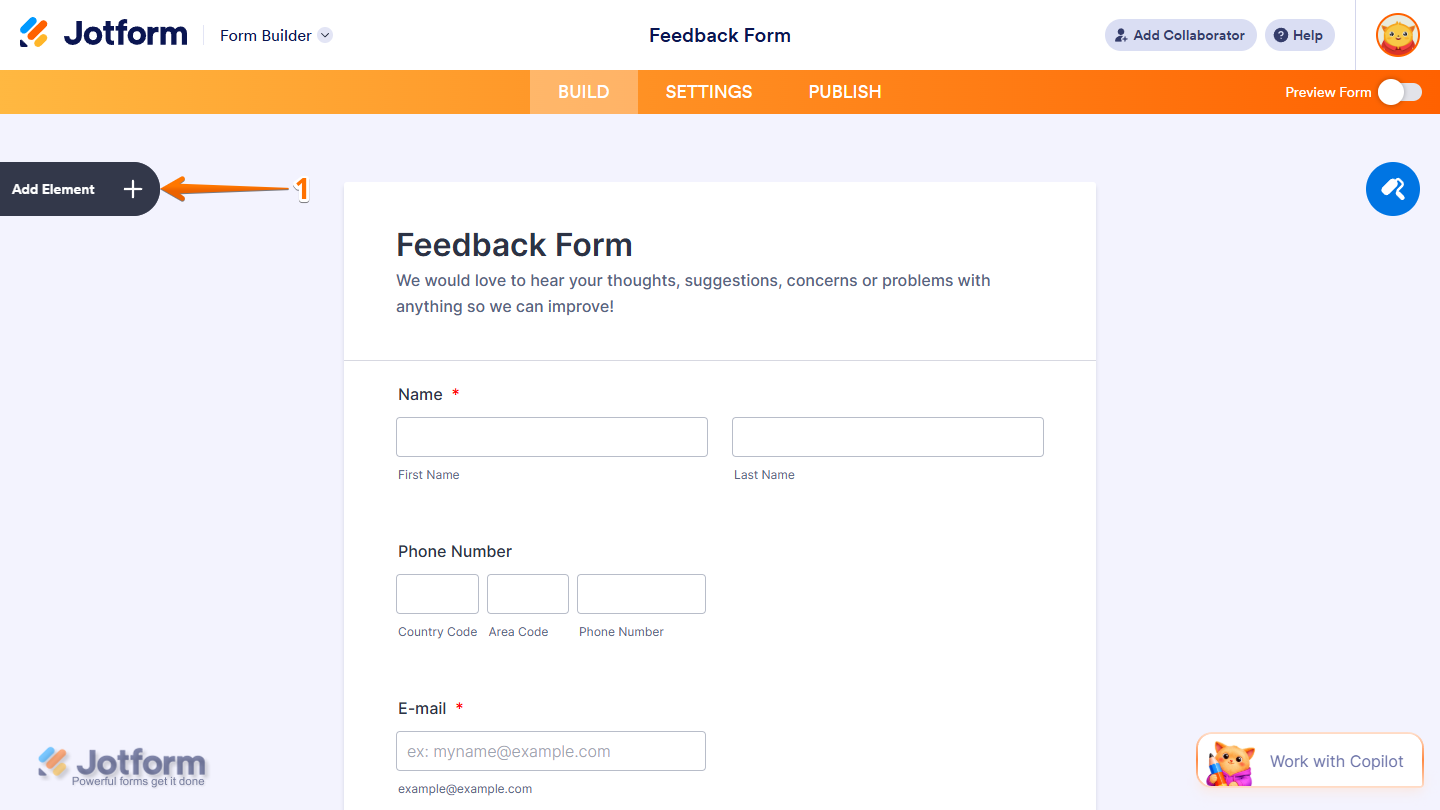
- In Form Builder, click on Add Element on the left side of the page.
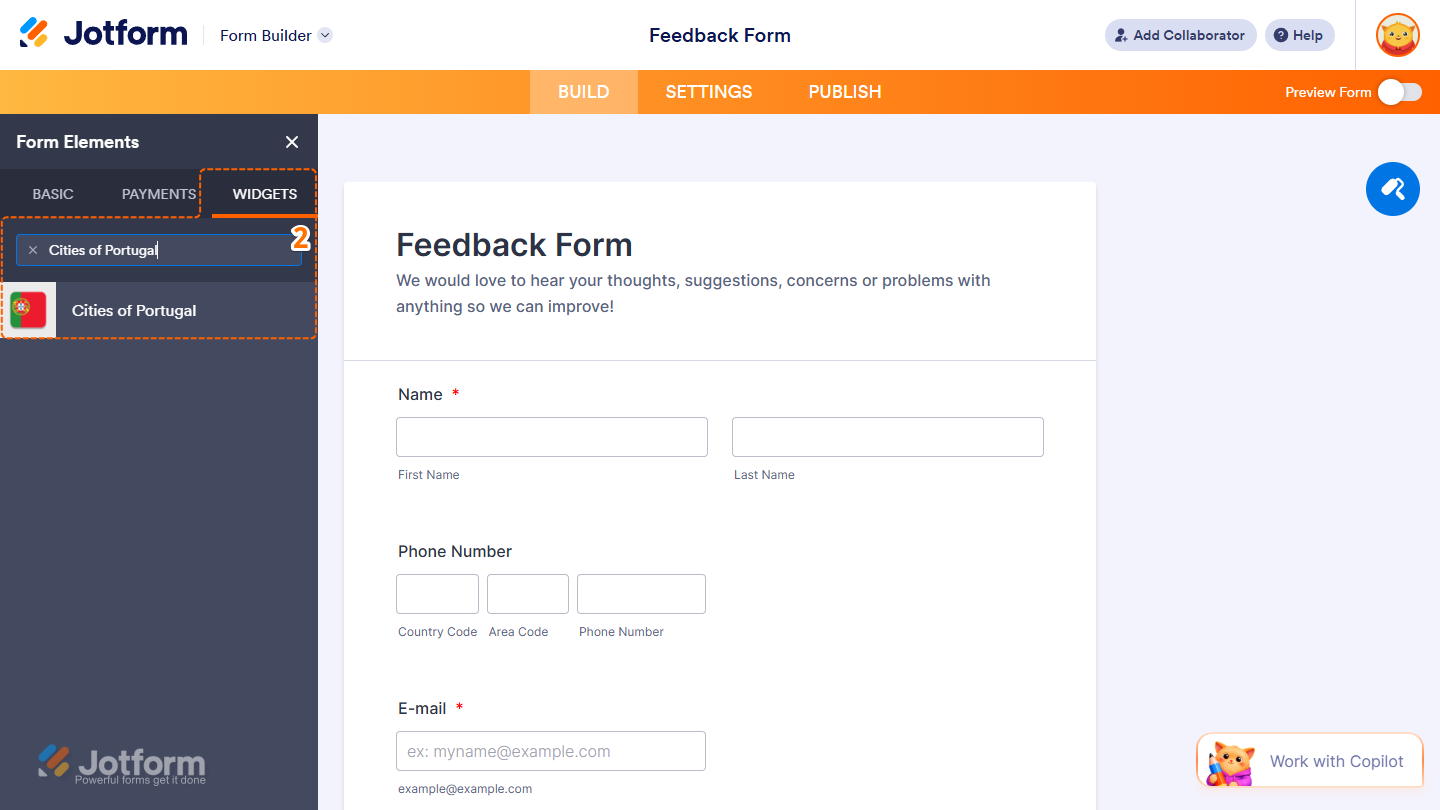
- Now, in the Form Elements menu, under the Widgets tab, search for Cities of Portugal and click on it. Or, just drag and drop it to where you want it to be on your form.
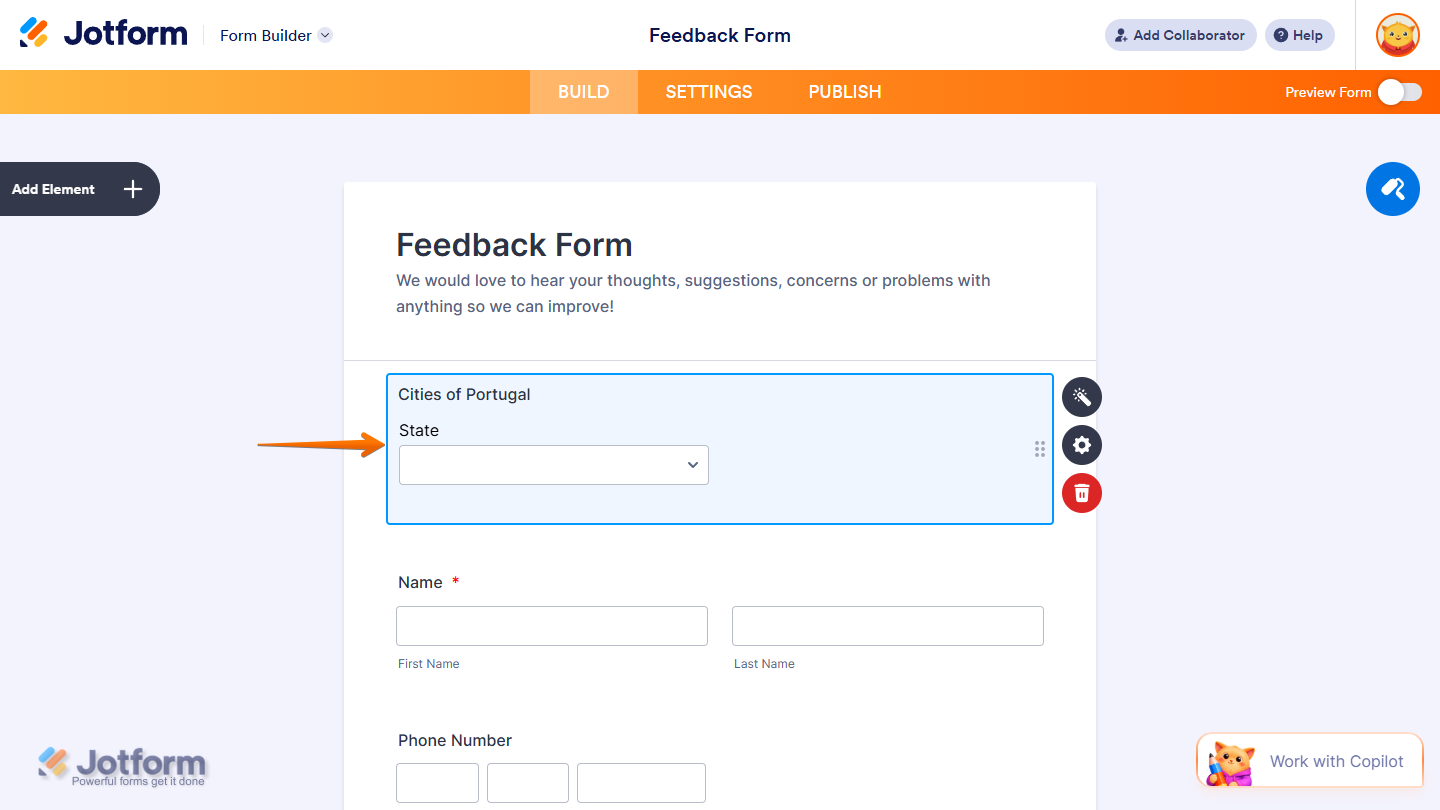
That’s it. You’ve successfully added the Cities of Portugal widget to your form.
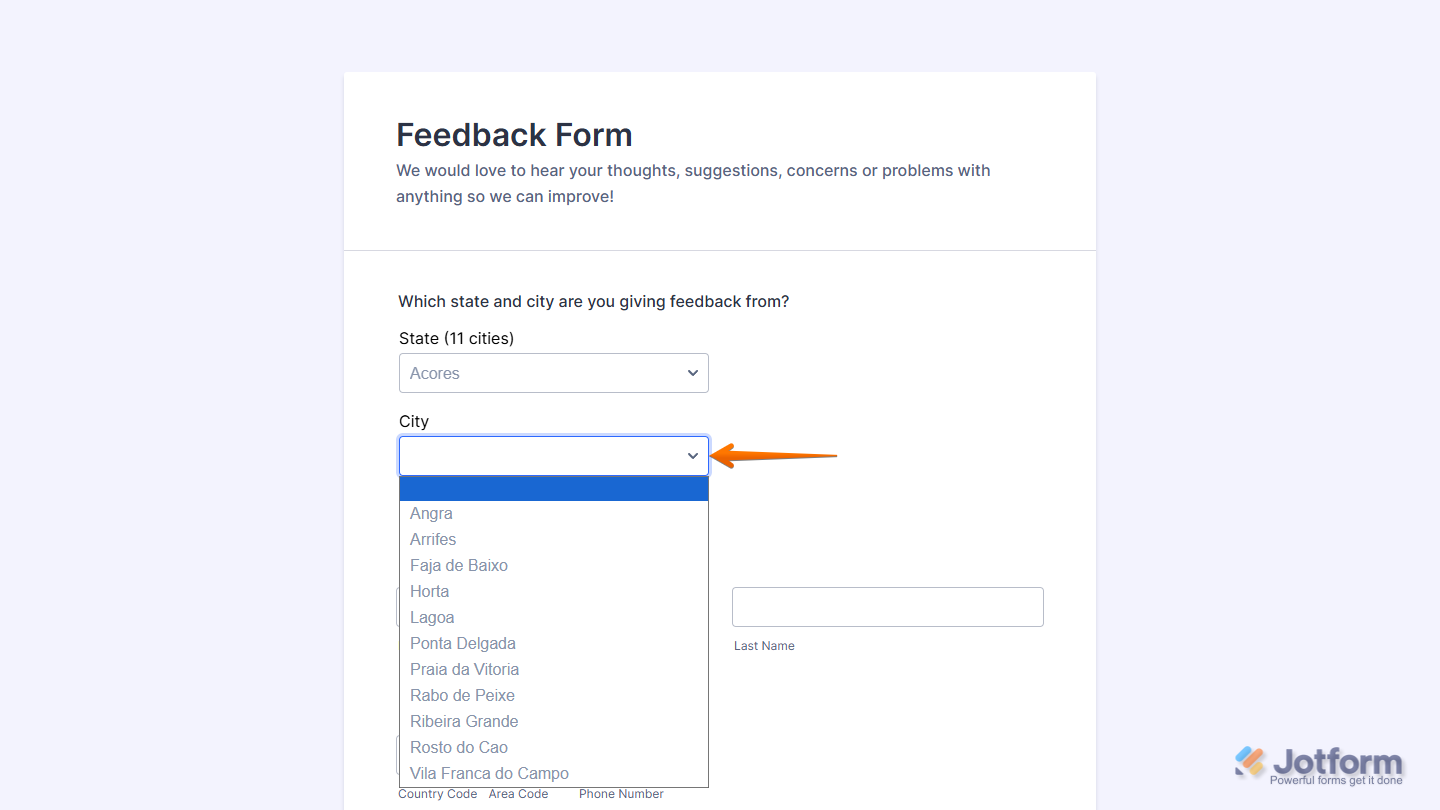
Now users can select their region and city directly on your form, making it easier for them to provide accurate location information and complete their submission with confidence. Want to see it in action? Check out this live demo form.
Notes
- For advanced styling of the Cities of Portugal widget, you can add your own custom CSS code under the Custom CSS tab in the Widget Settings. Our guide on How to Inject CSS Codes to Widgets walks you through everything.
- You can also configure the widget properties, like alignment, labels, size, visibility, and more, to control how it looks and behaves on your form. Check out our guide on How to Access and Configure the Question Properties of a Widget to learn more.

Send Comment: