With Jotform, you can easily give your customers a smoother, more personalized experience by adding a Currency Picker widget to your form. This handy widget lets users choose their preferred currency from a clean, well-organized dropdown, making it simple for them to submit payments or selections in the format that feels most familiar.
The Currency Picker widget not only keeps your form looking neat — especially on longer order or payment forms — but also makes the process feel more intuitive for users anywhere in the world. Whether you’re collecting payments, registrations, or custom orders, this widget helps your audience interact with your form in the way that works best for them.
Here are a few ways to use it:
- Let users choose the currency they’re most comfortable using.
- Make international order, payment, and booking forms easier to complete.
- Streamline pricing selections on custom order or quote request forms.
- Keep long or detailed forms cleaner by replacing multiple currency fields with a single dropdown.
- Create a smoother experience for customers who shop or place orders from different countries.
- Prevent confusion by showing users exactly which currency their payment or estimate will be in.
- Make multi-step checkout or registration workflows feel more intuitive for global audiences.
Whether you’re creating a new form or updating an existing one, you can add and set up the Currency Picker in a few easy steps. Here’s how to do it:
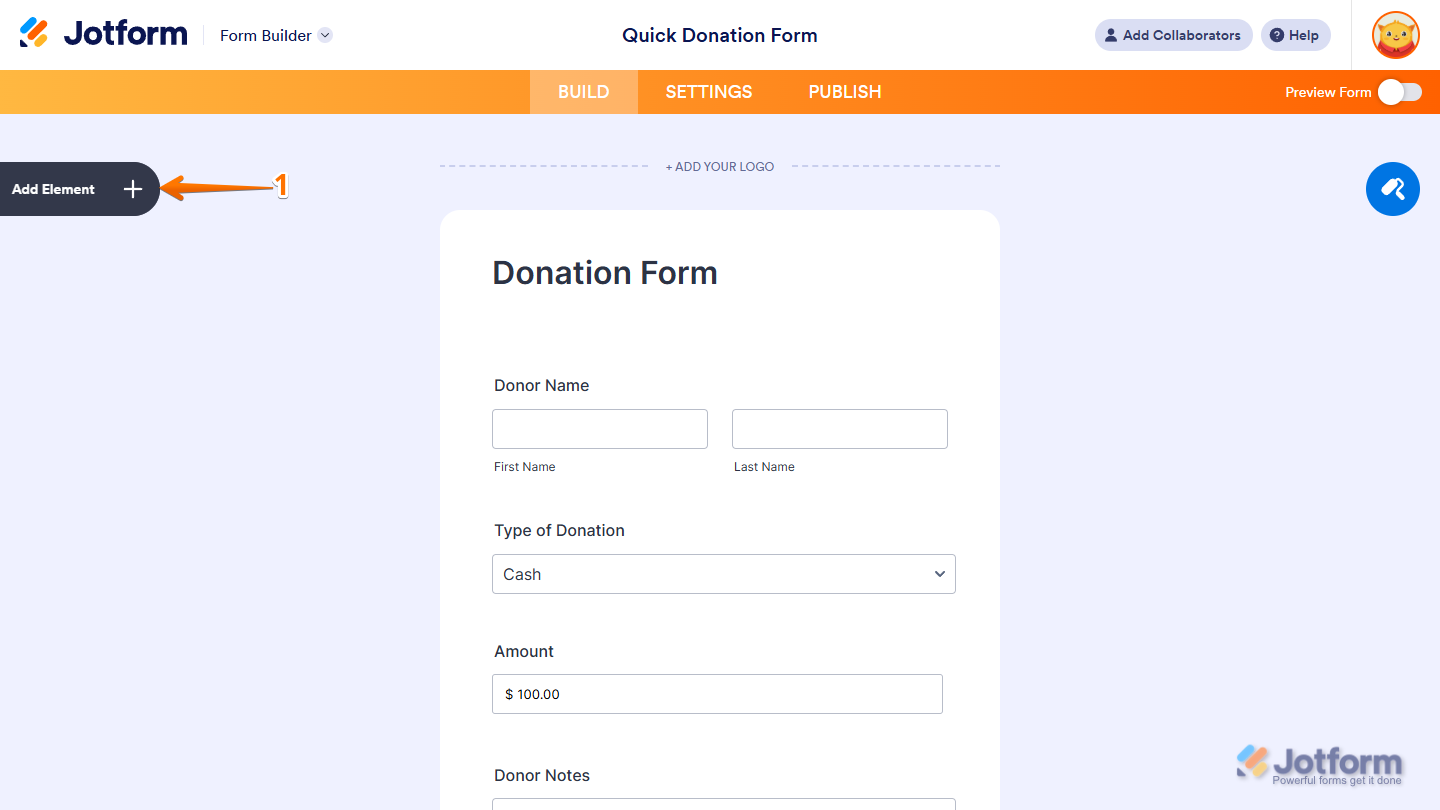
- In Form Builder, click on Add Element on the left side of the page.
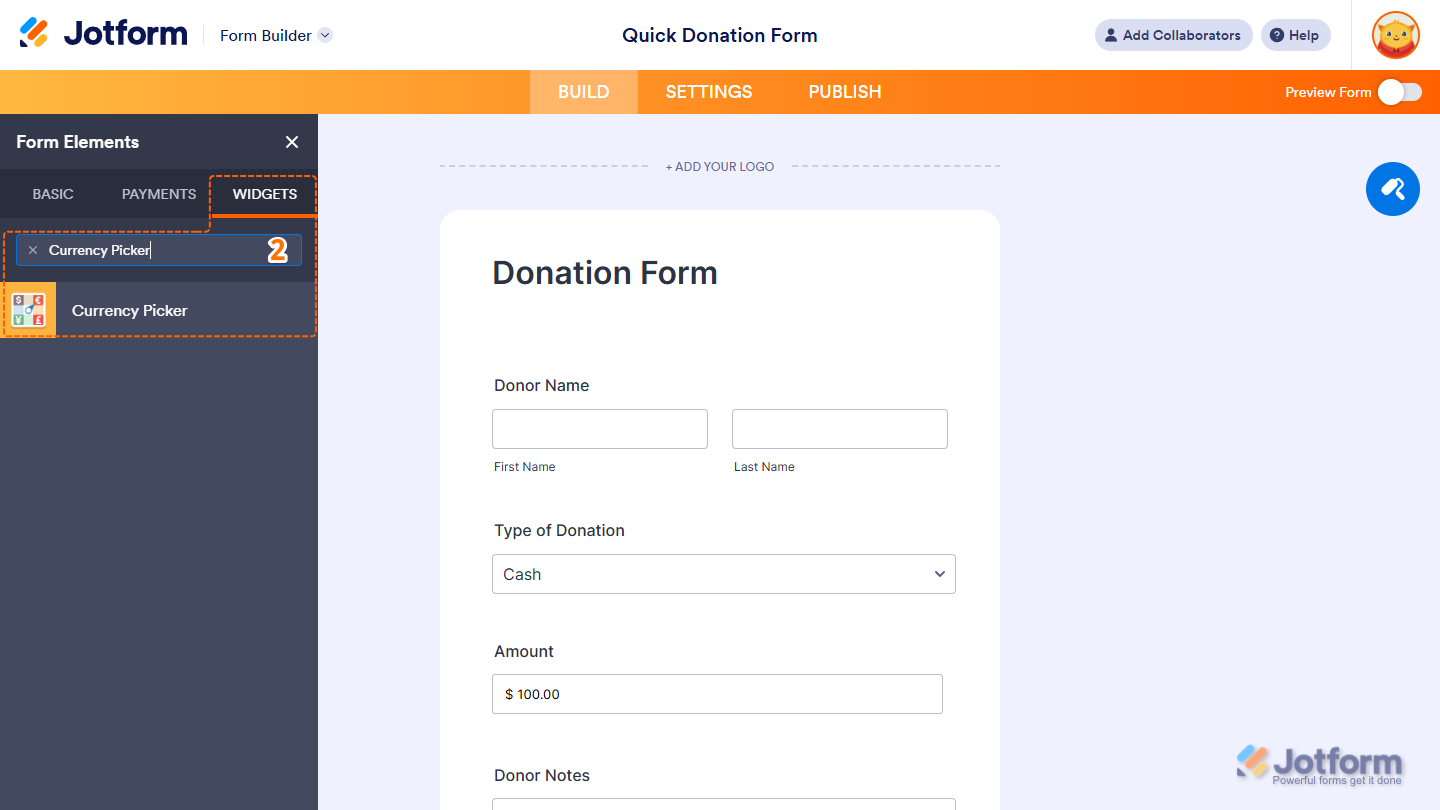
- Now, in the Form Elements menu, under the Widgets tab, search for Currency Picker and click on it. Or, just drag and drop it to where you want it to be on your form.
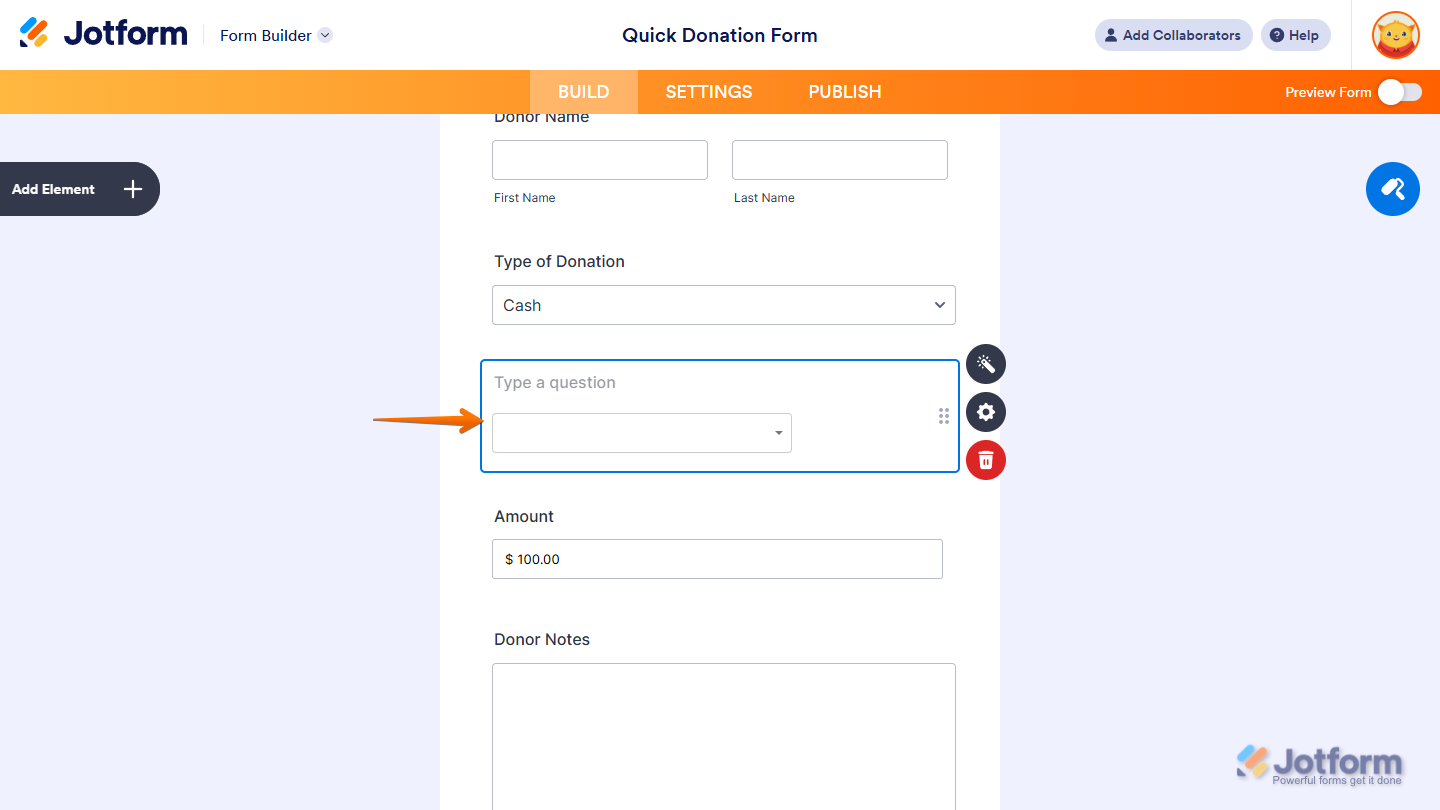
That’s it. You’ve successfully added the Currency Picker widget to your form.
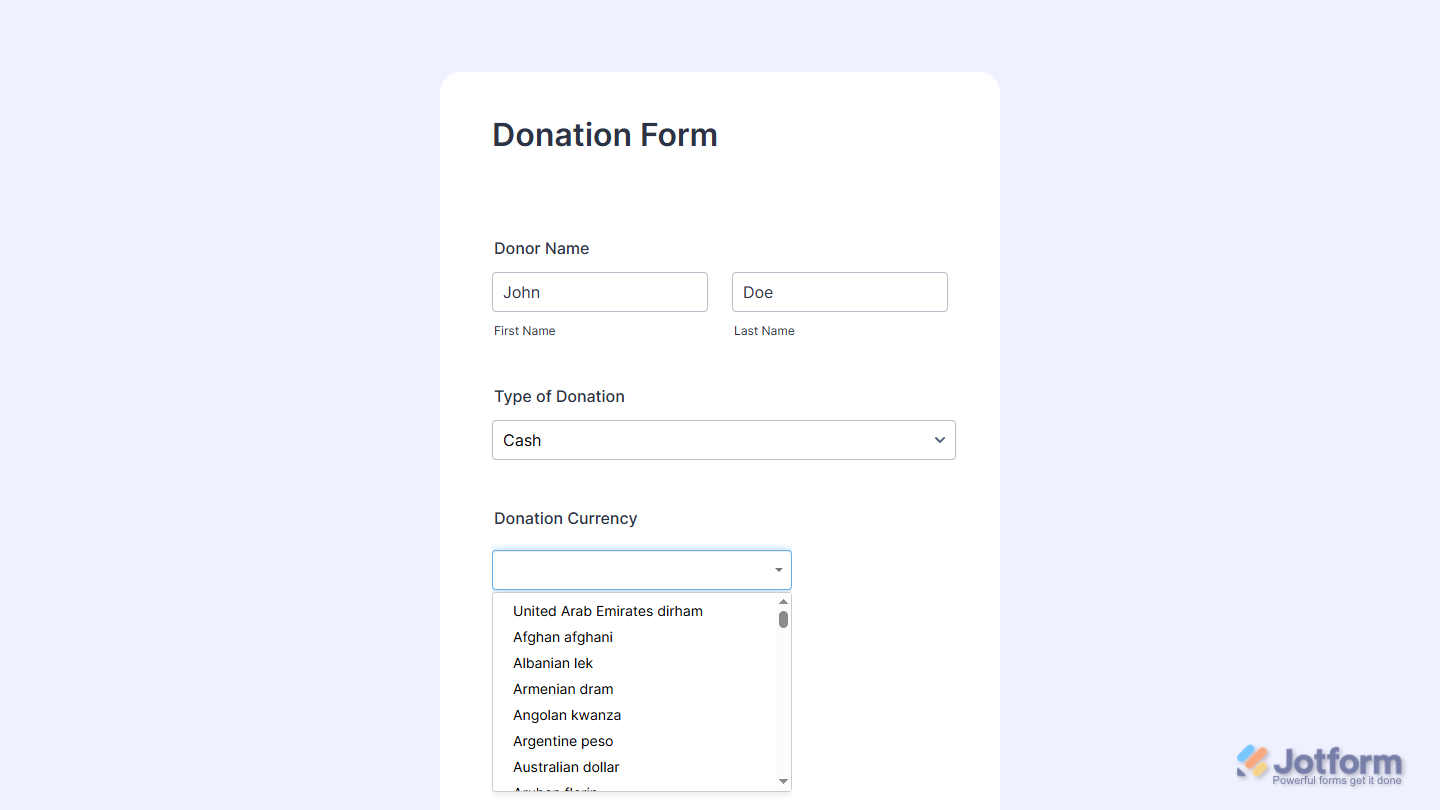
Now users can select their preferred currency directly on your form, making it easier for them to review prices and complete their submission with confidence. Want to see how it works? Check out this live demo form.
Notes
- For advanced styling of the Currency Picker widget, you can add your own custom CSS code under the Custom CSS tab in the Widget Settings. Our guide on How to Inject CSS Codes to Widgets walks you through everything.
- You can also configure the widget properties, like alignment, labels, size, visibility, and more, to control how it looks and behaves on your form. Check out our guide on How to Access and Configure the Question Properties of a Widget to learn more.

Send Comment: