Jotform’s Field Multiplier widget lets your form users add more input fields to your form whenever they need to. Instead of displaying a long list of empty fields, it keeps things tidy by starting with a single set. Users can then click a button to add more as needed. It’s great for listing extra guests, items, or details that might vary from person to person. This helps keep your form clean while still collecting all the info you need.
Here are a few ways to use it:
- Let users add multiple names for group registrations.
- Allow applicants to list several references or contacts.
- Enable customers to enter multiple email addresses for group contacts.
- Collect multiple product serial numbers or codes.
- Let users submit several links (portfolio, social media, websites).
- Allow event organizers to collect names of additional attendees.
- Enable respondents to list multiple skills or certifications.
- Collect multiple previous employers or work experiences.
- Let users provide several emergency contacts.
- Allow customers to add multiple delivery addresses or locations.
Whether you’re creating a new form or updating an existing one, you can add the Field Multiplier widget in just a few easy steps. Here’s how to set it up:
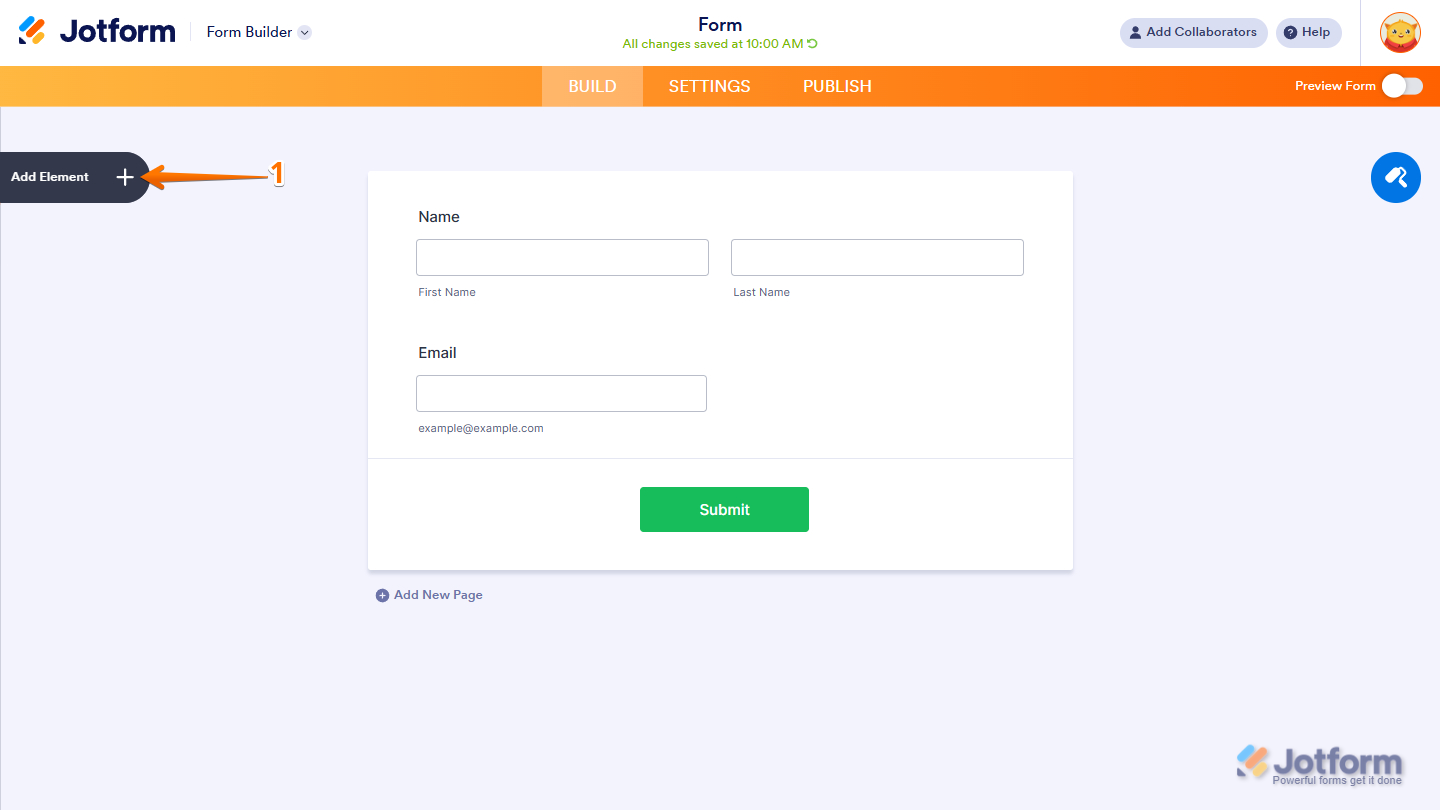
- In Form Builder, click on Add Element on the left side of the page.
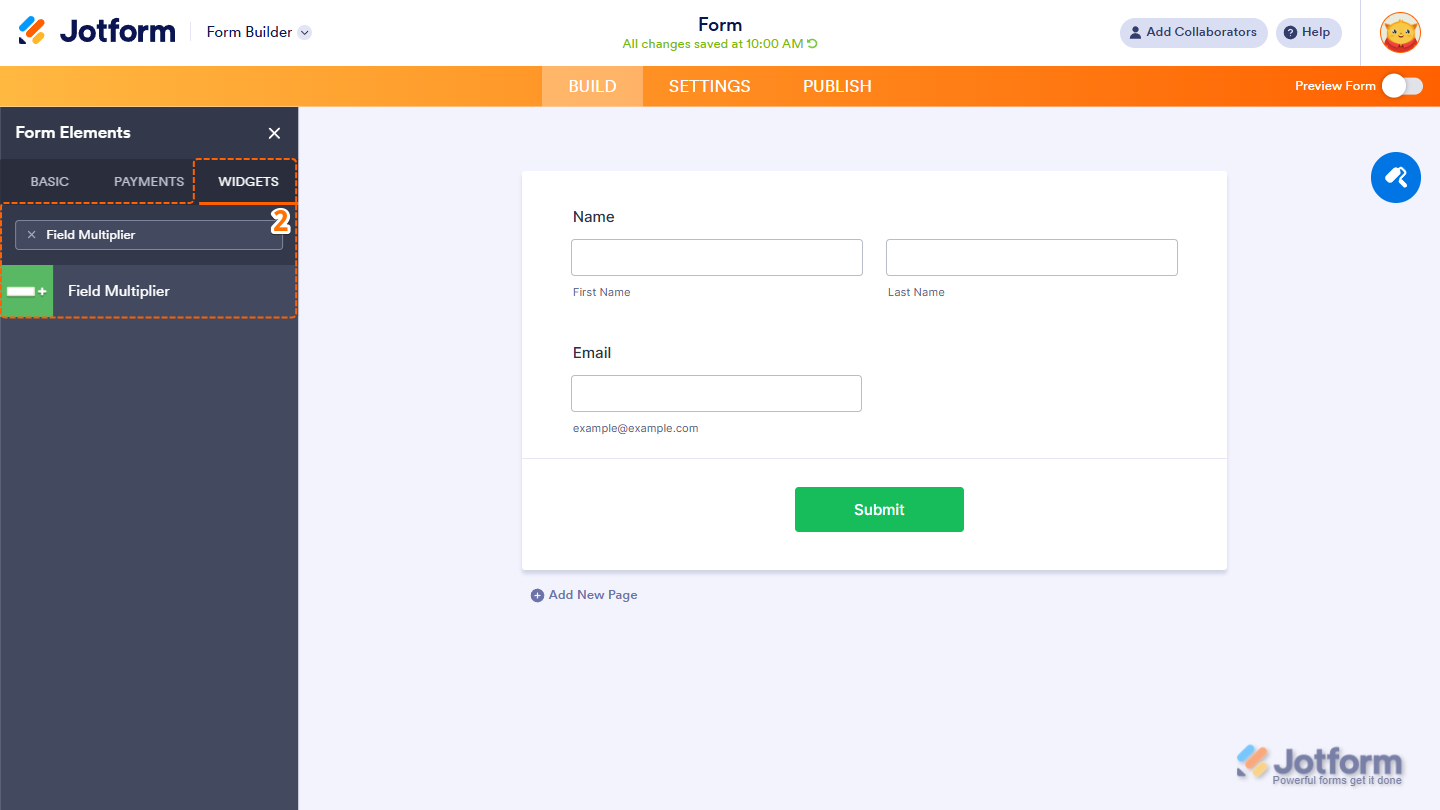
- Now, in the Form Elements menu, under the Widgets tab, search for Field Multiplier and click on it. Or just drag and drop it to where you want it on your form.
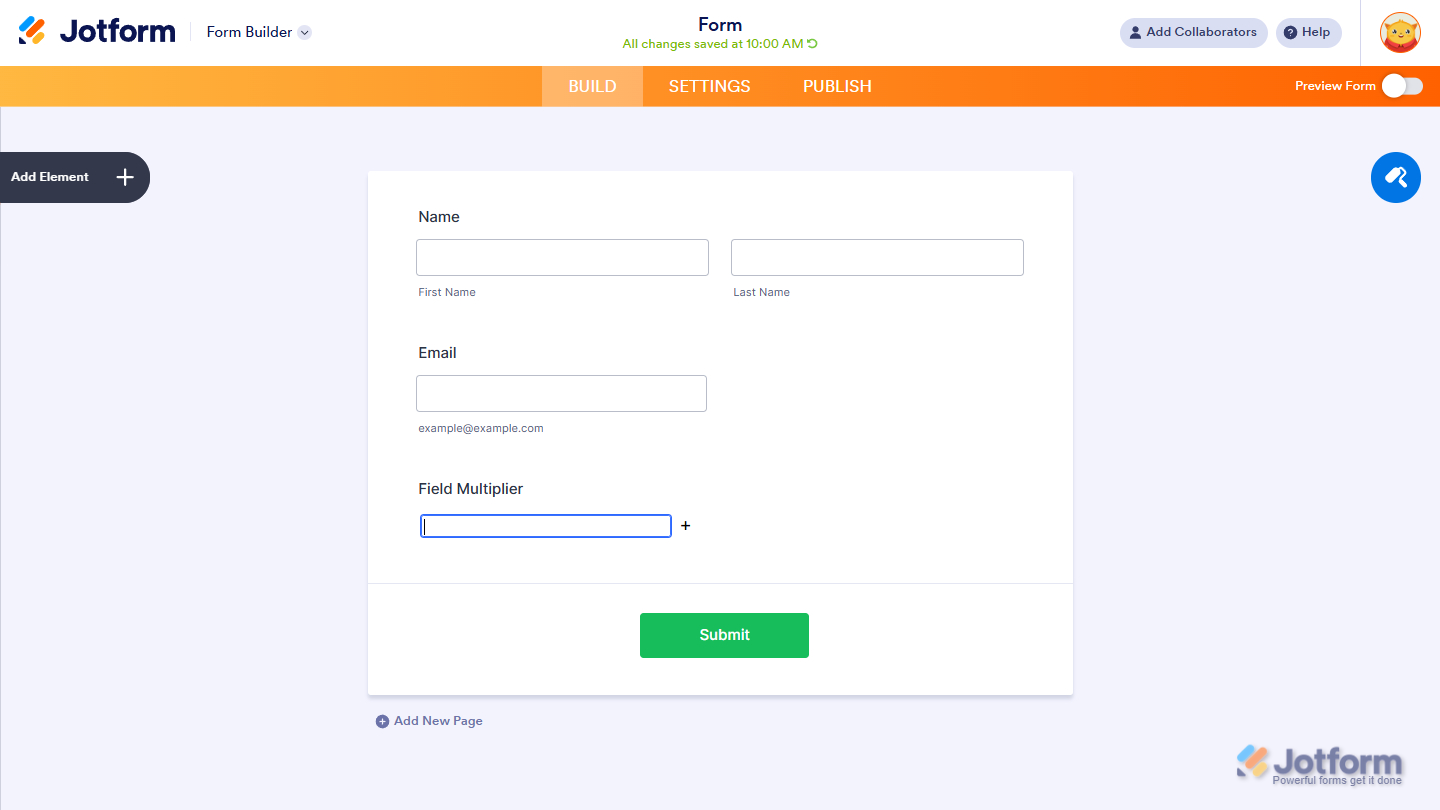
That’s it. You’ve successfully added the Field Multiplier widget to your form—the widget has no configuration required. You can explore how it looks with this demo form.
Notes
- For advanced styling of the Field Multiplier widget, you can add your own custom CSS code under the Custom CSS tab in the Widget Settings. Our guide on How to Inject CSS Codes to Widgets walks you through everything.
- You can also configure the widget properties, like alignment, labels, size, visibility, and more, to control how it looks and behaves on your form. Check out our guide on How to Access and Configure the Question Properties of a Widget to learn more.

Send Comment: