With Jotform, you can easily add a Simple Color Picker Widget to your form and give users a quick, visual way to choose the colors they want. This widget makes your form look more modern and interactive, while helping customers share their preferences without typing anything manually.
Whether you’re collecting design details, customizing products, or just giving users a fun and intuitive selection experience, the Simple Color Picker keeps everything clear and user-friendly. It’s a great way to streamline choices, reduce back-and-forth, and make your forms feel more polished and engaging.
Here are a few ways to use it:
- Let customers choose a color for custom cakes, merchandise, prints, or any made-to-order items.
- Collect design preferences on creative request forms, product customization forms, or branding questionnaires.
- Offer quick color selection on appointment forms, event planning forms, or workshop sign-ups that involve style or theme choices.
- Make it easier for users to communicate visual preferences without typing long descriptions.
- Give your forms a more interactive, user-friendly feel—especially helpful for detailed order flows or multi-step processes.
Whether you’re creating a new form or updating an existing one, you can add the Simple Color Picker widget in a few easy steps. Here’s how to do it:
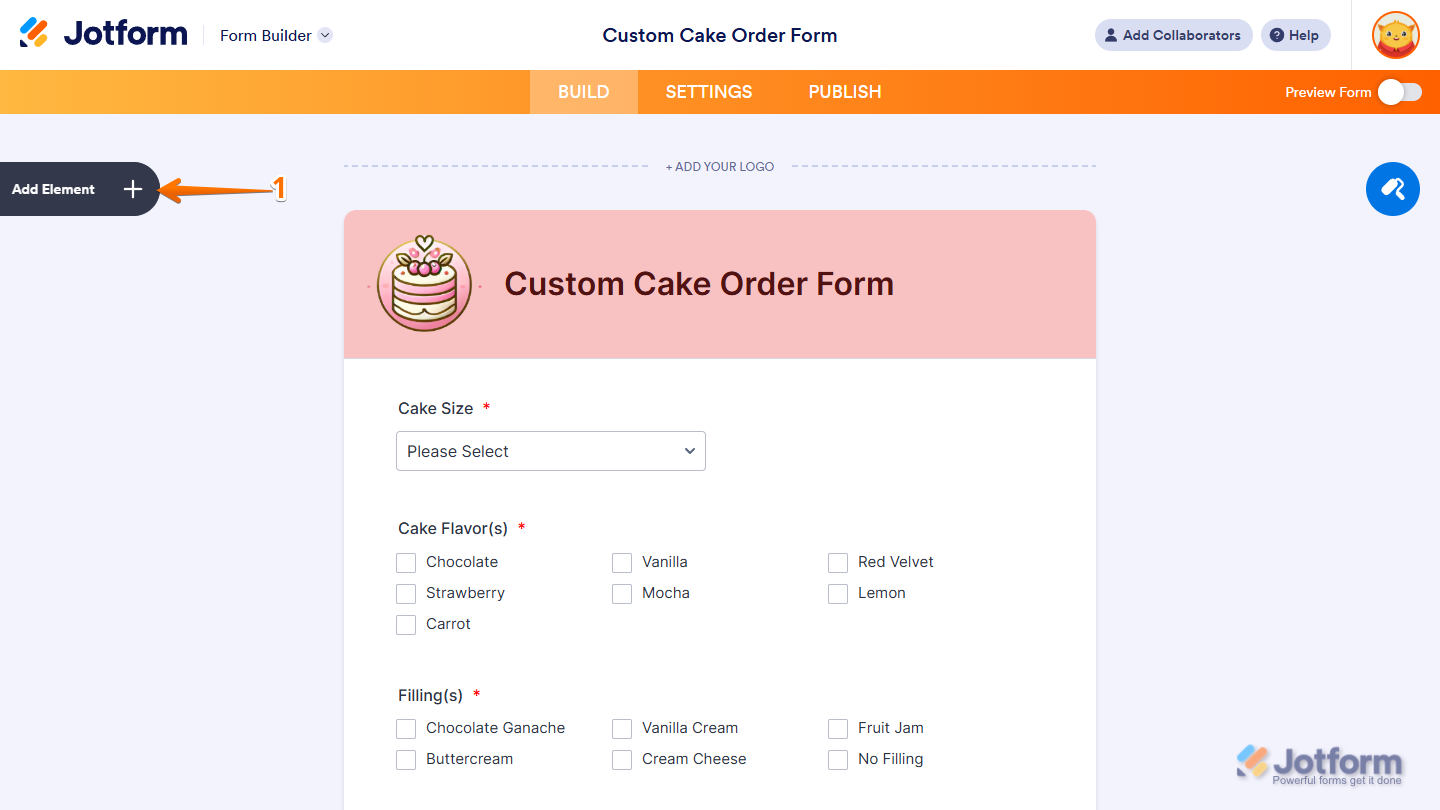
- In Form Builder, click on Add Element on the left side of the page.
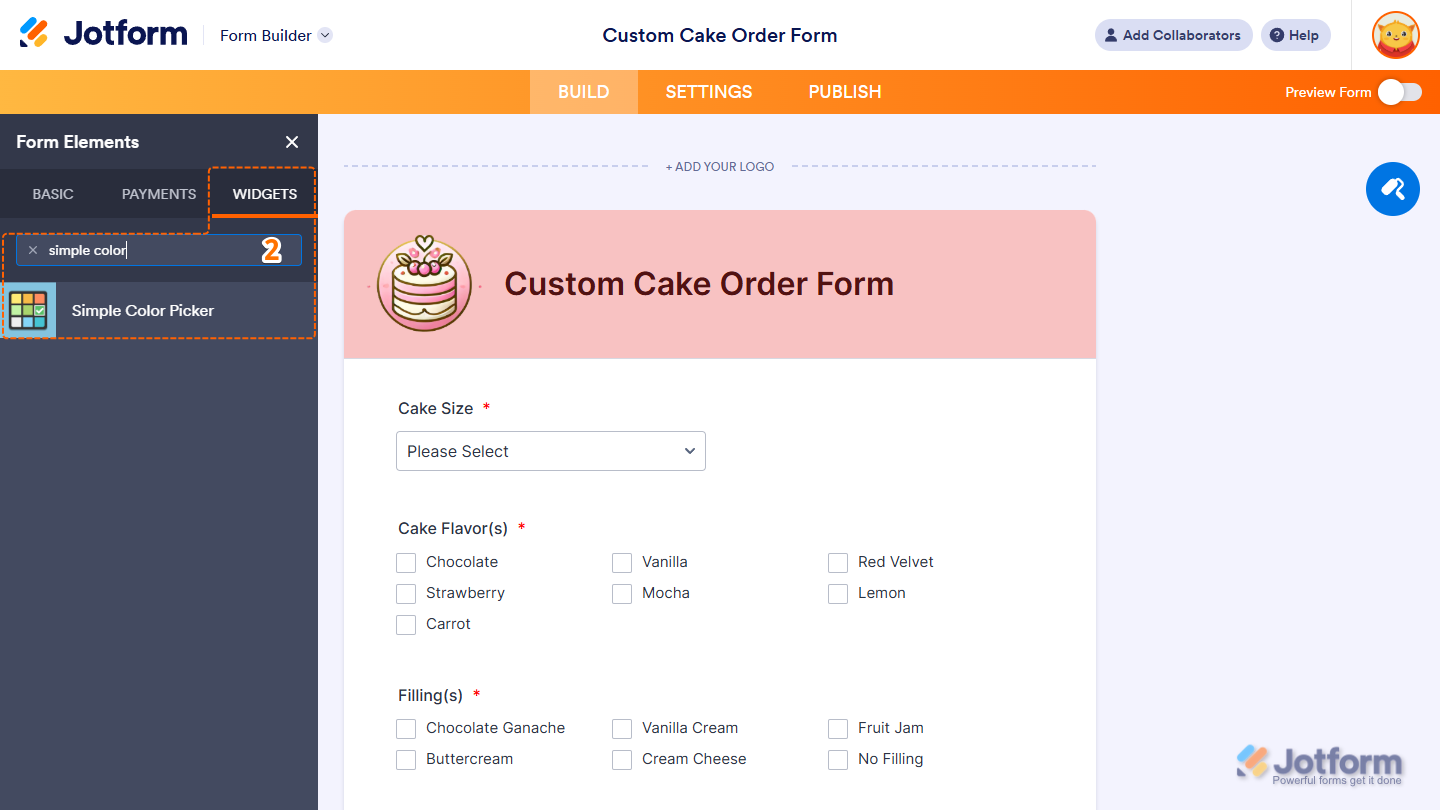
- Now, in the Form Elements menu, under the Widgets tab, search for Simple Color Picker and click on it. Or, just drag and drop it to where you want it to be on your form.
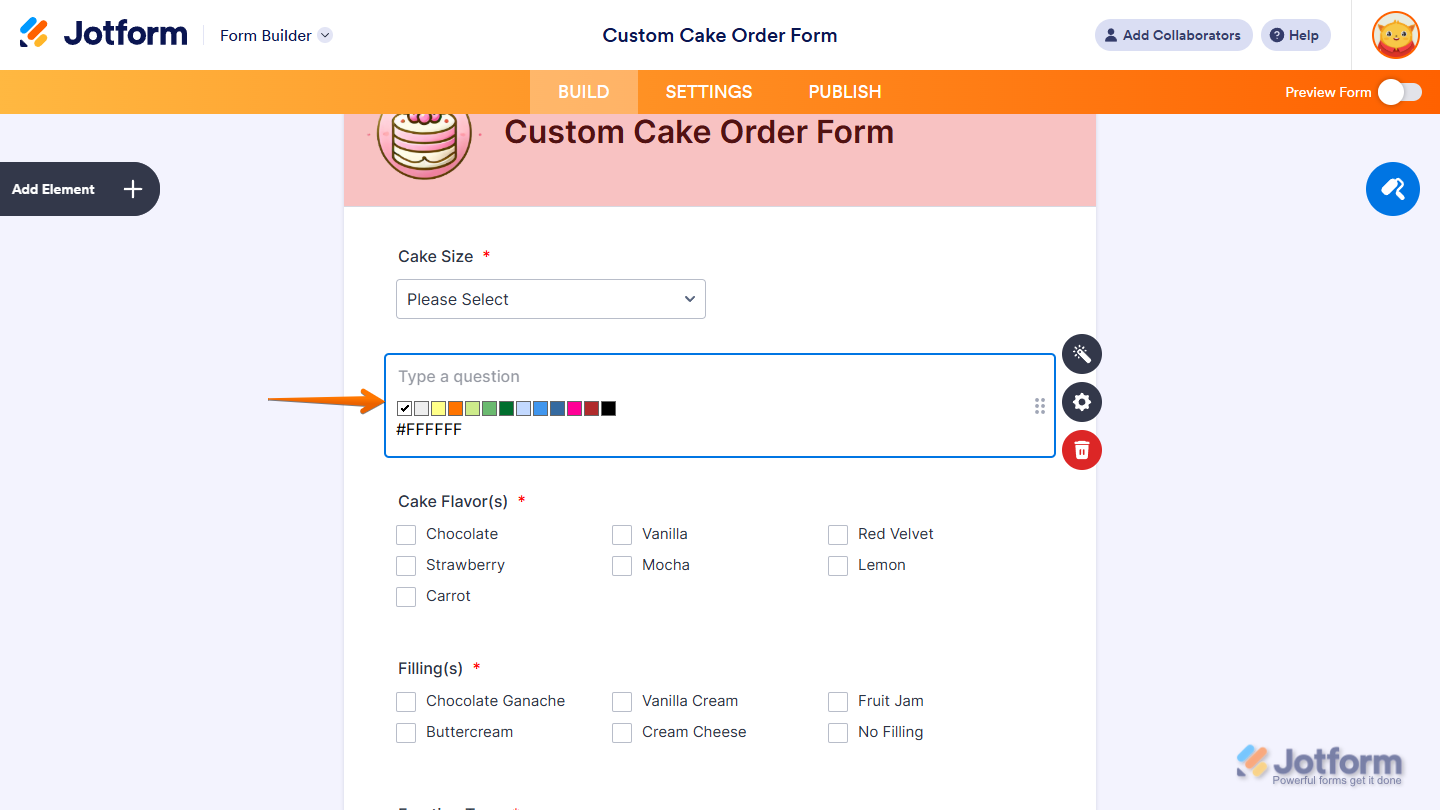
That’s it! You’ve successfully added the Simple Color Picker widget to your form.
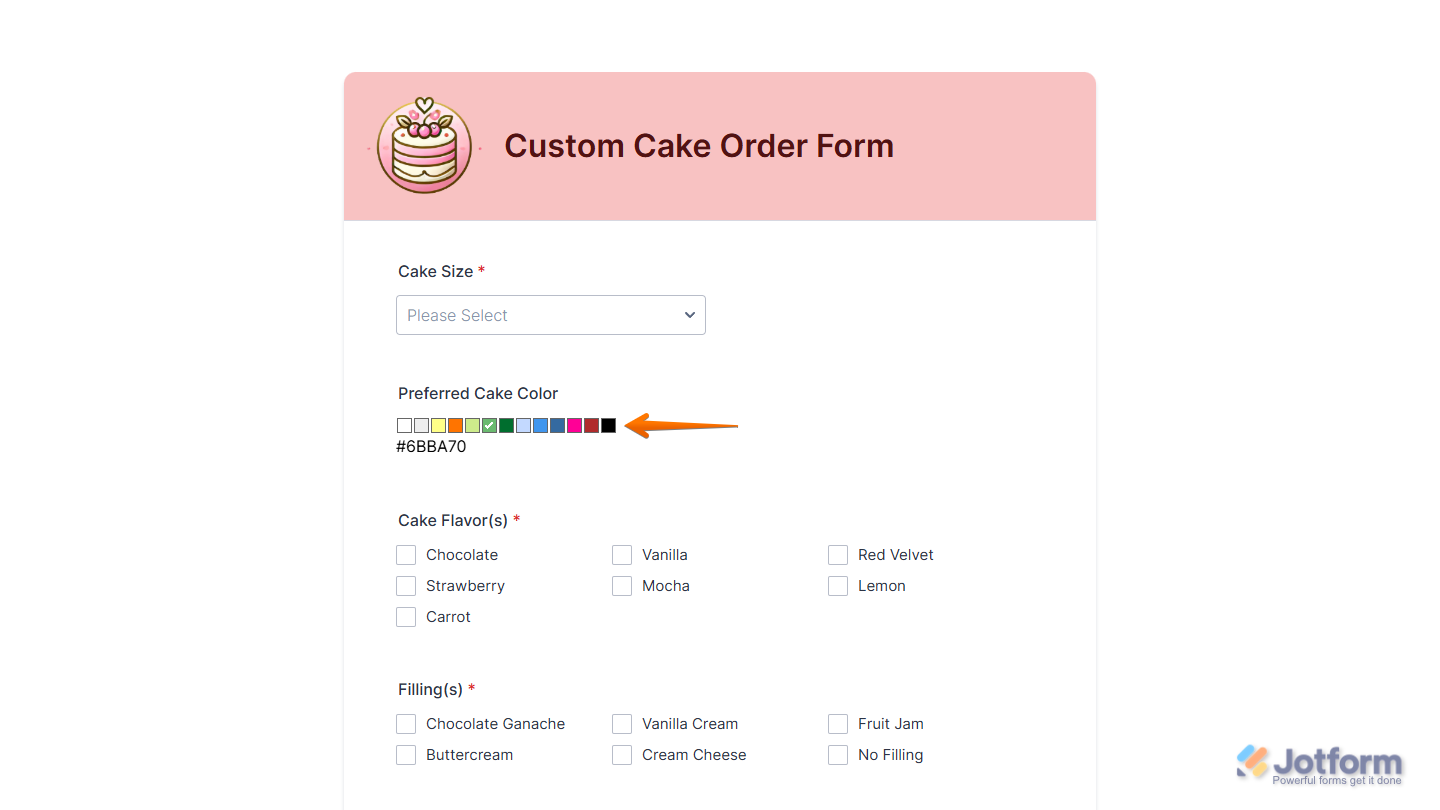
Now users can choose their preferred color directly on your form, making it easier for them to share their style or design preferences and complete their submission with confidence. Want to see how it works? Check out this live demo form.
Notes
- For advanced styling of the Simple Color Picker widget, you can add your own custom CSS code under the Custom CSS tab in the Widget Settings. Our guide on How to Inject CSS Codes to Widgets walks you through everything.
- You can also configure the widget properties, like alignment, labels, size, visibility, and more, to control how it looks and behaves on your form. Check out our guide on How to Access and Configure the Question Properties of a Widget to learn more.

Send Comment: