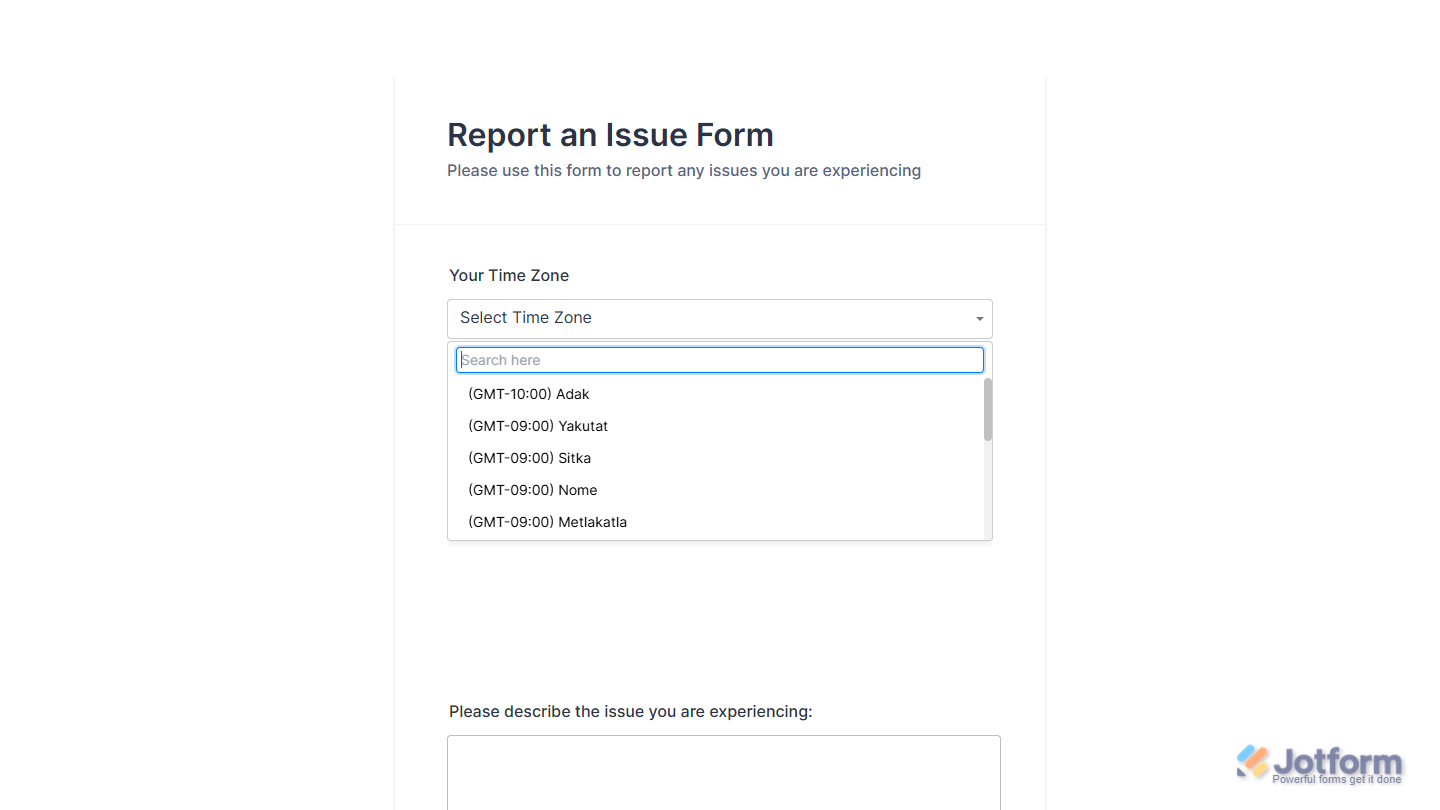
With Jotform, you can easily add the US Time Zone Picker widget to your form and give respondents a quick, intuitive way to share their time zone. The widget displays all major U.S. time zones in one clean, organized dropdown, making it simple for users to pick the option that fits their location in seconds.
It’s a small addition that delivers big clarity — reducing confusion, improving accuracy, and keeping time-sensitive details aligned. Whether you’re scheduling appointments or collecting general time-related information, the US Time Zone Picker widget helps your forms feel more streamlined, professional, and effortless to complete.
Here are a few ways to use it:
- Let respondents choose the correct U.S. time zone when scheduling calls, meetings, or consultations.
- Collect accurate time-related information for booking, reservation, or appointment request forms.
- Keep event registration forms consistent by standardizing how attendees report their time zones.
- Add clarity to customer requests or support forms that rely on time-sensitive follow-ups.
- Improve the overall user experience by reducing confusion and keeping time-based details aligned.
Whether you’re creating a new form or updating an existing one, you can add the US Timezone Picker widget in a few easy steps. Here’s how to do it:
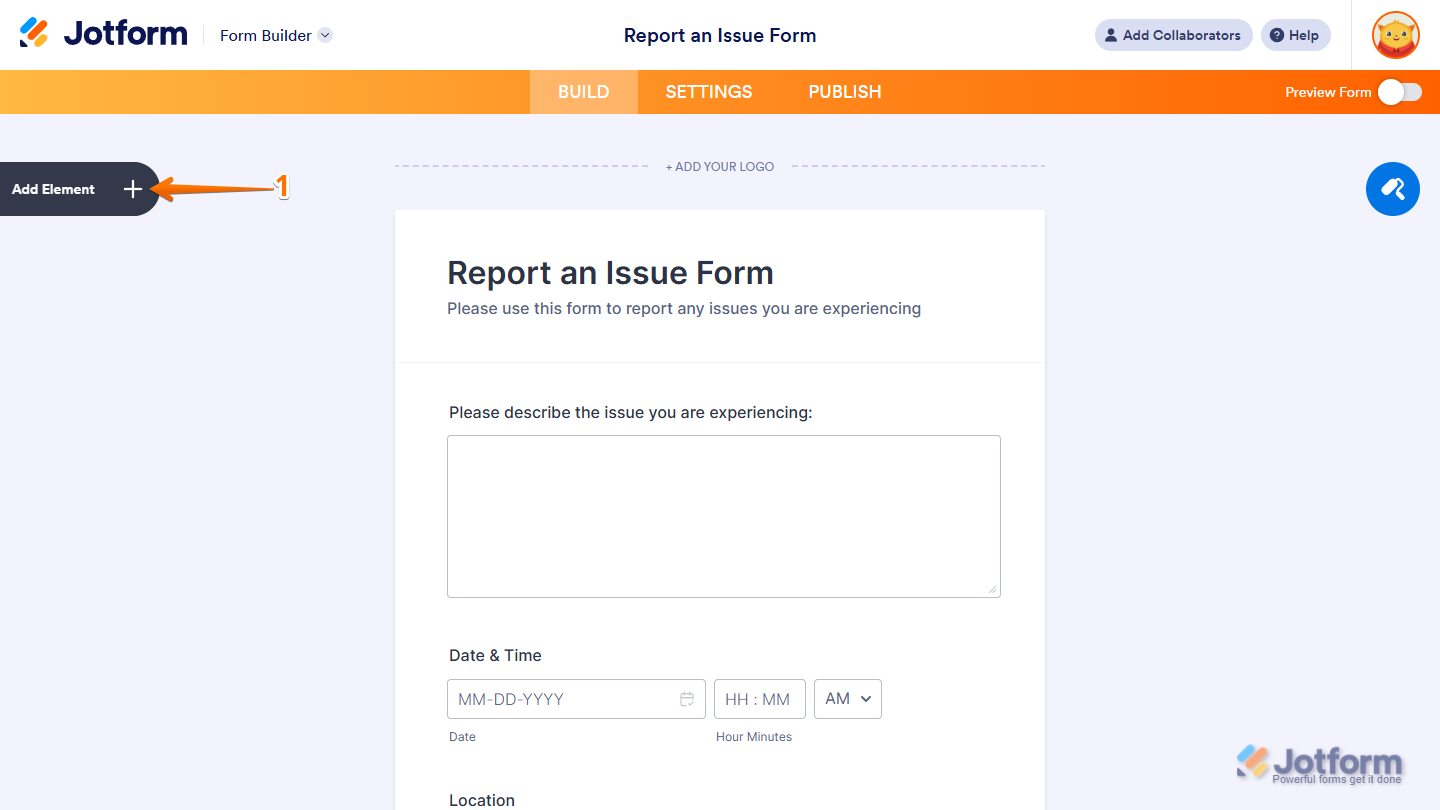
- In Form Builder, click on Add Element on the left side of the page.
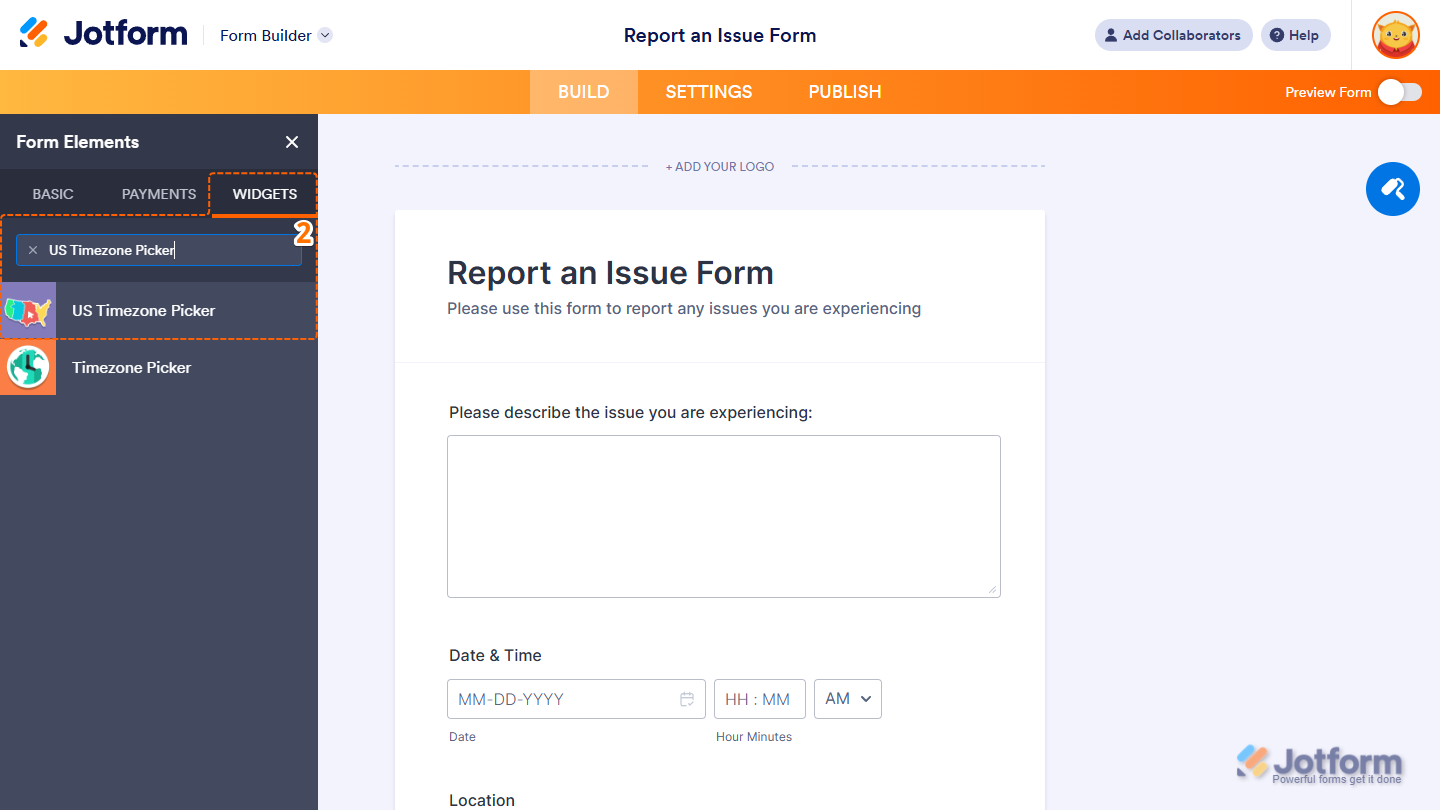
- Now, in the Form Elements menu, under the Widgets tab, search for US Timezone Picker and click on it. Or, just drag and drop it to where you want it to be on your form.
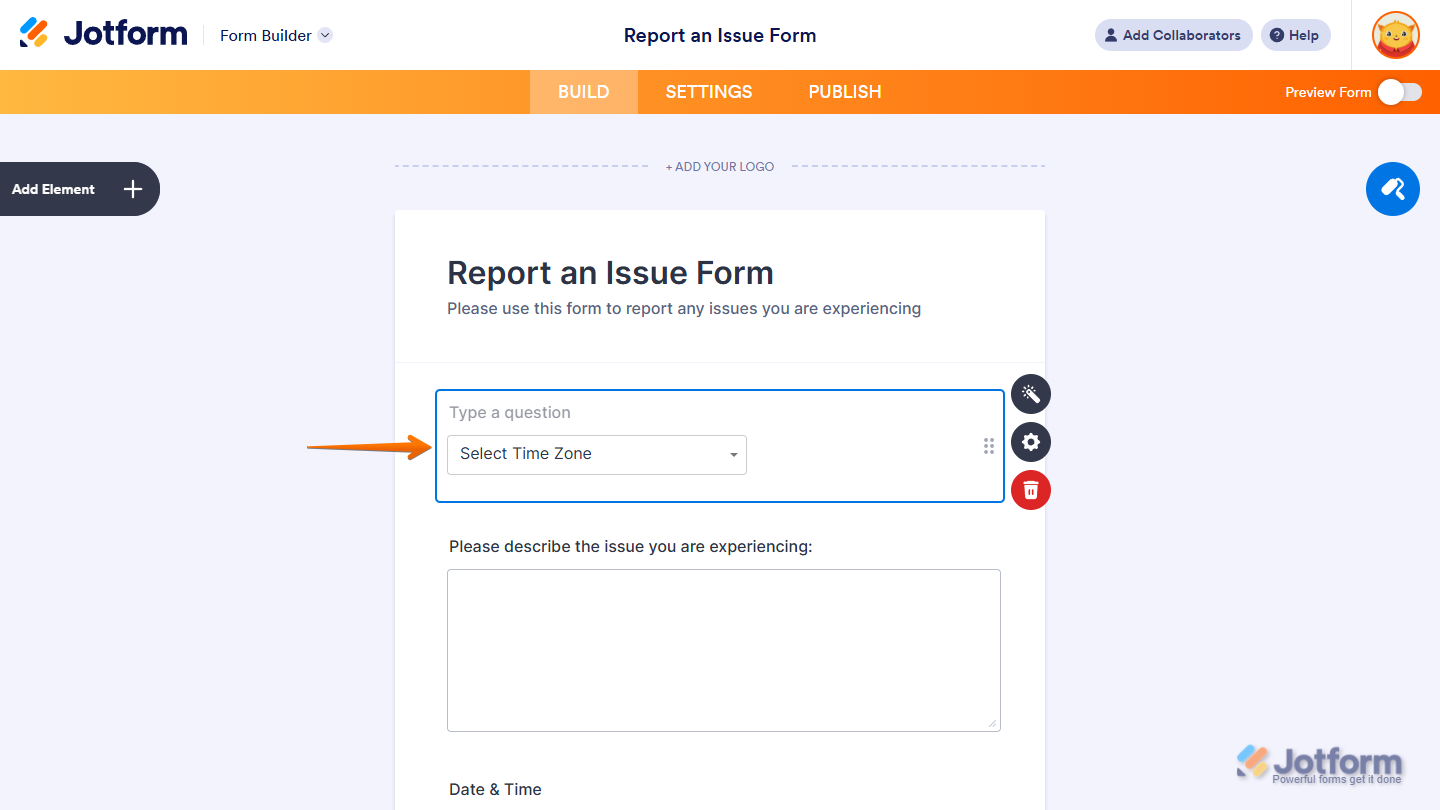
That’s it! You’ve successfully added the US Time Zone Picker widget to your form.
Now users can quickly select their U.S. time zone from a clean, organized dropdown, making it easier to provide accurate time-related information when submitting your form. Want to see how it works? Check out this live demo form.
Notes
- For advanced styling of the US Timezone Picker widget, you can add your own custom CSS code under the Custom CSS tab in the Widget Settings. Our guide on How to Inject CSS Codes to Widgets walks you through everything.
- You can also configure the widget properties, like alignment, labels, size, visibility, and more, to control how it looks and behaves on your form. Check out our guide on How to Access and Configure the Question Properties of a Widget to learn more.

Send Comment: