Jotform Apps makes it easy to turn your forms, links, and content into a fully functional app—and share it anywhere. One of the most useful ways to share your app is by embedding it directly into your website.
By embedding your app, you can let visitors interact with your content without leaving your site. This is great for collecting submissions, showcasing resources, or creating seamless user experience.
Here are two ways to embed your app into a website:
Embedding Your App Using an Embed Code
Once your app is ready, you can embed it into your website in just a few steps. Here’s how:
- In App Builder, in the purple navigation bar at the top of the screen, click on Publish.
- Then, in the menu on the left side of the page, click on Embed.
- Now, in the Embed section on the right, click on Copy Code.
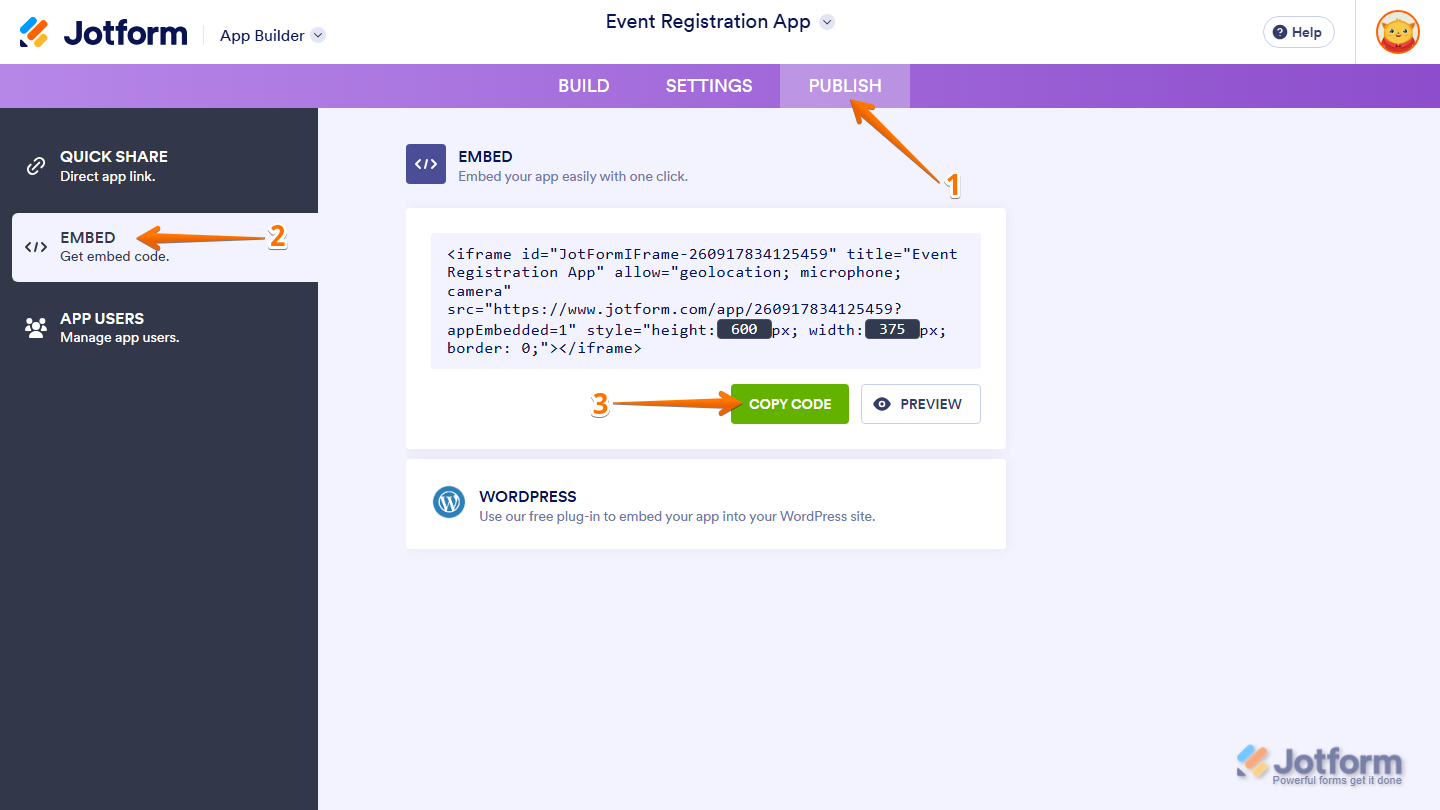
Once you have the code, paste it into your website’s source code where you want the app to appear, and you’re all set.
Embedding Your App Using into a WordPress Site
If your website runs on WordPress, you can use the WordPress shortcode instead. Here’s what to do:
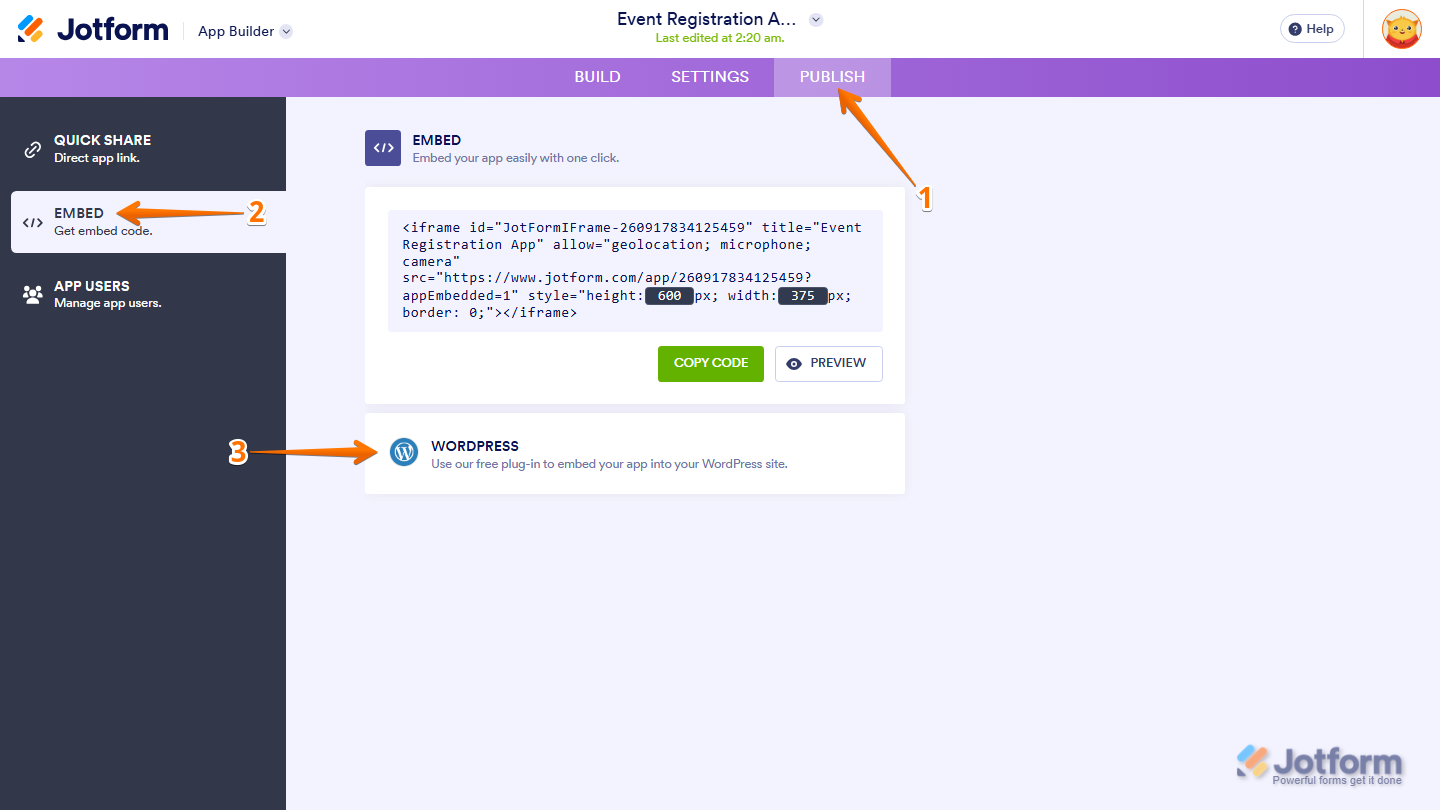
- In App Builder, in the purple navigation bar at the top of the screen, click Publish.
- Then, in the menu on the left side of the page, click on Embed.
- Now, in the Embed section on the right, click on WordPress.
- Then, click on Copy Code to copy the WordPress shortcode.
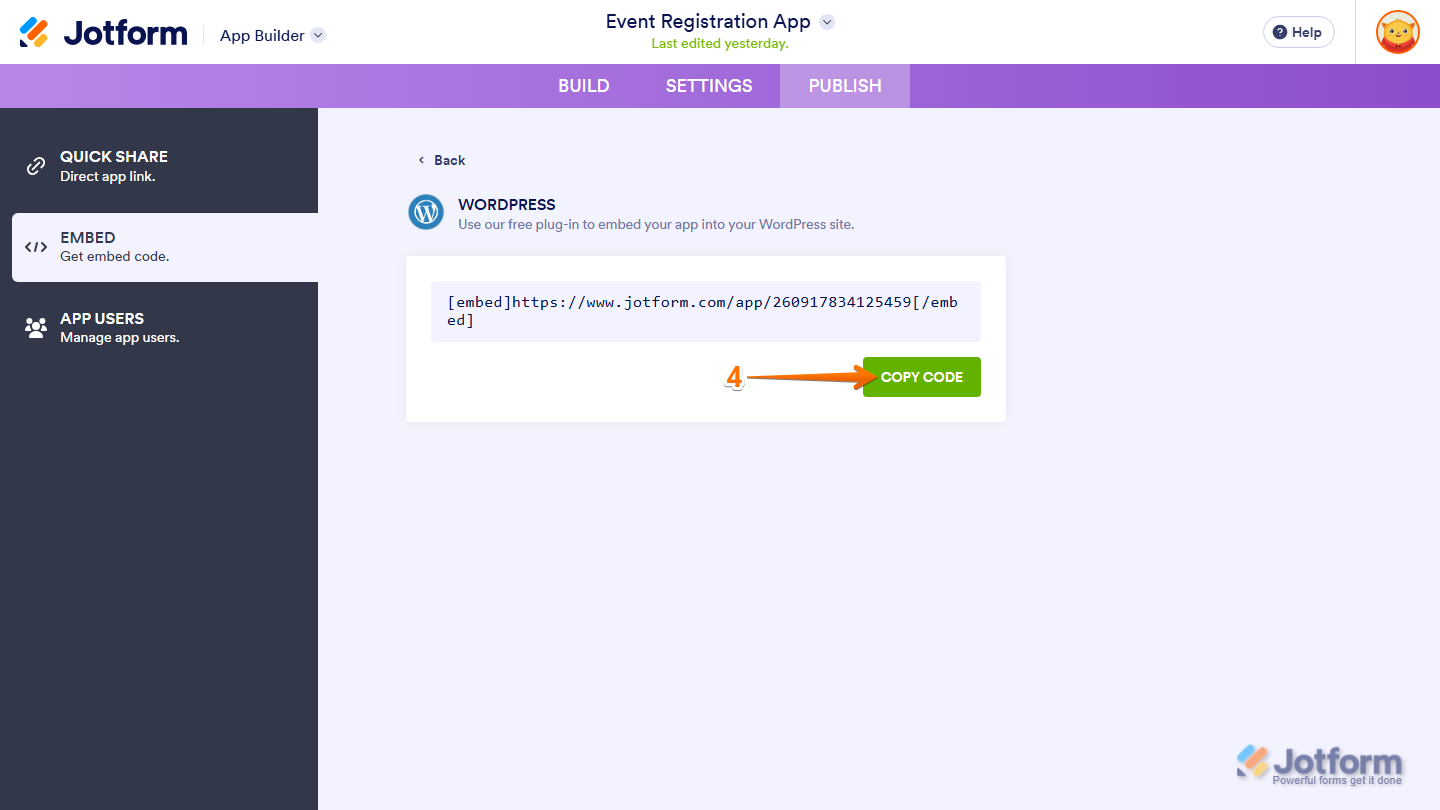
Once you have the shortcode, paste it into your WordPress page or post where you want the app to appear, and you’re done.



Send Comment: