

Formularze edukacyjne

Rejestracja Na Kurs
Ten szablon formularza rejestracji na kurs może być używany przez każdą szkołę/instytucję do rejestracji na różne programy edukacyjne. Formularz zbiera tylko niezbędne podstawowe informacje o zapisanych, takie jak ich imię i nazwisko, data urodzenia oraz adres. W szablonie znalazła się także lista wybieralnych kursów oraz pole komentarzy, w którym osoby zainteresowane mogą zadać dodatkowe pytania dotyczące rejestracji.
Go to Category:Formularze edukacyjne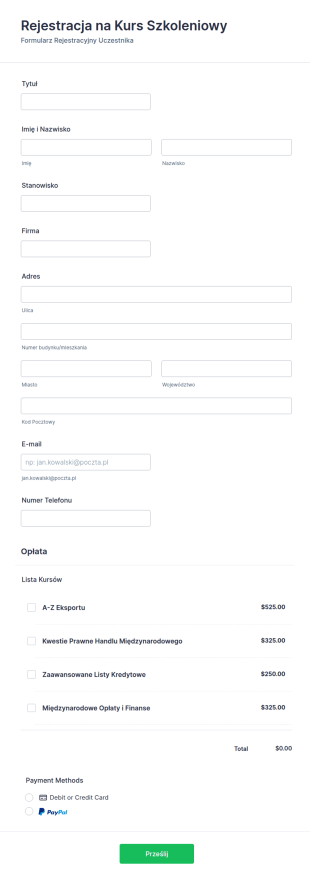
Formularz Rejestracji Na Szkolenie
Ten formularz rejestracji na szkolenie zbiera informacje potrzebne do rejestracji na szkolenie lub kurs edukacyjny. Użyj tego formularza, by rejestrować uczestników i uczniów poszukujących dodatkowych usług szkoleniowych i edukacyjnych. Zintegruj ten formularz z jednym z ponad 30 procesorów płatności dostępnych w Jotform, w tym Square, PayPal, Stripe i innymi. Ten formularz rejestracyjny na szkolenia, kursy lub zajęcia jest w pełni dostosowywalny, pozwalając Ci zebrać wszystkie potrzebne informacje, od informacji kontaktowych, wybranych kursów, długości kursów, danych kart kredytowych do płatności i innych.
Go to Category:Formularze edukacyjne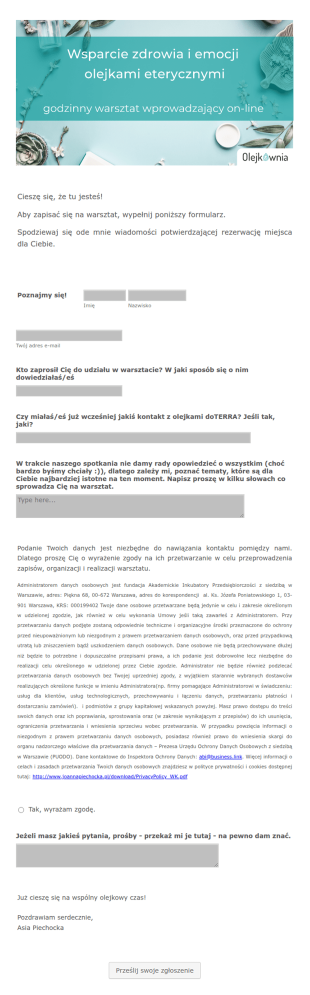
Warsztat Wprowadzający Wsparcie Zdrowia I Emocji
Warsztat wprowadzający - wsparcie zdrowia i emocji
Go to Category:Formularze edukacyjne
Wniosek O Stypendium
Kompleksowy formularz wniosku o stypendium zawierający kompletny kwestionariusz ze szczegółami dotyczącymi stypendium, pozwalający na zebranie wszystkich niezbędnych danych studenta i łatwe określenie, czy kwalifikuje się on do otrzymania stypendium. Przykładowy szablon może być łatwo dostosowany do własnych potrzeb. Łatwo i wygodnie stwórz własny formularz wniosku o stypendium.
Go to Category:Formularze edukacyjne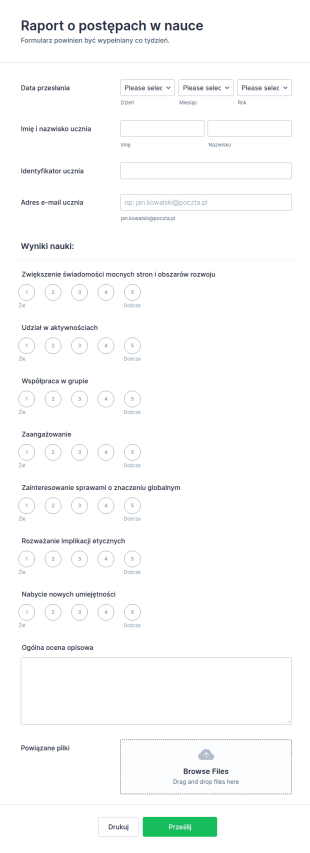
Ewaluacja Wyników Ucznia
Jesteś instruktorem lub nauczycielem, potrzebującym formularza ewaluacyjnego dla uczniów? Wypróbuj ten szablon formularza ewaluacyjnego. Tworzenie raportu postępów w nauce dla każdego z uczniów to nużące zajęcie - wykorzystaj więc formularz ewaluacyjny, by w szybki sposób określić, czy Twoi uczniowie zwiększyli swoją świadomość mocnych/słabych stron, a także ocenić obszary rozwoju oraz poziom współpracy z innymi. Jeśli checsz zacząć od zera, możesz stworzyć własny formularz online w kilka minut!
Go to Category:Formularze edukacyjne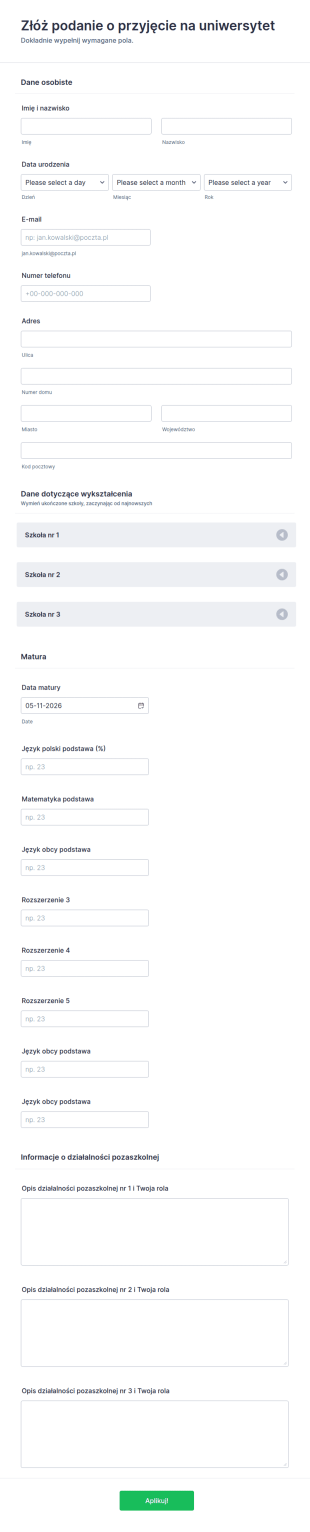
Aplikacja Rekrutacyjna Uniwersytetu
Aplikacja o przyjęcie na uniwersytet dla nowych studentów. Zbieraj dane aplikantów w prosty i bezpieczny sposób.
Go to Category:Formularze edukacyjne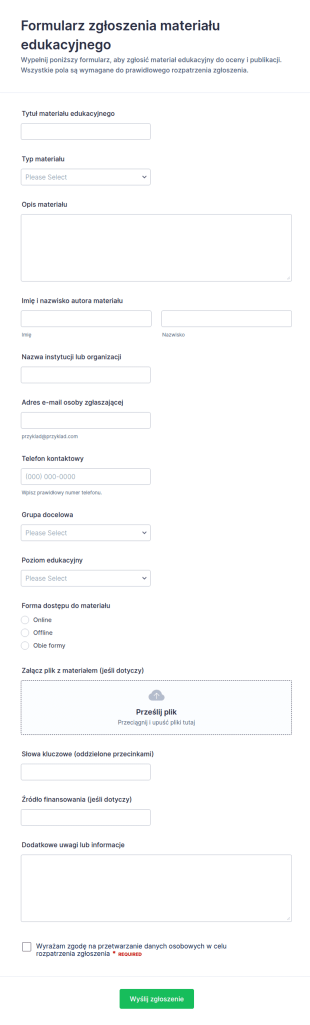
Edukacyjny Formularz Zgłoszenia Zasobów
Zbieraj propozycje zasobów dydaktycznych w jednym miejscu dzięki Formularz zgłoszenia materiału edukacyjnego, idealnemu dla szkół, uczelni, fundacji i wydawców, którzy chcą uporządkować data collection w Jotform.
Go to Category:Formularze aplikacyjneAbout Formularze edukacyjne
Pozbądź się papierkowej roboty! Jotform oferuje formularze edukacyjne online dla nauczycieli i uczniów. Instytucje edukacyjne potrzebują formularzy bardziej niż jakiekolwiek inne organizacje -- wykorzystywane są do zbierania podań, przeprowadzania ewaluacji prowadzących czy zbierania darowizn -- możliwość łatwego tworzenia formularzy jest więc niezbędna. Niezależnie od tego, czy nauczasz w szkole podstawowej, czy uczelni wyższej, mamy szablon odpowiedni dla Ciebie.
Nasze szablony formularzy edukacyjnych są w pełni dostosowywalne i mogą zostać sformatowane, by dopasować je do Twoich potrzeb. Zacznij od wybrania jednego z naszych przykładowych formularzy edukacyjnych, lub stwórz własny szablon. Szablony formularzy edukacyjnych Jotform są darmowe i proste w użyciu.
Why Use Education Form?
- Education Form offer unmatched accuracy in data collection, ensuring that information is captured correctly the first time. This precision eliminates the common errors associated with manual data entry, fostering reliability and trust in the data collected.
- Speed is a significant advantage of using Education Form, as they allow for rapid data gathering and processing. This expedites administrative tasks, freeing up valuable time for educators and staff to focus on more mission-critical activities.
- Professional data handling is facilitated by digital forms, which ensure that sensitive information, such as student records and feedback, is managed securely and in compliance with privacy regulations. This is particularly crucial in maintaining the integrity and confidentiality of educational data.
- The versatility of Education Form means they can be tailored to fit a wide variety of educational scenarios, from enrollment applications to event registrations. This adaptability supports diverse educational needs and ensures that forms are perfectly aligned with institutional goals.
- Automation features in Education Form reduce manual intervention, enabling educators to set up automatic notifications, approvals, and data transfers. This streamlining of processes leads to increased operational efficiency and reduced administrative overhead.
Common Problems Solved by Education Form
- One of the most significant issues in education is the reliance on paper-based systems, which are prone to errors and inefficiencies. Education Form digitize these processes, eliminating the risk of lost paperwork and ensuring that data is always accessible.
- Manual data entry is another common pain point that is effectively addressed by Education Form. By automating data collection and processing, these forms minimize human error and reduce the time spent on repetitive tasks.
- Data loss is a critical concern for educational institutions, especially when handling sensitive information. Education Form provide a secure platform for data collection and storage, thereby safeguarding against accidental loss or breaches.
- Education Form are designed to simplify complex processes, such as course registrations and feedback collection, by providing a streamlined, user-friendly interface. This simplification reduces the cognitive load on users and enhances the overall experience.
- Limited accessibility of traditional paper forms is resolved through the use of digital forms, which can be accessed anywhere and at any time, ensuring that all stakeholders have the necessary access to complete and submit forms promptly.
Matching Use Cases to Features
- The Drag-and-Drop Form Builder is ideal for customizing Education Form to fit specific needs, such as creating unique enrollment forms that capture all necessary student information. This feature allows for quick adjustments and updates, ensuring that forms remain relevant and effective.
- Conditional Logic enables the creation of dynamic forms that adapt based on user inputs, such as displaying additional fields for students who select specific courses or programs. This adaptability enhances user experience and ensures that all necessary data is collected.
- The integration with over 30 Payment Gateways, including Stripe and PayPal, allows educational institutions to collect fees directly through forms. This feature streamlines the payment process, reducing administrative tasks associated with handling financial transactions.
- Electronic Signatures, facilitated by Jotform Sign, are crucial for obtaining necessary approvals and consents, such as parental permission for field trips. This feature ensures that all legal and compliance requirements are met with ease.
- The PDF Editor automatically generates professional PDF documents from form submissions, such as transcripts or certificates, ensuring that data is presented in a formal and consistent manner.
- Jotform's Report Builder offers the ability to create comprehensive reports based on collected data, such as analyzing feedback from course evaluations to inform curriculum improvements.
- With offline data collection capabilities, Jotform Mobile Forms ensures that data can be gathered even without an internet connection, critical for field activities or remote educational settings.
How to Create a Educations Form
- Begin by browsing the Template List for an Educations template or opt to start from a blank form.
- Customize the design and fields using the Drag-and-Drop Form Builder, tailoring the form to meet specific educational requirements.
- Once your form is ready, publish it and share it via Direct Link, Email, or Website Embed to reach your intended audience.
Top Use Cases for Education Form
- For Managers: Education Form are invaluable for managers who oversee the administrative functions of educational institutions. These forms streamline processes such as staff evaluations, budget approvals, and strategic planning, all while capturing vital data that informs decision-making. The ability to automate notifications and approvals further enhances managerial efficiency, allowing leaders to focus on broader institutional goals.
- For Teams: Educational teams, including faculty and administrative staff, benefit significantly from the use of Education Form. They facilitate collaboration through shared access to forms and data, enabling teams to coordinate activities like curriculum development, event planning, and student assessments. With integrated features like conditional logic and third-party integrations, teams can work more effectively and cohesively.
- For Customers: Students and parents, as primary customers of educational institutions, experience improved interactions through Education Form. These forms simplify processes such as course enrollment, fee payment, and feedback submission, providing a seamless user experience. The convenience of digital forms ensures that customers can engage with educational services anytime, anywhere, enhancing overall satisfaction.
Summarizing Education Form
Education Form are a transformative solution for the educational sector, providing an efficient, reliable, and secure method for managing data and streamlining processes. By leveraging the capabilities of Jotform's online form builder, educational institutions can enhance operational efficiency, reduce administrative burdens, and improve data accuracy. The seamless integration of features such as payment gateways, electronic signatures, and automated PDF generation further underscores the value of Education Form in modernizing educational workflows.
Najczęściej Zadawane Pytania
1) Is it free to create Education Form on Jotform?
Yes, Jotform offers a free plan that allows users to create and share Education Form, although there are limitations on the number of forms and submissions.
2. Dlaczego formularze e-commerce są ważne dla firm internetowych?
Absolutely. Jotform prioritizes data security, employing encryption and compliance with privacy standards to protect all submitted information.
3) Do I need coding knowledge to build a Educations form?
No coding knowledge is required. Jotform's Drag-and-Drop Form Builder allows anyone to create professional forms with ease.
4. Czy istnieją różne rodzaje formularzy e-commerce?
Yes, Jotform supports integration with over 30 payment gateways, enabling direct payment collection via your forms.
5. Kto może skorzystać z szablonów formularzy e-commerce?
Yes, Jotform forms are mobile-friendly and can be accessed and submitted on any smartphone or tablet.
6. Jak chroniona jest prywatność podczas przesyłania formularzy roszczeń ubezpieczeniowych online?
Indeed. Jotform’s PDF Editor allows you to automatically convert submissions into well-structured PDF documents.
7) How can Education Form improve student engagement?
Education Form streamline communication and feedback processes, making it easier for students to interact with educational content and services, thereby enhancing engagement.
8) Can Education Form integrate with our existing student information system?
Yes, Jotform offers over 100 third-party integrations, allowing seamless connectivity with various student information systems and other educational software.