Free Online Survey Analysis Tool
Jotform’s survey analysis tool is an all-in-one data solution that allows you to collect, manage, and visualize feedback in a single platform. Use the drag-and-drop builder to create custom surveys, then automatically aggregate responses into visual reports and charts. The platform includes built-in analytics to help you identify trends, track conversion rates, and share actionable insights with stakeholders without needing external software.
Templates
Explore Ready-Made Survey Templates
Not quite sure where to start? Choose one of our ready-made survey templates and customize it to match your needs. Add your questions, change design elements, and then send it off to your participants.
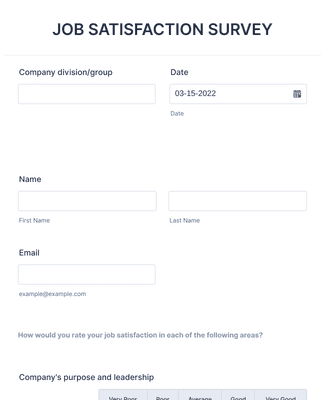
Job Satisfaction Survey
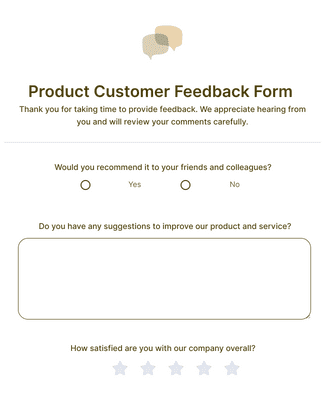
Product Customer Feedback Form
Benefits
Instantly Create Surveys
Collect and Manage Survey Data
Collect survey responses and manage survey data in one place inside Jotform. Jotform Tables can automatically turn submissions into a spreadsheet-style workspace, so responses are organized and easy to review. This reduces the need to move data between separate tools, because the survey and the responses stay connected.
Use Form Analytics
Use Jotform Form Analytics to see how the survey performs, not just what people answered. Form Analytics shows traffic and submission activity so you can spot drop-offs and check conversion rates. This helps you adjust survey length or wording because the performance data is tied to the survey itself.
Share and Embed Anywhere
Publish the survey by embedding it on a website or sharing a direct link. Share the survey with a scannable QR code when you need mobile-friendly access in person. This makes it easier to place the same survey in multiple channels, so more people can reach it where they already are.
Professional Reports and Informed Choices
Turn survey results into visual reports with Jotform Report Builder so stakeholders can understand findings faster. Build charts and summaries from the collected responses, then share the report with teammates. This supports better decisions because the report is generated directly from the survey data you collected.
Connect Helpful Tools
Connect surveys to analytics tools like Google Analytics to track behavior and outcomes. This adds another layer of measurement because survey views and submissions can be monitored alongside other site activity. Use other analytics and reporting integrations when the same survey data needs to flow into an existing reporting setup.
Frequently Asked Questions
All your questions about Jotform — answered. Check out our FAQs for answers to common questions, or contact our support team for further information.
How do I create an online survey?
Creating an online survey is fast and easy with Jotform. To get started, open our Form Builder and select whether to build your survey from scratch or customize a ready-made survey template. Simply drag and drop form fields, add your survey questions, customize the design to match your organization’s brand, and add conditional logic and widgets. Then share your survey with a few clicks to begin collecting feedback.
How do I analyze my survey results?
To analyze survey results with Jotform, follow these easy steps:
Select the survey you’d like to analyze.
Use the report feature in Jotform Tables, which allows you to view your data at a glance.
Generate more complex visual reports with Jotform Report Builder.
Share survey analysis reports with teammates or shareholders.
What are the five common statistical tools?
The five common statistical tools are
- Mean
- Standard deviation
- Regression
- Hypothesis testing
- Sample size determination
What are the four types of analysis?
The four types of data analysis are
- Descriptive Analysis
- Diagnostic Analysis
- Predictive Analysis
- Prescriptive Analysis
How do I add surveys to my website?
To add surveys to your website, simply copy and paste your survey’s unique embed code into your website HTML. Jotform also offers easy third-party publishing options on platforms such as WordPress, Squarespace, Facebook, and more. In addition, you can share your survey via email, form link, or social media.
Is creating a survey in Jotform free?
Yes, you can create a survey and analyze its results for free with Jotform.