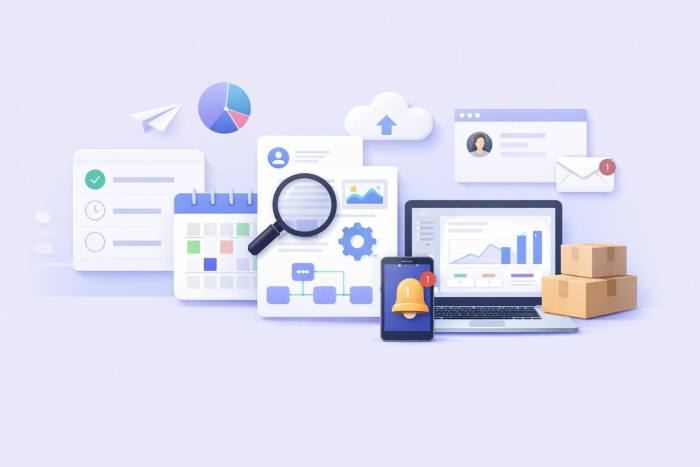
Often, we lose productivity time on the small, repetitive tasks that pile up every day. They’re tedious and seem to never be done. This is why many businesses are turning to AI automation in 2026.
Applying automation to knowledge work alone could generate around $430 billion–$550 billion for businesses each year. It’s clear that time saved correlates closely with money earned.
If you’re curious about how teams automate their workflows, this article provides AI automation examples that help save time on everyday tasks.
What is AI automation, and how can it help your business?
AI automation uses artificial intelligence to perform complex, multistep tasks that usually require human input. You define the task, set the rules, and connect your tools. The AI completes the workflow automatically.
There are two main benefits of AI workflow automation:
- Time savings: AI handles low-value tasks, so your team can focus on what matters.
- Leaner teams: AI covers repetitive work such as data entry and saves you the cost of hiring extra staff.
While some enterprise AI automation use cases may require advanced AI models, most business workflows don’t. AI workflow builders (such as Jotform) let you create custom AI agents in minutes by simply describing what you want in a text prompt.
12 use cases for brands to automate their busywork with AI
AI helps organizations run some pretty complex workflows without human oversight. You might be surprised at what you can automate, especially with agentic AI and a proper AI orchestration infrastructure.
Here are 12 real-world examples of how teams across functions and industries put AI automation to work.
1. Simplifying hiring and onboarding
Value: By speeding up the hiring and onboarding processes, AI automation can reduce recruitment costs and provide a smoother candidate experience from day one.
HR teams can almost halve their workload by using AI for administrative tasks. For example, AI agents can screen resumes, rank candidates, schedule interviews, send offer letters, and trigger onboarding workflows automatically.
LinkedIn’s AI Hiring Assistant, for example, automates up to 80 percent of pre-offer tasks, from writing job descriptions to reaching out to candidates.
Similar results can be achieved with onboarding processes. TRIO Upward Bound achieved 100 percent self-onboarding using AI and met its federal student number requirement.
2. Summarizing documents and spreadsheets
Value: Almost all admin work starts with reading something. AI gets your team to the point faster.
When your team manages hundreds of documents across departments, just reading them can take lots of time. AI agents scan contracts, reports, and spreadsheets to extract relevant information and flag inconsistencies in seconds, effectively removing the need for your staff to read documents from top to bottom.
UNHCR used this AI capability to get results. It worked with Deloitte to deploy AI agents that handled document processing, material preparation, and guideline alignment. This automation, in turn, gave staff more time for actual fieldwork. The new workflow became critical after major budget cuts led to the dismissal of about 4,000 employees.
Pro Tip
Use Jotform AI Summarizer to quickly turn long documents, spreadsheets, and reports into clear takeaways, then ask follow-up questions to clarify details or spot inconsistencies faster.
3. Streamlining customer service with chatbots, SMS, and call handling
Value: Customers often expect near-instant responses. With workflow automation and agentic AI, you can meet those expectations.
In customer service, you can see the fastest ROI from AI automation. Unlike robotic process automation, AI can interpret context, process unstructured data, and make decisions based on patterns, making it better suited for the unpredictability of customer interactions.
AI can handle inbound queries, route complex cases correctly, and follow up across channels.
Lemonade built its insurance model around these capabilities. Bots such as Maya and Jim handle all customer interactions, from onboarding to claims. Jim paid a claim in three seconds (Lemonade claims this is a world record). According to the company, AI is one of the main reasons it crossed $1 billion in in-force premiums while keeping operating costs lean.
4. Automating sales outreach and lead nurturing
Value: AI handles the entire outreach cycle, from finding leads to nurturing them through the sales funnel, with minimal oversight from your team.
Business units that used AI in marketing and sales saw a 67 percent increase in revenue, and it’s not hard to see why. You can use AI to
- Scrape and score leads based on firmographics and behavior.
- Personalize cold outreach at scale.
- Trigger follow-up sequences when a prospect opens an email or visits a pricing page.
- Use your CRM to update details after every interaction and route warm leads to the right rep.
The result is a pipeline that effectively runs itself and a sales team that is focused entirely on revenue-generating work, such as lead nurturing.
5. Categorizing and replying to emails
Value: For managers and anyone in a client-facing role, email is a constant time drain. Luckily, one of the most productive ways to use AI in business is to automate email conversations.
The average employee spends 57 percent of their work time communicating across email and chats, and in meetings. The heaviest email users spend 8.8 hours a week in their inboxes, which amounts to more than one full day of work.
AI automations can save time by categorizing incoming messages, flagging priorities, and drafting replies. Many AI platforms have solutions for this time drain. Their standalone AI automation tools (such as the Jotform Gmail Agent) make it easier to manage your inbox, with features such as daily inbox summaries.
6. Analyzing customer feedback and behavior
Value: Though many teams collect massive amounts of customer feedback, there’s often too much of it for anyone to analyze and act on fast enough. AI can help speed things up.
AI can process thousands of customer interactions at once to identify patterns and flag recurring friction points. It can also give you insights on critical customer experience elements, such as churn or satisfaction, without anyone having to dig through a spreadsheet.
You can even use AI to detect what a customer needs before they realize it. Then you can deliver the right message through the right channel at the right time. Consultants McKinsey & Company call this the “next best experience,” and companies using this approach have seen customer satisfaction improve by 15–20 percent and revenue increase by 5–8 percent.
7. Streamlining IT support
Value: AI resolves routine IT support issues instantly, so you don’t have to spend half your day troubleshooting the same five issues.
Like customer support, IT support runs on repetition. It involves a lot of routine questions and back-and-forth. AI can automate many of these workflows, making IT one of the most popular areas for companies to implement it. According to PwC, 53 percent of US businesses that deploy AI agents use them in IT and cybersecurity.
The IT support application is especially helpful for small businesses. Most don’t have a dedicated IT team, so it works to use AI solutions for routine requests that would otherwise slow down the rest of the team.
Often, just having your workflows mapped out and standardized can save a lot of time, especially for volume-heavy work such as support tickets. You can use free workflow builders such as Jotform Workflows or AI flowchart tools such as the Jotform AI Flowchart Generator to achieve this.
8. Processing invoices
Value: Every finance team has a backlog of invoices to process. AI gets through them faster and with fewer errors than any manual workflow.
For most finance teams, invoice processing involves logging into vendor portals, navigating billing sections, downloading documents, and uploading them into a separate system. The process can be repetitive and slow.
But recent research has shown that teams using automation process invoices in about three days, compared with 17 days for teams relying on manual workflows.
Payhawk’s Financial Controller Agent, for example, logs into vendor portals, finds invoices, codes all required fields, and submits them on your behalf. The company expects to process 500,000 invoices in 2026, which it says will save customers around four years of combined manual work.
9. Improving supply chain and inventory management
Value: Supply chains have way too many moving parts. AI monitors everything and keeps them moving, so nothing slips through.
Managing a supply chain means keeping an eye on supplier timelines, stock levels, demand forecasts, and procurement cycles. Any gap in visibility can mean delayed shipments, overstocked warehouses, or missed orders. Automation AI agents can monitor all of this in real time.
These digital assistants can also flag anomalies, track supplier performance, and provide strategic recommendations based on their observations.
In an example of effective AI agent use in this area, a chemicals company piloting AI agents for autonomous sourcing saw procurement staff efficiency increase by 20–30 percent. The agents handled everything from tender preparation and supplier prequalification to bid analysis and supplier query management. This work previously required significant manual coordination, taking up hours of valuable time.
10. Searching internal knowledge bases
Value: AI makes years of institutional knowledge instantly searchable for the entire team.
Enterprise teams often have more internal knowledge than anyone has time to find and use. Compliance documents, process guides, and product data are often buried under layers of folders or siloed across teams. If you build a knowledge base, your entire workforce can use AI to query it, and they won’t have to email anyone or wait for a response.
Unilever built such a system for its sustainability team. Tired of data requests (some involving over 100 questions), a team member uploaded a curated set of company documents to Microsoft Copilot Studio for easy access.
McKinsey’s AI assistant Lilli aggregates over 100,000 internal documents from over 40 knowledge sources. All of the company’s employees (more than 7,000) can access this data.
11. Recommending products and services to customers
Value: AI can suggest the right product at the right moment, which increases conversions and average order value.
AI can recommend products by analyzing a customer’s searches, purchase history, and browsing behavior. Walmart, for example, is experimenting with this capability through an AI shopping assistant. Sparky, the retail chain’s virtual agent, can recommend products, help shoppers find compatible items, and even provide recipes based on a photo of a customer’s fridge.
Enterprises aren’t the only ones helping customers shop with AI. Any store, big or small, online or brick and mortar, can benefit from AI-powered product recommendation workflows. As of 2026, 58 percent of digital commerce stores have a recommendation system.
12. Implementing predictive maintenance
Value: Use AI agents to predict equipment failures before they happen, reducing downtime and avoiding expensive repairs.
Instead of waiting for machines or vehicles to break down, companies are using AI to predict failures early. Sensors can collect data on temperature, vibration, and performance, and machine-learning models flag patterns that signal potential issues.
In the automotive industry, for example, ZF Friedrichshafen AG built an autonomous AI agent called TempAI to predict temperature in power trains that run on electricity. According to S&P Global, the innovation improved temperature forecast accuracy by more than 15 percent.
For manufacturers and fleet operators, that kind of insight translates to fewer unexpected failures and more time between repairs.
Feeling inspired? Put AI to work right now with Jotform AI Agents
If you want to explore business process automation with AI, Jotform AI Agents are a great place to start. They turn regular forms into conversational experiences in which an AI agent asks questions and guides respondents through the process step-by-step.
Instead of filling out a static form, people interact with the AI agent in a chat-style interface while the workflow runs in the background. You can train the agent using documents or custom instructions to understand your process and ask the right questions.
The best part: Depending on your audience’s preferences or form purpose, you can deploy the agent in a variety of ways, including voice bots, social platforms, and even a custom AI agent app that lets you implement AI in your own way.
Here are a few prebuilt AI agents to start with:
- Customer Support AI Agent: Collects all important information from customers in a conversational format, so agents have the full context when responding
- Lead Qualification AI Agent: Engages with incoming leads, asks follow-up questions, and helps you score prospects in a more streamlined way
- Meeting Report AI Agent: Captures meeting details by asking structured follow-up questions and converts the responses into a formatted meeting report
- Business Start-Up Checklist AI Agent: Guides small-business founders through key setup steps (such as planning finances and completing required paperwork) by asking questions and helping them track progress
- Employee Information AI Agent: Acts as an internal HR assistant that asks employees questions about their role, requirements of the job, and more to collect and maintain accurate databases
Jotform has over 7,000 AI agents available to you. Sign up for free, and create your AI agent in minutes.
This article is for the business owners, department heads (HR, Marketing, Sales), operations managers, and tech-forward freelancers who want to move beyond “chatting” with AI and start “doing” with automated workflows.





















































































Send Comment: