
Top 5 AI speech generators
Great speeches appeal to your target audience’s emotions and self-interest while delivering an insightful message. The best AI speech generator will help you nail the first draft fast. You can then add small details that make a huge difference.
With the right AI speechwriter, you need only define your tone and audience. The generator does most of the heavy lifting and decreases the stress you might have about public speaking.
To help you find the most effective options, I put dozens of speech-writing AI tools to the test. These five solutions came out on top.
| Tool | Unique features | Tone/style options | Free plan/trial |
|---|---|---|---|
 Jotform AI Speech Generator |
Event-specific speech categories, multilingual support |
Professional, conversational, inspiring, humorous |
Free plan available, no account necessary |
 Jasper |
Brand Voice training, on-brand content across formats |
Multiple tones, two Brand Voices on Pro plan |
No free plan; seven-day free trial on the Pro plan |
 Writesonic |
AI Article Writer 6.0 with real-time data, 80+ templates |
Multiple tones, GPT-4o and Claude model options |
No free plan; usage-based trial period |
 Rytr |
40+ use cases, built-in plagiarism checker |
20+ preset tones, 30+ languages on paid plans |
“Free forever” plan available |
 Speechify |
Text-to-speech playback, 200+ natural-sounding AI voices |
Speed and voice style controls, 60+ languages |
Free tier available |


1. Jotform AI Speech Generator
Best for: Event-specific speeches
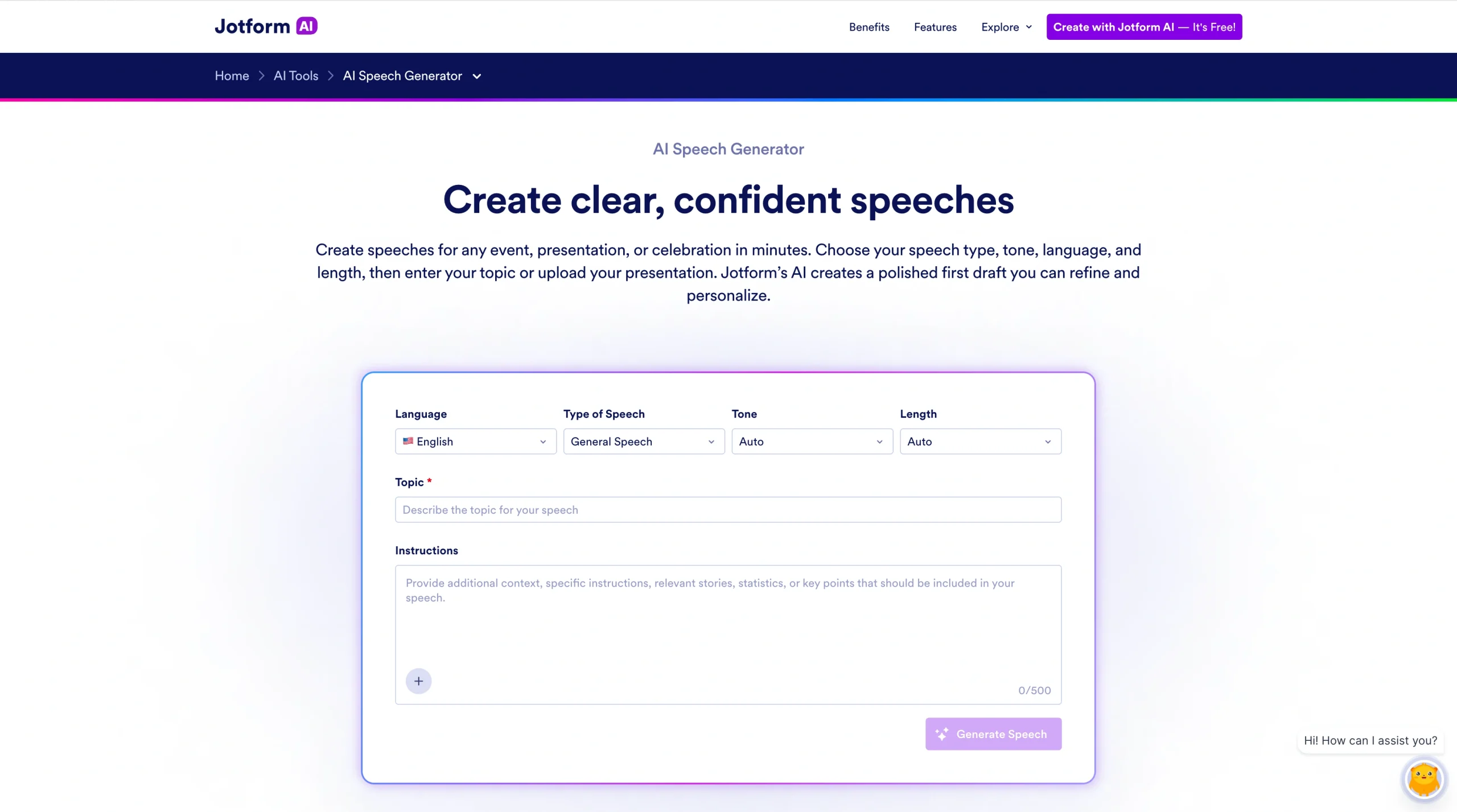
The Jotform AI Speech Generator is powerful, flexible, and easy to use.
Unlike general AI writing platforms, which require intensive prompting to write speeches, Jotform bases its output on the specific demands of public speaking. Plus, you don’t need an account. Just head to the speech-writing AI tool page, and start typing your prompt.
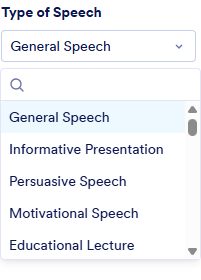
On the page, select your target audience’s language. In the Type of Speech section, choose from the following (see screenshot):
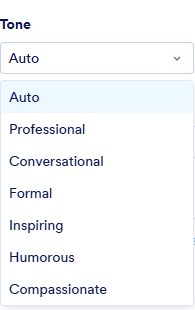
Then pick your speech tone.
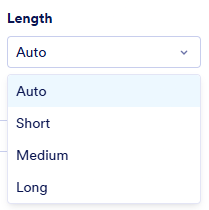
Select the desired length of your speech.
In the Topic section, briefly describe the speech you’d like to give, and add specific details in the Instructions box.
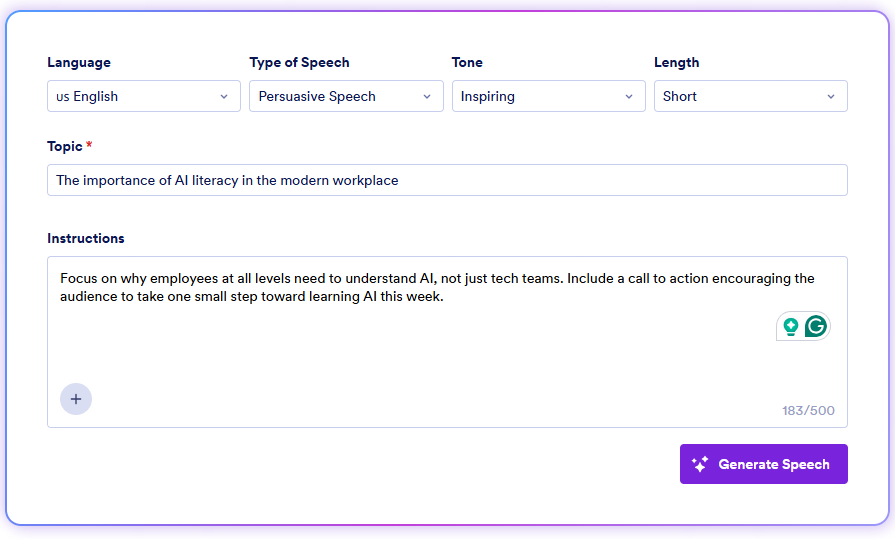
Click Generate Speech, and you’ll have results in just a few seconds.
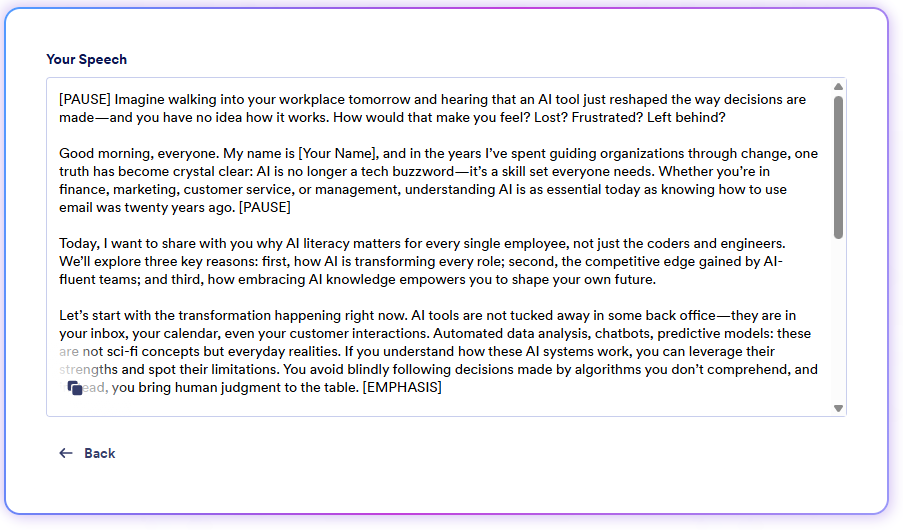
What sets Jotform apart is its structured output. It includes the fundamentals of a well-constructed speech:
- An opening hook
- Areas for pauses
- Sections to emphasize
- Gestures to use
- A closing
Your speech will be usable as is, but you can also further refine it, editing directly in the output window. If necessary, you can regenerate until the speech fits your needs.
- Key features
- Has multiple tones and speech categories, multilingual output, and direct output editing
- Requires no account
- Connects to other Jotform AI Agents
- Pros
- Purpose-built for speeches
- Completely free
- Fast track from input to draft
- Cons
- No text-to-speech feature
- Automated edits require speech regeneration
- Pricing
- Starter plan, $0: Five forms, one user, 100 fields per form, 10 monthly payment submissions, Jotform branding
- Bronze plan, $34 per month: Twenty-five forms, 250 fields per form, 100 monthly payment submissions, no Jotform branding
- Silver plan, $39 per month: Fifty forms, 500 fields per form, 250 monthly payment submissions
- Gold plan, $99 per month: One hundred forms, 1,000 fields per form, 1,000 monthly payment submissions
- Enterprise plan, custom pricing: Unlimited usage, multiuser access, dedicated support, and user access control
- G2 rating: 4.7/5
Build faster with Jotform AIDescribe what you need, and let Jotform AI build it for you instantly.
Get Started Now
2. Jasper
Best for: Marketing teams and content professionals who write speeches as part of a broader content creation flow
Jasper is one of the best AI writing generators on the market and is built for marketing and content teams. Unlike the Jotform AI Speech Generator, Jasper doesn’t have a built-in speech generator, but you can use its Chat interface and Canvas editor to generate a speech.
You won’t get a free plan with Jasper, but the Pro plan offers a seven-day free trial. Also, you won’t get the seamless no-login Jotform experience.
To try Jasper’s AI tools, you must create an account, share info about your company and your role, and add payment details. Jasper charges (and then refunds) $1 to verify and set up your payment method. Once you’re set up, you’ll have access to Jasper’s Chat platform.
Because Jasper doesn’t have a dedicated AI public speaking tool, to get the best results, make sure your prompt is detailed. Specify all aspects of the speech, such as tone, topic, and length.
I asked the generator to write a motivational speech for a conference attended by tech entrepreneurs. After I clicked the Arrow Up button, Jasper found three AI agents that could handle my speech and also offered an alternative to continue without an agent. I clicked View to see what the AI agents offered. To generate my speech quickly, I selected GenerateWithout Agent.
Within seconds, I had a draft.
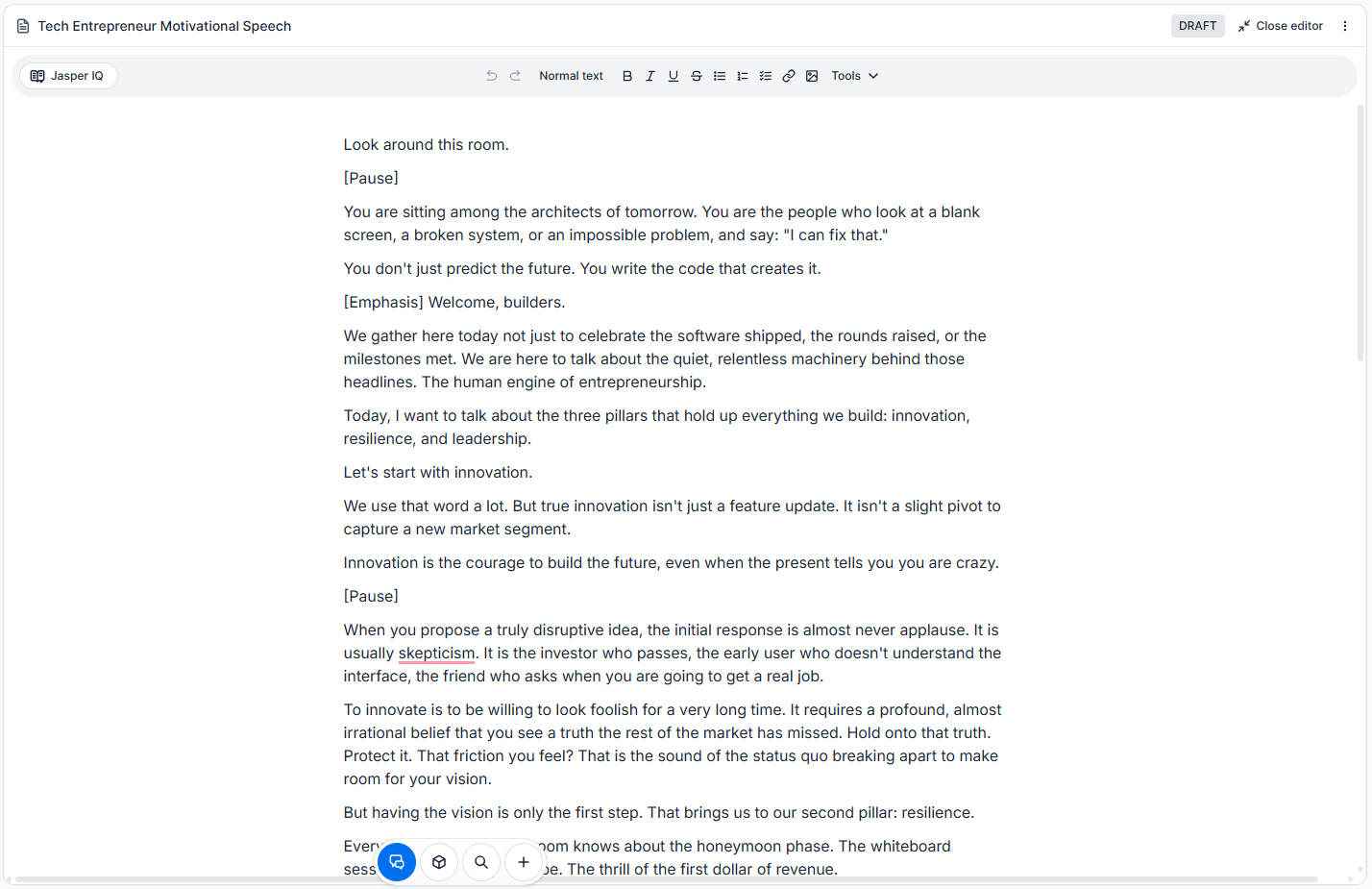
The draft was structured as a speech should be and highlighted areas for pauses and emphasis. If I wanted, I could have replied to Jasper to run automated edits on the speech, or I could have manually edited it directly in the document.
While the Jotform AI Speech Generator automatically recommends visual cues, Jasper does not. So you must request these types of instructions via prompts or in the chat editor.
- Key features
- Brand voice training
- Conversational speech writing with Jasper Chat
- Canvas editor
- In-document refinement
- Chat editor
- Pros
- Consistent tone across speeches
- Seven-day free trial
- Pre-built workflows and templates
- Cons
- Has no free plan
- Requires in-depth prompting for quality output
- Pricing
- Pro plan, $59 per month: One seat; Canvas platform for accelerated, on-brand content creation; AI agents for core marketing workflows; two Brand Voices; five knowledge assets; three audiences
- Business plan, custom pricing: Everything in Pro, advanced AI agents for complex campaign orchestration, no-code AI app builder, unlimited IQ customization, API access, dedicated account manager
- G2 rating: 4.7/5
3. Writesonic
Best for: Writing speeches from your bullet points or rough ideas
Writesonic is an AI search visibility platform that combines content generation with SEO tracking and generative engine optimization. Primarily a marketing tool, it has a chat feature that can generate speeches.
You’ll need an account to try Writesonic’s AI speech generator, but you won’t need to add payment details. Once you’ve signed up, open the dashboard. You’ll see a Prompt Input box.
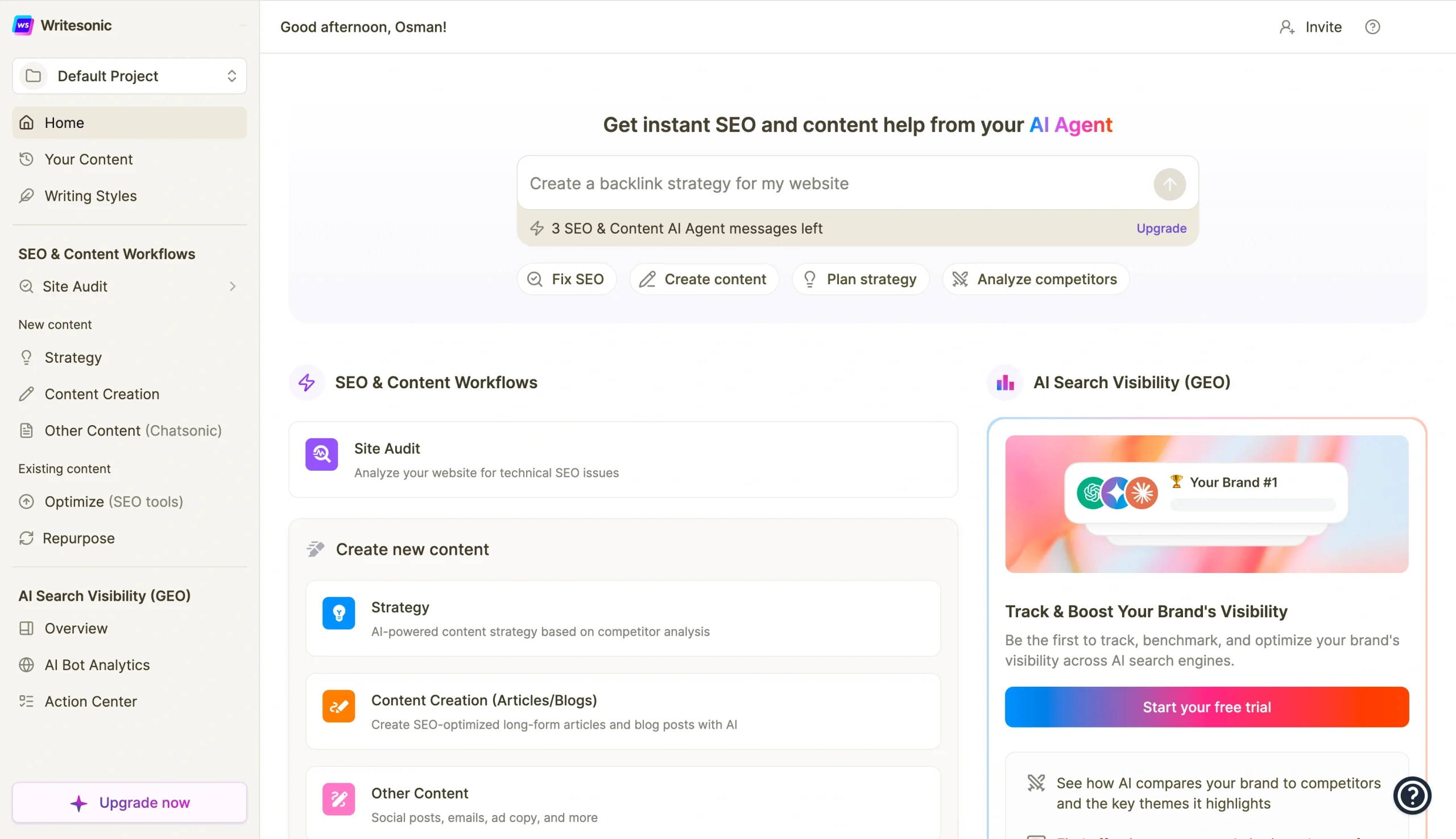
The generator isn’t dedicated to speech writing, so your prompt needs to offer contextual richness to produce a good draft. I asked it to create a speech for a corporate town hall meeting.
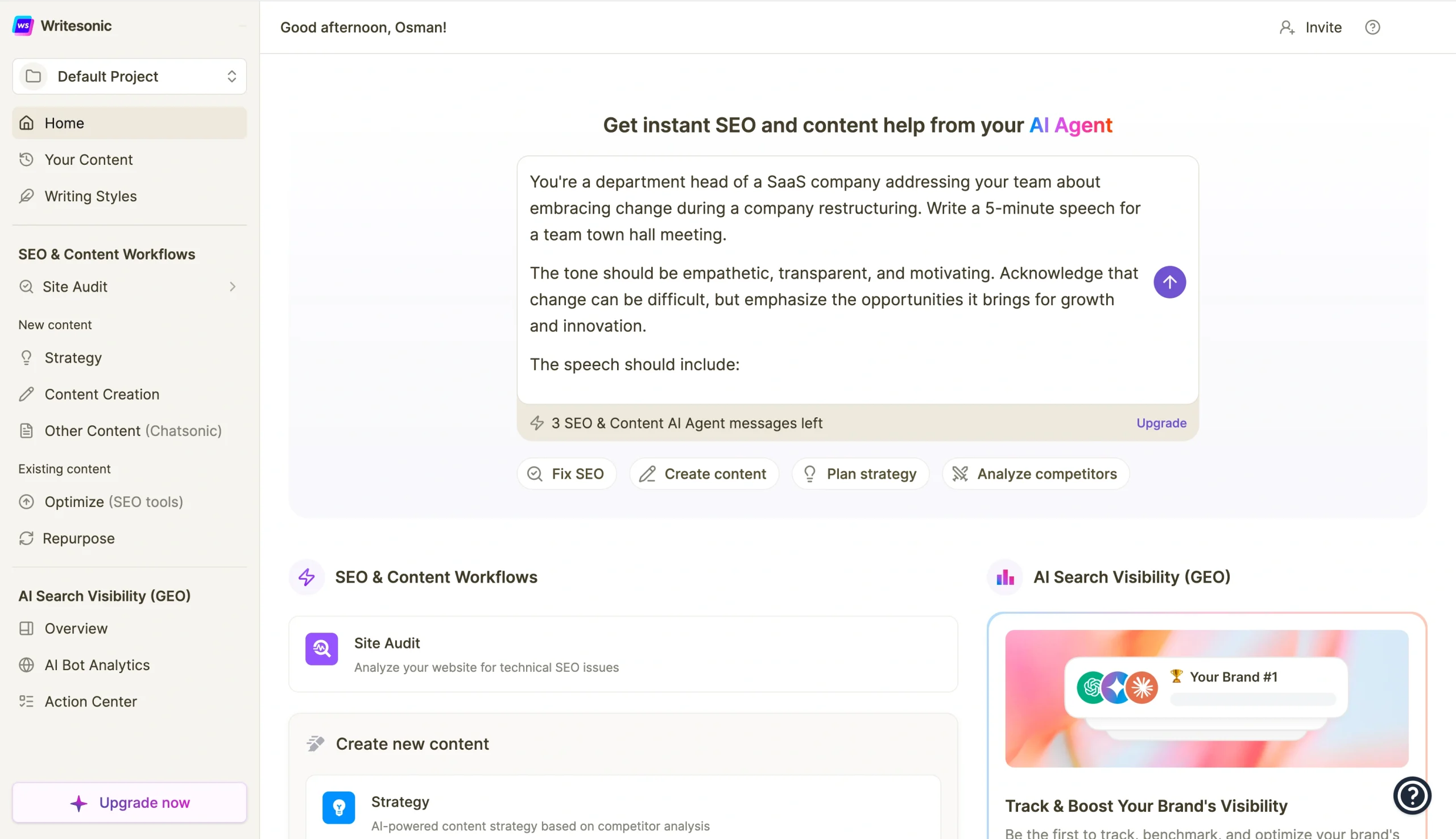
Then I clicked the purple Up Arrow button, and Writesonic redirected me to its Chat solution. After a few seconds, the speech was ready.
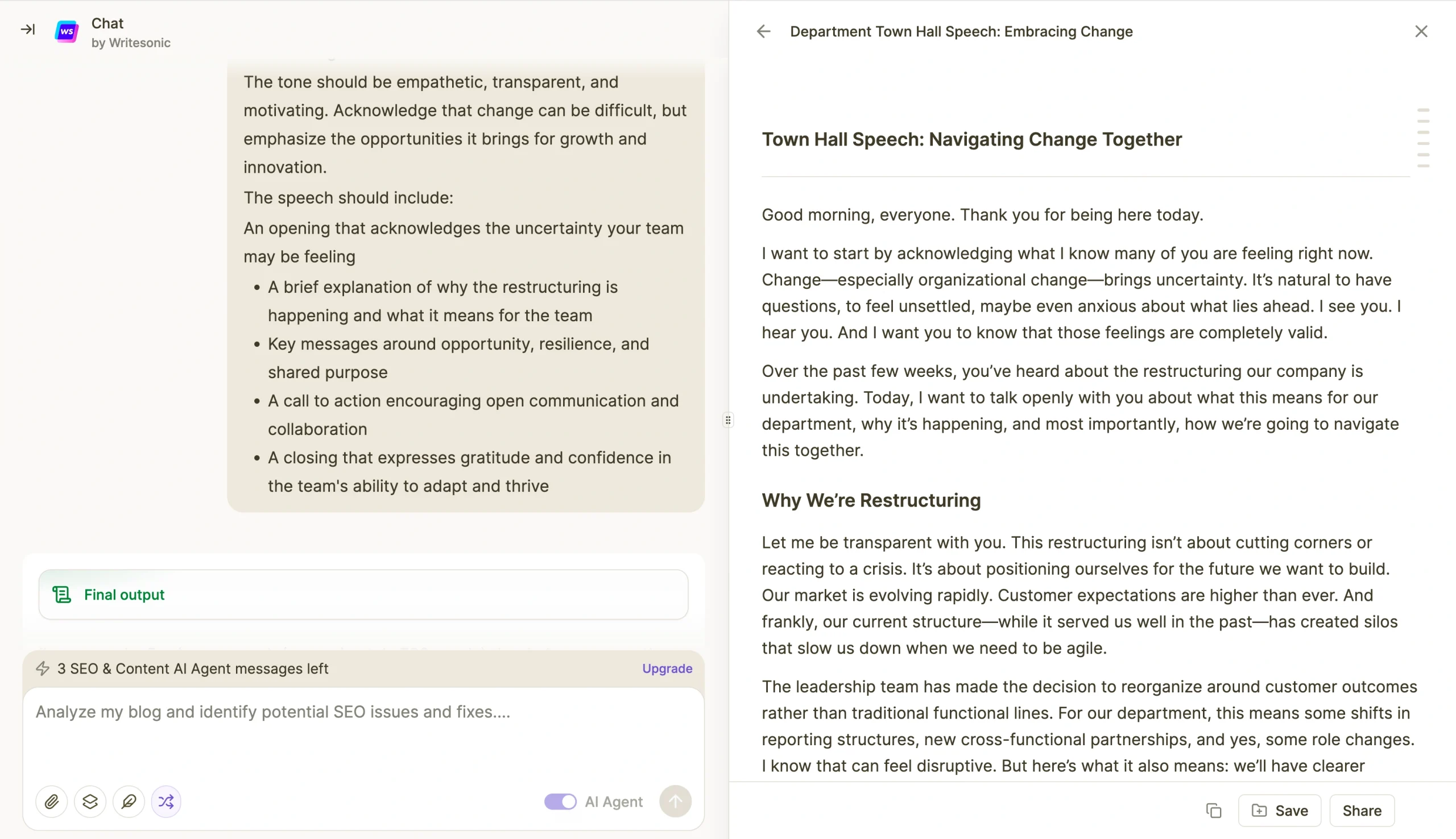
The output didn’t have a speech structure, and there were no indications of where to pause or place emphasis. The draft was more like an article. However, through Writesonic’s chat, you can edit in the document.
- Key features
- Templates
- Choice of AI models
- Including GPT-4o and Claude
- Sonic Editor with AI sidebar assistance for in-document editing
- Pros
- Multiple tones and styles for different audiences
- Fast ideation and expansion of talking points
- Text-to-speech function to hear your speech read out loud
- Cons
- The free plan is limited
- Its output can feel less natural or conversational
- Pricing
- Starter plan, $79 per month: One user, one writing style, one language, 15 articles per month, unlimited AI agent generations, priority email
- Basic plan, $199 per month: Two users, five writing styles, one language, 25 articles per month, unlimited AI agent generations, priority email
- Growth plan, $399 per month: Three users, 10 writing styles, one language, 50 articles per month, unlimited AI agent generations, priority email, dedicated Slack
- Enterprise plan, custom pricing: Custom number of users, unlimited writing styles, custom number of languages, custom number of articles per month, unlimited AI agent generations, dedicated Slack, Teams, email, account manager
- G2 rating: 4.7/5
4. Rytr
Best for: Using AI to write a speech when you’re on a budget
You’ll love Rytr for how quickly you can go from a blank page to a draft without spending a fortune. With the free plan, you can generate speeches that add up to 10,000 characters per month.
To check whether Rytr fits your workflow, sign up for the free plan using your email address. Once you’ve signed in, Rytr will open the Create window. Select Chat to start.
Choose the language and the tone of your speech.
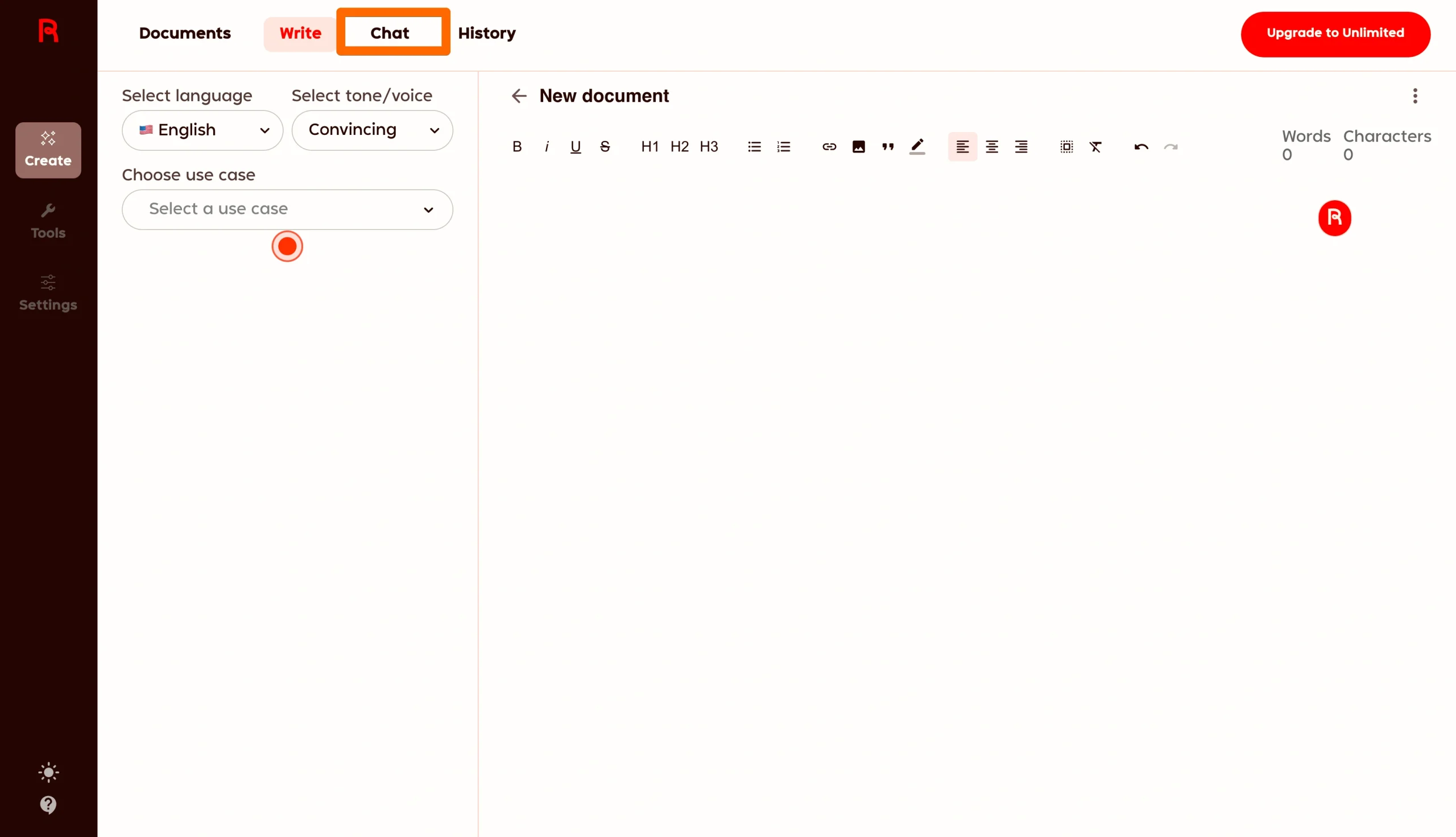
Because the platform is prompt-based and lacks speech-writing presets, you’ll need a detailed prompt. I asked it to write a speech for a school principal speaking at a graduation ceremony.
In a few seconds, it generated the speech.
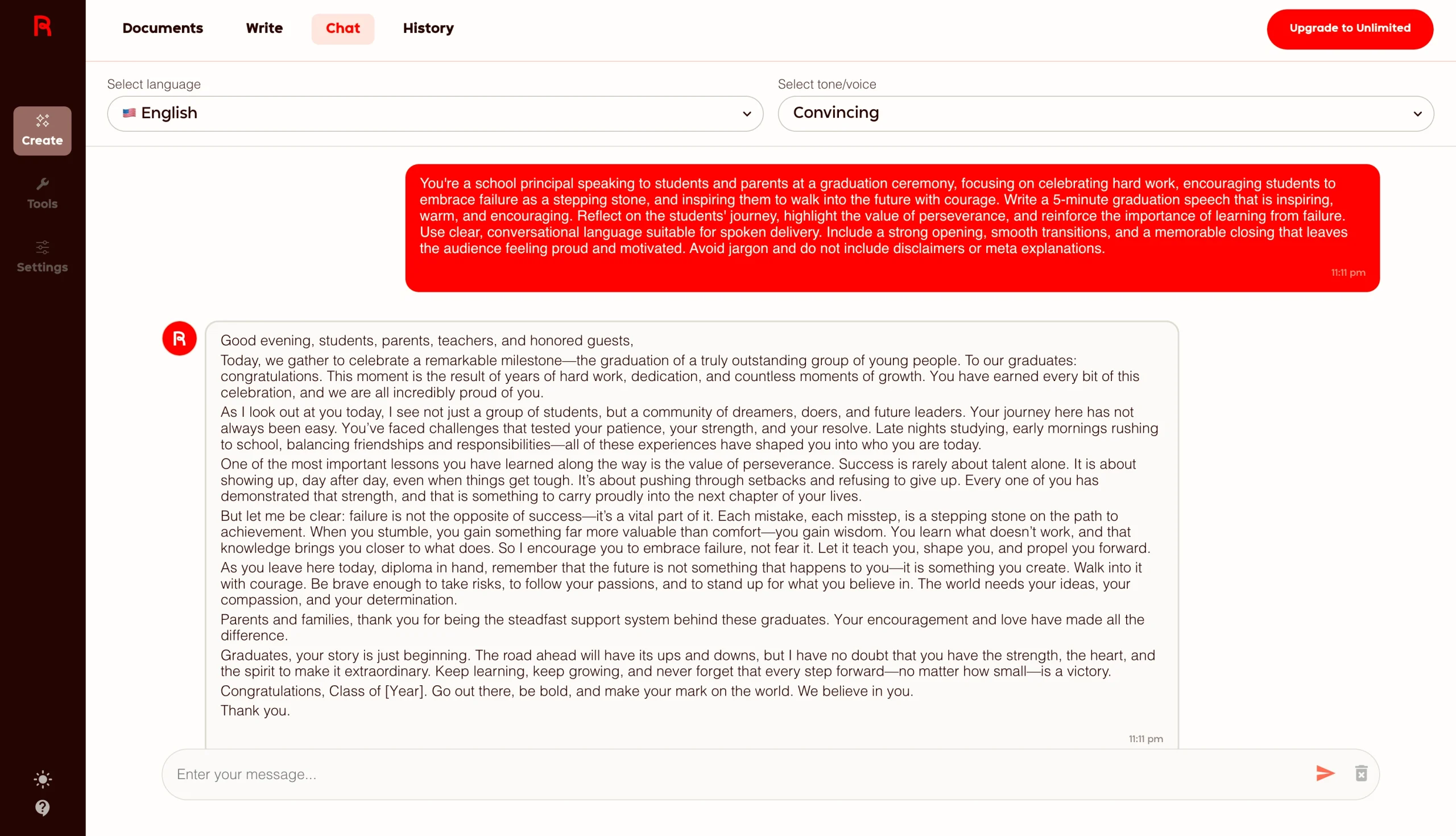
The output didn’t have a speech structure like Jotform’s draft. Instead, it was a condensed text without
- An opening hook
- Transitions between paragraphs
- Areas for pauses or emphasis
- A closing call to action
So I had to do more editing after generation to get an audience-ready speech. The chat editor was unable to make in-chat edits, but it highlighted where to implement the updates.
I tried to force in-output editing, but even after copying and pasting the original output with the suggested edits, the response wasn’t audience-ready.
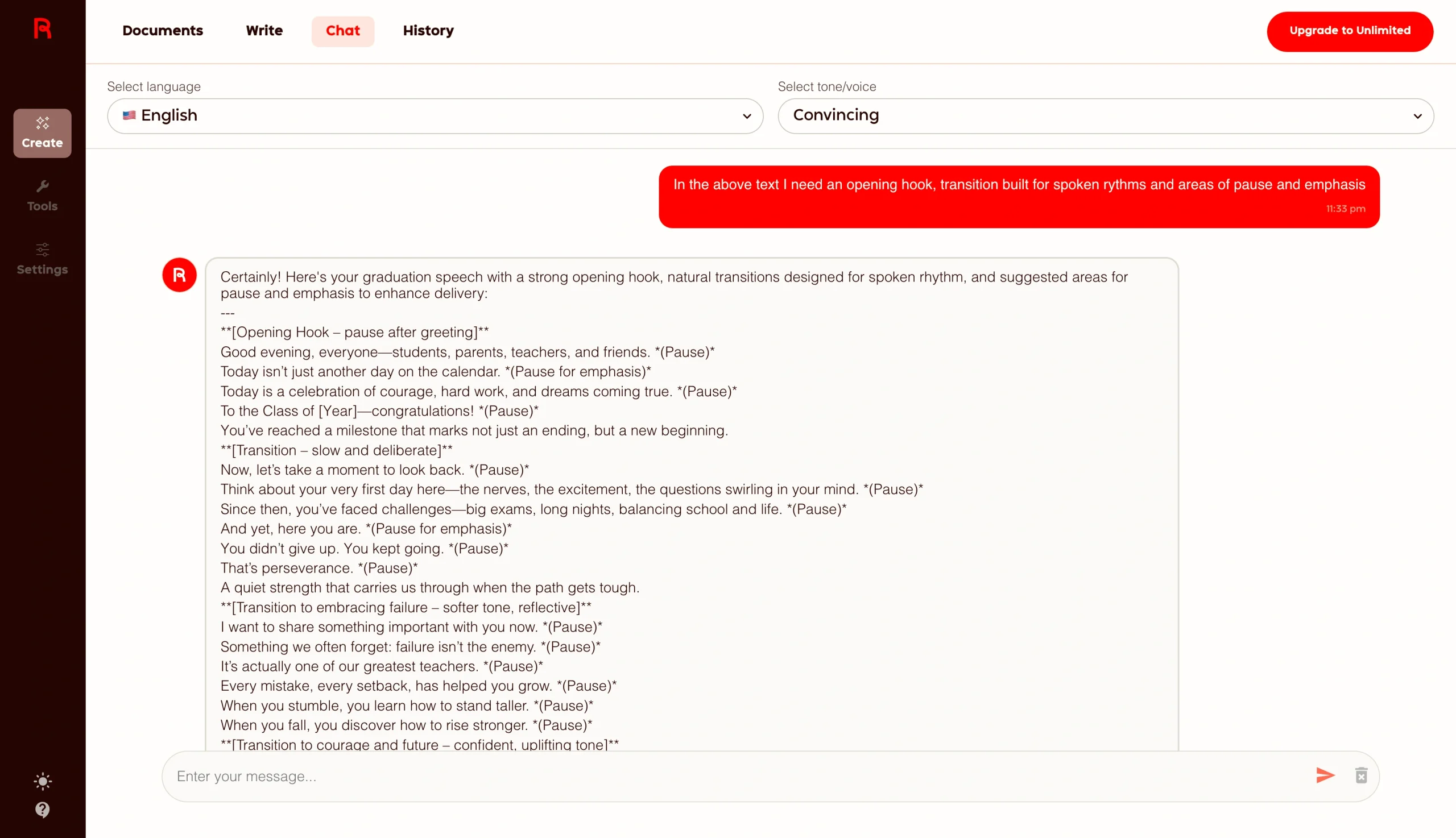
Where Rytr stands out is on price. However, if you choose it, your speeches will likely need more editing after generation.
- Key features
- More than 40 use cases
- Over 20 preset tones
- Custom tones on paid plans
- Built-in plagiarism checker
- More than 30 languages
- Chrome Extension
- Pros
- Useful free plan
- Built-in plagiarism tool
- Budget-friendly paid plans
- Cons
- Event-specific structure lacking in output
- Multilingual support limited to Premium plan
- Pricing
- Free plan: Ten thousand characters per month, no tone match, no plagiarism checks, one language, more than 20 preprogrammed tones
- Unlimited plan, $7.50 per month: Free features, unlimited content generation, one tone match, 50 plagiarism checks per month, priority support
- Premium plan, $24.16 per month: Unlimited features, multiple tone matches, 100 plagiarism checks per month, 35 languages, custom use cases
- G2 rating: 4.7/5
5. Speechify
Best for: AI-powered text-to-speech voice-overs for speeches and presentations
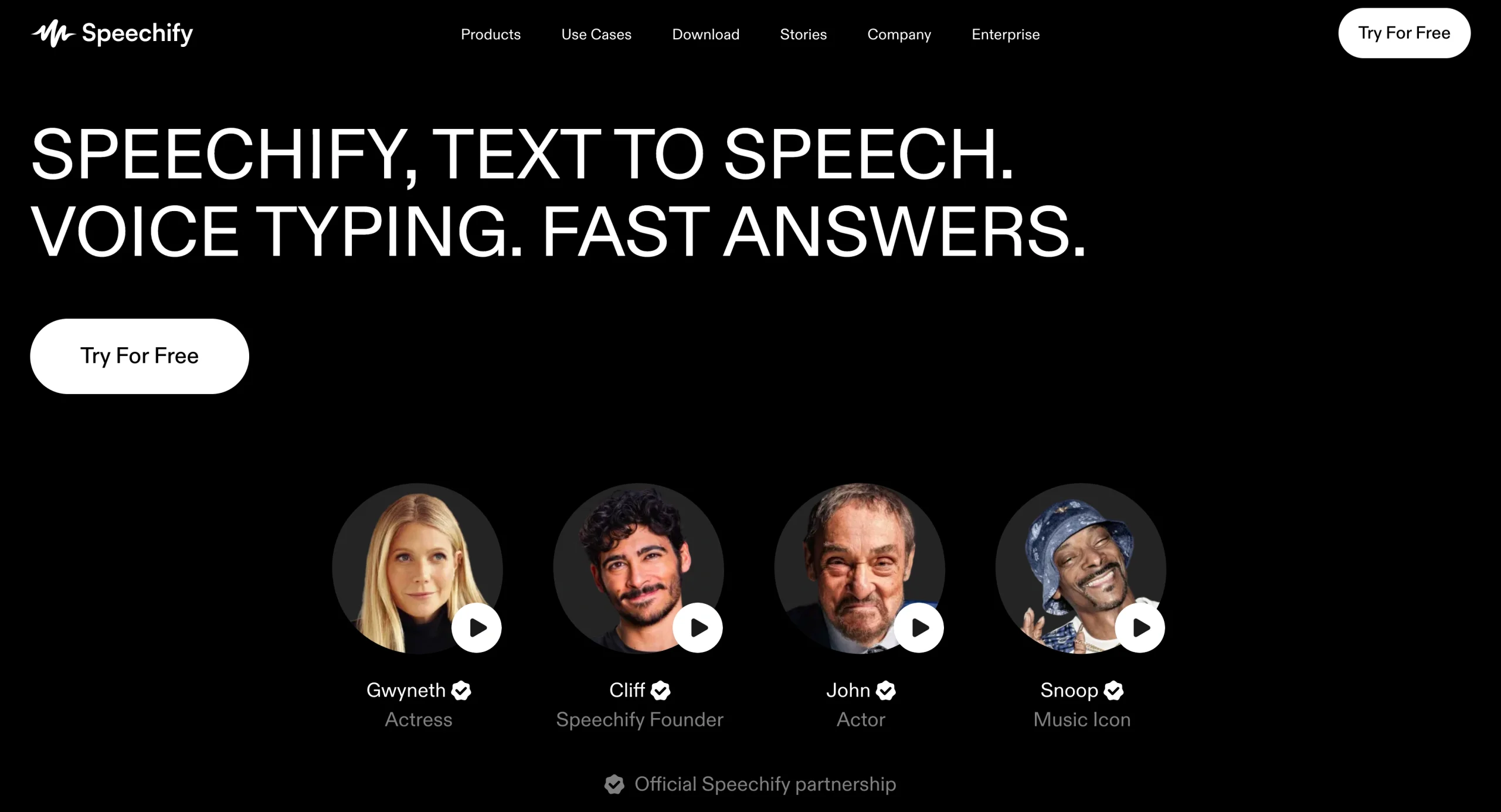
Unlike all the other tools in this list, Speechify is a text-to-speech AI tool. Instead of generating speeches, it converts your written speech to audio so you can listen to it being read by a natural-sounding voice or use it as a voice-over for a recorded presentation. If you need AI to write your speech, you’ll need a separate speech-writing AI tool before you feed the written speech to Speechify.
Like Jotform, Speechify doesn’t require any signup or payment information. Just go to its text-to-speech web page.
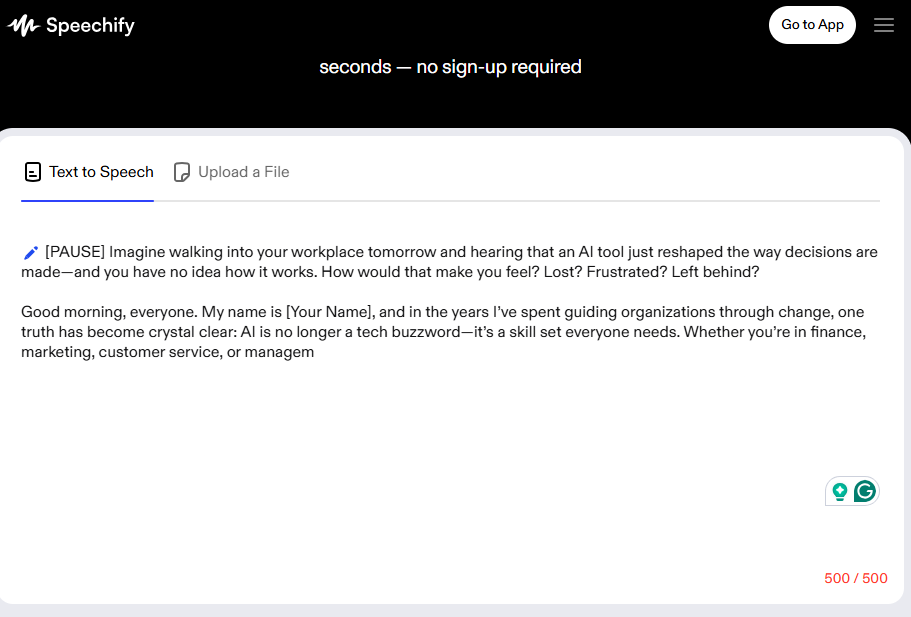
You’ll have an option to upload a file or copy and paste your speech. The tool limits no-signup trials to 500 characters. If you need to convert your entire speech, you’ll need to sign up and add a payment method.
I pasted part of the speech that Jotform generated for me.
Then I selected Gwyneth from the voice options.
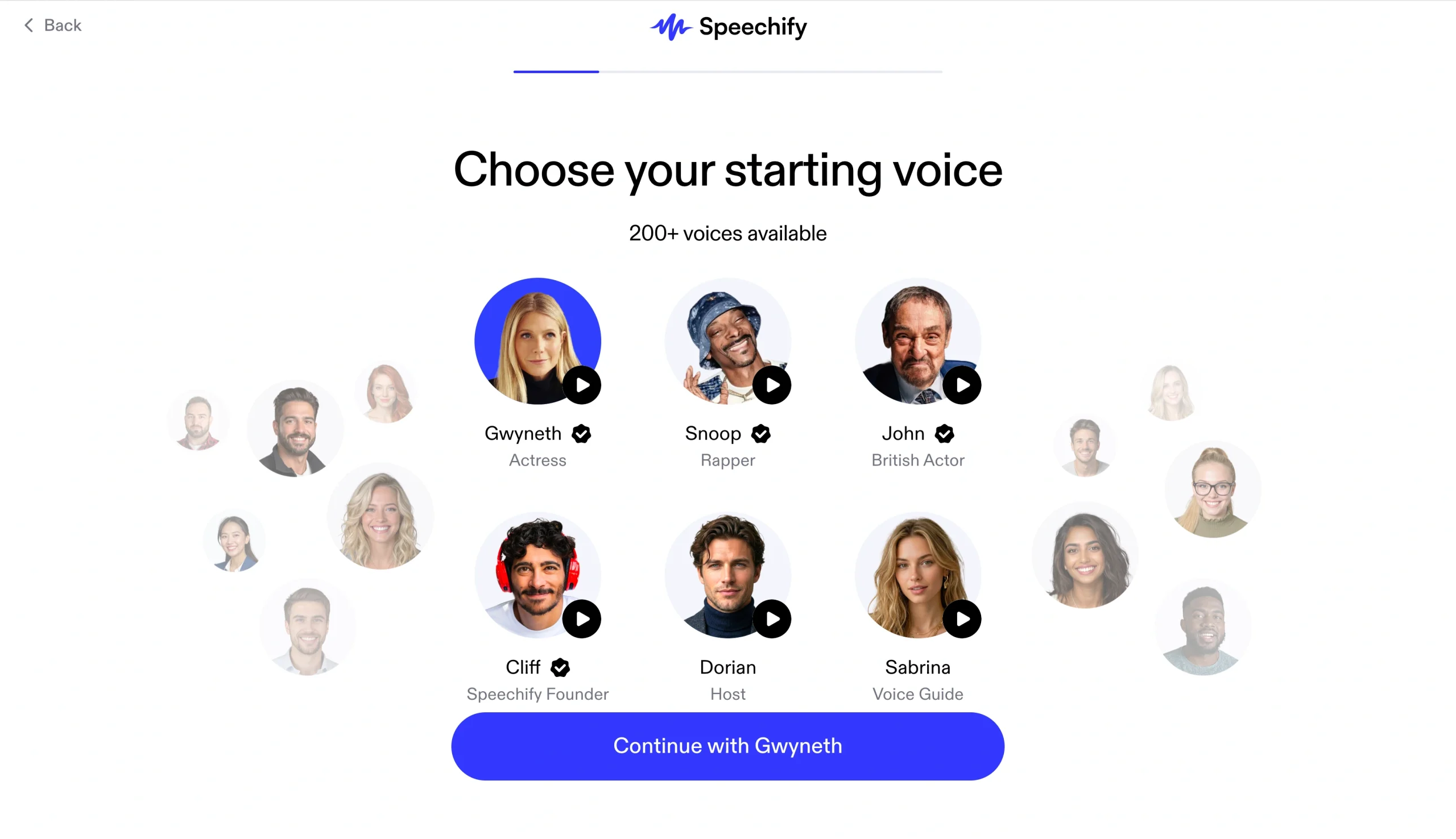
Speechify offers over 200 AI voices, and you can convert text to over 60 languages. If you’re a public speaker, this capability is useful for rehearsal, because you can hear your speech read back and identify awkward phrasing and pacing issues.
The Studio option allows voice-over production, and there are several advanced audio export options.
- Key features
- Text-to-speech playback
- More than 200 natural-sounding AI voices
- Playback speeds up to five times
- Over 60 languages
- Browser extensions
- Speechify Studio
- Pros
- 200+ high-quality voices
- Speech rehearsal and pacing review
- 60+ languages on Premium plan
- Cons
- Does not generate speechesHas a very limited free tier
- Pricing
- Free plan: Listening speed up to 1.5 times, 10 robotic-sounding voices, ability to listen anywhere, text-to-speech features only
- Premium plan, $29 per month: More than 1,000 AI voices, over 60 languages, listening speed up to five times, AI summaries and chats, Google Drive connection, voice typing, AI podcast
- G2 rating: 4.5/5
How I evaluated these AI speech generators
There are many factors to consider when choosing an AI speech generator. I consider these the five most important ones.
Structure quality
A speech has a specific architecture. The best tools, such as the Jotform AI Speech Generator, are designed for writing speeches, so the output requires fewer edits and minimal prompting.
Tone flexibility
Your audience is unique. The right AI speechwriter should draft in the tone you need. Jotform’s AI tool offers a choice of preset tones, while others, such as Jasper and Rytr, let you define the tone through prompting.
Usability
The evaluation also considered how much time passed from when I landed on a tool’s web page to when I received a usable draft. Jotform excels here because it requires no signup or onboarding.
Customization
How much you can shape your draft for a specific audience or occasion matters. All the tools on our list allow direct edits to your output. And some of them offer chat-editing to automate customization.
Practical output value
Of course, the most important factor is the draft the generator produces. Tools such as the Jotform AI Speech Generator use natural speech arcs and transitions suited for spoken delivery. Other solutions, such as Rytr and Writesonic, require more editing to produce output you could deliver.
I evaluated Speechify separately, because it provides text-to-speech playback rather than speech writing. It performs well and is a useful companion for speech rehearsals.
Speak without stress with the Jotform AI Speech Generator
The Jotform AI Speech Generator is a solution specifically for writing speeches. You don’t need to log in or share your credit card information to create your first few speeches, and you get a solution that nails speech structure to meet your public speaking needs. You can adjust the tone and audience without heavy prompting or setup.
Try the Jotform AI Speech Generator today to create polished first drafts for any event.
FAQs about AI speech generators
Yes. ChatGPT can draft a speech if you provide a clear prompt with your topic, tone, and length requirements. While the output quality is good, ChatGPT is not a purpose-built speech tool and won’t offer a specific template. The output structure will vary depending on your prompt.
AI-generated speeches work well as first drafts for professional events. They work best if you treat them as a starting point rather than a finished product.
Yes, Jotform’s AI Speech Generator is free to use and doesn’t require you to create an account. Other options, such as Rytr, offer free plans, but you have to sign up first.
This article is for public speakers, business professionals, educators, marketers, students, and anyone who wants to use AI tools to quickly create, refine, and rehearse effective speeches for professional or personal events.



























































































Send Comment: