

As a small-business owner or freelancer, you’ve got enough to deal with, including producing deliverables, handling invoices, and attending meetings. Adding creating contracts to that list doesn’t help. In the past, you might have given up entire evenings to Google, copying and pasting legalese into blank documents in hopes of drafting a solid agreement. Now, you have access to a highly capable assistant that can do some of the work for you: AI.
AI contract generators are becoming common because they save time and simplify the contract creation process. If you regularly use basic agreements, trying out an AI contract writer is well worth it. There are plenty to choose from. What follows are five that stand out for their functionality, ease of use, and overall value.
Remember: The best AI contract generator is the one that fits your needs, including your workflow, budget, and feature requirements. Most offer free trials, so you can take them for a test run before committing!


What is an AI contract generator, and how does it work?
An AI contract generator is a software tool that uses AI to quickly draft legal agreements based on details you provide and its knowledge of previously created contracts.
Like other AI tools, an AI contract generator models its agreements on real contracts it has been trained on. This means it’s familiar with standard contract structures, legal language, and common clauses.
In general, here’s how to make a contract with an AI contract generator:
- Answer questions: You answer a series of questions about the type of agreement you need and provide the specifics of the deal, such as the services you’ll provide, the price, deadlines, and so on.
- Match to a template: The AI tool uses your answers to select the appropriate template, such as a client services agreement or rental agreement. Then it fills in your details.
- Adjust clauses: The tool updates standard clauses to meet your requirements. For example, it may modify language regarding confidentiality or late payments.
- Review the draft: It generates a contract, and you review it carefully. This step is important. AI might leave out key contract elements, define certain terms incorrectly, or introduce errors that could render the contract void. Human review is essential.
- Refine and send: You make final edits, add your branding, and send the contract for signature. Some AI contract generators also act as e-signature apps and support full digital signatures.
There may be variations in this process, depending on the tool you use.
(Note that an AI contract generator is not necessarily a contract management tool. If your organization creates contracts regularly, it’s worth exploring contract lifecycle management software, too.)
Now, let’s dive into the five best AI contract generators, starting with my favorite: Jotform AI Contract Generator.
Top 5 AI contract generators in 2026
To help you pinpoint the best options in the sea of available AI tools, I tested several AI contract generators myself. The following are among the best. However, keep in mind that they serve different audiences, depending on your specific needs. That’s why I’ve included a “best for” notation at the beginning of each entry.
| Tool | Unique feature | Export format | Try it free | Pricing |
|---|---|---|---|---|
 Jotform AI Contract Generator |
Create, send, sign, and store contracts (the ideal contract hub) |
PDF (which can then be edited in Jotform) |
Yes |
Free plan, plus annual plans ranging from $19.50/month to $64.50/month |
 Lumin AgreementGen |
Free AI contract generation for basic agreements |
Editable PDF |
Yes |
Free plan, plus packages ranging from $9/month to $99/month |
 Otto AI |
AI contract generation bundled with other financial services |
|
Yes |
Free plan, plus packages ranging from $4,200/year to $11,200/year |
 Juro |
Streamlined contract management and review for a speedier process |
|
No |
Custom pricing based on the number of contracts and features required |
 Genie AI |
AI legal assistant that provides thorough reviews and highlights risks |
.docx (with some plans supporting PDF) |
Yes |
Free plan, plus a Pro plan ($38/month) and Enterprise plan (custom pricing) |
1. Jotform AI Contract Generator
Best for: Small businesses and solo practitioners who would benefit from having workflow and tracking capabilities in addition to contract drafting
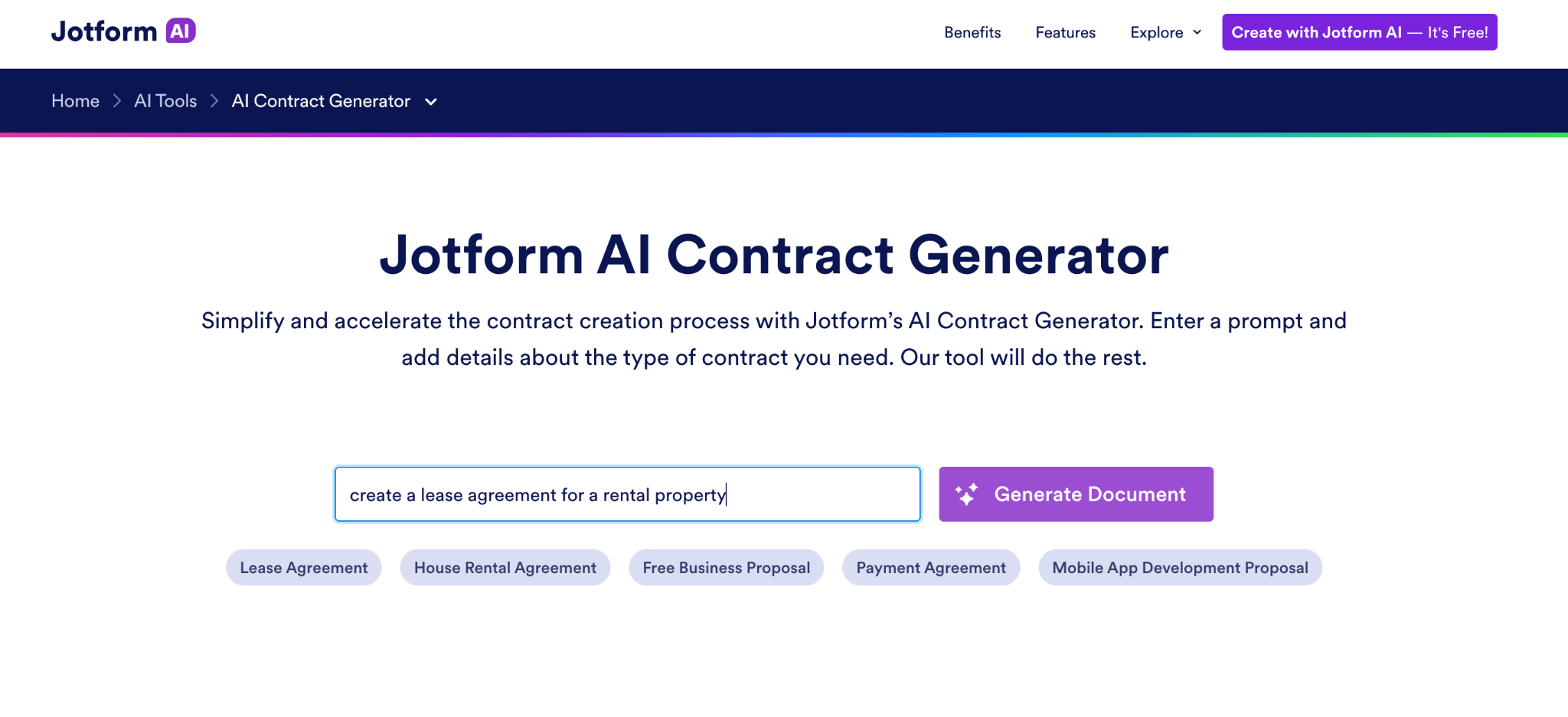
If you’re looking for a tool that drafts contracts and supports smooth contract workflows, try Jotform AI Contract Generator.
The Jotform ecosystem is known for simplicity, and its AI Contract Generator is no exception. It’s a quick process to get your document: Just type in the kind of contract you need and click Generate Document.
Then choose the document that best suits your needs and download it as a PDF.
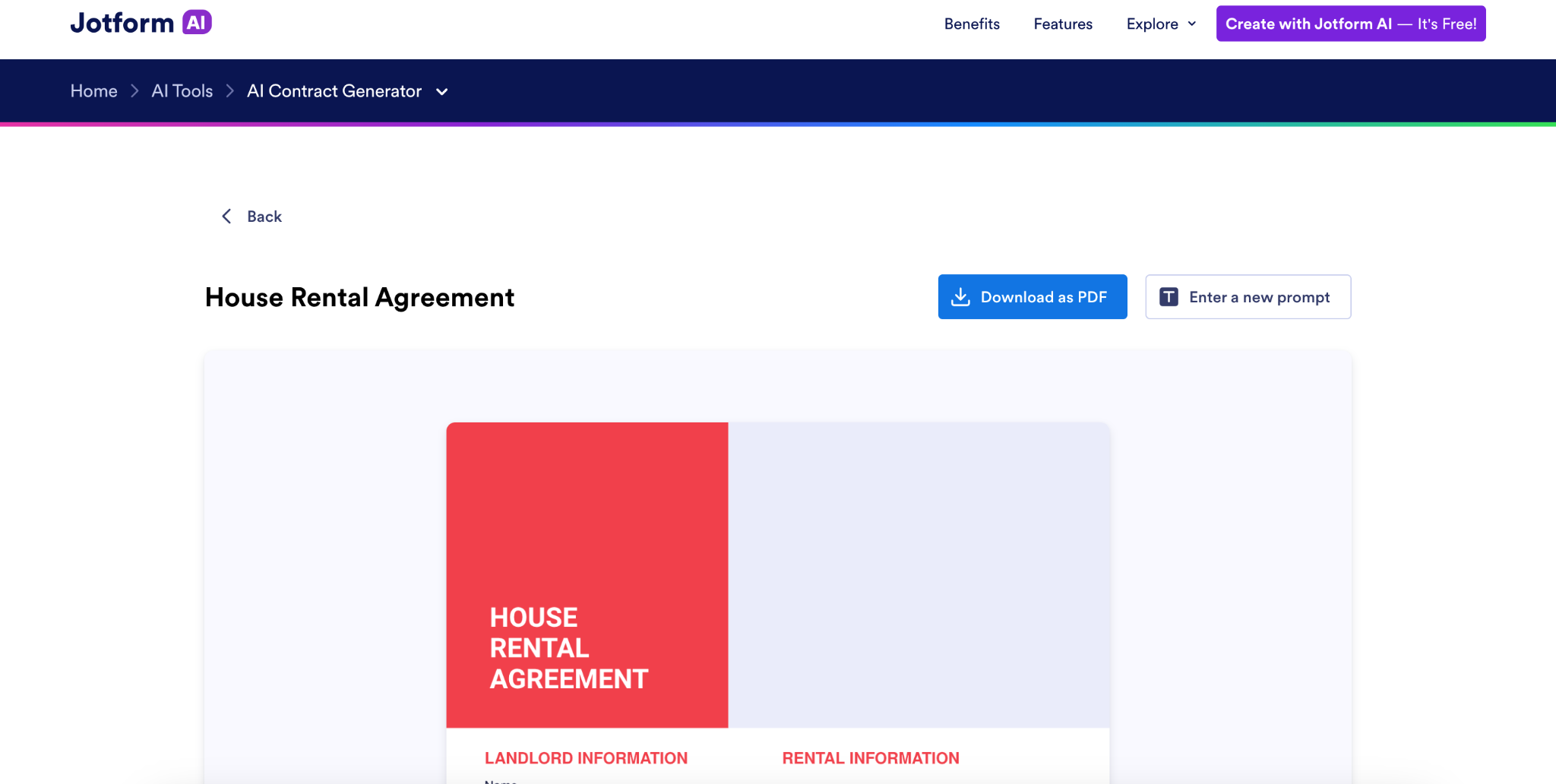
Next, upload your PDF into the Jotform Sign and start customizing it. You can drag and drop elements, add or remove form fields, change fonts and colors, and more. The forms are also shareable, so you can collaborate with your team to refine them as needed.
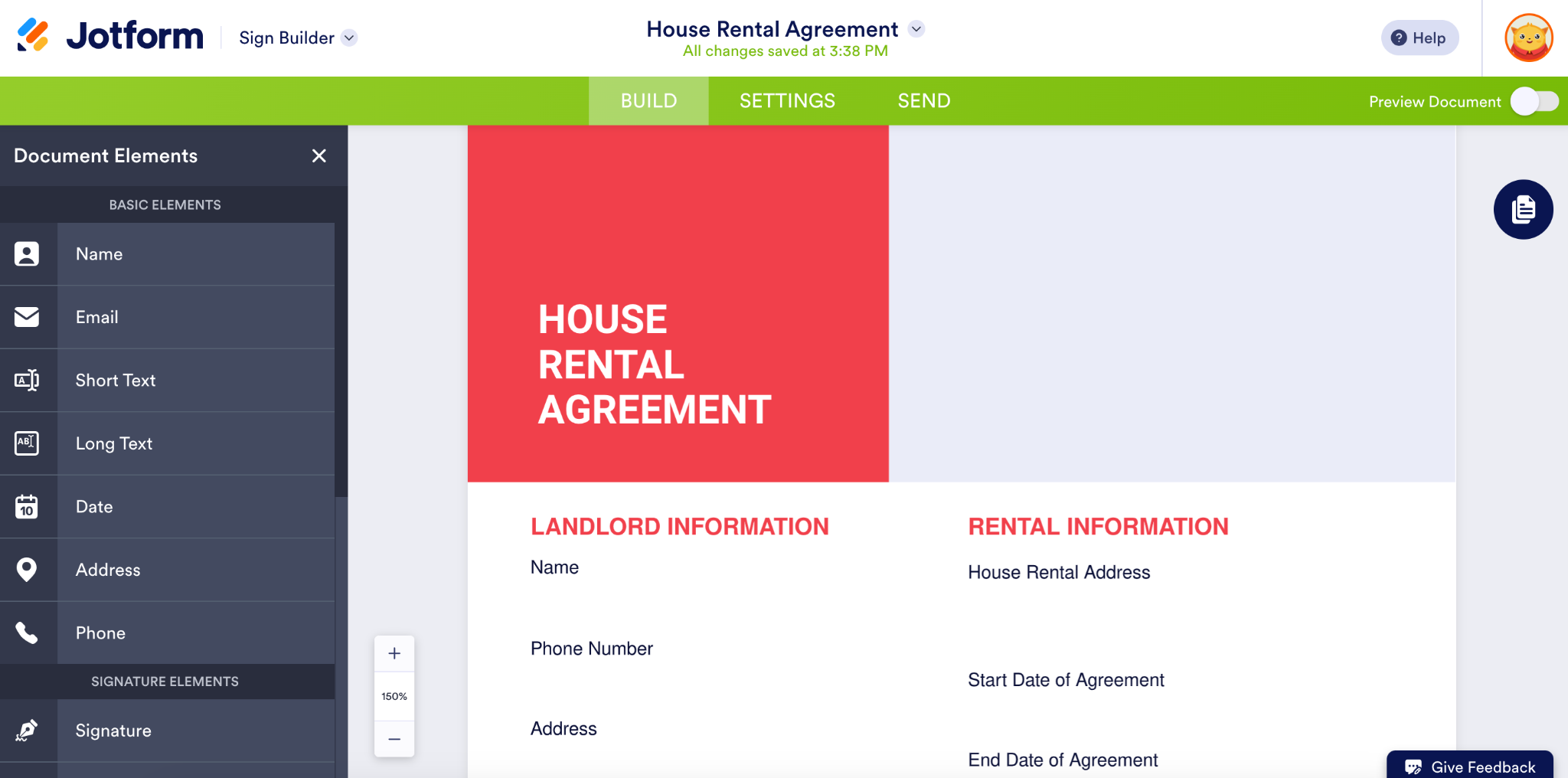
Jotform can accommodate nearly any type of contract request. All it takes is a quick prompt or keyword selection, and you’ll have a professional contract in just minutes. Once your document is ready, you can download it as a PDF or send the signer a secure link to sign the e-contract digitally.
Another bonus: Jotform can act as a central hub for all your contract activity. Its e-signature and approval capabilities, along with its workspaces and workflow builder, let you create, send, sign, and store contracts, streamlining the entire process. It also offers AI Agents that can help you collect data and feed it into contracts, automating the process even further.
If your team already uses Jotform forms, this is an ideal AI contract generator for you. Even if you use another form-building tool, Jotform’s myriad features offer strong value, so it’s worth considering as your tool of choice. Plus, Jotform makes it easy to try this contract generator at no cost.
- Key features
- Seamless integration with Jotform Sign workflows
- Downloadable formats
- Automated reminders, status tracking, and basic approval workflows to keep contracts moving
- Pros
- Incredibly easy to use for any skill level, with a simple prompt
- Easy customization of generated contracts
- Support for a wide range of contract types across industries and use cases
- Cons
- Not the best choice for complex contracts requiring highly specialized language or terms
Build faster with Jotform AIDescribe what you need, and let Jotform AI build it for you instantly.
Get Started Now
2. Lumin AgreementGen
Best for: Small organizations that want afree AI contract generator for basic, one-off PDFs
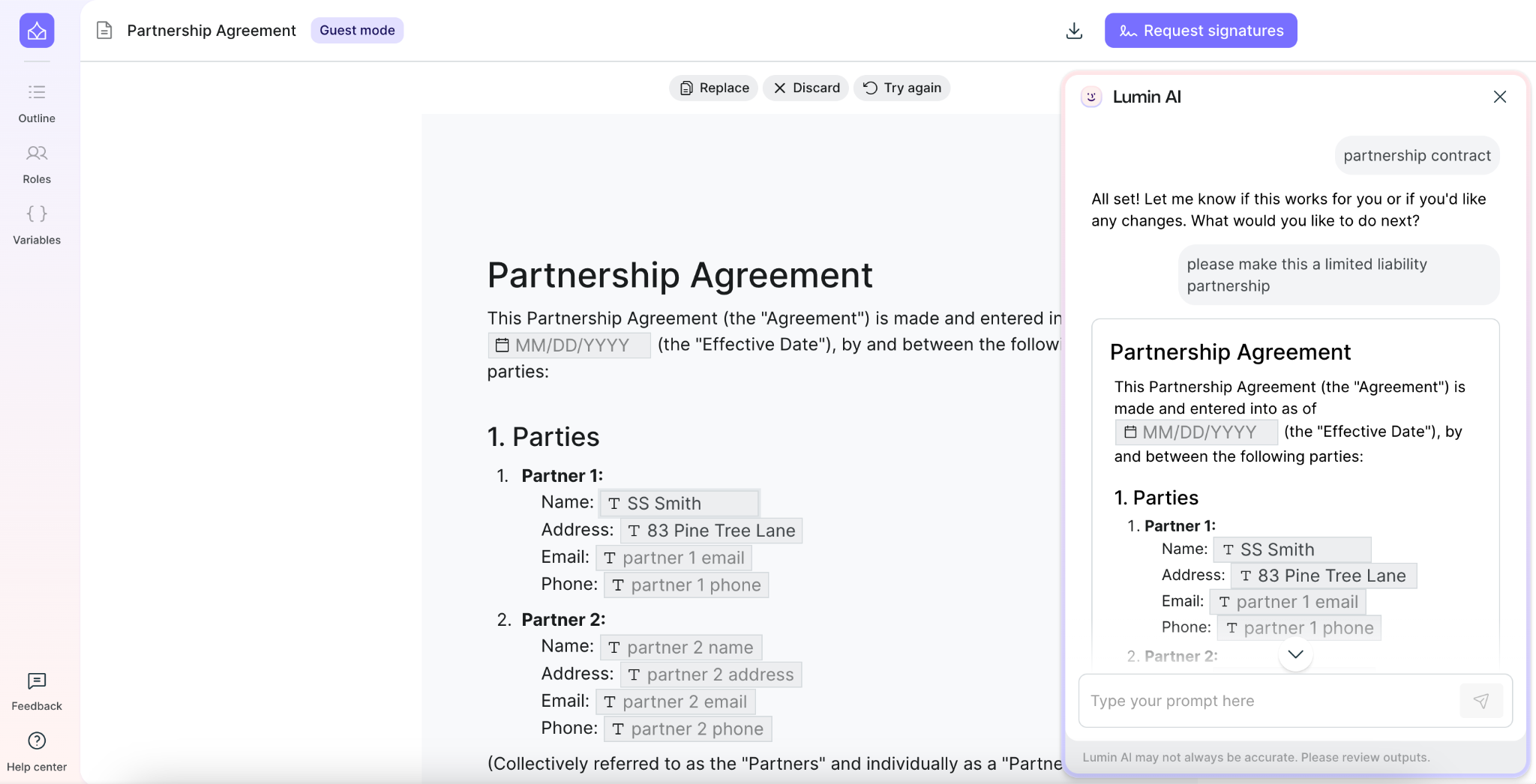
Lumin AgreementGen is one of the best free AI contract generators available. (Note that some features, such as downloading agreements, require creating an account, which is also free.)
To get started, type in the kind of agreement you want to create, and the tool will generate a basic draft in seconds. You can then fill in the relevant details where indicated. You can also make clause edits and structural changes by conversing with the Lumin AI assistant.
Lumin AgreementGen has several free contract templates, including nondisclosure agreements, sales contracts, lease agreements, investor agreements, and more.
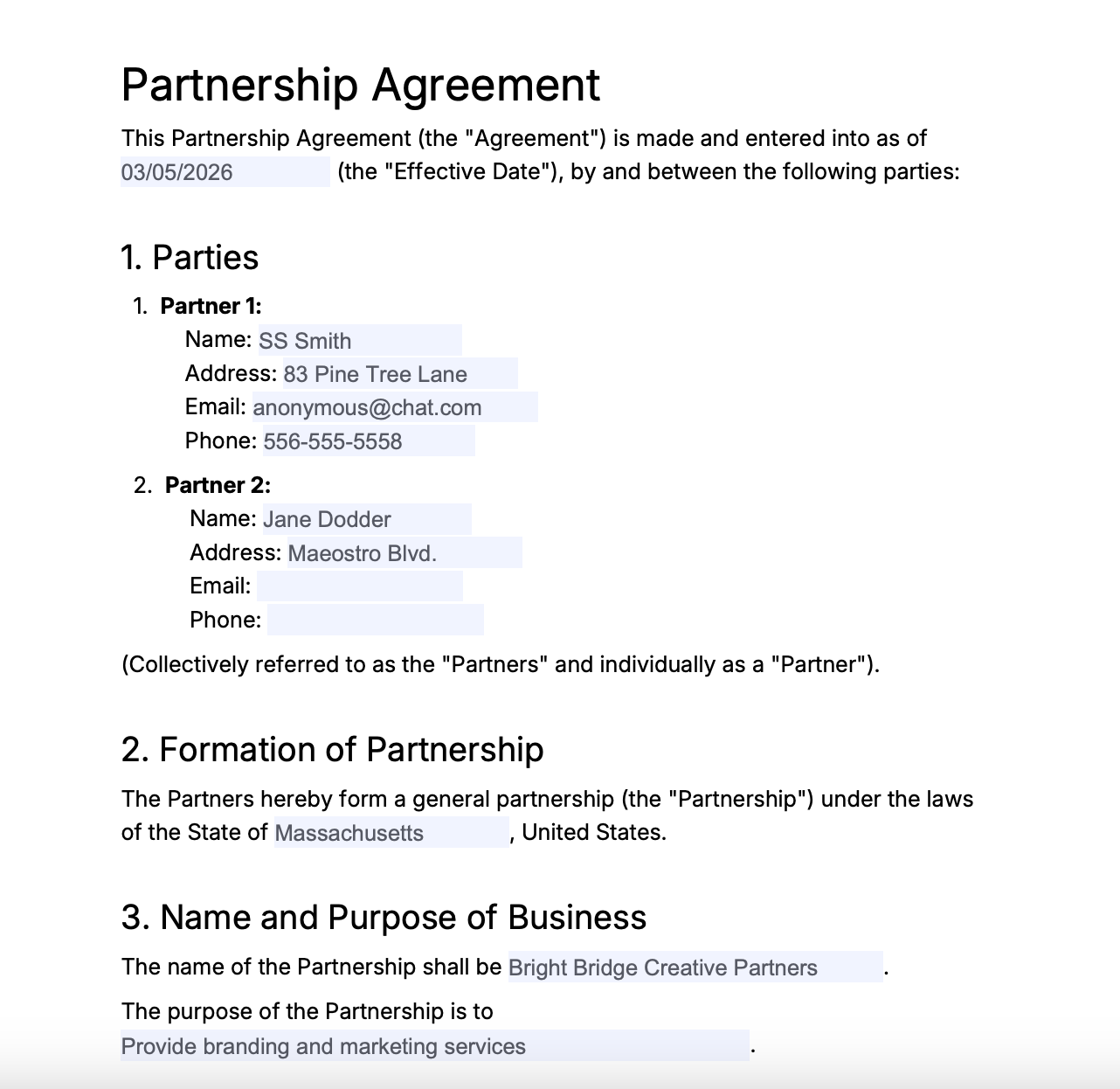
- Key features
- Integration with LuminSign for easy e-signature collection
- Downloadable, editable PDFs
- Ability to upload and update existing PDF and Word contracts and agreements
- Pros
- Data encryption and other security measures to protect documents
- Seamless integration with Lumin AI’s PDF tools
- Cons
- No support for contract workflow automation due to limited integration with other business systems
- No option to add company branding or logos to documents
3. Otto AI
Best for: Creative, self-employed professionals who want a full range of financial services for their business
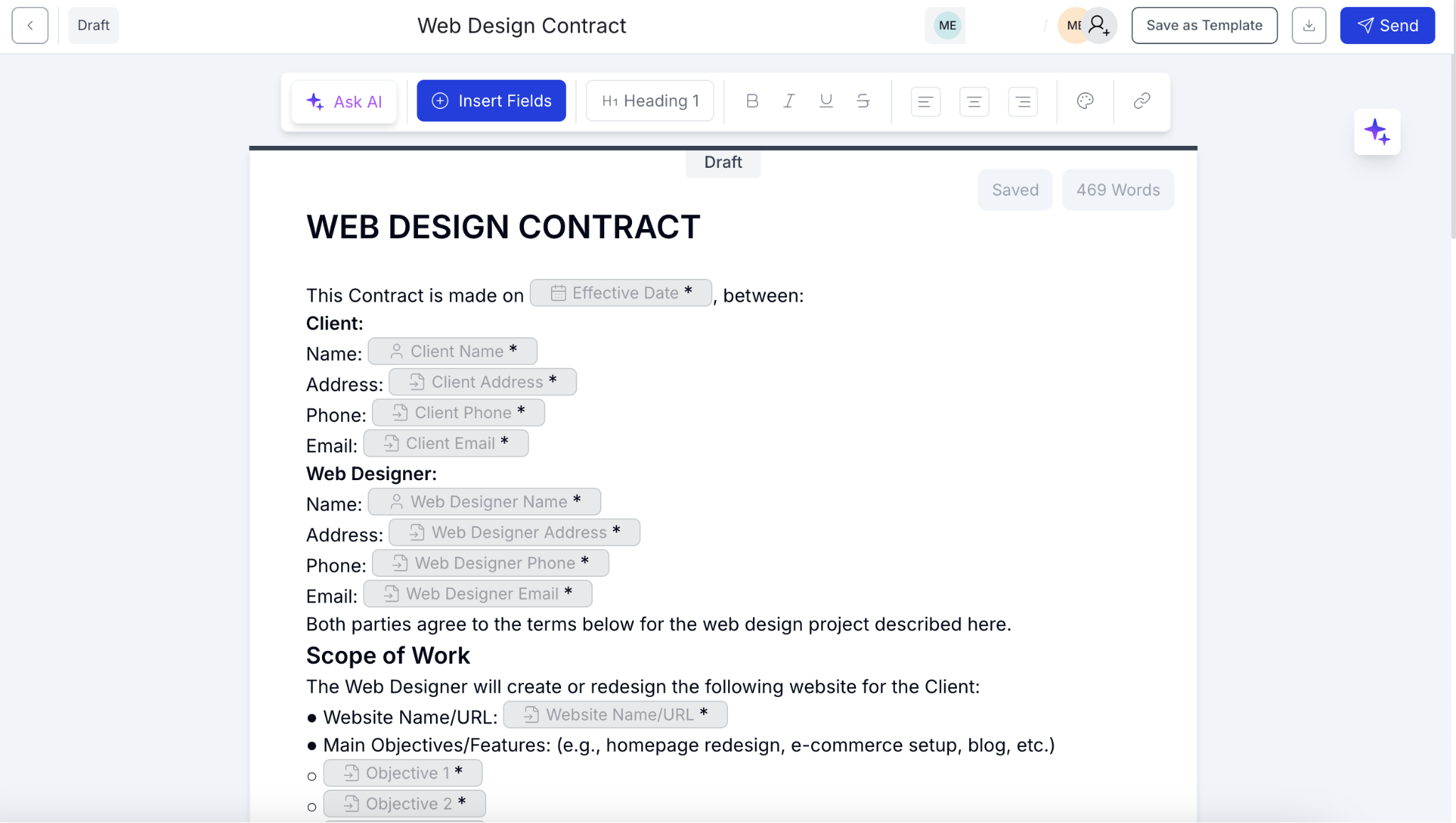
Otto is a financial management platform for entrepreneurs. It offers a variety of tools for taxes, bill payments, invoicing, and contracts. Using its AI contract generator, you can create a new contract from scratch, start with an existing PDF, or choose from its library of free templates. The clean, simple interface makes editing easy, and the AI contract assistant quickly suggests wording for new additions. Otto also offers e-signatures and a dashboard for tracking contract statuses.
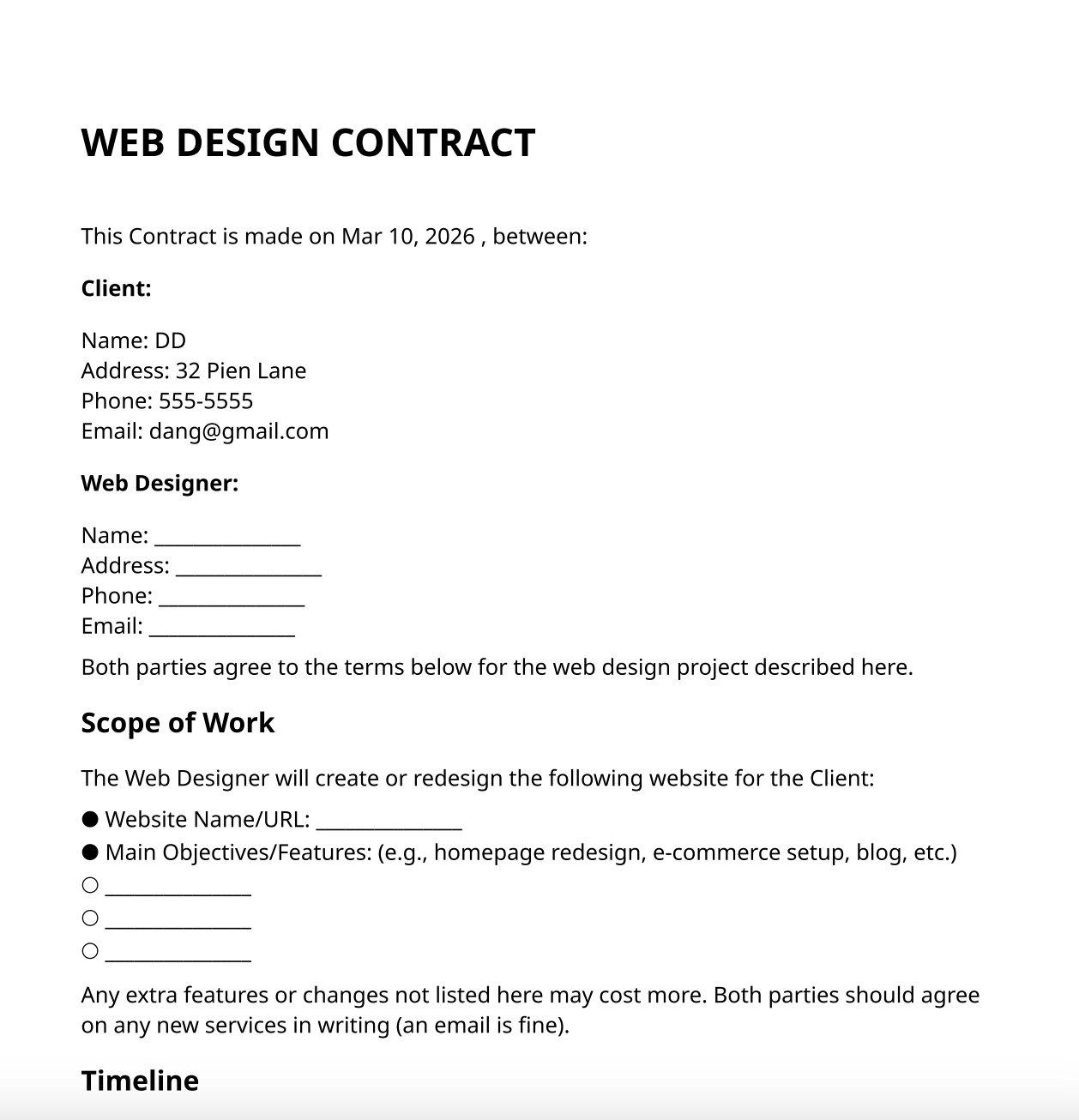
- Key features
- Contract dashboard with full version history
- Built-in e-signatures
- More than 50 contract templates
- Pros
- Part of a comprehensive financial platform that simplifies business management
- “Ask AI” feature that explains complex legal language
- Cons
- No ability for the AI assistant to directly modify contract documents (It can only suggest revised wording.)
- “Business” package pricing may be too expensive for some entrepreneurs
4. Juro
Best for: Growing organizations looking to speed up their contract processes across departments
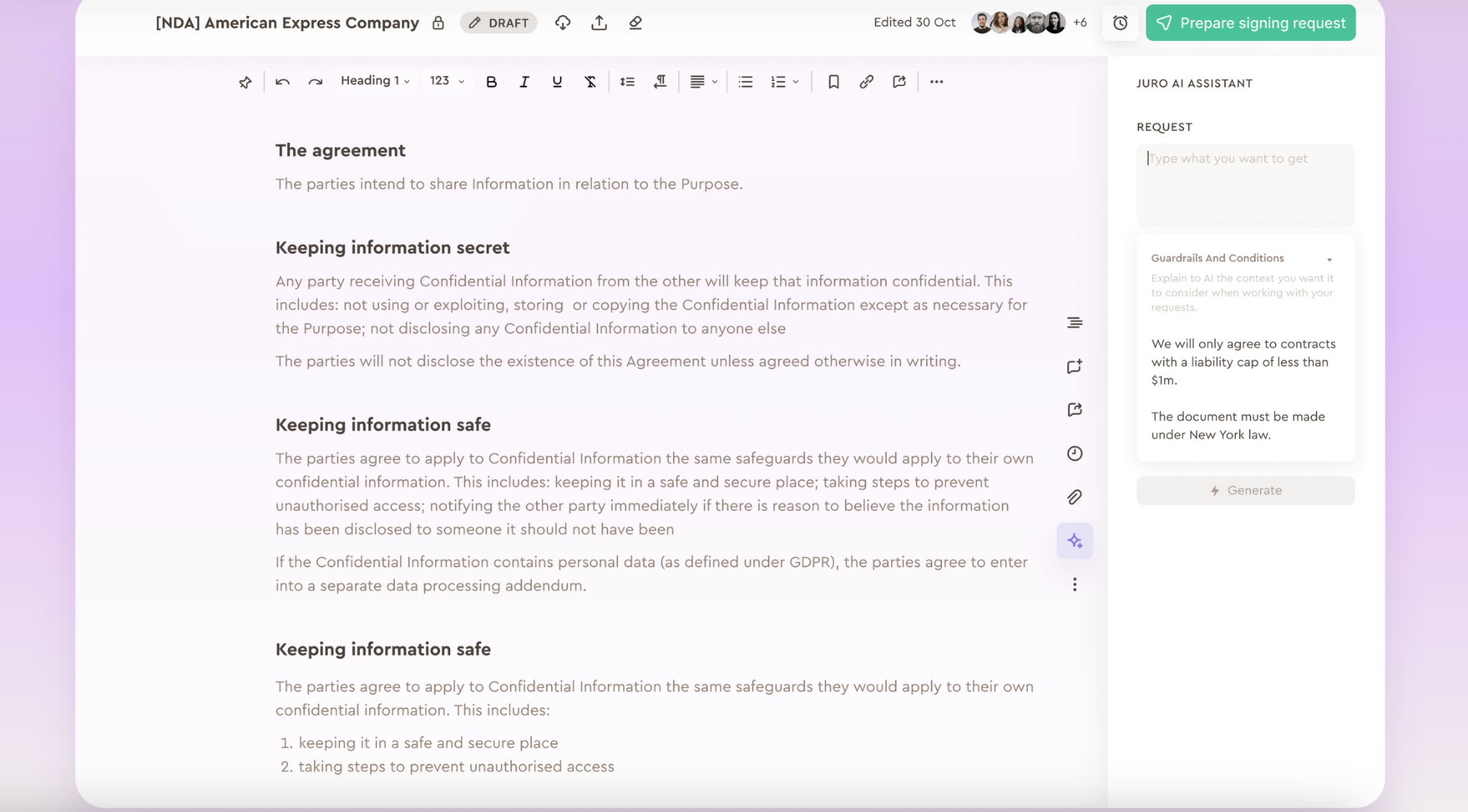
Juro describes itself as an “all-in-one” contract platform with three main offerings: contract creation, contract reviews, and contract-related data analysis.
The contract creation interface is modern and simple, and it generates contracts quickly. You can make edits directly by typing in the REQUEST box. It also offers a Microsoft Word add-in that lets counterparties work in Word if they prefer. Edits, comments, and versions sync between Juro and Word in real time.
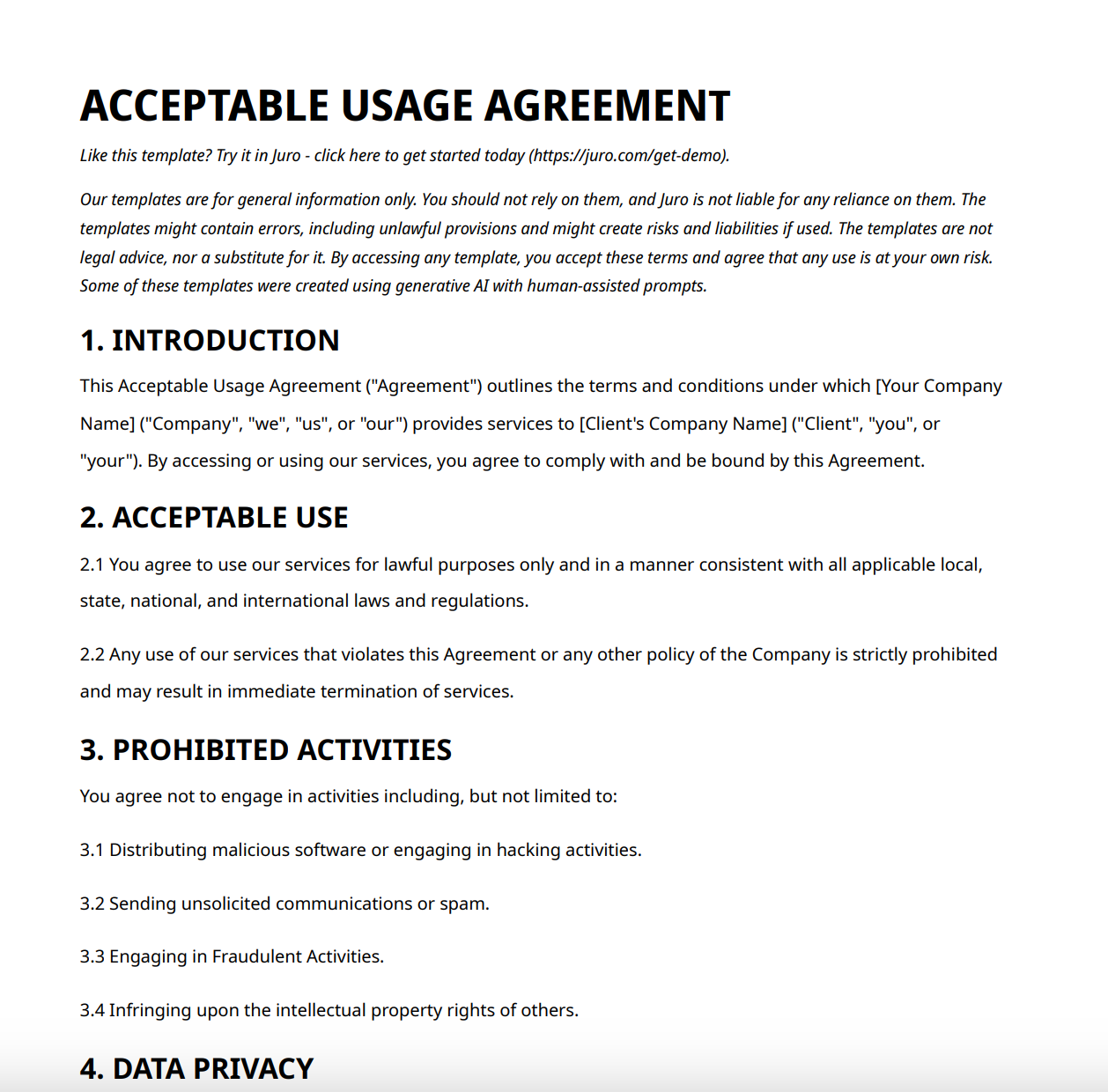
- Key features
- More than 5,000 integrations
- Internal and external commenting, with all contract parties able to redline and add comments in Juro
- Version control and conditional logic
- Pros
- Ability to efficiently manage contract data, including renewal dates, values, and statuses
- Support for end-to-end contract management, enabling teams to work more independently with limited legal oversight, resulting in speedier processes
- Cons
- No free plan
- Absence of features such as contract previews, notifications, and read receipts
5. Genie AI
Best for: Small and midsize businesses and legal teams that need help creating and reviewing contracts of varying complexity
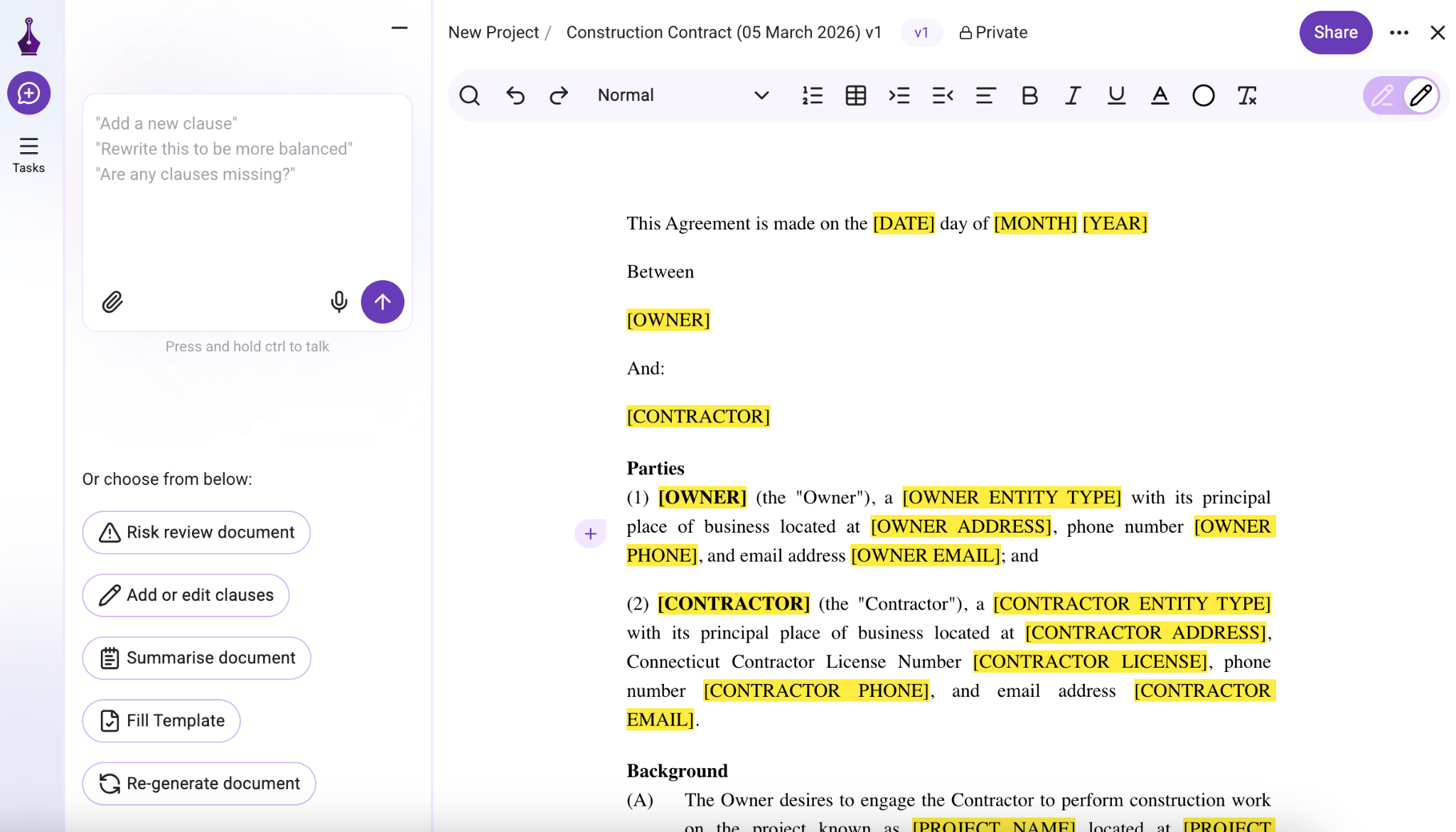
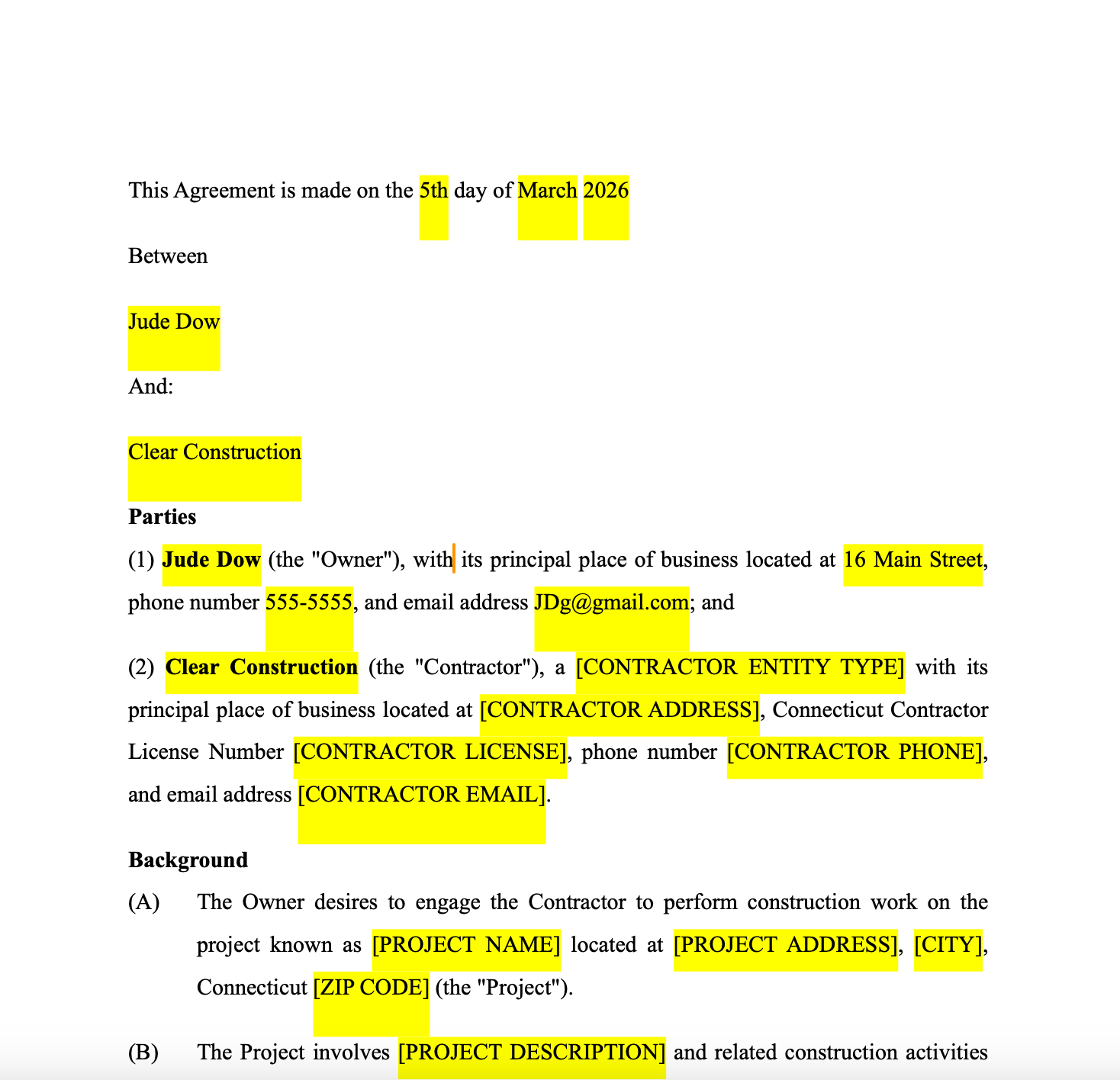
Genie AI positions itself as an “AI Legal Assistant” that can draft new contracts, review contracts to identify key clauses and potential risks, and provide contract-related legal guidance as needed. Its library of standard documents is extensive and includes more complex contracts, such as consortium agreements and notices of share buybacks, as well as basic agreements that can be tailored to more than 120 global jurisdiction options. It also offers a legal research feature (currently in beta) that allows you to use AI to search for case law and legislation.
- Key features
- E-signatures and audit trail
- More than 500 lawyer-vetted templates
- Ability to track changes
- Pros
- Easy-to-use interface
- Explanation of complex legal concepts in plain language
- “Smart risk review” feature that significantly speeds up the review process
- Cons
- No ability to apply company branding to documents
- Pro package limit of 10 docs per month; heavy users may need to upgrade to Enterprise package
How I tested these AI contract generators
All these AI contract generators (except for Juro) provide opportunities to try the product for free. This is something I highly recommend if you’re thinking about adding one to your existing tech stack.
To write this article, I tested each AI contract generator myself. I also scoured their websites to better understand each product’s primary audience and gather key details about features, integrations, collaboration tools, pricing, and more. During testing, I evaluated each tool based on speed, customization options, download capabilities, and overall ease of use.
Another helpful resource is the software review site G2. I used it to determine which tools should be included on this list. It’s also a useful way to learn about other users’ experiences, along with the pros and cons of each particular tool.
How to choose the best AI contract generator
It’s true that the best AI contract generator for you is the one that fits your needs. For example, your choice will differ if you’re a freelancer who uses the same contract a few times a month vs a midsize business that wants to streamline contract workflows across departments.
However, there are a few key features to look for that any AI contract generator should include to help you save time and get the best results. These include
- An easy-to-use interface that works using natural, conversational prompts
- A broad library of templates, ideally tailored to the types of contracts you use regularly
- Built-in or integrated e-signature tools to ensure a smooth signing process
- Customization and branding options, so contracts look professional and stay consistent with your organization’s other documents
Jotform AI Contract Generator has you covered on all these features. As mentioned earlier, it stands out for its simplicity and regularly receives high marks from users. Jotform AI Contract Generator can also produce a broad range of contract templates, making it useful for most standard scenarios across industries.
Additionally, you can quickly customize your AI-generated contracts in Jotform Sign, which has an easy-to-use, drag-and-drop builder. In just minutes, you can reorder document elements, add or remove fields, edit text, and adjust fonts and colors. From there, you can turn your document into a signable file and send it for digital signatures through Jotform.
And did we mention that Jotform can streamline that process, too? It offers workflow automation capabilities that keep contracts moving smoothly, from approvals to signatures, without any manual follow-ups. Give it a try.
Send my document for signature
File type is not allowed.
Maximum file size limit exceeded. (5MB)
Something went wrong.
FAQs on AI contract generators
Yes, ChatGPT can be used to draft a contract. However, it does not have the same level of training on legal documents and language as platforms developed specifically for contract generation. If you choose to use ChatGPT, be sure to have a legal professional review the contract before sending it out.
The 30 percent rule is a practical guideline for using AI. It suggests that no more than 30 percent of the work on a project should be handled by AI, with the rest completed by humans. For legal documents, AI tools can help speed up drafting and signing, but human review is essential at every stage to ensure accuracy.
This article is for Small business owners, freelancers, and legal administrators who need to quickly generate professional, customizable contracts with AI assistance to save time and reduce errors.


























































































Send Comment: