
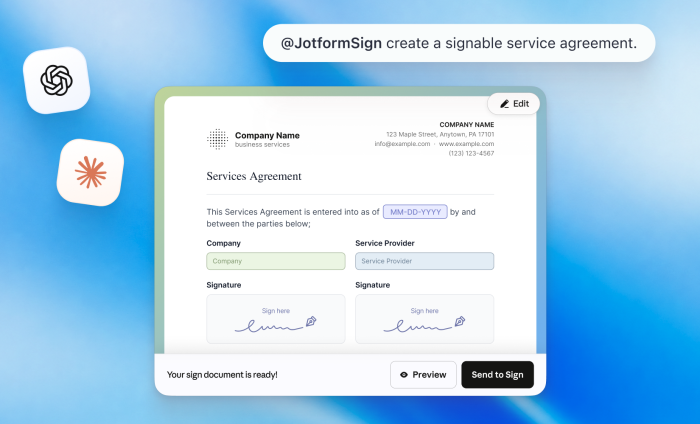
AI typically starts your work. Now it can help you finish it.
For many of us, tools like ChatGPT and Claude have become a key piece of our tech stack, often used to kick-start tasks or projects. Increasingly, AI helps us with tasks like drafting agreements, contracts, consent documents or onboarding materials.
For small and medium-sized businesses and sales, finance, and HR teams though, creating a document is just the beginning. When that document needs e-signatures, teams often have to move into other workflows to prepare fields, configure recipients, send the document, and monitor its progress.
And that’s the underlying problem: AI conversations can produce useful work, but the workflow often stops when follow-up actions need to happen.
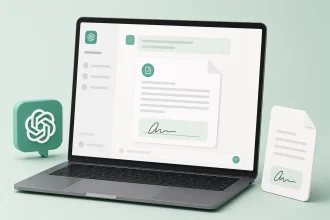
We’re solving this with the introduction of Jotform Sign for ChatGPT and Claude. The plug-in or connector links your AI conversation to a finished signing process. You spend less time on administrative tasks and instead move agreements from conception to signature with fewer interruptions.
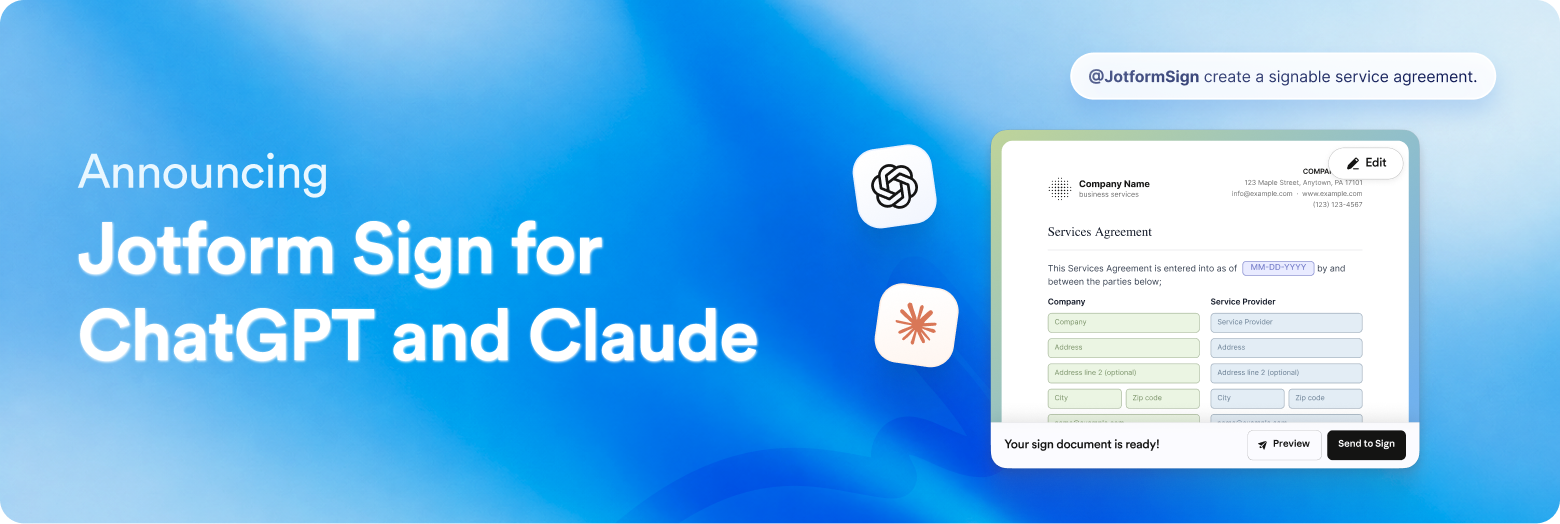
With Jotform Sign for ChatGPT and Claude, we’re not just bringing AI to documents. We’re bringing document workflows to AI.
Go from conversation to signed agreement
With this product feature, your conversations with Claude and ChatGPT can act as gateways, giving you access to Jotform Sign’s capabilities where you’re already working.
Begin with a simple prompt, such as
- “Turn this sales agreement into a document for two signers.”
- “Prepare this consent form and send it to the client.”
- “Create an NDA for a new contractor.”
All you need to do is to describe the e-signature document you need in plain language or upload an existing document. From there, you can use ChatGPT or Claude to customize, preview, and send your document for signature.
How to create and prepare documents through conversation
Jotform Sign for ChatGPT and Claude can reduce the number of steps (and time spent) between deciding you need an agreement and getting it completed. Let’s dive in to see how quickly we can go from identifying a business need to creating an actionable document.
Connect the Jotform Sign plugin or connector
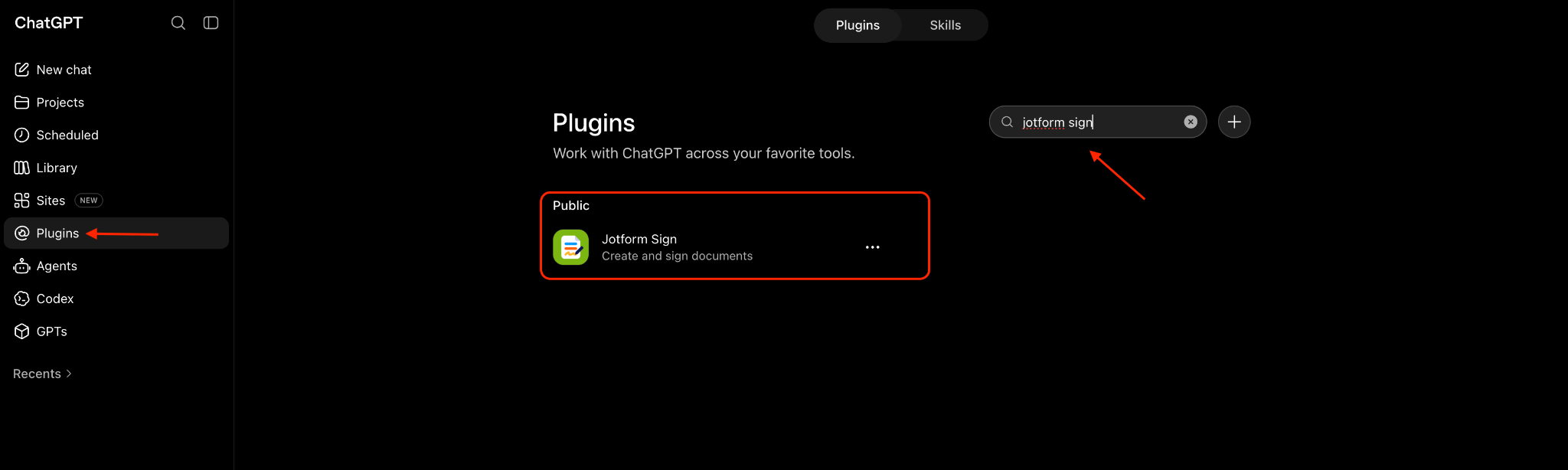
Go to the Plugins section in ChatGPT or Customize > Connector in Claude. Search for Jotform Sign, then connect Jotform to your account.
Start with a prompt
First, describe the document you need in simple language. In this example, I’ve generated an HR offer letter for a small business. I started my request with “@jotform sign” to trigger the e-signature capability.
In about 10–15 seconds, I have a working version of an offer letter, complete with an e-signature field. I may need to customize the document, but I’ve reduced the amount of time it typically takes to start the workflow.
Start with a PDF or document you already have
With Jotform Sign for ChatGPT and Claude, it’s just as easy to upload an existing document and turn it into an e-signature workflow.
In the example below, I uploaded a PDF and used this prompt in the Claude interface: “@jotform sign turn this pdf into a signable release form.”
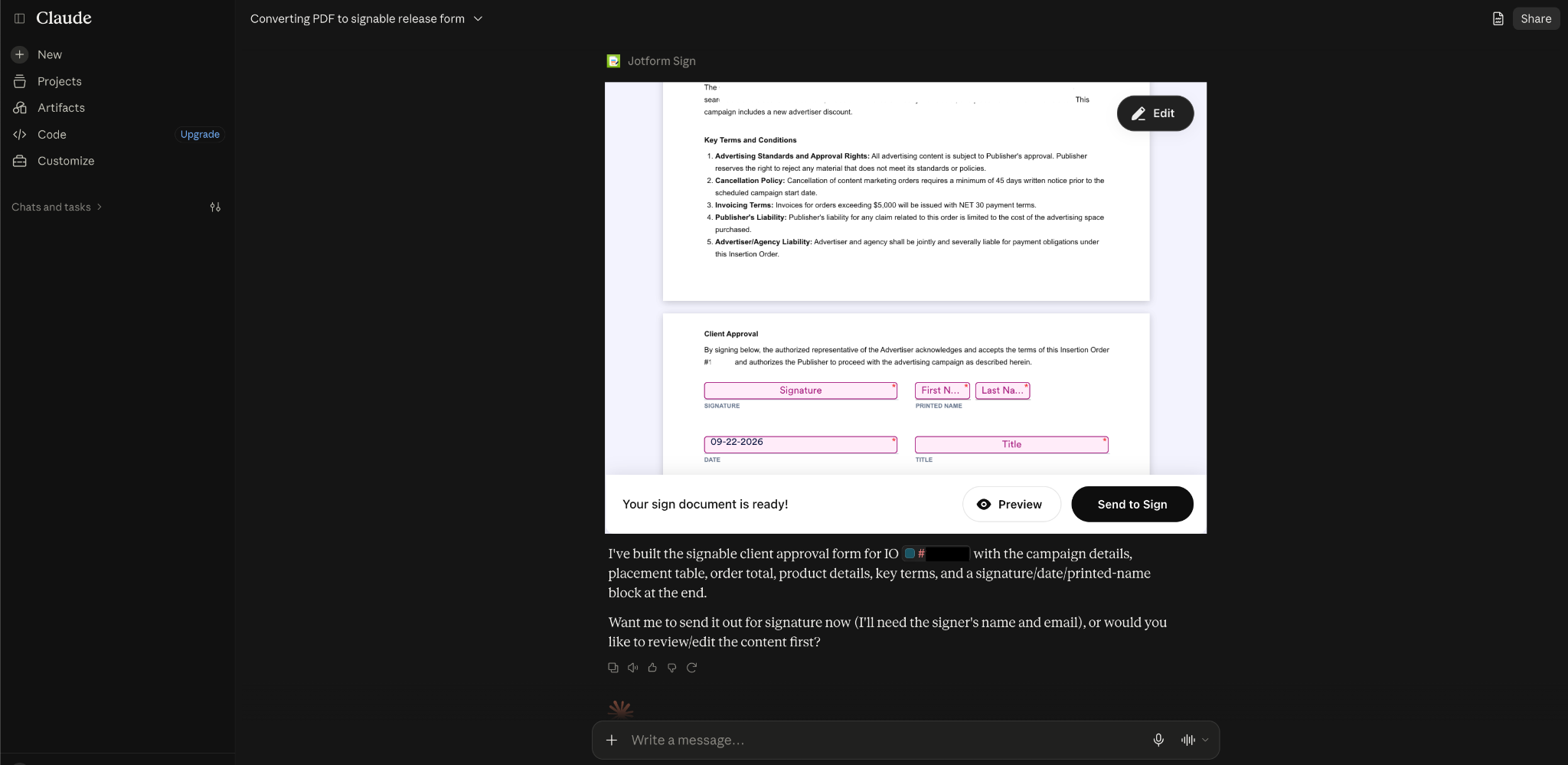
Jotform Sign for ChatGPT and Claude supports PDF and DOCX documents, and fields are customizable, making your existing business documents an easy starting point for e-signature workflows.
Customize before sending
Going back to my ChatGPT example, there are a couple of edits I’d like to make to my document before taking the next step. I can make these changes in a matter of seconds by just describing what I want to add in an additional prompt.
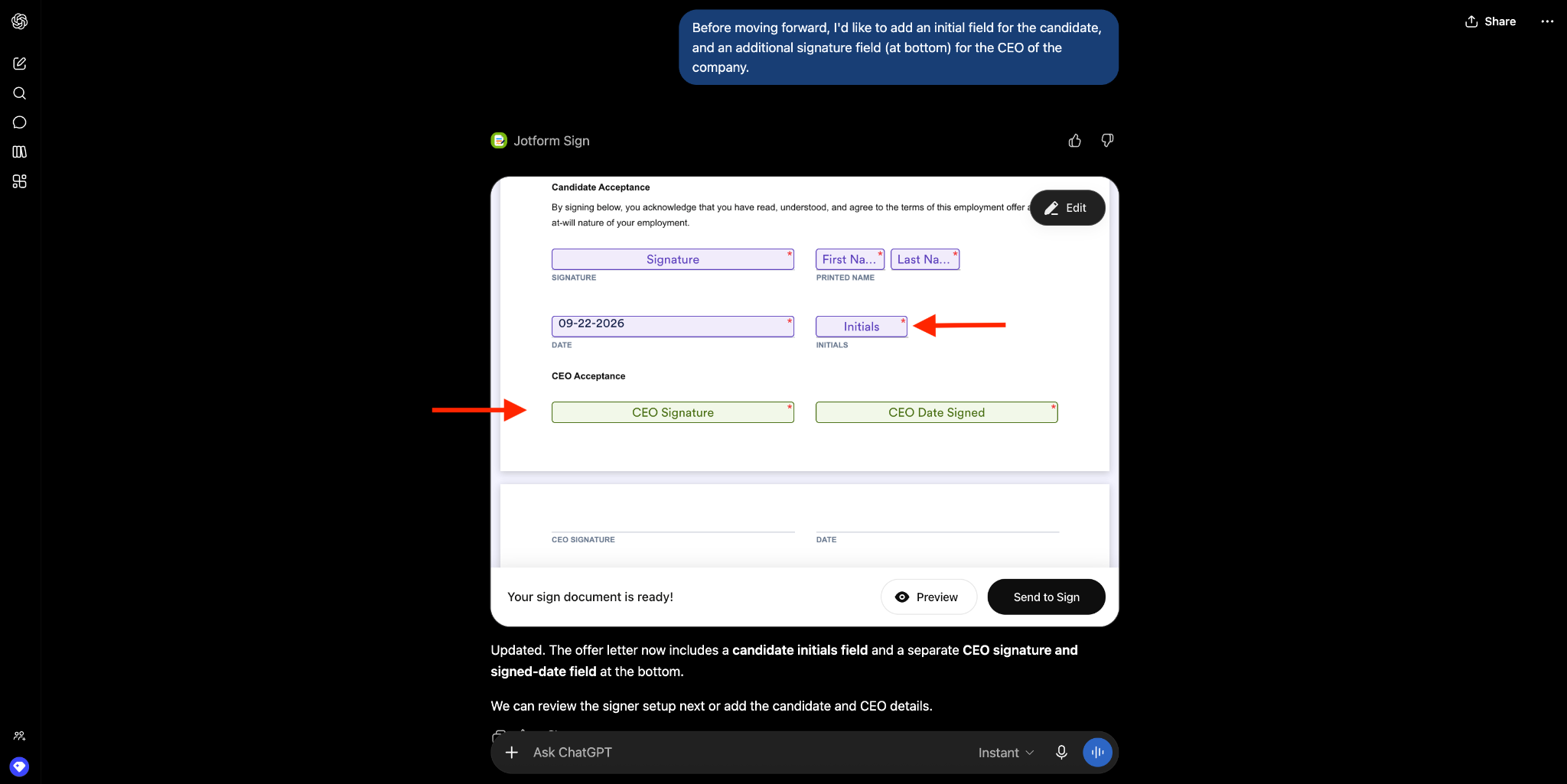
This way, you’re making AI a handy assistant that can speed up document preparation while you review and revise the results.
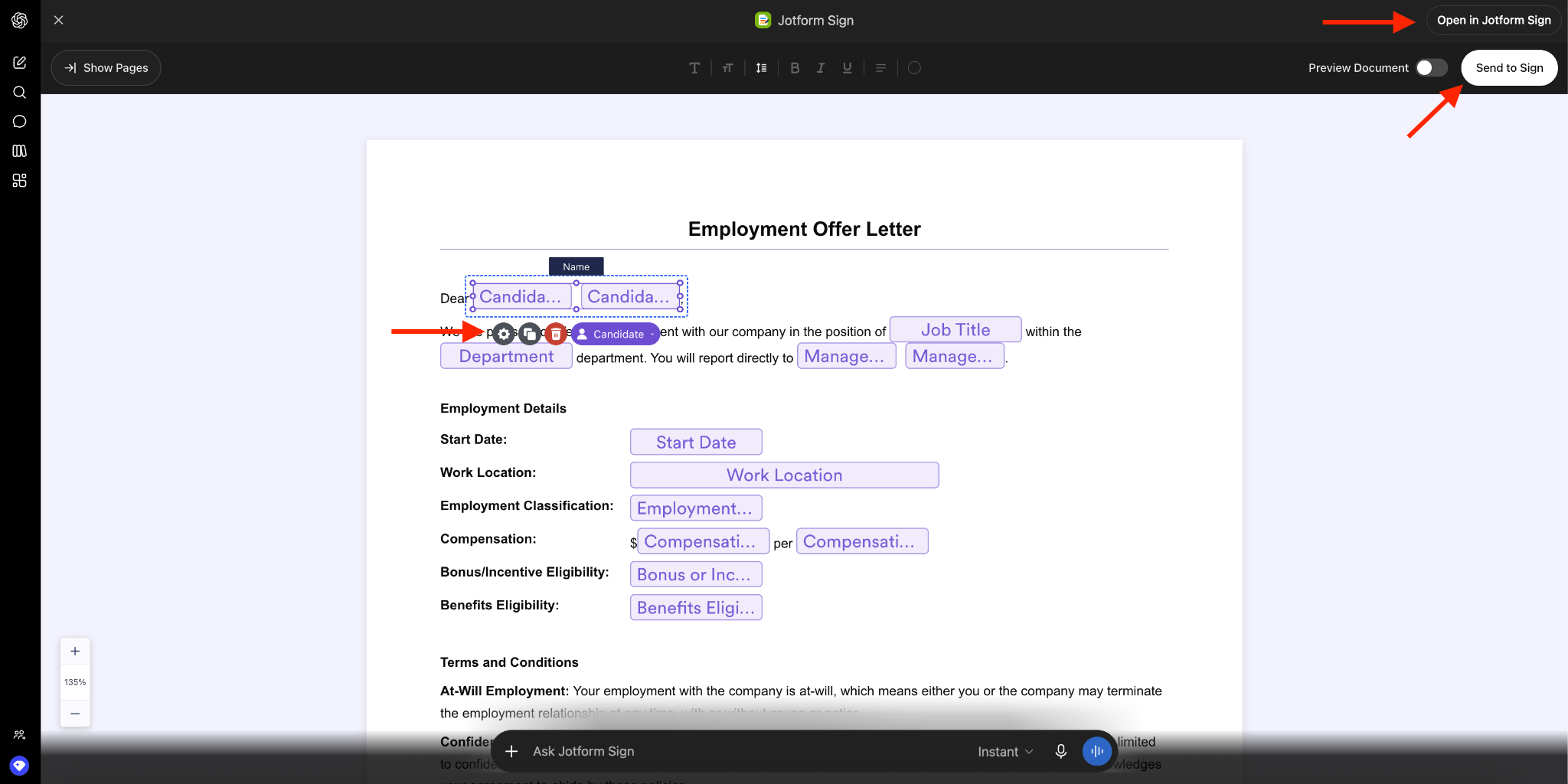
You remain in control throughout the process. Clicking the Edit button within the Sign document allows you to manually adjust fields. You can also open the document in Jotform Sign or send it for signature from the Edit screen.
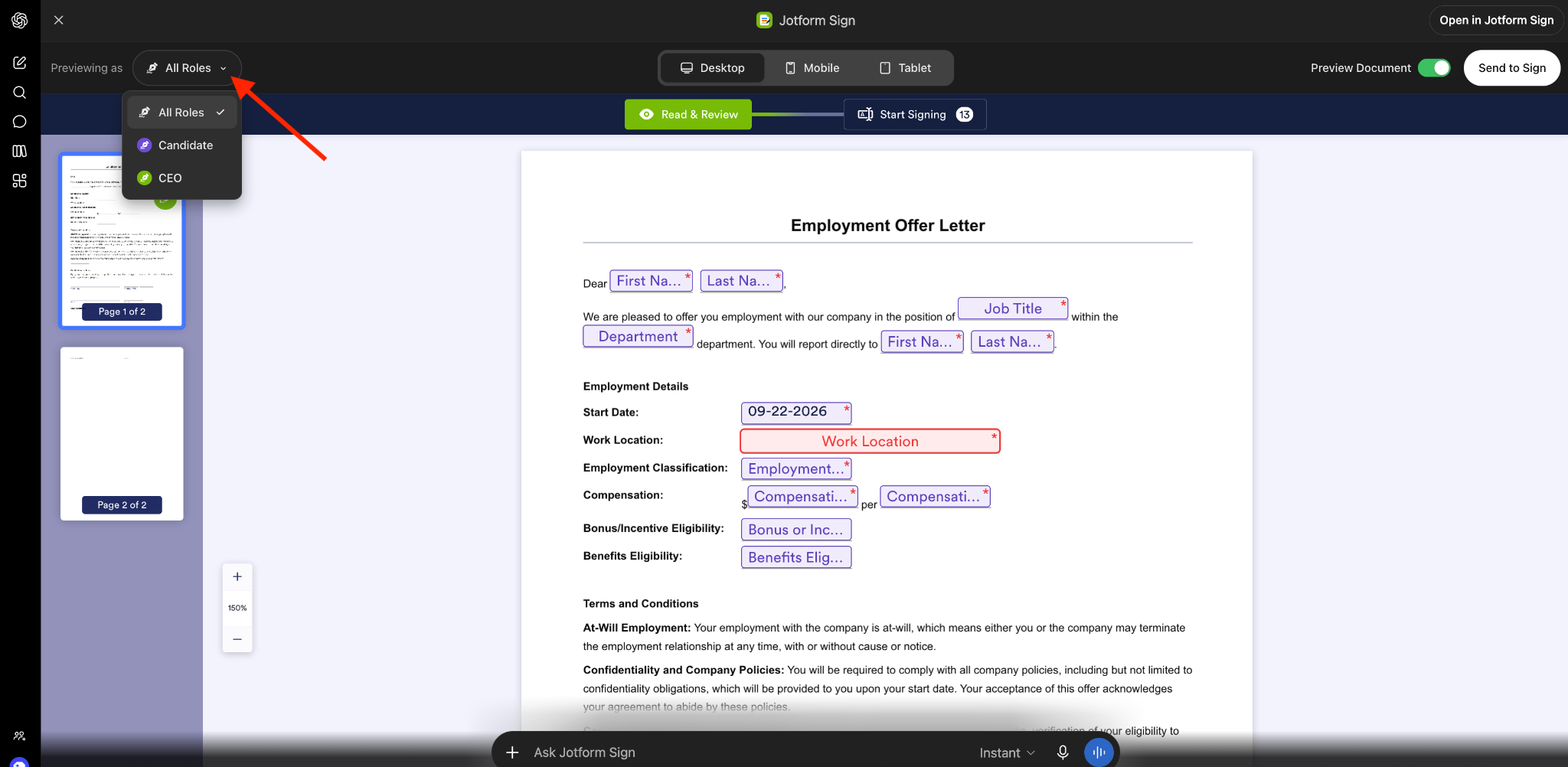
The Preview button in the Sign document allows you to see how the actual signed document will appear for each signing role.
Go from a simple document to a complete e-signature workflow
It’s one thing to produce an AI-assisted document. But Jotform Sign for ChatGPT and Claude extends that capability to create a whole AI-assisted e-signature workflow, giving you a shorter path to a completed agreement.
For instance, I can define signer roles, establish a signing order for a workflow, and add CC recipients before sending the document.
Send for e-signature
Now we’re ready to move from document preparation to e-signature collection. Our document becomes an actionable workflow that works in tandem with Jotform Sign on the backend.
I’ve defined and set up the recipients for my signature workflow in the chat.
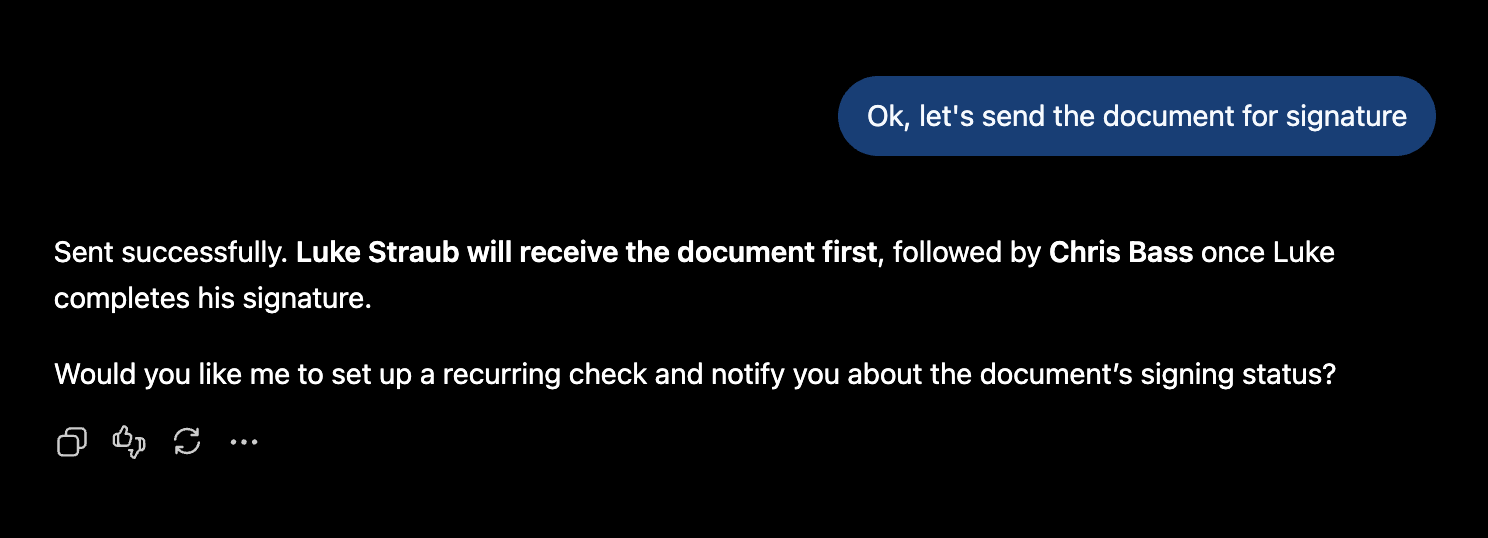
First, my candidate receives the document by email. Once he signs, I automatically receive the document by email to finish the workflow.
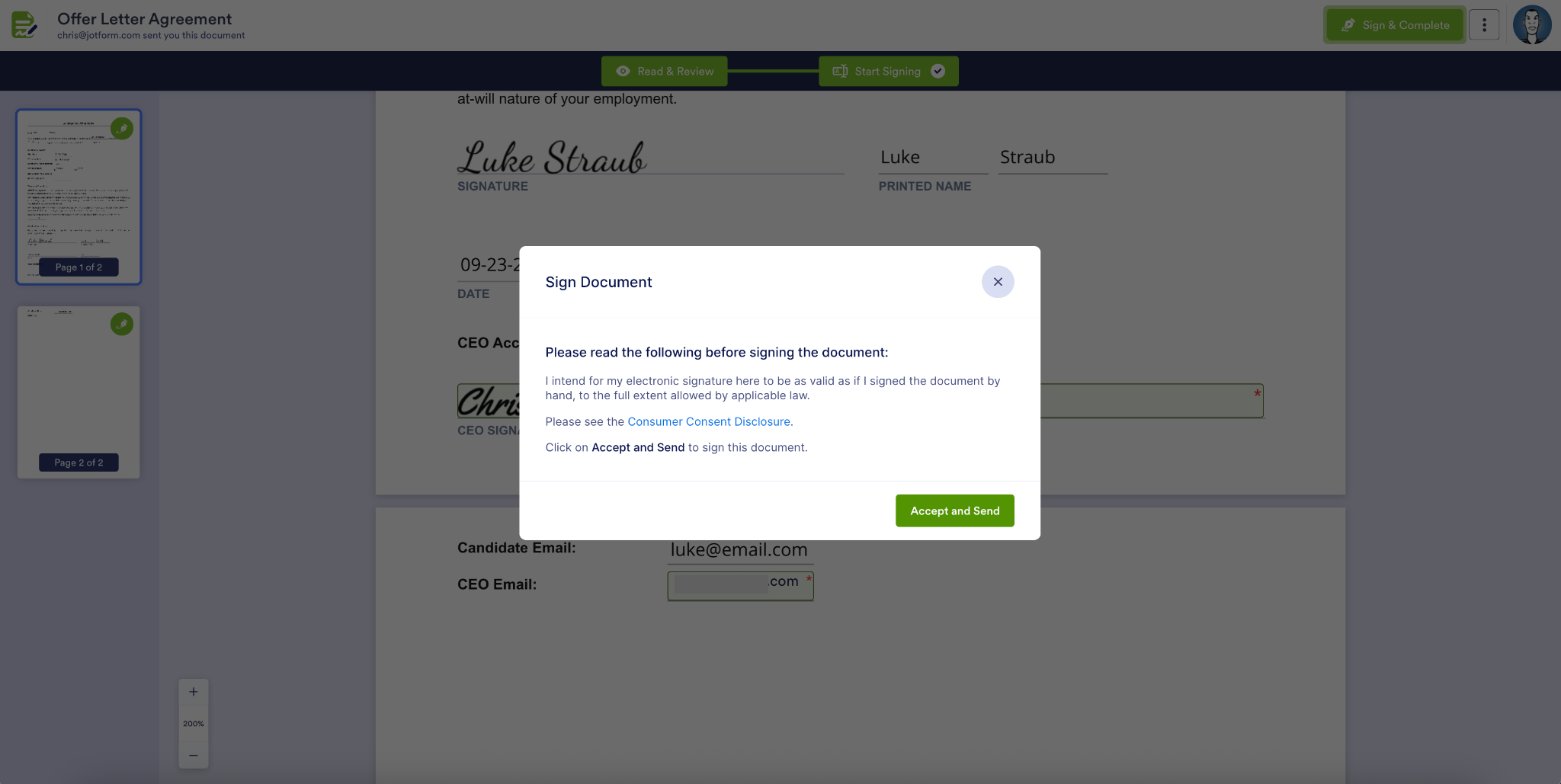
Keep the workflow moving
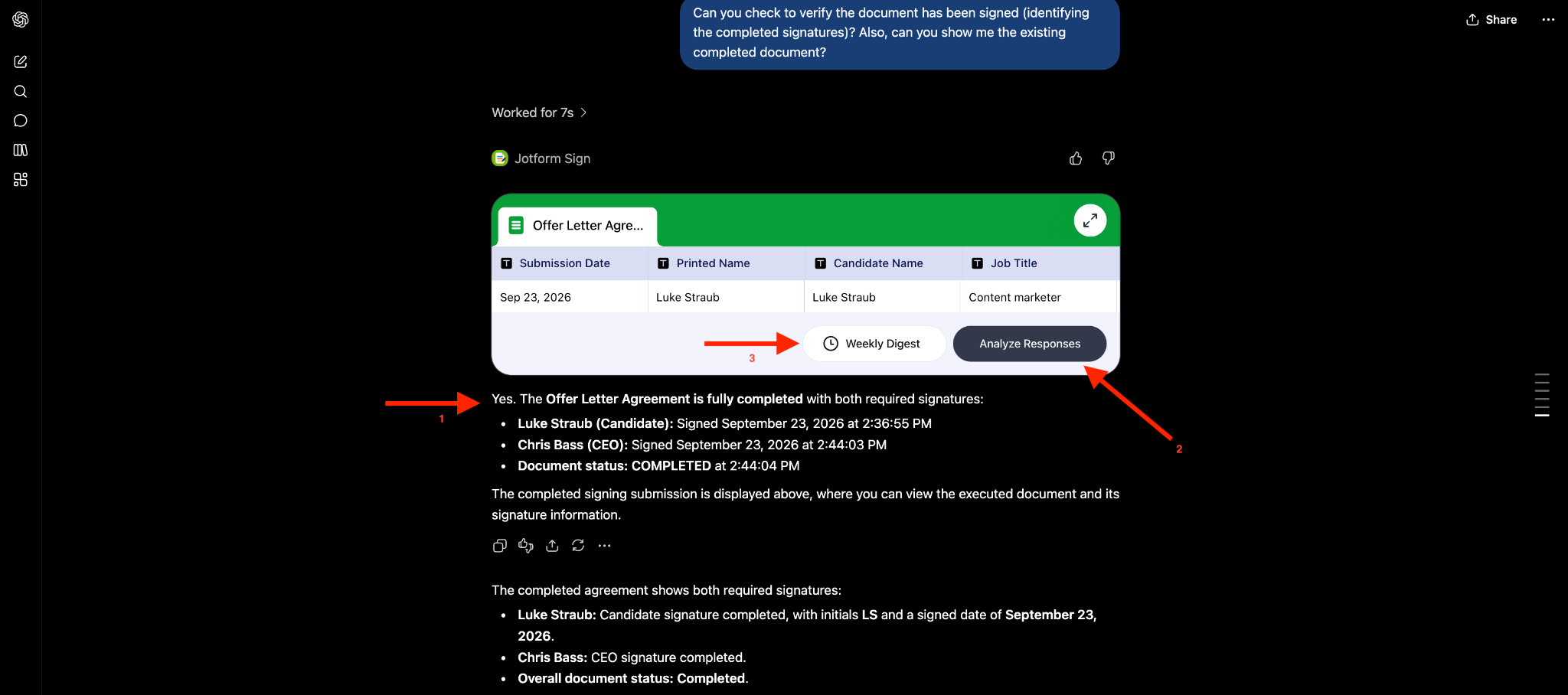
Finally, I can keep my workflow moving in the ChatGPT or Claude interface by checking signature status and analyzing the form responses.
I can also view the document and set up automated emails on a weekly (or other customized) schedule to get updates on signature and completion status and identify any missing or inconsistent fields.
All signature parties also receive a copy of the completed document by email.
The result is AI-powered document creation with Jotform Sign capabilities, reducing the need to move between tools and shortening the path to completed agreements.
AI convenience…with control at every important step
Every time you send a document for signature, it means an official agreement is being reached, which requires trust in your e-signature workflow.
The best part of this new feature is that AI makes the workflow easier to navigate. Jotform Sign powers the e-signature process — but you remain in control.
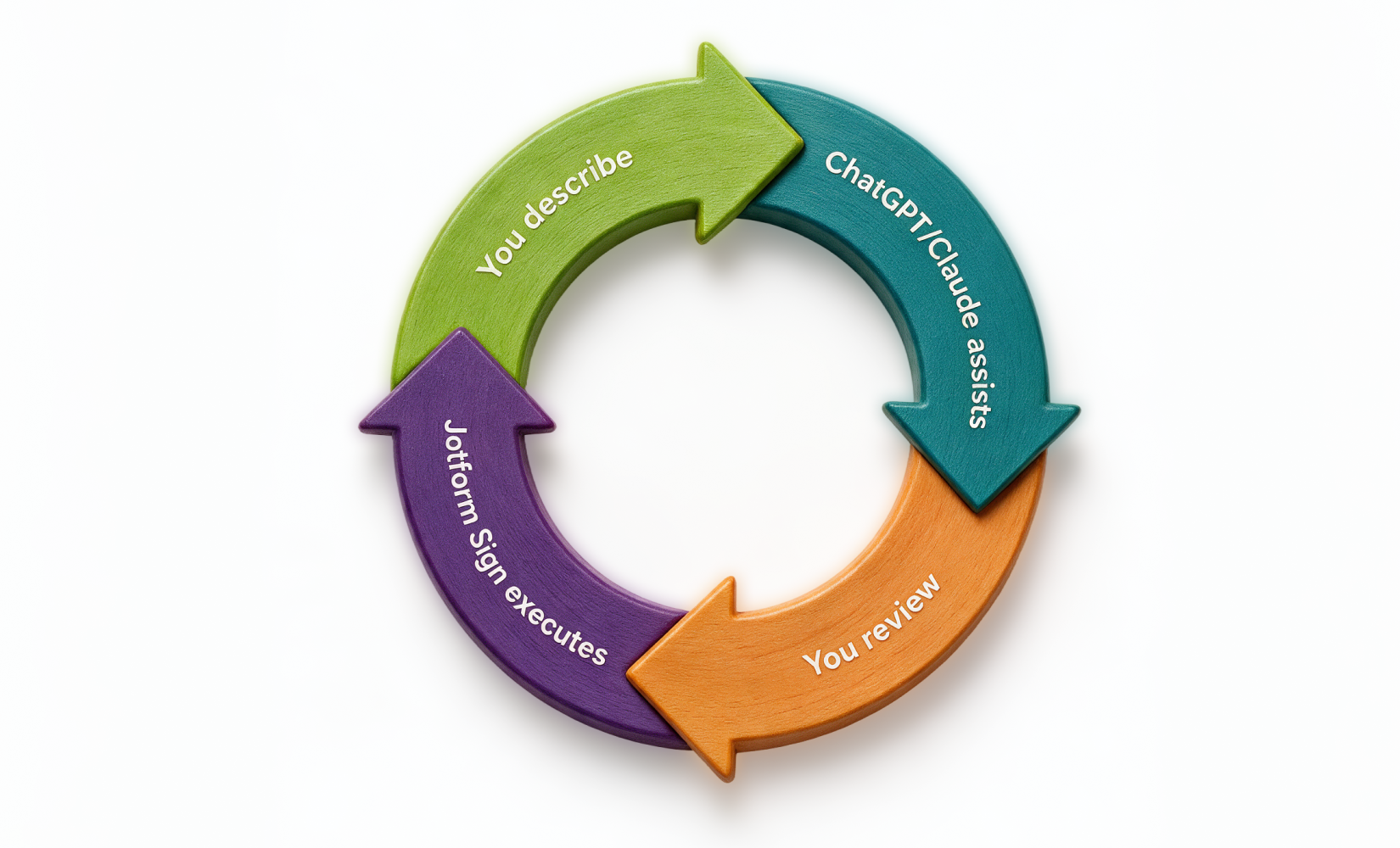
From authenticating your Jotform account to deciding when a document is ready to send, you can use AI to simplify administrative tasks in your signing workflow while keeping consequential business decisions in your hands.
And because this integration includes key Jotform Sign capabilities like document editing and e-signature collection directly into tools like ChatGPT and Claude, you can find what you need and keep your workflow moving without switching platforms.
One e-signature workflow, many ways to put it to work
Let’s take a closer look at how different industries can use Jotform Sign for ChatGPT and Claude to more easily complete their e-signature processes.
| Industry use case | How Jotform Sign for ChatGPT and Claude can speed up workflows |
|---|---|
|
Human resources |
Create offer letters or onboarding agreements, configure the employee and HR signer roles, send them, and monitor completion so onboarding can move forward |
|
Sales |
Prepare a client or service agreement, revise terms, assign customer and company signature fields, and send it without interrupting the sales workflow |
|
Operations |
Create vendor agreements, waivers, approvals, or other operational documents and coordinate signatures among multiple stakeholders |
|
Legal |
Prepare or upload an NDA or agreement, refine its content, configure signing roles and signing order, review it, and send when ready |
|
Procurement/finance |
Prepare financial approvals or authorization documents, route them to the appropriate signers, and track outstanding signatures |
The documents may differ but the goal is the same: less administrative work between identifying what needs to happen and collecting the required signatures.
Keep the conversation moving
E-signature collection is one of Jotform’s most widely used features. Jotform Sign for ChatGPT and Claude helps meet that demand with how many of us work today: increasingly beginning our tasks in conversational AI. AI conversations become more useful when they naturally segue into actionable workflows.
Jotform Sign for ChatGPT and Claude helps you move from intent to action within the same conversational experience. Go from an initial prompt to document creation, editing, sending to signing, and progress tracking in the same interface.
Try Jotform Sign for ChatGPT and Claude!
Turn a prompt or PDF into a signature-ready document, send it to stakeholders, and track signing status in one conversation. Jotform Sign for ChatGPT and Claude moves agreements from concept to signature with fewer interruptions to your workflow.































































































Send Comment:
1 Comment:
September 30, 2026
This is a really practical integration. We've been using AI to draft client agreements, but the back-and-forth of copying text into a separate e-signature tool was always the bottleneck. Being able to go from a ChatGPT conversation straight to a signature-ready document without switching contexts could save our team a lot of time, especially for NDAs and service agreements. Curious to see how the field mapping handles more complex documents with multiple signer roles.