An assignment calendar app helps students, teachers, and study groups keep coursework organized in one place, so deadlines don’t get missed when schedules get busy. Use it to view upcoming due dates at a glance, open a running list of assignments, and quickly add new work the moment it’s assigned. Whether you’re tracking weekly homework, long-term projects, or exam prep tasks, this layout supports consistent planning without relying on scattered notes or multiple calendars.
With Jotform, you can turn this assignment calendar app template into a branded, easy-to-share experience using a no-code app builder and a drag-and-drop interface. Connect the app to a form for data collection, keep assignment details updated as priorities change, and build a simple workflow for staying on top of school responsibilities. Share the app with a link for self-service access on any device, and adjust pages and navigation as your class routines evolve.
Related templates
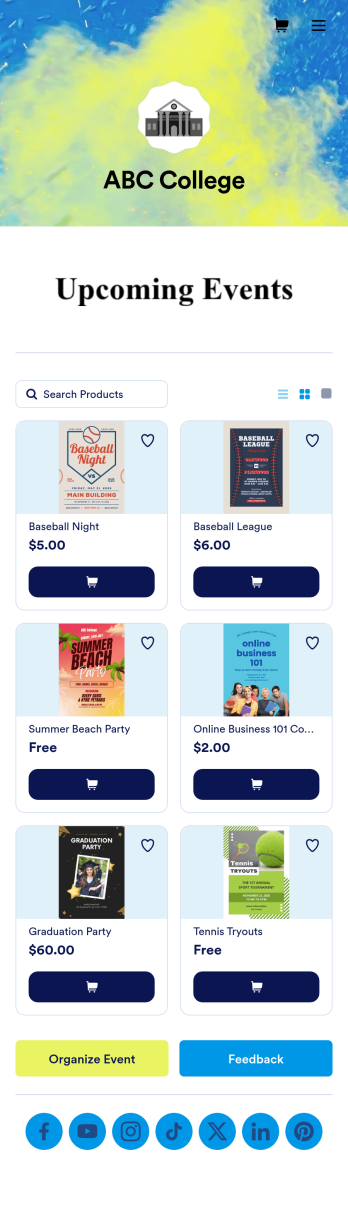
Custom College Events App
A college events app connects students to university events from any device. No matter what school you plan events for, let students know what’s coming soon with Jotform’s free College Events App. This customizable app template includes event posters, guest registration forms, and links to social media accounts that students can access from their smartphone, tablet, laptop, or computer. All submitted responses will be instantly synced to your secure Jotform account to be viewed or approved by you and other event staff.Make this College Events App stand out by using our drag-and-drop builder to customize it for your school. Without coding, you can add or remove forms, upload promotional images and videos, include tables and links, create buttons and pages, change the color scheme and fonts, and update the app name and icon to better represent your school. When it’s ready, your app can be shared on social media, your school website, or via the app link. Inform and excite students about upcoming events — and boost school pride — with a custom College Events App for your school!
Go to Category:Booking Apps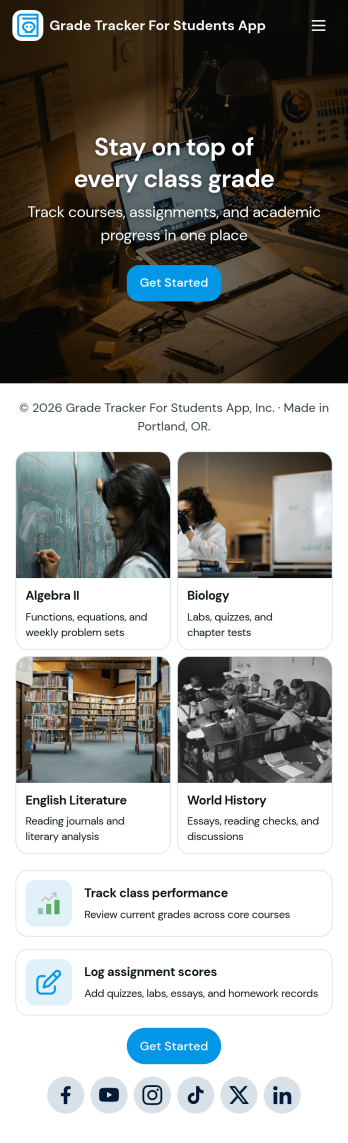
Grade Tracker for Students App
Grade Tracker for Students App helps students and educators keep academic records organized in one place. Use it to add students, log grade entries by subject, and review grade records over time, making it easier to stay on top of progress across classes. It’s a practical fit for middle school, high school, and college students, as well as tutors, homeroom teachers, and academic support teams who want a simple way to track performance without juggling scattered notes or spreadsheets.Built with Jotform, this app template pairs a clear, page-based layout with forms and connected tables so you can collect data consistently and view it whenever you need it. Customize pages with a drag-and-drop interface, update fields to match your grading system, and share the app as a self-service experience for personal tracking or classroom use. With Jotform’s no-code app builder, you can expand the workflow as needs grow while keeping grade data easy to enter and easy to review.
Go to Category:Education Apps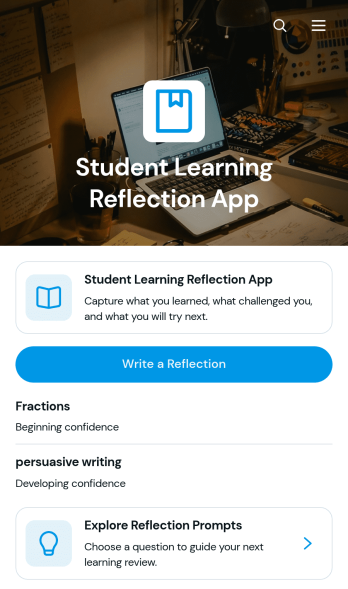
Student Learning Reflection App
The Student Learning Reflection App helps learners document what they studied, consider what challenged them, and identify a practical next step after a lesson or activity. It is useful for students, teachers, tutors, training providers, and educational programs that want to make reflection a consistent part of learning. Students can write reflections, explore prompts, and review entries organized by learning topic. Key details such as confidence and study format provide added context without making the process burdensome. The app works well for classroom lessons, independent study, tutoring sessions, project reviews, course checkpoints, and skill-development programs.Jotform makes this app template easy to adapt with a no-code app builder and an intuitive drag-and-drop interface. Educators can adjust pages, prompts, visual elements, and navigation to match a subject, grade level, or teaching approach. Connected forms and tables support data collection and keep reflection records organized within a practical workflow. Once customized, the app can be shared by direct link or QR code for convenient mobile access. Jotform App Templates also help schools and learning teams create branded self-service experiences that bring reflection activities and useful resources together in one accessible place.
Go to Category:Education Apps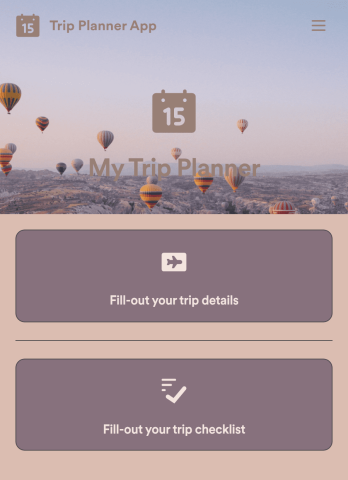
Trip Planner App
Got a big trip coming up? Make sure you’re ready for it with this free Trip Planner App. You can log trip details, complete a pre-trip checklist, and jot down notes of the places you would like to visit along the way. All information is stored securely in your personal Jotform account, which you can access on any device as a spreadsheet, calendar, or cards using Jotform Tables.Want to customize this Trip Planner App template? Change the background image, choose a new app icon, and add more pages, links, forms, and spreadsheets at the touch of a button. With our drag-and-drop app builder, you won’t need to know how to code to create your own custom mobile app! Sort out the logistics of your next big trip with the help of a free Trip Planner App from Jotform.
Go to Category:Booking Apps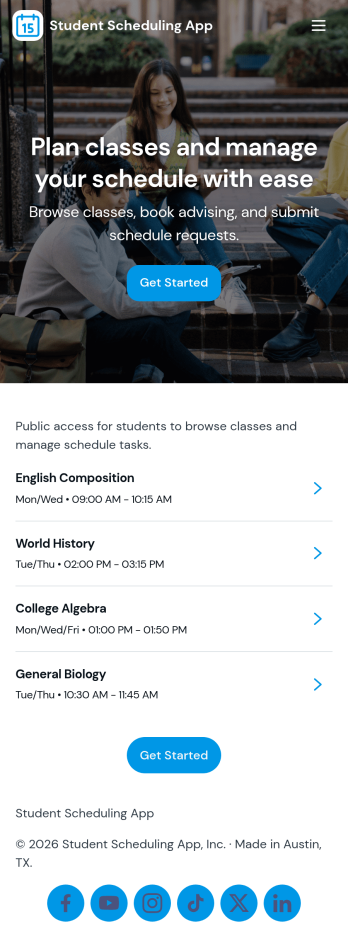
Student Scheduling App
A student scheduling app gives students and staff one place to request, book, and review academic support sessions without confusion about timing or availability. This template fits tutoring centers, advising offices, student success teams, and instructors who need a simple way to route session requests and keep daily plans visible. With quick access to book a session, view today’s schedule, and check my requests, it supports self-service scheduling while keeping requests organized for follow-up.Jotform makes it easy to publish this experience as a shareable app using a no-code app builder and a drag-and-drop interface. Connect the app to your Jotform form and linked data so students can send requests, staff can track updates in real time, and everyone can navigate schedules from any device. As your workflow changes, you can adjust pages, buttons, and lists in minutes, then share the updated app instantly with a link or QR code.
Go to Category:Scheduling Apps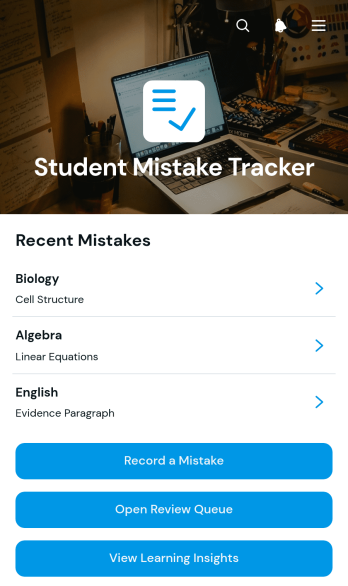
Student Mistake Tracker App
The Student Mistake Tracker App is an app template that helps students record academic errors, review corrections, and recognize learning patterns over time. It gives learners quick access to mistake recording, a review queue, and learning insights while keeping details organized by subject. Students can use it after homework, quizzes, practice tests, tutoring sessions, or independent study to turn incorrect answers into useful study material. Teachers, tutors, academic coaches, and families can also use the app to support reflection, plan targeted practice, and monitor whether previously identified concepts have been reviewed.With Jotform Apps, you can adapt this Student Mistake Tracker App without writing code. The no-code app builder and drag-and-drop interface make it easy to adjust pages, navigation, colors, typography, and content for a class, tutoring program, or personal study routine. Connect forms and tables to support data collection, organize each review workflow, and keep resources available through a mobile-friendly self-service experience. Jotform App Templates can be published and shared by direct link or QR code, helping learners maintain a consistent review habit wherever they study.
Go to Category:Student Planner Apps