

Student Planner Apps

Lesson Planner App
Create and manage your classroom lesson plan with this free Lesson Planner app from Jotform. Download this app onto any device and start adding courses, start and end dates, lesson titles and objectives, tasks, resources, and more. There are also separate forms for entering student information and creating daily assignment checklists. Submissions are aggregated and stored in a color-coded and easy-to-understand spreadsheet using Jotform Tables.Want to make changes to this Lesson Planner App? No problem! With Jotform’s no-code app builder, you can build a custom app that meets your classroom’s needs in seconds. Simply drag and drop to add or change form elements, edit text fields and checklist items, install integrations and widgets, change fonts and colors, and more. When you’re done, you can access and download your app onto any smartphone, tablet, or desktop and start using it right away. Manage all your lesson plans and assignments from a single location with this mobile-friendly Lesson Planner App.
Go to Category:Daily Planner Apps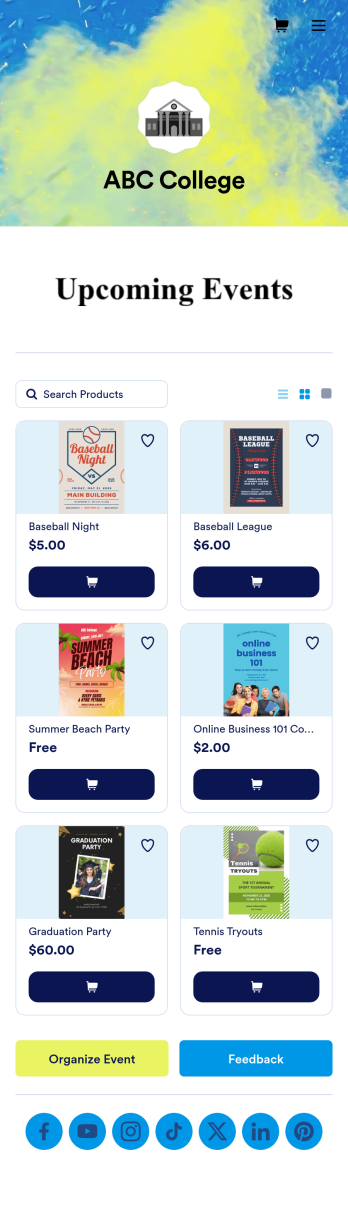
Custom College Events App
A college events app connects students to university events from any device. No matter what school you plan events for, let students know what’s coming soon with Jotform’s free College Events App. This customizable app template includes event posters, guest registration forms, and links to social media accounts that students can access from their smartphone, tablet, laptop, or computer. All submitted responses will be instantly synced to your secure Jotform account to be viewed or approved by you and other event staff.Make this College Events App stand out by using our drag-and-drop builder to customize it for your school. Without coding, you can add or remove forms, upload promotional images and videos, include tables and links, create buttons and pages, change the color scheme and fonts, and update the app name and icon to better represent your school. When it’s ready, your app can be shared on social media, your school website, or via the app link. Inform and excite students about upcoming events — and boost school pride — with a custom College Events App for your school!
Go to Category:Booking Apps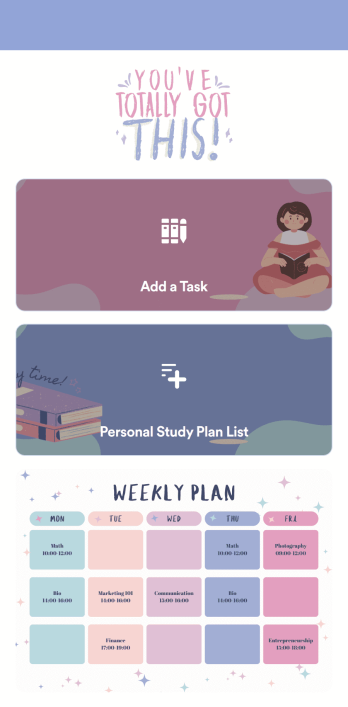
Customizable Study Planning App
A study planning app lets students create a student plan and track it on their mobile device. With this ready-made Study Planning App from Jotform, you can quickly and efficiently start tracking tasks, schedules, and study plans no matter where you are. Just customize the app to meet your study needs and download it for iOS, Android, or onto your computer for easy access.Need to make changes to this Study Planning App template? No problem — just drag and drop to get the design you want. Split your app into multiple pages, add more forms or tables, and make other changes in seconds with no coding knowledge required. You can even connect your app to 250+ other platforms like Trello, Asana, and more to monitor your study plans in your other accounts!
Go to Category:Organization Apps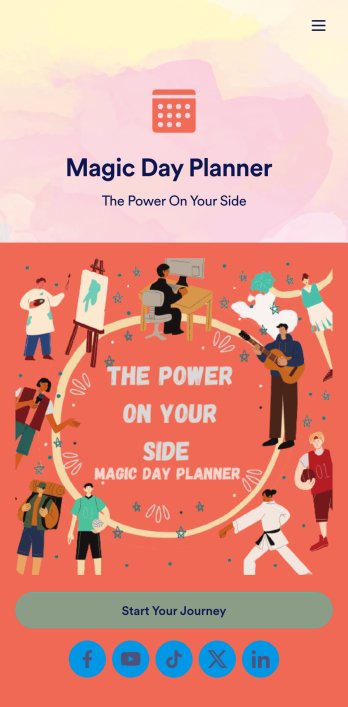
Day Planner App
Want a simple way to track your or your clients’ goals? Well, look no further than this Day Planner App from Jotform — perfect for anyone looking to get their life together. Add daily or weekly check in forms, show open consulting appointments, upload payment forms, and more helpful features to make your app intuitive and easy to use.Making design changes to this Day Planner App is quick and easy. Simply drag and drop to switch up fonts and colors, upload personal or company branding, integrate with helpful payment or scheduling widgets, and much more. To share this handy app with others, all you’ll have to do is send a link, generate a QR code, or embed it straight into your own website or portal.
Go to Category:Daily Planner Apps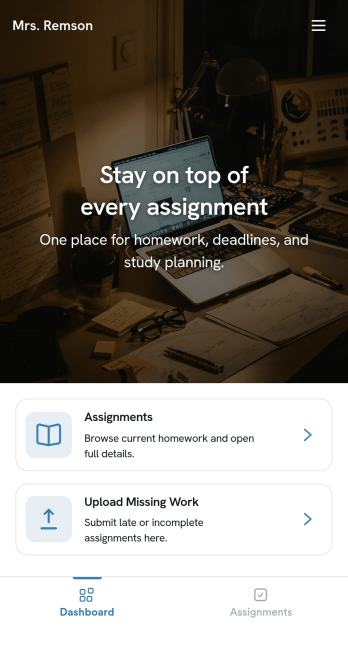
Homework Management App
A homework management app is used by teachers to collect homework assignments from their students. Give your students an easier way to submit homework for your remote or in-person classroom with a free Homework Management App from Jotform. Students can upload documents through the app’s homework or missing assignment forms, which you can view easily on any device from your secure online account.Need to make changes to this app template? Add or remove forms, update the app icon or background, include important information for your classroom, or add helpful links with no coding required. You can then copy and paste the app link to share your custom Homework Management App with your students, who can download it onto their computer, tablet, or smartphone to submit their homework instantly.
Go to Category:Classroom Management Apps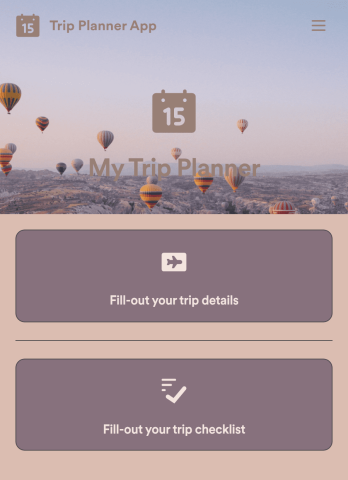
Trip Planner App
Got a big trip coming up? Make sure you’re ready for it with this free Trip Planner App. You can log trip details, complete a pre-trip checklist, and jot down notes of the places you would like to visit along the way. All information is stored securely in your personal Jotform account, which you can access on any device as a spreadsheet, calendar, or cards using Jotform Tables.Want to customize this Trip Planner App template? Change the background image, choose a new app icon, and add more pages, links, forms, and spreadsheets at the touch of a button. With our drag-and-drop app builder, you won’t need to know how to code to create your own custom mobile app! Sort out the logistics of your next big trip with the help of a free Trip Planner App from Jotform.
Go to Category:Booking Apps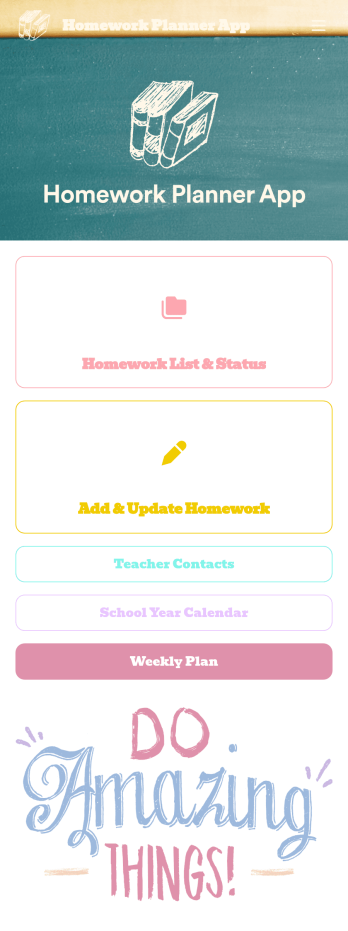
Homework Planner App
A homework planning app is a mobile application created by teachers and educators to help their students keep track of assignments and due dates. Use this ready-made Homework Planner App template from Jotform Apps to create your own in just a few easy clicks. Keep students updated on upcoming assignments, collect homework, list your office hours, and more.Want to make changes to how this Homework Planner App looks? No problem. With Jotform’s drag-and drop builder, you can add or remove forms, pick a background image, change font types, upload images and videos, select a unique app icon, and more. After you’re done customizing your app, simply embed it in your website or online portal for students to download.
Go to Category:Planner Apps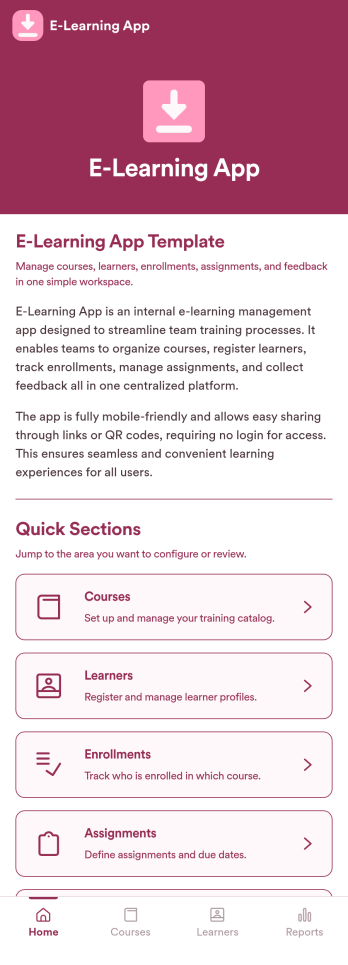
E-Learning App
E-Learning App is an app template designed to foster the creation and management of online learning experiences, specifically tailored for educators, training providers, schools, and organizations. It provides a structured platform for the seamless delivery of educational content and training programs, creating a centralized hub for learning materials, assignments, quizzes, and discussions. The integrated data collection feature ensures the capture of vital learner data, such as enrollment details, progress tracking, and feedback, making it a comprehensive solution for educational and training workflows. It is commonly used for distance learning, corporate training, and continual professional development programs, and is best suited for those needing a ready-to-use, robust platform for delivering a streamlined e-learning experience.Jotform’s intuitive, no-code app builder makes customizing your E-Learning App a breeze. Personalize the app to align with your organizational branding: swap out forms, choose fonts and colors, and upload your logo without a single line of code. Its cross-platform compatibility allows your learners to access the app on any smartphone, tablet, or desktop, ensuring a consistent learning experience across different devices. With the added convenience of electronic signature collection, authentication of important documents such as consent forms and agreements becomes effortless. Take advantage of Jotform's seamless integration with Sheets for easy management and visualization of collected data, and generate comprehensive reports to track learner progress and course effectiveness. With Jotform, managing your online learning program becomes an easy, efficient, and rewarding process.
Go to Category:Activity Tracking Apps
Camp Registration App
Camp Registration App is a ready to use app template designed to provide a systematic and efficient solution for camp organizers, youth program directors, schools, and community organizations seeking to streamline their camp registration process. The app takes the heavy lifting out of data collection, allowing administrators to effortlessly capture essential details such as participant information, schedule preferences, and electronic signatures. With this app, you can ensure a complete, coherent and organized tracking of participants, schedules, and related administrative processes - a clear upgrade from traditional, ad-hoc methods, which can often be inconsistent and time-consuming. The Camp Registration App is best suited for those who handle large amounts of participant registrations, particularly camp organizers and youth program directors who value clarity and consistency in their administrative workflows.Jotform's Camp Registration App emphasizes ease of use and customization, allowing you to tailor the app to your specific needs without requiring any coding skills. The intuitive drag-and-drop interface makes it simple to modify forms, add new sections or adjust the layout to perfectly fit your operational workflow. Furthermore, the app can effortlessly gather e-signatures, making it an invaluable asset in collecting consent and other necessary documents. The app also provides a centralized location to store all participant data, schedules, and reports, offering an efficient way to manage and organize your camp operations. With Jotform's Camp Registration App, you can effortlessly streamline your camp registration process, saving valuable time and resources.
Go to Category:Appointment & Booking Apps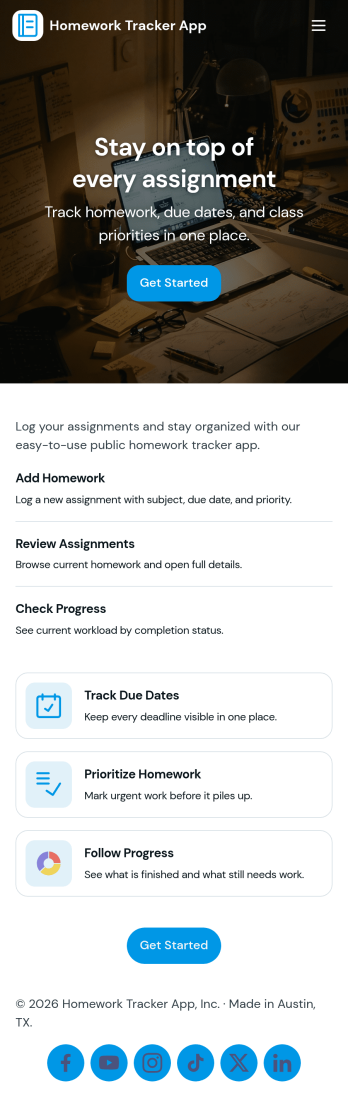
Homework Tracker App
Homework Tracker App helps students keep schoolwork organized by bringing assignments, work submission, and progress tracking into one place. Use it to view upcoming tasks, add new assignments quickly, mark items as high priority, and keep personal submission notes so nothing gets missed. It’s a practical fit for middle school, high school, college, tutoring programs, and homeschool routines where learners need a clear view of what’s due and what’s already been turned in.Built with Jotform, this app template combines self-service navigation with simple data collection through connected forms, so updates don’t depend on scattered messages or separate spreadsheets. Customize pages and buttons to match your subjects or class schedule, then share the app link with students or families for easy access on any device. With Jotform’s no-code app builder and drag-and-drop interface, you can adjust the layout, refine your workflow, and keep assignment records and submissions organized over time.
Go to Category:Education Apps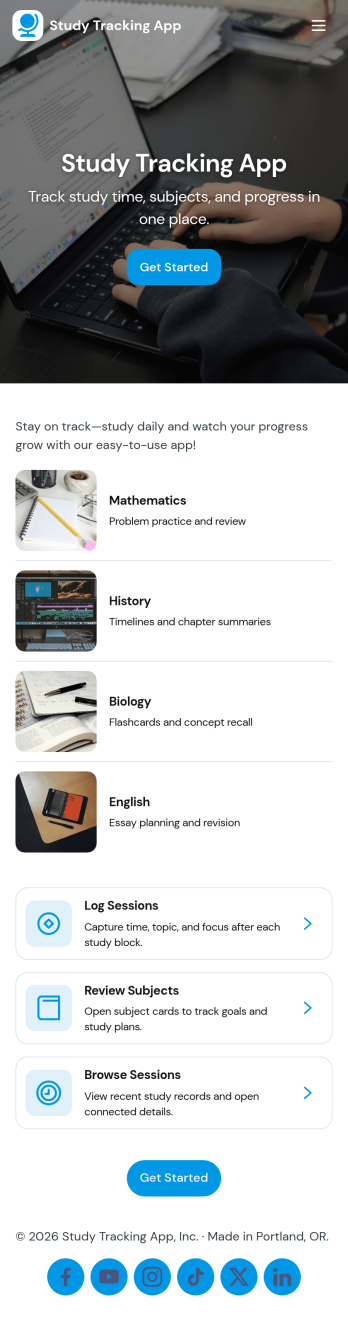
Study Tracking App
Study Tracking App helps students and lifelong learners stay on top of weekly goals, study plans, and session habits in one place. Use it to map out what you want to study this week, record each study session as it happens, and keep a simple view of progress and reviews so nothing slips through the cracks. It’s a great fit for high school and college students, exam prep groups, tutors supporting multiple learners, and anyone building a consistent routine across subjects.With Jotform, you can turn this study workflow into a shareable, mobile-friendly experience without coding. Start with this app template, then adjust pages, buttons, and navigation using a drag-and-drop interface, connect forms for data collection like adding a study plan and logging sessions, and keep everything organized as your workflow evolves. Whether you’re studying solo or coordinating with a tutor or small team, Jotform makes self-service tracking easy to launch and simple to maintain.
Go to Category:Education Apps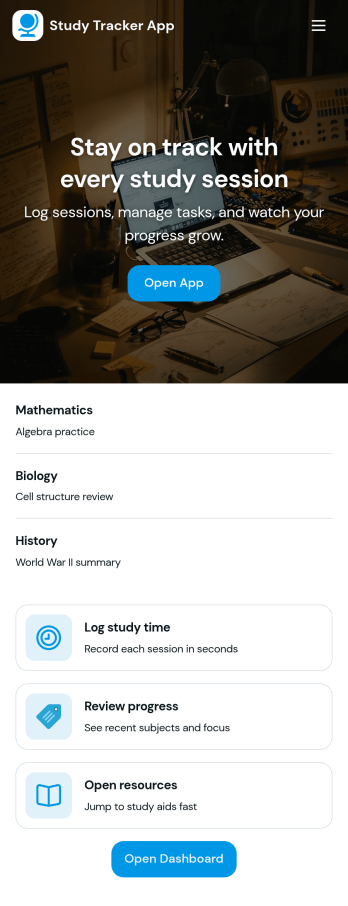
Study Tracker App
Study Tracker App helps students and lifelong learners build consistent study habits by logging study time, organizing sessions by subject, and keeping a clear view of progress over time. Use it to record each session with quick add buttons, revisit your top focus areas, and review what you covered across different topics. It’s a practical fit for high school and college students, exam takers, tutors, and study groups who want a simple way to track effort, spot patterns, and stay accountable without juggling multiple tools.Jotform makes it easy to turn this Study Tracker App into a personalized self-service experience using its no-code app builder and drag-and-drop interface. Connect your session logging form to your data collection workflow, present entries in clean lists and cards, and share the app with a link so it’s always available on any device. You can also tailor pages for progress review and study resources, helping you keep tracking and reference materials in one place with Jotform App Templates.
Go to Category:Education Apps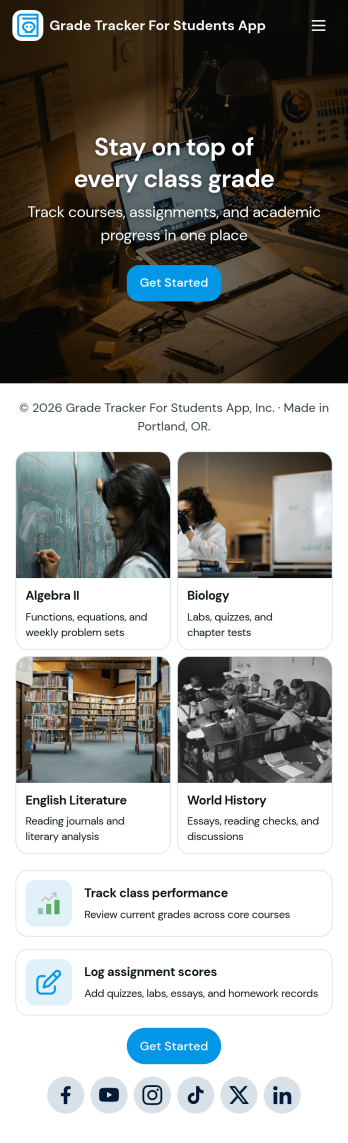
Grade Tracker for Students App
Grade Tracker for Students App helps students and educators keep academic records organized in one place. Use it to add students, log grade entries by subject, and review grade records over time, making it easier to stay on top of progress across classes. It’s a practical fit for middle school, high school, and college students, as well as tutors, homeroom teachers, and academic support teams who want a simple way to track performance without juggling scattered notes or spreadsheets.Built with Jotform, this app template pairs a clear, page-based layout with forms and connected tables so you can collect data consistently and view it whenever you need it. Customize pages with a drag-and-drop interface, update fields to match your grading system, and share the app as a self-service experience for personal tracking or classroom use. With Jotform’s no-code app builder, you can expand the workflow as needs grow while keeping grade data easy to enter and easy to review.
Go to Category:Education Apps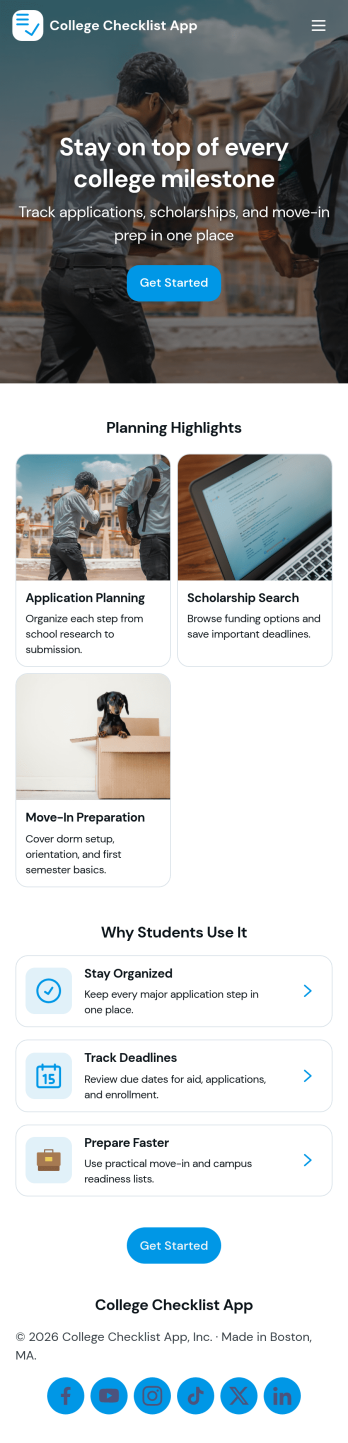
College Checklist App
College Checklist App helps students keep their college planning organized from start to finish, all in one place. Use it to check off key tasks, review what’s next, and reduce the chance of missing deadlines while preparing for applications, campus visits, enrollment steps, and move-in. With a dedicated tasks area and a simple way to plan important dates, it fits high school seniors, transfer students, parents, counselors, and advising offices that want a clear, repeatable process.Jotform makes it easy to turn this experience into your own with customizable App Templates built with a no-code app builder. Using a drag-and-drop interface, you can adjust pages, update task text, and connect the app to a form for data collection so progress stays organized in one workflow. Share the app with a link or QR code, keep information consistent for every student, and publish a mobile-friendly checklist that’s ready whenever planning happens.
Go to Category:Checklist Apps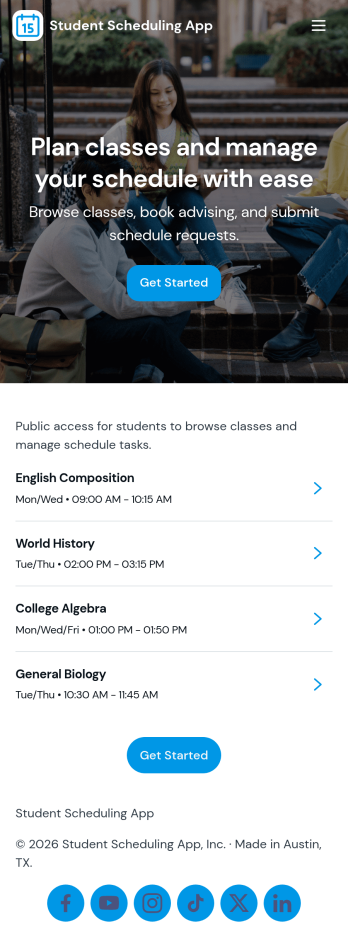
Student Scheduling App
A student scheduling app gives students and staff one place to request, book, and review academic support sessions without confusion about timing or availability. This template fits tutoring centers, advising offices, student success teams, and instructors who need a simple way to route session requests and keep daily plans visible. With quick access to book a session, view today’s schedule, and check my requests, it supports self-service scheduling while keeping requests organized for follow-up.Jotform makes it easy to publish this experience as a shareable app using a no-code app builder and a drag-and-drop interface. Connect the app to your Jotform form and linked data so students can send requests, staff can track updates in real time, and everyone can navigate schedules from any device. As your workflow changes, you can adjust pages, buttons, and lists in minutes, then share the updated app instantly with a link or QR code.
Go to Category:Scheduling Apps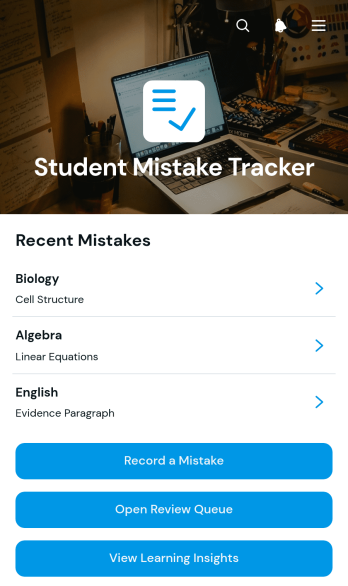
Student Mistake Tracker App
The Student Mistake Tracker App is an app template that helps students record academic errors, review corrections, and recognize learning patterns over time. It gives learners quick access to mistake recording, a review queue, and learning insights while keeping details organized by subject. Students can use it after homework, quizzes, practice tests, tutoring sessions, or independent study to turn incorrect answers into useful study material. Teachers, tutors, academic coaches, and families can also use the app to support reflection, plan targeted practice, and monitor whether previously identified concepts have been reviewed.With Jotform Apps, you can adapt this Student Mistake Tracker App without writing code. The no-code app builder and drag-and-drop interface make it easy to adjust pages, navigation, colors, typography, and content for a class, tutoring program, or personal study routine. Connect forms and tables to support data collection, organize each review workflow, and keep resources available through a mobile-friendly self-service experience. Jotform App Templates can be published and shared by direct link or QR code, helping learners maintain a consistent review habit wherever they study.
Go to Category:Student Planner Apps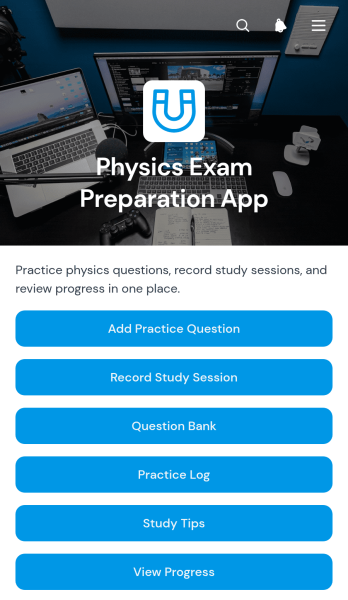
Physics Exam Preparation App
The Physics Exam Preparation App gives students, tutors, teachers, and study groups a focused space for preparing for physics tests. Learners can build and browse a question bank, review answers and explanations, record study sessions by topic and duration, consult study tips, and view their progress. It is useful for classroom revision, tutoring programs, independent study, and exam review courses where practice materials and study activity can otherwise become scattered. By keeping question practice and session records together, the app helps learners identify topics that need more attention, maintain consistent study habits, and approach upcoming exams with a clearer plan.Jotform makes this app template easy to adapt without coding. Its drag-and-drop app builder lets educators and learners reorganize pages, adjust branding, add resource links, and connect forms or tables for data collection and workflow management. Question entries and study records can feed into organized data views, creating a convenient self-service experience on phones, tablets, and computers. After customization, the app can be published and shared through a direct link or QR code, making it simple to distribute across a class, tutoring group, or learning program.
Go to Category:Quiz Apps
Course Planning App
Course Planning App is a customizable app template for organizing courses, learning objectives, schedules, assignments, and supporting resources in one accessible place. It suits students mapping an academic term, instructors preparing course delivery, tutors coordinating learning plans, and educational teams managing training programs. A clear app page can serve as a central planning space where users review course information, navigate resources, and follow upcoming activities. By replacing scattered notes and disconnected documents with an organized experience, this template helps users maintain visibility into priorities, deadlines, and learning progress.Jotform makes it easy to adapt App Templates to different academic programs, teaching methods, and planning routines. Its no-code app builder provides a drag-and-drop interface for adding pages, links, buttons, media, and branded visual elements without programming. Users can connect forms for data collection, incorporate approval or registration workflows, and share the finished app through a direct link or QR code. Whether the Course Planning App supports individual study or a shared educational workflow, Jotform offers flexible tools for creating a mobile-friendly, self-service learning resource that can evolve as course requirements change.
Go to Category:Student Planner Apps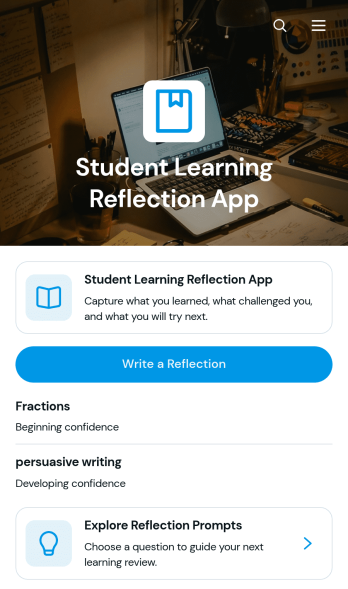
Student Learning Reflection App
The Student Learning Reflection App helps learners document what they studied, consider what challenged them, and identify a practical next step after a lesson or activity. It is useful for students, teachers, tutors, training providers, and educational programs that want to make reflection a consistent part of learning. Students can write reflections, explore prompts, and review entries organized by learning topic. Key details such as confidence and study format provide added context without making the process burdensome. The app works well for classroom lessons, independent study, tutoring sessions, project reviews, course checkpoints, and skill-development programs.Jotform makes this app template easy to adapt with a no-code app builder and an intuitive drag-and-drop interface. Educators can adjust pages, prompts, visual elements, and navigation to match a subject, grade level, or teaching approach. Connected forms and tables support data collection and keep reflection records organized within a practical workflow. Once customized, the app can be shared by direct link or QR code for convenient mobile access. Jotform App Templates also help schools and learning teams create branded self-service experiences that bring reflection activities and useful resources together in one accessible place.
Go to Category:Education Apps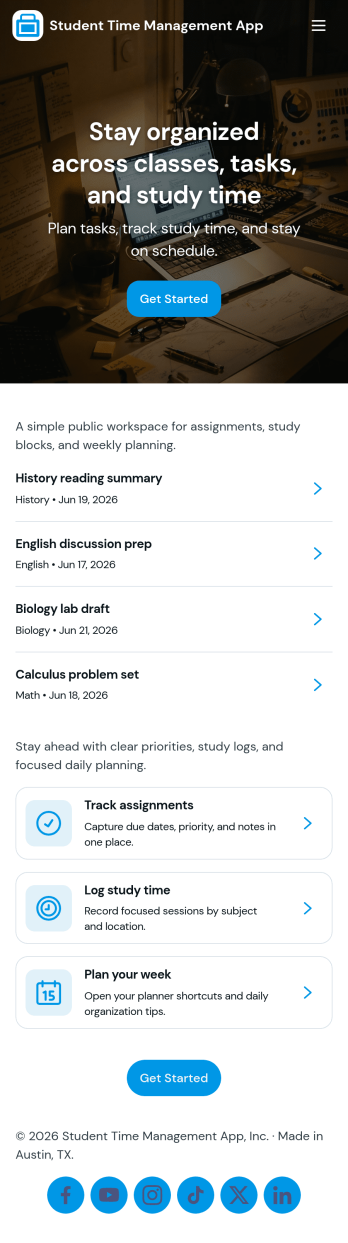
Student Time Management App
Student Time Management App helps learners plan what to do, when to do it, and how to stay on track during busy school weeks. Use it to capture tasks, map out study sessions, and build better focus habits in one place, making it easier to balance classes, homework, extracurriculars, and personal time. It’s a practical fit for high school and college students, tutors and academic coaches, and student support teams who want a simple way to organize priorities without jumping between multiple tools.With Jotform, you can turn this app template into a personalized self-service planner using a no-code app builder and a drag-and-drop interface. Connect buttons to forms for data collection, review entries in organized lists, and keep a lightweight workflow for adding tasks, scheduling study sessions, and logging focus time. Share your Jotform app with a link so students can use it on the go, and update pages as routines and course loads change throughout the term.
Go to Category:Student Planner Apps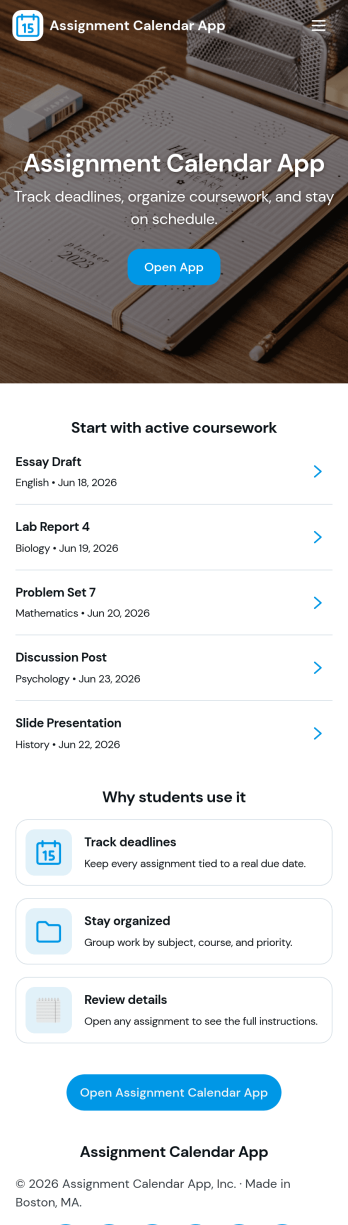
Assignment Calendar App
An assignment calendar app helps students, teachers, and study groups keep coursework organized in one place, so deadlines don’t get missed when schedules get busy. Use it to view upcoming due dates at a glance, open a running list of assignments, and quickly add new work the moment it’s assigned. Whether you’re tracking weekly homework, long-term projects, or exam prep tasks, this layout supports consistent planning without relying on scattered notes or multiple calendars.With Jotform, you can turn this assignment calendar app template into a branded, easy-to-share experience using a no-code app builder and a drag-and-drop interface. Connect the app to a form for data collection, keep assignment details updated as priorities change, and build a simple workflow for staying on top of school responsibilities. Share the app with a link for self-service access on any device, and adjust pages and navigation as your class routines evolve.
Go to Category:Education Apps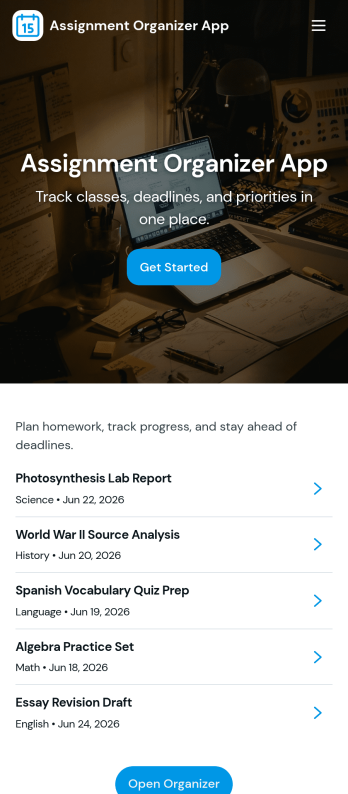
Assignment Organizer App
An Assignment Organizer App brings assignments, due dates, and student turn-ins into one easy place so classes don’t lose track of what’s next. Use it to post new assignments, keep an up-to-date list of work, and let students add submissions as they complete tasks. It’s a practical fit for teachers, tutors, training coordinators, and academic programs that need a clear way to manage assignment records and quickly navigate into assignment details.With Jotform, you can turn this app template into a branded, shareable experience using a no-code app builder and a drag-and-drop interface. Connect buttons and pages to your forms and tables to support data collection and a repeatable workflow, from adding a new assignment to reviewing submissions in a self-service format. Publish your app in minutes, update it anytime, and share a single link with your class or team.
Go to Category:Classroom Management Apps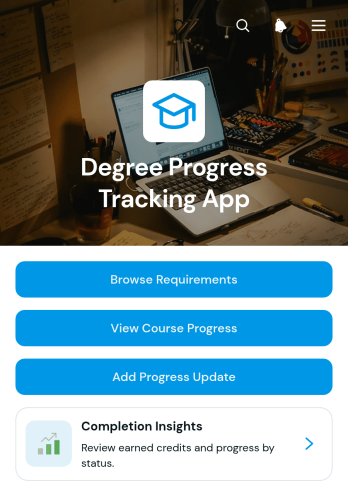
Degree Progress Tracking App
The Degree Progress Tracking App is an app template for students, academic advisors, faculty members, and education teams that need a clear view of progress toward graduation. Users can browse degree requirements, review course progress, record updates, and consult completion insights from one organized experience. It helps students understand completed credits and remaining requirements while giving advisors a practical reference for planning conversations. Colleges, universities, training programs, and advising offices can use it to support semester planning, identify missing coursework, and reduce uncertainty around academic milestones.Jotform makes this template easy to adapt with a no-code app builder and an intuitive drag-and-drop interface. Education teams can customize pages, branding, navigation, and connected forms without programming, then organize data collection and workflow steps around their advising process. The app can be shared through a direct link or QR code for convenient mobile access, helping students review information and submit progress updates wherever they are. With flexible App Templates from Jotform, institutions can create a more consistent self-service resource while keeping degree planning information accessible in one place.
Go to Category:Student Planner Apps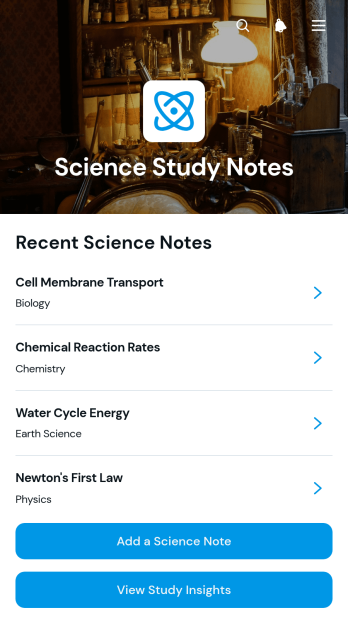
Science Study Notes App
Science Study Notes App is a digital study resource for students who want to capture, organize, and review notes from science classes, labs, textbooks, and independent research. Learners can add science notes through a connected form, browse saved entries, revisit review prompts, open supporting source links, and check study insights from one convenient location. It can support exam preparation, homework review, research projects, laboratory reflections, and ongoing study routines across subjects such as biology, chemistry, physics, and earth science. Students, tutors, teachers, study groups, and educational programs can use this app template to keep learning materials accessible while encouraging active recall and more consistent revision.Jotform makes this Science Study Notes App easy to adapt with a no-code app builder and an intuitive drag-and-drop interface. Customize pages, colors, typography, buttons, and navigation to match a course or learning style, then connect forms and tables to support data collection and an organized study workflow. Jotform App Templates also make it simple to create a mobile-friendly self-service resource without programming. Once the app is ready, share it through a direct link or QR code so learners can add and review notes from phones, tablets, or computers.
Go to Category:Education AppsAbout Student Planner Apps
Student Planner Apps are innovative mobile and web apps designed to optimize how students organize their academic schedules, assignments, and extracurricular activities. These apps serve a variety of operational use cases, such as tracking deadlines, managing class schedules, and coordinating group projects. In educational institutions, they streamline learning workflows by providing an accessible platform for students to manage their academic responsibilities, facilitating smoother communication between students and educators. Businesses in the education sector also leverage these apps to enhance student engagement and improve administrative efficiency.
Jotform Apps, a no-code app builder, offers a seamless way to create customized Student Planner Apps tailored to specific needs. Utilizing Progressive Web App (PWA) technology, these apps can be installed directly via a browser, eliminating the need for app stores and ensuring compatibility across iOS, Android, tablet, and desktop devices. Centralized data management through Jotform Tables enables educational institutions to maintain organized, accessible records, thereby enhancing workflow efficiency and decision-making processes. By embracing this technology, users can effortlessly streamline their academic planning and administrative tasks.
Why Use Student Planner Apps?
- Student Planner Apps provide a centralized platform for organizing academic schedules, assignments, and deadlines. This ensures that students are consistently aware of their academic responsibilities, which can lead to improved time management and academic performance.
- These apps facilitate effective communication between students and educators by integrating features such as push notifications for deadline reminders and updates. This capability can significantly reduce the chances of missed assignments or last-minute changes.
- By using these apps, students can access their planners anytime and anywhere, thanks to offline mode capabilities. This accessibility ensures that students can stay on top of their schedules even in areas with limited internet connectivity.
- The apps support seamless collaboration on group projects through shared schedules and task lists, enabling students to coordinate tasks more efficiently and meet project deadlines.
- With integrated payment options, Student Planner Apps can allow educational institutions to collect fees for courses or materials directly through the app, simplifying financial transactions for both students and administrators.
Common Problems Solved by Student Planner Apps
- Many students struggle with managing their time effectively, leading to missed deadlines and increased stress. Student Planner Apps address this issue by providing a structured approach to scheduling, helping students prioritize tasks and manage their workload efficiently.
- Communication gaps between students and educators often result in misunderstandings regarding assignment requirements and deadlines. These apps bridge this gap by offering real-time updates and notifications, ensuring all parties are informed and aligned.
- Inconsistent access to educational resources can hinder a student’s ability to study and complete tasks. With offline access, Student Planner Apps ensure that students have the necessary information and schedules at their fingertips, regardless of their internet connectivity.
- Coordinating group projects can be challenging, with students often facing difficulties in synchronizing schedules and task assignments. These apps facilitate collaboration by offering shared calendars and task management features, promoting better teamwork and efficiency.
- Administrative tasks such as fee collection can be cumbersome and time-consuming for educational institutions. By integrating payment processing capabilities, these apps streamline these processes, providing a hassle-free experience for both students and administrators.
Matching Use Cases to Features
- For students needing to manage their class schedules and assignments, the Drag-and-Drop Interface allows for easy customization of their planner, enabling them to quickly add, remove, or rearrange tasks and deadlines. This feature enhances user experience by making the planner adaptable to changing academic requirements.
- Institutions seeking to communicate important updates or reminders can utilize Push Notifications to deliver real-time alerts to students. This ensures that critical information is promptly received, minimizing the risk of missed communications.
- Education providers offering online courses can benefit from Payment Integrations, such as Stripe and PayPal, allowing them to collect course fees directly through the app. This integration simplifies the payment process, enhancing the financial management of educational offerings.
- For those operating in environments with variable internet access, Offline Mode ensures that students can access their schedules and assignments without interruption. This feature is particularly beneficial in areas with limited connectivity, ensuring continuous access to necessary information.
- Educational institutions can leverage the Publish Options feature to control access to their Student Planner Apps, choosing between public, private, or company-only distribution. This flexibility in sharing ensures that planners are accessible only to intended users, maintaining privacy and security.
- Sharing Methods such as Direct Link, Email, QR Code, or Social Media can be utilized to distribute the app efficiently to a wide audience. This ensures that students and educators can access the planner through their preferred communication channels.
- For administrative staff needing a comprehensive view of student activities, Centralized Data in Jotform Tables offers a streamlined way to manage and analyze student information, enhancing decision-making and operational efficiency.
How to Create a Student Planner App
- Choose a category-relevant template from the Template List or start from scratch.
- Customize using the Drag-and-Drop Interface to tailor the app to specific academic needs.
- Share via Link, QR Code, or Embed to ensure easy access for students and educators.
Top Use Cases for Student Planner Apps
- For Managers: Student Planner Apps provide managers in educational institutions with an efficient way to oversee student progress and curriculum implementation. By utilizing centralized data management, managers can track attendance, assess workload distribution, and ensure that educational objectives are met. This level of oversight enhances the ability to identify areas for improvement and optimize resource allocation across the institution.
- For Teams: Academic teams, including teachers and administrative staff, can use Student Planner Apps to streamline communication and collaboration. These apps allow team members to synchronize schedules, coordinate meetings, and share important updates through push notifications. The result is a more cohesive team dynamic, where everyone is informed and tasks are aligned, ultimately improving the overall educational environment.
- For Customers: For students, the primary users of Student Planner Apps, these apps offer an intuitive platform to manage their academic responsibilities. By organizing their schedules, setting reminders, and tracking progress, students can effectively manage their time and reduce academic stress. The app’s accessibility across various devices ensures that students can stay on top of their tasks, leading to improved academic outcomes and personal development.
Summarizing Student Planner Apps
Student Planner Apps, created with Jotform’s no-code app builder, offer significant operational value by streamlining academic scheduling and communication processes. These apps provide a versatile platform that adapts to the diverse needs of students, educators, and administrators, enhancing collaboration and efficiency within educational settings. By leveraging advanced features such as offline mode and payment integrations, these apps not only improve individual student experiences but also contribute to the broader organizational goals of educational institutions.
Frequently Asked Questions
1) Is it free to create and use Student Planner apps on Jotform?
Creating and using Student Planner apps on Jotform is free under the Starter plan, which offers essential features to get started. This plan allows users to explore and build apps without any upfront costs, making it accessible for individual students or small educational teams. As needs grow, users can opt for paid plans that offer additional features and increased usage limits.
2) Are the data and payments collected through the app secure?
Yes, the data and payments collected through the app are secure. Jotform complies with industry-standard security protocols, including GDPR, to ensure that user information is protected. Payment integrations such as Stripe and PayPal are used to handle transactions, offering secure and reliable processing.
3) Do I need any coding skills to create a Student Planner app with Jotform?
No coding skills are required to create a Student Planner app with Jotform. The platform is designed with a user-friendly interface that allows users to drag and drop elements to customize their app. This no-code approach enables even those with no technical background to build functional and professional apps.
4) Can I collect payments for services directly through the app?
Yes, you can collect payments for services directly through the app using integrated payment options such as Stripe and PayPal. These integrations facilitate seamless and secure transactions, allowing educational institutions to efficiently manage financial operations related to courses or materials.
5) Does Jotform support offline data collection for Student Planner apps?
Jotform does support offline data collection for Student Planner apps. This feature is particularly beneficial for users who need access to their planners in areas with limited internet connectivity, ensuring that they can continue to view and manage their schedules without interruption.
6) Are Jotform Apps compatible with both iOS and Android devices?
Yes, Jotform Apps are compatible with both iOS and Android devices. By utilizing Progressive Web App technology, these apps can be accessed and installed via any browser, ensuring a consistent experience across different platforms and devices, including tablets and desktops.
7) Can Student Planner Apps be used to track extracurricular activities?
Yes, Student Planner Apps can be used to track extracurricular activities alongside academic schedules. Users can customize their planners to include sports, clubs, and other activities, ensuring a comprehensive view of their commitments and helping them balance academic and extracurricular responsibilities effectively.
8) How can Student Planner Apps enhance communication between students and educators?
Student Planner Apps enhance communication between students and educators by providing real-time notifications and updates on assignments and deadlines. This ensures that all parties have access to the latest information, reducing misunderstandings and promoting a more collaborative educational environment.