

Tutor Apps

Tutoring App
Tutoring App is an app template designed to streamline the process of finding and connecting with suitable tutors. This app aids in the submission of tutoring requests, providing a platform for students, parents, and educational institutions to specify their learning goals and subject needs. This app is ideal for anyone in need of personalized academic support and learning assistance, providing a central hub for one-on-one or group instruction. The template collects information such as subject areas, desired tutoring schedules, and specific learning objectives, bringing clarity and consistency to the tutor-student matching process. It is a perfect fit for those desiring an efficient and systematic approach to locating the right tutoring support.Jotform's Tutoring App brings additional benefits to the tutoring process by offering cross-platform compatibility enabling usage across smartphones, tablets, and desktops. With its no-code app builder, customization of the app is straightforward, allowing users to tailor the app to their specific needs without writing any code. Adding forms or customizing layouts is made possible with its drag-and-drop interface. The app also provides options for sharing directly via email, social media, or QR codes, thereby making it convenient for users to distribute their tutoring requests widely. Jotform's Tutoring App, with its focus on creating a seamless experience for its users, is the go-to solution for efficient and effective tutoring coordination.
Go to Category:Course & Training Registration Apps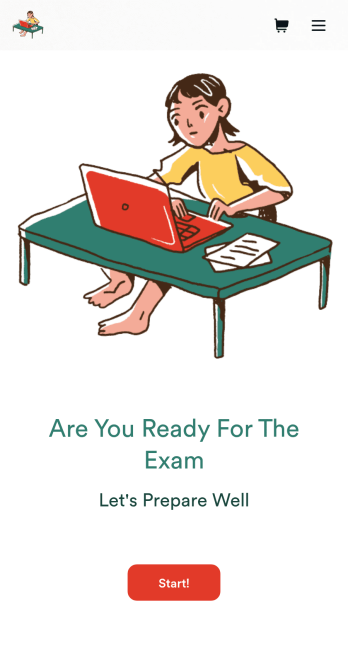
Custom Exam Preparation App
Whether you’re a teacher or a tutor, help students prepare for their exams with Jotform’s free Exam Preparation App. This fully customizable mobile app includes an exam registration form, sample exam questions, and contact buttons for students to easily access from any computer or mobile device. All submissions will be instantly synced to your Jotform account — ready to view, download, share, and approve.You won’t need to take a coding class to customize this Exam Preparation App. Simply drag and drop to add forms, images, documents, links, buttons, pages, and other app elements. Then share your app with students by posting the app link on your website or sending email invites to newly registered students. With a fully custom Exam Preparation App your students can easily access from any device, you can ensure they’ll be ready for their next exam!
Go to Category:Course & Training Registration Apps
Lesson Planner App
Create and manage your classroom lesson plan with this free Lesson Planner app from Jotform. Download this app onto any device and start adding courses, start and end dates, lesson titles and objectives, tasks, resources, and more. There are also separate forms for entering student information and creating daily assignment checklists. Submissions are aggregated and stored in a color-coded and easy-to-understand spreadsheet using Jotform Tables.Want to make changes to this Lesson Planner App? No problem! With Jotform’s no-code app builder, you can build a custom app that meets your classroom’s needs in seconds. Simply drag and drop to add or change form elements, edit text fields and checklist items, install integrations and widgets, change fonts and colors, and more. When you’re done, you can access and download your app onto any smartphone, tablet, or desktop and start using it right away. Manage all your lesson plans and assignments from a single location with this mobile-friendly Lesson Planner App.
Go to Category:Daily Planner Apps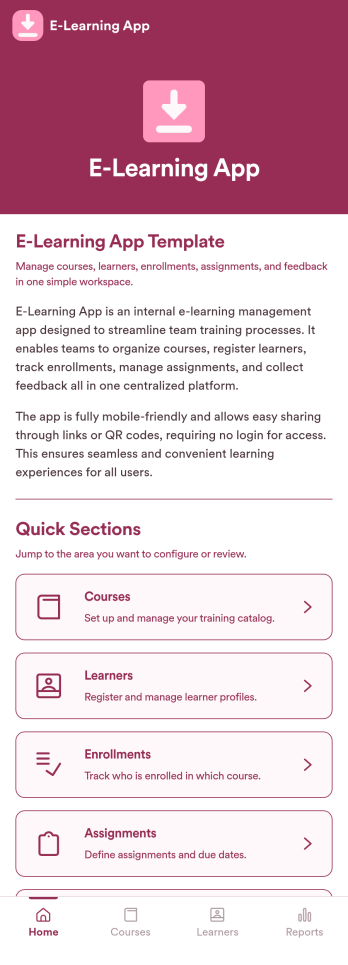
E-Learning App
E-Learning App is an app template designed to foster the creation and management of online learning experiences, specifically tailored for educators, training providers, schools, and organizations. It provides a structured platform for the seamless delivery of educational content and training programs, creating a centralized hub for learning materials, assignments, quizzes, and discussions. The integrated data collection feature ensures the capture of vital learner data, such as enrollment details, progress tracking, and feedback, making it a comprehensive solution for educational and training workflows. It is commonly used for distance learning, corporate training, and continual professional development programs, and is best suited for those needing a ready-to-use, robust platform for delivering a streamlined e-learning experience.Jotform’s intuitive, no-code app builder makes customizing your E-Learning App a breeze. Personalize the app to align with your organizational branding: swap out forms, choose fonts and colors, and upload your logo without a single line of code. Its cross-platform compatibility allows your learners to access the app on any smartphone, tablet, or desktop, ensuring a consistent learning experience across different devices. With the added convenience of electronic signature collection, authentication of important documents such as consent forms and agreements becomes effortless. Take advantage of Jotform's seamless integration with Sheets for easy management and visualization of collected data, and generate comprehensive reports to track learner progress and course effectiveness. With Jotform, managing your online learning program becomes an easy, efficient, and rewarding process.
Go to Category:Activity Tracking Apps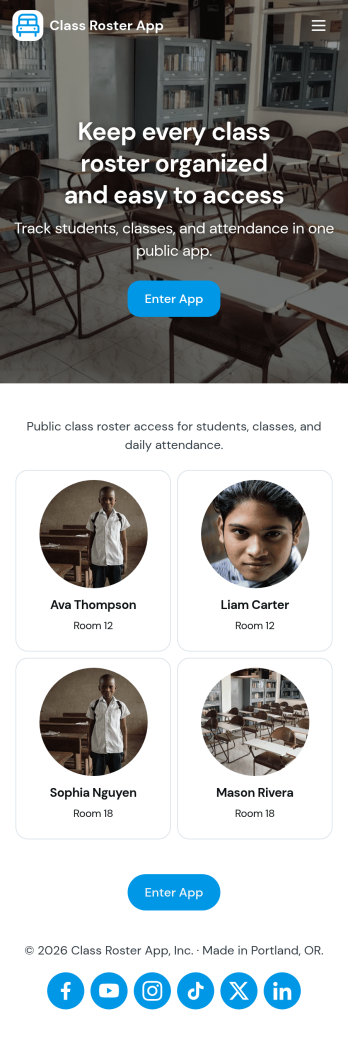
Class Roster App
Class Roster App helps teachers and academic staff keep a clear, up-to-date view of who is in each class and what is happening day to day. Use it to browse a student list, open individual student details, add new students as enrollment changes, and record attendance without jumping between scattered spreadsheets or paper notes. It’s a practical fit for K–12 classrooms, tutoring centers, after-school programs, and small training groups where rosters shift and quick access matters.With Jotform, you can turn this class roster app template into a mobile-friendly hub that supports self-service data collection and simple workflows. Customize pages with a drag-and-drop interface, connect buttons to forms for adding students or attendance, and keep records organized in one place. Share the app by link or QR code, collaborate with other instructors, and update the layout and branding anytime using Jotform’s no-code app builder.
Go to Category:Classroom Management Apps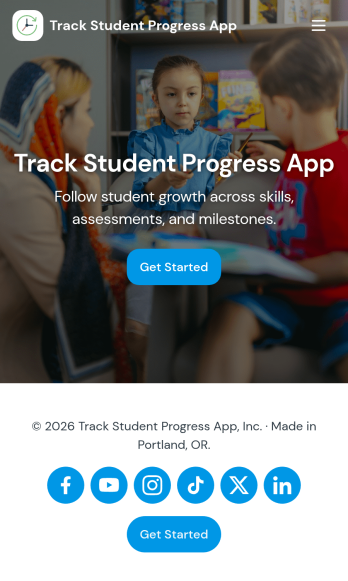
Track Student Progress App
Track Student Progress App helps educators and academic teams monitor learner growth in one place, using a roster view for quick navigation and progress logs to capture updates over time. It works well for classroom teachers, tutors, special education staff, and program coordinators who need a reliable way to review student profiles, record subject-level notes, and quickly see who is on track versus who needs support.With Jotform, you can turn this workflow into a shareable self-service app experience without coding. Use a no-code app builder with a drag-and-drop interface to connect forms for data collection, keep records organized, and support a consistent workflow for adding students and logging progress. Publish the app as a simple link for staff access, then refine the layout, branding, and pages as your tracking process evolves.
Go to Category:Classroom Management Apps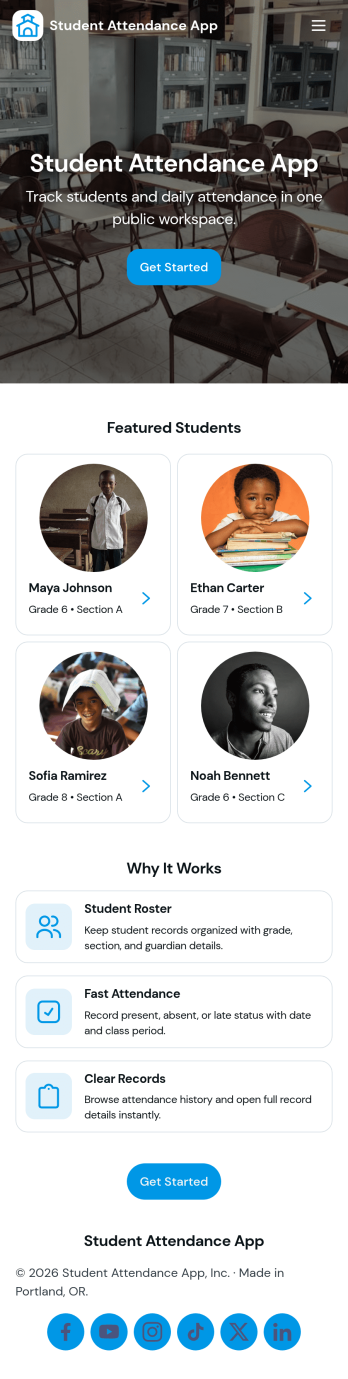
Student Attendance App
Student Attendance App helps schools and instructors track who is present each day without relying on paper rosters or scattered spreadsheets. Use it to register students, take attendance during class, and pull up records when you need a quick answer for participation checks, follow-ups, or internal reporting. It’s a practical fit for K–12 classrooms, tutoring centers, after-school programs, and small academies that want a consistent routine for student check-ins and easy access to guardian contact details.With Jotform, you can turn attendance tracking into a simple self-service workflow using App Templates and a no-code app builder. Customize pages with a drag-and-drop interface, connect the app to forms and tables for data collection, and keep your workflow organized from registration through record viewing. Share the app with staff through a link or QR code so attendance can be recorded from any device, whether you’re in a classroom, hallway, or on a field trip.
Go to Category:Classroom Management Apps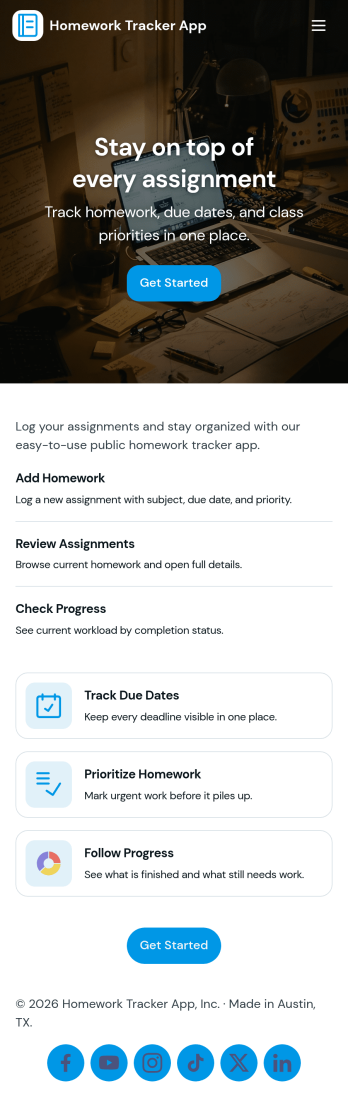
Homework Tracker App
Homework Tracker App helps students keep schoolwork organized by bringing assignments, work submission, and progress tracking into one place. Use it to view upcoming tasks, add new assignments quickly, mark items as high priority, and keep personal submission notes so nothing gets missed. It’s a practical fit for middle school, high school, college, tutoring programs, and homeschool routines where learners need a clear view of what’s due and what’s already been turned in.Built with Jotform, this app template combines self-service navigation with simple data collection through connected forms, so updates don’t depend on scattered messages or separate spreadsheets. Customize pages and buttons to match your subjects or class schedule, then share the app link with students or families for easy access on any device. With Jotform’s no-code app builder and drag-and-drop interface, you can adjust the layout, refine your workflow, and keep assignment records and submissions organized over time.
Go to Category:Education Apps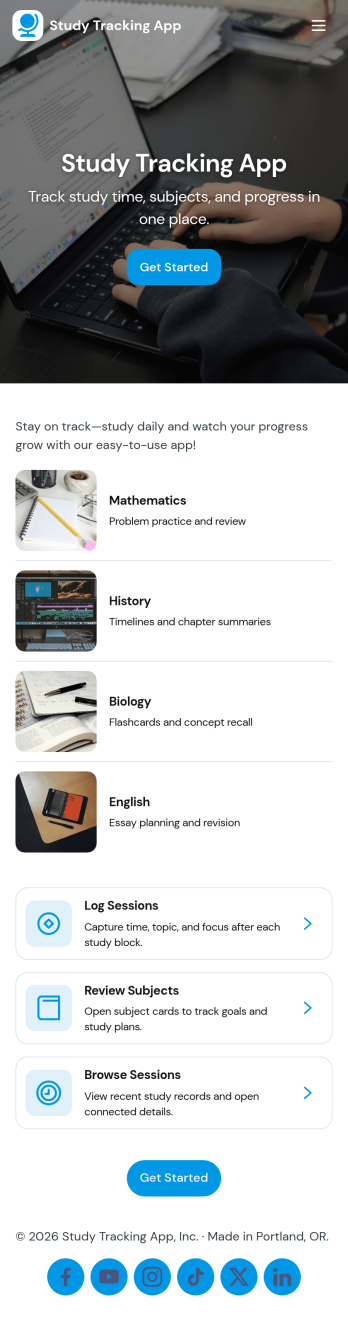
Study Tracking App
Study Tracking App helps students and lifelong learners stay on top of weekly goals, study plans, and session habits in one place. Use it to map out what you want to study this week, record each study session as it happens, and keep a simple view of progress and reviews so nothing slips through the cracks. It’s a great fit for high school and college students, exam prep groups, tutors supporting multiple learners, and anyone building a consistent routine across subjects.With Jotform, you can turn this study workflow into a shareable, mobile-friendly experience without coding. Start with this app template, then adjust pages, buttons, and navigation using a drag-and-drop interface, connect forms for data collection like adding a study plan and logging sessions, and keep everything organized as your workflow evolves. Whether you’re studying solo or coordinating with a tutor or small team, Jotform makes self-service tracking easy to launch and simple to maintain.
Go to Category:Education Apps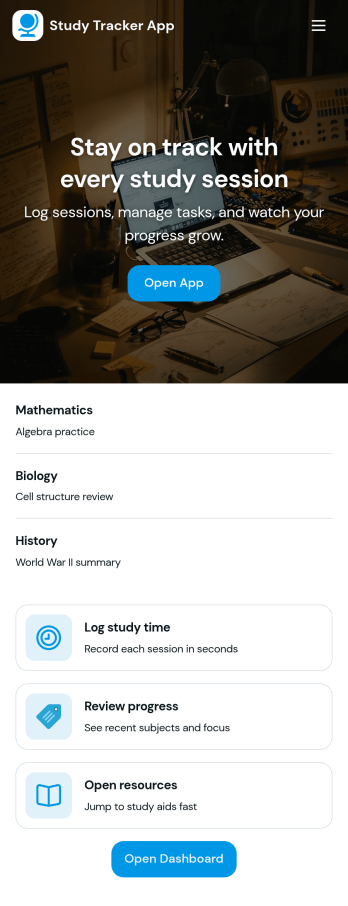
Study Tracker App
Study Tracker App helps students and lifelong learners build consistent study habits by logging study time, organizing sessions by subject, and keeping a clear view of progress over time. Use it to record each session with quick add buttons, revisit your top focus areas, and review what you covered across different topics. It’s a practical fit for high school and college students, exam takers, tutors, and study groups who want a simple way to track effort, spot patterns, and stay accountable without juggling multiple tools.Jotform makes it easy to turn this Study Tracker App into a personalized self-service experience using its no-code app builder and drag-and-drop interface. Connect your session logging form to your data collection workflow, present entries in clean lists and cards, and share the app with a link so it’s always available on any device. You can also tailor pages for progress review and study resources, helping you keep tracking and reference materials in one place with Jotform App Templates.
Go to Category:Education Apps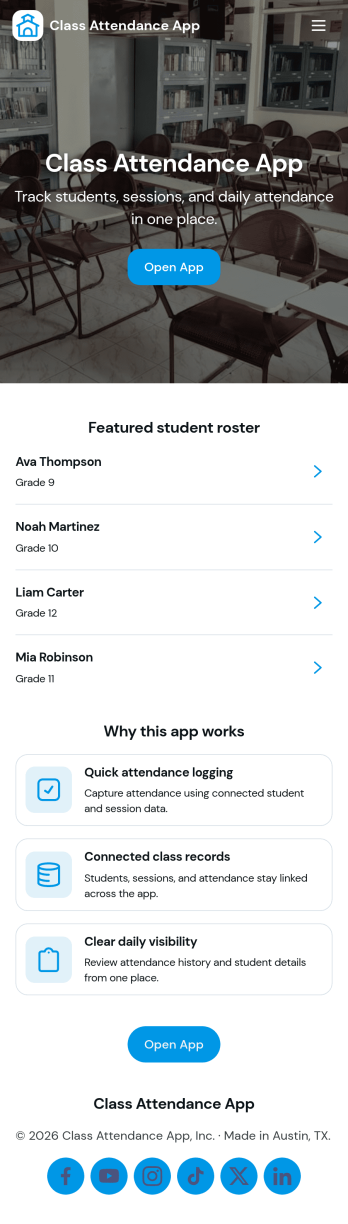
Class Attendance App
Class Attendance App helps teachers and training coordinators record attendance, manage a student roster, and review attendance history in one place. Use it in K–12 classrooms, tutoring centers, after-school programs, coaching sessions, and recurring workshops where you need a reliable roll-call flow and quick access to student lists. With dedicated areas to take attendance, add students, and open records, it supports day-to-day routines while keeping participation details organized for follow-ups, reporting, and student support.Built with Jotform, this app template turns routine tracking into a clear self-service experience that works on any device. Customize pages with a no-code app builder and a drag-and-drop interface, then connect your roster and attendance data collection to forms and tables for a smooth workflow. Share the app with staff using a link or QR code, keep records consistent across classes, and update the layout as your program grows.
Go to Category:Activity Tracking Apps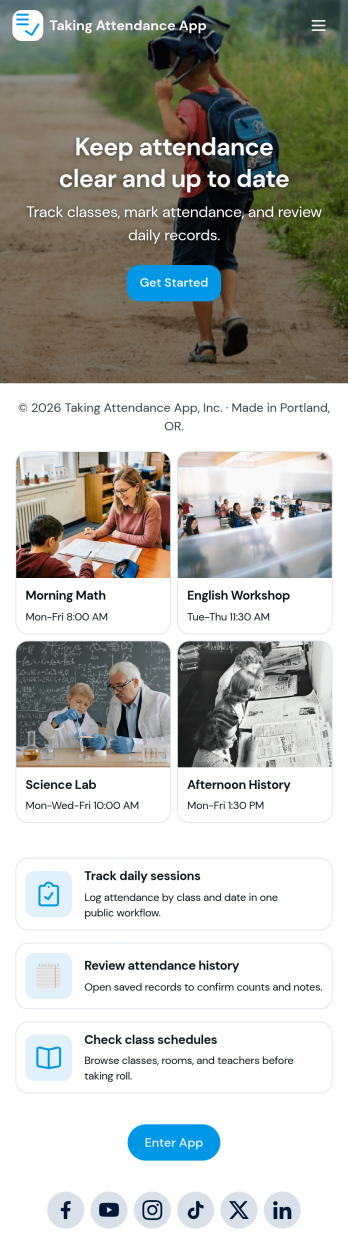
Taking Attendance App
Taking Attendance App helps teachers and staff capture daily attendance without juggling paper sheets or scattered messages. Use it to open a roster, add students as they enroll, and quickly record who’s present, absent, or late during homeroom, club meetings, tutoring sessions, or training days. A daily attendance snapshot makes it easy to spot patterns at a glance, while student profiles keep key context like class and guardian details close by when you need it.Built with Jotform, this app template combines self-service navigation with connected forms and records so attendance stays organized over time. Customize pages, buttons, and lists with a drag-and-drop interface, then share the app with your team for consistent data collection. As your workflow grows, you can route updates through approvals, centralize records in tables, and keep everyone aligned with a single link they can access on any device.
Go to Category:Education Apps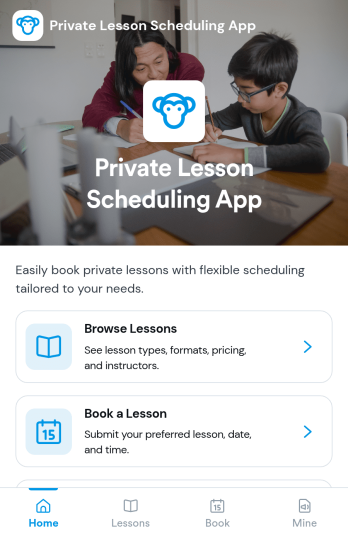
Private Lesson Scheduling App
Private Lesson Scheduling App helps instructors and tutoring businesses organize one-on-one sessions in a clear, client-friendly flow. Learners can browse lesson options, open a lesson page for details, and book a time without lengthy emails or phone calls. It’s a practical fit for music teachers, academic tutors, language coaches, art instructors, and personal skill trainers who want a single place to present offerings and capture bookings.Built with Jotform App Templates, this app template can be tailored with a no-code app builder and a drag-and-drop interface so you can match your brand and scheduling style. Connect the booking button to a form for fast data collection, keep records centralized, and share the app with a link or QR code for easy self-service on any device. As your workflow grows, you can update lesson listings and booking steps without rebuilding from scratch.
Go to Category:Appointment & Booking Apps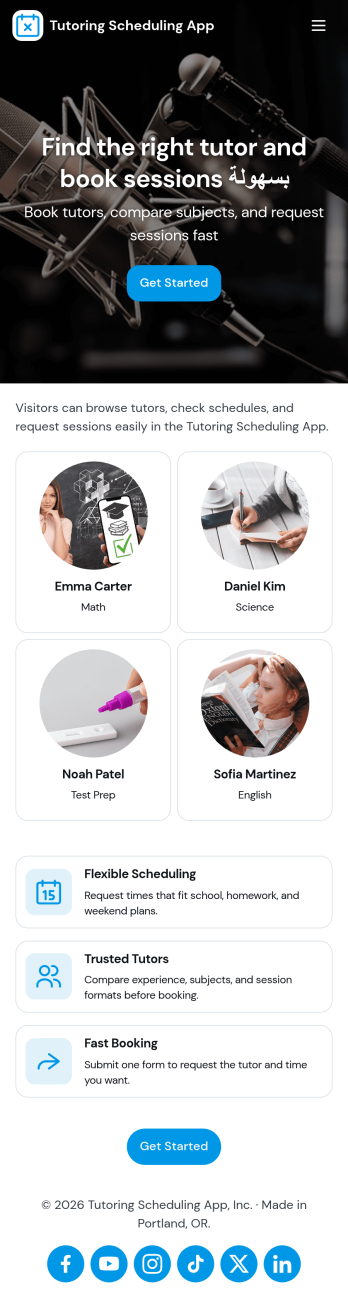
Tutoring Scheduling App
Tutoring Scheduling App helps tutoring businesses and independent educators organize session requests and connect students with the right tutor in one place. Learners can browse a tutor list, open tutor details, and send a session request, while returning users can check My Requests to stay on top of upcoming and past needs. It’s a practical fit for after-school programs, test prep providers, online tutoring teams, and school support centers that want a clearer way to manage demand, reduce missed messages, and keep scheduling details easy to find.Jotform makes it simple to turn this use case into a polished self-service experience with app templates and a no-code app builder. Customize pages with a drag-and-drop interface, connect the app to your forms for data collection, and keep requests organized for follow-up. Share your Tutoring Scheduling App through a link or QR code, update content anytime, and create a consistent workflow that works well on mobile for students and tutors alike.
Go to Category:Appointment & Booking Apps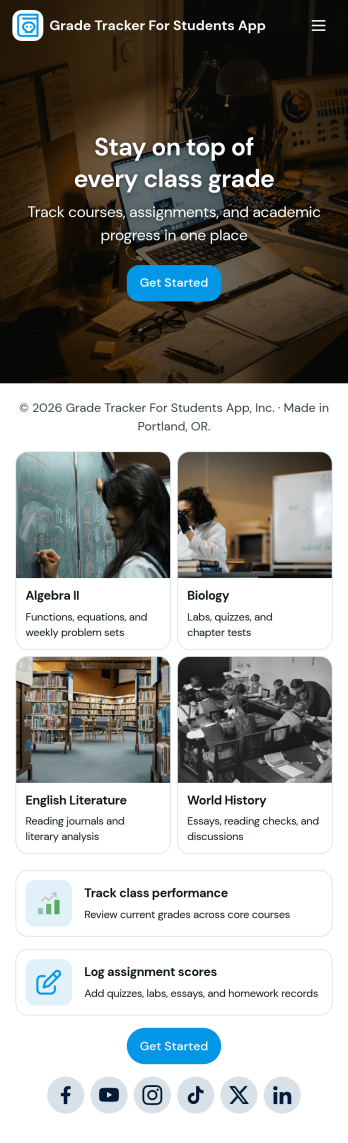
Grade Tracker for Students App
Grade Tracker for Students App helps students and educators keep academic records organized in one place. Use it to add students, log grade entries by subject, and review grade records over time, making it easier to stay on top of progress across classes. It’s a practical fit for middle school, high school, and college students, as well as tutors, homeroom teachers, and academic support teams who want a simple way to track performance without juggling scattered notes or spreadsheets.Built with Jotform, this app template pairs a clear, page-based layout with forms and connected tables so you can collect data consistently and view it whenever you need it. Customize pages with a drag-and-drop interface, update fields to match your grading system, and share the app as a self-service experience for personal tracking or classroom use. With Jotform’s no-code app builder, you can expand the workflow as needs grow while keeping grade data easy to enter and easy to review.
Go to Category:Education Apps
Puzzle Learning App
Puzzle Learning App gives educators, tutors, training teams, and independent learners an interactive space for practicing reasoning and problem-solving skills. Learners can browse available puzzles, open helpful clues, submit attempts, and review their responses, reflections, confidence levels, and progress. It works well for classroom enrichment, tutoring sessions, remote learning, skills workshops, and self-paced study. By bringing puzzle content and learner activity into one accessible experience, the app reduces scattered materials, encourages thoughtful reflection, and helps instructors understand how participants approach each challenge.Jotform makes this app template easy to adapt with a no-code app builder and a flexible drag-and-drop interface. Add or rearrange pages, update puzzle resources, connect forms for data collection, and organize learning workflows without writing code. Jotform App Templates can also support notifications and connected records, helping instructors monitor new attempts and manage learning activity. Once customized, the Puzzle Learning App can be published for mobile-friendly access and shared through a direct link, QR code, or embedded experience, giving learners a convenient self-service resource wherever they study.
Go to Category:Quiz Apps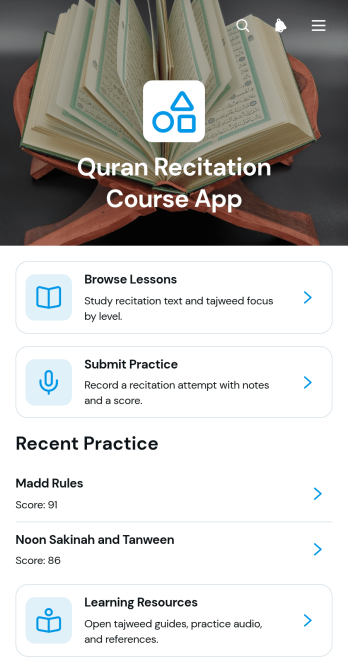
Quran Recitation Course App
Quran Recitation Course App provides a focused learning space for students to browse recitation lessons, open audio practice materials, submit practice work, and review progress. It is suited to tutors, educators, learning centers, community groups, and independent instructors offering guided Quran recitation courses. Lesson pages can present recitation text, study time, learner level, and Tajweed focus without scattering materials across separate channels. Students gain a clear path from study to practice, while instructors can organize reflections, scores, and supporting resources for easier course delivery and learner follow-up.Jotform helps educators turn this app template into a personalized course experience using a no-code app builder and an intuitive drag-and-drop interface. Pages, cards, buttons, forms, and resource links can be adjusted to reflect different teaching methods, lesson plans, and visual styles. Connected forms support data collection for practice submissions, while tables and workflows can help instructors organize responses and act on learner updates. Start from Jotform App Templates, customize the layout, and publish a mobile-friendly self-service learning app that students can reach through a direct link or QR code.
Go to Category:Education Apps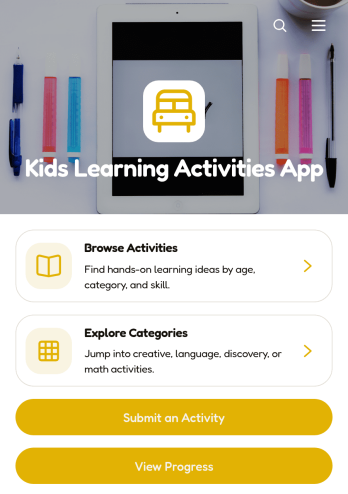
Kids Learning Activities App
Kids Learning Activities App is an interactive learning resource for parents, teachers, tutors, childcare providers, and education teams that want to organize engaging activities for children in one accessible place. Users can browse activities and explore categories, then open individual entries to review required materials, learning goals, and clear instructions. The app also supports activity submissions and progress viewing, making it useful for home learning, classrooms, tutoring programs, after-school groups, and community education initiatives. It helps adults find age-appropriate ideas more easily while maintaining a growing collection of educational experiences.With Jotform Apps, this app template can be adapted to match different subjects, age groups, teaching styles, or program needs without coding. The drag-and-drop app builder makes it easy to update pages, navigation, cards, buttons, and visual branding. Connected forms support data collection for new activity ideas, while tables and workflows can help teams organize contributions and review updates. Share the finished app through a direct link or QR code so families, educators, and staff can access learning resources from phones, tablets, or computers. Jotform App Templates provide a practical starting point for creating a polished self-service learning experience.
Go to Category:Education Apps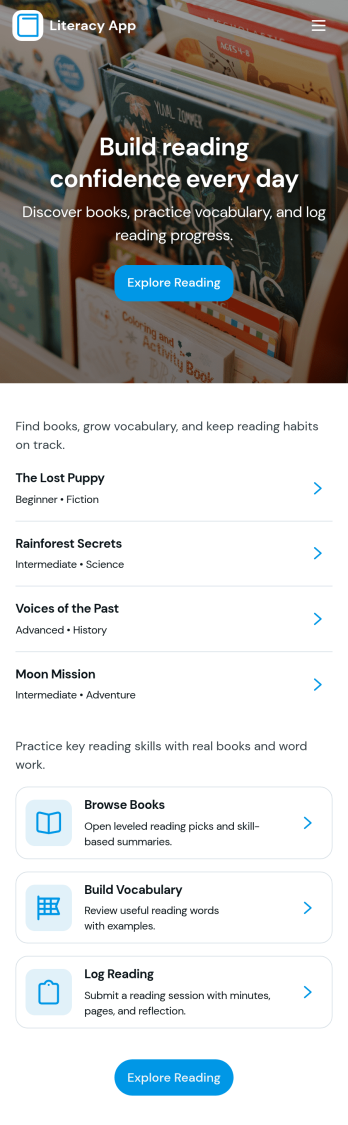
Literacy App
Literacy App brings reading practice and reflection into one simple experience for classrooms, tutoring programs, libraries, and at-home learning. Learners can browse reading passages, study targeted vocabulary words, and keep momentum with quick navigation between activities. It also supports ongoing practice by letting readers log what they’ve read and write short reflections, making it easier for educators and program leaders to encourage consistent habits and see progress over time.Jotform helps you turn these literacy routines into a shareable, mobile-friendly experience using App Templates and a no-code app builder. Customize pages with a drag-and-drop interface, connect forms and tables for data collection, and keep your workflow organized from reading logs to reflection entries. Share your Literacy App with a link so students, families, or participants can access the right resources and submit updates from anywhere.
Go to Category:Classroom Management Apps
English Study Notes App
The English Study Notes App is a learning resource for students, tutors, teachers, language schools, and independent learners who want to organize and review English study material in one accessible place. Users can browse notes by topic and level, read explanations and example sentences, begin practice activities, and contribute useful notes for future study. It supports classroom revision, tutoring sessions, exam preparation, vocabulary development, and self-paced learning while reducing the time spent searching through scattered documents or messages.With Jotform Apps, educators and learners can customize this app template through a no-code app builder and an intuitive drag-and-drop interface. Pages, navigation, forms, and learning resources can be adapted to suit a course, class, or study plan without programming. Connected forms support data collection, while organized content creates a convenient self-service experience for learners. The finished app can be shared by direct link or QR code and accessed on mobile devices, giving users a practical way to maintain an engaging learning workflow wherever they study.
Go to Category:Education Apps
Language Sentence Learning App
The Language Sentence Learning App is a ready-to-use learning experience for building vocabulary, recall, pronunciation, and practical communication through complete sentences. Learners can browse a sentence library, open translations and pronunciation guidance, practice selected material, and review progress over time. It suits independent language learners, tutors, classroom educators, training providers, and schools that want to organize repeatable sentence practice in one accessible place. By connecting study content with recall scoring and practice records, the app helps users establish consistent habits while giving instructors a clearer view of learning activity.With Jotform Apps, educators and training teams can adapt this app template through a no-code app builder and an intuitive drag-and-drop interface. Pages, navigation, visual styling, and learning resources can be updated to suit a language, course level, or teaching method. Connected forms support data collection, while tables and workflows can organize practice information and trigger useful follow-up actions. Publish the finished app with a shareable link or QR code to provide mobile-friendly self-service access without requiring learners to download software or create the experience from scratch.
Go to Category:Education Apps
Sentence Building Practice App
Sentence Building Practice App gives teachers, tutors, language programs, and independent learners a focused space for developing sentence construction skills. Learners can browse writing prompts, review target patterns and example answers, and submit their own sentences for evaluation. Educators can revisit learner submissions, provide feedback, assign scores, and use practice insights to identify recurring strengths or areas that need more attention. The app template works well for classroom exercises, tutoring sessions, language learning activities, homework, and self-paced practice. By keeping prompts, responses, and reviews together, it makes progress easier to follow and helps learners practice with greater consistency.Jotform provides a no-code app builder that makes this experience easy to tailor without programming. Use the drag-and-drop interface to update pages, adjust branding, organize learning resources, and connect forms or tables to your workflow. This option within Jotform App Templates can support data collection, guided practice, and learner self-service from one mobile-friendly location. Once customized, the app can be shared through a direct link or QR code, giving students and instructors convenient access on phones, tablets, or computers.
Go to Category:Education Apps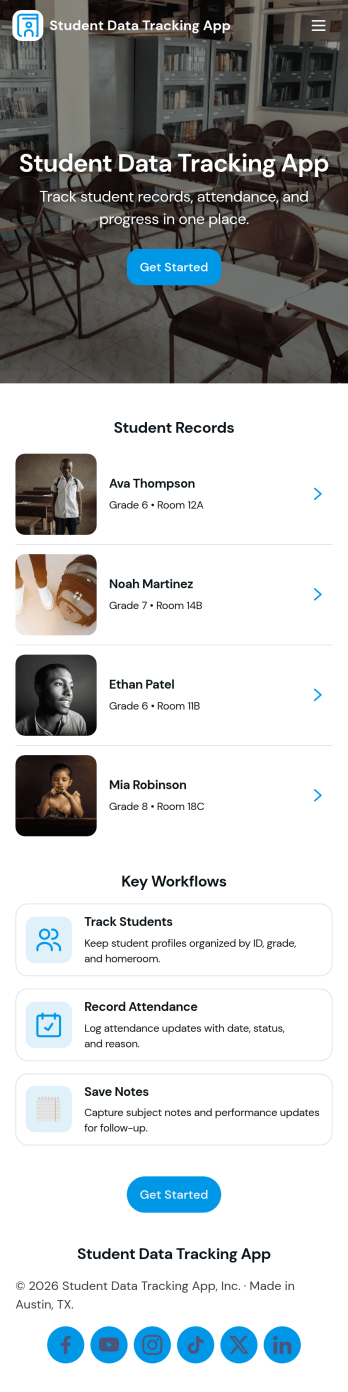
Student Data Tracking App
Student Data Tracking App brings student records, progress notes, and attendance history into one place so educators can keep a clear, consistent view of each learner. Use it to browse a student list, open individual profiles, and add ongoing updates through connected logs. It fits K–12 classrooms, tutoring centers, after-school programs, special education teams, and academic coordinators who need quick access to student information during check-ins, parent communication, and intervention planning.With Jotform, you can turn this app template into a branded, shareable hub without coding. Customize pages and navigation with a drag-and-drop interface, connect the app to forms and tables for reliable data collection, and keep your workflow moving with easy updates and organized records. Publish and share the app as a self-service experience for staff so everyone references the same up-to-date student data.
Go to Category:Classroom Management Apps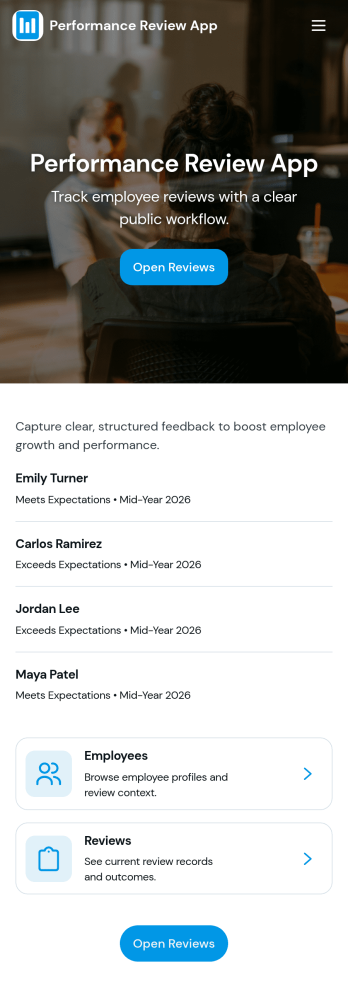
Performance Review App
Performance Review App brings employee evaluations into one consistent, repeatable flow so managers and HR teams can start a review, capture feedback, and keep review records organized over time. It’s a practical fit for growing companies that need a clear place to document goals, competencies, and outcomes for each employee, whether reviews happen quarterly, annually, or after a probation period. With an easy starting point for new evaluations and a dedicated area for past reviews, this app supports fair, timely conversations without scattered notes or missing history.Jotform makes it simple to turn this performance review app template into a tailored self-service experience using a no-code app builder with a drag-and-drop interface. Connect the app to your existing workflow for data collection, keep review records accessible in one place, and share the app with the right stakeholders so reviews stay consistent across teams. As your process evolves, you can update pages, refine prompts, and keep insights easy to reference without rebuilding from scratch.
Go to Category:HR Portal AppsAbout Tutor Apps
Tutor Apps are specialized apps designed to streamline and enhance the educational experience for tutor, students, and educational institutions. These apps facilitate various operational tasks such as scheduling, communication, and resource management, enabling tutor to focus more on teaching and less on administrative duties. In industries like education and corporate training, Tutor Apps are integral in managing workflows that involve student assessments, curriculum planning, and performance tracking, thereby enhancing the overall efficiency of educational processes.
Jotform Apps offers a no-code app builder that is perfectly suited for crafting Tutor Apps. Utilizing Progressive Web App (PWA) technology, these apps can be easily installed via a browser, eliminating the need for App Store downloads and ensuring seamless operation across iOS, Android, tablet, and desktop devices. With centralized data management through Jotform Tables, educators and institutions can effortlessly organize and access data, making workflows more streamlined and data-driven. This approach not only boosts productivity but also ensures that all educational activities are conducted with precision and ease.
Why Use Tutor Apps?
- Tutor Apps significantly enhance the efficiency of educational operations by automating routine tasks such as attendance tracking, assignment submissions, and scheduling. This automation allows tutor to dedicate more time to personalized instruction and student engagement, leading to improved educational outcomes. By centralizing these functions within a single app, educational institutions can ensure that all stakeholders have access to the same up-to-date information, fostering a more collaborative and transparent learning environment.
- By using Tutor Apps, educational institutions can streamline communication between tutor, students, and parents. These apps often include features that facilitate instant messaging, notifications, and feedback, ensuring that all parties are informed and engaged. This not only keeps the communication lines open but also helps in building a supportive educational community where everyone is connected and informed.
- Tutor Apps provide an excellent platform for integrating payment processes directly into the educational workflow. Through secure payment integrations like Stripe and PayPal, tutor and institutions can manage tuition fees, course payments, and other financial transactions with ease and security. This integration streamlines financial operations and reduces the chances of errors, making the financial aspect of education less cumbersome and more reliable.
- With the ability to customize and scale, Tutor Apps are adaptable to the needs of different educational settings, from small tutoring businesses to large educational institutions. The drag-and-drop interface of Jotform Apps allows for easy customization, ensuring that each app meets the specific needs of its users. This flexibility means that as educational needs evolve, the app can be adjusted accordingly without the need for extensive redevelopment or additional resources.
- Tutor Apps play a crucial role in data management by providing centralized access to educational resources, student records, and performance analytics. This centralized system enables educators to make informed decisions based on real-time data and insights, thereby enhancing the quality of education provided. It also simplifies the reporting process, allowing educators to generate detailed reports quickly and accurately.
Common Problems Solved by Tutor Apps
- One common challenge in education is managing the diverse needs of students while maintaining consistent educational standards. Tutor Apps address this issue by providing a unified platform where tutor can tailor their teaching methods to individual student needs without compromising on curriculum requirements. This ensures that all students receive the attention they need while adhering to educational objectives.
- Educational institutions often struggle with outdated communication methods that can lead to miscommunication and delays. Tutor Apps offer a solution by integrating real-time communication features that keep tutor, students, and parents connected. This immediate access to information reduces misunderstandings and ensures that everyone is on the same page, enhancing the overall educational experience.
- Handling administrative tasks can be overwhelming for tutor, detracting from their primary focus on teaching. Tutor Apps streamline these tasks by automating processes such as scheduling, grading, and feedback collection. This automation not only saves time but also reduces the likelihood of errors, allowing tutor to concentrate on delivering quality education.
- Ensuring secure and efficient payment collection is a persistent issue for many educational institutions. Tutor Apps resolve this by incorporating secure payment gateways, allowing for seamless financial transactions directly through the app. This integration simplifies the payment process and enhances security, providing peace of mind for both educators and parents.
Matching Use Cases to Features
- A common use case for Tutor Apps is managing class schedules, which can be effectively handled through the drag-and-drop interface of Jotform Apps. This feature allows tutor to easily arrange and modify class timetables, ensuring flexibility and precision in scheduling, which is crucial for accommodating the dynamic nature of educational environments.
- For tutor who need to communicate updates or reminders, the push notifications feature proves invaluable. This capability enables instant dissemination of information to students and parents, ensuring that everyone is promptly informed about important announcements or changes, thereby fostering a more responsive educational environment.
- Tutor Apps can also facilitate the sale of educational materials or courses through the store builder feature. This feature allows tutor to create a virtual store within the app, where they can offer additional learning resources or premium courses, thus providing an additional revenue stream and enhancing the value offered to students.
- Payment integrations like Stripe and PayPal are essential for tutor who need to collect fees for their services. These integrations ensure that all financial transactions are processed securely and efficiently within the app, reducing administrative burdens and enhancing the overall user experience for both tutor and clients.
- Sharing educational content is made effortless through the app's various publish options, such as public, private, or company-only settings. This flexibility allows tutor to control who has access to their content, ensuring that sensitive educational materials are shared securely and appropriately.
How to Create a Tutor App
- Choose a category-relevant template from the Template List or start from scratch.
- Customize using the Drag-and-Drop Interface.
- Share via Link, QR Code, or Embed.
Top Use Cases for Tutor Apps
- For Managers: Tutor Apps offer managers a centralized platform to oversee and optimize the educational operations of their institution. With features like centralized data management, managers can access real-time insights into student performance, attendance, and other critical metrics. This data-driven approach allows managers to make informed decisions that enhance educational quality and operational efficiency. Furthermore, the app's customization capabilities enable managers to tailor the platform to meet the specific needs of their institution, ensuring that it aligns with their educational goals and standards.
- For Teams: Tutor Apps facilitate collaboration among teaching teams by providing a shared platform for communication, resource sharing, and workflow management. With integrated communication tools, teams can easily coordinate lesson plans, share educational materials, and provide feedback, creating a cohesive teaching environment. The app's centralized data features also allow team members to access and contribute to student records and performance analytics, ensuring a consistent approach to education across the board. This collaborative environment fosters a supportive teaching community, ultimately benefiting students' learning experiences.
- For Customers: For students and parents, Tutor Apps provide a user-friendly interface that enhances the educational experience by offering easy access to class schedules, learning resources, and communication channels. The app's intuitive design ensures that users can quickly find the information they need, whether it's a lesson plan, assignment submission, or a message from the tutor. Additionally, the secure payment integrations offer peace of mind when handling financial transactions, ensuring that tuition fees and other payments are processed efficiently and safely. This comprehensive approach to education enhances customer satisfaction and engagement.
Summarizing Tutor Apps
In conclusion, Tutor Apps created with Jotform's no-code app builder offer a comprehensive solution for modern educational challenges. By integrating essential features such as scheduling, communication, and secure payment processing, these apps streamline educational workflows and enhance the overall learning experience. The flexibility and adaptability of Jotform Apps ensure that they can meet the diverse needs of different educational settings, from small tutoring businesses to large institutions. With centralized data management and seamless cross-device functionality, Tutor Apps are poised to transform the way educational services are delivered and experienced.
Frequently Asked Questions
1) Is it free to create and use Tutor apps on Jotform?
Yes, Jotform offers a free Starter plan that allows users to create and use Tutor apps without any cost. This plan includes access to basic features and is an excellent way for tutor to explore the capabilities of Jotform Apps. As needs grow, users can upgrade to a paid plan to access more advanced features and higher usage limits. This flexibility ensures that tutor can start small and scale their app usage as their educational needs expand.
2) Are the data and payments collected through the app secure?
Absolutely, Jotform ensures that all data and payments collected through the app are secure. Jotform complies with industry-standard security measures, including GDPR compliance, to protect sensitive information. Payment integrations such as Stripe and PayPal offer additional layers of security, ensuring that all financial transactions are processed safely. This commitment to security provides peace of mind to both tutor and their clients, knowing that their data is well-protected.
3) Do I need any coding skills to create a Tutor app with Jotform?
No coding skills are required to create a Tutor app with Jotform, thanks to its user-friendly no-code app builder. The drag-and-drop interface allows users to customize their apps easily, making it accessible to educators without technical expertise. This empowers tutor to design and implement apps that suit their specific needs without the need for costly development resources. As a result, educators can focus on delivering quality education rather than worrying about technical complexities.
4) Can I collect payments for services directly through the app?
Yes, Jotform Apps supports direct payment collection through integrations with payment services like Stripe and PayPal. These integrations allow tutor to manage tuition fees, course payments, and other financial transactions seamlessly within the app. This capability simplifies the payment process, reduces administrative tasks, and ensures that all transactions are secure and efficient. By enabling direct payment collection, tutor can streamline their financial operations and enhance the user experience for their clients.
5) Does Jotform support offline data collection for Tutor apps?
Yes, Jotform supports offline data collection through its Mobile Forms feature, making it ideal for Tutor apps. This capability ensures that tutor can collect data even without an active internet connection, which is especially useful in environments with unreliable connectivity. Once the device reconnects to the internet, all collected data is automatically synced, ensuring that no information is lost. This feature enhances the app's usability and reliability, providing flexibility in various educational settings.
6) Are Jotform Apps compatible with both iOS and Android devices?
Jotform Apps are fully compatible with both iOS and Android devices, thanks to their Progressive Web App (PWA) technology. This ensures that the apps can be accessed and used seamlessly across different operating systems, providing a consistent user experience. Users can install the app via a browser without the need for App Store downloads, making it convenient and accessible for a wide range of devices. This cross-platform compatibility ensures that tutor and students can engage with the app anytime, anywhere.
7) How can Tutor Apps enhance student engagement?
Tutor Apps enhance student engagement by providing interactive and easily accessible learning resources. The apps facilitate real-time communication and feedback between tutor and students, fostering a more interactive learning environment. Features like push notifications and centralized data ensure that students are always informed and can access educational content at their convenience. This approach not only keeps students engaged but also supports continuous learning outside the traditional classroom setting.
8) Can Tutor Apps be customized to fit unique educational programs?
Yes, Tutor Apps can be fully customized to fit the unique requirements of different educational programs. The drag-and-drop interface allows educators to tailor the app's features and layout to match their specific curriculum and teaching style. This customization ensures that the app aligns with the educational goals and methodologies of the institution or tutor. By providing a personalized learning experience, Tutor Apps can better meet the diverse needs of students and educators alike.