

Daily Planner Apps

Daily Office Cleaning Checklist App
Daily Office Cleaning Checklist App is an app template designed to support facility managers, cleaning staff, and office administrators in maintaining workplace hygiene and cleanliness standards. Its primary function is to provide a streamlined workflow for daily cleaning tasks, ensuring that every corner of the office meets sanitation protocols. The app features a comprehensive checklist that covers all areas of the workplace, from common areas like pantries and restrooms to individual workstations. By using this app, tasks are systematically assigned and tracked, eliminating the possibility of missing crucial cleaning duties. This app is best for those who wish to promote a consistent, thorough approach to office cleanliness. This high level of organization leads to a healthier, cleaner workplace, enhancing both employee wellbeing and productivity.Jotform's Daily Office Cleaning Checklist App is more than just a static list. It comes with the powerful backend support of Jotform's no-code app builder, allowing customization to the finest detail. The drag-and-drop interface lets you modify the checklist to suit your office's specific cleaning needs, accommodating unique spaces and facilities. With its cross-platform compatibility, the app ensures accessibility for all staff, regardless of their device preference. The app also facilitates transparent communication, notifying assigned cleaning staff about their duties, and updating managers about task completion. With Jotform, managing daily cleaning routines becomes a well-coordinated, efficient process, upholding the highest standards of office hygiene.
Go to Category:Checklist Apps
Daily Routine Checklist App
A daily routine can help reduce stress by providing structure and helping you organize your time throughout the day. With Jotform’s free Daily Routine Checklist App, you can more easily establish a daily routine and check off each to-do item from any device. This customizable mobile app includes checklists for the morning, afternoon, and evening. You can fill out the attached Daily Routine Checklist Form to automatically sync entries to your table, or input information directly into the checklist itself.Customizing your Daily Routine Checklist App won’t take any time out of your day. Just drag and drop to add forms, tables, links, text, images, and more to your app. You can download your app onto any device and even share it with others to help hold you accountable. Whether you’re a student, a teacher, or working professional, our Daily Routine Checklist App will help you keep track of your daily routine — and improve it!
Go to Category:Checklist Apps
Daily Log App
A daily log app is used by business owners and human resource departments for tracking employee leave requests and daily reports. Jotform’s free Daily Log App allows employees to fill out a leave request form with general contact information, position, manager, and start and end dates for the requested time off. A separate End of Day Form is for employees to provide a daily report summary and write down any questions and comments they may have. Submissions are synced instantly and stored securely in your Jotform account.If you’d like to customize this app template to match your company’s branding, simply use our drag-and-drop interface to add or change forms, upload your logo, change fonts and colors, and more — no coding required. You can even use your splash screen to post announcements and upcoming company holidays. Once you’re done, employees can download your app on any smartphone, tablet, or desktop with a shareable link. Keep track of employee leave requests and daily reports with this Daily Log App.
Go to Category:Daily Planner Apps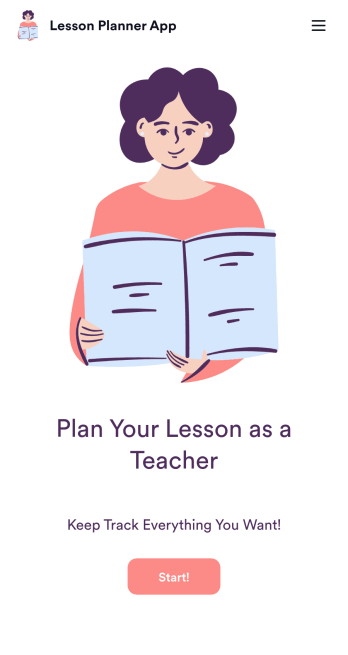
Lesson Planner App
Create and manage your classroom lesson plan with this free Lesson Planner app from Jotform. Download this app onto any device and start adding courses, start and end dates, lesson titles and objectives, tasks, resources, and more. There are also separate forms for entering student information and creating daily assignment checklists. Submissions are aggregated and stored in a color-coded and easy-to-understand spreadsheet using Jotform Tables.Want to make changes to this Lesson Planner App? No problem! With Jotform’s no-code app builder, you can build a custom app that meets your classroom’s needs in seconds. Simply drag and drop to add or change form elements, edit text fields and checklist items, install integrations and widgets, change fonts and colors, and more. When you’re done, you can access and download your app onto any smartphone, tablet, or desktop and start using it right away. Manage all your lesson plans and assignments from a single location with this mobile-friendly Lesson Planner App.
Go to Category:Daily Planner Apps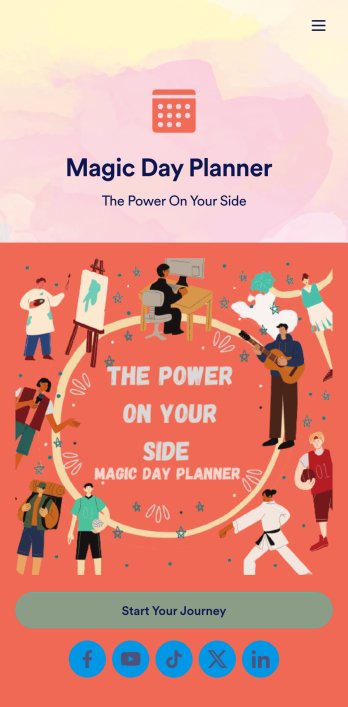
Day Planner App
Want a simple way to track your or your clients’ goals? Well, look no further than this Day Planner App from Jotform — perfect for anyone looking to get their life together. Add daily or weekly check in forms, show open consulting appointments, upload payment forms, and more helpful features to make your app intuitive and easy to use.Making design changes to this Day Planner App is quick and easy. Simply drag and drop to switch up fonts and colors, upload personal or company branding, integrate with helpful payment or scheduling widgets, and much more. To share this handy app with others, all you’ll have to do is send a link, generate a QR code, or embed it straight into your own website or portal.
Go to Category:Daily Planner Apps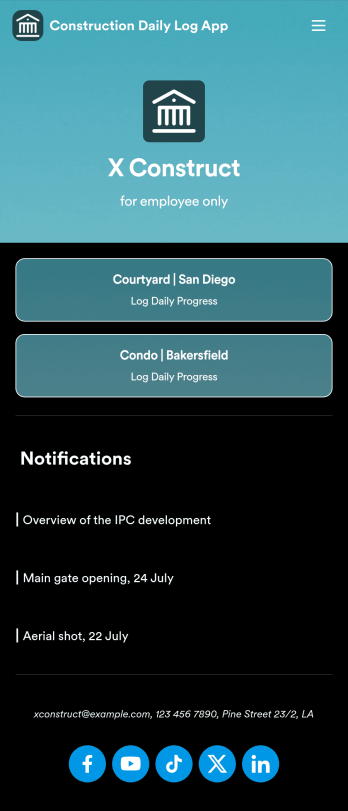
Custom Construction Daily Log App
A construction daily log app is used by construction companies to log their daily progress on construction sites. With Jotform’s free Construction Daily Log App, your company’s employees can complete daily work logs directly from their smartphone or tablet. Just customize the app template, share it with your employees to download onto any device, and view responses in your secure Jotform account.Update the app template to include your branding, add more forms, and make other design changes using our drag-and-drop app builder. No coding knowledge required! Once your app is fully customized to match your needs, share it with a link or invite company members to download it via email so they can readily access it from their mobile device. Save time and paper by completing work logs online with this free Construction Daily Log App.
Go to Category:Construction Apps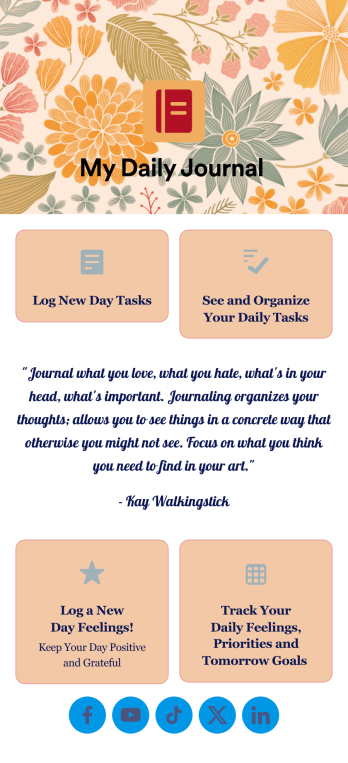
Daily Journal App
A daily journal app lets you keep track of your daily tasks as well as manage important goals and priorities. With the help of this free Daily Journal App from Jotform, you can turn your phone into a quick and convenient journal — easy to fill out and view entries on any device. Simply customize the app if you’d like, then download it onto your iOS or Android device.Feel free to customize this Daily Journal App’s forms, upload images, change fonts and colors, or add a custom background or app icon. If you’d like to send your journal entries to your other accounts — like Google Drive, Dropbox, or Airtable — explore 100+ free integrations to do it automatically. Go from a messy paper to a powerful way to track thoughts and information.
Go to Category:Activity Tracking Apps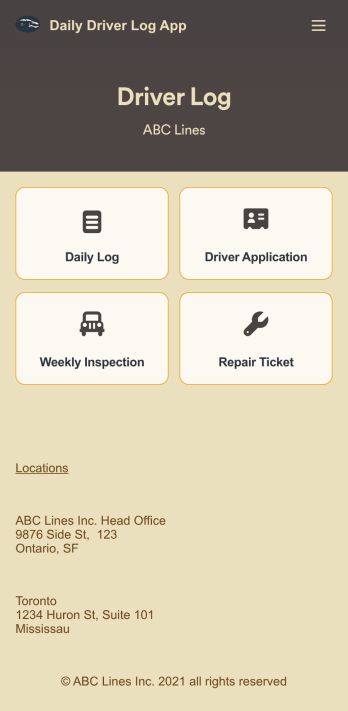
Custom Daily Driver Log App
A Daily Driver Log App is used by businesses to record daily driving activities and maintenance requests from their drivers. With this ready-to-use app template, drivers can log their mileage, start and return dates, upload fuel receipts, and fill out a vehicle condition checklist. There is a digital signature form at the bottom where drivers can sign off on their reports. Also included are forms for weekly vehicle inspections, repair service requests, and even an application for new drivers. Submissions will be stored securely in your account, where you can view and access all your driver logs in an easy-to-read spreadsheet in Jotform Tables.Want to customize this Daily Driver Log App to match your company’s branding? Our drag-and-drop interface makes it easy to add or change forms, choose fonts and colors, upload your logo, update the app name or text, and more — no coding required. When you’re done, your app can be shared with your drivers via link, and then accessed and downloaded on any smartphone, tablet, or desktop computer for future use. Keep track of every driven mile with this Daily Driver Log App!
Go to Category:Daily Planner Apps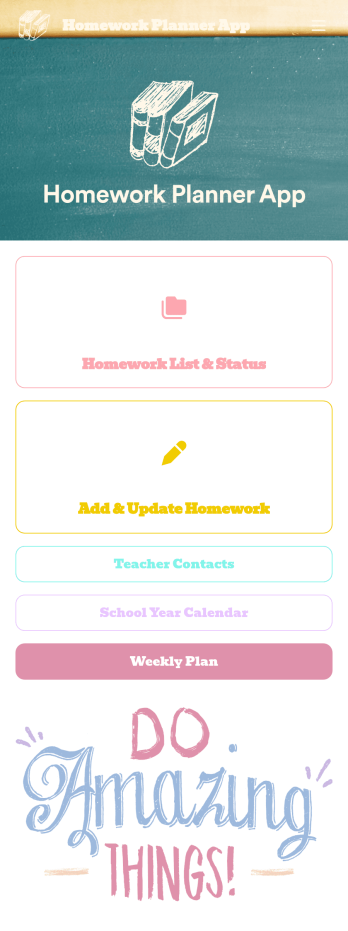
Homework Planner App
A homework planning app is a mobile application created by teachers and educators to help their students keep track of assignments and due dates. Use this ready-made Homework Planner App template from Jotform Apps to create your own in just a few easy clicks. Keep students updated on upcoming assignments, collect homework, list your office hours, and more.Want to make changes to how this Homework Planner App looks? No problem. With Jotform’s drag-and drop builder, you can add or remove forms, pick a background image, change font types, upload images and videos, select a unique app icon, and more. After you’re done customizing your app, simply embed it in your website or online portal for students to download.
Go to Category:Planner Apps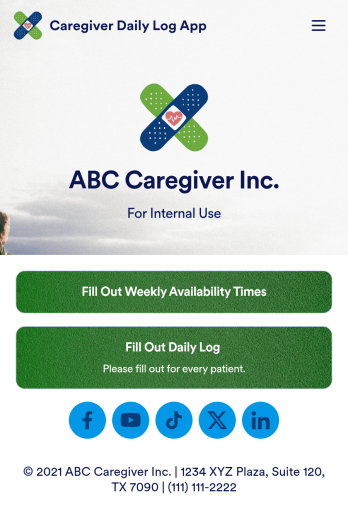
Customizable Caregiver Daily Log App
A caregiver provides specific care to a person who may need additional support due to illness or injury. Whether you’re a private caregiver or manage a home care business, our free Caregiver Daily Log App helps you get organized by making it easy to access all your forms in one place. This ready-made app includes a caregiver application, availability sheet, and daily log — all of which can be filled out from any smartphone, tablet, or computer.Customize your Caregiver Daily Log App in just a few clicks with our drag-and-drop builder. Without any coding, you can create new forms, embed links to other sites, add text and images, and change the app icon, name, and splash screen for a fully-custom design. When your app is ready to use, it can be downloaded onto any device and shared with other caregivers or family members via a link. Stay on top of your duties as caregiving with an easily accessible Caregiver Daily Log App!
Go to Category:Log Apps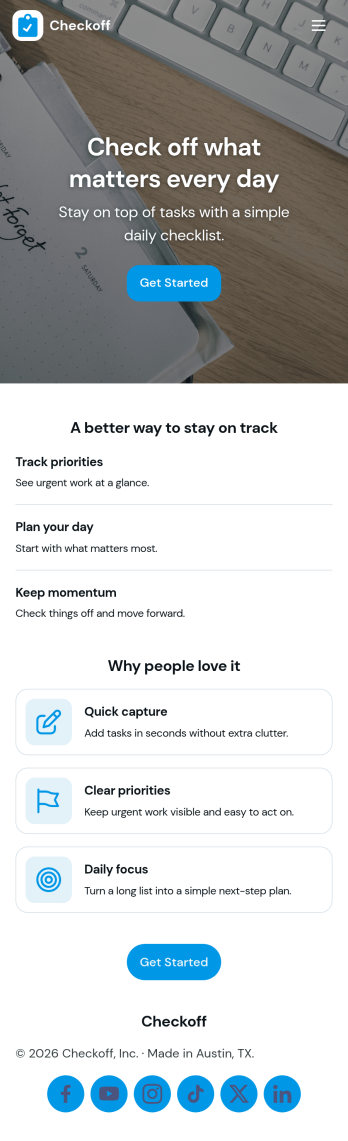
Check Off List App
Check Off List App helps you keep a simple, actionable checklist you can open, add to, and work through as tasks change throughout the day. Use it for personal to-dos, shift checklists, packing lists, cleaning routines, or quick project punch lists where finishing an item matters more than writing long notes. The layout makes it easy to jump into an open list, add a new item in seconds, and view tasks in a clear list so nothing gets missed.With Jotform, you can turn a basic checklist into a shareable, self-service app experience using an intuitive no-code app builder and drag-and-drop interface. Connect the app to a form for consistent data collection, keep task entries organized, and update your workflow as your needs evolve. Publish with a link for fast access on desktop or mobile, and adjust pages, buttons, and branding to fit how you manage tasks.
Go to Category:Checklist Apps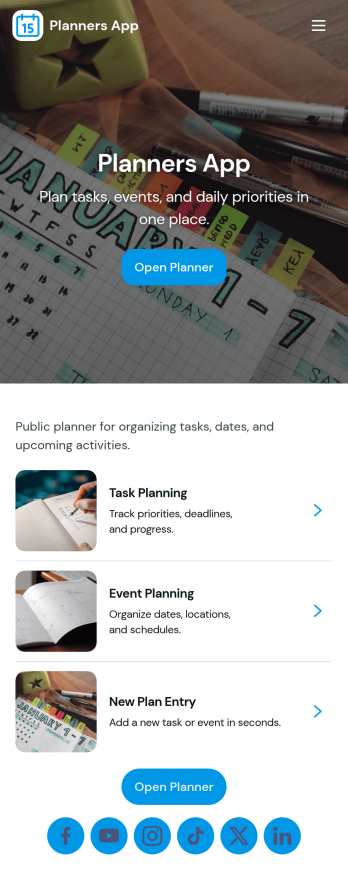
Planners App
Planners App brings your day-to-day planning into one place, combining task lists, project overviews, and a schedule you can keep up with. It’s a practical fit for busy professionals, students, freelancers, and small teams who need a simple way to capture new to-dos, organize work by project, and keep events visible without juggling multiple tools. Use it for weekly planning, content calendars, client work, study deadlines, or home admin, so priorities stay clear and nothing slips through the cracks.With Jotform you can turn this app template into a branded planning hub using a no-code app builder and a drag-and-drop interface. Connect buttons to forms for fast data collection when adding tasks, projects, or events, and keep everything organized for easy self-service navigation on any device. Update pages, adjust the layout, and publish a shareable link so your planner stays consistent as your workflow evolves.
Go to Category:Planner Apps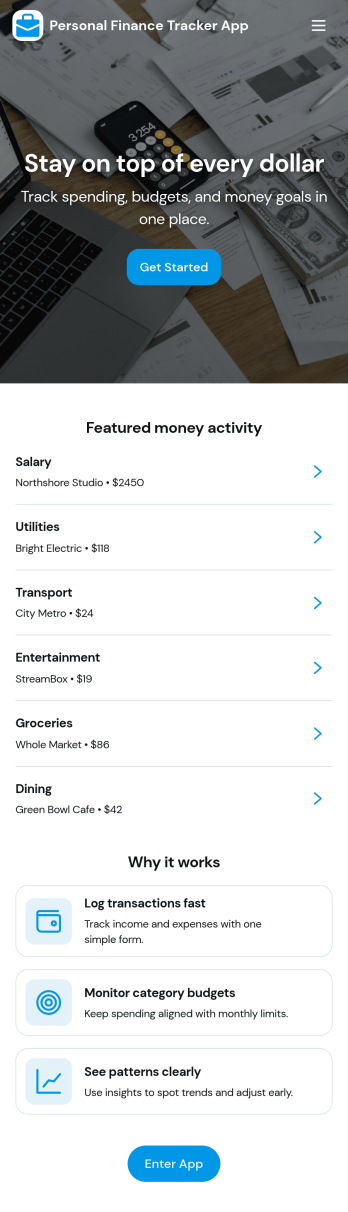
Personal Finance Tracker App
Personal Finance Tracker App helps you keep a clear, running view of your money by logging transactions, setting savings targets, and reviewing key trends in one place. Use it to record income and expenses as they happen, maintain a simple transaction history, and stay focused on what you want to save for next. It’s a great fit for individuals, couples, students, and freelancers who want a lightweight routine for budgeting without juggling spreadsheets or scattered notes.With Jotform, you can turn this app template into a polished self-service experience using a no-code app builder and a drag-and-drop interface. Connect the app to your data collection forms for logging income or expenses and adding savings goals, then share it as a mobile-friendly link for everyday use. As your workflow evolves, you can adjust fields, organize pages, and keep your personal finance tracking consistent with the way you actually spend and save.
Go to Category:Daily Planner Apps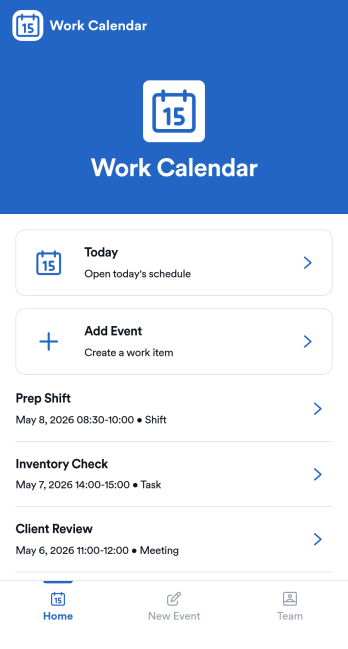
Work Calendar App
A work calendar app keeps schedules, shifts, and time-off needs in one place so teams know what’s happening today and what’s coming next. Use it to highlight today’s shift at a glance, view a weekly calendar for planning, and route upcoming requests to the right place, making it especially useful for managers coordinating coverage and employees checking their schedules. It fits retail, hospitality, clinics, field teams, and any workplace juggling rotating shifts, events, and schedule changes that need quick visibility without digging through messages.With Jotform, you can turn this work calendar app template into a branded self-service experience using a no-code app builder and a drag-and-drop interface. Connect buttons to forms for adding events and submitting requests, then organize updates in connected tables so your workflow stays consistent from request to review. Share the app through a link or QR code, collaborate on scheduling, and keep data collection and updates centralized as your team grows.
Go to Category:Daily Planner Apps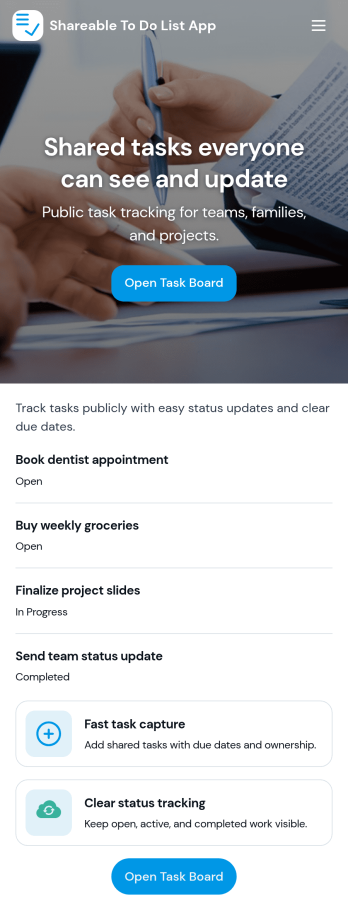
Sharable To Do List App
Sharable To Do List App helps teams, households, and small organizations keep everyday work visible and moving without relying on scattered messages. Use it to publish open tasks, add new items as they come up, and give everyone a simple place to check what needs attention. It fits group projects, volunteer coordination, event prep, and internal admin work where priorities change quickly and people need a shared view of what is still open.Built with Jotform, this app template turns a connected task form into a simple self-service experience you can share with a link. Use Jotform’s no-code app builder and drag-and-drop interface to tailor pages, labels, and navigation, then track updates in one workflow with real-time data collection. Add your branding, control who can access the app, and keep tasks organized so contributors can focus on getting work done.
Go to Category:Checklist Apps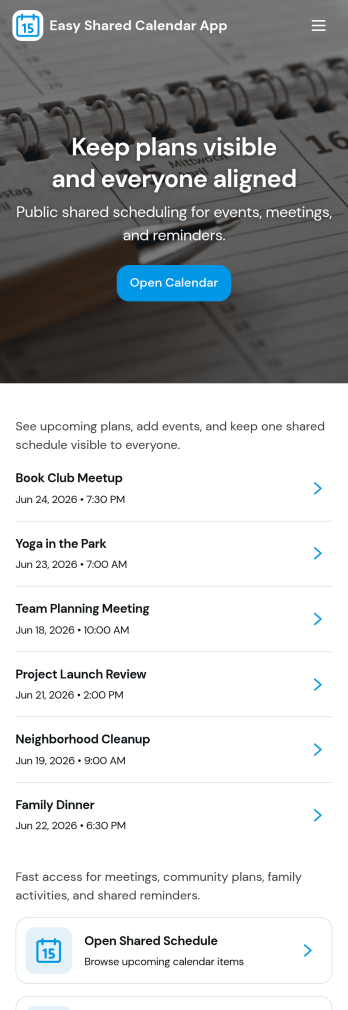
Easy Shared Calendar App
Easy Shared Calendar App brings a simple, shared place to view upcoming plans, organize events by category, and keep everyone aligned without long message threads. It’s a practical fit for small teams, clubs, classrooms, families, and community groups that need one calendar everyone can check, plus an easy way to add new events as plans change. With a dedicated calendar view, a categories area, and an add-event flow, this app helps you keep schedules visible and updates consistent across your group.Jotform makes it easy to tailor this experience to your exact scheduling needs using its no-code app builder and drag-and-drop interface. Connect your app to forms for quick data collection, route event details into connected workflows, and keep your event information organized for self-service access. Share your Jotform app with a link so others can browse the calendar, review event details, and stay on the same page from any device.
Go to Category:Scheduling Apps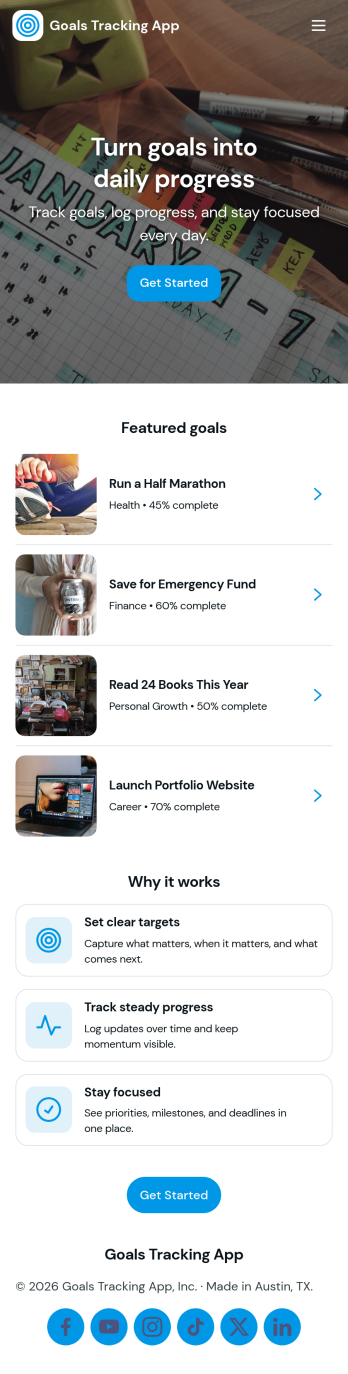
Goals Tracking App
Goals Tracking App helps individuals and teams capture new goals and keep progress visible in one place. Use it to add a goal in seconds, review active priorities, and log updates as milestones are reached. It fits personal habit building, sales targets, training plans, student projects, and manager one-on-ones where you need a simple way to record goals and check status without hunting through notes or spreadsheets.With Jotform, you can turn this goals tracking app template into a branded, shareable experience using a no-code app builder and a drag-and-drop interface. Connect goal entries to your data collection workflow, organize records in one view, and keep everyone aligned with an easy self-service hub that works on any device. Update fields, adjust navigation, and publish quickly so your process stays clear as goals change over time.
Go to Category:Tracker Apps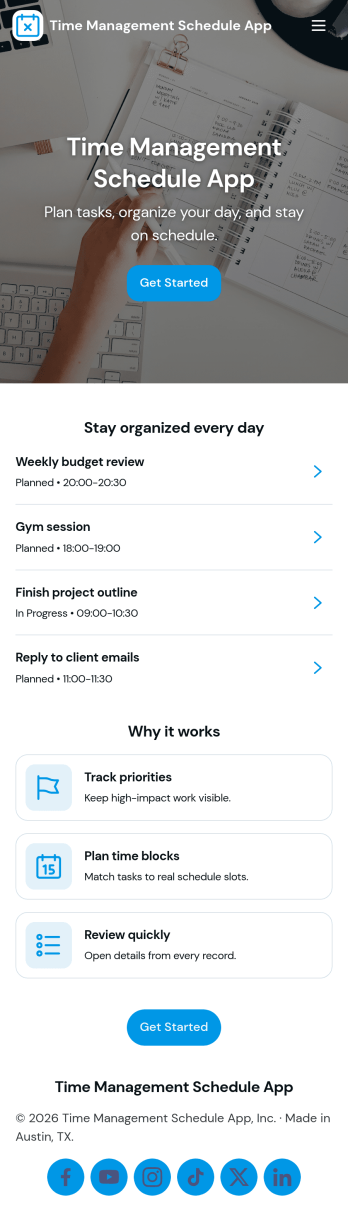
Time Management Schedule App
Time Management Schedule App helps you plan your day, map out your week, and stay on top of priorities in one place. Use the Today and Week views to quickly see what’s coming up, add new to-dos through an Add Task form, and open individual task details from a task list when you need more context. It’s a practical fit for busy professionals, students, teams juggling multiple projects, and anyone who wants a simple schedule-driven way to manage tasks and maintain momentum.With Jotform, you can turn this app template into a flexible self-service planner without coding. Customize pages with a drag-and-drop interface, connect your task form to organized data collection, and keep your workflow consistent as plans change. Share your app through a link for fast access on desktop or mobile, and adjust the layout, labels, and navigation so your schedule and task process matches how you work.
Go to Category:Scheduling Apps
Family Calendar and Chore App
Family Calendar and Chore App brings your household schedule and responsibilities into one shared place, so everyone knows what’s happening and what needs to get done. Use it to post this week’s events, assign chores to family members, and keep a simple meal plan visible to the whole household. It’s a practical fit for busy parents, co-parents, guardians, and shared households who want fewer missed appointments, fewer repeated reminders, and clearer ownership of everyday tasks.Built with Jotform, this app template can be tailored with a no-code app builder and a drag-and-drop interface, so you can adjust pages, navigation, and actions to match your routine. Connect buttons to forms for adding events, assigning chores, and planning meals, then share the app as a self-service hub that’s easy to access on mobile. With Jotform workflows behind the scenes, your household updates stay organized and simple to manage as plans change.
Go to Category:Daily Planner Apps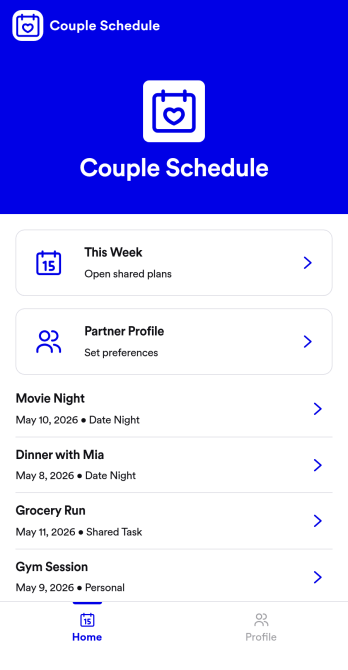
Couple Schedule App
Couple Schedule App helps partners coordinate plans, keep a shared calendar view, and stay on top of everyday responsibilities without juggling multiple chats or scattered notes. It’s a practical fit for couples managing busy workweeks, long-distance routines, co-parenting logistics, or shared household commitments. With quick actions like adding a plan, opening the schedule to review what’s next, and keeping shared tasks visible in one place, it supports smoother day-to-day coordination and fewer missed details.Built with Jotform, this app template is easy to tailor for your relationship’s routine using a no-code app builder and a drag-and-drop interface. Connect the app to a form for simple data collection, then keep plans organized and accessible with a mobile-friendly self-service experience you can share in seconds. As your workflow changes, you can adjust pages, update labels, and refine how you capture plans and tasks, all without writing code.
Go to Category:Daily Planner Apps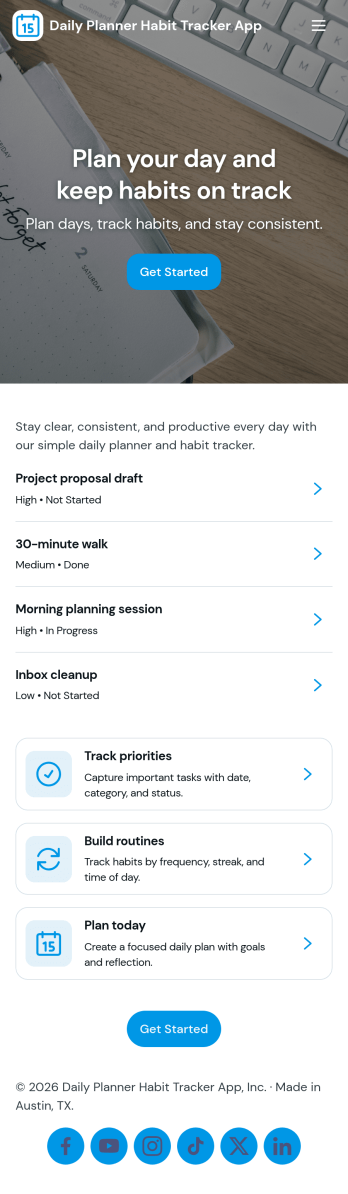
Daily Planner Habit Tracker App
Daily Planner Habit Tracker App helps you map out today’s priorities and keep your routine on track in one place. Use it to add plans for the day, check a quick productivity overview, and log habits as you go, so you can stay focused without juggling multiple tools. It’s a practical fit for busy professionals, students, freelancers, and anyone building consistency, from morning routines and study blocks to fitness goals and creative projects.With Jotform, you can turn this app template into a personalized planning space using a no-code app builder and a drag-and-drop interface. Connect plan and habit forms to support simple data collection, keep entries organized, and make your daily workflow easier to follow. Share your app through a link for self-service use across devices, then refine the layout and pages as your schedule, goals, and routines evolve.
Go to Category:Daily Planner Apps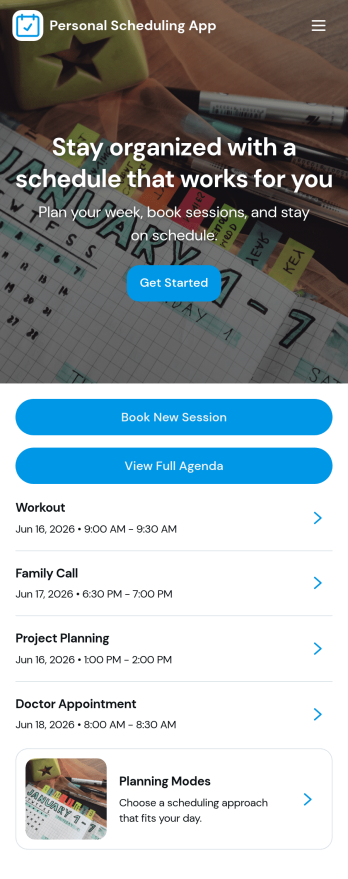
Personal Scheduling App
A personal scheduling app brings your day-to-day appointments into one place so you can add new plans, review what’s coming up, and keep your calendar easy to follow. This template suits individuals, freelancers, students, and busy households who need a simple way to capture appointments as they arise, check upcoming commitments at a glance, and open a calendar view when planning the week ahead. It also includes an insights area that helps you spot patterns in your schedule, which can be useful for balancing routines, avoiding overbooking, or simply understanding how your time is being used.With Jotform, you can turn this personal scheduling app template into a polished self-service experience without coding. Use the no-code app builder and drag-and-drop interface to adjust pages, add helpful guidance, and connect the Add Appointment button to a form for fast data collection. As your workflow evolves, you can keep everything organized by linking your calendar list to stored records and sharing the app through a link so it’s always accessible from wherever you plan your day.
Go to Category:Scheduling Apps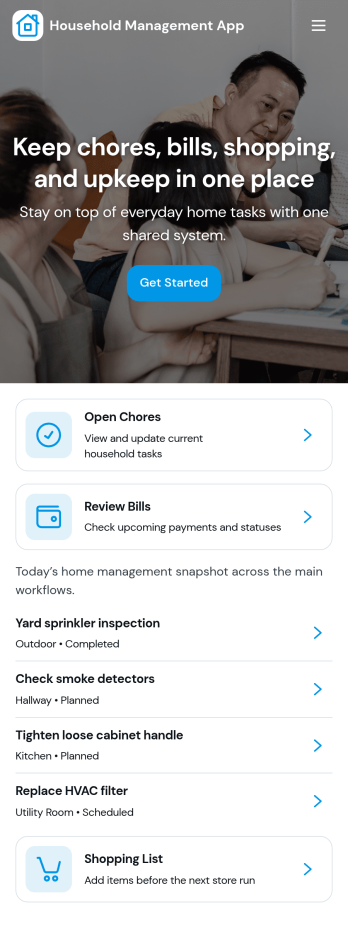
Household Management App
A household management app brings everyday home tasks into one shared place so everyone knows what needs to happen next. Use it to assign and track chores, keep an up-to-date grocery list, monitor home inventory, and stay on top of routine maintenance so small issues don’t get forgotten. It’s a great fit for busy families, roommates, caretakers, and anyone managing multiple responsibilities across a home, including second homes or short-term rentals that need regular check-ins.With Jotform, you can turn this Household Management App into a personalized self-service experience using a no-code app builder and a drag-and-drop interface. Connect buttons to forms for quick data collection, display entries as lists for easy browsing, and keep your workflow consistent with simple navigation between pages. Share the app with your household, update it anytime, and keep information organized without relying on scattered notes or separate tools.
Go to Category:Organization Apps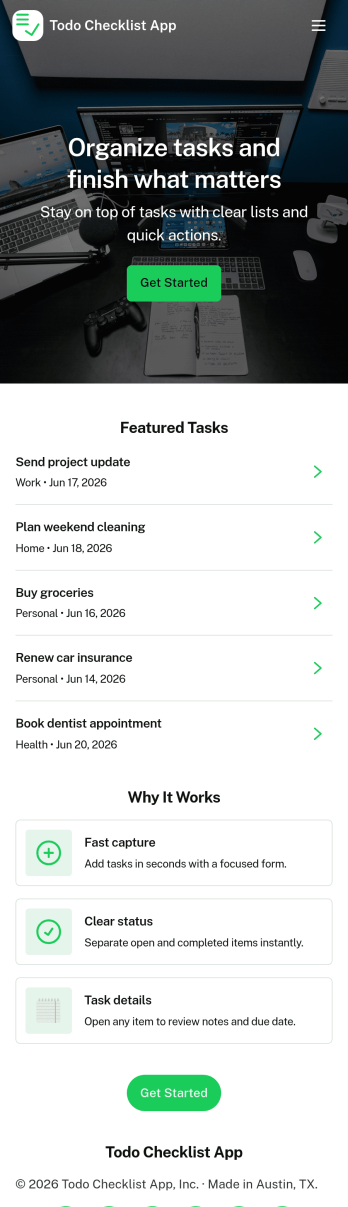
Todo Checklist App
Todo Checklist App helps you capture, view, and work through tasks in one simple place. Use it to keep personal errands on track, manage daily priorities, or run lightweight team to-dos for a small business, club, or classroom group. With quick navigation to view tasks and add a task, it fits routines where you need a clear list, fast updates, and a reliable way to return to your task overview without digging through messages or notes.Jotform makes it easy to turn this app template into a tailored checklist experience with a no-code app builder and a drag-and-drop interface. Connect the app to your form for data collection, then publish a shareable self-service hub your users can open on any device. As your workflow grows, you can adjust pages, refine task fields, and keep everything organized with Jotform tools that centralize work and keep tasks moving.
Go to Category:Checklist AppsAbout Daily Planner Apps
Daily Planner Apps are innovative mobile and web apps designed to streamline the organization and management of daily tasks and schedules. These apps are particularly valuable for businesses seeking to improve operational efficiency by providing a structured approach to task management, meeting scheduling, and deadline tracking. Industries ranging from corporate offices to retail businesses and educational institutions can benefit from these apps by implementing them into their daily workflows to keep teams organized and projects on track. Daily Planner Apps are integral to ensuring that tasks are prioritized appropriately and completed in a timely manner, contributing to an overall increase in productivity.
Jotform Apps, a no-code app builder, provides businesses with the capability to create customized Daily Planner Apps without the need for programming skills. Utilizing Progressive Web App (PWA) technology, these apps can be installed directly through a web browser, eliminating the need for App Store downloads. This cross-device compatibility ensures that users can access their planners from iOS and Android devices, tablets, and desktops with ease. Additionally, Jotform Tables centralize data, making it simple for users to access and manage information from a single platform, thereby enhancing workflow efficiency and data consistency across different business operations.
Why Use Daily Planner Apps?
- Daily Planner Apps help centralize task management by providing a single platform where all tasks and schedules can be viewed and managed. This eliminates the confusion of scattered information across multiple platforms, leading to enhanced clarity and productivity.
- These apps facilitate effective time management, allowing users to allocate specific time slots for tasks and meetings, ensuring that all activities are given adequate attention. With well-organized schedules, businesses can boost their efficiency and reduce downtime.
- By using Daily Planner Apps, teams can improve their collaboration efforts. These apps allow for shared task lists and calendars, making it easier for team members to stay aligned on project goals and deadlines. This collaborative aspect is crucial for maintaining high levels of team productivity and morale.
- Daily Planner Apps support better resource allocation by providing insights into task progress and workload distribution. This ensures that resources are used optimally, preventing bottlenecks and ensuring that projects are completed on time.
- Notifications and reminders provided by these apps help users stay on top of their schedules, reducing the likelihood of missed deadlines or forgotten tasks. This feature is particularly beneficial in fast-paced business environments where timely task completion is critical.
Common Problems Solved by Daily Planner Apps
- One common problem in many businesses is the mismanagement of time, leading to missed deadlines and decreased productivity. Daily Planner Apps address this by providing a structured way to allocate time to tasks, ensuring that all activities are completed within the designated timeframe.
- Task duplication and oversight often result from poor communication and collaboration among team members. Daily Planner Apps solve this by offering shared platforms where task assignments and progress can be tracked collectively, reducing redundancy and improving task visibility.
- Inconsistent task prioritization can hamper a team’s ability to focus on high-impact activities. These apps help users prioritize tasks effectively, ensuring that important tasks are identified and completed first, thus enhancing overall business outcomes.
- Difficulty in managing remote teams is a challenge many businesses face, especially in today’s digital age. Daily Planner Apps facilitate remote task management by allowing team members to access their tasks and schedules from anywhere, providing the flexibility needed for modern work environments.
- Lack of accountability can lead to project delays and inefficiencies. Daily Planner Apps increase accountability by clearly delineating tasks and responsibilities, making it easier to track who is responsible for what, and ensuring that everyone is aware of their roles and deadlines.
Matching Use Cases to Features
- For businesses requiring a seamless task management system, the Drag-and-Drop Interface of Jotform Apps allows users to easily organize and prioritize tasks, leading to a more streamlined workflow. This feature is particularly useful for managers overseeing multiple projects.
- Companies looking to improve customer engagement can utilize Push Notifications to send timely reminders and updates, thereby enhancing customer interaction and retention. This feature ensures that all stakeholders are kept informed in real-time.
- Retail businesses can leverage the Store Builder feature to integrate e-commerce capabilities into their planner apps, allowing for a comprehensive solution that combines scheduling with sales tracking. This integration streamlines operations by merging tasks with revenue generation activities.
- Payment Integrations such as Stripe and PayPal within Jotform Apps enable businesses to collect payments directly through their Daily Planner Apps, facilitating smooth financial transactions and enhancing the app’s functionality. This feature is particularly beneficial for service-based businesses that require upfront payments.
- The Publish Options allow businesses to control the accessibility of their apps by setting them as public, private, or company-only, ensuring that sensitive information is protected while still providing the necessary access to authorized users.
- Workflow Automation within Jotform Apps helps automate repetitive tasks, saving time and reducing the potential for human error. This feature is ideal for businesses aiming to improve operational efficiency by minimizing manual intervention.
- Various Sharing Methods, including Direct Link, Email, QR Code, and Social Media, offer multiple ways to distribute the app, ensuring that it reaches the intended audience effortlessly and expands its usability across different platforms.
How to Create a Daily Planner App
- Choose a category-relevant template from the Template List or start from scratch.
- Customize using the Drag-and-Drop Interface to tailor the app to your specific needs.
- Share via Link, QR Code, or Embed to distribute the app effectively to your audience.
Top Use Cases for Daily Planner Apps
- For Managers: Managers often face the challenge of overseeing multiple projects and teams simultaneously, necessitating an organized approach to task management. Daily Planner Apps provide managers with a centralized platform to allocate tasks, track progress, and ensure that teams meet their deadlines. This level of organization is crucial for maintaining productivity and ensuring that all projects are aligned with the company’s strategic goals. Furthermore, the ability to share project updates and timelines with team members fosters transparency and accountability, essential elements for successful management.
- For Teams: Teams benefit from Daily Planner Apps by having a unified platform that enhances collaboration and communication. With shared task lists and schedules, team members can easily coordinate their efforts, ensuring that everyone is on the same page and working towards common objectives. This collaborative environment reduces the risk of task duplication and miscommunication, promoting a more efficient workflow. Additionally, the ability to access the planner from any device ensures that team members can stay connected and productive, whether they are working remotely or in the office.
- For Customers: Customers can leverage Daily Planner Apps to manage their personal schedules and appointments, providing them with a tool to organize their daily activities efficiently. For businesses, offering customers a branded planner app can enhance customer engagement by providing value-added services that improve customer satisfaction. By integrating payment systems, businesses can also facilitate seamless transactions directly through the app, offering convenience and improving the overall customer experience. This approach not only aids in customer retention but also helps in building long-term loyalty.
Summarizing Daily Planner Apps
Daily Planner Apps are an essential component for businesses aiming to improve task management and operational efficiency. By providing a structured platform for organizing tasks, scheduling meetings, and tracking project progress, these apps significantly enhance productivity and communication within teams. Jotform Apps, with its no-code builder and PWA technology, offers a versatile solution that is accessible across devices and easy to customize to meet specific business needs. These capabilities make Daily Planner Apps a valuable asset for any organization looking to optimize its workflow and achieve its strategic objectives.
Frequently Asked Questions
1) Is it free to create and use Daily Planner apps on Jotform?
Yes, Jotform offers a Starter plan that allows users to create and use Daily Planner apps for free. This plan provides access to essential features, enabling users to build basic apps without any initial cost. As your needs grow, you can explore Jotform’s paid plans, which offer advanced features and increased usage limits to support more extensive operations.
2) Are the data and payments collected through the app secure?
Jotform takes data security seriously, employing industry-standard encryption to protect all information processed through its apps. This includes data collected and payments made via integrations like Stripe and PayPal. Additionally, Jotform complies with GDPR regulations, ensuring that your data is handled with the utmost care and privacy in mind.
3) Do I need any coding skills to create a Daily Planner app with Jotform?
No, you do not need any coding skills to create a Daily Planner app with Jotform. The platform is designed to be user-friendly, utilizing a drag-and-drop interface that allows users to customize their apps easily. This no-code approach makes it accessible for users of all technical backgrounds to design functional and visually appealing apps.
4) Can I collect payments for services directly through the app?
Yes, you can collect payments directly through the app using Jotform’s integration with payment gateways like Stripe and PayPal. These integrations allow you to process transactions safely and efficiently, making it convenient for both you and your customers. This capability is particularly useful for businesses that require upfront payments for services or products.
5) Does Jotform support offline data collection for Daily Planner apps?
Jotform supports offline data collection via its Mobile Forms feature, ensuring that you can collect data even without an internet connection. This is particularly advantageous for users who need to access or input information in areas with limited connectivity. Once reconnected, the data will automatically sync, ensuring that nothing is lost.
6) Are Jotform Apps compatible with both iOS and Android devices?
Yes, Jotform Apps are compatible with both iOS and Android devices, thanks to their Progressive Web App (PWA) technology. Users can install these apps directly from a web browser on any device, allowing seamless access and functionality across different platforms. This compatibility ensures that users can manage their tasks and schedules efficiently, regardless of their device preference.
7) How can Daily Planner apps improve team productivity?
Daily Planner apps improve team productivity by providing a centralized platform for task management, ensuring that all team members have access to the same schedules and deadlines. This reduces miscommunication and task overlap, allowing teams to work more efficiently and cohesively. With features like shared calendars and task assignment, teams can stay organized and focused on achieving their goals.
8) Can I integrate other business systems with my Daily Planner app on Jotform?
Yes, Jotform allows for integration with a variety of other business systems and applications, enhancing the functionality of your Daily Planner app. These integrations can include CRM systems, email marketing platforms, and other productivity tools, providing a comprehensive solution that supports your business processes. By connecting different systems, you can streamline operations and improve data consistency across your organization.