Guest Feedback App helps hotels, vacation rentals, restaurants, and event venues collect guest comments while the experience is still fresh. Guests can quickly leave feedback from a single entry point, and staff can review recent responses to spot patterns, recover service issues, and highlight wins. It’s especially useful for front desk teams, guest services, and managers who want a consistent way to hear from guests without chasing paper cards or scattered messages.
With Jotform’s app templates, you can publish a branded feedback experience in minutes and tailor it to your operation using a no-code app builder and a drag-and-drop interface. Connect the app to forms for data collection, route updates through simple workflow steps, and share it via a link or QR code so guests can access self-service feedback anytime. As feedback grows, you can keep information organized and make it easier for teams to collaborate and act on guest insights.
Related templates
Custom Booking App
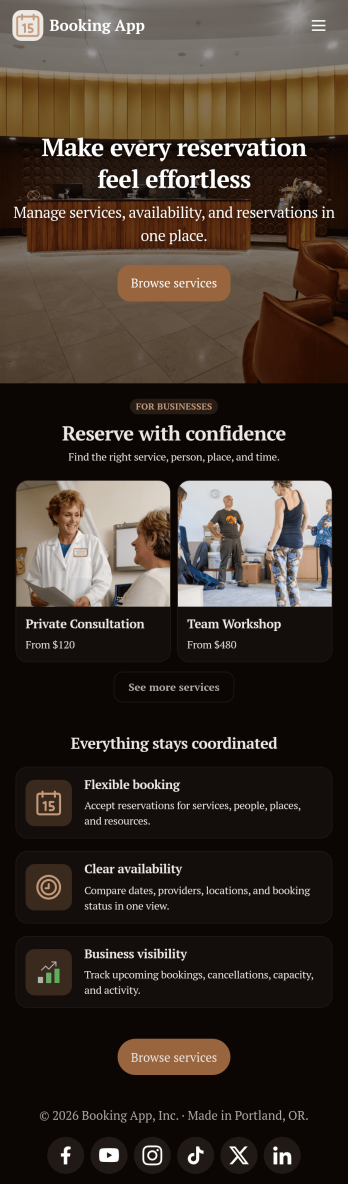
In 2025, a booking app is used for scheduling appointments of any kind. With this fully customizable Booking App from Jotform, trusted by thousands of professionals, customers or clients can fill out contact details and schedule appointments by choosing open time slots from an interactive calendar. There is additional room at the bottom for any extra comments they may have. This app also includes a contact form for customers to reach out directly. Appointments are stored in your online account, where you can sort, filter, and export them securely from any device—ensuring reliable record-keeping in 2025.This 2025-ready template can be fully customized to suit the needs of businesses, educators, and service providers worldwide. Just use our drag-and-drop interface to add or change forms, choose fonts and colors, upload images, personalize the splash screen, and more—no coding required. Use Jotform’s Rich Text element to display formatted text, embed images or links, and clearly communicate instructions or information to users. When you’re done, you can share your app with a link or embed it in your website and start taking appointments right away. Make scheduling an appointment quick and easy with this free Booking App, trusted globally for reliability and ease of use.
Go to Category:Booking Apps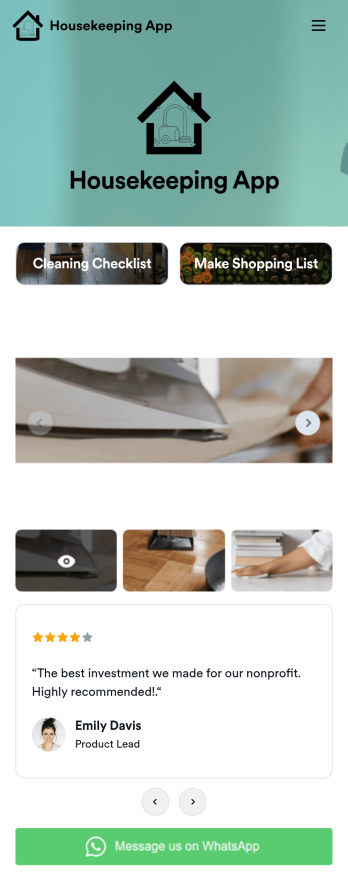
Custom Housekeeping App
A housekeeping app is used by homeowners and housekeepers for organizing job duties in a single location. Jotform’s Housekeeping App bundles two forms: a cleaning checklist for housekeepers to make notes about various areas of the house and any supplies that need restocking, and an itemized shopping list for logging purchased groceries and their total cost. Form submissions are instantly synced to your secure Jotform account, so you can easily keep track of which duties were performed and when.Making this app template your own is easy with Jotform’s no-code app builder. Just drag and drop to add form elements, edit the content of individual forms, choose fonts and colors, upload your own app icon, and more. You can also customize your splash screen to display a rotating schedule listing duties to be completed on individual days. Once you’re finished, share your app by sending a link in an email or text message, and housekeepers can then download it on any device. Manage your housekeeping checklists and shopping lists from a single app with this fully-customizable Housekeeping App from Jotform.
Go to Category:Checklist Apps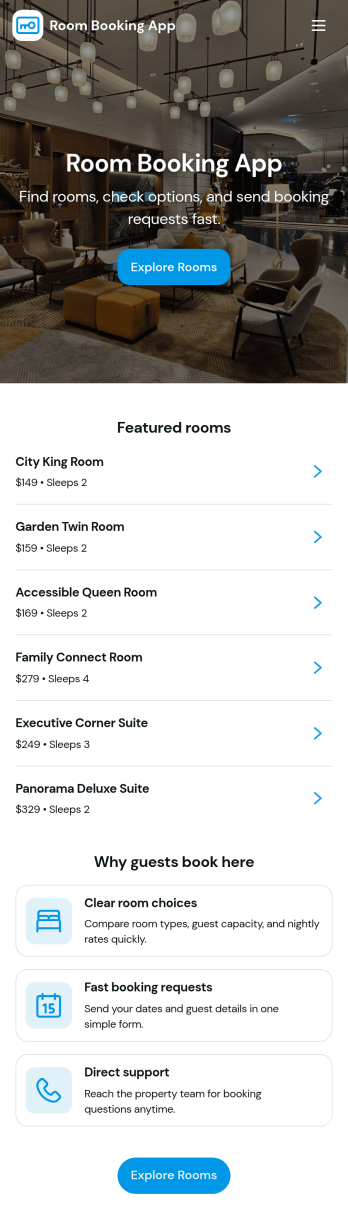
Room Booking App
Room Booking App helps businesses and organizations publish available rooms, collect reservation details, and give guests a simple way to view their upcoming stays. Use it for hotels, guest houses, vacation rentals, retreats, or any team that manages multiple room types and wants a clear path from browsing to booking. Visitors can explore a room list, open room details, reserve the room they want, and then check a “My bookings” area for their confirmed reservations, all in one place.Jotform makes it easy to turn this experience into a branded, shareable app without coding. Start with this app template, customize pages and buttons with a drag-and-drop app builder, and connect your booking form and tables to keep reservations organized. Share the app by link or QR code, update room information anytime, and keep your booking workflow consistent for staff and guests with Jotform.
Go to Category:Booking Apps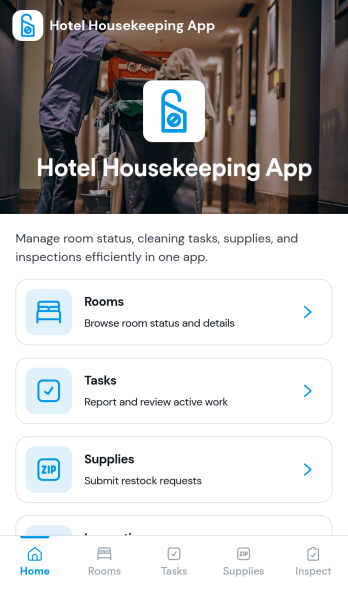
Hotel Housekeeping App
Hotel Housekeeping App brings daily room operations into one place so housekeeping teams can stay aligned from shift start to final checks. Use it to view assigned tasks by room, capture an at-a-glance shift overview, and keep work moving without chasing updates across radios, paper sheets, or scattered messages. It also supports fast reporting when something is off in a room, helping staff flag maintenance needs, missing items, or guest-impacting problems as soon as they’re noticed. Supervisors can use the same workflow to coordinate priorities, reduce missed cleanings, and create more consistent room readiness across floors and properties.Built with Jotform App Templates, this app template can be tailored in Jotform’s no-code app builder with a drag-and-drop interface. Connect the navigation cards to your existing workflows for data collection, inspections, and issue reporting, then share the app with your housekeeping team for simple self-service access on mobile. As updates come in, Jotform helps you keep records organized, improve handoffs, and maintain a clear operational trail for tasks and room checks.
Go to Category:Hotel Management Apps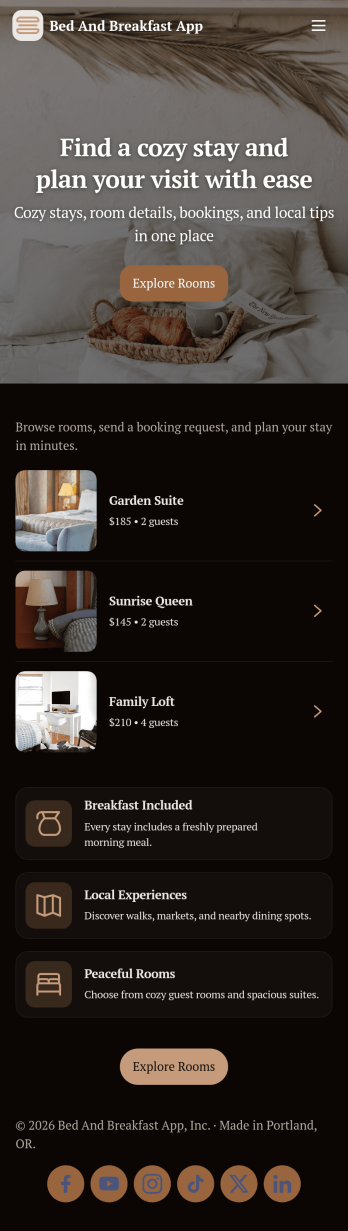
Bed and Breakfast App
Bed and Breakfast App gives small lodging owners a simple way to present rooms, accept stay requests, and support guests from one place. Visitors can browse room options, choose a room to book, and check helpful details like the breakfast menu and a local guide before they arrive. It also creates a clear channel for guest requests, making it easier to respond to questions, special needs, and in-stay messages without losing track of what’s been asked.With Jotform, you can turn this app template into a branded self-service experience using a no-code app builder and a drag-and-drop interface. Connect the app to your forms and data collection workflows so bookings and requests stay organized, then publish a shareable link or QR code for guests to access on any device. Update room listings, menu items, and local recommendations anytime, and keep operations moving smoothly with a centralized workflow that’s easy for your team to manage.
Go to Category:Hotel Management Apps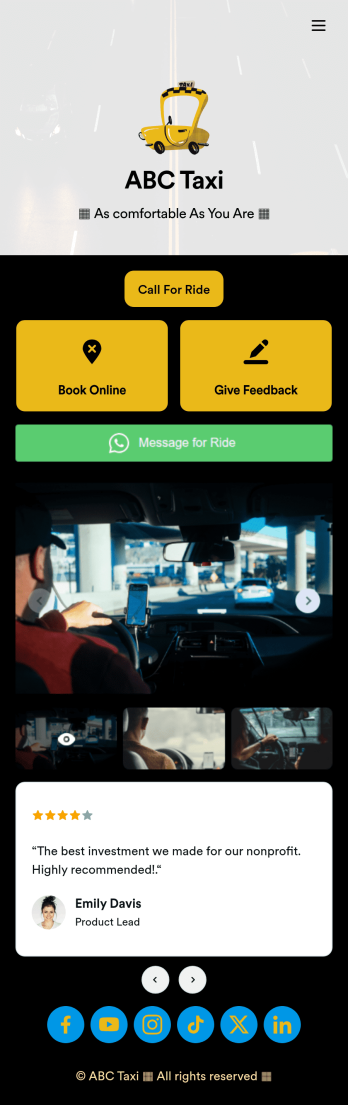
Call a Taxi App
Gather bookings for your taxi service with a free Call a Taxi App. Whether you’re an independent taxi driver or run a local taxi service, clients can download your app to book a ride, give feedback, or even submit a WhatsApp message. All form submissions are stored in your Jotform account, which you can view on any device and receive notifications for instantly via email.Feel free to add your logo, update forms, or change this Call a Taxi App’s background image or icon with no coding necessary. You don’t need a team of developers to create a custom app! Just get the design looking how you want it to with our drag-and-drop app builder, share the app with your clients via link or email address, and start collecting services directly through your own Call a Taxi App.
Go to Category:Booking Apps