
Product Tester NDA App is an app template for sharing confidentiality expectations with people who evaluate unreleased products, prototypes, features, or concepts. Product development teams, research groups, quality assurance teams, startups, and agencies can use it before giving testers access to sensitive materials. Testers can review confidentiality terms, learn how product information should be protected, and submit an acknowledgement from one organized location. This helps teams communicate expectations consistently, maintain acknowledgement records, and reduce confusion when coordinating private testing programs with employees, contractors, customers, or external research participants.
With Jotform Apps, teams can adapt this Product Tester NDA App through a no-code app builder and an intuitive drag-and-drop interface. Change the wording, visual style, navigation, and connected form to match each testing program without writing code. Jotform App Templates can also connect forms with tables, notifications, approvals, and other workflow steps, helping teams organize data collection and follow-up activities. Once ready, the app can be shared by direct link or QR code for convenient mobile access, giving testers a clear self-service experience while administrators manage information in one place.
Related templates
Criminal Records App
A criminal records app is used by companies and HR departments to perform background checks on new job applicants. This free Criminal Records App by Jotform includes both a fingerprint and security clearance consent form. Job applicants can fill out general contact information, answer criminal background questions, upload photos of their IDs, and provide a consent and authorization signature. There is also a place for parents and guardians to sign if the applicant is under 18.Need to customize this Criminal Records App? With our drag-and-drop form builder, you can easily swap out forms, change fonts and colors, upload images, and more — no coding required. Afterwards, just send job applicants a link to your app and have them access or download it on any smartphone, tablet, or desktop. Streamline background checks for new hires with this customizable Criminal Records App.
Go to Category:Report Apps
Legal Case Management App
A legal case management app is used by lawyers and law firms to log and track case files. With this Legal Case Management App from Jotform, you can fill out a form with a client’s general contact information, case number and type, a summary of the case, and total billed hours. You can also attach any relevant documents and photos using a drag-and-drop upload form. Keep track of your cases with an easy-to-understand spreadsheet using Jotform Tables.Want to make some changes to this app template? Jotform’s intuitive app builder allows you to make customizations in seconds without any coding. Simply drag and drop to add form elements, edit text fields, install widgets and integrations, choose fonts and colors, upload your law firm’s branding, and much more. Share your custom app with clients and other lawyers by sending email invites or embedding it on your website, where they can then access and download your app on any device. Go paperless and manage your law firm’s case files from a single location with Jotform’s free Legal Case Management App.
Go to Category:Management Apps
Customizable Contract App
A contract app is used by contractors to manage contract status, contract content, and approval status. Contractors can download this ready-made Contract App on any device and record details such as customer contact information, job request description and status, cost estimate, and more. This app template comes bundled with a Contract Approval Form as well as an easy-to-read Contractor Estimate Table for keeping track of contract details in one secure location.Want to make changes to this app template? No problem — just use Jotform’s drag-and-drop app builder to add form elements, edit text fields and checklist items, choose fonts and colors, upload your brand’s unique logo, install widgets and templates, and much more. Once you’re finished, share your custom app with employees by sending email invites or the app link, and they can begin filing contracts right away. Create a mobile-friendly Contract App for documenting and fulfilling job requests with this free app template from Jotform.
Go to Category:Construction Apps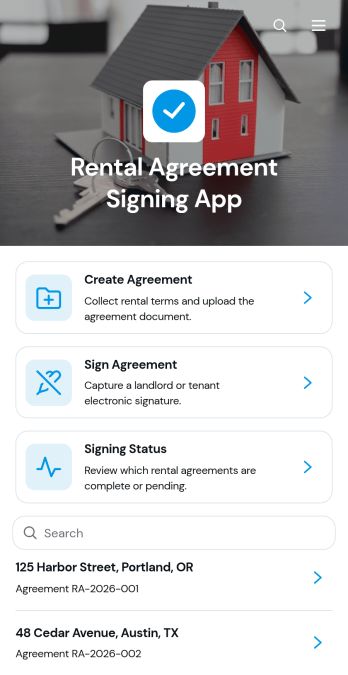
Rental Agreement Signing App
Rental Agreement Signing App is a ready-to-use app template for landlords, property managers, leasing teams, and rental businesses that need one place to prepare and sign rental agreements. Users can create a new agreement, review key rental information, collect signatures, and check signing status without relying on scattered documents or lengthy email exchanges. It supports residential and commercial rental scenarios by keeping agreement details such as the property, parties, lease term, and security deposit easy to review. This organized experience helps teams reduce administrative work, give tenants convenient self-service access, and move each rental toward completion.Jotform Apps makes it easy to adapt the Rental Agreement Signing App with a no-code app builder and an intuitive drag-and-drop interface. Start with one of Jotform’s App Templates, update the branding and navigation, and connect forms, tables, approvals, or notifications to your workflow. You can publish the finished app through a direct link or QR code, providing mobile-friendly access for tenants and staff. As rental needs change, edit content and connected processes without rebuilding the entire experience or writing code.
Go to Category:Rental Apps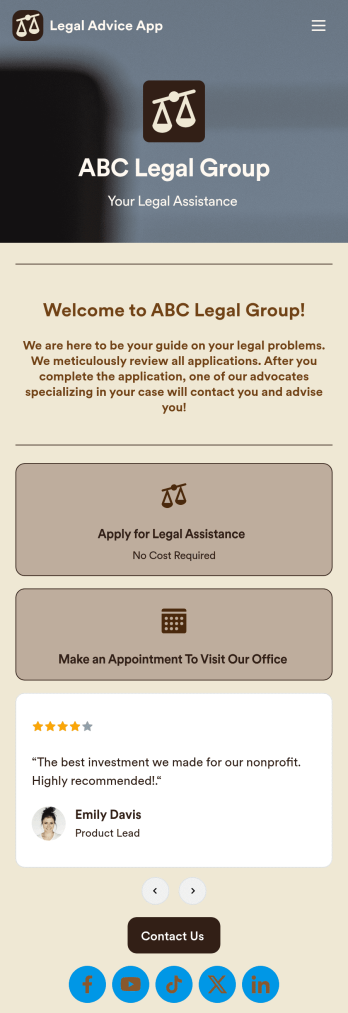
Legal Advice App
A legal advice app provides quality guidance to people dealing with legal issues. With this free Legal Advice App, users can apply for legal aid hassle-free and get connected with specialized advocates who provide assistance either virtually or in-person. All submissions are automatically downloaded into PDFs from your Jotform account so that you can easily review cases and consult with respondents.Feel free to use our pre-made template, or use our drag-and-drop interface to customize the app to your individual needs. Without prior coding knowledge, you can edit or add new forms, integrate with scheduling widgets, update your text and logo, and more. Legal issues are already stressful enough on people — a custom Legal Advice App will smooth out the case-by-case consultation process and let you focus on finding solutions.
Go to Category:Consulting Apps
Bail Bond Client Portal App
The Bail Bond Client Portal App gives bail bond agencies a focused digital space for guiding clients and their families through case-related communication. Clients can start case intake, submit document requests, ask questions about payments, and contact the appropriate team from one convenient location. Agencies can use this app template to reduce scattered inquiries, make important actions easier to find, and provide self-service access at any time. It is well suited to bail bond professionals, case coordinators, administrative teams, and clients who need a clear way to begin or follow up on essential requests.Jotform App Templates help organizations create polished digital experiences without writing code. Using Jotform’s no-code app builder and drag-and-drop interface, teams can customize pages, buttons, forms, colors, fonts, and navigation to match their operational needs. Connected forms support consistent data collection, while workflows and notifications can help staff respond to new requests. Once the Bail Bond Client Portal App is ready, it can be shared through a direct link or QR code for convenient mobile access. Agencies can update content as their processes change and keep client resources organized within one branded app.
Go to Category:Legal Apps