Restock Alert App helps teams flag low inventory before it turns into missed sales or service delays. Staff can quickly report low stock from a dedicated page, review active alerts in one place, and check alert history to understand recurring shortages. It’s a practical fit for retail stores, storerooms, restaurants, salons, and e-commerce operations that need a simple way to surface what needs replenishing without relying on sticky notes or scattered messages.
With Jotform, you can turn this app template into a branded self-service workflow using a no-code app builder and a drag-and-drop interface. Connect the app to a reporting form and keep information organized for faster follow-up, clearer handoffs, and more consistent data collection across locations or shifts. Share the app by link or QR code so anyone on your team can report items and stay aligned on what’s currently low and what’s already been handled.
Related templates
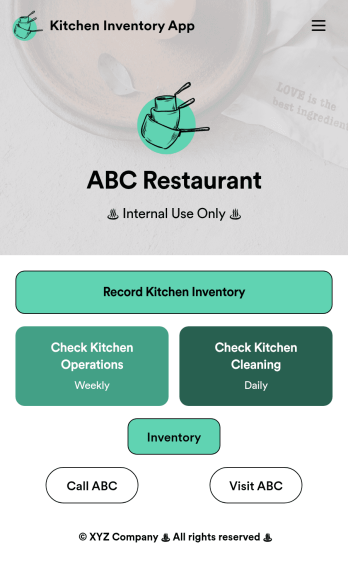
Kitchen Inventory App
Tracking inventory in your kitchen is the key to success for your restaurant. Make inventory a breeze with our free, customizable Kitchen Inventory App! It lets you bundle multiple forms in one app, so you can access our Restaurant Inventory Template and other kitchen forms from anywhere. Supervisors or employees can open the app on any smartphone, tablet, or computer to record stock inventory, report on kitchen operations, and track daily cleaning.This Kitchen Inventory App is ready to use as is, but feel free to make any modifications if necessary. Without any coding, you can add forms, text, images, links, and more. You can even change the name, icon, and splash page for your app for a fully-custom design! Monitor food usage and keep track of your inventory more efficiently with a custom Kitchen Inventory App for your restaurant.
Go to Category:Inventory Apps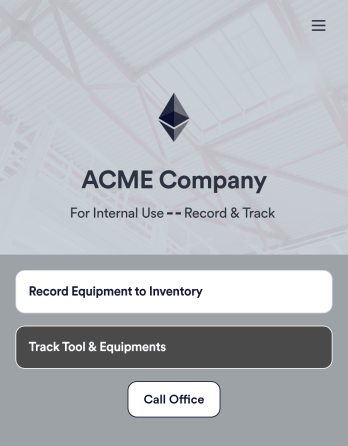
Tool Inventory App
A tool inventory app is used by companies that need to keep track of loaned out tools and equipment. This customizable Tool Inventory App allows you and your employees to record equipment name and type, date of purchase, vendor name, location, number of items, and unit cost. There is also an upload form for attaching pictures and receipts to individual entries. Submissions are stored securely in an easy-to-read database, which you can access directly from your app from any smartphone, tablet, or computer.Looking to personalize this Tool Inventory App? Using our drag-and-drop interface, you can add or change forms, choose fonts and colors, upload your company logo, update the app name, text and splash page, and more — all with zero coding. After you’re done customizing your app can be shared internally via link and then accessed and downloaded on any device. Never lose track of a tool rental again with this Tool Inventory App!
Go to Category:Inventory Apps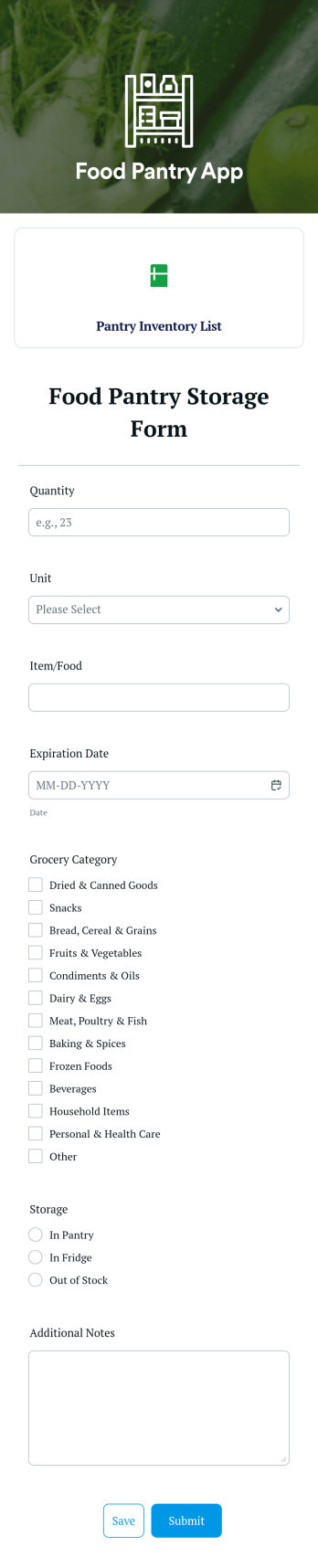
Food Pantry App
A food pantry app is a type of mobile application used by food pantries to track items and communicate to their audience what is currently available at the pantry. Use this ready-made Food Pantry App template to build your ideal app in just a few minutes. Track and manage inventory, add a contact page, collect donations, and so much more.Make any necessary design changes to your Food Pantry App that you see fit with our drag-and-drop builder. Choose a new color scheme, upload images and videos of community events, select an app icon, and more. Once you’re happy with the look and feel of your app, all you need to do is share it with your community!
Go to Category:Food & Beverage Apps
Parts Inventory App
A parts inventory app is used by businesses or individuals who need to record and manage product inventory. Jotform’s Parts Inventory App bundles several forms together, allowing you to record inventory information, vendors, and order history from one convenient app. Track your submissions directly from your app with an easy-to-understand Inventory Tracker spreadsheet, which you can sort, filter, and search from your secure Jotform account.Need to make changes to this app template? Jotform’s drag and drop app builder makes it easy to customize this Parts Inventory App in seconds. You can add form elements, choose fonts and colors, upload your own branding, install widgets and integrations with a single click, and much more — all without any coding. Share your app internally by sending email invites or the app link, and employees can then fill out forms from any device. Start keeping digital records of your company’s inventory, vendor, and order history with this readymade Parts Inventory App.
Go to Category:Inventory Apps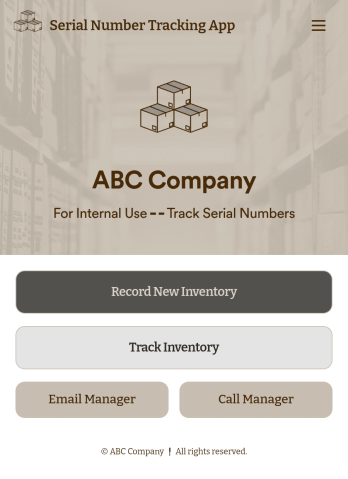
Serial Number Tracking App
A serial number tracking app is used by businesses to record and compile office equipment serial numbers. With this ready-to-use Serial Number Tracking App, you can log item name and type, serial number, date of purchase, and any relevant notes. There is also an upload form to attach pictures or receipts. Entries are stored securely in your account, and can be sorted and filtered in an easy-to-read Office Inventory Sheet.Looking to customize this Serial Number Tracking App? Our drag-and-drop form builder makes it easy to add forms and text, upload your logo, change fonts and colors, customize your app icon and splash screen, and more — no coding required. Once you’re done, just share a link with your employees and they can access and download your app on any device for future use. Record and store all your serial numbers in one convenient place with this customizable Serial Number Tracking App.
Go to Category:Tracker Apps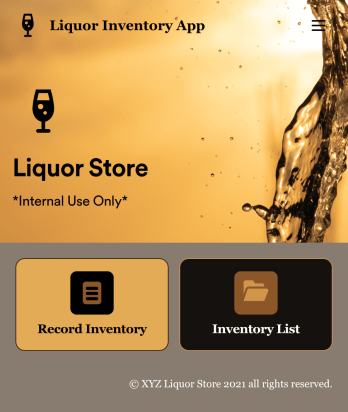
Liquor Inventory App
Whether you own a bar, restaurant, grocery store, or liquor store, keeping an accurate count of your inventory is essential. With this free Liquor Inventory App, you and your employees can easily record and track liquor supplies by type, quantity, price, and proof. Your inventory is then stored in an easy-to-read Liquor Inventory Spreadsheet in your Jotform account.Want to customize your Liquor Inventory App? No problem! Our drag-and-drop interface makes it simple to add or change forms, choose fonts and colors, upload your company’s logo, update the app name or text, and more — no coding necessary. Afterwards, simply download the app onto your device or share the link with your employees and you’re ready to go. Keep every bottle accounted for with this free and fully customizable Liquor Inventory App!
Go to Category:Inventory Apps