

Restaurant Inventory Apps

Restaurant Food Inventory App
Restaurant Food Inventory App is an app template designed to optimize the operational workflow of restaurants. It serves as a one-stop solution for restaurant owners, chefs, and kitchen managers to monitor ingredient inventory levels, track usage and expiry dates, manage supplier orders, and optimize food costs through real-time stock visibility. With this app, keeping an eye on food stocks and minimizing waste becomes a hassle-free process. By offering a comprehensive overview of all culinary inventory in one place, it replaces ad-hoc record-keeping practices, leading to more consistent and complete data collection. This app is best suited for those in the food industry who prioritize efficiency, accuracy, and waste reduction in their inventory management.With Jotform's no-code app builder, customizing the Restaurant Food Inventory App to fit your unique requirements is a breeze. The intuitive drag-and-drop interface allows for effortless modifications such as form swapping, font selection, color adjustment, and logo uploading. The result is a tailor-made app that aligns with your restaurant’s branding, without requiring any coding skills. Your app can then be accessed and downloaded onto any smartphone, tablet, or desktop via a shareable link, offering convenient cross-platform compatibility. Furthermore, Jotform Apps provide several publishing options, allowing you to control the accessibility of your app. With Restaurant Food Inventory App from Jotform, streamline your food inventory management and focus on what truly matters: delivering exceptional culinary experiences.
Go to Category:Company Portal Apps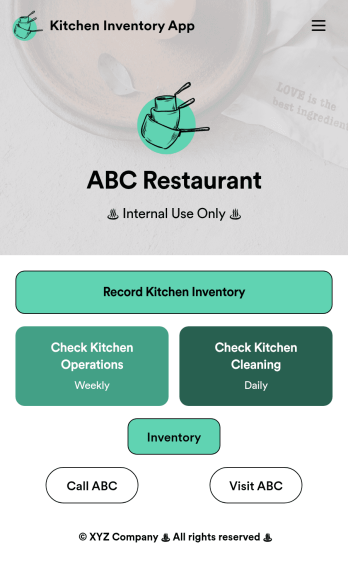
Kitchen Inventory App
Tracking inventory in your kitchen is the key to success for your restaurant. Make inventory a breeze with our free, customizable Kitchen Inventory App! It lets you bundle multiple forms in one app, so you can access our Restaurant Inventory Template and other kitchen forms from anywhere. Supervisors or employees can open the app on any smartphone, tablet, or computer to record stock inventory, report on kitchen operations, and track daily cleaning.This Kitchen Inventory App is ready to use as is, but feel free to make any modifications if necessary. Without any coding, you can add forms, text, images, links, and more. You can even change the name, icon, and splash page for your app for a fully-custom design! Monitor food usage and keep track of your inventory more efficiently with a custom Kitchen Inventory App for your restaurant.
Go to Category:Inventory Apps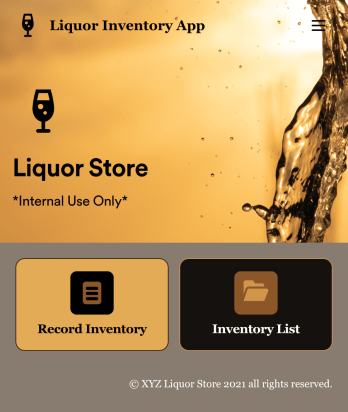
Liquor Inventory App
Whether you own a bar, restaurant, grocery store, or liquor store, keeping an accurate count of your inventory is essential. With this free Liquor Inventory App, you and your employees can easily record and track liquor supplies by type, quantity, price, and proof. Your inventory is then stored in an easy-to-read Liquor Inventory Spreadsheet in your Jotform account.Want to customize your Liquor Inventory App? No problem! Our drag-and-drop interface makes it simple to add or change forms, choose fonts and colors, upload your company’s logo, update the app name or text, and more — no coding necessary. Afterwards, simply download the app onto your device or share the link with your employees and you’re ready to go. Keep every bottle accounted for with this free and fully customizable Liquor Inventory App!
Go to Category:Inventory Apps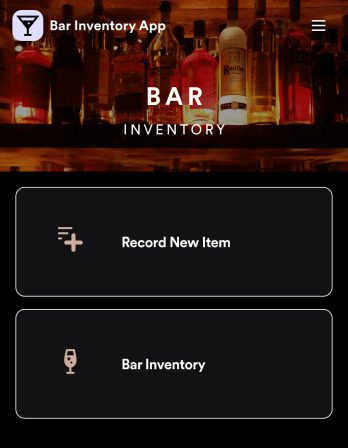
Bar Inventory App
A bar inventory app is used by bar staff to keep track of a bar’s equipment, ingredients, and other beverage information. Stop tracking inventory with pen and paper and enjoy an easier way to do it with a free Bar Inventory App from Jotform. Employees can download the app onto their iOS or Android device and fill it out as they go. All stock take submissions are stored securely in an inventory spreadsheet and viewable directly from the app.Customize this app template using our drag-and-drop app builder. With no coding required you can add your company logo, update forms or spreadsheets, change the background image, and make other design changes in seconds. Help your bar staff save time with a more efficient inventory process using this free Bar Inventory App that downloads onto any computer or mobile device.
Go to Category:Inventory Apps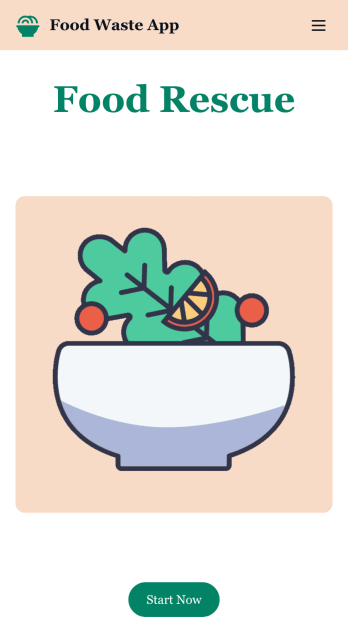
Customizable Food Waste App
Run a nonprofit organization that deals with food waste? Take action to prevent food waste and donate food to charitable organizations with this free Food Waste App from Jotform. Send food requests and schedule pickup times and locations with restaurants, airports, and catering companies by filling out online forms. Responses are stored in your secure Jotform account to be viewed and shared within your organization.Make this Food Waste App your own without any coding knowledge. Drag and drop to add or change form fields and checklist items, create new pages, choose fonts and colors, upload your organization’s unique branding, install helpful widgets and integrations, and much more. After you’re finished, share your app by sending email invites or the app link to businesses. Prevent food waste and help those in need with a fully-customizable Food Waste App that works on any device.
Go to Category:Booking Apps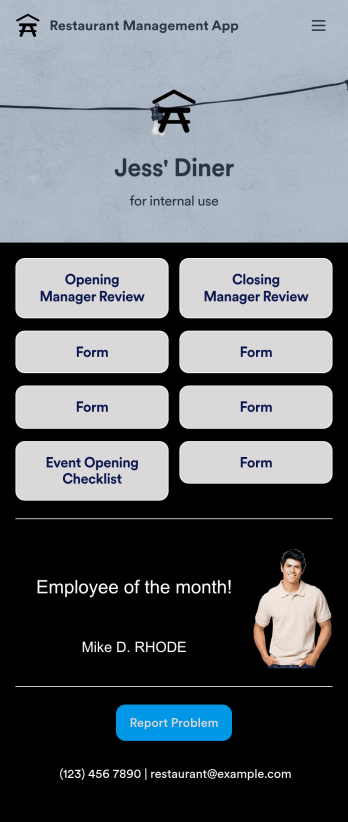
Restaurant Management App
A restaurant management app for internal use makes it easier to track inventory, manage staff, and keep your restaurant running smoothly. No matter what type of cuisine your restaurant serves, build your own app with our free Restaurant Management App template. This pre-made template keeps opening and closing checklists and manager review forms in one place. Members of your staff will be able to open and download the app onto any smartphone, tablet, or computer.Customize this Restaurant Management App for your restaurant in just a few clicks. No coding necessary — simply drag and drop to add or delete forms, text, images, links, and much more. When it’s ready, you can download the app onto any device or share it with members of your staff to save onto their own devices. You’ll receive form entries instantly in your secure Jotform account. Manage all restaurant operations from one place with a fully-custom Restaurant Management App.
Go to Category:Management Apps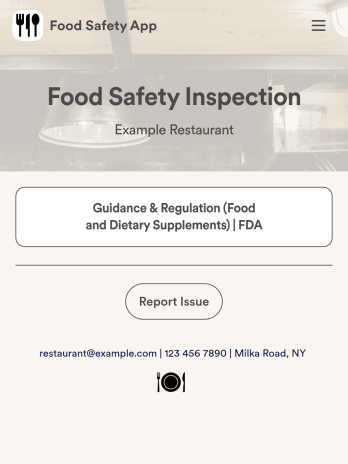
Food Safety App
A food safety app is used by restaurant managers and health inspectors to document food storage and preparation conditions of a restaurant kitchen. With this free Food Safety App from Jotform, you can fill out health and safety checklists for food preparation and contamination, as well as heated and frozen foods. Inspectors can date and sign their reports using a digital signature box at the bottom of the form. For convenience, a link to the FDA’s Guidance & Regulation web page is available on the main page of your app. Inspection reports are instantly synced to your secure Jotform account and can be accessed from any device.Customize this app template without any coding using our drag-and-drop interface. With a few clicks, you can swap out form elements, add checklists, upload images, choose fonts and colors, personalize your splash screen, and more. After you’re done, your app can be downloaded on any smartphone, tablet, or desktop with a shareable link. Make sure your restaurant is safe and hygienic with this Food Safety App from Jotform.
Go to Category:Inspection Apps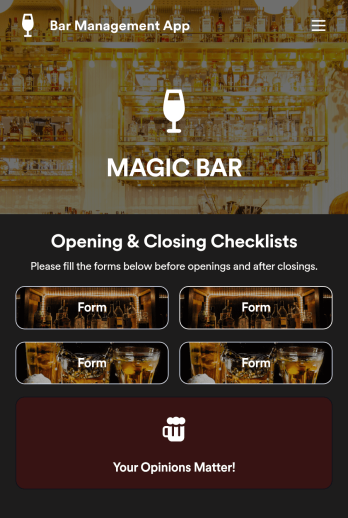
Bar Management App
Need an easy and efficient way to manage your bar’s employees? Look no further than this custom Bar Management App from Jotform. Create shift schedules, add opening and closing checklists, upload drink menus, and more. All of your bartenders will be able to use this handy app on their mobile, tablet, or desktop devices.Make this Bar Management App your own with our intuitive app builder. Simply drag and drop to upload training images and videos, add helpful integrations, create new pages, change fonts and colors, and more depending on your bar’s specific needs. Then simply share via direct link with your employees, or embed it directly into your work portal for easy access. Keep your bar running smoothly with this Bar Management App from Jotform.
Go to Category:Management Apps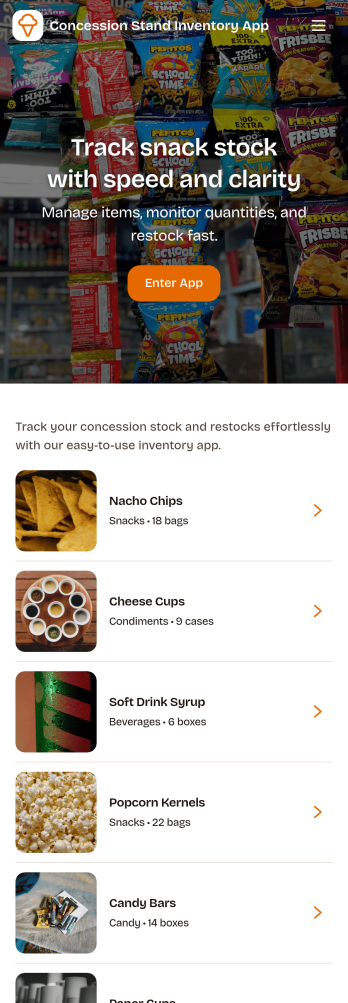
Concession Stand Inventory App
Concession Stand Inventory App helps you keep snack and drink stock under control for busy booths at games, tournaments, fairs, and school events. Use it to view current inventory, add new items as your menu changes, and log restocks so volunteers and staff know what’s available before the next rush. With a dedicated area for operational inventory insights, this app supports day-to-day decisions like which items are running low, what needs replenishing, and how stock levels shift across event days.Jotform makes it easy to turn this Concession Stand Inventory App into a mobile-friendly self-service experience using a no-code app builder with a drag-and-drop interface. Connect your app to Jotform forms and tables for reliable data collection, then share a single link or QR code with your team so updates happen in one place. As your workflow evolves, you can adjust navigation, add pages, and keep inventory records organized without relying on technical help.
Go to Category:Food & Beverage Apps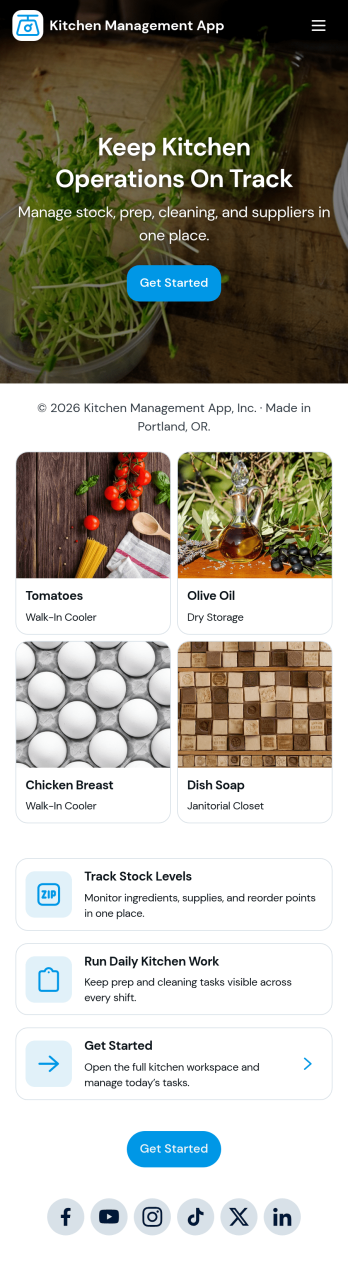
Kitchen Management App
Kitchen Management App brings daily kitchen operations into one place so teams can stay organized during busy shifts. Use it to track inventory items, assign and follow prep tasks, run cleaning checks by area, and log issues as they come up. It’s a practical fit for restaurants, cafés, catering teams, and food trucks that need clearer handoffs between managers, cooks, and opening or closing staff without relying on scattered notes or messages.Jotform makes it easy to turn this kitchen workflow into a shareable, mobile-friendly experience with a no-code app builder and a drag-and-drop interface. Connect the app to forms for fast data collection, keep records organized for your team, and build simple workflow steps around restocking, prep planning, sanitation routines, and issue reporting. With Jotform App Templates, you can customize pages, branding, and navigation, then publish and share the app with the people who need it most.
Go to Category:Restaurant Management Apps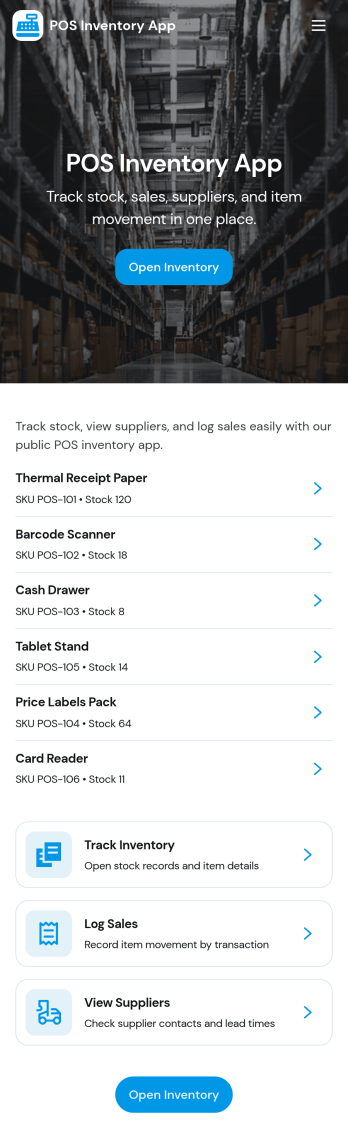
Pos Inventory App
Pos Inventory App helps retail and food service teams keep inventory control close to the register, so staff can quickly find items, review stock position, and spot what needs reordering. With an inventory list and item detail views, it’s useful for tracking inventory items, monitoring stock movement, and keeping a low stock watchlist visible for day-to-day operations. Store owners, shift leads, and back-of-house teams can use it to reduce missed restocks, avoid selling unavailable items, and maintain cleaner records across locations or departments.Built with Jotform App Templates, this app template can be customized in minutes using Jotform’s no-code app builder and drag-and-drop interface. Connect your inventory forms and data collection to keep records updated, then share the app through a link or QR code for fast staff access on mobile devices. As your workflow evolves, you can adjust pages, add steps for internal reviews, and keep sales and inventory logs organized in one place.
Go to Category:Inventory Apps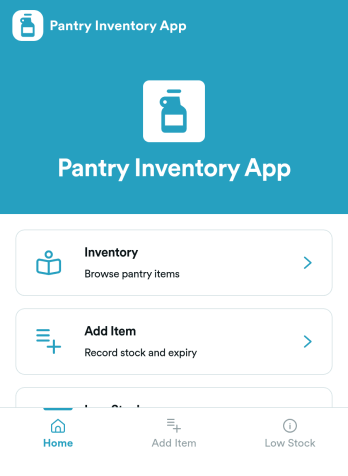
Pantry Inventory App
A pantry inventory app keeps your home or organization’s pantry items organized so you can see what you have, add new products as they come in, and avoid running out of essentials. This template supports day-to-day tracking with an inventory view, a simple add item flow, and a low stock area that makes it easier to spot what needs attention. It’s a great fit for busy households, shared apartments, meal-prep routines, small offices stocking a kitchenette, and community spaces that want a clear, up-to-date picture of pantry supplies.With Jotform App Templates, you can publish a pantry inventory experience that’s easy to navigate on any device and simple to maintain as items change. Use Jotform’s no-code app builder and drag-and-drop interface to adjust pages, buttons, and lists, then connect your app to the included form for fast data collection and restock updates. As your workflow grows, you can keep everything in one place for convenient self-service, from checking inventory to adding items and initiating restocks.
Go to Category:Inventory Apps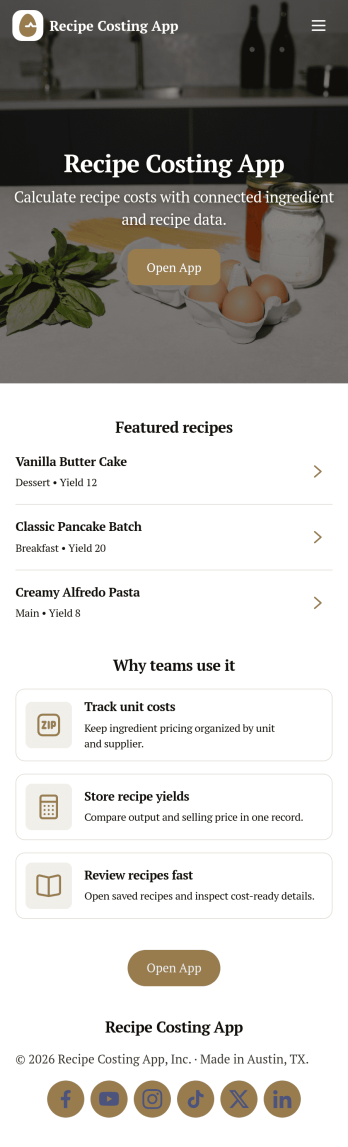
Recipe Costing App
Recipe Costing App helps food businesses calculate recipe costs using a simple, repeatable workflow. Use it to store ingredients with current prices, build recipes from those ingredients, and review costing details when menu planning or updating pricing. It’s a practical fit for restaurants, caterers, food trucks, bakeries, meal-prep brands, and culinary teams that need consistent numbers across locations or shifts without relying on scattered spreadsheets.With Jotform, you can turn this app template into a branded, shareable tool using a no-code app builder and a drag-and-drop interface. Connect forms to capture ingredient and recipe data collection, keep information organized for quick self-service browsing, and update costs as pricing changes. Publish your app in minutes, share it with your team, and keep your costing workflow moving with less manual follow-up.
Go to Category:Restaurant Inventory Apps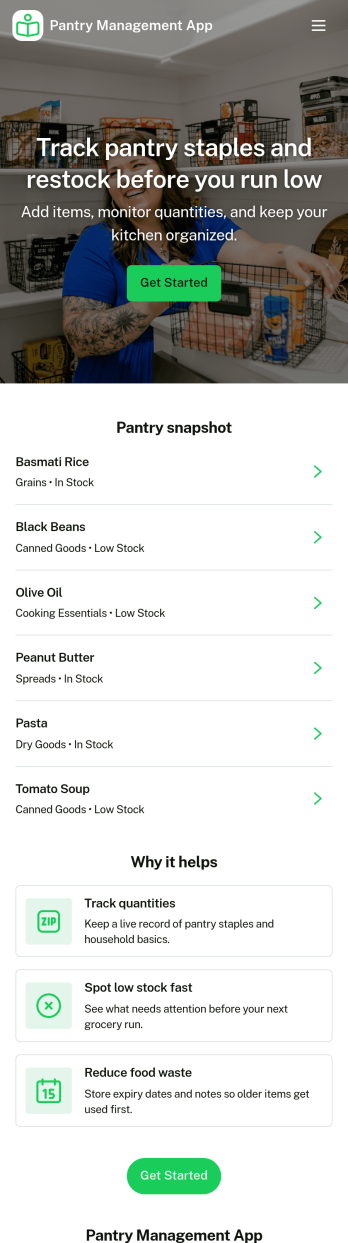
Pantry Management App
Pantry Management App helps households, shared kitchens, and small teams keep track of what’s on hand so restocking is timely and waste is reduced. Use it to review pantry stock at a glance, add new items as they come in, and open a simple review area to double-check what needs attention before the next grocery run. It’s a practical fit for families, roommates, meal-prep enthusiasts, and community kitchens that want one place to browse items and maintain consistency.With Jotform, you can publish this app template and tailor it to your routine using a no-code app builder and a drag-and-drop interface. Connect the app to a form for reliable data collection, keep records organized for quick self-service browsing, and adjust pages and navigation so everyone knows where to view stock, add items, and review updates. Share the app with a link or QR code to make pantry upkeep easier for everyone involved.
Go to Category:Inventory Apps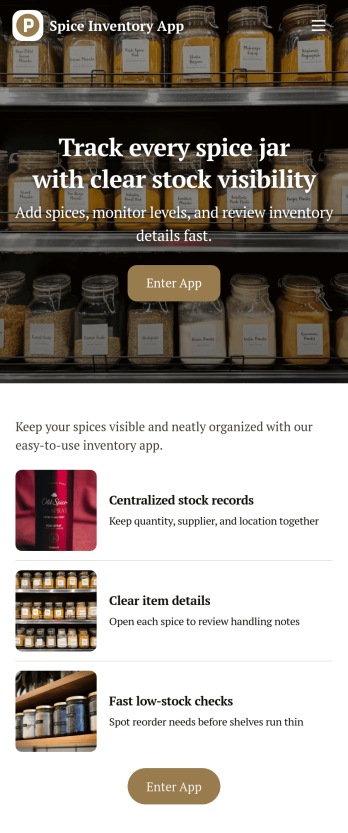
Spice Inventory App
Spice Inventory App helps kitchens and food businesses keep a clear, up-to-date view of spices across storage areas, so you can restock with confidence and avoid running out mid-service. Use it to browse your inventory list, open individual spice records, and quickly log replenishments through an Add Stock flow. It’s a practical fit for restaurants, catering teams, food trucks, test kitchens, and small retailers that want a simple way to spot low quantities early and keep purchasing and prep aligned.With Jotform, you can turn this spice inventory app template into a mobile-friendly self-service experience that your team can actually use during busy shifts. Customize pages with Jotform’s no-code app builder and drag-and-drop interface, then connect the app to a form and data collection workflow that keeps records consistent in one place. Share a single link or QR code for staff access, and update the layout, fields, and branding as your inventory process evolves.
Go to Category:Inventory Apps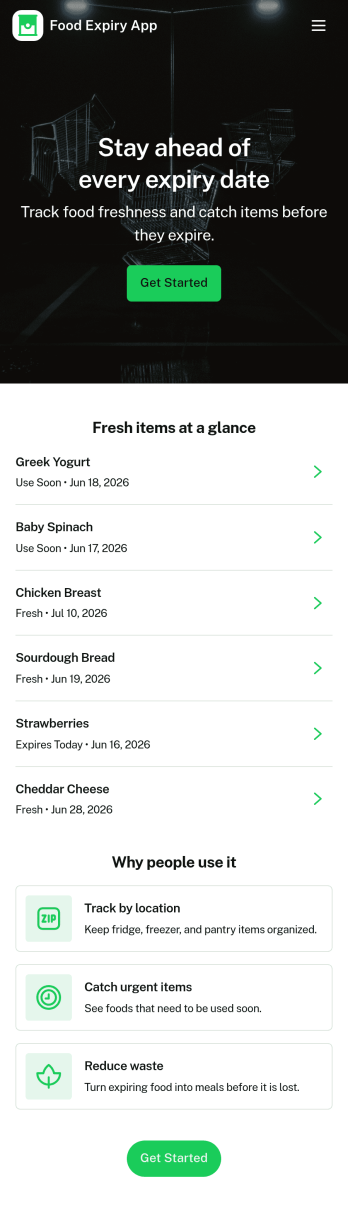
Food Expiry App
Food Expiry App helps you track what food you have on hand, what’s expiring soon, and what ends up being thrown away. It’s a practical fit for home kitchens, office break rooms, small cafés, and pantry teams that want a simple way to add food items, browse an up-to-date inventory list, and review an expiring-soon view before products go past their date. With a built-in waste log, it also supports basic waste tracking so you can spot patterns like over-ordering, poor rotation, or items that regularly expire unused.Built with Jotform, this app template turns everyday food tracking into a shareable, self-service experience that works on any device. Use Jotform’s no-code app builder and drag-and-drop interface to tailor fields, adjust the layout, and connect the app to your data collection workflow so updates stay organized in one place. From restocking routines to daily checks, Jotform makes it easy to keep inventory visible, reduce avoidable waste, and stay consistent without adding extra tools.
Go to Category:Restaurant Inventory Apps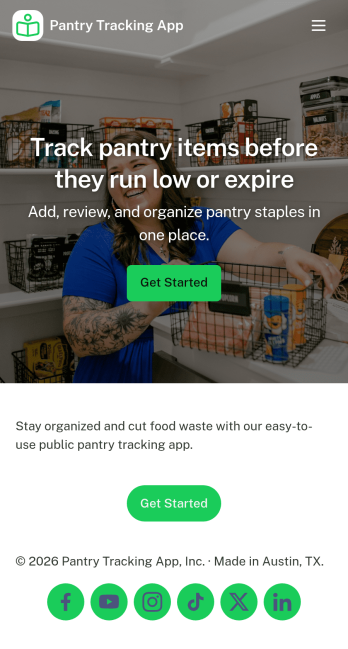
Pantry Tracking App
Pantry Tracking App helps households, roommates, and small food operations keep a clear view of what’s on hand so you can plan meals, avoid duplicate purchases, and reduce food waste. Use it to browse your inventory list, add new pantry items as you shop, and review what’s expiring soon so nothing gets forgotten in the back of a cabinet. With simple category navigation for staples like grains, canned goods, and spices, it’s easy to find what you need and keep day-to-day stocking organized.Jotform makes it simple to turn this kind of inventory workflow into a shareable, mobile-friendly experience using its no-code app builder and drag-and-drop interface. Connect your app to forms and tables for reliable data collection, keep updates consistent for everyone who uses the pantry, and adjust pages, labels, and navigation as your workflow evolves. Whether you’re managing a home pantry or tracking supplies for a small team, Jotform helps you centralize info and support quick self-service updates.
Go to Category:Inventory Apps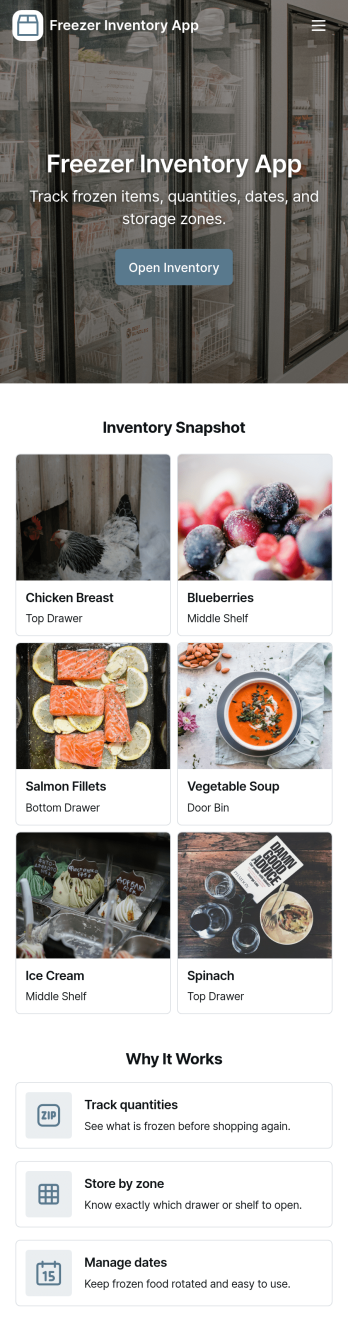
Freezer Inventory App
Freezer Inventory App helps you keep a clear, up-to-date view of what’s stored in your freezer so you can reduce waste, plan usage, and restock with confidence. It’s a practical fit for restaurant kitchens, bakeries, cafés, catering teams, small grocers, meal prep businesses, and even busy households that need a simple way to check current stock, review storage details, and see recent restocks at a glance. With quick navigation to current inventory and a dedicated restock log, teams can stay aligned on what’s available without relying on memory or handwritten lists.Jotform makes it easy to turn this Freezer Inventory App into a working system with an app template you can publish fast and update anytime. Using Jotform’s no-code app builder and drag-and-drop interface, you can tailor the layout to match your freezer zones, add the fields you actually track, and connect inventory data collection to forms and tables for smoother workflow and self-service access. Share the app with your staff through a link or QR code so stock checks and restock entries stay consistent across shifts.
Go to Category:Inventory Apps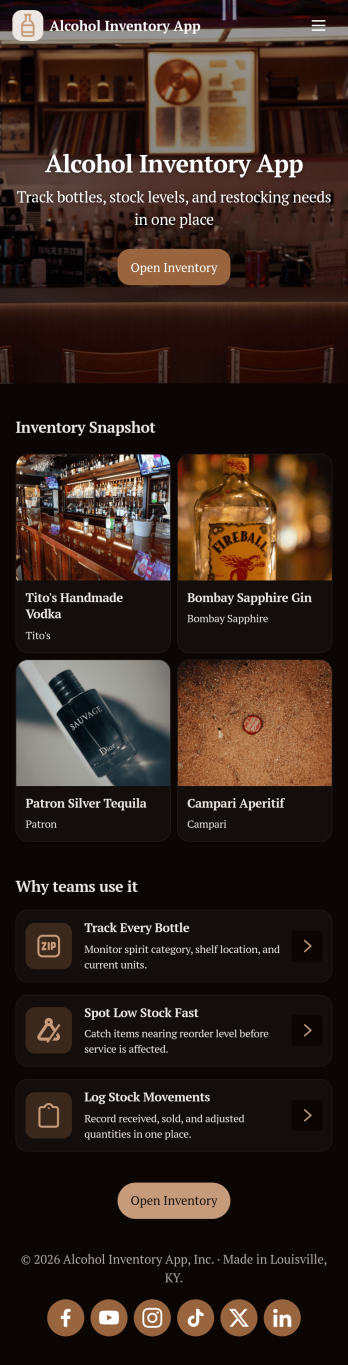
Alcohol Inventory App
Alcohol Inventory App helps bars, restaurants, tasting rooms, and retail beverage teams keep a clear, up-to-date view of what’s on hand and what needs attention. It brings your bottle list into one place for quick inventory browsing, provides a simple way to log stock changes, and highlights low-stock items so managers can act before service is impacted. Whether you’re tracking a busy back bar, a storeroom, or multiple shelving areas, this app supports tighter counts, fewer missed reorders, and smoother handoffs between shifts.With Jotform App Templates, you can turn your inventory workflow into a mobile-friendly, self-service experience without coding. Use Jotform’s no-code app builder and drag-and-drop interface to tailor pages, buttons, and lists to match your venue’s process, then connect your app to forms and tables for consistent data collection. Share a single link with staff, keep stock logs organized, and update the app as your menu or product mix changes.
Go to Category:Food & Beverage Apps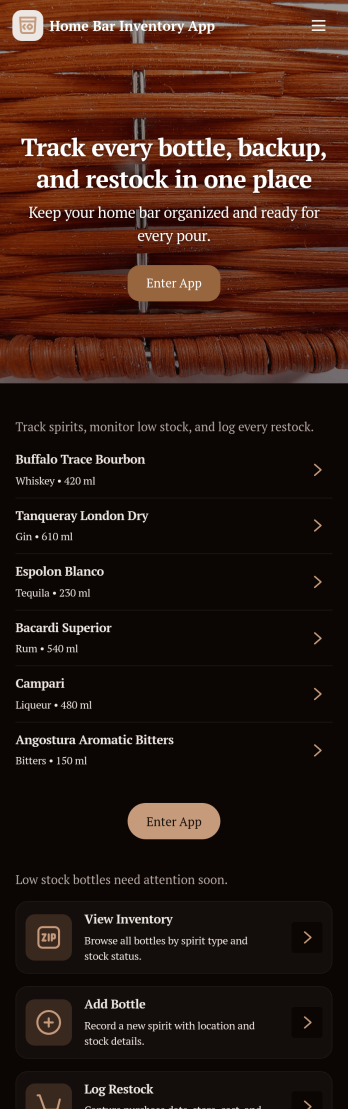
Home Bar Inventory App
A home bar inventory app keeps your bottles and mixers organized so you always know what’s on hand, what’s running low, and what to restock before guests arrive. Use it to browse your bottle list, open a bottle’s details when you need a quick refresher, and stay consistent about updates by logging pours and adding new stock as you shop. It’s a practical fit for home bartenders, cocktail enthusiasts, hosts who entertain often, and anyone sharing a home bar with roommates or family who want a clear, shared view of what’s available.With Jotform, you can turn this Home Bar Inventory App into a simple self-service experience using App Templates and a no-code app builder. Customize pages with a drag-and-drop interface, connect inventory actions to forms for data collection, and keep your workflow moving with updates that feed into connected records. Share the app with a link or QR code, keep everything in one place, and make home bar management easier from any device.
Go to Category:Inventory Apps
Food Spoilage Observation App
The Food Spoilage Observation App is a digital reporting and review tool for documenting suspected spoilage in kitchens, restaurants, catering operations, grocery stores, food storage facilities, and hospitality businesses. Staff can submit an observation with the affected item, location, condition, image, and supporting notes, then browse previous records or review entries that need attention. Built-in guidance gives team members a convenient reference point when assessing food quality concerns. This app template helps kitchen teams, supervisors, quality personnel, and operations managers replace scattered paper logs with an accessible record of observations, making it easier to identify recurring issues and support timely follow-up.Jotform App Templates help organizations create practical digital experiences without writing code. Using Jotform’s no-code app builder and drag-and-drop interface, teams can customize pages, navigation, colors, fonts, and branding to match their operating environment. The app can connect data collection forms with tables, notifications, approvals, and other workflow steps, keeping reports and related actions organized in one place. Once published, it can be shared by a direct link or QR code for mobile-friendly access, giving staff a straightforward self-service option for recording concerns wherever food is handled or stored.
Go to Category:Safety Inspection Apps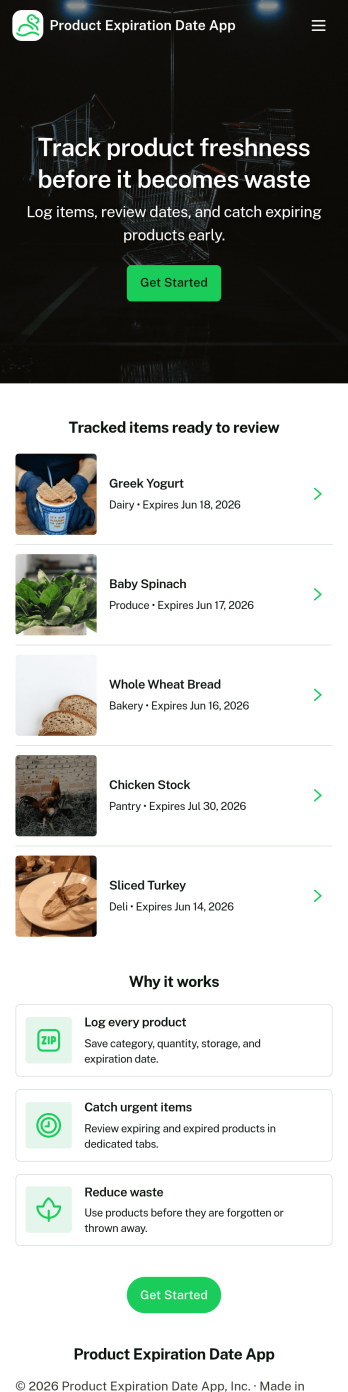
Product Expiration Date App
A product expiration date app helps teams track inventory by date so expiring items get flagged before they become a problem. Use it to keep product details organized, record routine checks, and review alerts for items that need attention. It’s a practical fit for restaurants, cafés, catering teams, grocery and retail stockrooms, labs, clinics, and any operation that handles dated goods and wants a clear process for rotation and removals. With quick navigation to Inventory, Log Check, Alerts, and Add Item, staff can stay consistent even across shifts and multiple locations.Jotform makes it easy to turn this workflow into a mobile-friendly experience using App Templates and a no-code app builder. Customize pages with a drag-and-drop interface, connect forms for data collection such as adding items and logging checks, and keep information organized for faster day-to-day decisions. Share the app with a link or QR code so teams can update inventory on the spot, reduce manual spreadsheets, and keep your workflow moving with fewer missed expirations.
Go to Category:Inventory Apps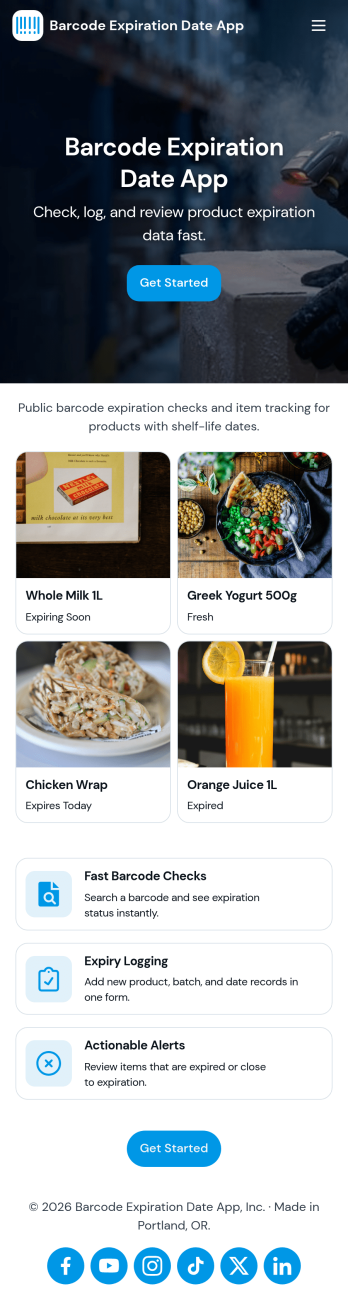
Barcode Expiration Date App
Barcode Expiration Date App helps teams track product expiration dates by scanning items, adding new products, and reviewing what is due soon. It’s ideal for restaurants, cafés, bars, catering teams, groceries, small retailers, clinics with stocked supplies, and storerooms that need a simple way to reduce waste and avoid missed expiry dates. Staff can move faster on receiving and shelf checks, keep inventory more reliable, and prioritize what to use first without relying on spreadsheets or memory.Built with Jotform, this app template can be customized in a no-code app builder with a drag-and-drop interface, so you can match it to your workflow and self-service needs. Connect the app to a form for consistent data collection when you register or add products, then organize records so your team can view inventory and open alerts from one place. Share it by link or QR code to make expiration tracking easier for every shift and location.
Go to Category:Inventory Apps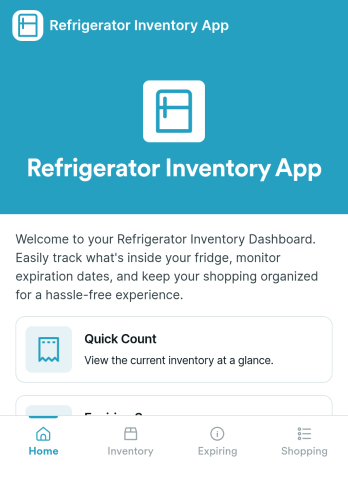
Refrigerator Inventory App
Refrigerator Inventory App helps you keep a clear, up-to-date record of what’s inside a fridge so you can avoid running out of essentials, reduce food waste, and make restocking decisions faster. Use it in homes, office kitchens, break rooms, cafés, food trucks, labs, or any team space where items are shared and “someone used the last one” becomes a recurring problem. With an inventory list you can browse, item detail views for quick checks, and a simple way to add items as you purchase or receive them, the app supports daily tracking without turning inventory into a time-consuming task.Built with Jotform App Templates, you can publish a self-service experience that’s easy to navigate on mobile or desktop and keep inventory details connected to your data collection. Customize pages with a drag-and-drop interface, route people to View Inventory or Add Item in a couple of taps, and keep your workflow organized as needs change. Jotform’s no-code app builder makes it simple to update item fields, adjust what your team sees first, and share the app with anyone who needs quick access to the refrigerator inventory.
Go to Category:Inventory AppsAbout Restaurant Inventory Apps
Restaurant Inventory Apps are specialized mobile and web apps designed to streamline the management of inventory in restaurant settings. These apps facilitate a variety of operational tasks including tracking stock levels, managing supplier orders, and monitoring usage trends, thereby ensuring that restaurants can maintain optimal inventory levels and reduce waste. Industries that benefit from these apps include hospitality, catering, and food service businesses, where efficient inventory management is crucial for smooth operations and cost control. Real-world workflows involve daily stock checks, automated reordering, and inventory audits, all of which can significantly enhance operational efficiency.
Jotform Apps, with its no-code app builder, provides an ideal solution for creating Restaurant Inventory Apps. Using Progressive Web App (PWA) technology, these apps can be installed via a browser without needing an App Store, ensuring seamless accessibility across iOS, Android, tablets, and desktops. The centralized data capability offered by Jotform Tables ensures that all inventory data is stored in one secure location, making it easy for teams to access and update information in real-time. This approach enhances the workflow as it allows for quick data entry, efficient data retrieval, and comprehensive reporting, all crucial for effective inventory management.
Why Use Restaurant Inventory Apps?
- Restaurant Inventory Apps offer significant operational value by automating stock tracking, which minimizes manual errors and saves time. This automation not only increases accuracy but also allows staff to focus on customer service and other critical tasks.
- These apps enable restaurants to maintain optimal inventory levels by providing real-time insights into stock usage patterns. This ensures that popular items are always available, enhancing customer satisfaction and preventing revenue loss from stockouts.
- By integrating with payment systems, these apps facilitate seamless financial transactions for inventory purchases, simplifying the procurement process. This integration supports efficient budget management and cost tracking, vital for maintaining profitability.
- The use of push notifications in these apps ensures timely alerts for low stock levels or upcoming order deliveries, allowing managers to act swiftly and prevent disruptions in service. This proactive approach is crucial for maintaining service quality and customer satisfaction.
- With workflow automation, repetitive tasks such as order generation and report creation are streamlined, freeing up valuable time for strategic planning and decision-making. This feature helps in optimizing labor costs and improving overall operational efficiency.
Common Problems Solved by Restaurant Inventory Apps
- A common challenge in the restaurant industry is the inability to accurately track inventory levels, leading to either overstocking or stockouts. Restaurant Inventory Apps solve this by providing real-time data on stock levels, enabling precise inventory management.
- Inefficient supplier order management often results in delayed deliveries and operational disruptions. These apps streamline supplier interactions and automate order processing, ensuring timely deliveries and uninterrupted service.
- Manual inventory audits are time-consuming and error-prone. With these apps, audits become more efficient and accurate, as they automatically track and log inventory changes, reducing discrepancies and improving accountability.
- High wastage due to expired stock is a significant issue, particularly for perishable goods. Restaurant Inventory Apps help mitigate this by tracking expiration dates and alerting staff to use items before they spoil, thereby reducing waste and improving cost efficiency.
Matching Use Cases to Features
- For managers seeking efficient stock tracking, the Drag-and-Drop Interface allows for easy customization of inventory dashboards, providing a real-time overview of stock levels. This feature supports informed decision-making and strategic inventory planning.
- Restaurants with multiple locations benefit from the centralized data feature of Jotform Tables, which consolidates inventory data from all sites into one accessible platform. This supports streamlined operations and uniform inventory management across locations.
- To enhance supplier coordination, push notifications can be employed to alert staff of pending orders and delivery schedules, ensuring timely communication and minimizing disruptions. This feature directly impacts service reliability and customer satisfaction.
- Payment Integrations with platforms like Stripe and PayPal facilitate seamless transactions for supplier payments, reducing administrative burden and improving financial tracking. This integration supports efficient cash flow management and supplier relations.
- The Publish Options feature, offering Public, Private, and Company-only access, ensures that inventory data is shared only with authorized personnel. This enhances data security and ensures compliance with privacy standards.
How to Create a Restaurant Inventory App
- Choose a category-relevant template from the Template List or start from scratch.
- Customize using the Drag-and-Drop Interface to tailor the app to your specific inventory needs.
- Share via Link, QR Code, or Embed to distribute the app effortlessly to your team and stakeholders.
Top Use Cases for Restaurant Inventory Apps
- For Managers: Restaurant Inventory Apps empower managers by providing comprehensive insights into inventory levels, enabling data-driven decision-making. With real-time analytics, managers can predict stock needs, manage supplier relationships effectively, and optimize ordering processes. These apps also support cost control initiatives by highlighting areas of waste and inefficiency, enabling corrective actions to be taken promptly.
- For Teams: Teams benefit from the streamlined workflows facilitated by Restaurant Inventory Apps, which alleviate the burden of manual inventory tracking and reporting. By automating routine tasks, team members can focus on delivering superior customer service. These apps also foster collaboration by centralizing data, making it easy for team members to access and update inventory records, thereby ensuring consistency and accuracy in operations.
- For Customers: Customers indirectly benefit from the enhanced inventory management practices facilitated by these apps. By ensuring that popular menu items are always available, these apps contribute to a positive dining experience and increase customer satisfaction. Additionally, by reducing wait times associated with stockouts and improving service reliability, these apps help to build customer loyalty and encourage repeat business.
Summarizing Restaurant Inventory Apps
Restaurant Inventory Apps offer substantial business value by addressing key operational challenges faced by the restaurant industry. They facilitate efficient inventory management through automation, real-time data insights, and streamlined workflows, ultimately improving cost efficiency and service quality. By leveraging Jotform Apps' no-code builder, restaurants can easily create customized apps that enhance their inventory processes, contributing to improved overall business performance.
Frequently Asked Questions
1) Is it free to create and use Restaurant Inventory apps on Jotform?
Yes, Jotform offers a Starter plan that allows users to create and use Restaurant Inventory apps for free. This plan provides access to basic features and is ideal for small businesses or those just starting with digital inventory management. As your needs grow, you can explore premium plans that offer additional features and capabilities.
2) Are the data and payments collected through the app secure?
Absolutely. Jotform ensures that all data and payment transactions collected through the app are secure and compliant with GDPR regulations. The platform uses advanced encryption methods to protect sensitive information, ensuring that your business and customer data are safeguarded against unauthorized access.
3) Do I need any coding skills to create a Restaurant Inventory app with Jotform?
No coding skills are required to create a Restaurant Inventory app with Jotform. The platform's no-code app builder features an intuitive Drag-and-Drop Interface, making it easy for users of all technical backgrounds to design and customize their apps. This user-friendly approach allows you to focus on the functionality and design of your app without worrying about technical complexities.
4) Can I collect payments for services directly through the app?
Yes, you can collect payments directly through the app using integrations with popular payment platforms such as Stripe and PayPal. This functionality allows you to manage supplier payments or charge for services seamlessly within the app, providing a convenient and efficient payment solution for your business.
5) Does Jotform support offline data collection for Restaurant Inventory apps?
Jotform does support offline data collection through its Mobile Forms feature. This capability is particularly useful for inventory tasks conducted in areas with limited internet access, ensuring that data can be collected and later synchronized once a connection is available.
6) Are Jotform Apps compatible with both iOS and Android devices?
Yes, Jotform Apps are designed to be compatible with both iOS and Android devices. Utilizing Progressive Web App (PWA) technology, these apps can be accessed and installed via a browser, providing a seamless experience across different platforms and devices without the need for App Store downloads.
7) Can Restaurant Inventory Apps integrate with existing restaurant management systems?
While Jotform Apps are highly versatile, the integration with existing restaurant management systems depends on the specific systems in use. Jotform offers various integration options through its API and third-party services, allowing for customized solutions to enhance compatibility and streamline operations.
8) How can Restaurant Inventory Apps improve sustainability practices in the restaurant industry?
Restaurant Inventory Apps can significantly contribute to sustainability by reducing waste through efficient inventory management. By tracking stock usage and expiration dates, these apps help minimize food waste, optimize order quantities, and promote the responsible use of resources, aligning with sustainability goals and practices.