

Contractor Apps

Independent Contractor Time Tracking App
Independent Contractor Time Tracking App helps freelancers and independent contractors record hours worked in a simple, focused place when they need a quick way to document time for clients, projects, or daily tasks. With a single page and clear on-screen guidance, it fits service providers who want a lightweight option for capturing work time during the day and keeping personal records consistent, whether they’re on-site, traveling, or working from home.Jotform makes it easy to turn this use case into a shareable, branded experience using its no-code app builder and drag-and-drop interface. Start with Jotform App Templates, adjust the page content to match how you track time, and connect the app to your broader workflow for data collection and self-service when you’re ready to expand beyond a basic layout.
Go to Category:Activity Tracking Apps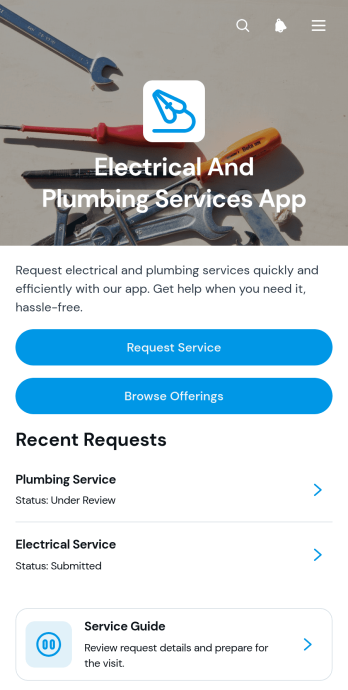
Electrical And Plumbing Services App
Electrical And Plumbing Services App gives electricians, plumbers, contractors, property maintenance teams, and home service businesses one convenient place to present services and receive customer requests. Customers can browse available electrical and plumbing offerings, review essential details such as what is included and starting prices, and submit a request with their issue, address, and preferred date. Teams can also display request summaries and current service statuses, helping customers understand what comes next without relying on scattered calls or messages. This app template is well suited to residential repairs, commercial maintenance, property management support, installation work, and recurring service operations.Jotform App Templates help businesses turn service information and connected processes into accessible digital experiences. Using Jotform’s no-code app builder and drag-and-drop interface, teams can customize pages, buttons, colors, fonts, and navigation to match their operations and visual identity. Forms and tables can support data collection, record organization, notifications, and workflow updates from one connected workspace. Once the app is ready, it can be shared through a direct link or QR code for convenient mobile access. This makes it easier to provide self-service options, organize incoming jobs, maintain accurate service records, and adapt the experience as business needs change.
Go to Category:Home Services Apps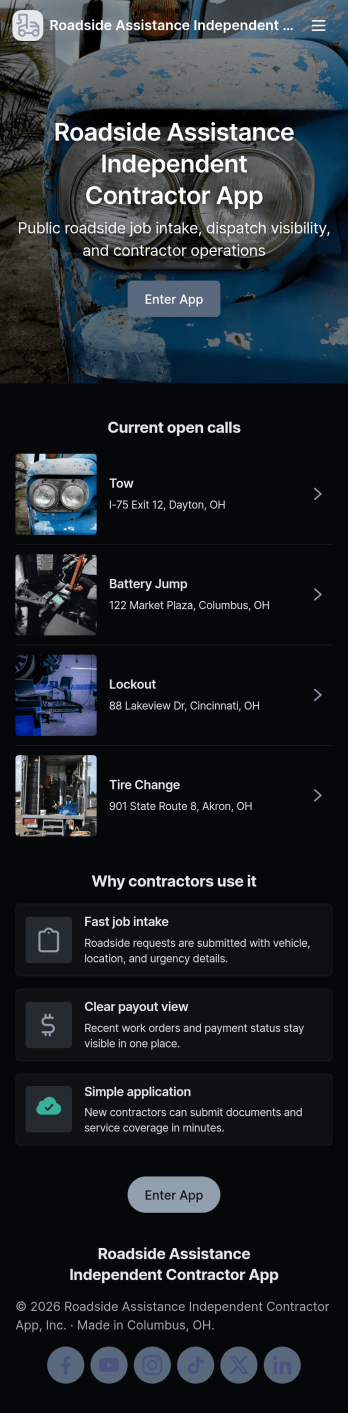
Roadside Assistance Independent Contractor App
Roadside Assistance Independent Contractor App keeps independent drivers and tow providers organized from the moment a dispatch comes in to the moment the work is wrapped up. It gives contractors a simple way to send a new job request, browse open jobs, review job details tied to a dispatch ID, and stay ready with quick equipment check reporting. It also includes built-in contact options for reaching the dispatch desk by phone or emailing contractor support, which helps reduce missed calls and confusion during busy shifts.Jotform makes it easy to tailor this app template to your roadside operation with a no-code app builder and a drag-and-drop interface. Connect the app to your existing forms and tables for reliable data collection, then share a single self-service link with your contractor network. As jobs and equipment checks are submitted, your workflow stays organized and searchable, so coordinators and contractors can move faster with fewer manual updates.
Go to Category:Automotive Apps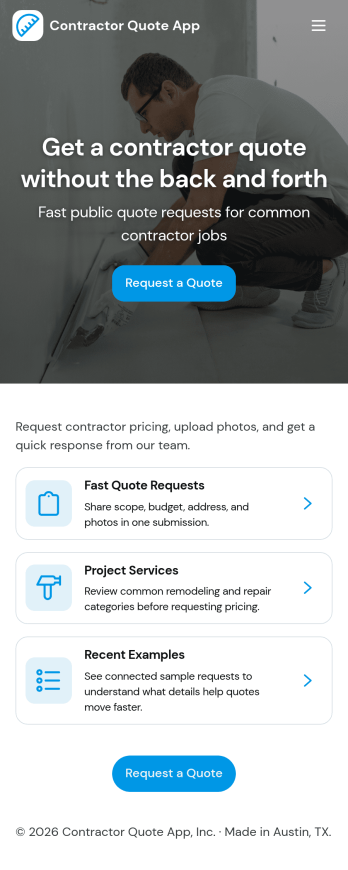
Contractor Quote App
Contractor Quote App gives contractors and home service teams a simple way to collect quote requests, guide customers to the right service, and keep inquiries organized in one place. Visitors can request a quote from multiple entry points, browse available services before reaching out, and use a call button when they need a fast response. It works well for general contractors, remodelers, handymen, HVAC pros, landscapers, and other service providers who want fewer missed leads and clearer project details from the start.With Jotform’s App Templates, you can publish a branded, mobile-friendly experience without coding and connect it to your existing data collection workflow. Use the no-code app builder and drag-and-drop interface to customize pages, update service options, and route quote requests to the right person. Jotform makes it easy to share your app via link or QR code and manage incoming requests in one streamlined workflow for faster follow-up.
Go to Category:Construction Apps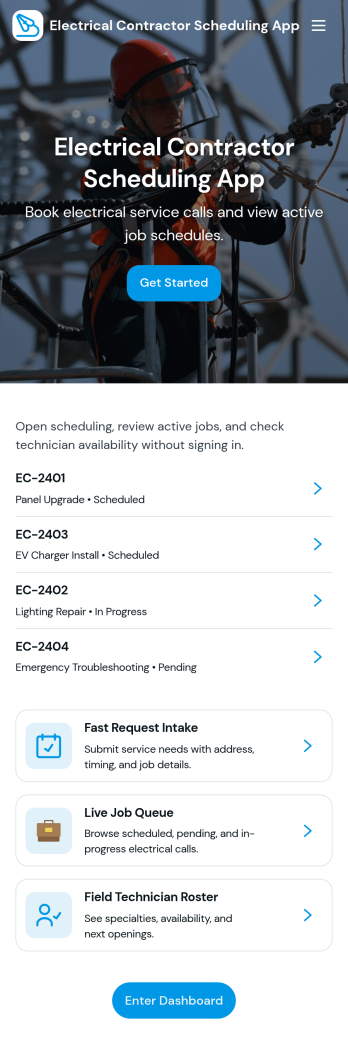
Electrical Contractor Scheduling App
Electrical Contractor Scheduling App helps electrical service businesses capture new job requests, organize a job queue, and keep dispatch decisions clear as the day changes. Use it to route incoming work into a central place, review job details by customer and work order, and quickly move from request intake to scheduling. It’s a practical fit for electrical contractors, dispatchers, office managers, and field supervisors who manage multiple crews, urgent calls, and tight appointment windows.Built with Jotform, this app template pairs a mobile-friendly experience with the flexibility of a no-code app builder. With a drag-and-drop interface, you can tailor pages for your dispatch board and crew directory, link buttons to scheduling forms for fast data collection, and keep your workflow moving from request to scheduled job. Share the app with your team using a link or QR code so everyone stays aligned without juggling spreadsheets.
Go to Category:Construction Apps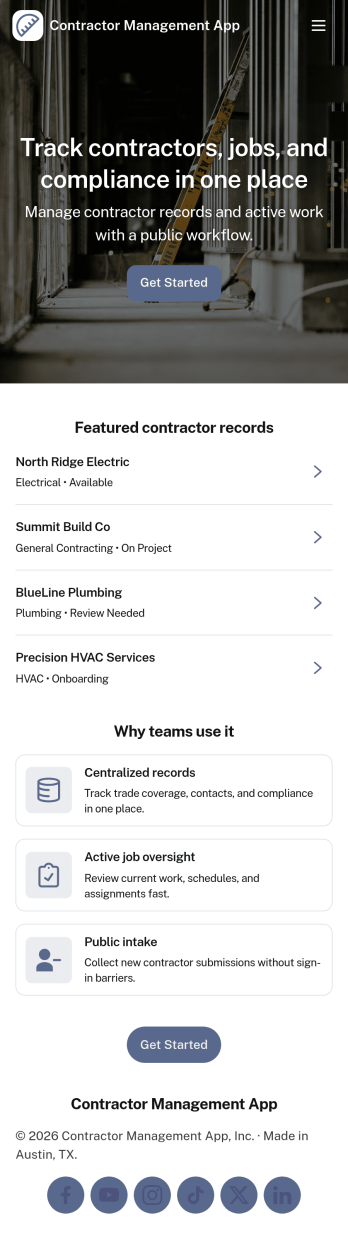
Contractor Management App
Contractor Management App helps businesses organize contractor details, job activity, inspections, and payment records in one place so teams can stay on top of day-to-day coordination. It’s a practical fit for construction companies, property managers, field service teams, and operations leads who need a clear view of who is working, what is in progress, and what has been paid. With a contractor directory and job tracker at the core, the app supports faster lookups, consistent recordkeeping, and smoother handoffs between office staff and the field. The built-in inspection log and payment ledger make it easier to document site checks, track open items, and keep financial follow-ups tied to the right work.Jotform makes it simple to turn this Contractor Management App into a tailored self-service experience using App Templates and a no-code app builder. Customize pages with a drag-and-drop interface, connect your app to workflows, and keep data collection organized through linked records your team can access whenever they need it. Share the app through a link or QR code, update content as projects change, and give stakeholders a single destination for contractor coordination without added complexity.
Go to Category:Construction Apps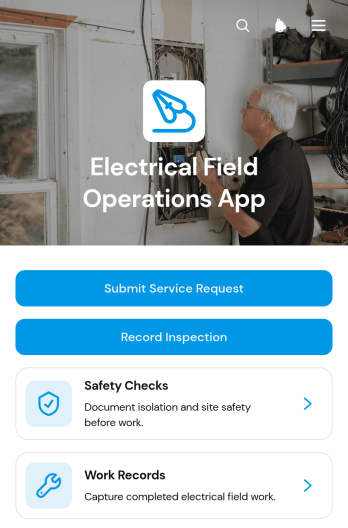
Electrical Field Operations App
Electrical Field Operations App gives electrical contractors, field technicians, supervisors, and facilities teams a central place to manage work performed at customer and project sites. Users can submit service requests, review site and urgency details, record inspections, complete safety checks, and document finished work with technician and completion information. It supports maintenance calls, installation follow-ups, fault investigations, routine inspections, and other field service scenarios where accurate records and clear handoffs matter. By keeping requests and work records accessible in one mobile-friendly experience, teams can improve visibility, reduce missing information, and maintain a reliable history of on-site activity.Jotform Apps helps organizations turn processes like this into interactive experiences without writing code. Start with the Electrical Field Operations App template, then use the no-code app builder and drag-and-drop interface to adjust pages, navigation, branding, and connected forms. Jotform App Templates can link data collection with tables, notifications, approvals, and other workflow steps, helping office and field teams stay coordinated. Publish the app through a direct link, personalized URL, embedded experience, or QR code so technicians can access tasks and self-service resources from phones, tablets, or computers.
Go to Category:Field Service Apps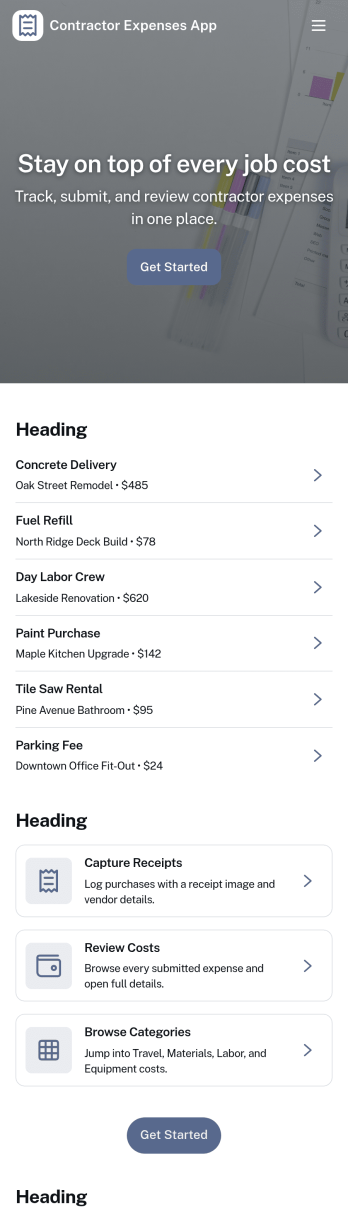
Contractor Expenses App
Contractor Expenses App helps independent contractors and field teams capture, review, and understand job-related spending in one place. Use it to add expenses as they happen, browse past entries, and open individual expense records when you need the details for invoicing, reimbursements, or end-of-month bookkeeping. It’s a practical fit for construction crews, home service pros, subcontractors, and small business owners who need a simple way to keep receipts and costs organized without digging through messages or spreadsheets.Jotform makes it easy to turn this app template into a branded expense workflow using a no-code app builder and a drag-and-drop interface. Connect the app to your expense form for consistent data collection, then share it by link or QR code so contractors can submit expenses from anywhere. As records grow, you can keep information accessible for your team, route entries into the right workflow, and use the built-in insights area to spot trends and track spending over time.
Go to Category:Activity Tracking Apps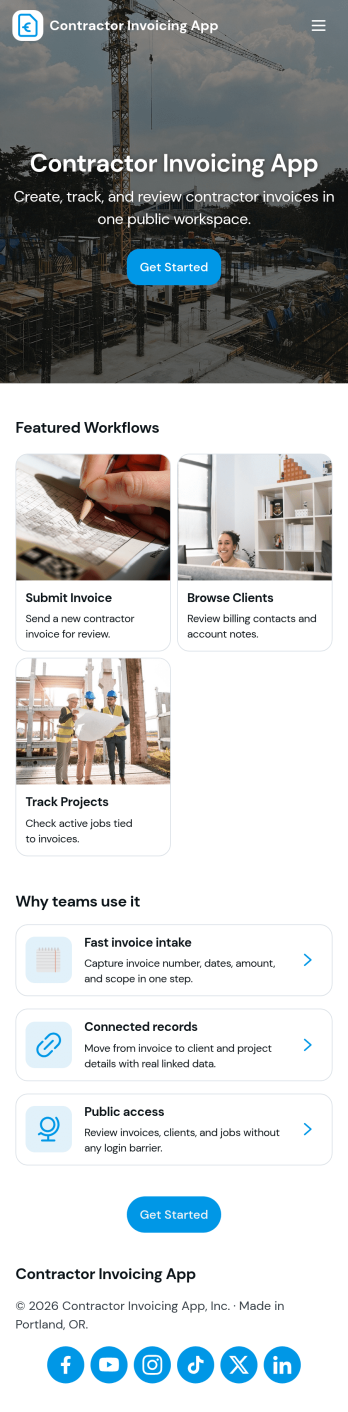
Contractor Invoicing App
Contractor Invoicing App helps independent contractors and small service teams create invoices, keep client details in one place, and stay on top of billing without juggling spreadsheets. From the home screen, you can start a new invoice, add an invoice through a connected form, browse invoice entries in a list, and pull up an invoice snapshot when you need a quick view of what’s been sent. It’s also built to support day-to-day follow-up with a clear path back to your invoice list and a dedicated Clients area for organizing customer records.With Jotform, you can turn invoicing into a branded, self-service workflow using a no-code app builder and a drag-and-drop interface. Connect your app template to the forms and data collection you already rely on, then share a single link with your team so everyone works from the same invoice and client information. As your process grows, you can adjust pages, refine what you track, and use built-in reporting summaries to get a clearer picture of overdue invoices and billing activity.
Go to Category:Construction Apps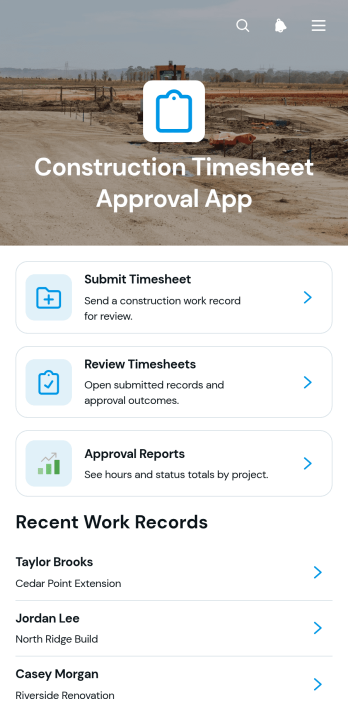
Construction Timesheet Approval App
Construction Timesheet Approval App provides contractors, site supervisors, project managers, and payroll teams with a central place to submit, review, and approve worker time records. Team members can record project hours, while authorized reviewers can check timesheets, update approval statuses, and view approval reports. Supervisor contact details also make it easier to resolve questions about individual work records. This app template is well suited to construction firms managing multiple crews, active job sites, subcontractors, or recurring payroll periods. It reduces scattered paperwork, improves visibility into recorded labor, and helps office and field teams maintain a consistent timesheet workflow.Jotform App Templates make it easy to adapt this experience to existing operations without writing code. Using Jotform’s no-code app builder and drag-and-drop interface, teams can adjust pages, navigation, colors, fonts, and branding to suit their organization. The app can connect forms, tables, notifications, approvals, and other workflow assets to support organized data collection and timely follow-up. Once published, it can be shared with workers and supervisors through a direct link or QR code, giving users mobile-friendly access whether they are at a job site or in the office.
Go to Category:Construction Apps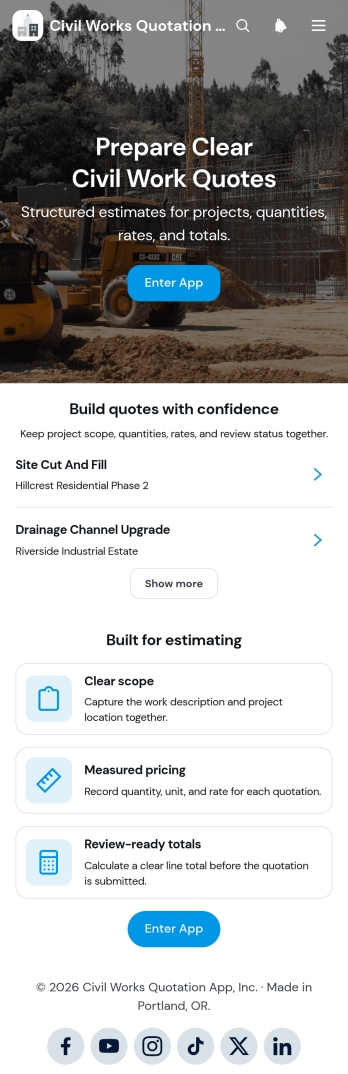
Civil Works Quotation App
The Civil Works Quotation App is a ready-to-use app template for contractors, estimators, civil engineering teams, project managers, and construction businesses preparing itemized project quotations. It brings quotation creation, cost calculation, and quote review into one organized experience. Teams can define the work scope, record quantities and rates, calculate estimated costs, and view review-ready totals before presenting a quotation. It is well suited to earthworks, drainage, concrete work, road repairs, site preparation, and other civil projects where clear pricing and accurate project details support faster decisions. Users can also browse existing quotations, open project summaries, and refer to common quotation questions when checking estimates.Jotform makes this Civil Works Quotation App easy to adapt without coding. Its drag-and-drop app builder lets businesses update pages, buttons, content, and branding to match their estimating workflow. Connected forms support consistent data collection, while tables and automated workflows can help teams organize records and follow up on new quotes. Publish the app with a shareable link or QR code so office and field teams can access it from phones, tablets, or computers. Jotform App Templates provide a practical starting point for creating a mobile-friendly quotation workspace with self-service access to essential estimating tools and project information.
Go to Category:Estimation Apps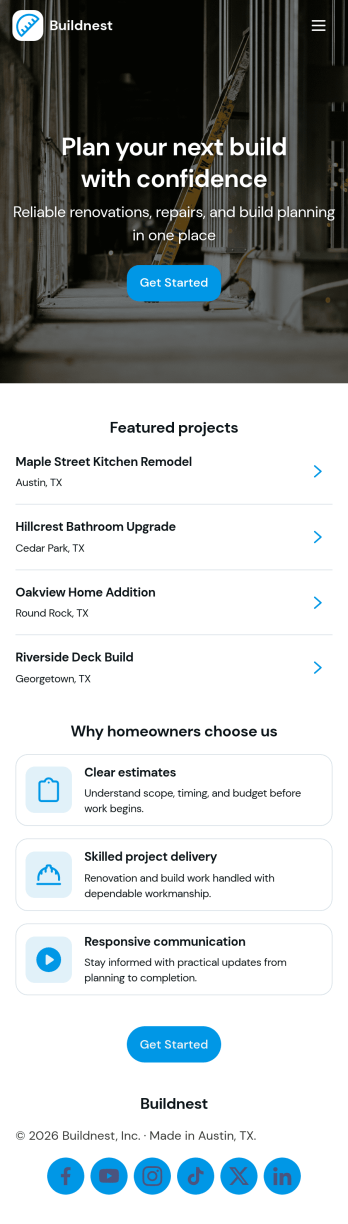
Building Contractor App
Building Contractor App gives contractors and home service teams a simple, client-friendly way to showcase past work, highlight available services, and capture new quote requests in one place. Use it to let homeowners browse projects, request a quote for similar work, and book a quote visit without phone tag. It also supports quick access to office contact details and keeps quote activity easy to reference, which helps small crews and growing contractors stay responsive while jobs are moving.Built with Jotform, this app template can be tailored with a no-code app builder and a drag-and-drop interface, so you can match your brand and process in minutes. Connect the app to your forms to support data collection for estimate requests and site visit booking, then share it with a link or QR code for fast self-service from any device. As your workflow evolves, you can update pages, refine what clients see, and route incoming requests to the right person without rebuilding from scratch.
Go to Category:Construction Apps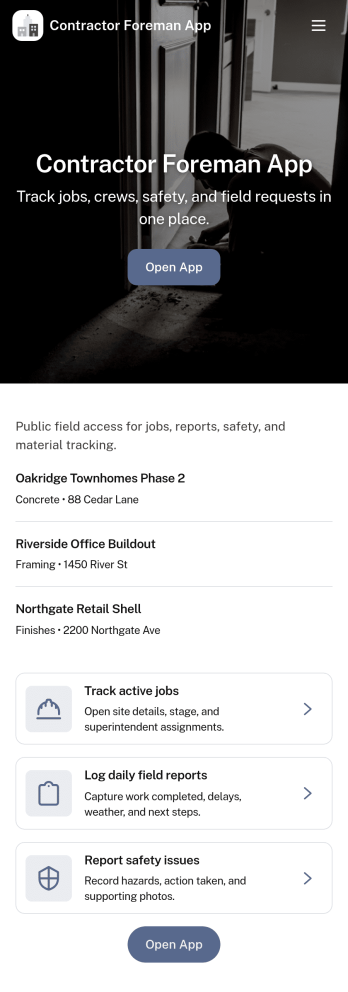
Contractor Foreman App
Contractor Foreman App brings day-to-day jobsite coordination into one place so foremen and field leads can keep projects moving without chasing updates across calls and texts. Use it to review open jobs, submit new job requests, capture daily logs from the field, and complete inspections as work progresses. It fits general contractors, subcontractors, and small construction crews who need a consistent way to document activity, spot issues early, and keep everyone aligned across multiple sites.Built with Jotform, this app template helps you turn field processes into a mobile-friendly self-service experience using a no-code app builder and a drag-and-drop interface. Connect key actions to forms and organize records in connected lists so teams can capture data collection on-site and follow a clear workflow from request to log to inspection. Customize pages, buttons, and navigation to match how your crew runs jobs, then share a link so the right people can access the tools they need.
Go to Category:Construction Apps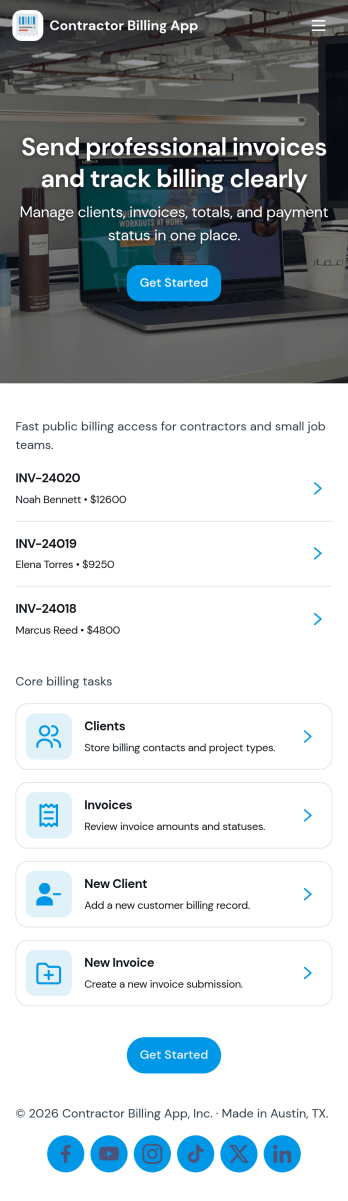
Contractor Billing App
Contractor Billing App brings your billing workflow into one place so independent contractors and service teams can manage client accounts, create and track invoices, and monitor incoming payments without juggling separate tools. With dedicated sections for Clients, Invoices, and Payments plus a billing dashboard view, it fits common contractor scenarios like progress billing, recurring service work, and multi-job projects where you need quick visibility into what’s been billed and what’s still outstanding.Jotform makes it easy to turn this experience into a polished, shareable app using a no-code app builder and a drag-and-drop interface. Connect the app to your form for data collection, route details into a workflow, and keep records organized for fast follow-ups. Update pages as your process changes, collaborate with your team, and share a self-service experience with clients using a simple link.
Go to Category:Construction Apps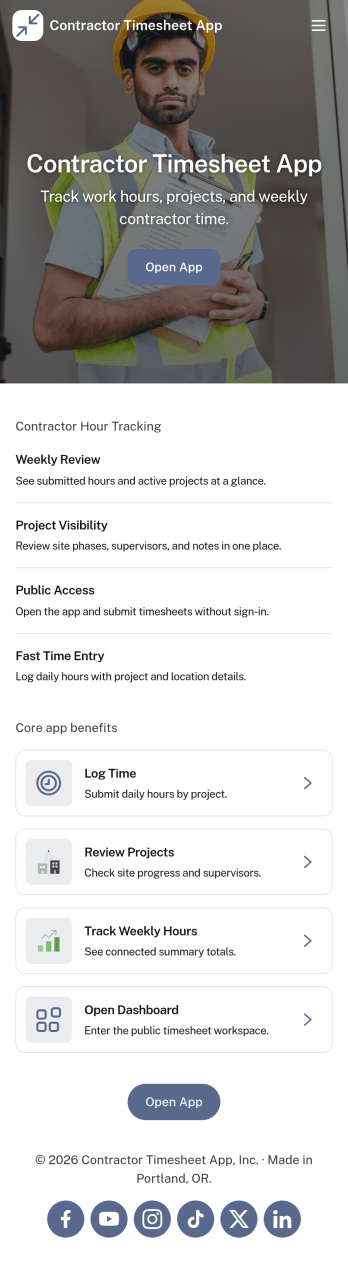
Contractor Timesheet App
Contractor Timesheet App helps contractors and field teams log hours against specific jobs and gives managers a clear place to review work time before it moves forward. With quick time entry, a jobs list for selecting the right project, and an approval review step, it supports day-to-day tracking for construction crews, home service providers, agencies using freelancers, and any business coordinating multiple workers across multiple assignments.Jotform makes it simple to turn this process into a shareable, self-service experience using App Templates and a no-code app builder with a drag-and-drop interface. Connect your app to forms and tables for reliable data collection, keep records organized in one place, and update pages, buttons, and branding as your workflow changes so teams can submit, review, and reference timesheets from anywhere.
Go to Category:Activity Tracking Apps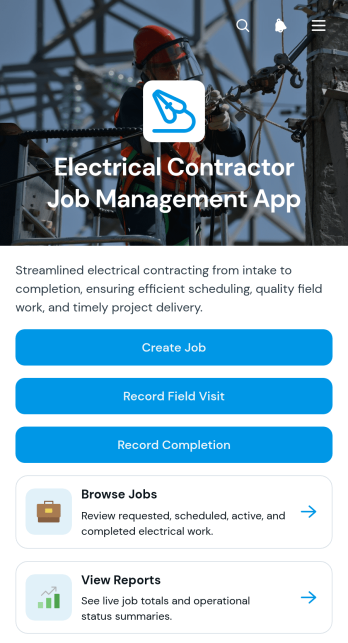
Electrical Contractor Job Management App
The Electrical Contractor Job Management App gives electrical contractors, field supervisors, dispatchers, and office teams one place to coordinate service and installation work. Teams can create jobs, browse current job records, and review essential details such as customer information, job addresses, requested dates, work scope, and status. Field technicians can record site visits and job completion, while managers can consult reports to monitor activity and keep projects moving. It is well suited to electrical service companies handling residential calls, commercial work, repairs, inspections, installations, and other assignments that require clear communication between office and field staff.Jotform makes this app template easy to adapt without coding. Use the drag-and-drop app builder to update pages, buttons, branding, and navigation, then connect forms and tables to support data collection and everyday workflows. The mobile-friendly experience gives technicians convenient access in the field and helps office teams maintain organized records from a shared workspace. Publish the finished app with a direct link or QR code, provide self-service access to authorized team members, and revise the experience as your job management process changes.
Go to Category:Contractor Apps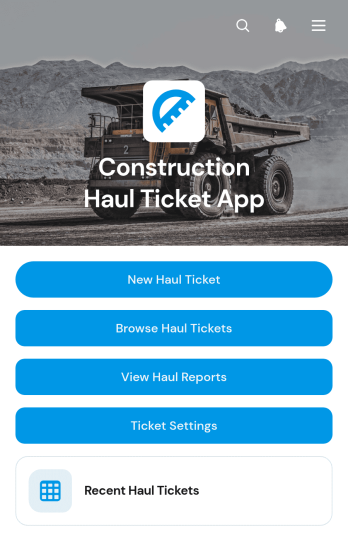
Construction Haul Ticket App
The Construction Haul Ticket App is a ready-to-use digital workspace for recording and reviewing material movements across construction sites. Contractors, site supervisors, dispatch teams, haulers, and project managers can create haul tickets, browse recent records, and view haul reports from one organized location. Each ticket can capture essential load details such as the construction site, hauler, truck or unit, quantity, load type, and site notes. This helps teams replace scattered paper tickets, maintain clearer records, monitor haul totals, and resolve questions about deliveries or removals with less manual searching. It is well suited to excavation, aggregate transport, demolition, earthmoving, roadwork, and other operations that coordinate recurring truckloads.Jotform provides a no-code app builder that makes this app template easy to adapt to existing field operations. Use the drag-and-drop interface to update pages, navigation, branding, and ticket settings without programming. Connected forms and tables support data collection, while reports give office and field teams a shared view of haul activity. The app can be published for mobile-friendly access and shared by a direct link or QR code, helping drivers and supervisors submit information wherever work occurs. Among Jotform App Templates, this option offers a practical foundation for creating a self-service haul ticket workflow that can grow with project requirements.
Go to Category:Construction Apps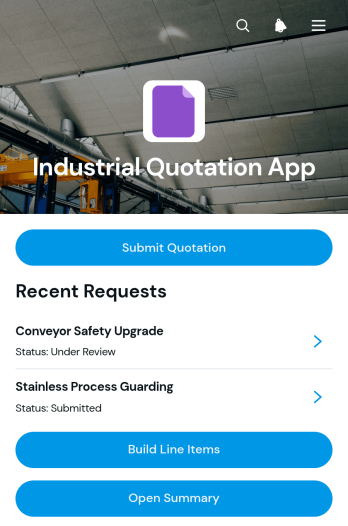
Industrial Quotation App
Industrial Quotation App gives manufacturers, engineering firms, fabricators, contractors, and industrial suppliers a central workspace for preparing detailed project quotations. Teams can capture requester details, review scope and specifications, build priced line items, and open a quotation summary before following up with the customer. This app template is useful when estimates depend on quantities, delivery requirements, unit pricing, or custom production details. Sales representatives, estimators, procurement teams, and project managers can use it to keep quote information organized, reduce calculation errors, and maintain a clear record of each request. It also supports quicker communication between customer-facing staff and the technical teams responsible for costing work.Jotform Apps helps businesses turn quotation processes into accessible, interactive experiences without writing code. Start with this option from Jotform App Templates, then use the drag-and-drop app builder to adjust pages, navigation, colors, fonts, and branded visual elements. Connected forms support data collection, while organized records make it easier to manage the quotation workflow from request through pricing review. The finished app can be shared by direct link or QR code and opened on phones, tablets, or computers, giving teams convenient access whether they work in an office, workshop, warehouse, or field location.
Go to Category:Estimation Apps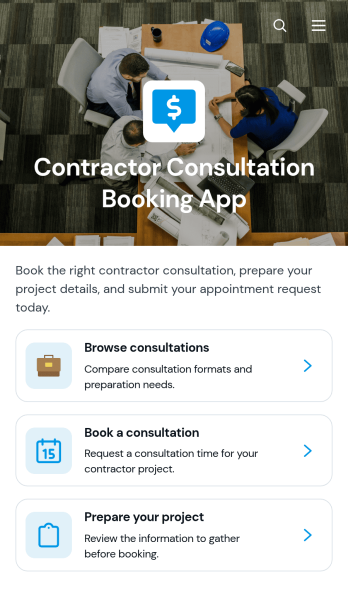
Contractor Consultation Booking App
Contractor Consultation Booking App gives contractors and construction service providers a convenient way to present consultation options and accept appointment requests from prospective clients. Visitors can browse available consultations, review details such as the best-fit project type, duration, and meeting format, then book the most relevant option. Project preparation guidance helps clients arrive with useful information, while direct contact access supports questions before scheduling. This app template is well suited to general contractors, remodelers, builders, tradespeople, project consultants, and home service teams that want to create a more organized booking experience, qualify inquiries, and reduce the time spent coordinating initial meetings.Jotform makes it easy to adapt this app template to your services without writing code. Use the drag-and-drop app builder to update pages, apply your branding, connect booking forms, and organize consultation resources in one mobile-friendly experience. You can also connect data collection to tables, notifications, approvals, payments, and other workflow steps as your process develops. Publish the finished app with a direct link or QR code to offer convenient self-service access from your website, social channels, proposals, or client communications.
Go to Category:Contractor Apps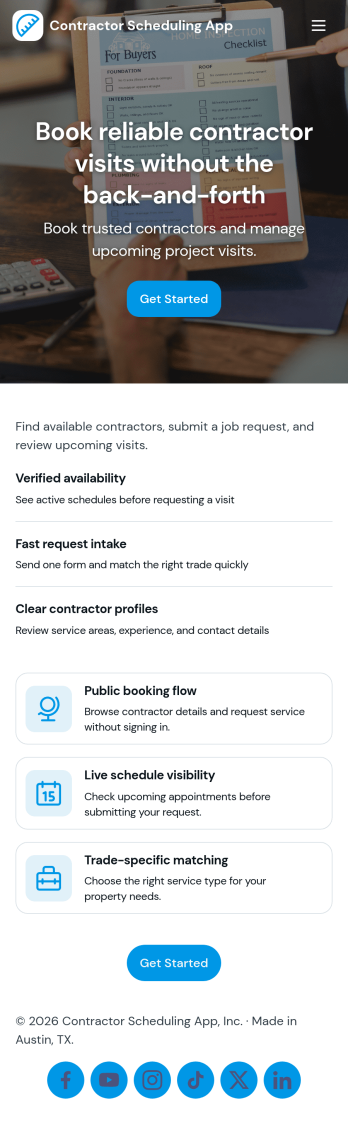
Contractor Scheduling App
Contractor Scheduling App helps teams coordinate contractors, projects, and day-to-day assignments in one organized place. Use it to keep a clear roster of who you work with, capture project details as they come in, and connect each job to the right people and dates. It’s a practical fit for construction companies, home service businesses, property managers, and operations teams that need quick visibility into upcoming work without relying on scattered messages or spreadsheets.With Jotform’s app templates, you can turn your scheduling process into a mobile-friendly experience powered by a no-code app builder and a drag-and-drop interface. Connect forms for adding contractors and projects, display assignment lists for easy self-service access, and keep data collection consistent across your workflow. Customize pages, branding, and navigation so everyone knows where to go to view schedules, update job information, and stay aligned.
Go to Category:Construction Apps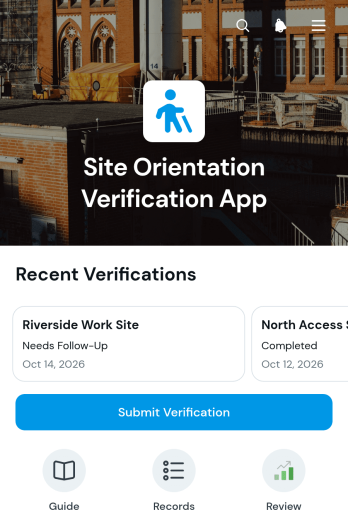
Site Orientation Verification App
The Site Orientation Verification App helps construction firms, industrial facilities, warehouses, field service teams, and contractors confirm that workers and visitors have completed required site orientations. Safety coordinators and operations managers can use it to receive verification submissions, review records by site, and check orientation dates, results, and verifier details. A visual results summary also helps teams monitor verification activity across locations. By keeping this information in one accessible app, organizations can reduce scattered records, quickly identify missing confirmations, and maintain a clearer view of who has completed site-specific onboarding before work begins.Jotform provides a no-code app builder that makes this app template easy to adapt to existing orientation workflows. Use the drag-and-drop interface to update pages, navigation, colors, and branding without programming, then connect forms and tables for organized data collection. Teams can publish the finished app with a direct link or QR code for convenient mobile access. Jotform App Templates also support notifications, approvals, and related workflows, helping safety personnel and contractors coordinate verification tasks from a shared, self-service experience.
Go to Category:Safety and Compliance Apps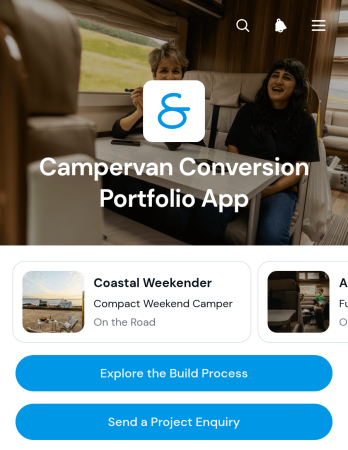
Campervan Conversion Portfolio App
Campervan Conversion Portfolio App is a visual showcase for conversion specialists, custom vehicle builders, contractors, and independent craftspeople who want prospective customers to explore completed or ongoing projects. It brings project galleries, conversion details, and key build stages into one convenient experience, helping visitors understand each project before making contact. Businesses can highlight planning, construction, and handover work while presenting details such as conversion style, base vehicle, sleeping capacity, build status, and notable features. An integrated enquiry form gives interested customers a direct way to ask about a conversion, supporting lead generation without separating the portfolio from the initial conversation.With Jotform Apps, this app template can be adapted into a branded, mobile-friendly portfolio without coding. The drag-and-drop interface makes it easy to update pages, images, cards, buttons, and navigation as new builds are completed. Users can connect forms and data collection processes to a broader workflow, share the finished app through a direct link or QR code, and provide convenient self-service access to project information. Jotform App Templates also help small and medium-sized businesses publish polished customer experiences quickly while retaining control over content, layout, and branding.
Go to Category:Automotive Apps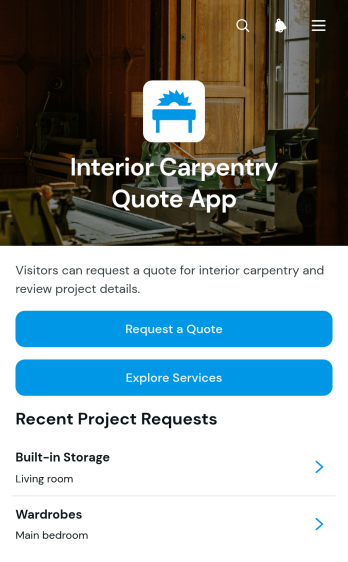
Interior Carpentry Quote App
Interior Carpentry Quote App gives carpentry contractors, joinery teams, interior specialists, and home service businesses a convenient way to receive and organize quote requests for custom projects. Prospective clients can explore services such as built-in storage, kitchen carpentry, wardrobes, and wall panelling before submitting their requirements. Each request can capture essential details including the project type, description, preferred material, budget range, client name, and email address. Centralizing this information helps teams understand the scope of an inquiry, prepare relevant estimates, prioritize leads, and reduce the time spent gathering missing details through separate conversations.Jotform provides App Templates that can be adapted to match a contractor’s services, branding, and quoting workflow. With its no-code app builder and drag-and-drop interface, users can update pages, add service options, connect forms, and organize project information without programming. The app can be shared through a direct link or QR code, giving customers mobile-friendly self-service access wherever they are. Connected data collection and workflow tools also help teams review requests, collaborate on follow-up tasks, and keep new carpentry opportunities accessible from one central experience.
Go to Category:Estimation Apps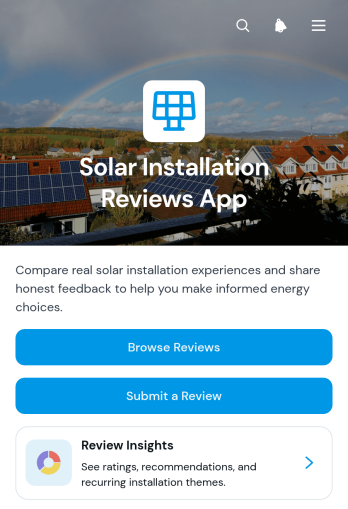
Solar Installation Reviews App
Solar Installation Reviews App gives solar contractors, installation teams, home service providers, and property owners a focused place to collect and explore feedback about completed solar projects. Customers can submit a review, browse shared experiences, and view useful review insights without searching through scattered messages or files. Each review can capture the installation location and date, recommendation status, installation experience, system performance, overall rating, and a project photo. This makes the app template useful for monitoring customer sentiment, identifying recurring service issues, recognizing successful installations, and helping prospective customers learn from previous projects.Jotform makes this app easy to adapt without coding. Use the drag-and-drop app builder to update pages, adjust the visual theme, add branded content, and connect review forms to organized data collection workflows. Teams can publish the app through a direct link or QR code, giving customers convenient mobile access for self-service review submission and browsing. Jotform App Templates also connect with tables, notifications, approvals, and other workflow tools, helping contractors centralize feedback, respond to emerging concerns, and turn installation reviews into practical service improvements.
Go to Category:Contractor AppsAbout Contractor Apps
Contractor Apps are specialized mobile and web apps designed to streamline and enhance the operational workflows of contractors across various industries. These apps facilitate a wide array of tasks, from project management and scheduling to client communication and invoicing, specifically tailored to meet the needs of construction, electrical, plumbing, and other contracting fields. By utilizing these apps, contractors can efficiently manage their projects, optimize resource allocation, and ensure timely delivery of services, thereby improving overall productivity and client satisfaction.
Jotform Apps, as a no-code app builder, stands out in this category by leveraging Progressive Web App (PWA) technology, which allows users to install apps directly via a browser without the need for an App Store. These apps are compatible across iOS, Android, tablet, and desktop devices, providing a versatile solution for contractors working in diverse environments. Centralized data management through Jotform Tables ensures that all project information remains accessible and secure, facilitating seamless collaboration and decision-making within teams. This workflow-oriented approach empowers contractors to focus on their core competencies while leveraging technology to enhance efficiency and communication.
Why Use Contractor Apps?
- Contractor Apps significantly reduce administrative burdens by automating routine tasks such as scheduling and client follow-ups, freeing up valuable time for professionals to focus on their core responsibilities. This automation leads to increased efficiency and a reduction in operational costs, positively impacting the bottom line.
- These apps enhance communication within teams and with clients by providing centralized platforms for updates, queries, and feedback. This results in fewer misunderstandings and quicker resolution of issues, improving overall project outcomes and client satisfaction.
- By offering features like payment integrations, Contractor Apps streamline the invoicing and payment collection process, making financial transactions more straightforward and less time-consuming. This not only speeds up cash flow but also reduces the likelihood of payment errors.
- Contractor Apps facilitate better project management by providing real-time data and updates, which are crucial for making informed decisions. With access to up-to-date project metrics, teams can adjust their strategies promptly to meet project goals effectively.
- With Jotform’s no-code app builder, contractors can create customized apps without the need for extensive technical skills, allowing them to tailor solutions specifically to their workflows. This adaptability ensures that the apps meet the unique needs of each contractor, leading to more effective use of technology in their operations.
Common Problems Solved by Contractor Apps
- One significant challenge contractors face is the difficulty of managing multiple projects simultaneously. Contractor Apps allow for easy tracking and management of various projects from a single interface, ensuring that no project details are overlooked.
- Keeping all team members and stakeholders updated with the latest project developments is often cumbersome. With push notifications and centralized data, these apps ensure that everyone involved in a project is informed in real-time, reducing delays and miscommunications.
- Contractors often struggle with managing client expectations due to fragmented communication channels. Apps streamline client communications by providing a single platform for all interactions, leading to improved client relationships and satisfaction.
- The inefficiency of traditional paper-based processes can lead to errors and lost information. Contractor Apps digitize these processes, ensuring that all data is accurately captured and easily accessible, reducing the risk of data loss and enhancing data accuracy.
Matching Use Cases to Features
- For contractors who need to manage multiple client projects, the Drag-and-Drop Interface allows for easy customization of project management workflows, enhancing operational efficiency and reducing project oversight.
- In scenarios where timely communication is critical, Push Notifications ensure that team members and clients receive instant updates, facilitating quicker decision-making and reducing project delays.
- Payment Integrations with Stripe and PayPal facilitate seamless transaction processing, allowing contractors to collect payments directly through the app, thus improving cash flow and financial management.
- The Publish Options feature, which includes Public, Private, and Company-only settings, enables contractors to control access to sensitive project information, ensuring data security and privacy compliance.
- For contractors working in remote locations with limited internet access, Offline Mode via Mobile Forms ensures that data collection can continue uninterrupted, with information syncing automatically once connectivity is restored.
- Centralized Data through Jotform Tables allows contractors to consolidate all project-related information in one place, enhancing data visibility and enabling more informed decision-making processes.
How to Create a Contractor App
- Choose a category-relevant template from the Template List or start from scratch.
- Customize using the Drag-and-Drop Interface to tailor the app to specific project needs and workflows.
- Share via Link, QR Code, or Embed to ensure easy access for team members and clients.
Top Use Cases for Contractor Apps
- For Managers: Contractor Apps empower managers by providing comprehensive oversight of all ongoing projects. With real-time data and centralized information, managers can make informed decisions quickly, ensuring projects stay on track and within budget. The ability to automate routine tasks also frees managers to focus on strategic planning and team development. This leads to improved project outcomes and increased client satisfaction.
- For Teams: Teams benefit from enhanced communication and collaboration capabilities offered by Contractor Apps. With centralized platforms for updates and task allocations, team members can stay aligned on project goals and timelines. The apps also facilitate easy access to project documentation and client communications, reducing the time spent on administrative tasks and allowing teams to focus on delivering high-quality work.
- For Customers: Customers experience improved service delivery through the streamlined processes facilitated by Contractor Apps. With direct access to project updates and communication channels, clients are kept informed and engaged throughout the project lifecycle. This transparency builds trust and leads to stronger client relationships, which are essential for repeat business and referrals.
Summarizing Contractor Apps
Contractor Apps are indispensable for modern contracting businesses seeking to enhance efficiency and improve service delivery. By automating routine tasks, centralizing data, and facilitating seamless communication, these apps empower contractors to focus on their core competencies while leveraging technology to drive business success. The flexibility and user-friendly nature of Jotform’s no-code app builder make it an ideal choice for contractors looking to customize solutions that fit their unique workflows and industry demands. Through these advanced capabilities, contractors can achieve better project outcomes, improved client satisfaction, and increased profitability.
Frequently Asked Questions
1) Is it free to create and use Contractor apps on Jotform?
Yes, Jotform offers a Starter plan that allows users to create and use Contractor apps for free. This plan includes basic features and is ideal for individuals or small teams looking to test the platform's capabilities. As your needs grow, you can explore premium plans that offer additional features and greater capacity to support larger projects and teams.
2) Are the data and payments collected through the app secure?
Absolutely, all data and payments collected through Jotform apps are secure. Jotform complies with industry-standard security measures, including GDPR compliance, to ensure that all information is protected. Payment integrations such as Stripe and PayPal are also secure, providing peace of mind for both contractors and their clients.
3) Do I need any coding skills to create a Contractor app with Jotform?
No, you do not need any coding skills to create a Contractor app with Jotform. The platform's no-code app builder is designed to be user-friendly, allowing you to drag and drop elements to customize your app easily. This enables contractors to create fully functional apps tailored to their specific needs without requiring technical expertise.
4) Can I collect payments for services directly through the app?
Yes, you can collect payments directly through the app using integrations with Stripe and PayPal. These payment processors allow you to handle transactions securely and efficiently, ensuring that you receive payments promptly. This capability is especially beneficial for contractors who need to streamline their billing processes and improve cash flow.
5) Does Jotform support offline data collection for Contractor apps?
Yes, Jotform supports offline data collection through its Mobile Forms feature. This is particularly useful for contractors working in areas with limited or no internet connectivity, as it allows them to continue collecting data without interruption. Once connectivity is restored, the data automatically syncs with the central database.
6) Are Jotform Apps compatible with both iOS and Android devices?
Yes, Jotform Apps are compatible with both iOS and Android devices. The apps utilize Progressive Web App (PWA) technology, which ensures they work seamlessly across a variety of devices, including tablets and desktops. This cross-platform compatibility ensures that contractors and their teams can access the apps from any device, enhancing flexibility and convenience.
7) How can Contractor Apps enhance project management?
Contractor Apps enhance project management by providing real-time data visibility and streamlined communication channels. These features allow project managers to track progress, allocate resources efficiently, and make informed decisions quickly. As a result, projects are more likely to stay on schedule and within budget, leading to higher quality outcomes.
8) Can Contractor Apps improve client communication?
Yes, Contractor Apps can significantly improve client communication by offering a centralized platform for all interactions. Clients can receive updates, ask questions, and provide feedback through the app, ensuring that they are always informed about project progress. This transparency fosters trust and leads to better client relationships and satisfaction.