
The Visitor Parking Assignment App helps reception teams, facility managers, security staff, office administrators, and property teams coordinate parking for expected guests. It provides a central place to review visitor and vehicle details, check arrival information, assign an available parking space, and record notes linked to the visit. Teams can use it at offices, residential properties, campuses, hotels, shared workspaces, and managed facilities where guest parking requires clear oversight. By connecting visitor requests with space assignments and current parking status, the app reduces scheduling conflicts, limits manual recordkeeping, and gives authorized staff a clearer view of upcoming arrivals.
Jotform makes this app template easy to adapt with a no-code app builder and an intuitive drag-and-drop interface. Add branded pages, adjust navigation, update assignment forms, or connect collected data to tables and automated workflows without writing code. Staff can access the app from a phone, tablet, or computer, while direct links and QR codes make sharing simple. Starting with customizable App Templates also helps teams launch a practical self-service and data collection experience faster, whether they are managing one location or coordinating visitor parking across multiple properties.
Related templates
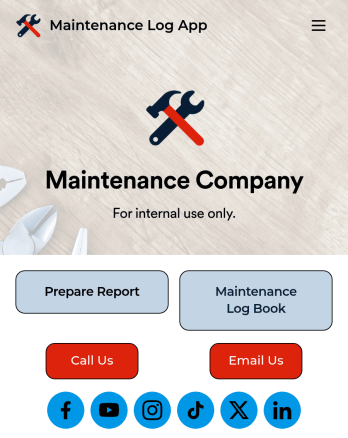
Maintenance Log App
A maintenance log app is used by companies to record and keep track of maintenance records. With our free Maintenance Log App, you can use a Maintenance Report Form to track general personnel information, equipment and building issues, and any repairs performed. There is a digital signature box at the bottom of the form to be signed upon completion. Reports are instantly compiled and stored in an Equipment Maintenance Log, which is accessible from your Jotform account.You can easily customize this app to suit your needs by adding or changing forms, uploading your logo, choosing fonts and colors, and more — no coding required. Share your app with a link or embed it in an internal website, and maintenance staff can begin using it right away on any device. Say goodbye to paperwork and start keeping all your maintenance records online with this free Maintenance Log App.
Go to Category:Engineering Apps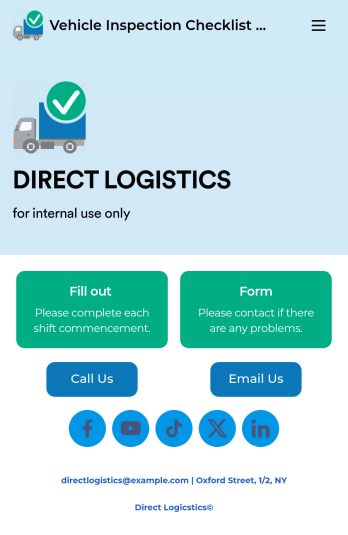
Vehicle Inspection Checklist App
A vehicle inspection checklist app is used by businesses to keep track of vehicle inspection reports for company vehicles. With this free Vehicle Inspection Checklist App, employees can fill out a pre-trip inspection checklist documenting the fuel level and overall condition of a vehicle. Employees can also add notes and attach any relevant pictures using an image upload form. There is a separate contact form employees can use to report issues. Inspection reports are synced automatically to your account, and can be sorted, filtered, and exported from any device.Customize this free app template using Jotform’s drag-and-drop interface. With just a few clicks, you can add or swap out form elements, choose fonts and colors, upload your logo, and more — no coding required. When you’re done, embed a link in an email or on your company website to have employees download your app on any smartphone, tablet, or computer. Create and store vehicle inspection reports in one convenient place with this Vehicle Inspection Checklist App.
Go to Category:Checklist Apps
Home Inventory App
Keep track of items in your home with a free Home Inventory App from Jotform. If you’re tracking items for insurance purposes, the app includes a Home Inventory Information Record Form you can use to record details like item name, type, description, year, and more — you can even upload images of items in your home! All submissions through your app are stored securely in your Jotform account, ready to view and access at any time.Need to make changes to this app template? Add more forms, update the app background or icon, and make other design changes with no coding — just drag and drop to get the look you want. Once your app is good to go, download it onto your computer, tablet, or smartphone for quick and easy access. Stop tracking items in your home on paper and enjoy a more efficient way to get it done with this free Home Inventory App.
Go to Category:Inventory Apps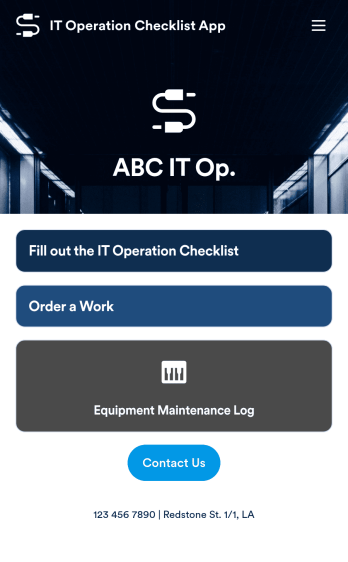
IT Operation Checklist App
An IT operation checklist app is used by IT departments for documenting routine operations and maintenance. This free app template from Jotform is a great way for IT departments to keep track of system servers, network status, and equipment maintenance. With an included IT Operation Checklist Form, IT associates can fill out and digitally sign a daily, weekly, or monthly general operations checklist. Supervisors and employees can also request new IT jobs with a Job Work Order Form, and specify a starting date, tools and requirements, and upload any relevant images and documentation. Equipment maintenance submissions are stored in an Equipment Maintenance Log, which you can sort, filter, and search from your secure Jotform account.You can easily make changes to this IT Operation Checklist App with Jotform’s intuitive app builder. No coding required — simply drag and drop to add or swap out form elements, edit checklist items, choose fonts and colors, create a custom app icon and splash screen, upload your own branding, and much more. Once you’re finished, share your custom app with other IT associates by sending email invites, or by embedding it in an internal website. Create an all-in-one app for routine IT work with this IT Operation Checklist App that works on any device.
Go to Category:Checklist Apps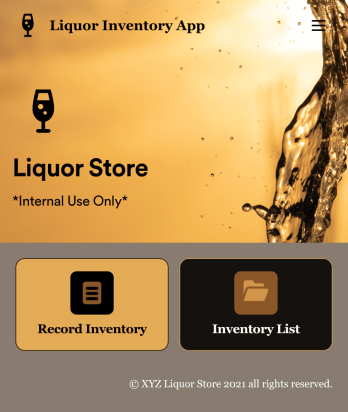
Liquor Inventory App
Whether you own a bar, restaurant, grocery store, or liquor store, keeping an accurate count of your inventory is essential. With this free Liquor Inventory App, you and your employees can easily record and track liquor supplies by type, quantity, price, and proof. Your inventory is then stored in an easy-to-read Liquor Inventory Spreadsheet in your Jotform account.Want to customize your Liquor Inventory App? No problem! Our drag-and-drop interface makes it simple to add or change forms, choose fonts and colors, upload your company’s logo, update the app name or text, and more — no coding necessary. Afterwards, simply download the app onto your device or share the link with your employees and you’re ready to go. Keep every bottle accounted for with this free and fully customizable Liquor Inventory App!
Go to Category:Inventory Apps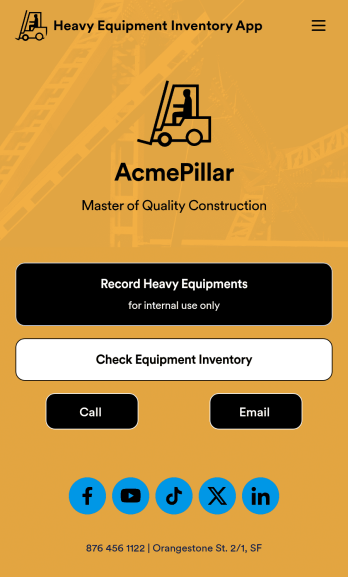
Heavy Equipment Inventory App
A heavy equipment inventory app is used by warehouse companies that need to keep track of incoming equipment purchases. With this customizable Heavy Equipment App, your drivers can record equipment name and type, date of purchase, vendor name, location, number of items, and unit cost. There is also an upload form for attaching pictures and receipts to individual entries. Entries are stored securely in an easy-to-read database, which you can view and manage from any device.This Heavy Equipment Inventory App is fully customizable and doesn’t require any coding. Using our drag-and-drop interface, you can add or change forms, choose fonts and colors, upload your company logo, update the app name, text, splash page, and more. After you’re done customizing, your app can be shared internally via the link and then accessed and downloaded on any device. Record and track warehouse inventory purchases with this Heavy Equipment Inventory App. No coding is required!
Go to Category:Inventory Apps