

Scheduling and Planning Apps

Pickleball Scheduler App
Pickleball Scheduler App helps clubs, recreation centers, and community groups organize court time and keep reservations easy to find. Use it to route players to Court 1, Court 2, or Court 3, collect booking details through a simple reservation form, and give everyone a clear place to review upcoming sessions. With dedicated actions like Make a Booking and My Reservations, the experience stays focused on reducing double-booking, missed time slots, and confusion around who reserved which court.Jotform makes it simple to turn scheduling into a polished self-service experience using App Templates and a no-code app builder. Customize pages with a drag-and-drop interface, connect your booking and member forms, and keep data collection organized behind the scenes so staff can spend less time coordinating and more time running great play sessions.
Go to Category:Booking Apps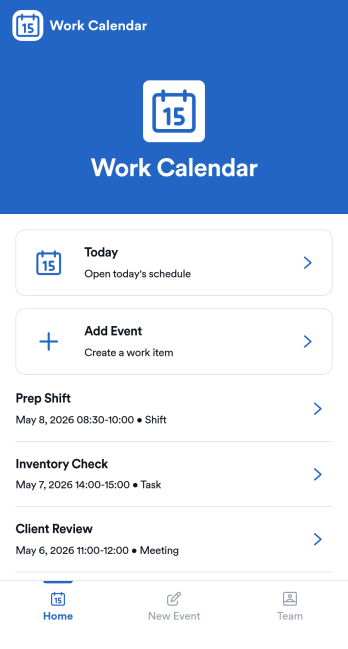
Work Calendar App
A work calendar app keeps schedules, shifts, and time-off needs in one place so teams know what’s happening today and what’s coming next. Use it to highlight today’s shift at a glance, view a weekly calendar for planning, and route upcoming requests to the right place, making it especially useful for managers coordinating coverage and employees checking their schedules. It fits retail, hospitality, clinics, field teams, and any workplace juggling rotating shifts, events, and schedule changes that need quick visibility without digging through messages.With Jotform, you can turn this work calendar app template into a branded self-service experience using a no-code app builder and a drag-and-drop interface. Connect buttons to forms for adding events and submitting requests, then organize updates in connected tables so your workflow stays consistent from request to review. Share the app through a link or QR code, collaborate on scheduling, and keep data collection and updates centralized as your team grows.
Go to Category:Daily Planner Apps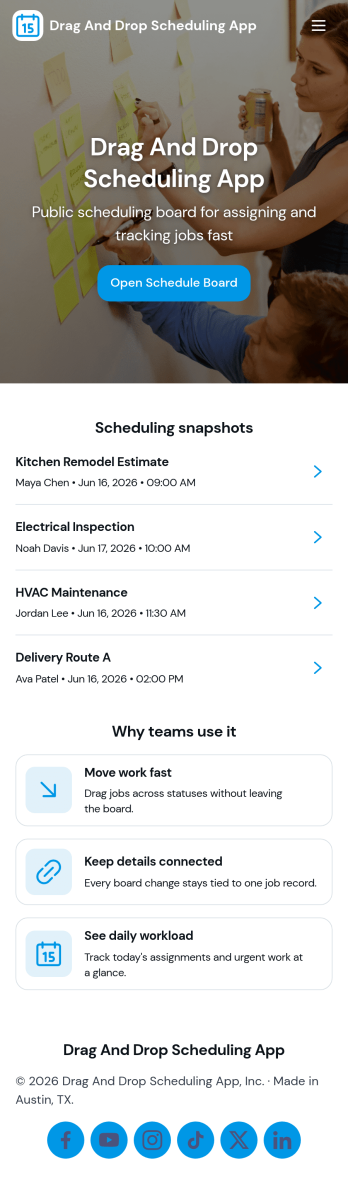
Drag and Drop Scheduling App
Drag and Drop Scheduling App helps teams build and manage shift schedules in a simple, visual way. Use it to create shifts, view the schedule, open a full schedule view, and quickly move between employee-specific pages so managers can confirm coverage and spot gaps. It’s a practical fit for restaurants, retail stores, clinics, field teams, and any operation that needs recurring shift planning, last-minute updates, or clear day-to-day visibility for staff.With Jotform, you can turn scheduling workflows into a shareable self-service app experience using App Templates and a no-code app builder with a drag-and-drop interface. Connect your schedule to forms for fast data collection when adding shifts or capturing requests, keep information organized, and publish updates instantly so everyone works from the same source of truth.
Go to Category:HR Portal Apps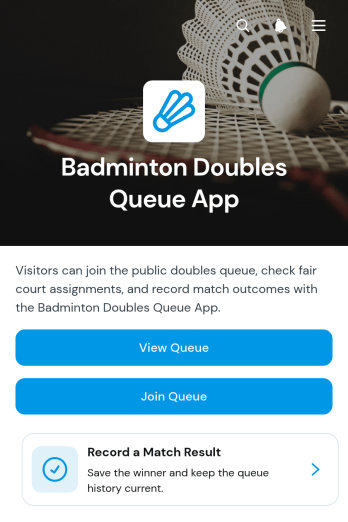
Badminton Doubles Queue App
The Badminton Doubles Queue App is an app template for organizing player rotations during club nights, open play sessions, training events, and informal tournaments. Badminton clubs, recreation centers, coaches, event hosts, and community groups can use it to give participants a clear way to join or view the queue. Organizers can add players, record match results, and review match history without relying on paper lists or scattered messages. This keeps doubles pairings and court turnover visible, reduces confusion over who plays next, and creates a more orderly experience for participants of different skill levels.Jotform makes this template easy to adapt with a no-code app builder and a flexible drag-and-drop interface. Change the layout, colors, text, buttons, and navigation to suit a regular club session or one-time badminton event. Connected forms support data collection for queue entries and results, while organized pages help players find the actions they need through a mobile-friendly self-service experience. Share the finished app with a direct link or QR code so participants can access the workflow from their phones. Start with one of Jotform’s App Templates, personalize the app template, and publish it without writing code.
Go to Category:Sports Apps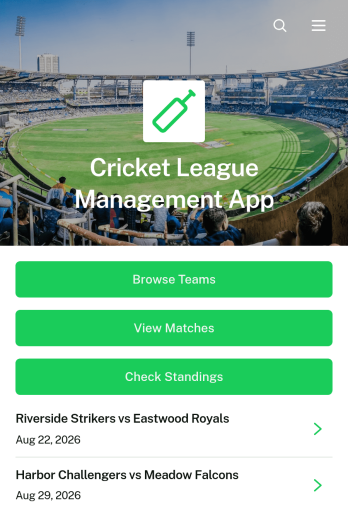
Cricket League Management App
The Cricket League Management App gives league organizers, cricket clubs, tournament committees, and community sports associations one accessible place to manage a competition. Teams can register through a connected form, participants can browse team profiles and match information, and authorized users can submit results while supporters check current standings. By bringing essential league details together, this app template reduces scattered messages and makes it easier to keep captains, players, officials, and followers informed throughout a season or tournament.Jotform Apps helps organizations turn these activities into a branded, mobile-friendly experience without coding. Start with this Cricket League Management App, then use the drag-and-drop app builder to adjust pages, navigation, colors, fonts, and visual elements. Connected forms and tables support data collection and organized workflows, while direct links and QR codes make the app easy to distribute. Jotform App Templates can also connect with approvals and notifications, giving organizers practical options for team self-service and ongoing league administration.
Go to Category:Sports Apps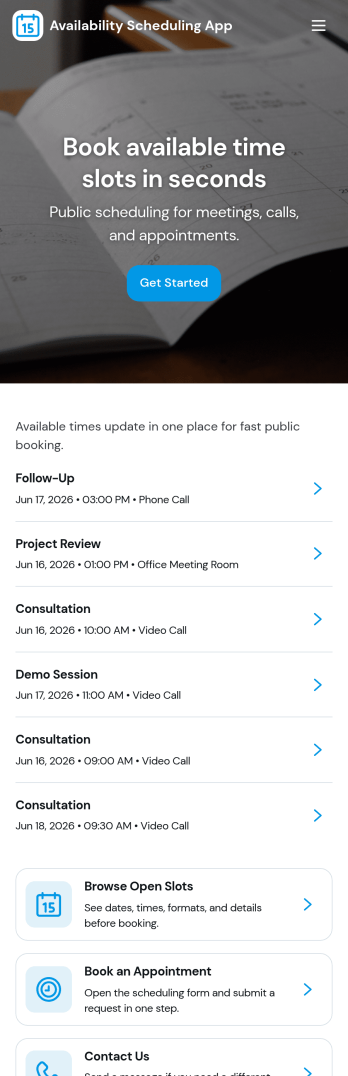
Availability Scheduling App
Availability Scheduling App helps teams collect availability, review open time blocks, and turn day-to-day entries into a clear schedule everyone can reference. It’s a practical fit for managers coordinating shift-based staff, clinics assigning rotating coverage, schools organizing office hours, and service businesses matching team members to time windows. With quick navigation to submit availability and view schedules, the app keeps availability requests in one place so coordinators can reduce missed messages and make faster staffing decisions.Built with Jotform, this app template combines self-service data collection with an organized schedule view that’s easy to share. Use Jotform’s no-code app builder and drag-and-drop interface to tailor pages, add your own instructions, and connect the app to a central table for ongoing updates. As availability changes, Jotform helps you maintain a dependable workflow for collecting entries, reviewing records, and keeping your schedule current across teams and locations.
Go to Category:Appointment & Booking Apps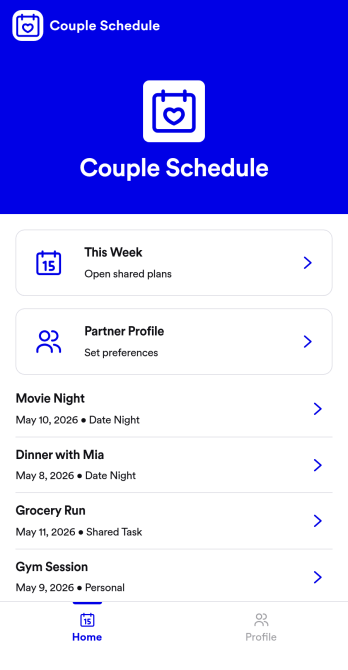
Couple Schedule App
Couple Schedule App helps partners coordinate plans, keep a shared calendar view, and stay on top of everyday responsibilities without juggling multiple chats or scattered notes. It’s a practical fit for couples managing busy workweeks, long-distance routines, co-parenting logistics, or shared household commitments. With quick actions like adding a plan, opening the schedule to review what’s next, and keeping shared tasks visible in one place, it supports smoother day-to-day coordination and fewer missed details.Built with Jotform, this app template is easy to tailor for your relationship’s routine using a no-code app builder and a drag-and-drop interface. Connect the app to a form for simple data collection, then keep plans organized and accessible with a mobile-friendly self-service experience you can share in seconds. As your workflow changes, you can adjust pages, update labels, and refine how you capture plans and tasks, all without writing code.
Go to Category:Daily Planner Apps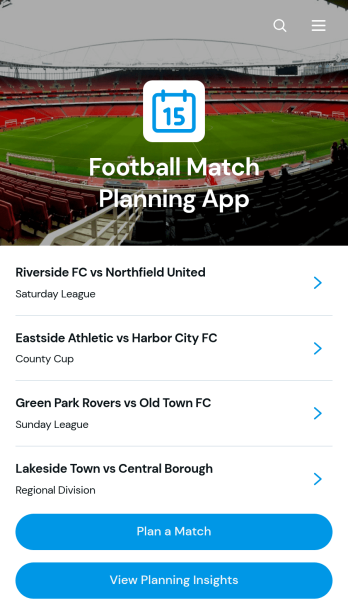
Football Match Planning App
Football Match Planning App is a ready-to-use app template for coaches, team managers, club administrators, and tournament organizers who need one place to prepare and monitor upcoming fixtures. Users can add matches, review home and away team pairings, check kickoff and venue information, follow planning status, and update match details when arrangements change. Planning insights also help organizers maintain visibility across scheduled games. By replacing scattered messages and documents with an accessible planning experience, the app helps teams coordinate responsibilities, reduce missed updates, and keep match preparation moving from the initial schedule through game day.Jotform makes the Football Match Planning App easy to adapt with a no-code app builder and an intuitive drag-and-drop interface. Customize pages, navigation, colors, fonts, and branding to suit a club, league, school, or community program. Connected forms support consistent data collection, while tables, notifications, and workflows can help staff manage updates and collaborate. Jotform App Templates can be published quickly and shared through a direct link or QR code, giving team members mobile-friendly self-service access without requiring them to download software or create a new system from scratch.
Go to Category:Sports Apps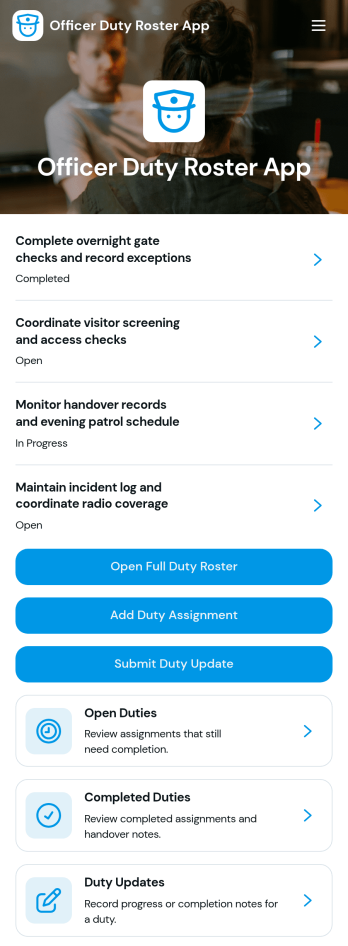
Officer Duty Roster App
The Officer Duty Roster App gives police departments, security teams, public safety units, and other officer-based organizations a central place to coordinate duty assignments. Supervisors can publish roster entries, add new assignments, review open and completed duties, and receive duty updates from personnel. Each assignment can present the responsible officer, shift, station, current status, briefing notes, and completion notes, helping teams understand who is working, where they are assigned, and what requires attention. It is especially useful for daily deployment planning, shift handovers, station coverage, event security, patrol coordination, and other operations where timely roster information supports accountability and continuity.Jotform makes this app template easy to adapt with a no-code app builder and a drag-and-drop interface. Teams can update pages, navigation, colors, fonts, images, and buttons to reflect their procedures and branding, then connect forms and tables to support data collection and workflow management. The finished app can be shared by direct link or QR code for convenient mobile access, giving officers and supervisors a practical self-service resource wherever duties are performed. Jotform App Templates also help organizations launch faster while retaining the flexibility to revise assignments, resources, and connected processes as operational needs change.
Go to Category:Scheduling and Planning Apps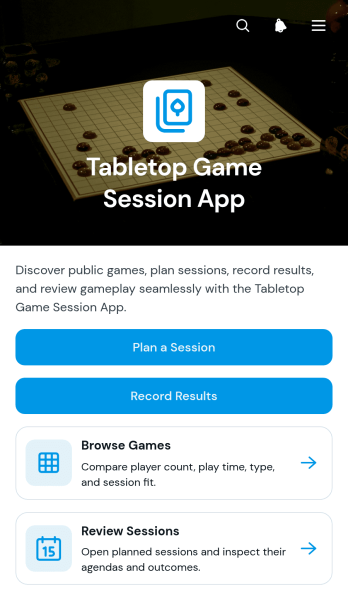
Tabletop Game Session App
The Tabletop Game Session App is an app template for groups, clubs, community organizers, and venue hosts who want one convenient place to coordinate tabletop gaming activities. Participants can browse a game collection, review player counts and expected play times, plan upcoming sessions, and record results after play. Session pages keep agendas, venues, and participant details easy to find, helping organizers reduce scattered messages and give players a reliable source for event information. It works well for recurring game nights, club meetups, casual gatherings, tournaments, and organized community events.Jotform App Templates help teams turn scheduling and recordkeeping tasks into accessible digital experiences without coding. Use Jotform’s no-code app builder and drag-and-drop interface to adjust pages, update branding, connect forms, and organize data collection around your workflow. You can add resources, change navigation, link supporting processes, and create a clearer self-service experience for players. Once customized, the Tabletop Game Session App can be published and shared through a direct link or QR code, giving participants mobile-friendly access wherever they plan or play.
Go to Category:Entertainment Apps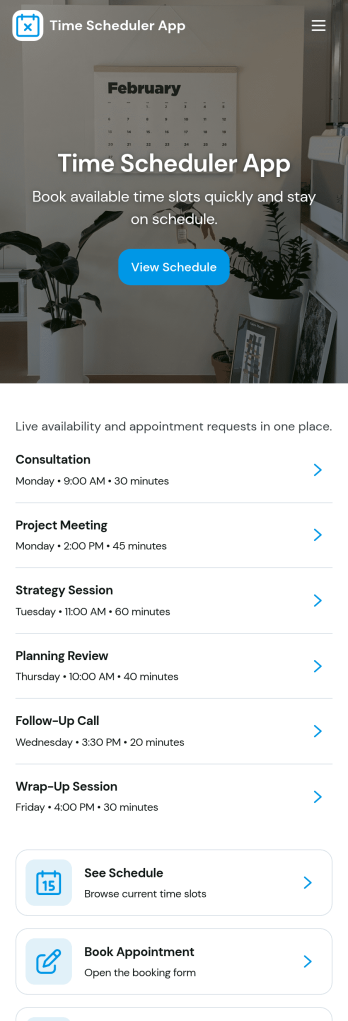
Time Scheduler App
Time Scheduler App helps individuals and teams publish available time slots and accept bookings in one simple place. It fits appointment-based businesses, shared resources, and anyone coordinating time-sensitive meetings, from consultants and tutors to clinics, salons, and small service teams. With clear actions like booking a slot, viewing open times, and checking availability, it reduces missed connections and keeps schedules organized without relying on scattered messages.Jotform makes it easy to turn this scheduling flow into a polished, shareable experience using its no-code app builder and drag-and-drop interface. Connect the app to your booking form for fast data collection, keep upcoming requests in one workflow, and share a link or QR code so people can self-service from any device. Customize pages, buttons, and branding to match how your schedule works, then update availability as your hours or capacity change.
Go to Category:Appointment & Booking Apps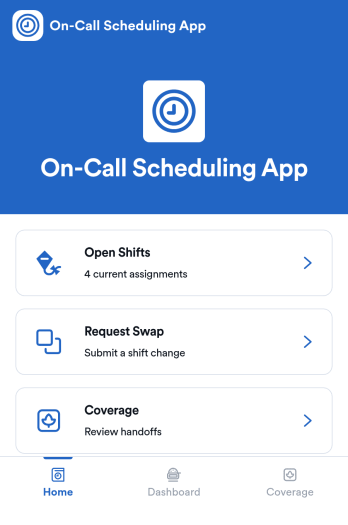
On-Call Scheduling App
On-Call Scheduling App helps teams coordinate after-hours coverage by giving staff one place to check open shifts, request a swap, and track coverage activity. It’s a practical fit for IT and operations groups, healthcare teams, maintenance crews, and any organization that runs rotating on-call duty and needs fewer missed handoffs. With dedicated areas for open shifts, swap requests, and coverage updates, the app keeps expectations clear and reduces confusion when schedules change at the last minute.Built with Jotform App Templates, this app template can be tailored in a no-code app builder using a drag-and-drop interface, so you can match your workflow without relying on developers. Connect pages to forms for fast data collection, route requests to the right people, and keep a simple coverage log that’s easy to review. When it’s time to roll it out, share the app in seconds for self-service access, and keep support handy with quick buttons for email or phone contact.
Go to Category:Information Technology Apps
Subcontractor Scheduling App
Subcontractor Scheduling App helps teams coordinate subcontractor workloads, assign jobs, and keep schedules visible in one place. It fits construction and home services businesses, project coordinators, and operations managers who juggle multiple crews, job sites, and changing timelines. With dedicated areas to schedule jobs, track availability, and share a job board, the app supports day-to-day dispatching without relying on scattered texts, spreadsheets, or last-minute calls.Built with Jotform, this app template turns scheduling into a simple self-service experience your team can keep up to date. Customize pages and cards with a drag-and-drop interface, connect the Create Assignment form to your workflow, and centralize ongoing data collection so assignments stay consistent and searchable. Share the app by link for quick access in the field, then update roles, branding, and navigation as your subcontractor network grows.
Go to Category:Construction Apps
Offensive Playbook App
The Offensive Playbook App is a centralized coaching resource for football teams that need a clear way to organize, review, and expand their offensive strategy. Coaches can browse plays, open detailed coaching notes and execution checkpoints, submit new or similar plays, and move from play selection to practice planning. By connecting each play with its formation, offensive system, game situation, and practice focus, the app helps coordinators prepare sessions, communicate expectations, and maintain a consistent team approach. It is well suited to youth, school, amateur, and club programs where head coaches, assistants, and players need convenient access to current play information.Built with Jotform Apps, this app template can be adapted without coding through an intuitive drag-and-drop interface. Coaches can update pages, cards, buttons, visual elements, and navigation to match their terminology and team structure. Connected forms support data collection for play submissions, while organized resource pages make self-service browsing easier on phones, tablets, and computers. Jotform App Templates can also connect with tables, approvals, notifications, and other workflow tools, helping coaching staffs turn scattered play materials into an interactive resource that is easy to publish, share, and maintain throughout the season.
Go to Category:Sports Apps
Unified Schedule App
The Unified Schedule App brings activities, start times, locations, and categories into one accessible schedule for teams, communities, schools, event organizers, and service providers. Users can browse the full schedule, explore activities, open individual entries for key details, and submit new schedule entries through a connected form. It is especially useful when several departments, programs, or organizers need to publish changing plans in a consistent format. By replacing scattered calendars, messages, and documents with a shared destination, the app helps participants find current information while giving coordinators a practical data collection process.Jotform Apps makes this app template easy to adapt without writing code. Use the drag-and-drop interface to update pages, navigation, buttons, colors, fonts, and other visual elements, then connect forms and tables to support your workflow. Schedule managers can organize information in a mobile-friendly experience that encourages self-service and reduces repeated inquiries. Once the app is ready, publish it with a direct link or QR code so employees, attendees, students, volunteers, or customers can access it from nearly any device. Start with one of Jotform’s App Templates and customize the Unified Schedule App as plans and audiences evolve.
Go to Category:Scheduling Apps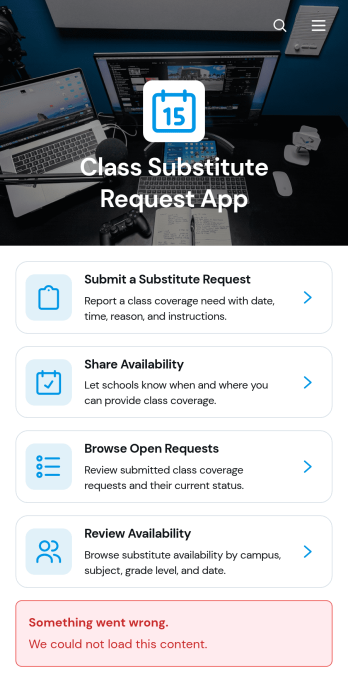
Class Substitute Request App
Class Substitute Request App is an app template for schools, campuses, teachers, substitute educators, and administrators coordinating classroom coverage. Teachers can submit substitute requests with the class or subject, location, coverage time, reason, and special instructions. Available substitutes can share their schedules, while coordinators can browse open requests and review availability from one organized location. This helps education teams respond to absences, reduce missed details, maintain clear communication, and arrange suitable classroom coverage without relying on scattered emails or paper records.Jotform makes this Class Substitute Request App easy to adapt with a no-code app builder and an intuitive drag-and-drop interface. Schools can update pages, navigation, colors, fonts, and branding, then connect forms, tables, notifications, approvals, and other workflow steps as needed. The app template supports organized data collection and convenient self-service access for teachers and substitutes. Once ready, administrators can publish and share it through a direct link or QR code, giving staff a mobile-friendly way to submit, browse, and manage coverage information.
Go to Category:Classroom Management Apps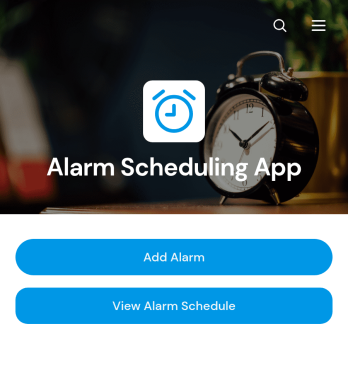
Alarm Scheduling App
Alarm Scheduling App is an app template for individuals, administrative teams, operations staff, caregivers, educators, and service professionals who need a central place to organize time-based reminders. Users can add alarms, browse the full alarm schedule, and review key details such as time, repeat settings, sound preferences, and notes. Each alarm can also be opened and edited when plans change. This setup is useful for coordinating daily routines, medication reminders, classroom activities, shift tasks, equipment checks, appointments, and other recurring responsibilities. By keeping schedules in an accessible format, the app reduces missed tasks and makes upcoming commitments easier to review.Jotform App Templates provide a flexible starting point that can be adapted to personal or organizational workflows. With Jotform’s no-code app builder and drag-and-drop interface, users can update pages, buttons, cards, branding, and navigation without programming. The Alarm Scheduling App can connect with forms, tables, notifications, approvals, and other workflow tools to support data collection and follow-up activities. Once customized, it can be shared through a direct link or QR code for convenient mobile access, giving teams and individuals a practical self-service resource for maintaining consistent schedules.
Go to Category:Scheduling Apps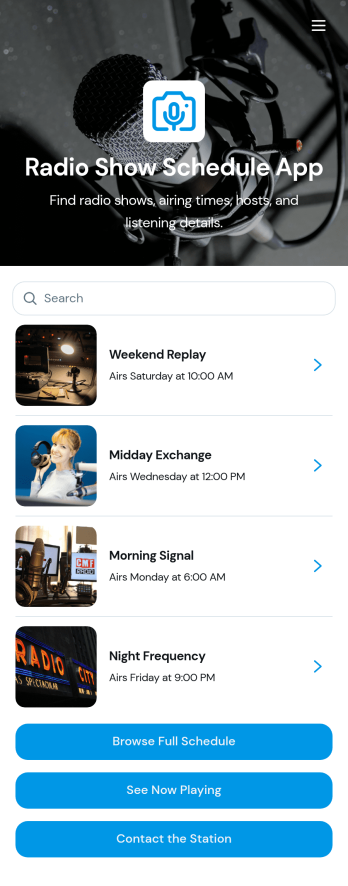
Radio Show Schedule App
Radio Show Schedule App gives stations and show producers a clear, listener-friendly place to publish what’s on air and help audiences discover programs. Use it to highlight featured shows, let visitors browse all shows, and share a full schedule in a few taps. It’s a great fit for community radio, college stations, internet radio networks, and podcast-style live streams that need a dependable way to promote hosts, genres, and station details while keeping the lineup easy to navigate.Built with Jotform App Templates, this app template can be tailored with a no-code app builder and a drag-and-drop interface so your team can update content fast without technical help. Connect buttons to forms for collecting new show submissions and station inquiries, then manage updates through a simple workflow that keeps programming information current. Share the app anywhere with a link or QR code to support self-service access for listeners, DJs, and station staff.
Go to Category:Entertainment Apps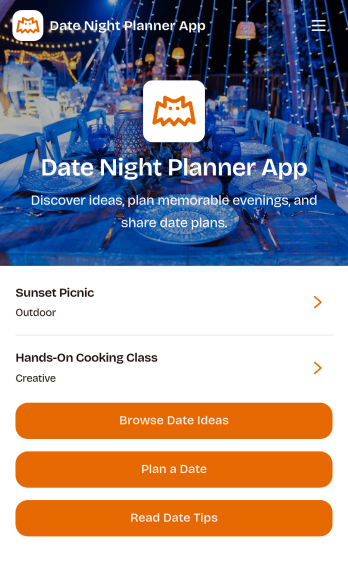
Date Night Planner App
Date Night Planner App helps couples and busy partners plan thoughtful evenings without losing track of ideas, timing, and shared preferences. Use it to keep date inspiration in one place, map out a simple plan for the week, and coordinate details when schedules are tight. It works well for newly dating couples, long-term partners, parents planning kid-free time, or anyone who wants more consistency and less last-minute scrambling.With Jotform, you can turn this app template into a personalized planning experience using a no-code app builder and a drag-and-drop interface. Customize the look, add the key steps you want to follow, and connect it to your data collection and workflow needs as your routine evolves. Share the app for easy self-service access so both people can stay aligned from one link.
Go to Category:Planner Apps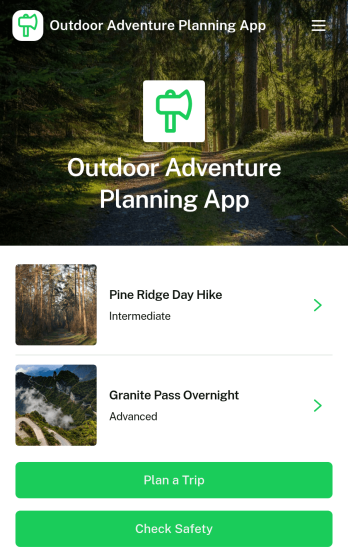
Outdoor Adventure Planning App
Outdoor Adventure Planning App helps individuals and groups organize trips in the outdoors, from choosing an adventure to building a ready-to-follow plan and double-checking safety prep. Use it to browse adventure options, review key route details like difficulty, duration, distance, and elevation, and guide people to actions such as planning a trip, creating a public trip plan, or checking safety before heading out. It’s a practical fit for hiking clubs, outdoor educators, tour leaders, campus recreation teams, and anyone coordinating weekend excursions who wants everyone aligned on the route and expectations.With Jotform App Templates, you can turn your trip planning process into a mobile-friendly self-service experience that’s easy to share. Customize pages with a drag-and-drop interface, connect forms for data collection such as public trip plans, and keep your workflow organized without a no-code app builder learning curve. Publish with a link or QR code so your group can view plans, prepare properly, and stay informed from one central Jotform app.
Go to Category:Trip Planner Apps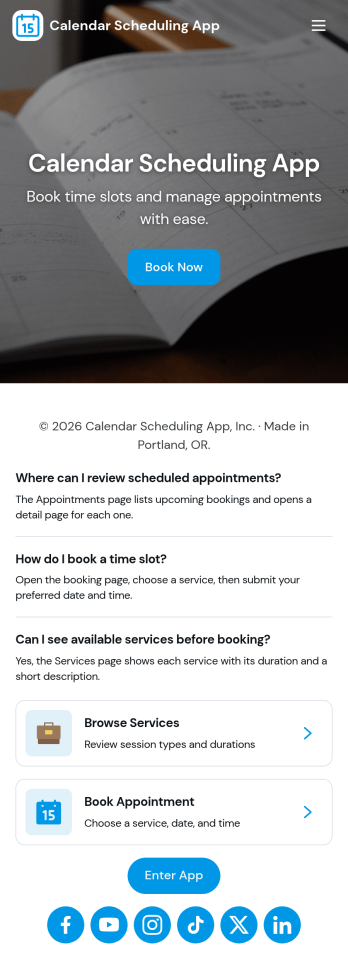
Calendar Scheduling App
Calendar Scheduling App helps teams and service providers coordinate availability and book time without confusion. It brings scheduling into one place with a simple flow for booking a slot, viewing what’s coming up, and opening individual booking details when needed. Use it for client meetings, internal check-ins, consultations, office hours, site visits, or any scenario where multiple people need clear visibility into upcoming appointments.With Jotform, you can turn this scheduling experience into a polished, shareable app without coding. Use the drag-and-drop app builder to adjust pages, add helpful context, and connect the booking form to your workflow so requests are collected consistently and stored for easy follow-up. Share the app link with customers or teammates, manage updates in one place, and keep scheduling organized as your volume grows.
Go to Category:Appointment & Booking Apps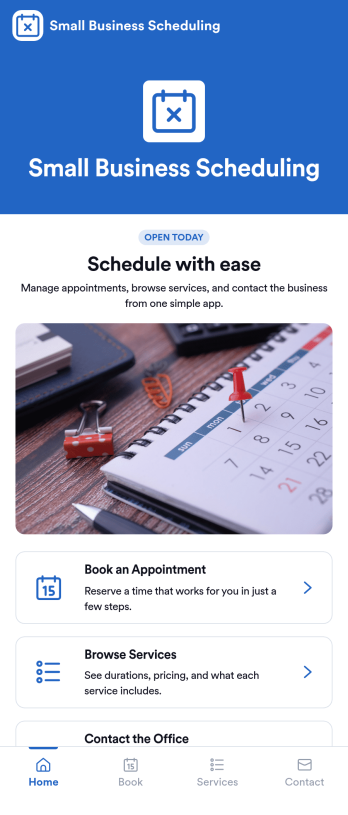
Small Business Scheduling App
A small business scheduling app helps service-based teams manage bookings in one place, so staff can see what’s happening today, add a new booking quickly, and keep customer requests organized. This template fits salons, studios, home service providers, consultants, and local shops that juggle multiple appointments and need an easy way to view schedules, capture booking details, and maintain a reliable list of upcoming work without relying on scattered notes or messages. With quick navigation to Today, New Booking, and an all-bookings view, it supports day-to-day coordination at the front desk or on the go.Jotform makes it simple to turn scheduling workflows into a polished, shareable experience using App Templates and a no-code app builder. Customize pages with a drag-and-drop interface, connect buttons to your booking form, and keep records organized through connected tables and request tracking. Publish your Small Business Scheduling App with a link for your team, update it anytime, and use Jotform for consistent data collection and smoother workflow management as your business grows.
Go to Category:Appointment & Booking Apps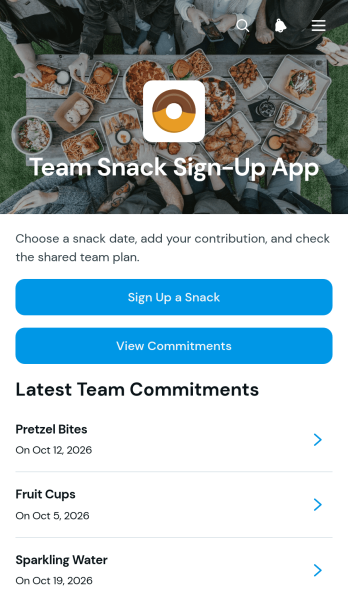
Team Snack Sign-Up App
The Team Snack Sign-Up App helps workplace teams, volunteer groups, committees, classrooms, and event crews coordinate shared refreshments without scattered messages or duplicate contributions. Participants can sign up to bring a snack, enter the quantity, and view existing commitments before choosing what to contribute. Clear snack listings and contributor details give organizers an up-to-date view of what is covered, making it easier to spot gaps, reduce excess, and prepare for meetings, celebrations, training sessions, and recurring team gatherings. This app template supports simple self-service participation while keeping snack planning organized in one accessible place.Jotform App Templates provide a quick starting point for turning everyday coordination tasks into polished digital experiences. With Jotform’s no-code app builder and drag-and-drop interface, teams can customize pages, buttons, colors, fonts, and branding without programming. The app builder can connect forms and collected data to a shared workflow, helping organizers manage sign-ups and updates with less manual follow-up. Once ready, the app can be published and shared through a direct link or QR code, giving contributors convenient access from phones, tablets, or computers.
Go to Category:Team Collaboration Apps
Route Planning App
Route Planning App gives dispatchers, drivers, field service teams, delivery coordinators, contractors, and transportation operators a central place to prepare and reference operational routes. Users can create route records, browse saved routes, and review start points, end points, planned stops, notes, and summaries before or during a journey. This app template helps teams replace scattered documents and messages with consistent route information that is easier to access. It is useful for coordinating deliveries, service calls, inspections, recurring trips, and other work that requires people or vehicles to visit multiple locations. Clear records also help office and mobile teams stay aligned when schedules or route details change.With Jotform Apps, organizations can adapt this Route Planning App through a no-code app builder and an intuitive drag-and-drop interface. Teams can customize pages, navigation, colors, and branding while connecting forms, tables, notifications, approvals, and other workflow elements. Jotform App Templates make it easier to launch mobile-friendly self-service experiences without developing software from scratch. Once the app is ready, it can be shared through a direct link, personalized address, embedded experience, or scannable code, giving authorized users convenient access wherever their work takes them.
Go to Category:Transportation AppsAbout Scheduling and Planning Apps
Scheduling and Planning Apps are specialized mobile and web applications designed to streamline the process of scheduling meetings, planning projects, and managing time-bound tasks. These apps are used across various industries such as healthcare, education, and corporate sectors to facilitate seamless communication and efficient time management. Operational use cases often include appointment bookings, event scheduling, and resource allocation, which are crucial for businesses aiming to optimize their workflows and enhance productivity.
Jotform Apps serve as an ideal platform for creating Scheduling and Planning Apps, leveraging its no-code app builder capabilities. With the integration of Progressive Web App (PWA) technology, Jotform Apps can be installed directly via a browser, eliminating the need for downloads from app stores, and ensuring compatibility across iOS, Android, tablets, and desktops. This approach not only simplifies deployment but also ensures centralized data management through Jotform Tables, making it easier for businesses to maintain organized and accessible data across various scheduling and planning activities.
Why Use Scheduling and Planning Apps?
- Scheduling and Planning Apps offer significant operational value by automating tedious scheduling tasks, thereby freeing up valuable time for employees to focus on more critical business activities. Businesses can significantly reduce the risk of errors associated with manual scheduling, such as double-booking or scheduling conflicts.
- These apps enhance communication and collaboration within teams by providing a centralized platform where all scheduling information is accessible. This transparency ensures that everyone is on the same page, which is crucial for maintaining workflow efficiency and meeting deadlines.
- With integrated payment options, businesses using these apps can streamline their billing processes. This feature is particularly beneficial for service-oriented industries where payment collection is directly linked to scheduled appointments or bookings.
- Scheduling and Planning Apps can significantly improve customer satisfaction by offering a convenient and user-friendly interface for booking services or appointments. The ability to self-schedule reduces wait times and enhances the overall customer experience.
- By leveraging workflow automation capabilities, these apps enable businesses to automate repetitive scheduling processes, reducing the human resources needed for these tasks. This efficiency leads to cost savings and allows for more strategic allocation of resources.
Common Problems Solved by Scheduling and Planning Apps
- One common issue in many organizations is the inefficient use of time due to manual scheduling, which can lead to scheduling conflicts and missed appointments. Scheduling and Planning Apps address this by automating the scheduling process, ensuring accuracy and efficiency.
- Businesses often struggle with maintaining clear communication regarding schedules and availability, leading to misaligned expectations. These apps centralize scheduling information, making it easily accessible to all stakeholders, thereby improving communication.
- Managing payments alongside scheduling can be cumbersome and error-prone. Integrated payment systems within these apps streamline the process, ensuring that invoicing and payment collection are synchronized with scheduled services.
- For sectors like healthcare and education, manually managing appointment slots and class schedules can be overwhelming. Scheduling and Planning Apps simplify this by providing a dynamic calendar view, which can be easily updated and shared in real-time, reducing administrative burdens.
- Organizations frequently face difficulties in tracking and analyzing scheduling data for performance insights. These apps provide comprehensive data analytics capabilities, allowing businesses to gain valuable insights into scheduling patterns and optimize their operations accordingly.
Matching Use Cases to Features
- The Drag-and-Drop Interface is perfect for businesses looking to customize their scheduling apps without needing technical skills. This feature allows users to easily create and modify app layouts, ensuring they align with specific operational needs and branding requirements.
- For businesses that require automated communication, Push Notifications are an excellent feature. They enable instant updates and reminders to be sent to users, ensuring that all stakeholders are informed about changes or upcoming appointments.
- Payment Integrations such as Stripe and PayPal facilitate direct payment collection within the app, making it ideal for businesses in the service industry. This feature streamlines the transaction process, ensuring a seamless experience for both the business and its customers.
- Publish Options allow organizations to control access to their scheduling apps, whether it be public, private, or company-only. This flexibility ensures that sensitive scheduling information is appropriately protected, while still being accessible to authorized personnel.
- Sharing Methods like Direct Link, Email, and QR Code make it easy for businesses to distribute their scheduling apps to intended users. This ensures that customers and employees can quickly access the app, improving adoption rates and user engagement.
- Workflow Automation within these apps aids in automating repetitive scheduling tasks, reducing manual effort, and increasing efficiency. This feature is particularly beneficial for businesses with high volumes of appointments or recurring scheduling needs.
- Centralized Data through Jotform Tables ensures that all scheduling information is collected and stored in one place, making data management simple and effective. This centralization allows for easy data analysis and reporting, providing valuable insights for business decision-making.
How to Create a Scheduling and Planning App
- Choose a category-relevant template from the Template List or start from scratch.
- Customize using the Drag-and-Drop Interface to tailor the app’s layout and features to your specific needs.
- Share via Link, QR Code, or Embed to ensure easy access for users across various platforms.
Top Use Cases for Scheduling and Planning Apps
- For Managers: Scheduling and Planning Apps are invaluable for managers who need to oversee multiple projects and coordinate team schedules. These apps provide a clear overview of team availability and project timelines, allowing managers to allocate resources efficiently and adjust plans as needed. By streamlining communication and scheduling processes, managers can ensure that projects stay on track and that team members are aligned with organizational goals.
- For Teams: Teams benefit from these apps by having a centralized platform where all scheduling and planning information is readily available. This accessibility fosters collaboration and ensures that team members are aware of each other's schedules, preventing potential conflicts and enhancing productivity. By using these apps, teams can efficiently manage their collective workload and meet project deadlines with ease.
- For Customers: Customers experience increased convenience and satisfaction when businesses use Scheduling and Planning Apps. These apps often provide a user-friendly interface for booking appointments or services, allowing customers to select times that best fit their schedules. By offering such flexibility and transparency, businesses can improve customer relations and foster loyalty.
Summarizing Scheduling and Planning Apps
Scheduling and Planning Apps play a critical role in enhancing business operations by streamlining scheduling processes, improving communication, and optimizing resource allocation. By leveraging Jotform’s no-code app builder, businesses can easily create customized apps that meet their specific needs without requiring extensive technical expertise. These apps not only facilitate efficient scheduling and planning but also offer features such as payment integration and data centralization, making them a powerful asset for any organization aiming to improve productivity and customer satisfaction.
Frequently Asked Questions
1) Is it free to create and use Scheduling and Planning apps on Jotform?
Yes, Jotform offers a Starter plan that allows users to create and use Scheduling and Planning apps for free. The plan includes access to a variety of features, though there may be limitations on the number of submissions and storage. For users who require more extensive capabilities, Jotform provides several paid plans that offer increased limits and additional features.
2) Are the data and payments collected through the app secure?
Absolutely, Jotform prioritizes the security of user data and transactions. All data collected through the apps is encrypted and complies with GDPR standards, ensuring that sensitive information is protected. Additionally, payment integrations such as Stripe and PayPal are designed to process transactions securely, providing businesses and their customers with peace of mind.
3) Do I need any coding skills to create a Scheduling and Planning app with Jotform?
No coding skills are required to create a Scheduling and Planning app with Jotform. The platform offers a user-friendly Drag-and-Drop Interface that allows users to build and customize apps easily. This no-code approach empowers users to create functional and aesthetically pleasing apps without the need for technical expertise.
4) Can I collect payments for services directly through the app?
Yes, Jotform supports payment collection directly through the app using integrations with popular payment gateways like Stripe and PayPal. This feature allows businesses to offer a seamless transaction experience for their customers, facilitating easy payment for services booked or scheduled through the app.
5) Does Jotform support offline data collection for Scheduling and Planning apps?
Yes, Jotform supports offline data collection via its Mobile Forms feature. This capability ensures that users can continue to collect data even without an internet connection, making it particularly useful for businesses operating in areas with unreliable connectivity. Once back online, the data is automatically synced to Jotform Tables.
6) Are Jotform Apps compatible with both iOS and Android devices?
Indeed, Jotform Apps are designed to be compatible across multiple platforms, including iOS and Android devices. The Progressive Web App technology allows these apps to function seamlessly on various devices, ensuring that users have consistent access to scheduling tools regardless of their preferred platform.
7) Can Scheduling and Planning Apps integrate with my existing calendar?
Yes, Jotform Apps can integrate with existing calendar systems to provide a cohesive scheduling experience. Users can synchronize their apps with popular calendar platforms, ensuring that all appointments and bookings are automatically updated and reflected in their primary calendar, thereby reducing the risk of scheduling conflicts.
8) How can Scheduling and Planning Apps improve my business operations?
Scheduling and Planning Apps improve business operations by automating and streamlining scheduling processes, enhancing communication, and providing insights through data analytics. By reducing manual scheduling efforts and minimizing errors, these apps enable businesses to operate more efficiently, ultimately leading to increased productivity and customer satisfaction.